smart key TOYOTA RAV4 2023 Owners Manual
[x] Cancel search | Manufacturer: TOYOTA, Model Year: 2023, Model line: RAV4, Model: TOYOTA RAV4 2023Pages: 574, PDF Size: 17.31 MB
Page 2 of 574
2TABLE OF CONTENTS
For your information...................6
Reading this manual ................ 11
How to search .......................... 12
Pictorial index .......................... 14
1-1. For safe use Before driving ................... 26
For safe driving ................ 27
Seat belts ......................... 29
SRS airbags ..................... 33
Front passenger occupant classification system ...... 43
Exhaust gas precautions.. 48
1-2. Child safety Riding with children .......... 49
Child restraint systems..... 50
1-3. Emergency assistance Safety Connect ................ 65
1-4. Theft deterrent system Engine immobilizer system....................................... 70
Alarm................................ 71
2-1. Instrument cluster Warning lights and indicators....................................... 76
Gauges and meters (with 7- inch multi-information dis-
play) ............................... 83
Gauges and meters (with 12.3-inch multi-information
display) ........................... 88Multi-information display
(with 7-inch multi-informa-
tion display) .................... 93
Multi-information display (with 12.3-inch multi-infor-
mation display) ............ 102
Fuel consumption informa- tion............................... 111
3-1. Key information Keys .............................. 114
3-2. Opening, closing and lock- ing the doors
Side doors ..................... 119
Back door ...................... 125
Smart key system .......... 139
3-3. Adjusting the seats Front seats .................... 144
Rear seats ..................... 145
Driving position memory 147
Head restraints .............. 150
3-4. Adjusting the steering wheel and mirrors
Steering wheel............... 153
Inside rear view mirror ... 154
Digital Rear-view Mirror . 156
Outside rear view mirrors .................................... 165
3-5. Opening, closing the win- dows and moon roof
Power windows ............. 167
Moon roof ...................... 170
Panoramic moon roof .... 173
1For safety and security
2
Vehicle status
information and
indicators
3Before driving
Page 3 of 574
3TABLE OF CONTENTS
1
2
3
4
5
6
7
8
9
4-1. Before drivingDriving the vehicle......... 179
Cargo and luggage ....... 185
Vehicle load limits ......... 188
Trailer towing ................ 189
Dinghy towing ............... 201
4-2. Driving procedures Engine (ignition) switch (vehicles without smart key
system)........................ 203
Engine (ignition) switch (vehicles with smart key
system)........................ 204
Automatic transmission . 209
Turn signal lever ........... 212
Parking brake ................ 213
Brake Hold .................... 217
4-3. Operating the lights and wipers
Headlight switch ............ 219
AHB (Automatic High Beam) .................................... 222
Fog light switch ............. 226
Windshield wipers and washer......................... 226
Rear window wiper and washer......................... 229
4-4. Refueling Opening the fuel tank cap.................................... 231
4-5. Using the driving support
systems
Toyota Safety Sense 2.5 234PCS (Pre-Collision System)
.................................... 239
LTA (Lane Tracing Assist) .................................... 250
RSA (Road Sign Assist) 261
Dynamic radar cruise control with full-speed range ... 264
BSM (Blind Spot Monitor) .................................... 275
Intuitive parking assist ... 280
RCTA (Rear Cross Traffic Alert) function .............. 289
PKSB (Parking Support Brake) .......................... 294
Parking Support Brake func- tion (static objects) ...... 299
Parking Support Brake func- tion (rear-crossing vehicles)
.................................... 302
Stop & Start system....... 304
Driving mode s elect switch
.................................... 310
Multi-terrain Select (AWD vehicles) ...................... 312
Snow mode switch (AWD vehicles) ...................... 315
Downhill assist control sys- tem .............................. 316
Driving assist systems ... 318
4-6. Driving tips Winter driving tips .......... 325
Utility vehicle precautions .... ...
............................. 328
4Driving
Page 5 of 574
5TABLE OF CONTENTS
1
2
3
4
5
6
7
8
9
If a warning light turns on or a warning buzzer sounds.................................... 449
If a warning message is dis- played.......................... 459
If you have a flat tire...... 463
If the engine will not start .................................... 472
If you lose your keys ..... 474
If the electronic key does not operate properly (vehicles
with smart key system) 474
If the vehicle battery is dis- charged ....................... 476
If your vehicle overheats 480
If the vehicle becomes stuck .................................... 482
8-1. Specifications Maintenance data (fuel, oil level, etc.) .................... 486
Fuel information ............ 497
Tire information ............. 499
8-2. Customization Customizable features .. 509
8-3. Initialization Items to initialize ........... 523
9-1. For owners Reporting safety defects for U.S. owners................. 526
Reporting safety defects for Canadian owners ........ 527Seat belt instructions for
Canadian owners (in
French) ........................ 527
SRS airbag instructions for Canadian owners (in
French) ........................ 529
Headlight aim instructions for Canadian owners (in
French) ........................ 536
What to do if... (Trouble- shooting) ..................... 540
Alphabetical Index ........ 543
8Vehicle specifications
9For owners
Index
Page 41 of 574
411-1. For safe use
1
For safety and security
WARNING
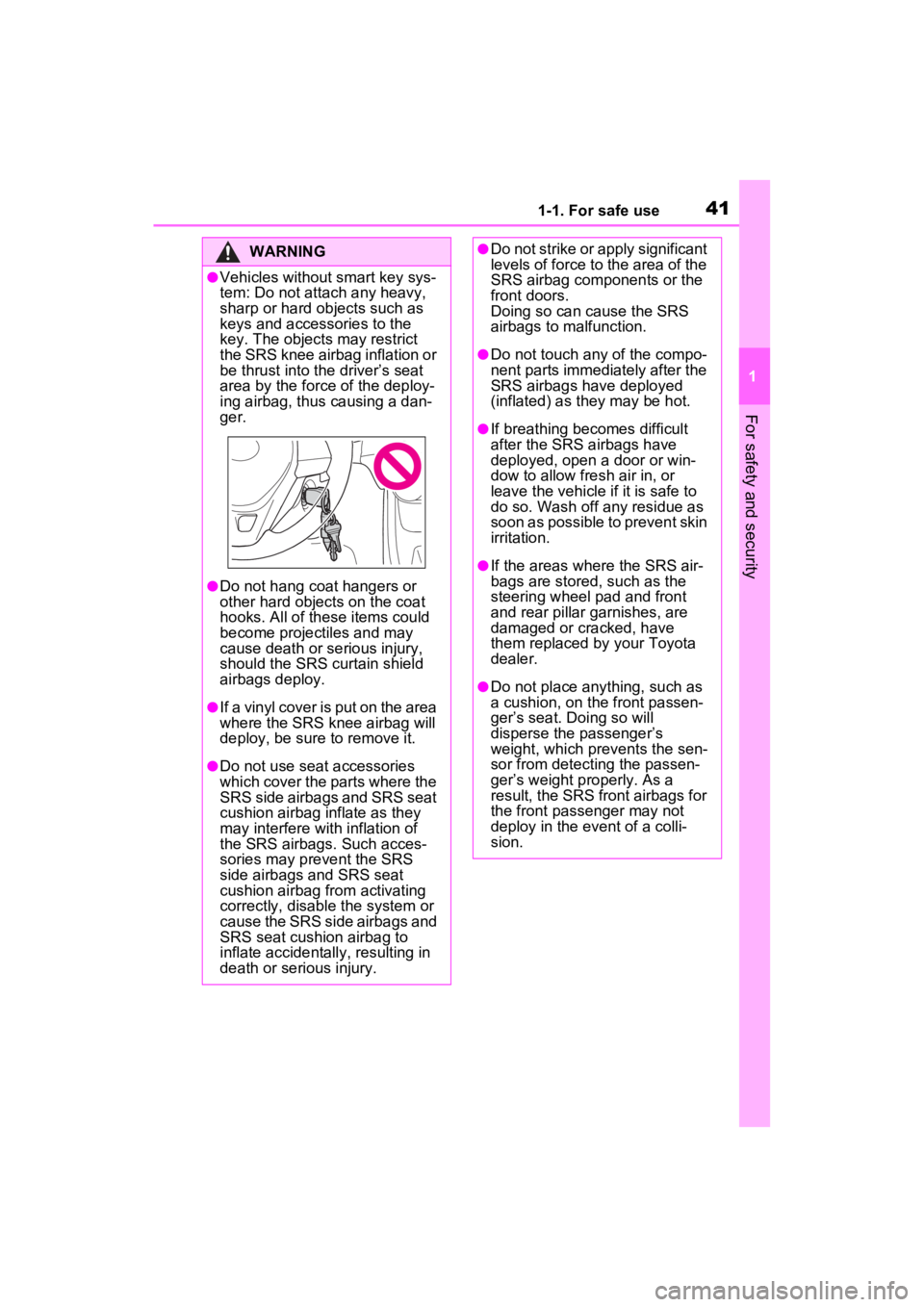
●Vehicles without smart key sys-
tem: Do not attach any heavy,
sharp or hard objects such as
keys and accessories to the
key. The objects may restrict
the SRS knee airbag inflation or
be thrust into the driver’s seat
area by the force of the deploy-
ing airbag, thus causing a dan-
ger.
●Do not hang coat hangers or
other hard objects on the coat
hooks. All of these items could
become projectiles and may
cause death or serious injury,
should the SRS curtain shield
airbags deploy.
●If a vinyl cover is put on the area
where the SRS knee airbag will
deploy, be sure to remove it.
●Do not use seat accessories
which cover the parts where the
SRS side airbags and SRS seat
cushion airbag inflate as they
may interfere with inflation of
the SRS airbags. Such acces-
sories may prevent the SRS
side airbags and SRS seat
cushion airbag from activating
correctly, disable the system or
cause the SRS side airbags and
SRS seat cushion airbag to
inflate accidentally, resulting in
death or serious injury.
●Do not strike or apply significant
levels of force to the area of the
SRS airbag components or the
front doors.
Doing so can cause the SRS
airbags to malfunction.
●Do not touch any of the compo-
nent parts immediately after the
SRS airbags have deployed
(inflated) as they may be hot.
●If breathing becomes difficult
after the SRS airbags have
deployed, open a door or win-
dow to allow fresh air in, or
leave the vehicle if it is safe to
do so. Wash off any residue as
soon as possible to prevent skin
irritation.
●If the areas where the SRS air-
bags are stored, such as the
steering wheel pad and front
and rear pillar garnishes, are
damaged or cracked, have
them replaced by your Toyota
dealer.
●Do not place anything, such as
a cushion, on the front passen-
ger’s seat. Doing so will
disperse the passenger’s
weight, which prevents the sen-
sor from detecting the passen-
ger’s weight properly. As a
result, the SRS front airbags for
the front passenger may not
deploy in the event of a colli-
sion.
Page 70 of 574
701-4. Theft deterrent system
1-4.Theft deterrent system
Vehicles without smart key
system
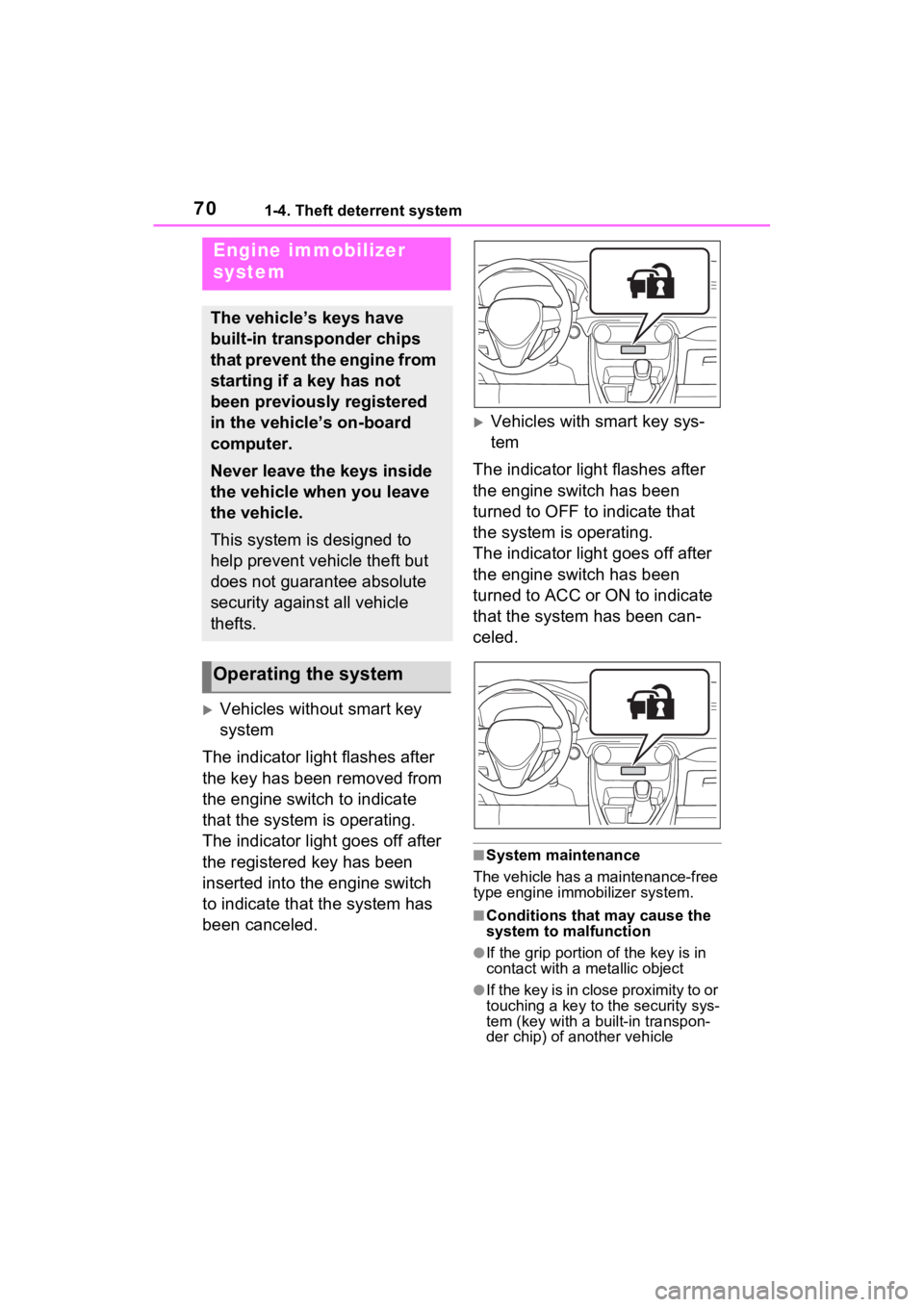
The indicator light flashes after
the key has been removed from
the engine switch to indicate
that the system is operating.
The indicator light goes off after
the registered key has been
inserted into the engine switch
to indicate that the system has
been canceled.
Vehicles with smart key sys-
tem
The indicator light flashes after
the engine switch has been
turned to OFF to indicate that
the system is operating.
The indicator light goes off after
the engine switch has been
turned to ACC or ON to indicate
that the system has been can-
celed.
■System maintenance
The vehicle has a maintenance-free
type engine immo bilizer system.
■Conditions that may cause the
system to malfunction
●If the grip portion of the key is in
contact with a metallic object
●If the key is in close proximity to or
touching a key to the security sys-
tem (key with a built-in transpon-
der chip) of another vehicle
Engine immobilizer
system
The vehicle’s keys have
built-in transponder chips
that prevent the engine from
starting if a key has not
been previously registered
in the vehicle’s on-board
computer.
Never leave the keys inside
the vehicle when you leave
the vehicle.
This system is designed to
help prevent vehicle theft but
does not guarantee absolute
security against all vehicle
thefts.
Operating the system
Page 71 of 574
711-4. Theft deterrent system
1
For safety and security
*: If equipped
NOTICE
■To ensure the system oper-
ates correctly
Do not modify or remove the sys-
tem. If modified or removed, the
proper operation of the system
cannot be guaranteed.
Alarm*
The alarm uses light and
sound to give an alert when
an intrusion is detected.
The alarm is triggered in the
following situations when
the alarm is set:
Vehicles without smart key
system: A locked door is
unlocked or opened in any
way other than using the
wireless remote control or
key. (The doors will lock
again automatically.)
Vehicles with smart key
system: A locked door is
unlocked or opened in any
way other than using the
entry function, wireless
remote control or mechani-
cal key. (The doors will lock
again automatically.)
For Canada: A locked door
is unlocked or opened in
any way other than using
the entry function (if
equipped) or wireless
remote control. (The doors
will lock again automati-
cally.)
The hood is opened.
Page 73 of 574
731-4. Theft deterrent system
1
For safety and security
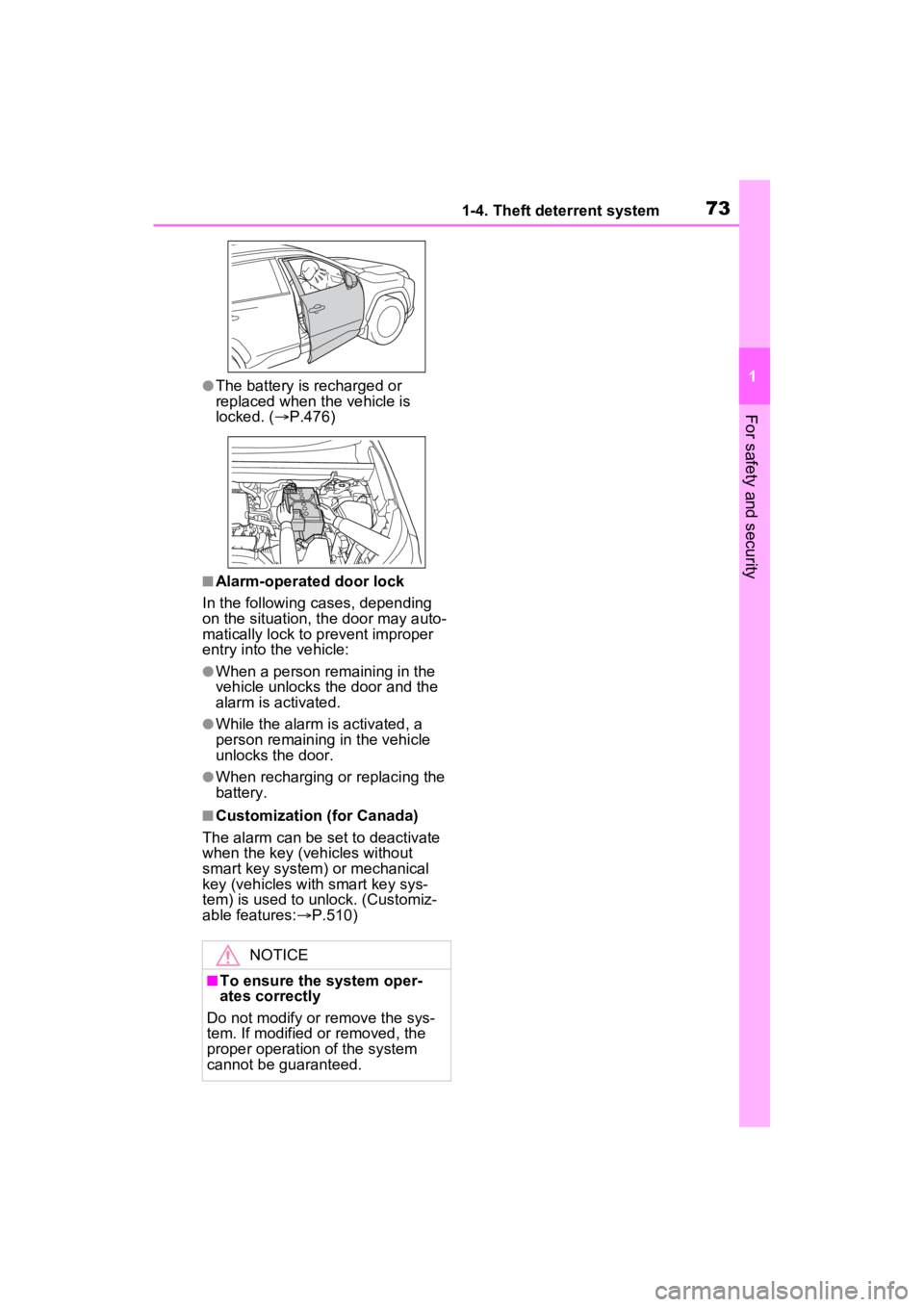
●The battery is recharged or
replaced when the vehicle is
locked. (P.476)
■Alarm-operated door lock
In the following cases, depending
on the situation, th e door may auto-
matically lock to p revent improper
entry into the vehicle:
●When a person remaining in the
vehicle unlocks the door and the
alarm is activated.
●While the alarm is activated, a
person remaining in the vehicle
unlocks the door.
●When recharging or replacing the
battery.
■Customization (for Canada)
The alarm can be set to deactivate
when the key (vehicles without
smart key system) or mechanical
key (vehicles with smart key sys-
tem) is used to unlock. (Customiz-
able features: P.510)
NOTICE
■To ensure the system oper-
ates correctly
Do not modify or remove the sys-
tem. If modified or removed, the
proper operation of the system
cannot be guaranteed.
Page 80 of 574
802-1. Instrument cluster
indicate that a system check is
being performed. They will turn
off after the engine is started, or
after a few seconds. There may
be a malfunction in a system if
the light does not come on, or
turn off. Have the vehicle
inspected by your Toyota dealer.
*2: This light illuminates on the multi-informatio n display with a
message.
*3: Intuitive parking assist OFF indi- cator turns on when the engine
switch is turned to ON while the
Intuitive parking assist function is
on. It will turn off after a few sec-
onds.
*4: Vehicles with 12.3-inch multi-information display
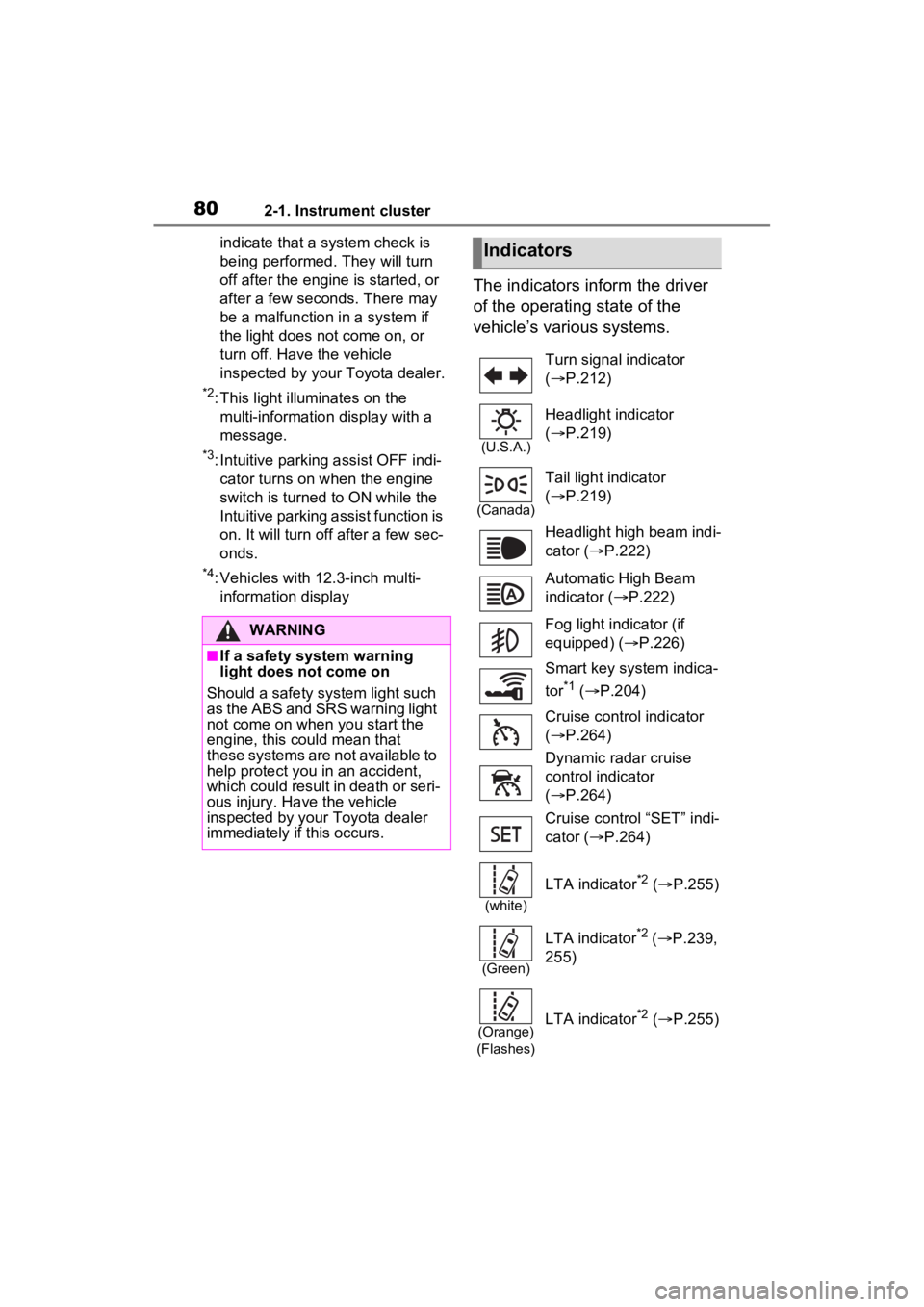
The indicators inform the driver
of the operating state of the
vehicle’s various systems.
WARNING
■If a safety system warning
light does not come on
Should a safety system light such
as the ABS and SR S warning light
not come on when you start the
engine, this could mean that
these systems are not available to
help protect you in an accident,
which could result in death or seri-
ous injury. Have the vehicle
inspected by your Toyota dealer
immediately if this occurs.
Indicators
Turn signal indicator
( P.212)
(U.S.A.)
Headlight indicator
( P.219)
(Canada)
Tail light indicator
( P.219)
Headlight high beam indi-
cator ( P.222)
Automatic High Beam
indicator ( P.222)
Fog light indicator (if
equipped) ( P.226)
Smart key system indica-
tor
*1 ( P.204)
Cruise control indicator
( P.264)
Dynamic radar cruise
control indicator
( P.264)
Cruise control “SET” indi-
cator ( P.264)
(white)
LTA indicator*2 ( P.255)
(Green)
LTA indicator*2 ( P.239,
255)
(Orange)
(Flashes)LTA indicator*2 ( P.255)
Page 113 of 574
113
3
3
Before driving
Before driving
3-1. Key informationKeys ............................ 114
3-2. Opening, closing and locking the doors
Side doors ................... 119
Back door .................... 125
Smart key system ....... 139
3-3. Adjusting the seats Front seats .................. 144
Rear seats................... 145
Driving position memory .................................. 147
Head restraints............ 150
3-4. Adjusting the steering wheel and mirrors
Steering wheel ............ 153
Inside rear view mirror 154
Digital Rear-view Mirror .................................. 156
Outside rear view mirrors .................................. 165
3-5. Opening, closing the win- dows and moon roof
Power windows ........... 167
Moon roof .................... 170
Panoramic moon roof.. 173
Page 114 of 574
1143-1. Key information
3-1.Key information
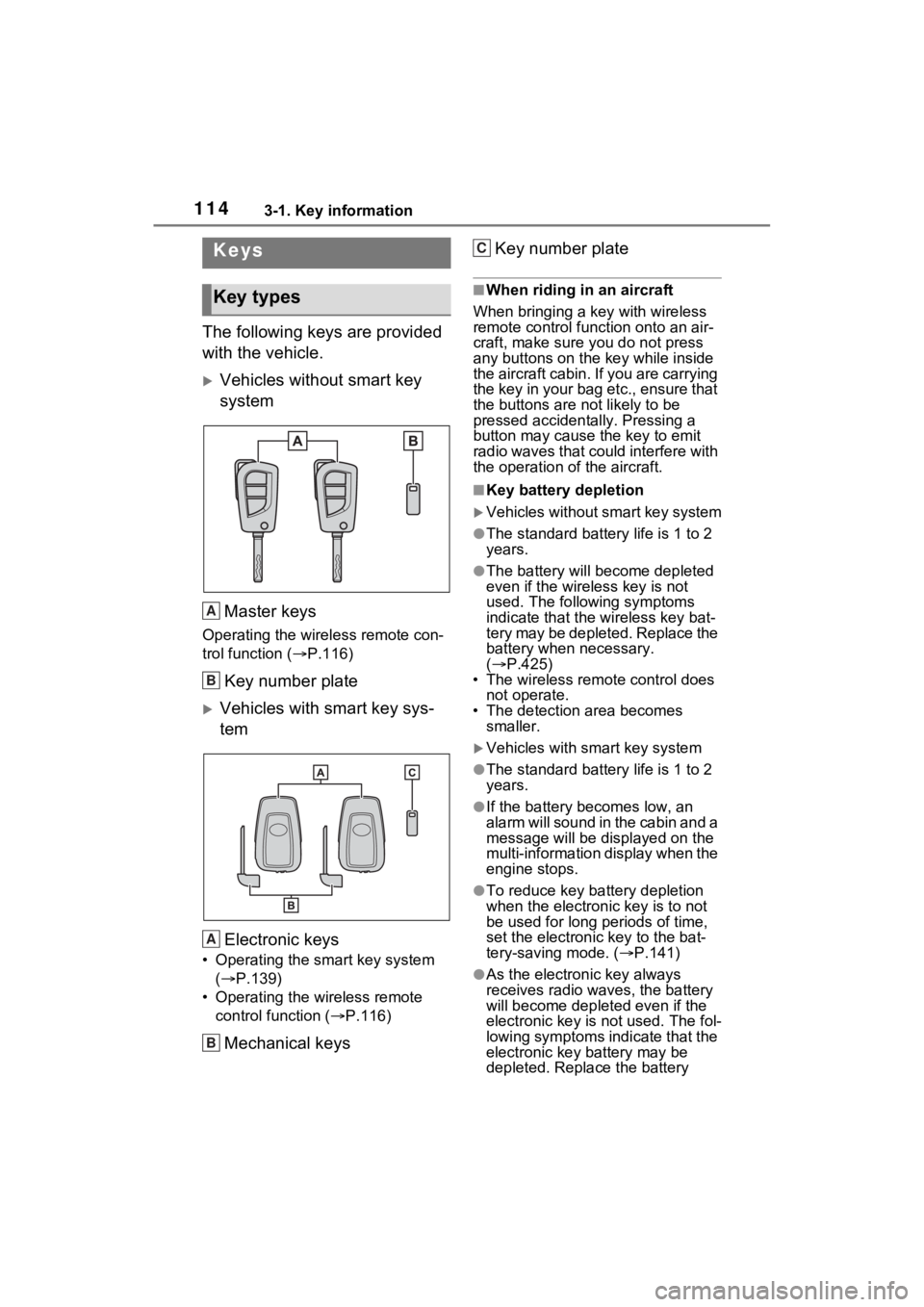
The following keys are provided
with the vehicle.
Vehicles without smart key
systemMaster keys
Operating the wireless remote con-
trol function ( P.116)
Key number plate
Vehicles with smart key sys-
tem
Electronic keys
• Operating the smart key system ( P.139)
• Operating the wireless remote control function ( P.116)
Mechanical keys Key number plate
■When riding in an aircraft
When bringing a ke y with wireless
remote control func tion onto an air-
craft, make sure you do not press
any buttons on the key while inside
the aircraft cabin. If you are carrying
the key in your bag etc., ensure that
the buttons are not likely to be
pressed accidentally. Pressing a
button may cause the key to emit
radio waves that could interfere with
the operation of the aircraft.
■Key battery depletion
Vehicles without smart key system
●The standard battery life is 1 to 2
years.
●The battery will be come depleted
even if the wireless key is not
used. The following symptoms
indicate that the wireless key bat-
tery may be depleted. Replace the
battery when necessary.
( P.425)
• The wireless remote control does not operate.
• The detection area becomes
smaller.
Vehicles with smart key system
●The standard battery life is 1 to 2
years.
●If the battery bec omes low, an
alarm will sound in the cabin and a
message will be disp layed on the
multi-information display when the
engine stops.
●To reduce key battery depletion
when the electronic key is to not
be used for long periods of time,
set the electronic key to the bat-
tery-saving mode. ( P.141)
●As the electronic key always
receives radio waves, the battery
will become depleted even if the
electronic key is not used. The fol-
lowing symptoms indicate that the
electronic key battery may be
depleted. Replace the battery
Keys
Key types
A
B
A
B
C