sport mode TOYOTA RAV4 2023 Owners Manual
[x] Cancel search | Manufacturer: TOYOTA, Model Year: 2023, Model line: RAV4, Model: TOYOTA RAV4 2023Pages: 574, PDF Size: 17.31 MB
Page 81 of 574
812-1. Instrument cluster
2
Vehicle status information and indicators
*1: This light illuminates on the multi-information display with a
message.
*2: Depending on the operating con-ditions of the system, the color
and state (illuminat ed/blinking) of
the indicator change.
*3: The light comes on when the system is turned off.
*4: Intuitive parking assist OFF indi-
cator turns on wh en the engine
switch is turned t o ON while the
Intuitive parking assist function is
on. It will turn off after a few sec-
onds.
*5: These lights tu rn on when the
engine switch is turned to ON to
indicate that a system check is
being performed. They will turn
off after the engine is started, or
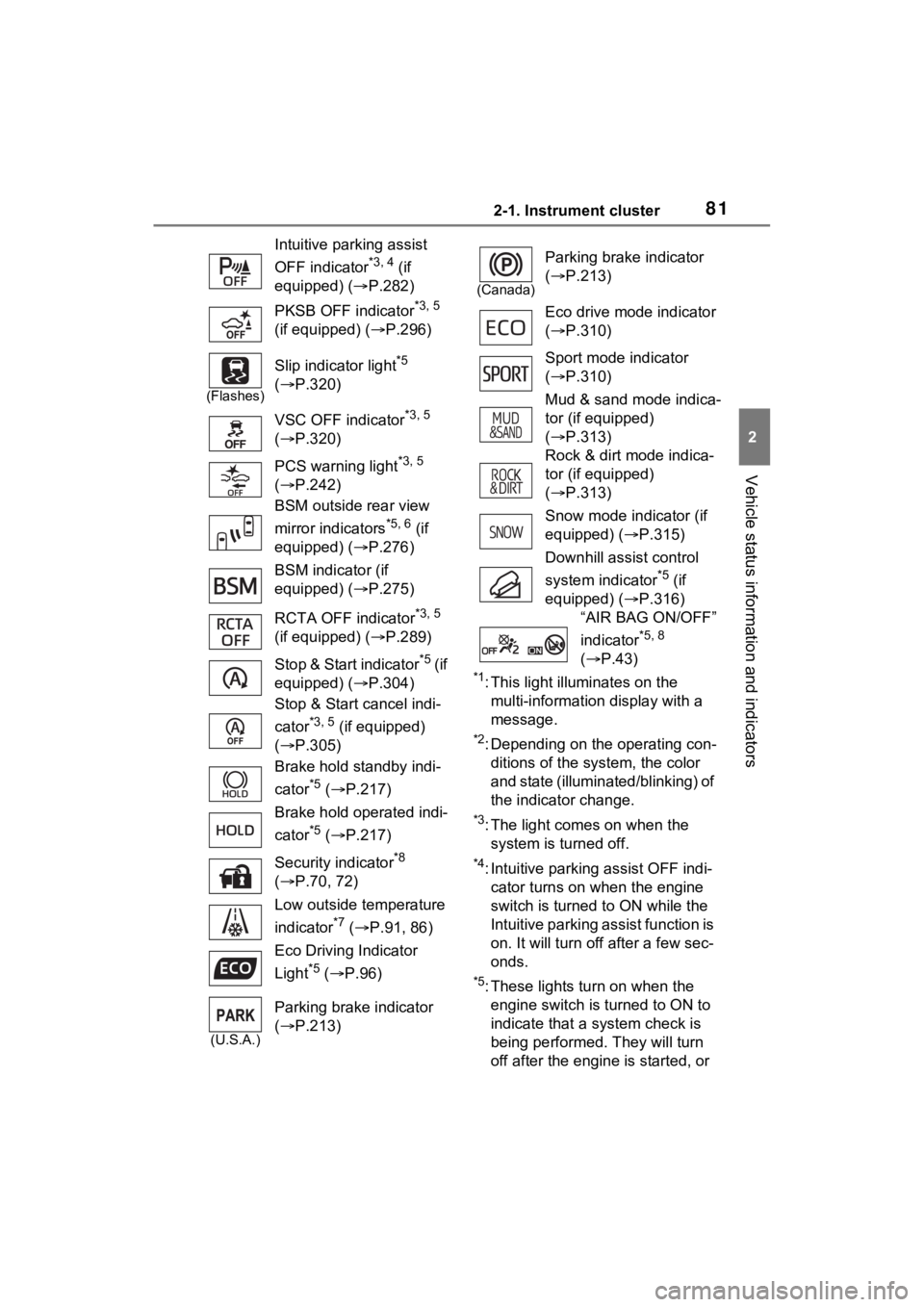
Intuitive parking assist
OFF indicator
*3, 4 (if
equipped) ( P.282)
PKSB OFF indicator
*3, 5
(if equipped) ( P.296)
(Flashes)
Slip indicator light*5
( P.320)
VSC OFF indicator
*3, 5
( P.320)
PCS warning light
*3, 5
( P.242)
BSM outside rear view
mirror indicators
*5, 6 (if
equipped) ( P.276)
BSM indicator (if
equipped) ( P.275)
RCTA OFF indicator
*3, 5
(if equipped) ( P.289)
Stop & Start indicator
*5 (if
equipped) ( P.304)
Stop & Start cancel indi-
cator
*3, 5 (if equipped)
( P.305)
Brake hold standby indi-
cator
*5 ( P.217)
Brake hold operated indi-
cator
*5 ( P.217)
Security indicator
*8
( P.70, 72)
Low outside temperature
indicator
*7 ( P.91, 86)
Eco Driving Indicator
Light
*5 ( P.96)
(U.S.A.)
Parking brake indicator
( P.213)
(Canada)
Parking brake indicator
( P.213)
Eco drive mode indicator
( P.310)
Sport mode indicator
( P.310)
Mud & sand mode indica-
tor (if equipped)
( P.313)
Rock & dirt mode indica-
tor (if equipped)
( P.313)
Snow mode indicator (if
equipped) ( P.315)
Downhill assist control
system indicator
*5 (if
equipped) ( P.316)
“AIR BAG ON/OFF”
indicator
*5, 8
( P.43)
Page 98 of 574
982-1. Instrument cluster
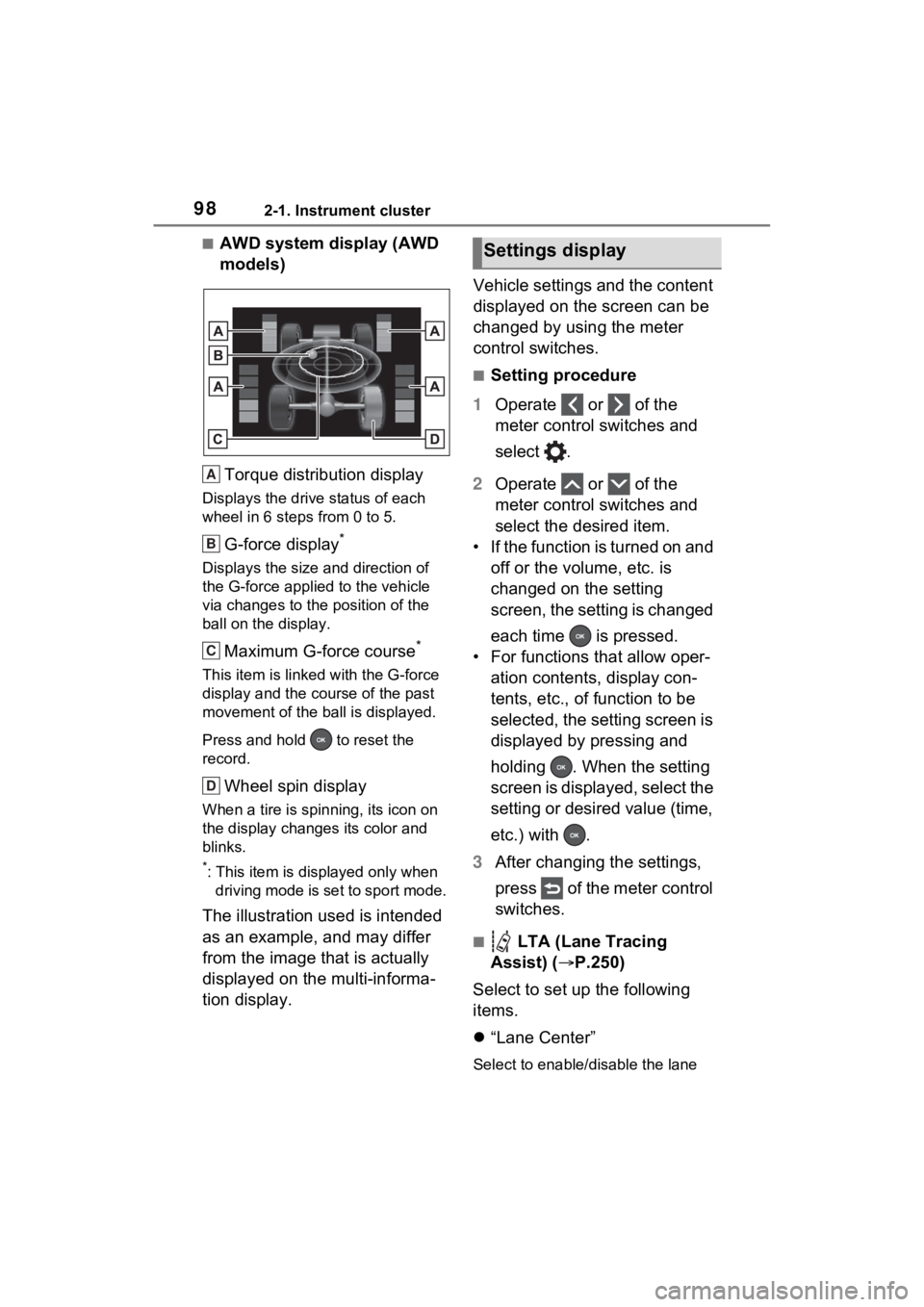
■AWD system display (AWD
models)Torque distribution display
Displays the drive status of each
wheel in 6 steps from 0 to 5.
G-force display*
Displays the size and direction of
the G-force applie d to the vehicle
via changes to the position of the
ball on the display.
Maximum G-force course*
This item is linke d with the G-force
display and the course of the past
movement of the ball is displayed.
Press and hold to reset the
record.
Wheel spin display
When a tire is spin ning, its icon on
the display change s its color and
blinks.
*: This item is displayed only when driving mode is set to sport mode.
The illustration used is intended
as an example, and may differ
from the image that is actually
displayed on the multi-informa-
tion display. Vehicle settings and the content
displayed on the screen can be
changed by using the meter
control switches.
■Setting procedure
1 Operate or of the
meter control switches and
select .
2 Operate or of the
meter control switches and
select the desired item.
• If the function is turned on and off or the volume, etc. is
changed on the setting
screen, the setting is changed
each time is pressed.
• For functions that allow oper- ation contents, display con-
tents, etc., of function to be
selected, the setting screen is
displayed by pressing and
holding . When the setting
screen is displayed, select the
setting or desired value (time,
etc.) with .
3 After changing the settings,
press of the meter control
switches.
■ LTA (Lane Tracing
Assist) ( P.250)
Select to set up the following
items.
“Lane Center”
Select to enable /disable the lane
A
B
C
D
Settings display
Page 180 of 574
1804-1. Before driving
rain, because there may be a
layer of water between the tires
and the road surface, preventing
the steering and brakes from
operating properly.
■Engine speed while driving
In the following conditions, the
engine speed may become high
while driving. This is due to auto-
matic up-shifting control or down-
shifting implementation to meet driv-
ing conditions. It does not indicate
sudden acceleration.
●The vehicle is judged to be driving
uphill or downhill
●When the accelerator pedal is
released
●When the brake pedal is
depressed while sport mode is
selected
■Restraining the engine output
(Brake Override System)
●When the accelerator and brake
pedals are depressed at the same
time, the engine output may be
restrained.
●A warning message is displayed
on the multi-information display
while the system is operating.
■Breaking in your new Toyota
To extend the life of the vehicle,
observing the following precautions
is recommended:
●For the first 200 miles (300 km):
Avoid sudden stops.
●For the first 500 miles (800 km):
Do not tow a trailer.
●For the first 600 miles (1000 km):
• Do not drive at extremely high speeds.
• Avoid sudden acceleration.
• Do not drive continuously in low gears.
• Do not drive at a constant speed for extended periods.
■Operating your vehicle in a for-
eign country
Comply with the relevant vehicle registration laws and confirm the
availability of the correct fuel.
(
P.488)
WARNING
Observe the following precau-
tions.
Failure to do so may result in
death or serious injury.
■When starting the vehicle
Always keep your foot on the
brake pedal while stopped with
the engine running. This prevents
the vehicle from creeping.
■When driving the vehicle
●Do not drive if you are unfamil-
iar with the location of the brake
and accelerator pedals to avoid
depressing the wrong pedal.
• Accidentally depressing the accelerator pedal instead of the
brake pedal will result in sudden
acceleration that may lead to an
accident.
• When backing up, you may twist your body around, leading to a
difficulty in operating the pedals.
Make sure to operate the pedals
properly.
• Make sure to keep a correct driving posture even when mov-
ing the vehicle only slightly. This
allows you to depress the brake
and accelerator pedals properly.
• Depress the brake pedal using your right foot. Depressing the
brake pedal using your left foot
may delay response in an emer-
gency, resulting in an accident.
●Do not drive the vehicle over or
stop the vehicle near flammable
materials such as leaves, paper
or rags.
The exhaust system and
exhaust gases can be
extremely hot. These hot parts
may cause a fire i f there is any
flammable material nearby.
Page 209 of 574
2094-2. Driving procedures
4
Driving
*1: Shifting to the D position allows the system to select a gear suit-
able for the driving conditions.
Setting the shift lever to the D
position is recommended for nor-
mal driving.
*2: Selecting shift ranges using S mode restricts the upper limit of
the possible gear ranges, con-
trols engine braking force, and
prevents unnecessary upshifting.
■When driving with dynamic
radar cruise control with full-
speed range activated
Even when performing the following
actions with the in tent of enabling
engine braking, e ngine braking will
not activate because dynamic radar
cruise control with full-speed range will not be canceled.
●While driving in S mode, down-
shifting to 7, 6
, 5, or 4. (P.211)
●When switching th e driving mode
to sport mode while driving in D.
( P.310)
■If “High Transmission Fluid
Temp” is displayed on the
multi-information display (AWD
models)
Make sure to return to D position
driving and reduce speed by easing
off the accelerato r pedal. Stop the
vehicle in a safe place, shift the shift
lever to P and le t the engine idle
until the warning message goes out.
When the warning message goes
out, the vehicle can be driven again.
If the warning message does not go
out after waiting a while, have your
vehicle inspected by your Toyota
dealer.
■Restraining sudden start (Drive-
Start Control)
P.185
■AI-SHIFT
The AI-SHIFT automa tically selects
the suitable gear according to driver
performance and driving conditions.
The AI-SHIFT automatically oper-
ates when the shift lever is in D.
(Shifting the shift lever to S cancels
the function.)
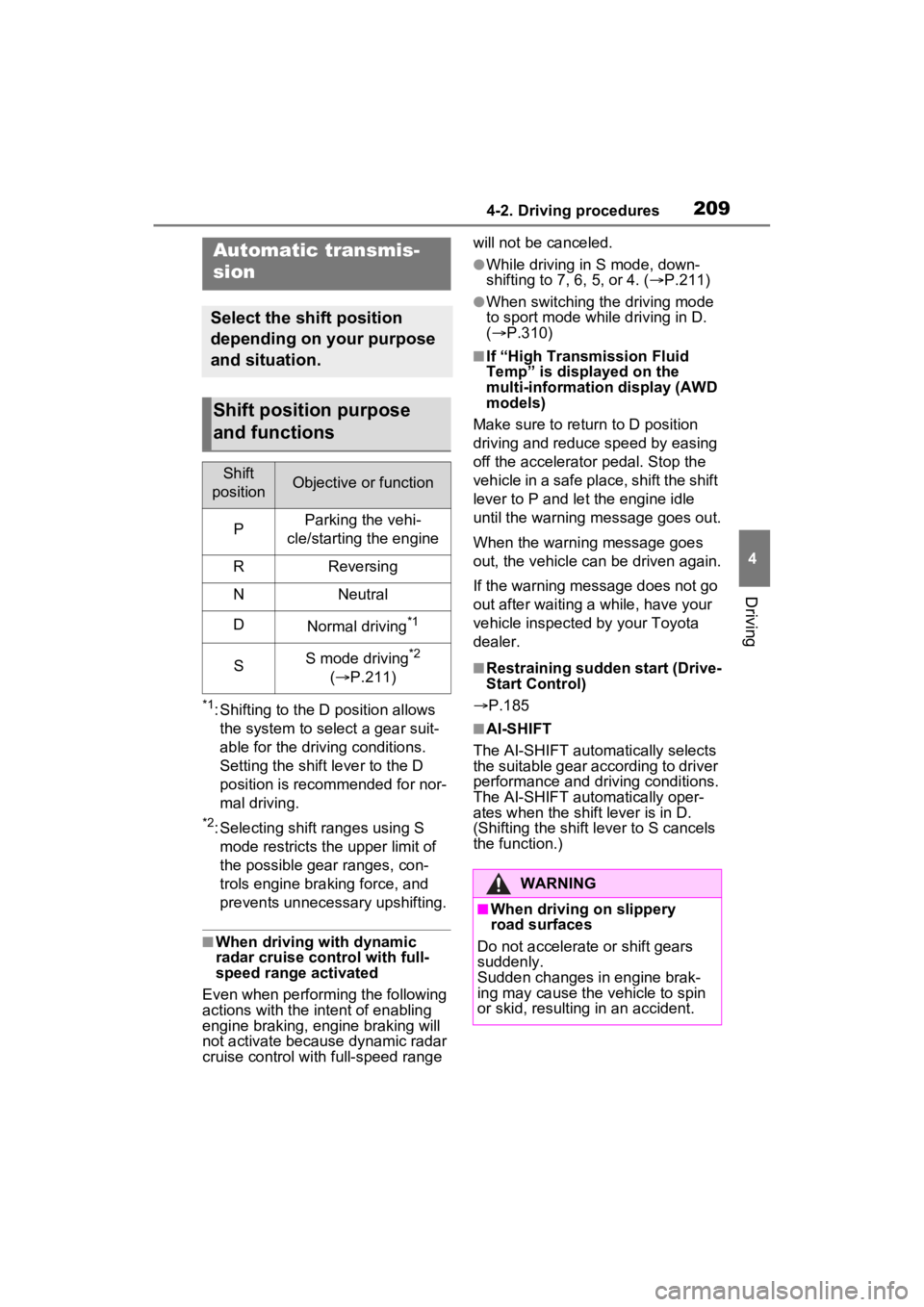
Automatic transmis-
sion
Select the shift position
depending on your purpose
and situation.
Shift position purpose
and functions
Shift
positionObjective or function
PParking the vehi-
cle/starting the engine
RReversing
NNeutral
DNormal driving*1
SS mode driving*2
( P.211)
WARNING
■When driving on slippery
road surfaces
Do not accelerate or shift gears
suddenly.
Sudden changes in engine brak-
ing may cause the vehicle to spin
or skid, resulting in an accident.
Page 311 of 574
3114-5. Using the driving support systems
4
Driving
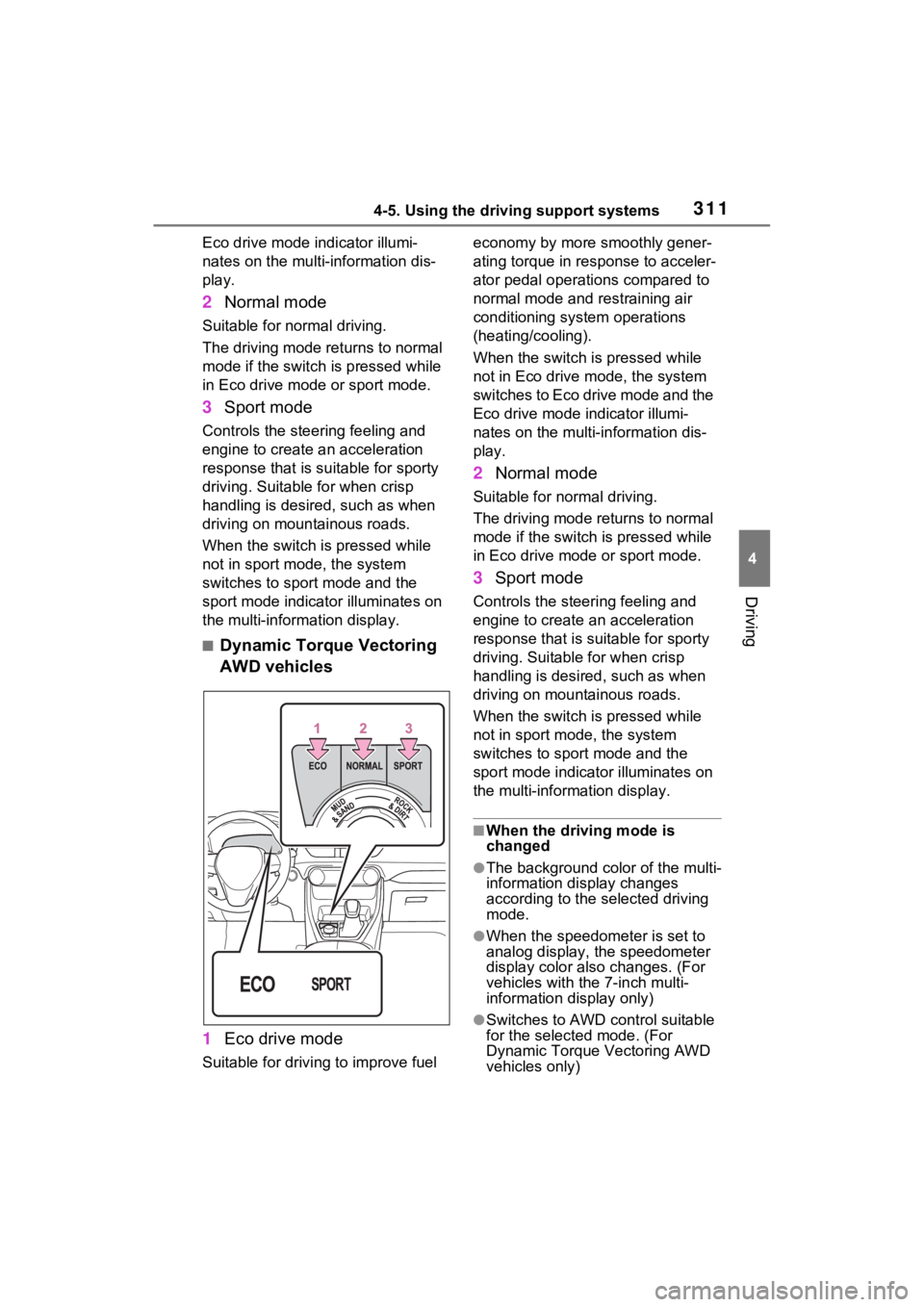
Eco drive mode indicator illumi-
nates on the multi-information dis-
play.
2Normal mode
Suitable for normal driving.
The driving mode returns to normal
mode if the switch is pressed while
in Eco drive mode or sport mode.
3Sport mode
Controls the steering feeling and
engine to create an acceleration
response that is su itable for sporty
driving. Suitable for when crisp
handling is desired, such as when
driving on mountainous roads.
When the switch is pressed while
not in sport mode, the system
switches to sport mode and the
sport mode indicator illuminates on
the multi-inform ation display.
■Dynamic Torque Vectoring
AWD vehicles
1 Eco drive mode
Suitable for driving to improve fuel economy by more
smoothly gener-
ating torque in response to acceler-
ator pedal operations compared to
normal mode and restraining air
conditioning system operations
(heating/cooling).
When the switch is pressed while
not in Eco drive mode, the system
switches to Eco drive mode and the
Eco drive mode i ndicator illumi-
nates on the multi-information dis-
play.
2 Normal mode
Suitable for n ormal driving.
The driving mode returns to normal
mode if the switch i s pressed while
in Eco drive mode or sport mode.
3 Sport mode
Controls the steering feeling and
engine to create an acceleration
response that is suitable for sporty
driving. Suitable for when crisp
handling is desired, such as when
driving on mountainous roads.
When the switch is pressed while
not in sport mode, the system
switches to sport mode and the
sport mode indicat or illuminates on
the multi-information display.
■When the driving mode is
changed
●The background color of the multi-
information display changes
according to the selected driving
mode.
●When the speedometer is set to
analog display, the speedometer
display color also changes. (For
vehicles with the 7-inch multi-
information di splay only)
●Switches to AWD control suitable
for the selected mode. (For
Dynamic Torque Vectoring AWD
vehicles only)
Page 312 of 574
3124-5. Using the driving support systems
■Air conditioning system opera-
tion in Eco drive mode
In Eco drive mode, heating/cooling
operations and the fan speed is con-
trolled to improve fuel efficiency.
Perform the following procedures to
increase the air conditioning perfor-
mance.
●Vehicles with automatic air condi-
tioning system: Turn eco air condi-
tioning mode off ( P.339)
●Adjust the fan speed ( P.332,
339)
●Cancel Eco drive mode
■Canceling a driving mode
●Sport mode is automatically can-
celed and the driving mode
returns to normal mode when the
engine switch is turned off.
●Normal mode and Eco drive mode
are not canceled until another
driving mode is sel ected. (Even if
the engine switch is turned off,
normal mode and Eco drive mode
will not be automatically can-
celed.)
Select a mode that is appropri-
ate for the road condition.
■Mud & Sand mode
Suitable for driving on roads
with increased driving resis-
tance in which tires could
become stuck, such as sandy
roads, muddy roads, etc.
Multi-terrain Select
(AWD vehicles)
Multi-terrain Select is
designed to control AWD,
brake and driving force sys-
tems in accordance with the
road condition. Use the sys-
tem when driving over
muddy, sandy or rough road
surfaces.
WARNING
■Before using Multi-terrain
Select
Make sure to observe the follow-
ing precautions. Failure to
observe these precautions may
result in an unexp ected accident.
●Check that the Mud & Sand and
Rock & Dirt indicators are illumi-
nated before driving.
●Multi-terrain Select is not
intended to expand the limit per-
formance of the vehicle. Thor-
oughly check the road
conditions and driving route
before driving, and drive with
caution.
Control in each mode
Page 442 of 574
4447-2. Steps to take in an emergency
When using a flat-bed truck to
transport the vehicle, use tire
strapping belts. Refer to the
owner’s manual of the flat-bed
truck for the tire strapping
method.
In order to suppress vehicle
movement during transporta-
tion, set the parking brake and
turn the engine switch to off.
WARNING
Observe the following precau-
tions. Failure to do so may result
in death or serious injury.
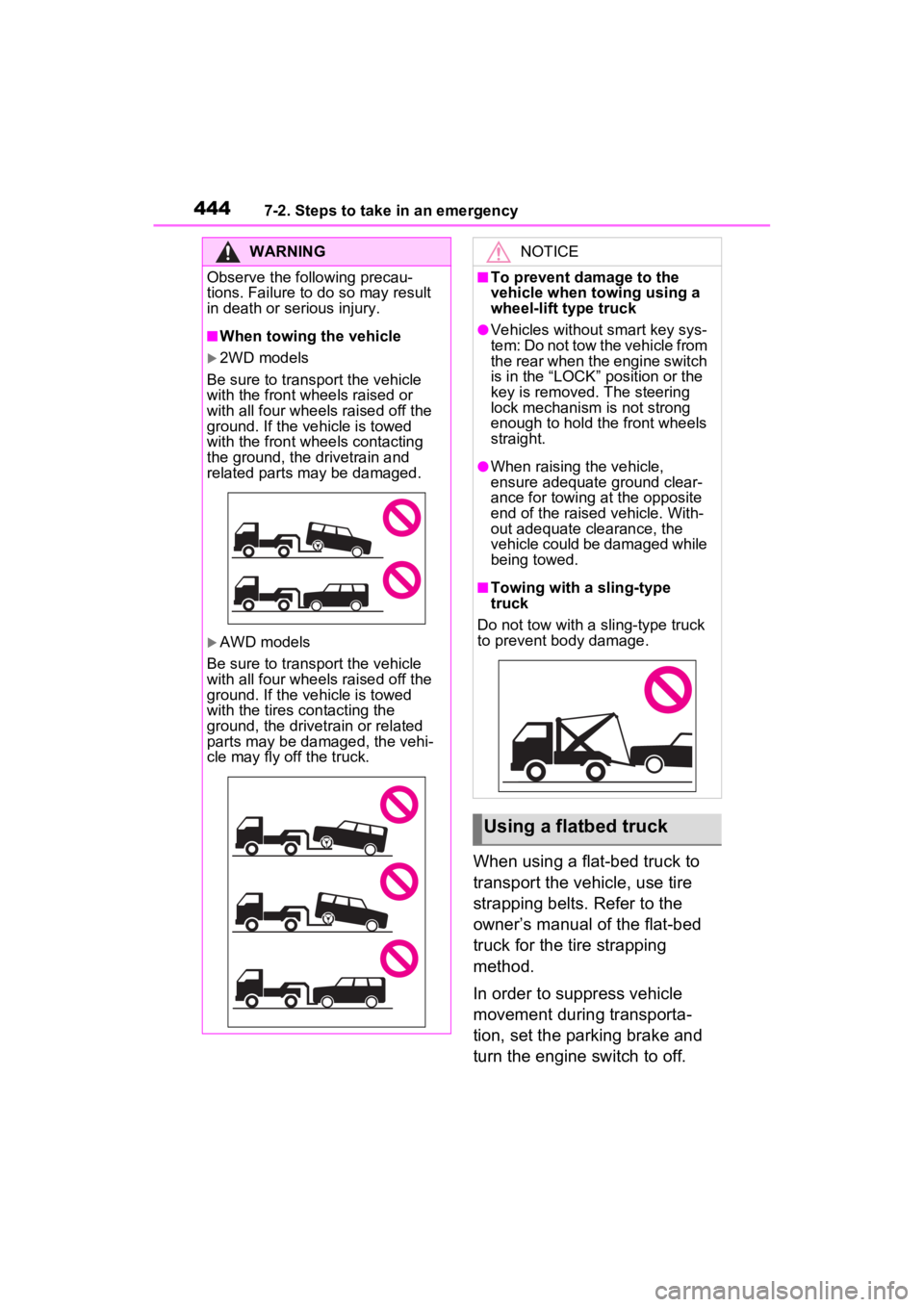
■When towing the vehicle
2WD models
Be sure to transport the vehicle
with the front wh eels raised or
with all four wheels raised off the
ground. If the vehicle is towed
with the front wh eels contacting
the ground, the drivetrain and
related parts may be damaged.
AWD models
Be sure to transport the vehicle
with all four wheels raised off the
ground. If the vehicle is towed
with the tires contacting the
ground, the drivetrain or related
parts may be damaged, the vehi-
cle may fly off the truck.
NOTICE
■To prevent damage to the
vehicle when t owing using a
wheel-lift type truck
●Vehicles without smart key sys-
tem: Do not tow the vehicle from
the rear when the engine switch
is in the “LOCK” position or the
key is removed. The steering
lock mechanism is not strong
enough to hold the front wheels
straight.
●When raising the vehicle,
ensure adequate ground clear-
ance for towing at the opposite
end of the raised vehicle. With-
out adequate clearance, the
vehicle could be damaged while
being towed.
■Towing with a sling-type
truck
Do not tow with a sling-type truck
to prevent body damage.
Using a flatbed truck
Page 510 of 574
5128-2. Customization
*1: For details about each function: P.98
*2: The default setting varies according to country.
*3: Vehicles with 7-inch display only
*4: AWD models
■Gauges, meters and multi-information display (with 12.3-inch
display) ( P.88, 102)
Convenience Services (Sug-
gestion function)On
On (when the
vehicle is stopped)
O–O
Off
Function*1Default settingCustomized setting
Language“English”
(English)
“Français can-adien” (Cana- dian French)
–O–“Español mexi- cano” (Mexi-
can Spanish)
Units*2miles (MPG US)
km (km/L)
–O–km (L/100 km)
miles (MPG Imperial)
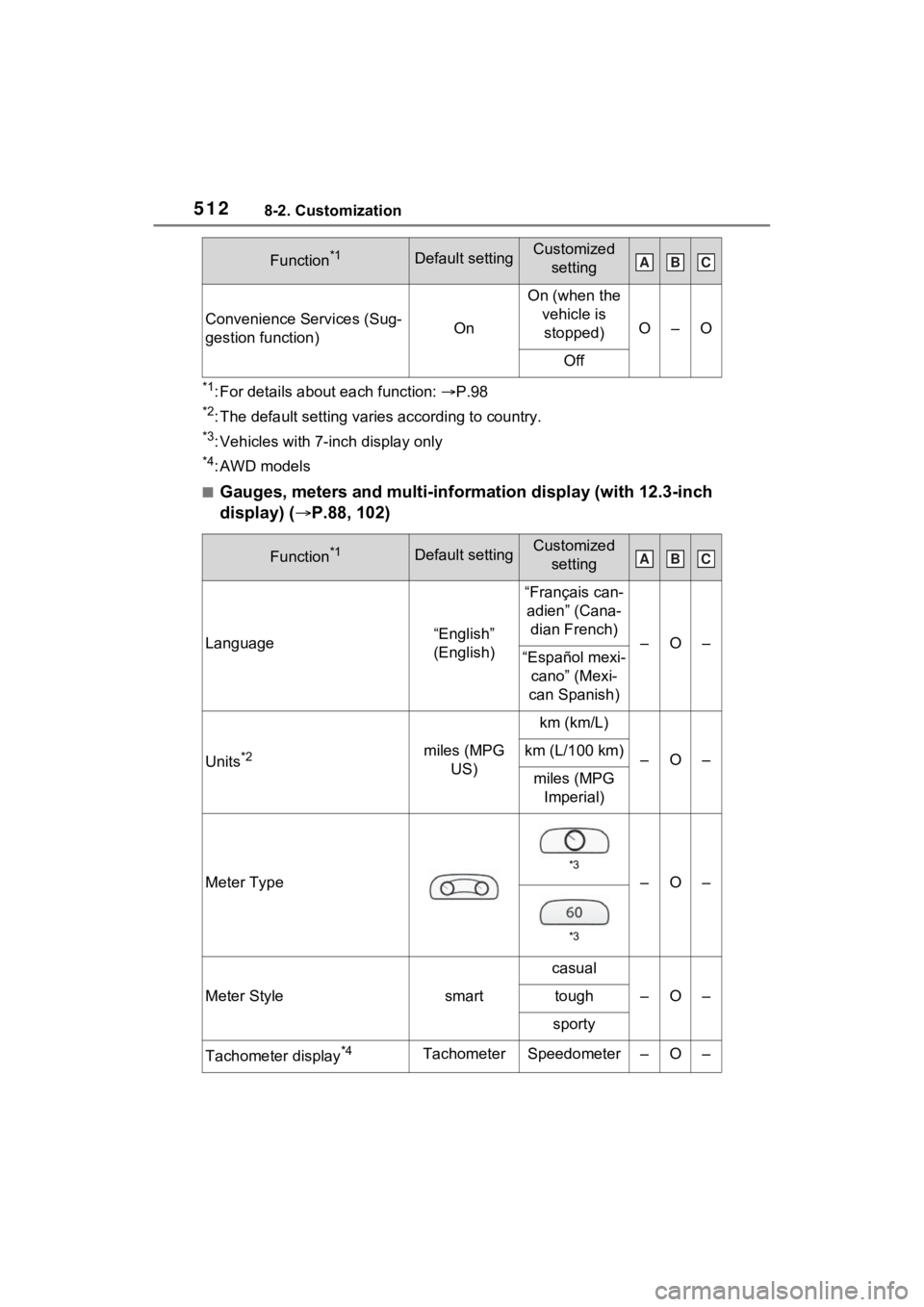
Meter Type
*3
–O–
*3
Meter Stylesmart
casual
–O–tough
sporty
Tachometer display*4TachometerSpeedometer–O–
Function*1Default settingCustomized settingABC
ABC
Page 551 of 574

Alphabetical Index553
Side auxiliary box ................... 356
Side doors ............................... 119
Side marker lightsLight switch .......................... 219
Replacing light bulbs ............ 432
Wattage ................................ 496
Side mirrors ............................ 165 Adjustment ........................... 165
BSM (Blind Spot Monitor)..... 275
Folding ................................. 166
Heaters......................... 333, 340
RCTA (Rear Cross Traffic Alert) function............................... 289
Side turn signal lights Replacing light bulbs ............ 432
Turn signal lever................... 212
Side windows ...... ................... 167
Smart key system ................... 139 Antenna location .................. 139
Entry functions ............. 119, 127
Starting the engine ............... 204
Warning message ................ 459
Snow mode switch ................. 315
Snow tires ............................... 325
Spare tire Storage location ................... 464
Spark plug ............................... 490
Specifications ......................... 486
Speedometer ...................... 83, 88
Sport mode ............................. 310
Steering lock Column lock release............. 203
Steering wheel Adjustment ........................... 153
Heated steering wheel ......... 345
Meter control switches ... 94, 103
Stop lights Replacing light bulbs ............ 432
Stop & Start system Function ............................... 304
Replacing the battery ........... 478
Storage feature ....................... 350 Storage precaution
s ...............350
Stuck If the vehicle becomes stuck 482
Sunglass holder.... ..................352
Sunshade ........................170, 173
Sun visors ...............................359
Switches “ODO TRIP” switch ...........86, 92
“SOS” button ..........................65
Automatic High Beam switch 222
Brake hold switch .................217
Digital Rear-view Mirror control switches..............................156
Door lock switch ...................123
Driving mode select switch ...310
Driving position memory switches..............................147
Dynamic radar cruise control with full-speed range ..........264
Electronic sunshade switch ..173
Emergency flashers switch...440
Engine switch ...............203, 204
Fog light switch .....................226
Garage door opener switches ...........................................370
Heated steering wheel..........346
Ignition switch (Engine switch) ...................................203, 204
Instrument panel light control switches..........................87, 93
Light switch...........................219
LTA switch ............................255
Meter control switches....94, 103
Moon roof switches ..............170
Outside rear v iew mirror
switches..............................165
Panoramic moon roof switches ...........................................173
Parking brake switch ............213
Power back door switch129, 130
Power door lock switch.........123
Power window switch ...........167