air condition TOYOTA RAV4 HYBRID 2017 XA40 / 4.G User Guide
[x] Cancel search | Manufacturer: TOYOTA, Model Year: 2017, Model line: RAV4 HYBRID, Model: TOYOTA RAV4 HYBRID 2017 XA40 / 4.GPages: 676, PDF Size: 18.91 MB
Page 183 of 676
183
RAV4-HV_OM_OM42B03U_(U)
4-1. Before driving
4
Driving
Trailer towing
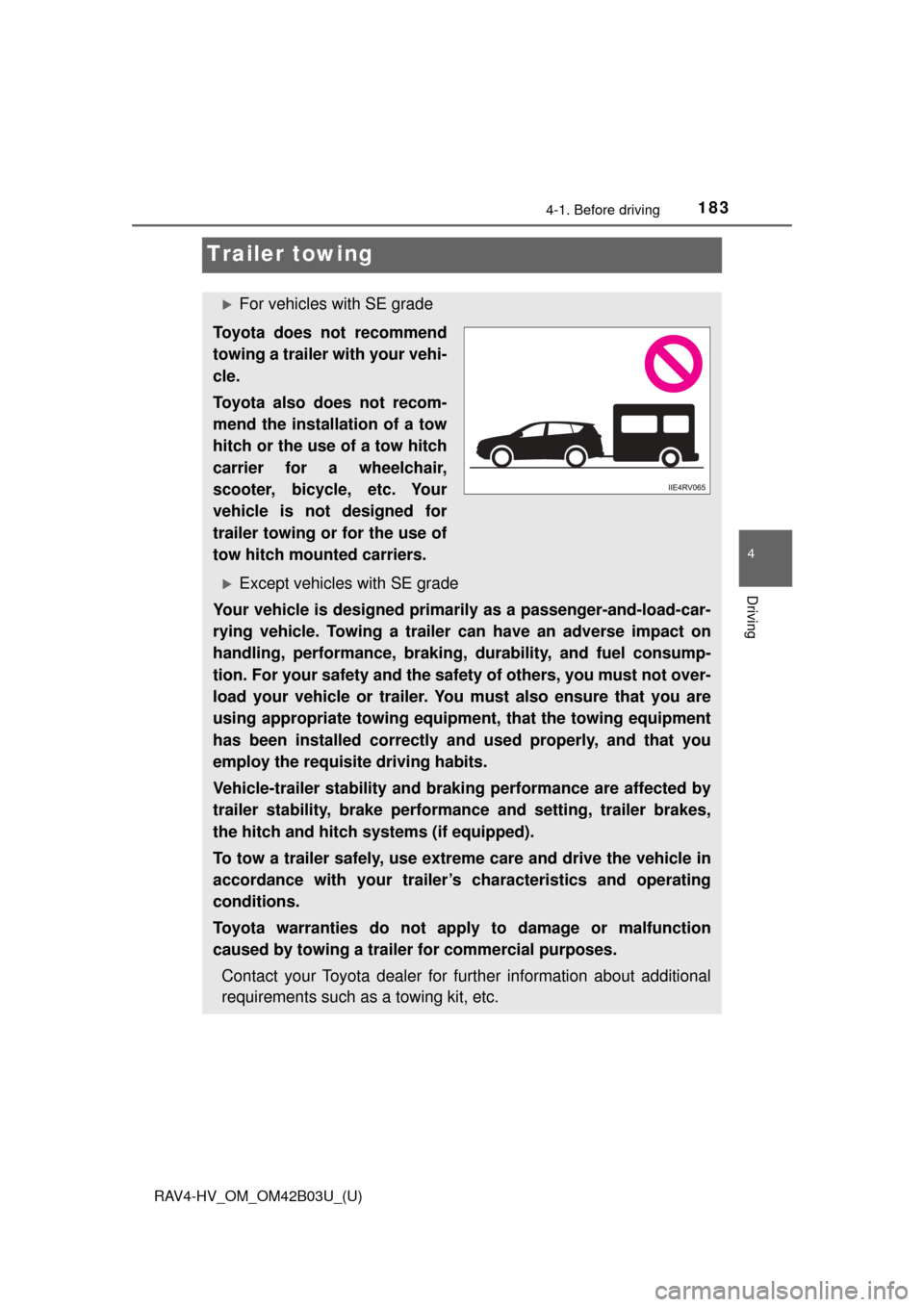
For vehicles with SE grade
Toyota does not recommend
towing a trailer with your vehi-
cle.
Toyota also does not recom-
mend the installation of a tow
hitch or the use of a tow hitch
carrier for a wheelchair,
scooter, bicycle, etc. Your
vehicle is not designed for
trailer towing or for the use of
tow hitch mounted carriers.
Except vehicles with SE grade
Your vehicle is designed primarily as a passenger-and-load-car-
rying vehicle. Towing a trailer can have an adverse impact on
handling, performance, braking, durability, and fuel consump-
tion. For your safety and the safe ty of others, you must not over-
load your vehicle or trailer. You must also ensure that you are
using appropriate towing equipmen t, that the towing equipment
has been installed correctly an d used properly, and that you
employ the requisite driving habits.
Vehicle-trailer stability and braking performance are affected by
trailer stability, brake performance and setting, trailer brakes,
the hitch and hitch systems (if equipped).
To tow a trailer safely, use extreme care and drive the vehicle in
accordance with your trailer’s characteristics and operating
conditions.
Toyota warranties do not appl y to damage or malfunction
caused by towing a trailer for commercial purposes.
Contact your Toyota dealer for further information about additional
requirements such as a towing kit, etc.
Page 192 of 676
![TOYOTA RAV4 HYBRID 2017 XA40 / 4.G User Guide 192
RAV4-HV_OM_OM42B03U_(U)
4-1. Before driving
●Due to the added load of the trailer, your vehicle’s engine may over-
heat on hot days (at temperatures over 85 °F [30°C]) when driving
up a long](/img/14/6735/w960_6735-191.png "TOYOTA RAV4 HYBRID 2017 XA40 / 4.G User Guide 192
RAV4-HV_OM_OM42B03U_(U)
4-1. Before driving
●Due to the added load of the trailer, your vehicle’s engine may over-
heat on hot days (at temperatures over 85 °F [30°C]) when driving
up a long")
192
RAV4-HV_OM_OM42B03U_(U)
4-1. Before driving
●Due to the added load of the trailer, your vehicle’s engine may over-
heat on hot days (at temperatures over 85 °F [30°C]) when driving
up a long or steep grade. If t he engine coolant temperature gauge
indicates overheating, immediately turn off the air conditioning (if in
use), pull your vehicle off the road and stop in a safe spot.
( → P. 597)
● Always place wheel blocks under both the vehicle’s and the trailer’s
wheels when parking. Apply the parking brake firmly, and put the
transmission in P. Avoid parking on a slope, but if unavoidable, do
so only after performing the following:
Apply the brakes and keep them applied.
Have someone place wheel blocks under both the vehicle’s and
trailer’s wheels.
When the wheel blocks are in pl ace, release the brakes slowly
until the blocks absorb the load.
Apply the parking brake firmly.
Shift into P and turn off the hybrid system.
● When restarting after parking on a slope:
With the transmission in P, start the hybrid system. Be sure to
keep the brake pedal pressed.
Shift into a forward gear. If reversing, shift into R.
Release the parking brake and brake pedal, and slowly pull or
back away from the wheel bloc ks. Stop and apply the brakes.
Have someone retrieve the blocks.
1
2
3
4
5
1
2
3
4
Page 208 of 676

208
RAV4-HV_OM_OM42B03U_(U)
4-2. Driving procedures
■Downshifting restrictions warning buzzer
To help ensure safety and driving performance, downshifting operation may
sometimes be restricted. In some circumstances, downshifting may not be
possible even when the shift lever is operated. (A buzzer will sound twice.)
■ Operation of the air conditio ning system in Eco drive mode
Eco drive mode controls the heating/cooling operations and fan speed of the
air conditioning system to enhance fuel efficiency ( →P. 431). To improve air
conditioning performance, adjust the fan speed or turn off Eco drive mode.
■ Deactivation of the driving mode
●Eco drive mode will not be canceled until the “ECO MODE” button is
pressed, even if the hybrid system is turned off after driving in Eco drive
mode.
● Sport mode will be canceled if the hybrid system is turned off after driving in
sport mode.
■ When driving with cruise control or dynamic radar cruise control acti-
vated (if equipped)
Even when performing the following actions with the intent of enabling engine
braking, engine braking will not activate because cruise control or dynamic
radar cruise control will not be canceled.
● While driving in D position or S mode, downshifting to 5 or 4. ( →P. 207)
● When switching the driving mode to sport mode while driving in D position.
(→P. 206)
■ Shift lock system
The shift lock system is a system to prevent accidental operation of the shift
lever in starting.
The shift lever can be shifted from P only when the power switch is in ON
mode and the brake pedal is being depressed.
Page 257 of 676

RAV4-HV_OM_OM42B03U_(U)
2574-5. Using the driving support systems
4
Driving
WARNING
■Before using LDA system
Do not rely solely upon the LDA system. The LDA system does not auto-
matically drive the vehicle or reduce the amount of attention that must be
paid to the area in front of the vehicle. The driver must always assume full
responsibility for driving safely by paying careful attention to the surround-
ing conditions and operating the steering wheel to correct the path of the
vehicle. Also, the driver must take adequate breaks when fatigued, such as
from driving for a long period of time.
Failure to perform appropriate driving operations and pay careful attention
may lead to an accident, resulting in death or serious injury.
■ To avoid operating LDA system by mistake
When not using the LDA system, use the LDA switch to turn the system off.
■ Situations unsuitable for LDA system
Do not use the LDA system in the following situations.
The system may not operate properly and lead to an accident, resulting in
death or serious injury.
● A spare tire, tire chains, etc., are equipped.
● When the tires have been excessively worn, or when the tire inflation pres-
sure is low.
● Tires which differ by structure, manufacturer, brand or tread pattern are
used.
● Objects or patterns that could be mistaken for white (yellow) lines are
present on the side of the road (guardrails, curbs, reflective poles, etc.).
● Vehicle is driven on a snow-covered road.
● White (yellow) lines are difficult to see due to rain, snow, fog, dust, etc.
● Asphalt repair marks, white (yellow) line marks, etc., are present due to
road repair.
● Vehicle is driven in a temporary lane or restricted lane due to construction
work.
● Vehicle is driven on a road surface which is slippery due to rainy weather,
fallen snow, freezing, etc.
● Vehicle is driven in traffic lanes other than on highways and freeways.
● Vehicle is driven in a construction zone.
● Vehicle is towing a trailer or another vehicle.
Page 258 of 676
258
RAV4-HV_OM_OM42B03U_(U)
4-5. Using the driving support systems
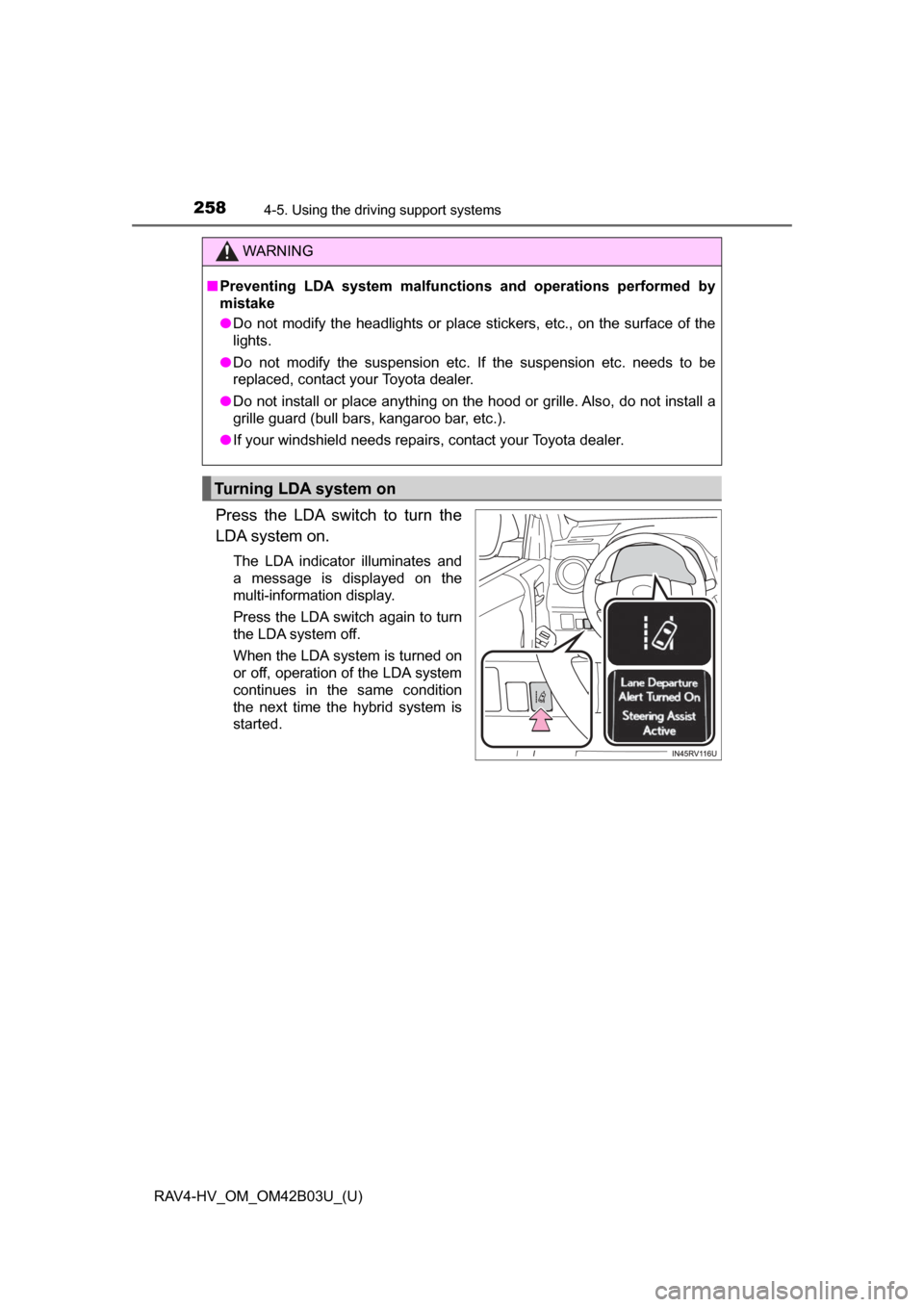
Press the LDA switch to turn the
LDA system on.
The LDA indicator illuminates and
a message is displayed on the
multi-information display.
Press the LDA switch again to turn
the LDA system off.
When the LDA system is turned on
or off, operation of the LDA system
continues in the same condition
the next time the hybrid system is
started.
WARNING
■Preventing LDA system malfunctions and operations performed by
mistake
● Do not modify the headlights or place stickers, etc., on the surface of the
lights.
● Do not modify the suspension etc. If the suspension etc. needs to be
replaced, contact your Toyota dealer.
● Do not install or place anything on the hood or grille. Also, do not install a
grille guard (bull bars, kangaroo bar, etc.).
● If your windshield needs repairs, contact your Toyota dealer.
Turning LDA system on
Page 285 of 676

RAV4-HV_OM_OM42B03U_(U)
2854-5. Using the driving support systems
4
Driving
■Intuitive parking assist display
When an obstacle is detected while the rear view monitor system is in use,
the warning indicator will appear in the upper corner of the screen even if the
display setting has been set to off.
■ Sensor detection information
●The sensor’s detection areas are limited to the areas around the vehicle’s
bumper.
● Certain vehicle conditions and the surrounding environment may affect the
ability of the sensor to correctly detect obstacles. Particular instances where
this may occur are listed below.
• There is dirt, snow or ice on the sensor. (Wiping the sensors will resolve
this problem.)
• The sensor is frozen. (Thawing the area will resolve this problem.) In especially cold weather, if a sensor is frozen the screen may show an
abnormal display, or obstacles may not be detected.
• The sensor is covered in any way.
• The vehicle is leaning considerably to one side.
• On an extremely bumpy road, on an incline, on gravel, or on grass
• The vicinity of the vehicle is noisy due to vehicle horns, motorcycle engines, air brakes of large vehicles, or other loud noises producing ultra-
sonic waves.
• There is another vehicle equipped with parking assist sensors in the vicinity.
• The sensor is coated with a sheet of spray or heavy rain.
• The vehicle is equipped with a fender pole or wireless antenna.
• The bumper or sensor receives a strong impact.
• The vehicle is approaching a tall or curved curb.
• In harsh sunlight or intense cold weather
• The area directly under the bumpers is not detected.
• If obstacles draw too close to the sensor.
• A non-genuine Toyota suspension (lowered suspension etc.) is installed.
• People may not be detected if they are wearing certain types of clothing.
In addition to the examples above, there are instances in which, because of
their shapes, signs and other objects may be judged by the sensor to be
closer than they are.
Page 286 of 676

286
RAV4-HV_OM_OM42B03U_(U)
4-5. Using the driving support systems
●The shape of the obstacle may prevent the sensor from detecting it. Pay
particular attention to the following obstacles:
• Wires, fences, ropes, etc.
• Cotton, snow and other materials that absorb sound waves
• Sharply-angled objects
• Low obstacles
• Tall obstacles with upper sections projecting outwards in the direction of
your vehicle
● The following situations may occur during use.
• Depending on the shape of the obstacle and other factors, the detection
distance may shorten, or detection may be impossible.
• Obstacles may not be detected if they are too close to the sensor.
• There will be a short delay between obstacle detection and display. Even at slow speeds, there is a possibility that the obstacle will come within the
sensor’s detection areas before the display is shown and the beep
sounds.
• Thin posts or objects lower than the sensor may not be detected when
approached, even if they have been detected once.
• It might be difficult to hear beeps due to the volume of audio system or air flow noise of the air conditioning system.
■ Customization
Setting of buzzer volume can be changed.
(Customizable features →P. 638)
■ If a message is displayed on the multi-information display
→P. 558
■ Certification (Canada only)
This ISM device complies with Canadian ICES-001.
WARNING
■When using the Intuitive parking assist
Observe the following precautions.
Failure to do so may result in the vehicle being unable to be driven safely
and possibly cause an accident.
● Do not use the sensor at speeds in excess of 6 mph (10 km/h).
● The sensors’ detection areas and reaction times are limited. When mov-
ing, check the areas surrounding the vehicle (especially the sides of the
vehicle) for safety, and drive slowly, using the brake to control the vehicle’s
speed.
● Do not install accessories within the sensors’ detection areas.
Page 314 of 676
314
RAV4-HV_OM_OM42B03U_(U)
4-6. Driving tips
Hybrid vehicle driving tips
◆Using Eco drive mode
When using Eco drive mode, the torque corresponding to the accel-
erator pedal depression amount can be generated more smoothly
than it is in normal conditions. In addition, the operation of the air
conditioning system (h eating/cooling) will be minimized, improving
the fuel economy. ( →P. 206)
◆Use of Hybrid System Indicator
The Eco-friendly driving is possible by keeping the Hybrid System
Indicator within Eco area. ( →P. 95)
◆Shift lever operation
Shift the shift lever to D when stopped at a traffic light, or driving in
heavy traffic etc. Shift the shift le ver to P when parking. When using
the N, there is no positive effect on fuel consumption. In the N, the
gasoline engine operates but elec tricity cannot be generated. Also,
when using the air conditioning s ystem, etc., the hybrid battery
(traction battery) power is consumed.
◆Accelerator pedal/brake pedal operation
● Drive your vehicle smoothly. Avoid abrupt acceleration and
deceleration. Gradual accelerati on and deceleration will make
more effective use of the electric motor (traction motor) without
having to use gasoline engine power.
● Avoid repeated acceleration. Repeated acceleration consumes
hybrid battery (traction battery) power, resulting in poor fuel con-
sumption. Battery power can be restored by driving with the
accelerator pedal slightly released.
For economical and ecological driv ing, pay attention to the fol-
lowing points:
Page 315 of 676

RAV4-HV_OM_OM42B03U_(U)
3154-6. Driving tips
4
Driving
◆When braking
Make sure to operate the brakes gently and in a timely manner. A
greater amount of electrical energy can be regenerated when slow-
ing down.
◆Delays
Repeated acceleration and deceleration, as well as long waits at
traffic lights, will lead to bad fuel economy. Check traffic reports
before leaving and avoid delays as much as possible. When driving
in a traffic jam, gently release the brake pedal to allow the vehicle to
move forward slightly while avoi ding overuse of the accelerator
pedal. Doing so can help control excessive gasoline consumption.
◆Highway driving
Control and maintain the vehicle at a constant speed. Before stop-
ping at a toll booth or similar, allow plenty of time to release the
accelerator and gently apply the br akes. A greater amount of elec-
trical energy can be regenerated when slowing down.
◆Air conditioning
Use the air conditioning only when necessary. Doing so can help
reduce excessive gasoline consumption.
In summer: When the ambient temperature is high, use the recircu-
lated air mode. Doing so will help to reduce the burden on the air
conditioning system and reduce fuel consumption as well.
In winter: Because the gasoline eng ine will not automatically cut out
until it and the interior of the vehi cle are warm, it will consume fuel.
Also, fuel consumption can be improved by avoiding overuse of the
heater.
◆Checking tire inflation pressure
Make sure to check the tire infl ation pressure frequently. Improper
tire inflation pressure can cause poor fuel economy.
Also, as snow tires can cause larg e amounts of friction, their use on
dry roads can lead to poor fuel economy. Use tires that are appro-
priate for the season.
Page 317 of 676
317
RAV4-HV_OM_OM42B03U_(U)
4-6. Driving tips
4
Driving
Winter driving tips
●Use fluids that are appropriate to the prevailing outside tempera-
tures. • Engine oil
• Engine coolant
• Washer fluid
● Have a service technician inspec t the condition of the 12-volt bat-
tery.
● Have the vehicle fitted with four snow tires or purchase a set of tire
chains for the front tires.
Ensure that all tires are the same size and brand, and that chains match
the size of the tires.
Perform the following accordin g to the driving conditions:
● Do not try to forcibly open a window or move a wiper that is frozen.
Pour warm water over the frozen area to melt the ice. Wipe away
the water immediately to prevent it from freezing.
● To ensure proper operation of the climate control system fan,
remove any snow that has accumulated on the air inlet vents in
front of the windshield.
● Check for and remove any excess ice or snow that may have accu-
mulated on the exterior lights, vehicle’s roof, chassis, around the
tires or on the brakes.
● Remove any snow or mud from the bottom of your shoes before
getting in the vehicle.
Carry out the necessary preparations and inspections before
driving the vehicle in winter. Al ways drive the vehicle in a man-
ner appropriate to the prevailing weather conditions.
Preparation for winter
Before driving the vehicle