bluetooth TOYOTA RAV4 HYBRID 2017 XA40 / 4.G Workshop Manual
[x] Cancel search | Manufacturer: TOYOTA, Model Year: 2017, Model line: RAV4 HYBRID, Model: TOYOTA RAV4 HYBRID 2017 XA40 / 4.GPages: 676, PDF Size: 18.91 MB
Page 415 of 676
RAV4-HV_OM_OM42B03U_(U)
4155-11. Bluetooth®
5
Audio system
■Bluetooth® antenna
The antenna is built into the display.
If the portable audio player is behind the seat or in the glove box or console
box, or is touching or covered by metal objects, the connection status may
deteriorate.
If the cellular phone is behind the seat or in the console box, or touching or
covered by metal objects, the connection status may deteriorate.
■ Battery charge/signal status
●This display may not correspond exactly with the portable audio player or
cellular phone itself.
● This system does not have a charging function.
● The portable audio player or cellular phone battery will be depleted quickly
when the device is connected to Bluetooth
®.
■ When using the Bluetooth
® audio and hands-free system at the same
time
The following problems may occur.
● The Bluetooth
® audio connection may be interrupted.
● Noise may be heard during Bluetooth
® audio playback.
■ About the contact in this system
The following data is stored for every registered cellular phone. When
another phone is connecting, you cannot read the registered data.
●Contact data
● Call history
● Favorite
● Message
When removing a Bluetooth
® phone from the system, the above-mentioned
data is also deleted.
■ About Bluetooth
®
The Bluetooth® word mark and logos are
registered trademarks owned by Blue-
tooth SIG, Inc. and any use of such
marks by Fujitsu Ten Limited is under
license. Other trademarks and trade
names are those of their respective own-
ers.
Page 416 of 676

416
RAV4-HV_OM_OM42B03U_(U)
5-11. Bluetooth®
■Compatible models
The Bluetooth® audio system supports portable audio players with the follow-
ing specifications
● Bluetooth
® specifications:
Ver. 2.0, or higher (Recommended: Ver. 3.0+EDR or higher)
● Profiles:
• A2DP (Advanced Audio Distribution Profile) Ver. 1.0, or higher
(Recommended: Ver. 1.2 or higher)
This is a profile to transmit stereo audio or high quality sound to the audio
system.
• AVRCP (Audio/Video Remote Control Profile) Ver. 1.0 or higher (Recommended: Ver. 1.4 or higher)
This is a profile to allow remote control the A/V equipment.
However, please note that some functions may be limited depending on the
type of portable audio player connected.
The hands-free system supports cellular phones with the following specifica-
tions.
● Bluetooth
® specification:
Ver. 2.0 or higher (Recommended: Ver. 3.0+EDR or higher)
● Profiles:
• HFP (Hands Free Profile) Ver. 1.0 or higher (Recommended: Ver. 1.6 or
higher)
This is a profile to allow hands-free phone calls using a cellular phone or
head set. It has outgoing and incoming call functions.
• OPP (Object Push Profile) Ver. 1. 1 or higher (Recommended: Ver. 1.2)
This is a profile to transfer contact data. When a Bluetooth
® compatible
cellular phone has both PBAP and OPP, OPP cannot be used.
• PBAP (Phone Book Access Profile ) Ver. 1.0 or higher (Recommended:
Ver. 1.1)
This is a profile to transfer contact data.
• MAP (Message Access Profile) Ver. 1.0 or higher
If the cellular phone does not support HFP, you cannot register it with the
hands-free system. OPP, PBAP or MAP services must be selected individu-
ally.
Page 417 of 676
RAV4-HV_OM_OM42B03U_(U)
4175-11. Bluetooth®
5
Audio system
■Reconnecting the portable audio player
If the portable audio player is disconnected due to poor reception when the
power switch is in ON mode, the system automatically reconnects the porta-
ble audio player.
If you have switched off the portable audio player yourself, follow the instruc-
tions below to reconnect:
●Select the portable audio player again
● Enter the portable audio player
■ When you sell your car
Be sure to delete your personal data. ( →P. 340)
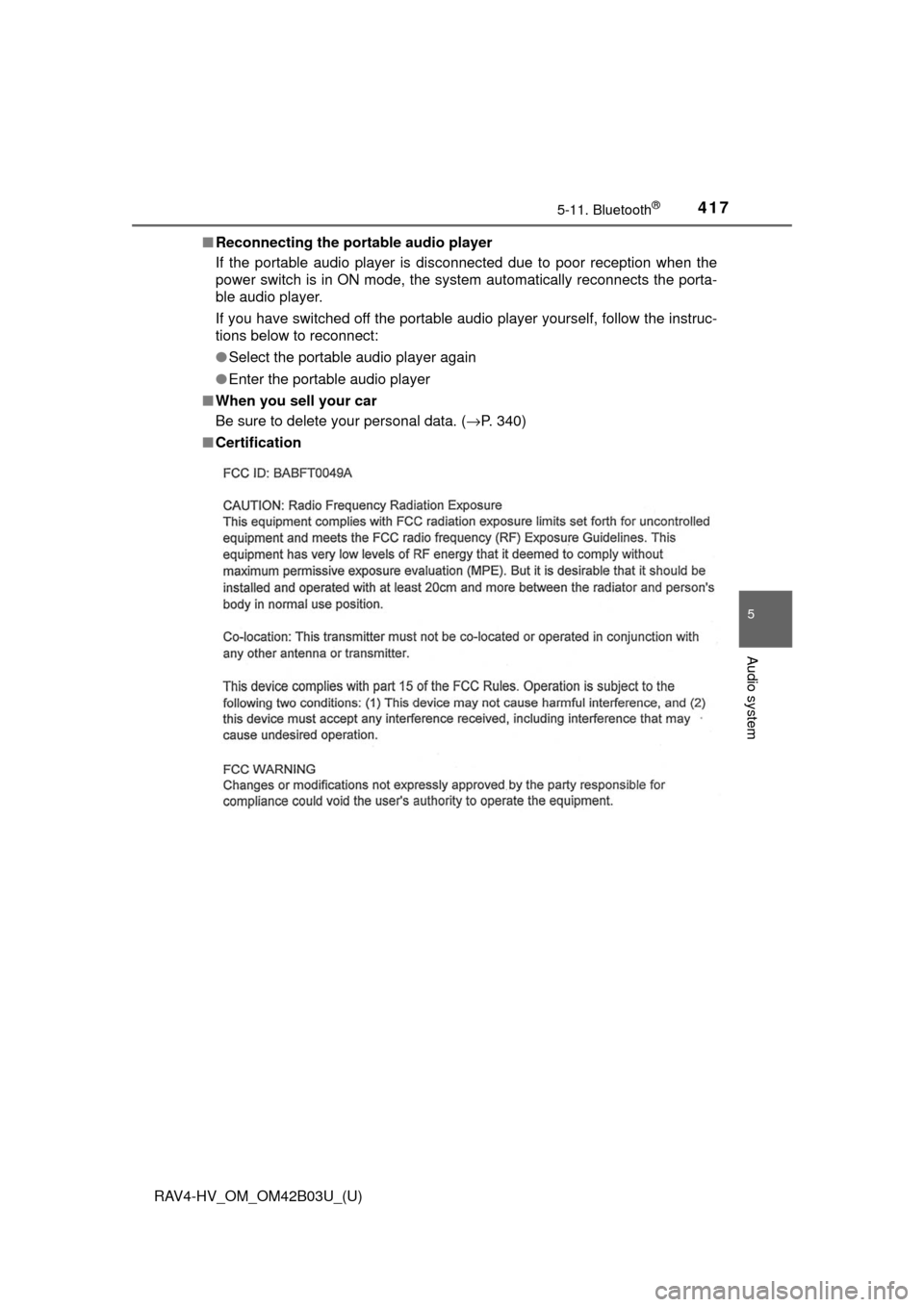
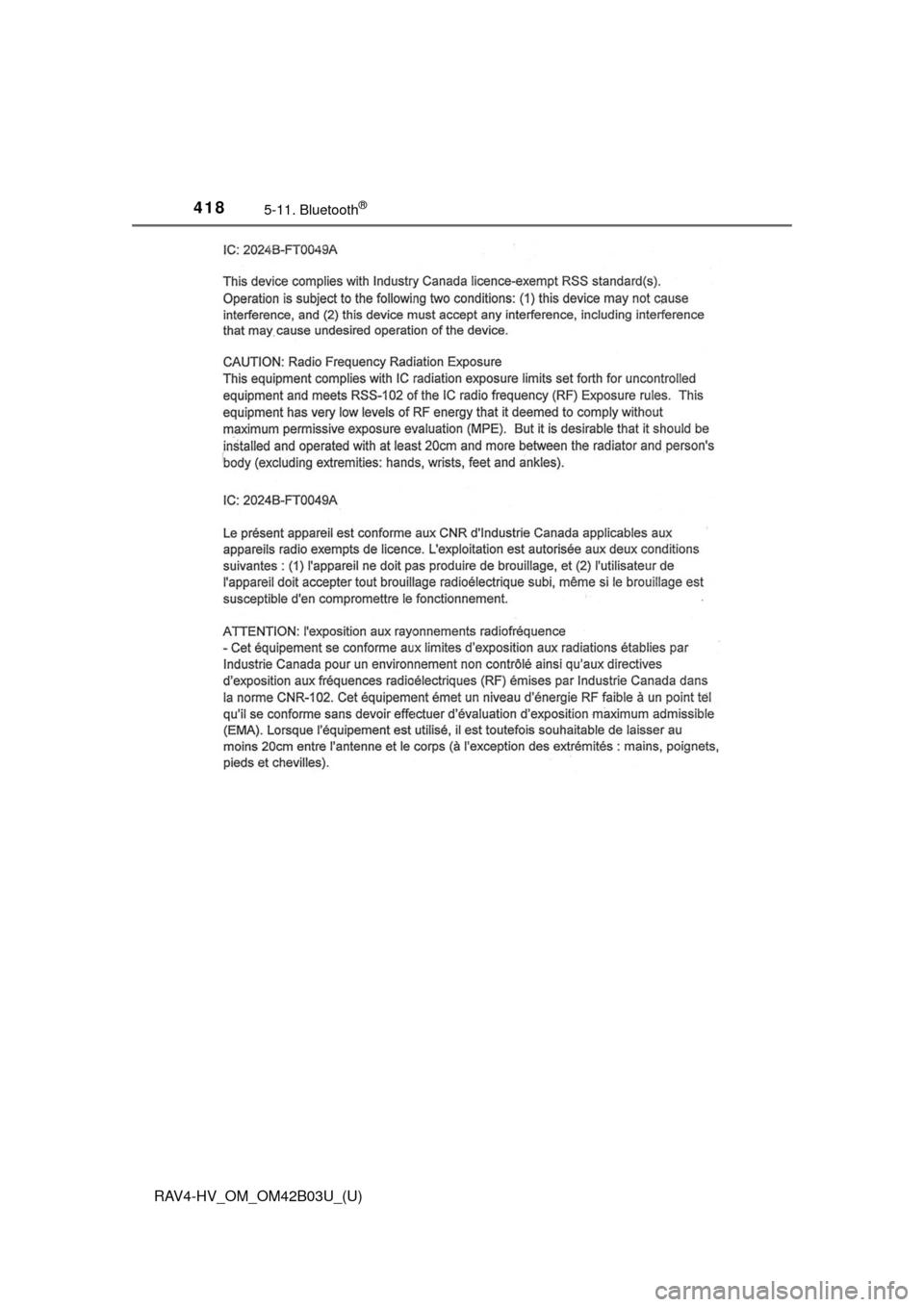
■ Certification
Page 418 of 676
418
RAV4-HV_OM_OM42B03U_(U)
5-11. Bluetooth®
Page 419 of 676
RAV4-HV_OM_OM42B03U_(U)
4195-11. Bluetooth®
5
Audio system
WARNING
■While driving
Do not operate the portable audio player, cellular phone or connect a device
to the Bluetooth
® system.
■ Caution regarding interfer ence with electronic devices
● Your audio unit is fitted with Bluetooth
® antennas. People with implantable
cardiac pacemakers, cardiac resynchronization therapy-pacemakers or
implantable cardioverter defibrillators should maintain a reasonable dis-
tance between themselves and the Bluetooth
® antennas. The radio waves
may affect the operation of such devices.
● Before using Bluetooth
® devices, users of any electrical medical device
other than implantable cardiac pacemakers, cardiac resynchronization
therapy-pacemakers or implantable cardioverter defibrillators should con\
-
sult the manufacturer of the device for information about its operation
under the influence of radio waves. Radio waves could have unexpected
effects on the operation of such medical devices.
NOTICE
■ When leaving the vehicle
Do not leave your portable audio player or cellular phone in the vehicle. The
inside of the vehicle may become hot, causing damage to the portable
audio player or cellular phone.
Page 423 of 676
RAV4-HV_OM_OM42B03U_(U)
4235-12. Other function
5
Audio system
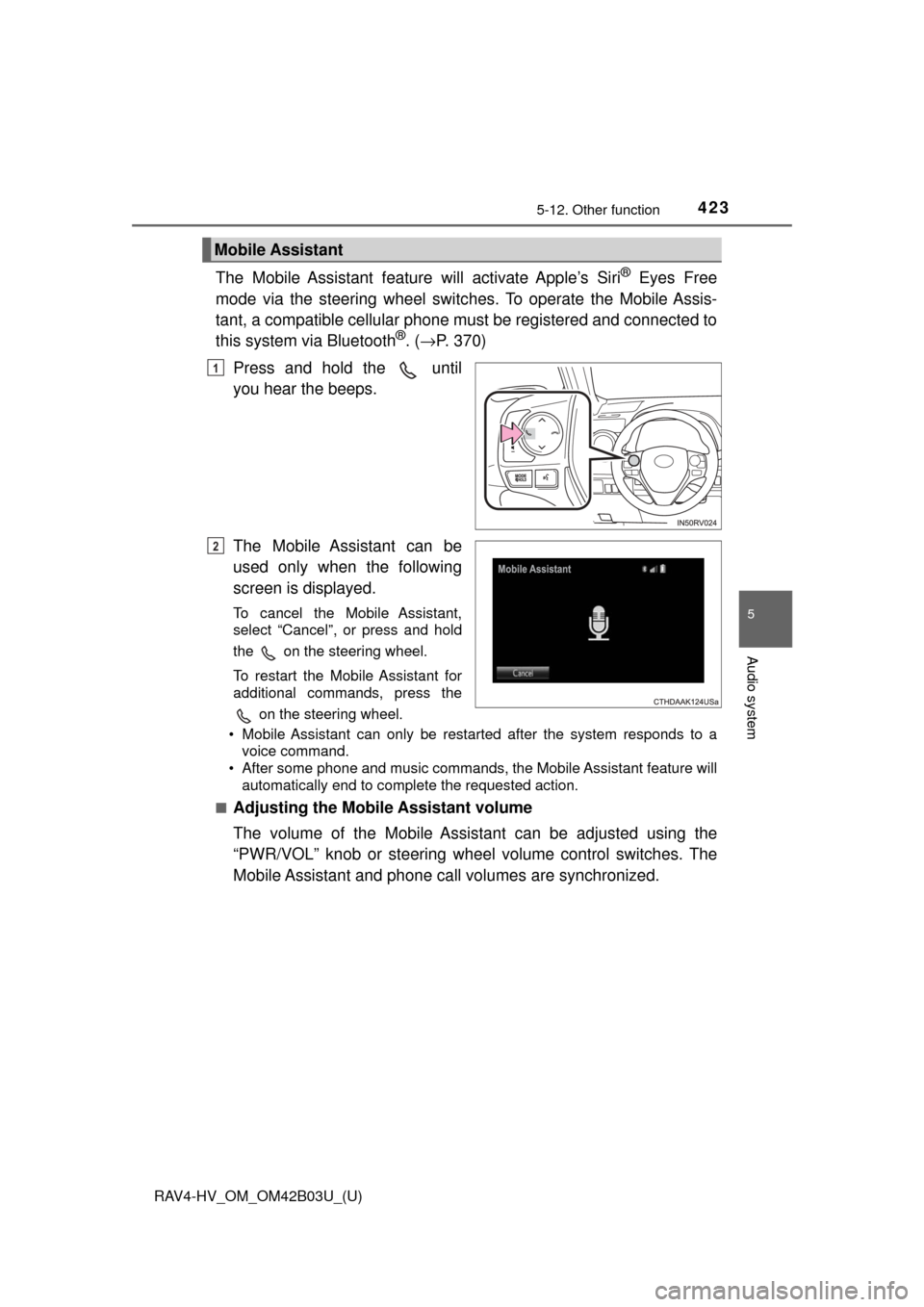
The Mobile Assistant feature will activate Apple’s Siri® Eyes Free
mode via the steering wheel switc hes. To operate the Mobile Assis-
tant, a compatible cellular phone must be registered and connected to
this system via Bluetooth
®. ( → P. 370)
Press and hold the until
you hear the beeps.
The Mobile Assistant can be
used only when the following
screen is displayed.
To cancel the Mobile Assistant,
select “Cancel”, or press and hold
the on the steering wheel.
To restart the Mobile Assistant for
additional commands, press the on the steering wheel.
• Mobile Assistant can only be restarted after the system responds to a voice command.
• After some phone and music commands, the Mobile Assistant feature will automatically end to complete the requested action.
■
Adjusting the Mobile Assistant volume
The volume of the Mobile Assistant can be adjusted using the
“PWR/VOL” knob or steering wheel volume control switches. The
Mobile Assistant and phone call volumes are synchronized.
Mobile Assistant
1
2
Page 424 of 676

424
RAV4-HV_OM_OM42B03U_(U)
5-12. Other function
■Notes about Mobile Assistant
●The available features and functions may vary based on the iOS version
installed on the connected device.
● Some Siri
® features are limited in Eyes Free mode. If you attempt to use an
unavailable function, Siri® will inform you that the function is not available.
● If Siri
® is not enabled on the cellular phone connected via Bluetooth®, an
error message will be displayed on the screen.
● While a phone call is active, the Mobile Assistant cannot be used.
● If using the navigation feature of the cellular phone, ensure the active audio
source is Bluetooth
® audio or iPod in order to hear turn by turn direction
prompts.
Page 661 of 676

661Alphabetical index
RAV4-HV_OM_OM42B03U_(U)
Alphabetical index
A/C ............................................ 426Air conditioning filter ............. 516
Automatic air conditioning
system ......... ....................... 426
Micro dust and pollen filter .... 428
ABS (Anti-lock Brake System) .................................. 308 Function ................................ 308
Warning light ......................... 548
Air conditioning filter .............. 516
Air conditioning system.......... 426 Air conditioning filter ............. 516
Automatic air conditioning system ......... ....................... 426
Micro dust and pollen filter .... 428
Airbags ....................................... 38 Airbag operating conditions .... 46
Airbag precautions for
your child .............................. 41
Airbag warning light .............. 547
Correct driving posture ........... 28
Curtain shield airbag operating conditions ............. 46
Curtain shield airbag precautions ........................... 43
Front passenger occupant classification syst em............. 51
General airbag precautions .... 41
Locations of airbags................ 38
Modification and disposal of airbags.............................. 45
Side airbag operating conditions ............................. 46
Side airbag precautions .......... 43
Side and curtain shield airbags operating
conditions ............................. 46
Side and curtain shield airbags precautions .............. 43 SRS airbag instructions for
Canadian owners ............... 647
SRS airbags ........................... 38
All-wheel drive system............ 309
Anchor brackets ........................ 64
Antenna Radio .................................... 350
Smart key system ................. 136
Anti-lock brake system (ABS) ...................................... 308 Function ................................ 308
Warning light......................... 548
Approach warning Dynamic radar cruise
control ................................ 271
Armrest..................................... 455
Assist grips .............................. 456
Audio input ...................... 334, 368
Audio system ........................... 329 Audio input.................... 334, 368
AUX port/USB port ....... 334, 368
Bluetooth
® audio .................. 381
CD player.............................. 351
iPod ...................................... 358
MP3/WMA disc ..................... 351
Optimal use .......................... 348
Portable music player ........... 334
Radio .................................... 349
Steering wheel audio switch ................................. 333
USB memory ........................ 363
Automatic air conditioning system
Air conditioning filter ............. 516
Automatic air conditioning system .......... ...................... 426
Automatic High Beam ............. 217
Automatic light control system.................................... 216
AUX port ........................... 334, 368
Auxiliary box ............................ 442
A
Page 662 of 676

662Alphabetical index
RAV4-HV_OM_OM42B03U_(U)
Back doorBack door.............................. 119
Jam protection function......... 126
Power back door ................... 122
Touchless power back
door .................................... 121
Wireless remote control ........ 108
Back-up lights
Replacing light bulbs............. 532
Wattage ................................ 614
Battery (12-volt battery)
Battery checking ................... 496
If the 12-volt battery is discharged ...................... 592
Preparing and checking before winter....................... 317
Warning message ................. 567
Battery (traction battery)........... 79
Bluetooth
®................................ 414
Audio system ................. ....... 381
Hands-free system (for cellular phone) ............. 383
Registering a Bluetooth
®
device ................................. 374
Selecting a Bluetooth
®
device ................................. 376
Wireless
communication ................... 369
Bluetooth
® audio ..................... 381
Bluetooth® phone
(Entune Audio) Deleting the call history......... 400
Making a call ......................... 385
Managing the contacts.......... 400
Message function.................. 392
Phone settings ...................... 398
Receiving a call..................... 388
Speaking on the phone ......... 389
Bottle holders .......................... 442 Brake
Fluid ...................................... 494
Parking brake ....................... 212
Warning light/message..................... 547, 557
Brake assist ............................. 308
Break-in tips............................. 169
Brightness control Instrument panel light control .................................. 94
BSM (Blind Spot Monitor) ....... 298
Blind Spot Monitor function............................... 302
Rear Cross Traffic Alert
function............................... 305
Care .................................. 470, 473 Aluminum wheels ................. 471
Exterior ................................. 470
Interior .................................. 473
Radar sensor ........................ 301
Seat belts.............................. 474
Cargo capacity......................... 606
Cargo hooks ............................ 443
Catch protection function....... 162
CD player.................................. 351
Chains ...................................... 317
Child restraint system............... 59 Booster seats, definition ......... 59
Booster seats, installation....... 70
Convertible seats, definition ............................... 59
Convertible seats, installation ............................ 66
Front passenger occupant
classification syst em ............ 51
Infant seats, definition............. 59
B
C
Page 665 of 676
665Alphabetical index
RAV4-HV_OM_OM42B03U_(U)
EngineAccessory mode ................... 199
Compartment ........................ 488
Engine switch (power switch) .................... 198
Hood ..................................... 485
How to start the hybrid system ......... ....................... 198
Identification number ............ 608
If the hybrid system will not start .................................... 588
Ignition switch (power switch) .................... 198
Overheating .......................... 597
Power switch......................... 198
Engine coolant ......................... 492 Capacity ................................ 610
Checking ............................... 492
Preparing and checking before winter....................... 317
Engine oil ................................. 489 Capacity ................................ 609
Checking ............................... 489
Preparing and checking before winter....................... 317
Engine switch (power switch) ....................... 198
Entune Audio ........................... 329 AUX Port/USB port ............... 334
Basic Audio Operations ........ 335
CD player .............................. 351
iPod....................................... 358
Listening to Bluetooth
®
Audio .................................. 381
Radio .................................... 349
Steering wheel audio switches.............................. 333
USB memory ........................ 363
Using a Bluetooth
®
Phone ................................. 383
Using the AUX port ............... 368 Entune Audio Plus
*EPS (Electric Power
Steering) ................................ 308 Function ................................ 308
Warning light......................... 548
EV drive mode ......................... 203
Event data recorder (EDR)........ 11
Exhaust gas precautions .......... 74
Flat tire ..................................... 576
Floor mats .................................. 26
Fluid Brake .................................... 612
Hybrid transmission .............. 611
Washer ................................. 495
Fog lights ................................. 222
Replacing light bulbs ............ 527
Switch ................................... 222
Wattage ................................ 614
Front passenger occupant classification system .............. 51
Front seats ............................... 144
Adjustment............................ 144
Cleaning ............................... 473
Correct driving posture ........... 28
Driving position memory ....... 149
Head restraints ..................... 151
Seat heaters ......................... 434
Seat position memory ........... 149
Front side marker lights ......... 213 Light switch ........................... 213
Replacing light bulbs ............ 527
Wattage ................................ 614
Front turn signal lights ........... 211 Replacing light bulbs ............ 526
Turn signal lever ................... 211
Wattage ................................ 614
F
*: Refer to “NAVIGATION AND MULT IMEDIA SYSTEM OWNER’S MANUAL”.