key battery TOYOTA RAV4 HYBRID 2021 Owners Manual
[x] Cancel search | Manufacturer: TOYOTA, Model Year: 2021, Model line: RAV4 HYBRID, Model: TOYOTA RAV4 HYBRID 2021Pages: 752, PDF Size: 31.25 MB
Page 1 of 752

1
2
3
4
5
6
7
8
9
10
Pictorial indexSearch by illustration
For safety
and securityMake sure to read through them
(Main topics: Child seat, theft deterrent system)
Vehicle status
information and
indicatorsReading driving-related information
(Main topics: Meters, multi-information display)
Before driving
Opening and closing the doors and windows,
adjustment before driving
(Main topics: Keys, doors, seats)
Driving
Operations and advice which are necessary for
driving
(Main topics: Starting hybrid system, refueling)
AudioOperating the Audio
(Main topics: Audio/visual, phone, Connected Services)
Interior featuresUsage of the interior features
(Main topics: Air conditioner, storage features)
Maintenance
and careCaring for your vehicle and maintenance
procedures
(Main topics: Interior and exterior, light bulbs)
When trouble
arisesWhat to do in case of malfunction and emergency
(Main topics: 12-volt battery discharge, flat tire)
Vehicle
specificationsVehicle specifications, customizable features
(Main topics: Fuel, oil, tire inflation pressure)
For ownersReporting safety defects for U.S. owners, and seat
belt and SRS airbag instructions for Canadian
owners
IndexSearch by symptom
Search alphabetically
Page 5 of 752
5TABLE OF CONTENTS
1
2
3
4
5
6
7
8
9
10
5-16.What to do if... (Bluetooth
®)
Troubleshooting ............ 505
5-17.Connected Services over- view
Connected Services ...... 509
Type A: Function achieved by using a smartphone or DCM.................................... 510
Type B: Function achieved by using DCM and the system
.................................... 512
Type C: Function achieved by using DCM.............. 513
Type D: Function achieved by using DCM and a smart-
phone .......................... 516
5-18.Connected Services opera- tion
Toyota Apps .................. 518
5-19.Setup Toyota Apps settings .... 522
6-1. Using the air conditioning
system and defogger
Automatic air conditioning system ......................... 524
Heated steering wheel/seat heaters/seat ventilators 531
6-2. Using the interior lights Interior lights list ............ 534
6-3. Using the storage features List of storage features . 537
Luggage compartment fea- tures ............................ 5416-4. Using the other interior fea-
tures
Other interior features ... 546
Garage door opener ...... 557
7-1. Maintenance and care Cleaning and protecting the vehicle exterior ............ 566
Cleaning and protecting the vehicle interior ............. 569
7-2. Maintenance Maintenance requirements.................................... 572
General maintenance .... 573
Emission inspection and maintenance (I/M) programs
.................................... 576
7-3. Do-it-yourself maintenance Do-it-yourself service precau-tions ............................. 577
Hood .............................. 579
Positioning a floor jack .. 580
Engine compartment ..... 582
12-volt battery................ 588
Tires .............................. 590
Tire inflation pressure .... 605
Wheels .......................... 607
Air conditioning filter ...... 609
Cleaning the hybrid battery (traction battery) air intake
vent and filter ............... 611
Wiper insert replacement .................................... 615
Wireless remote control/elec- tronic key battery ......... 618
6Interior features
7Maintenance and care
Page 6 of 752
6TABLE OF CONTENTS
Checking and replacing fuses.................................... 621
Light bulbs..................... 624
8-1. Essential information Emergency flashers ...... 634
If your vehicle has to be stopped in an emergency.................................... 635
If the vehicle is trapped in ris- ing water...................... 636
8-2. Steps to take in an emer- gency
If your vehicle needs to be towed........................... 637
If you think something is wrong .......................... 641
If a warning light turns on or a warning buzzer sounds 642
If a warning message is dis- played.......................... 654
If you have a flat tire...... 658
If the hybrid system will not start ............................. 667
If you lose your keys ..... 668
If the fuel filler door cannot be opened ........................ 669
If the electronic key does not operate properly (vehicles
with smart key system) 670
If the 12-volt battery is dis- charged ....................... 672
If your vehicle overheats 677
If the vehicle becomes stuck .................................... 6809-1. Specifications
Maintenance data (fuel, oil level, etc.) .................... 684
Fuel information............. 694
Tire information ............. 696
9-2. Customization Customizable features... 706
9-3. Initialization Items to initialize ............ 718
10-1.For owners Reporting safet y defects for
U.S. owners ................. 720
Seat belt instructions for Canadian owners (in
French) ........................ 721
SRS airbag instructions for Canadian owners (in
French) ........................ 722
What to do if... (Trouble- shooting) ..................... 732
Alphabetical Index ........ 735
8When trouble arises
9Vehicle specifications
10For owners
Index
Page 85 of 752
851-5. Theft deterrent system
1
For safety and security
(Stopping the alarm deactivates the
alarm system.)
●A person inside the vehicle opens
a door or hood, or unlocks the
vehicle using an inside lock but-
ton.
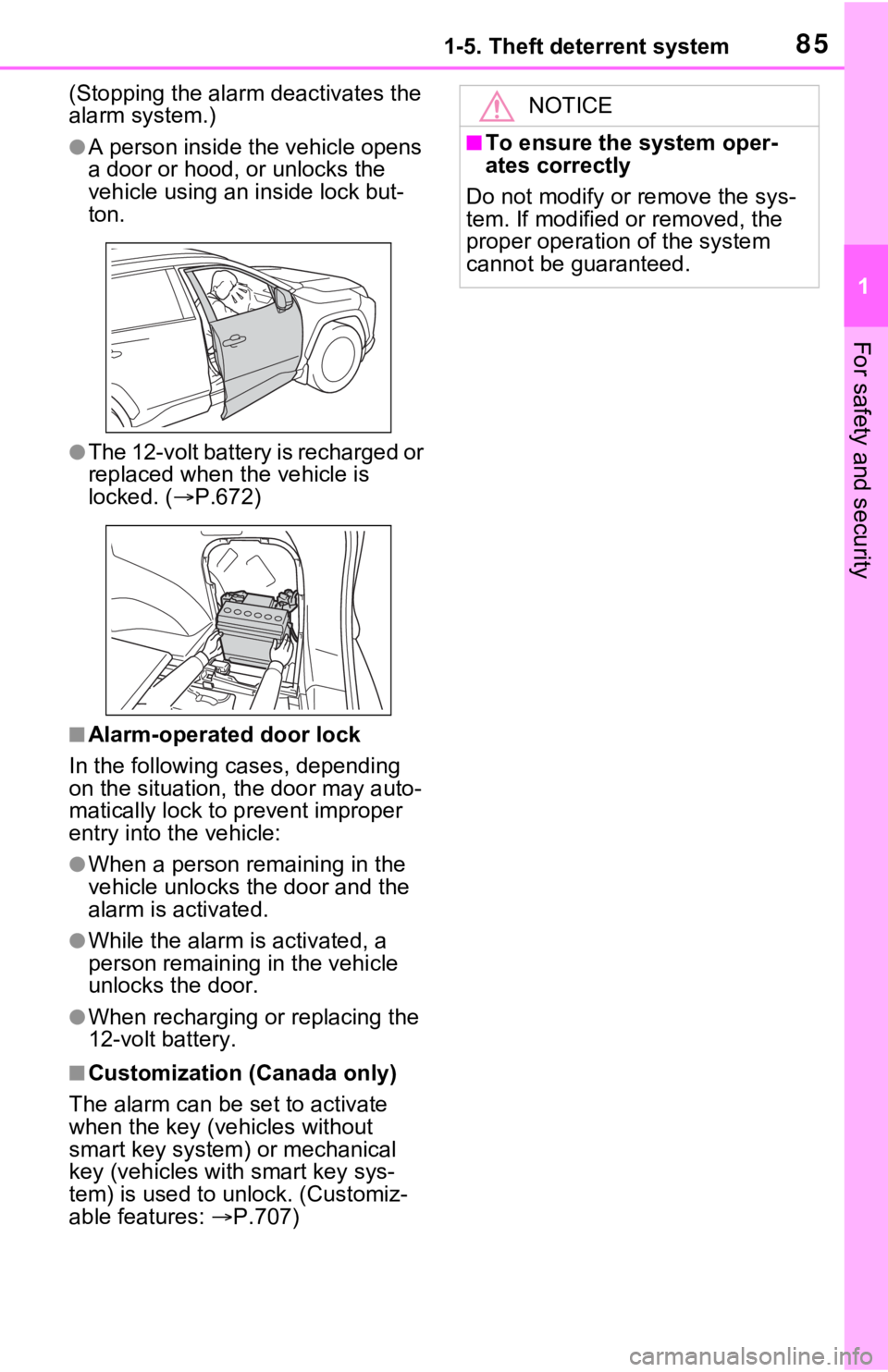
●The 12-volt battery is recharged or
replaced when the vehicle is
locked. (P.672)
■Alarm-operated door lock
In the following cases, depending
on the situation, th e door may auto-
matically lock to p revent improper
entry into the vehicle:
●When a person remaining in the
vehicle unlocks the door and the
alarm is activated.
●While the alarm is activated, a
person remaining in the vehicle
unlocks the door.
●When recharging or replacing the
12-volt battery.
■Customization (Canada only)
The alarm can be set to activate
when the key (vehicles without
smart key system) or mechanical
key (vehicles with smart key sys-
tem) is used to unlock. (Customiz-
able features: P.707)
NOTICE
■To ensure the system oper-
ates correctly
Do not modify or remove the sys-
tem. If modified or removed, the
proper operation of the system
cannot be guaranteed.
Page 120 of 752
1203-1. Key information
3-1.Key information
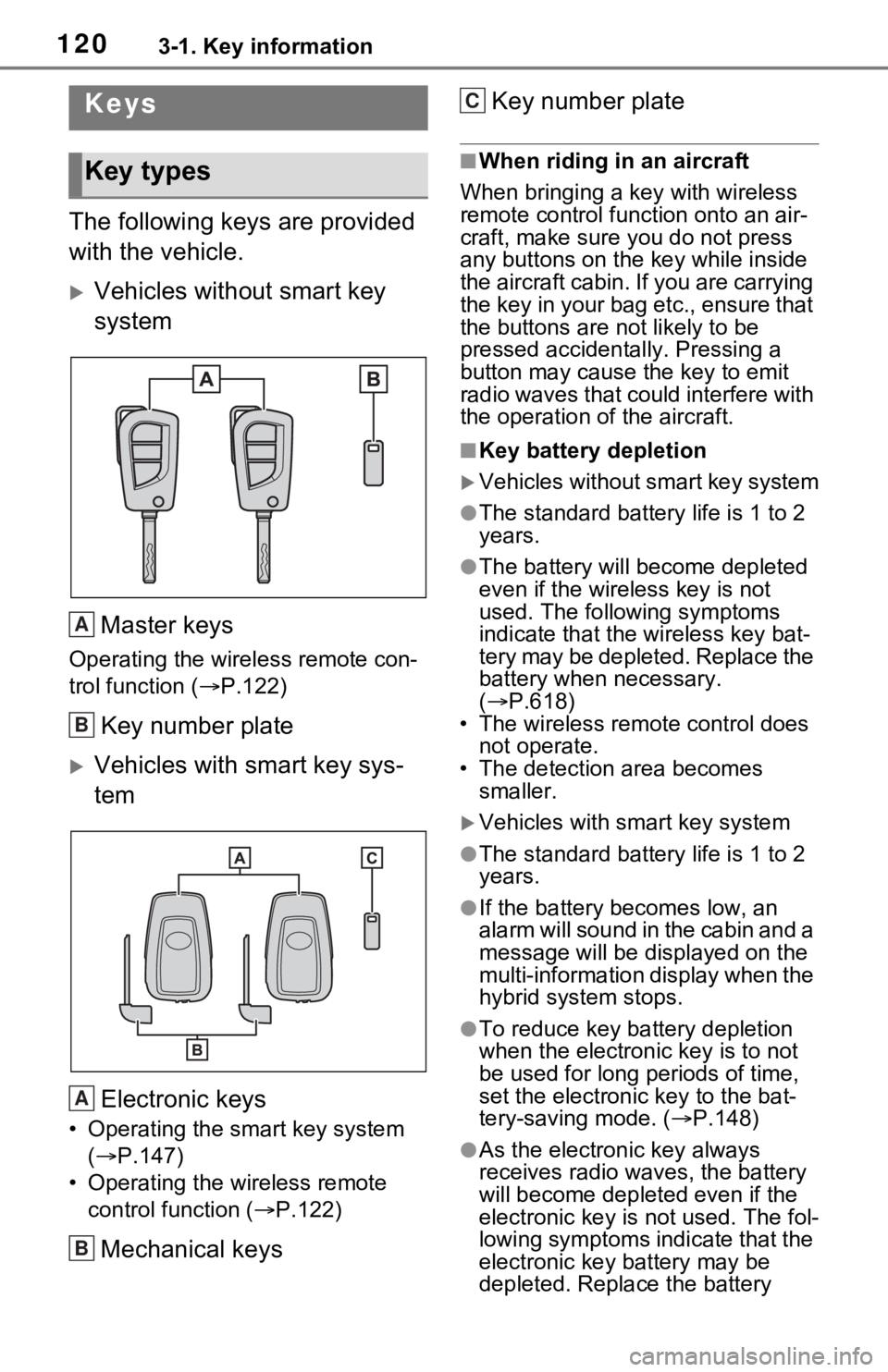
The following keys are provided
with the vehicle.
Vehicles without smart key
systemMaster keys
Operating the wireless remote con-
trol function ( P.122)
Key number plate
Vehicles with smart key sys-
tem
Electronic keys
• Operating the smart key system ( P.147)
• Operating the wireless remote control function ( P.122)
Mechanical keys Key number plate
■When riding in an aircraft
When bringing a ke y with wireless
remote control func tion onto an air-
craft, make sure you do not press
any buttons on the key while inside
the aircraft cabin. If you are carrying
the key in your bag etc., ensure that
the buttons are not likely to be
pressed accidentally. Pressing a
button may cause the key to emit
radio waves that could interfere with
the operation of the aircraft.
■Key battery depletion
Vehicles without smart key system
●The standard battery life is 1 to 2
years.
●The battery will be come depleted
even if the wireless key is not
used. The following symptoms
indicate that the wireless key bat-
tery may be depleted. Replace the
battery when necessary.
( P.618)
• The wireless remote control does not operate.
• The detection area becomes smaller.
Vehicles with smart key system
●The standard battery life is 1 to 2
years.
●If the battery bec omes low, an
alarm will sound in the cabin and a
message will be disp layed on the
multi-information display when the
hybrid system stops.
●To reduce key battery depletion
when the electronic key is to not
be used for long periods of time,
set the electronic key to the bat-
tery-saving mode. ( P.148)
●As the electronic key always
receives radio waves, the battery
will become depleted even if the
electronic key is not used. The fol-
lowing symptoms indicate that the
electronic key battery may be
depleted. Replace the battery
Keys
Key types
A
B
A
B
C
Page 121 of 752
1213-1. Key information
3
Before driving
when necessary.
• The smart key system or the wire- less remote control does not oper-
ate.
• The detection area becomes
smaller.
• The LED indicator on the key sur-
face does not turn on.
You can replace the battery by your-
self ( P.618). However, as there is
a danger that the electronic key may
be damaged, it is recommended
that replacement is carried out by
your Toyota dealer.
●To avoid serious deterioration, do
not leave the electronic key within
3 ft. (1 m) of the following electri-
cal appliances t hat produce a
magnetic field:
•TVs
• Personal computers
• Cellular phones, cordless phones and battery chargers
• Table lamps
• Induction cookers
■If a message regarding the state
of the electronic key or power
switch mode, etc. is shown
(vehicles with smart key sys-
tem)
To prevent trapping the electronic
key inside the vehicle, leaving the
vehicle carrying the electronic key
on your person without turning the
power switch to O FF or other pas-
sengers from unintentionally taking
the key out of the vehicle, etc., a
message that prompts the user to
confirm the state of the electronic
key or power switch mode may be
shown on the multi -information dis-
play. In those cases, follow the
instructions on the display immedi-
ately.
■If “Key Battery Low Replace
Key Battery” is displayed on
the multi-information display
(vehicles with smart key sys-
tem)
The electronic key has a low bat- tery. Replace the electronic key bat-
tery. (
P.618)
■Replacing the battery
P.618
■Confirmation of the registered
key number
The number of keys already regis-
tered to the vehi cle can be con-
firmed. Ask your Toyota dealer for
details.
■If “A New Key has been Regis-
tered Contact Your Dealer for
Details” is dis played on the
multi-information display (vehi-
cles with smart key system)
This message will be displayed
each time the driver’s door is
opened when the doors are
unlocked from the outside for
approximately 10 days after a new
electronic key has been registered.
If this message is displayed but you
have not had a new electronic key
registered, ask your Toyota dealer
to check if an unknown electronic
key (other than those in your pos-
session) has been registered.
NOTICE
■To prevent key damage
●Do not drop the keys, subject
them to strong shocks or bend
them.
●Do not expose the keys to high
temperatures for long periods of
time.
●Do not get the keys wet or wash
them in an ultrasonic washer,
etc.
●Do not attach m etallic or mag-
netic materials to the keys or
place the keys close to such
materials.
●Do not disassemble the keys.
Page 123 of 752
1233-1. Key information
3
Before driving
Opens and closes the power
back door
*2 ( P.137)
Sounds the alarm ( P.123)
*1: These settings must be custom-
ized at your Toyota dealer.
*2: If equipped
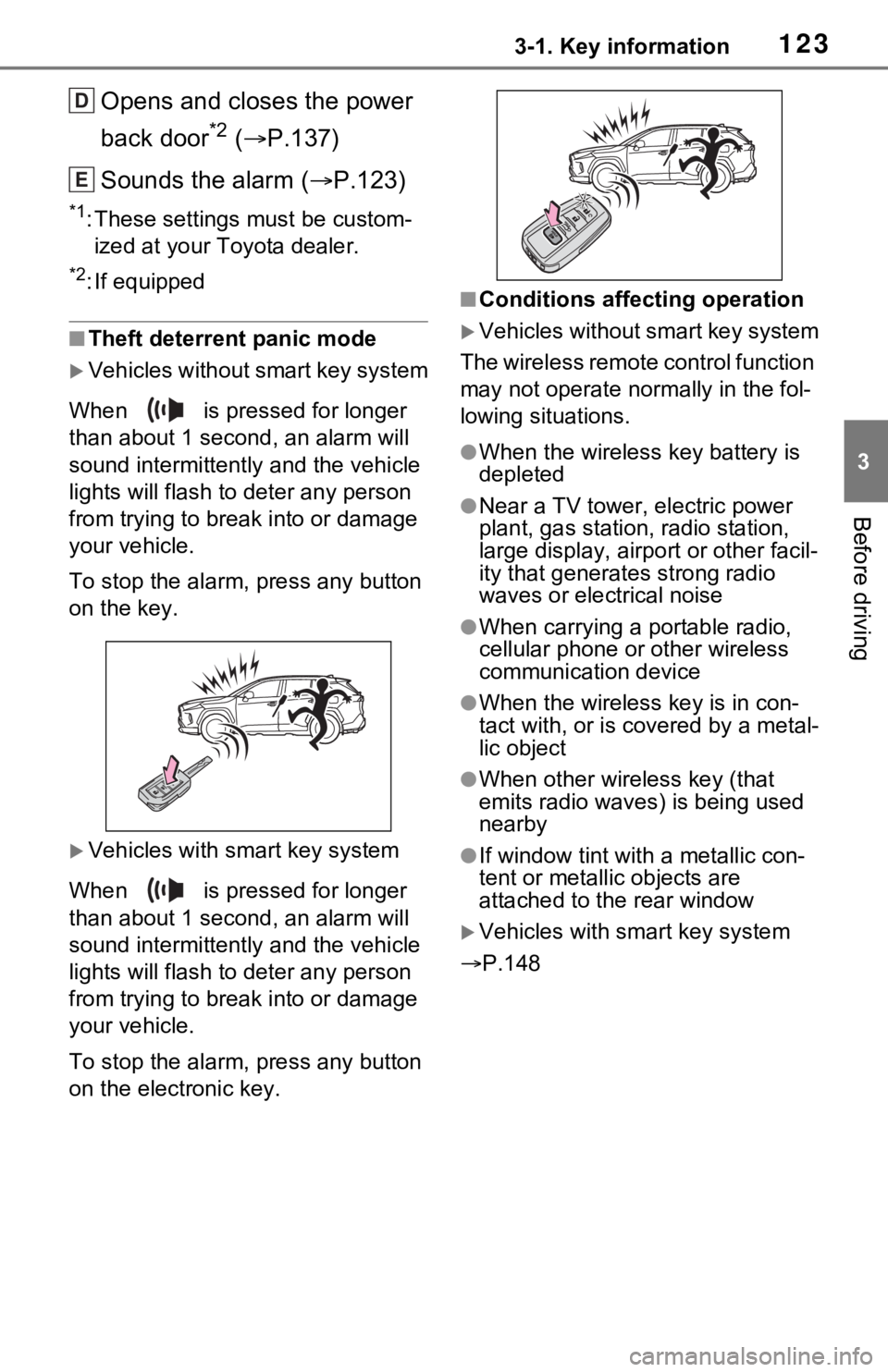
■Theft deterrent panic mode
Vehicles without smart key system
When is pressed for longer
than about 1 seco nd, an alarm will
sound intermittentl y and the vehicle
lights will flash to deter any person
from trying to break into or damage
your vehicle.
To stop the alarm, press any button
on the key.
Vehicles with smart key system
When is pressed for longer
than about 1 seco nd, an alarm will
sound intermittentl y and the vehicle
lights will flash to deter any person
from trying to break into or damage
your vehicle.
To stop the alarm, press any button
on the electronic key.
■Conditions affecting operation
Vehicles without smart key system
The wireless remote control function
may not operate normally in the fol-
lowing situations.
●When the wireles s key battery is
depleted
●Near a TV tower, electric power
plant, gas station, radio station,
large display, airpo rt or other facil-
ity that generates strong radio
waves or electrical noise
●When carrying a portable radio,
cellular phone or other wireless
communication device
●When the wireless key is in con-
tact with, or is c overed by a metal-
lic object
●When other wireless key (that
emits radio waves) is being used
nearby
●If window tint wit h a metallic con-
tent or metallic objects are
attached to the rear window
Vehicles with smart key system
P.148
D
E
Page 126 of 752
1263-1. Key information
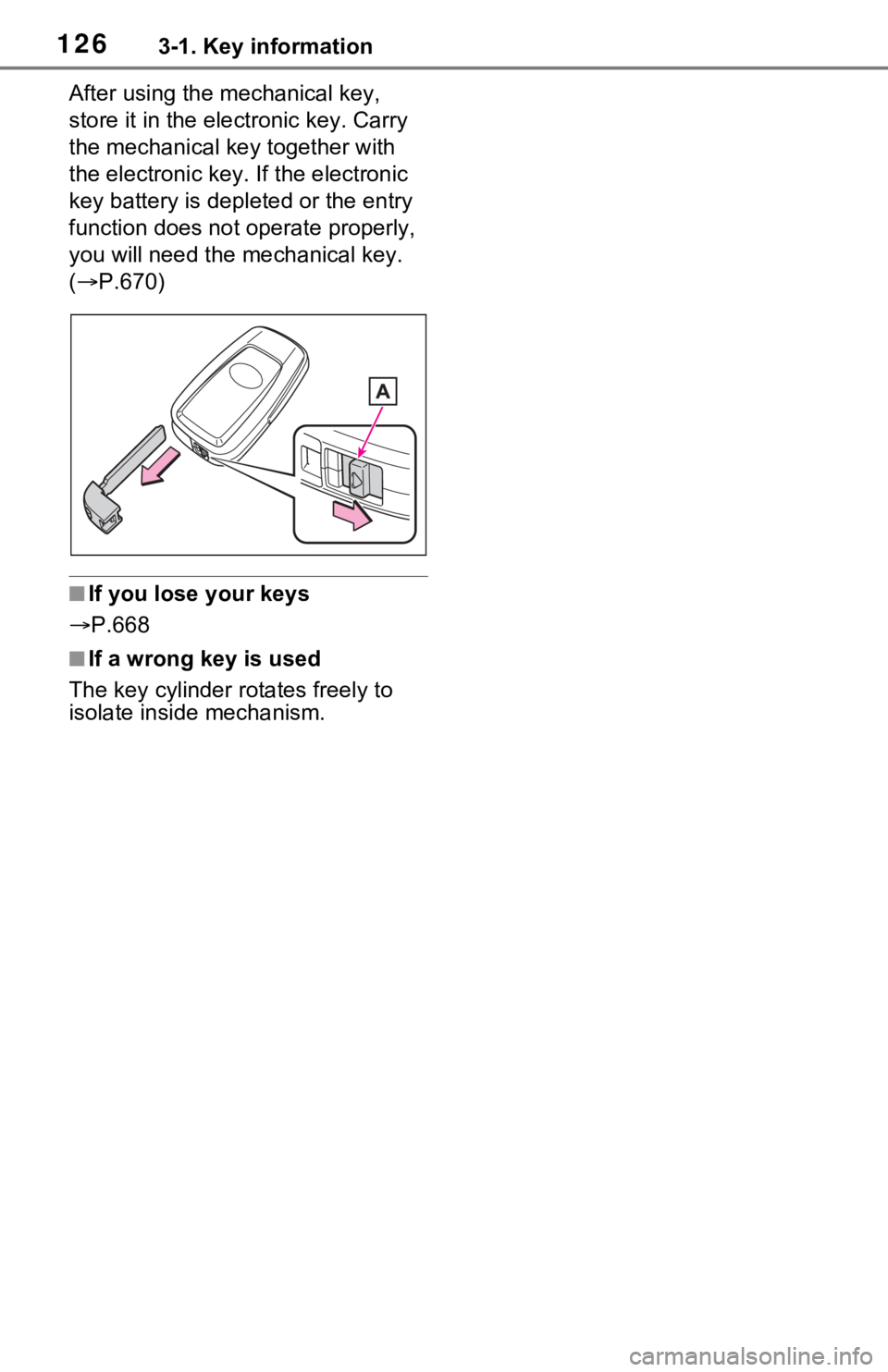
After using the mechanical key,
store it in the electronic key. Carry
the mechanical key together with
the electronic key. If the electronic
key battery is dep leted or the entry
function does not operate properly,
you will need the m echanical key.
( P.670)
■If you lose your keys
P.668
■If a wrong key is used
The key cylinder rotates freely to
isolate inside mechanism.
Page 130 of 752

1303-2. Opening, closing and locking the doors
continuously for 5 seconds. Fully
close all the doors, and lock the
vehicle once more.
■Setting the alarm (if equipped)
Locking the doors will set the alarm
system. ( P.84)
■Conditions affect ing the opera-
tion of the smart key system or
wireless remo te control
Vehicles without smart key system
P.123
Vehicles with smart key system
P.148
■If the smart key system (if
equipped) or the wireless
remote control does not oper-
ate properly
●Vehicles with smart key system:
Use the mechanical key to lock
and unlock the doors. ( P.670)
●Replace the key battery with a
new one if it is depleted. ( P.618)
■If the 12-volt battery is dis-
charged
The doors cannot be locked and
unlocked using the smart key sys-
tem (if equipped) or wireless remote
control. Lock or unlock the doors
using the key (vehicles without
smart key system) or mechanical
key (vehicles with smart key sys-
tem). ( P.128, 670)
■Customization
Settings (e.g. unlocking function
using a key) c an be changed.
(Customizable features: P.709)
WARNING
■To prevent an accident
Observe the following precautions
while driving the vehicle.
Failure to do so may result in a
door opening and an occupant
could be thrown out of the vehicle,
resulting in dea th or serious
injury.
●Ensure that all doors are prop-
erly closed and locked.
●Do not pull the inside handle of
the doors while driving.
Be especially careful for the
front doors, as the doors may
be opened even if the inside
lock buttons are in locked posi-
tion.
●Set the rear door child-protector
locks when children are seated
in the rear seats.
■When opening or closing a
door
Check the surroundings of the
vehicle such as wh ether the vehi-
cle is on an incline, whether there
is enough space for a door to
open and whether a strong wind
is blowing. When opening or clos-
ing the door, hold the door handle
tightly to prepare for any unpre-
dictable movement.
Page 148 of 752
1483-2. Opening, closing and locking the doors
●When an exterior alarm sounds
once for 5 seconds
●When an interior alarm pings con-
tinuously
■Battery-saving function
The battery-saving function will be
activated in order to prevent the
electronic key battery and the 12-
volt battery from being discharged
while the vehicle is not in operation
for a long time.
●In the following situations, the
smart key system may take some
time to unlock the doors.
• The electronic key has been left in an area of approximately 6 ft. (2
m) of the outside of the vehicle for
10 minutes or longer.
• The smart key system has not been used for 5 days or longer.
●If the smart key system has not
been used for 14 days or longer,
the doors canno t be unlocked at
any doors except the driver’s
door. In this case, take hold of the
driver’s door handle, or use the
wireless remote control or the mechanical key, to unlock the
doors.
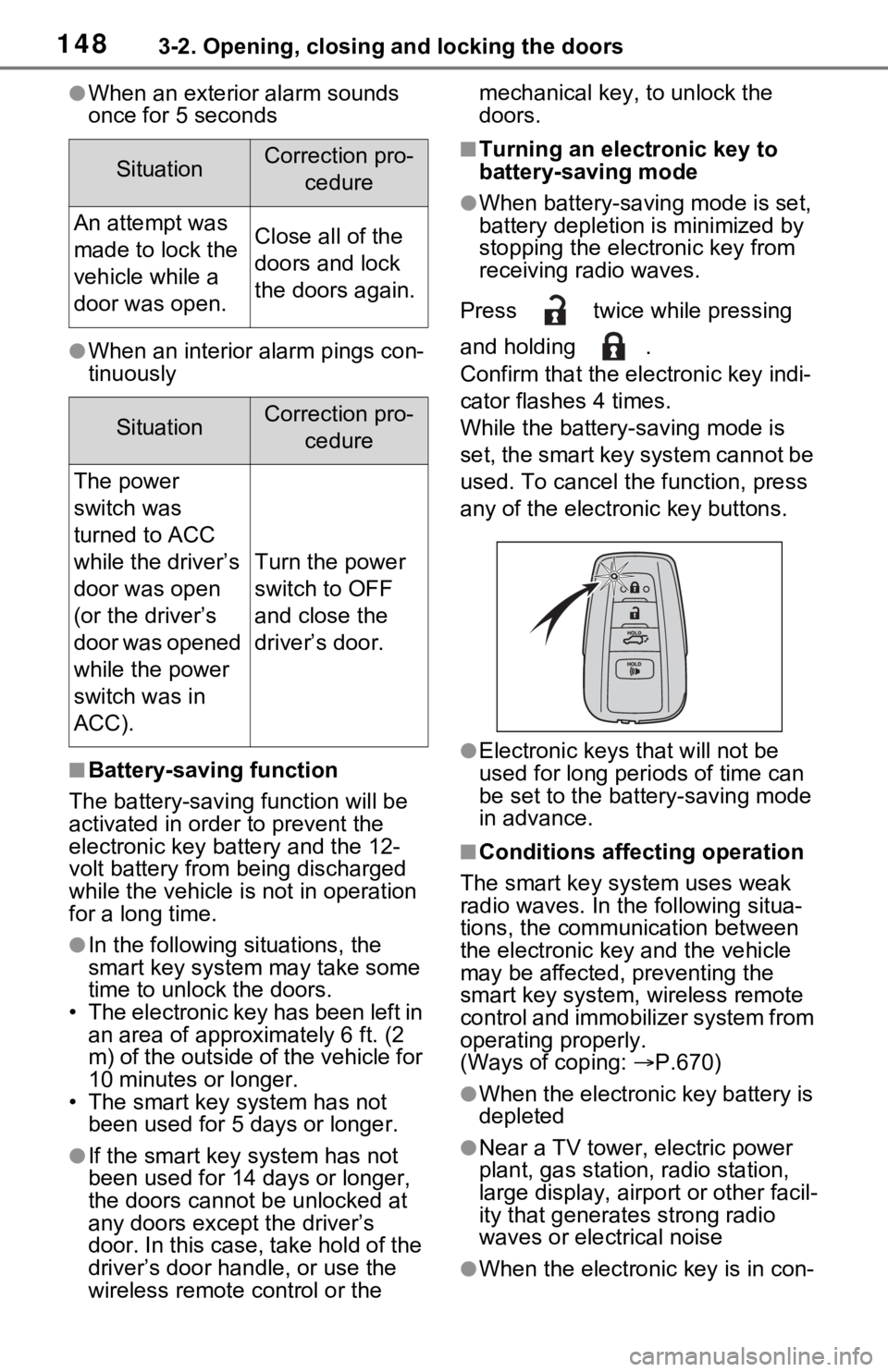
■Turning an electronic key to
battery-saving mode
●When battery-saving mode is set,
battery depletion is minimized by
stopping the electronic key from
receiving radio waves.
Press twice while pressing
and holding .
Confirm that the ele ctronic key indi-
cator flashes 4 times.
While the battery-saving mode is
set, the smart key system cannot be
used. To cancel the function, press
any of the electronic key buttons.
●Electronic keys that will not be
used for long periods of time can
be set to the battery-saving mode
in advance.
■Conditions affecting operation
The smart key system uses weak
radio waves. In the following situa-
tions, the communication between
the electronic key and the vehicle
may be affected, preventing the
smart key system, wireless remote
control and immobilizer system from
operating properly.
(Ways of coping: P.670)
●When the electronic key battery is
depleted
●Near a TV tower, electric power
plant, gas station, radio station,
large display, airpo rt or other facil-
ity that generates strong radio
waves or electrical noise
●When the electronic key is in con-
SituationCorrection pro-
cedure
An attempt was
made to lock the
vehicle while a
door was open.Close all of the
doors and lock
the doors again.
SituationCorrection pro-cedure
The power
switch was
turned to ACC
while the driver’s
door was open
(or the driver’s
door was opened
while the power
switch was in
ACC).
Turn the power
switch to OFF
and close the
driver’s door.