maintenance reset TOYOTA RAV4 HYBRID 2021 Owners Manual
[x] Cancel search | Manufacturer: TOYOTA, Model Year: 2021, Model line: RAV4 HYBRID, Model: TOYOTA RAV4 HYBRID 2021Pages: 752, PDF Size: 31.25 MB
Page 111 of 752
1112-1. Instrument cluster
2
Vehicle status information and indicators
Select to initialize the tire pressure
warning system.
• “Change Wheel” (except for mod-
els made in Japan
* without tire
inflation pressure display func-
tion)
Select to register the ID codes of
the tire pressure s ensors to the tire
pressure warning system.
• “Change Wheel” (for models
made in Japan
* without tire infla-
tion pressure display function)
Select to change the tire pressure
warning system sensor ID code set.
To enable this function, a second
set of tire pressure warning system
sensor ID codes must be registered
by a Toyota dealer. For information
regarding changing the registered
ID code set, contact your Toyota
dealer.
*: The country of production is writ- ten on the Certification Regula-
tion Label. ( P.684)
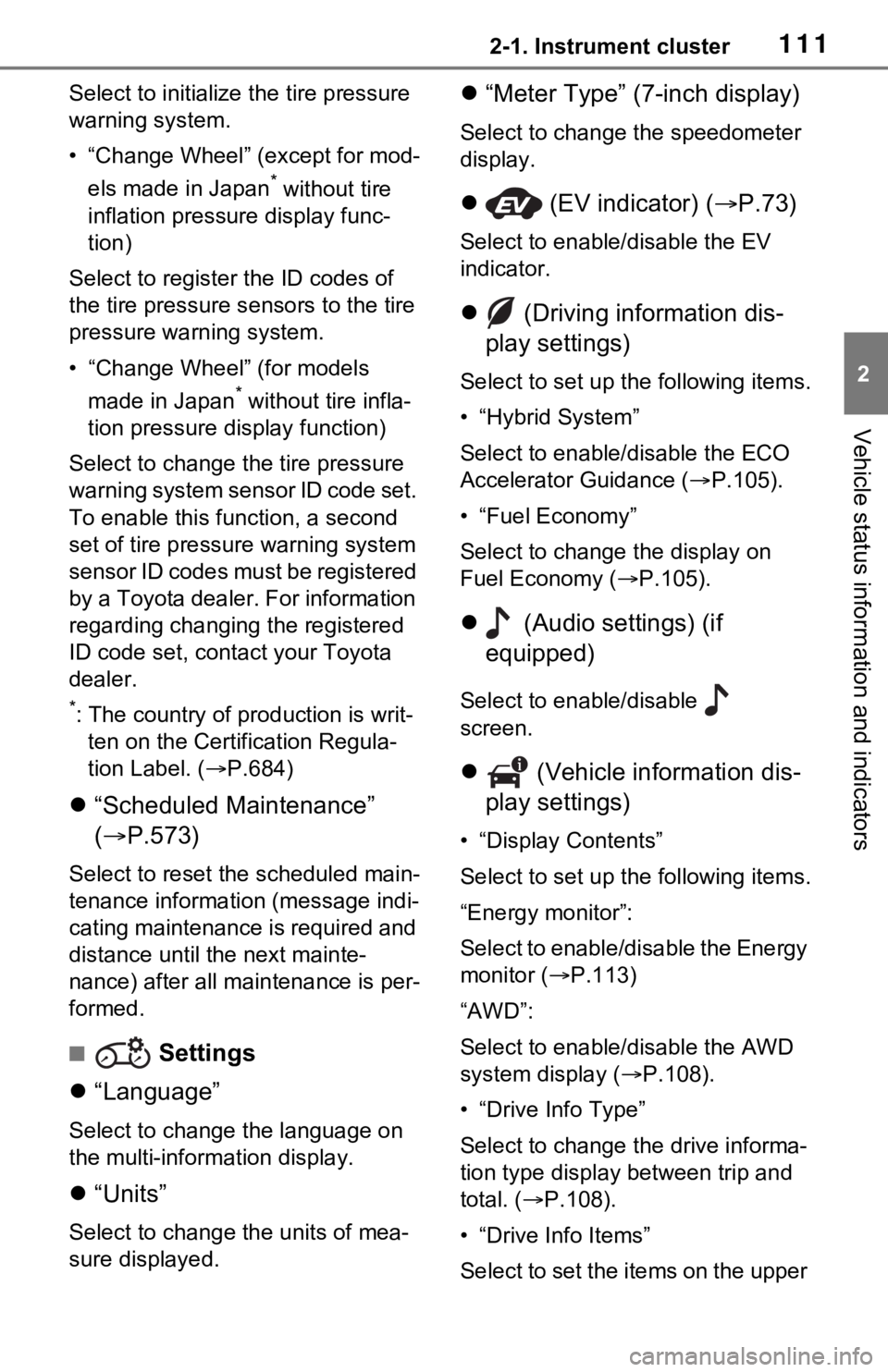
“Scheduled Maintenance”
( P.573)
Select to reset the scheduled main-
tenance information (message indi-
cating maintenance is required and
distance until the next mainte-
nance) after all maintenance is per-
formed.
■ Settings
“Language”
Select to change the language on
the multi-inform ation display.
“Units”
Select to change t he units of mea-
sure displayed.
“Meter Type” (7-inch display)
Select to change the speedometer
display.
(EV indicator) ( P.73)
Select to enable/disable the EV
indicator.
(Driving information dis-
play settings)
Select to set up t he following items.
• “Hybrid System”
Select to enable/disable the ECO
Accelerator Guidance (P.105).
• “Fuel Economy”
Select to change the display on
Fuel Economy ( P.105).
(Audio settings) (if
equipped)
Select to enable/disable
screen.
(Vehicle information dis-
play settings)
• “Display Contents”
Select to set up t he following items.
“Energy monitor”:
Select to enable/disable the Energy
monitor ( P.113)
“AWD”:
Select to enable /disable the AWD
system display ( P.108).
• “Drive Info Type”
Select to change the drive informa-
tion type display between trip and
total. ( P.108).
• “Drive Info Items”
Select to set the items on the upper
Page 573 of 752
5737-2. Maintenance
7
Maintenance and care
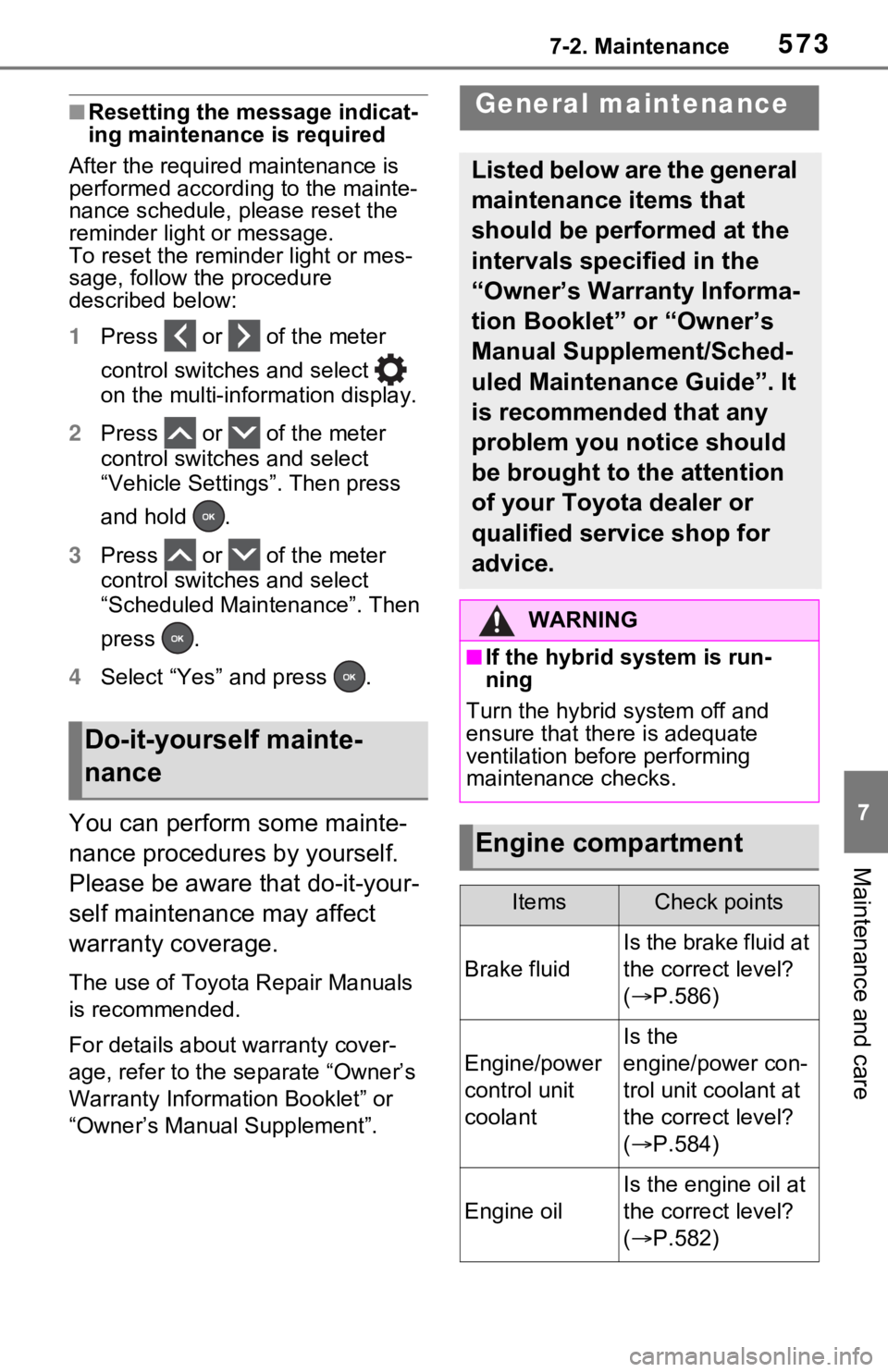
■Resetting the message indicat-
ing maintenance is required
After the required maintenance is
performed according to the mainte-
nance schedule, please reset the
reminder light or message.
To reset the reminder light or mes-
sage, follow the procedure
described below:
1 Press or of the meter
control switches and select
on the multi-information display.
2 Press or of the meter
control switches and select
“Vehicle Settings”. Then press
and hold .
3 Press or of the meter
control switches and select
“Scheduled Maintenance”. Then
press .
4 Select “Yes” and press .
You can perform some mainte-
nance procedures by yourself.
Please be aware that do-it-your-
self maintenance may affect
warranty coverage.
The use of Toyota Repair Manuals
is recommended.
For details about warranty cover-
age, refer to the separate “Owner’s
Warranty Information Booklet” or
“Owner’s Manual Supplement”.
Do-it-yourself mainte-
nance
General maintenance
Listed below are the general
maintenance items that
should be performed at the
intervals specified in the
“Owner’s Warranty Informa-
tion Booklet” or “Owner’s
Manual Supplement/Sched-
uled Maintenance Guide”. It
is recommended that any
problem you notice should
be brought to the attention
of your Toyota dealer or
qualified service shop for
advice.
WARNING
■If the hybrid system is run-
ning
Turn the hybrid system off and
ensure that there is adequate
ventilation before performing
maintenance checks.
Engine compartment
ItemsCheck points
Brake fluid
Is the brake fluid at
the correct level?
( P.586)
Engine/power
control unit
coolant
Is the
engine/power con-
trol unit coolant at
the correct level?
( P.584)
Engine oil
Is the engine oil at
the correct level?
( P.582)
Page 602 of 752
6027-3. Do-it-yourself maintenance
few minutes. However, in the follow-
ing cases, the set tings have not
been recorded an d the system will
not operate prope rly. If repeated
attempts to record tire inflation pres-
sure settings are unsuccessful,
have the vehicle inspected by your
Toyota dealer.
●When operating the tire pressure
warning reset swit ch, the tire pres-
sure warning light does not blink 3
times.
●After driving for a certain period of
time since the initialization has
been completed, the warning light
comes on after blin king for 1 min-
ute.
■If the tire pressure warning sys-
tem is not initialized properly
(vehicles with tire inflation pres-
sure display function)
●In the following si tuations, initial-
ization may take longer than usual
to be completed or may not be
possible. Normally, initialization
completes within approximately
30 minutes.
• Vehicle is not driven at approxi- mately 25 mph ( 40 km/h) or more
• Vehicle is driven on unpaved
roads
• Vehicle is driven near other vehi- cles and system cannot recog-
nize tire pressure warning valve
and transmitters of your vehicle
over those of other vehicles.
• If the vehicle is driven in heavy traffic or another situation where
other vehicles are driven close by,
it may take time for the system to
recognize the tire pressure warn-
ing valve and tran smitters of your
vehicle over those of other vehi-
cles.
If initialization does not complete
after driving for 1 hour or more, park
the vehicle in a safe place for
approximately 20 minutes and then
drive the vehicle again.
●If the vehicle is reversed during initialization, the data up to that
point is reset, so p
erform the ini-
tialization procedure again from
the beginning.
●In the following situations, initial-
ization will not be started or was
not completed properly and the
system will not oper ate properly.
Perform the initialization proce-
dure again.
• If, when attempting to start initial- ization, the tire pressure warning
light does not blink 3 times.
• If, when the veh icle has been
driven for about 20 minutes after
performing initialization, the tire
pressure warning light blinks for
approximately 1 minute and then
illuminates.
If the inflation pressure of each tire
is still not display ed, have the vehi-
cle inspected by your Toyota dealer.
For models made in Japan*1
without tire inflation pressure
display function
Every tire pressure warning
valve and transmitter has a
unique ID code. In addition to
WARNING
■When initializing the tire pres-
sure warning system
Do not initialize tire inflation pres-
sure without first adjusting the tire
inflation pressure to the specified
level. Otherwise, the tire pressure
warning light may not come on
even if the tire inflation pressure is
low, or it may c ome on when the
tire inflation pre ssure is actually
normal.
Registering ID codes
(vehicles with tire pres-
sure warning system)
Page 605 of 752
6057-3. Do-it-yourself maintenance
7
Maintenance and care
point is reset, so perform the reg-
istration procedure again from the
beginning.
●In the following situations, ID code
registration will not be started or
was not completed properly and
the system will not operate prop-
erly. Perform the ID code registra-
tion procedure again.
• If, when attempting to start ID code registration, the tire pressure
warning light does not blink slowly
3 times.
• If, when the vehicle has been driven for about 20 minutes after
performing ID co de registration,
the tire pressur e warning light
blinks for approxi mately 1 minute
and then illu minates.
If the ID codes cannot be registered
even when performing the above
procedure, contact your Toyota
dealer.
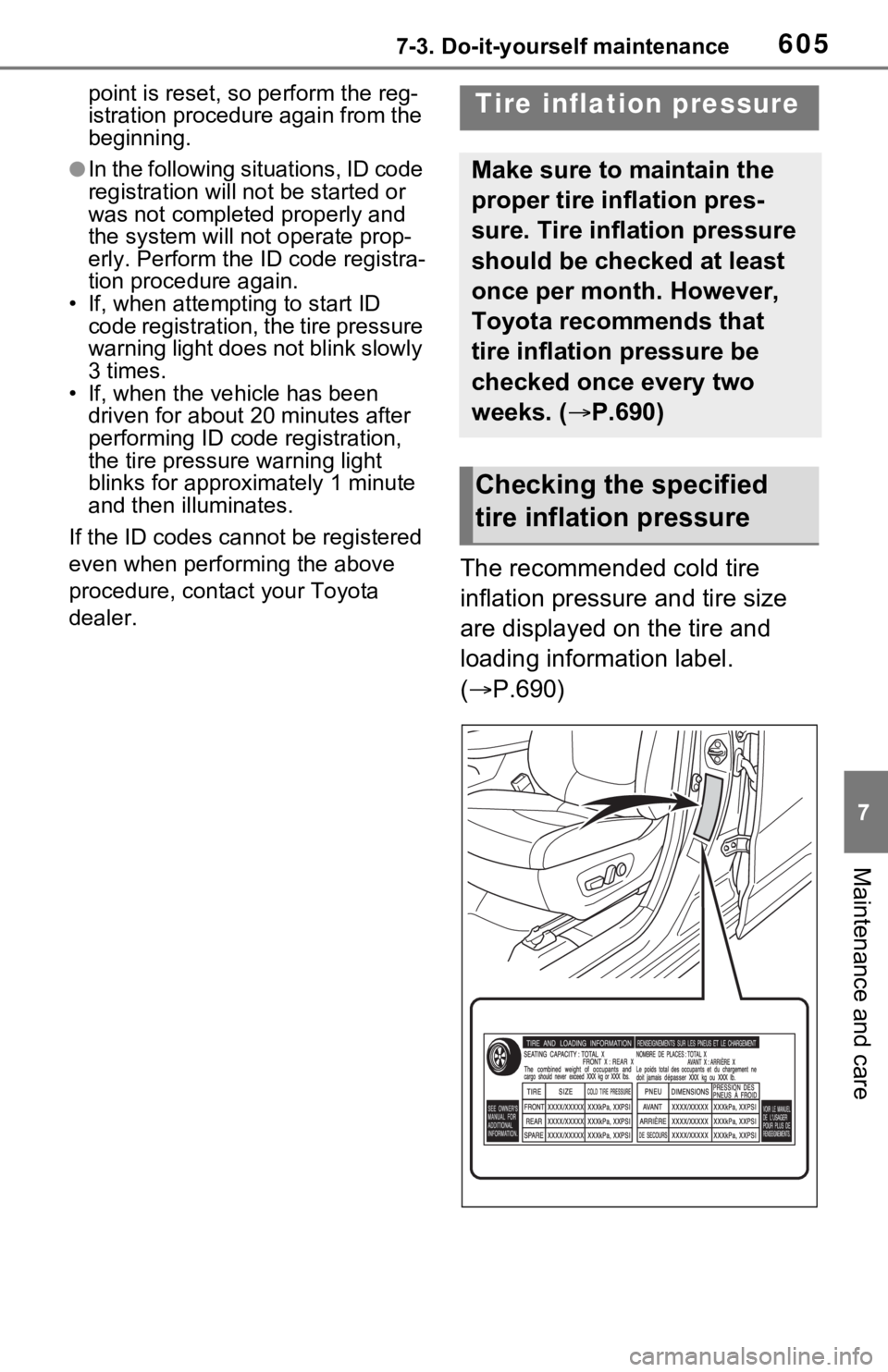
The recommended cold tire
inflation pressure and tire size
are displayed on the tire and
loading information label.
( P.690)
Tire inflation pressure
Make sure to maintain the
proper tire inflation pres-
sure. Tire inflation pressure
should be checked at least
once per month. However,
Toyota recommends that
tire inflation pressure be
checked once every two
weeks. ( P.690)
Checking the specified
tire inflation pressure
Page 655 of 752

6558-2. Steps to take in an emergency
8
When trouble arises
tery) are not dirty, have the vehicle
inspected at your Toyota dealer.
■If “Hybrid System Overheated
Output Power Reduced” is
shown
The message may be shown when
driving under severe operating con-
ditions. (For example, when driving
up a long steep hill or driving up a
steep hill in reverse.)
Coping method: P.680
■If “Traction Battery Needs to be
Protected Refrain from the Use
of N Position” is shown
This message may be displayed
when the shift lever is in N.
As the hybrid batte ry (traction bat-
tery) cannot be charged when the
shift lever is in N, shift the shift lever
to P when the vehicle is stopped.
■If “Traction Battery Needs to be
Protected Shift into P to
Restart” is shown
This message is displayed when the
hybrid battery (traction battery)
charge has become extremely low
because the shift lever has been left
in N for a certain amount of time.
When operating the vehicle, shift to
P and restart the hybrid system.
■If “Shift to P when Parked” is
shown (if equipped)
Message is displayed when the
driver’s door is opened without turn-
ing the power switch to OFF with the
shift lever in any position other than
P.
Shift the shift lever to P.
■If “Shift is in N Release Acceler-
ator Before Shif ting” is shown
Message is displayed when the
accelerator pedal has been
depressed and the shift lever is in N.
Release the accelerator pedal and
shift the shift lever to D or R.
■If “Press Brake when Vehicle is
Stopped Hybrid System may
Overheat” is shown
Message is displayed when the
accelerator pedal is depressed to
maintain the vehicl e position when
stopped on a upward slope, etc.
If this continues, the hybrid system
may overheat.
Release the accelerator pedal and
depress the brake pedal.
■If “Auto Power OFF to Conserve
Battery” is shown (if equipped)
Power was turned off due to the
automatic power off function.
Next time when starting the hybrid
system, operate the hybrid system
for approximately 5 minutes to
recharge the 12- volt battery.
■If “Engine Oil Level Low Add or
Replace” is displayed
The engine oil level may be low.
Check the level o f the engine oil,
and add engine oil if necessary.
This message may be displayed if
the vehicle is stopped on a slope.
Move the vehicle to a level surface
and check if the message disap-
pears.
■If “Maintenance Required
Soon” is shown
Indicates that all maintenance
according to the driven distance on
the maintenance schedule
* should
be performed soon.
Comes on approximately 4500
miles (7200 km) after the message
has been reset.
If necessary, perform maintenance.
Please reset the m essage after the
maintenance is performed.
( P.573)
*: Refer to the separate “Scheduled
Maintenance Guide” or “Owner’
Manual Supplement” for the main-
tenance interval applicable to your
vehicle.
Page 656 of 752
6568-2. Steps to take in an emergency
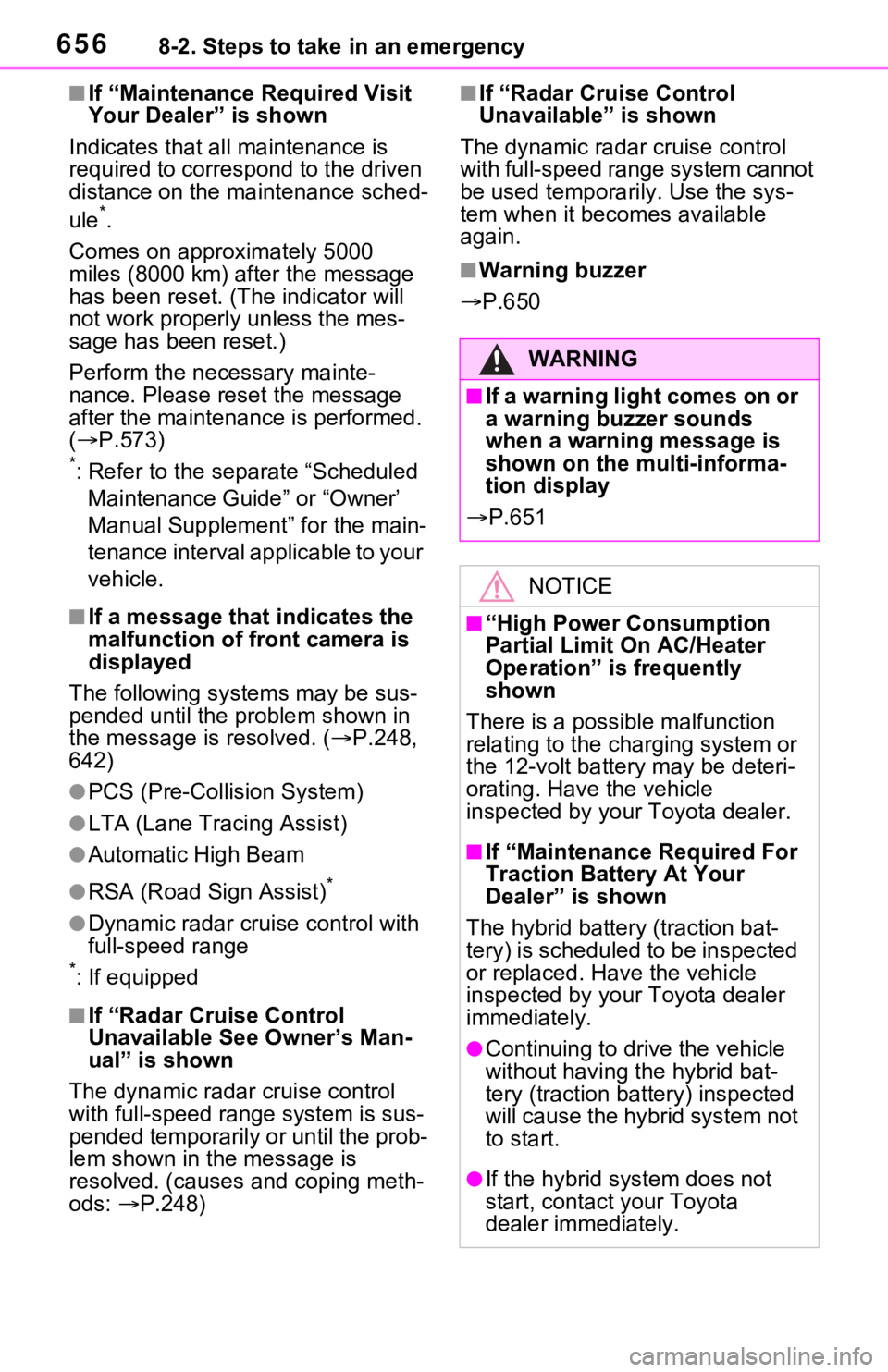
■If “Maintenance Required Visit
Your Dealer” is shown
Indicates that all maintenance is
required to correspond to the driven
distance on the maintenance sched-
ule
*.
Comes on approximately 5000
miles (8000 km) after the message
has been reset. (The indicator will
not work properly unless the mes-
sage has been reset.)
Perform the necessary mainte-
nance. Please reset the message
after the maintenance is performed.
( P.573)
*: Refer to the separate “Scheduled
Maintenance Guide” or “Owner’
Manual Supplement” for the main-
tenance interval applicable to your
vehicle.
■If a message that indicates the
malfunction of front camera is
displayed
The following sys tems may be sus-
pended until the pr oblem shown in
the message is resolved. ( P.248,
642)
●PCS (Pre-Collis ion System)
●LTA (Lane Tracing Assist)
●Automatic High Beam
●RSA (Road Sign Assist)*
●Dynamic radar cruise control with
full-speed range
*: If equipped
■If “Radar Cruise Control
Unavailable See Owner’s Man-
ual” is shown
The dynamic radar cruise control
with full-speed range system is sus-
pended temporarily or until the prob-
lem shown in the message is
resolved. (causes a nd coping meth-
ods: P.248)
■If “Radar Cruise Control
Unavailable” is shown
The dynamic radar cruise control
with full-speed range system cannot
be used temporarily. Use the sys-
tem when it becomes available
again.
■Warning buzzer
P.650
WARNING
■If a warning light comes on or
a warning buzzer sounds
when a warning message is
shown on the multi-informa-
tion display
P.651
NOTICE
■“High Power Consumption
Partial Limit On AC/Heater
Operation” is frequently
shown
There is a possible malfunction
relating to the charging system or
the 12-volt battery may be deteri-
orating. Have the vehicle
inspected by your Toyota dealer.
■If “Maintenance Required For
Traction Battery At Your
Dealer” is shown
The hybrid battery (traction bat-
tery) is scheduled to be inspected
or replaced. Hav e the vehicle
inspected by your Toyota dealer
immediately.
●Continuing to dr ive the vehicle
without having the hybrid bat-
tery (traction bat tery) inspected
will cause the hybrid system not
to start.
●If the hybrid system does not
start, contact your Toyota
dealer immediately.
Page 746 of 752
746Alphabetical Index
for the first time .................. 402
Remote Connect ..................... 516
Replacing Electronic key battery ........... 618
Fuses ................................... 621
Light bulbs ............................ 624
Tires ..................................... 658
Wiper insert .......................... 615
Wireless remote control battery........................................... 618
Reporting safety defects for U.S. owners................................... 720
Resetting the message indicat- ing maintenance is required 573
Road accident cautions ........... 77
Road Sign Assist .................... 268
RSA (Road Sign Assist) ......... 268
S
Screen adjustment ................. 400
Seat belt reminder light . 649, 650
Seat belts .................................. 31 Adjusting the seat belt shoulder anchor height ....................... 33
Automatic Locking Retractor .. 33
Child restraint system installation ............................................. 56
Cleaning and maintaining the seat belt.............................. 569
Emergency Locking Retractor 33
How to wear your seat belt..... 32
How your child should wear the seat belt................................ 32
Pregnant women, proper seat belt use................................. 31
Reminder light and buzzer
................................... 649, 650
Seat belt extender .................. 32
Seat belt pretensioners .......... 34
SRS warning light................. 644
Seat heaters ............................ 531
Seating capacity ..................... 199 Seat position memory ............156
Seats
Adjustment precautions 153, 154
Adjustment ...................153, 154
Child seats/child restraint system installation ............................52
Cleaning ...............................569
Driving position memory .......156
Folding down the rear seatbacks ...........................................155
Head restraint .......................159
Properly sitting in the seat ......29
Seat heaters ....... ..................531
Seat position memory...........156
Seat ventilators.....................531
Seat ventilators .. .....................531
Secondary Collision Brake ....370
Sensor Automatic headlight system .230
Automatic High Beam system...........................................232
BSM (Blind Spot M onitor) .....285
Digital Rear-view Mirror ........169
Inside rear view mirror ..........164
Intuitive parking assist ..........291
LTA (Lane Traci ng Assist) ....258
Parking Support Brake function (rear-crossing vehicles) ......285
Parking Support Brake function (static objects) ....................291
Rain-sensing windshield wipers ...........................................238
RCTA ....................................285
Toyota Safety Sense 2.0 ......244
Service Connect ... ..................517
Service plug ..............................76
Service reminder message ....573
Setup button (Menu screen) .......................................389, 392
Setup screen ...........................392
Shift lever ................................219 If th e s hif t le ver ca n no t b e s hif te d
Page 748 of 752
748Alphabetical Index
PCS (Pre-Collision System) . 252
PKSB (Parking Support Brake)........................................... 299
Power back door switch137, 138
Power door lock switch ........ 131
Power switch ................ 210, 212
Power window switch ........... 176
RCTA ................................... 284
Rear window and outside rear view mirror defoggers switch........................................... 526
Rear window wipe r and washer
switch ................................. 239
Seat heater switches .... 531, 532
Seat ventilator switches ....... 532
Tire pressure warning reset switch ................................. 600
Vehicle-to-vehicle distance switch ................................. 271
VSC OFF switch................... 370
Window lock switch .............. 178
Windshield defogger switch . 526
Windshield wiper de-icer switch
........................................... 528
Windshield wipers and washer switch ................................. 236
T
Tail lights Light switch .......................... 229
Replacing light bulbs ............ 624
Talking on the Bluetooth
®
hands-free system ............... 488 Call screen operation ........... 488
Incoming call waiting ............ 490
Sending tones ...................... 489
Transmit volume setting ....... 489
Theft deterrent system Alarm ...................................... 84
Immobilizer system ................ 81
Tire inflati on pressure Maintenance data .................690
Tire inflation pressure display
function ...............................593
Warning light ........................649
Tire information ......................696 Glossary ...............................700
Size ......................................698
Tire identification number .....697
Tire section names ...............698
Tire pressure warning system Function................................593
Initializing..............................599
Installing tire p ressure warning
valves and transmitters ......598
Registering ID codes ............602
Warning light ........................649
Tires .........................................590 Chains ..................................380
Checking ..............................590
Glossary ...............................700
If you have a flat tire .............658
Inflation pressure ..................605
Information ......... ..................696
Replacing .............................658
Rotating tires ........................592
Size ......................................690
Snow tires.............................378
Spare tire ..............................658
Tire identification number .....697
Tire inflation pressure display function ...............................593
Tire pressure warning system ...........................................593
Uniform Tire Qua lity Grading 699
Warning light ........................649
Tools ........................................659
Top tether strap ........................63
Total load capacity .........196, 199
Touch screen ..........................394 Touch screen gestures .........394
Touch screen operation........395
Towing