ad blue TOYOTA RAV4 HYBRID 2022 Owner's Guide
[x] Cancel search | Manufacturer: TOYOTA, Model Year: 2022, Model line: RAV4 HYBRID, Model: TOYOTA RAV4 HYBRID 2022Pages: 752, PDF Size: 23.11 MB
Page 423 of 752
4235-6. Using the audio/visual system
5
Audio
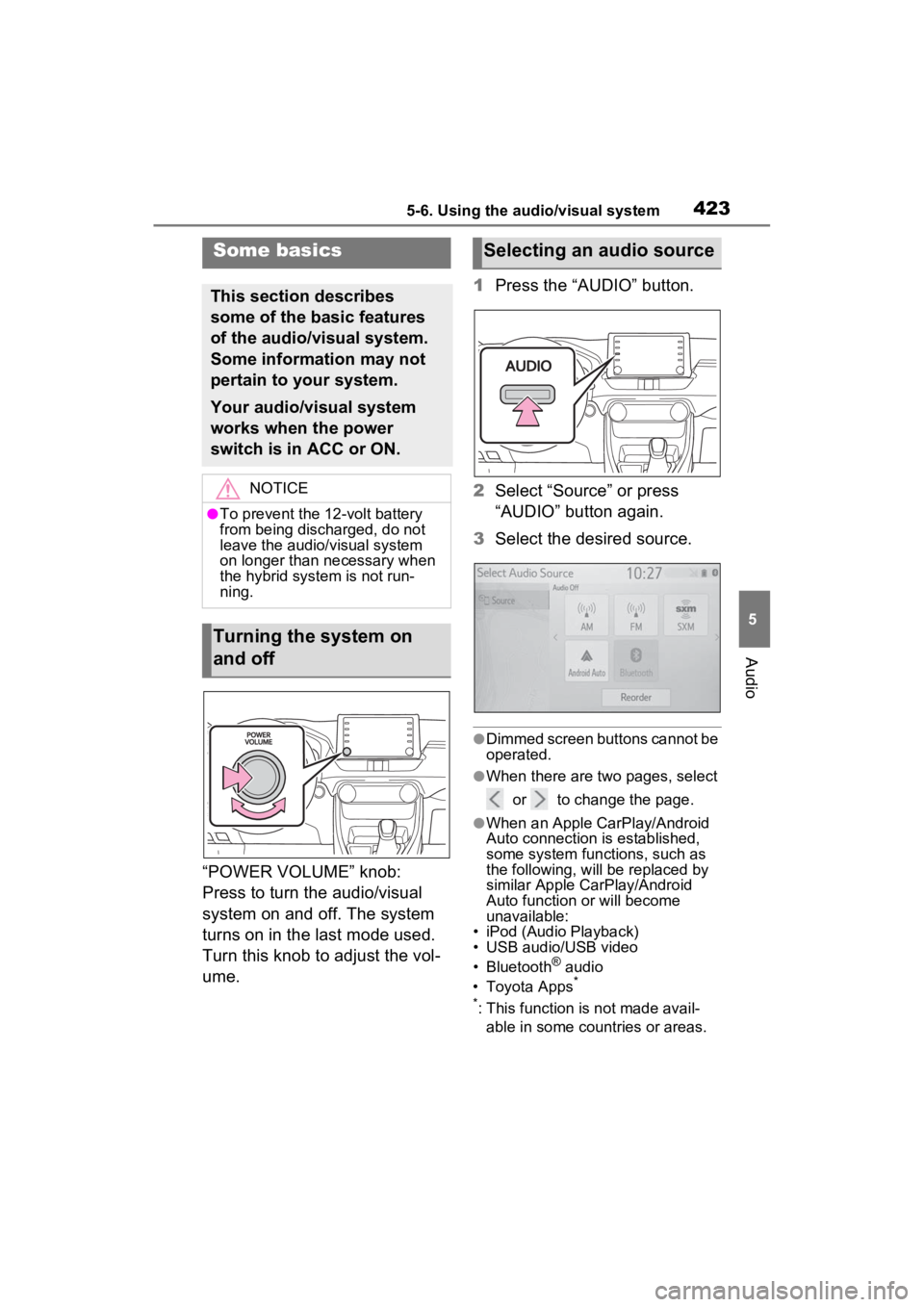
“POWER VOLUME” knob:
Press to turn the audio/visual
system on and off. The system
turns on in the last mode used.
Turn this knob to adjust the vol-
ume.1
Press the “AUDIO” button.
2 Select “Source” or press
“AUDIO” button again.
3 Select the desired source.
●Dimmed screen buttons cannot be
operated.
●When there are tw o pages, select
or to change the page.
●When an Apple CarPlay/Android
Auto connection is established,
some system functions, such as
the following, will be replaced by
similar Apple CarPlay/Android
Auto function or will become
unavailable:
• iPod (Audio Playback)
• USB audio/USB video
• Bluetooth
® audio
• Toyota Apps*
*
: This function is not made avail- able in some countries or areas.
Some basics
This section describes
some of the basic features
of the audio/visual system.
Some information may not
pertain to your system.
Your audio/visual system
works when the power
switch is in ACC or ON.
NOTICE
●To prevent the 12-volt battery
from being discharged, do not
leave the audio/visual system
on longer than necessary when
the hybrid system is not run-
ning.
Turning the system on
and off
Selecting an audio source
Page 438 of 752
4385-8. Media operation
battery.
●Depending on the iPod/iPhone,
the video sound may not be able
to be heard.
●Depending on the iPod/iPhone
and the songs in the iPod/iPhone,
a cover art may be displayed. This
function can be changed to “On”
or “Off”. (P.446) It may take time
to display the co ver art, and the
iPod/iPhone may not be operated
while the cover ar t display is in
process.
●When an iPod/iPhone is con-
nected and the audio source is
changed to iPod/iPhone mode,
the iPod/iPhone will resume play-
ing from the same point it was last
used.
●Depending on the iPod/iPhone
that is connected to the system,
certain functions may not be avail-
able.
●If an iPhone is connected via
Bluetooth® and USB at the same
time, system operation may
become unstable. For known
phone compatibility information,
refer to
http://www.toyota.com/
audio-multimedia.
●Tracks selected by operating a
connected iPod/iPhone may not
be recognized or displayed prop-
erly.
●The system may not function
properly if a conversion adapter is
used to connect a device.
The track currently being lis-
tened to can be repeated.
1 Select .
●Each time is selected, the
mode changes as follows:
When shuffle is off (iPhone 5 or
later)
• track repeat album repeat off
When shuffle is off (iPhone 4s or
earlier)
• track repeat off
When shuffle is on
• track repeat off
Tracks or albums can be auto-
matically and randomly
selected.
1 Select .
●Each time is selected, the
mode changes as follows:
• shuffle (1 album shuffle) album
shuffle (all album shuffle) off
Repeating
Random order
WARNING
●Do not operate the player’s con-
trols or connect the iPod/iPhone
while driving.
NOTICE
●Do not leave your portable
player in the car. In particular,
high temperatures inside the
vehicle may damage the porta-
ble player.
●Do not push down on or apply
unnecessary pressure to the
portable player while it is con-
nected as this may damage the
portable player or its terminal.
●Do not insert foreign objects into
the port as this may damage the
portable player or its terminal.
Page 440 of 752
4405-8. Media operation
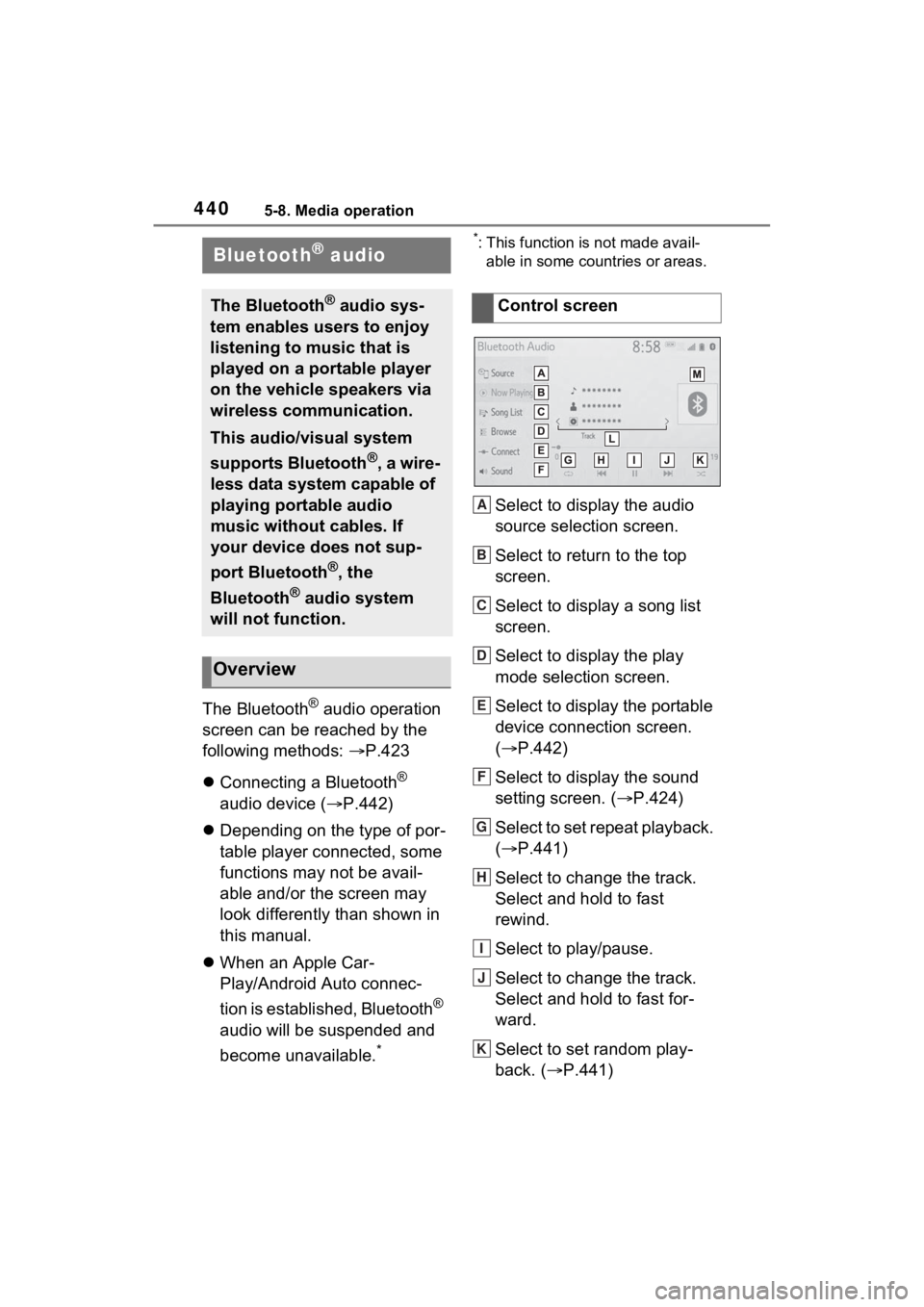
The Bluetooth® audio operation
screen can be reached by the
following methods: P.423
Connecting a Bluetooth
®
audio device ( P.442)
Depending on the type of por-
table player connected, some
functions may not be avail-
able and/or the screen may
look differently than shown in
this manual.
When an Apple Car-
Play/Android Auto connec-
tion is established, Bluetooth
®
audio will be suspended and
become unavailable.
*
*: This function is not made avail- able in some countries or areas.
Select to display the audio
source selection screen.
Select to return to the top
screen.
Select to display a song list
screen.
Select to display the play
mode selection screen.
Select to display the portable
device connection screen.
( P.442)
Select to display the sound
setting screen. ( P.424)
Select to set repeat playback.
( P.441)
Select to change the track.
Select and hold to fast
rewind.
Select to play/pause.
Select to change the track.
Select and hold to fast for-
ward.
Select to set random play-
back. ( P.441)
Bluetooth® audio
The Bluetooth® audio sys-
tem enables users to enjoy
listening to music that is
played on a portable player
on the vehicle speakers via
wireless communication.
This audio/visual system
supports Bluetooth
®, a wire-
less data system capable of
playing portable audio
music without cables. If
your device does not sup-
port Bluetooth
®, the
Bluetooth
® audio system
will not function.
Overview
Control screen
A
B
C
D
E
F
G
H
I
J
K
Page 441 of 752
4415-8. Media operation
5
Audio
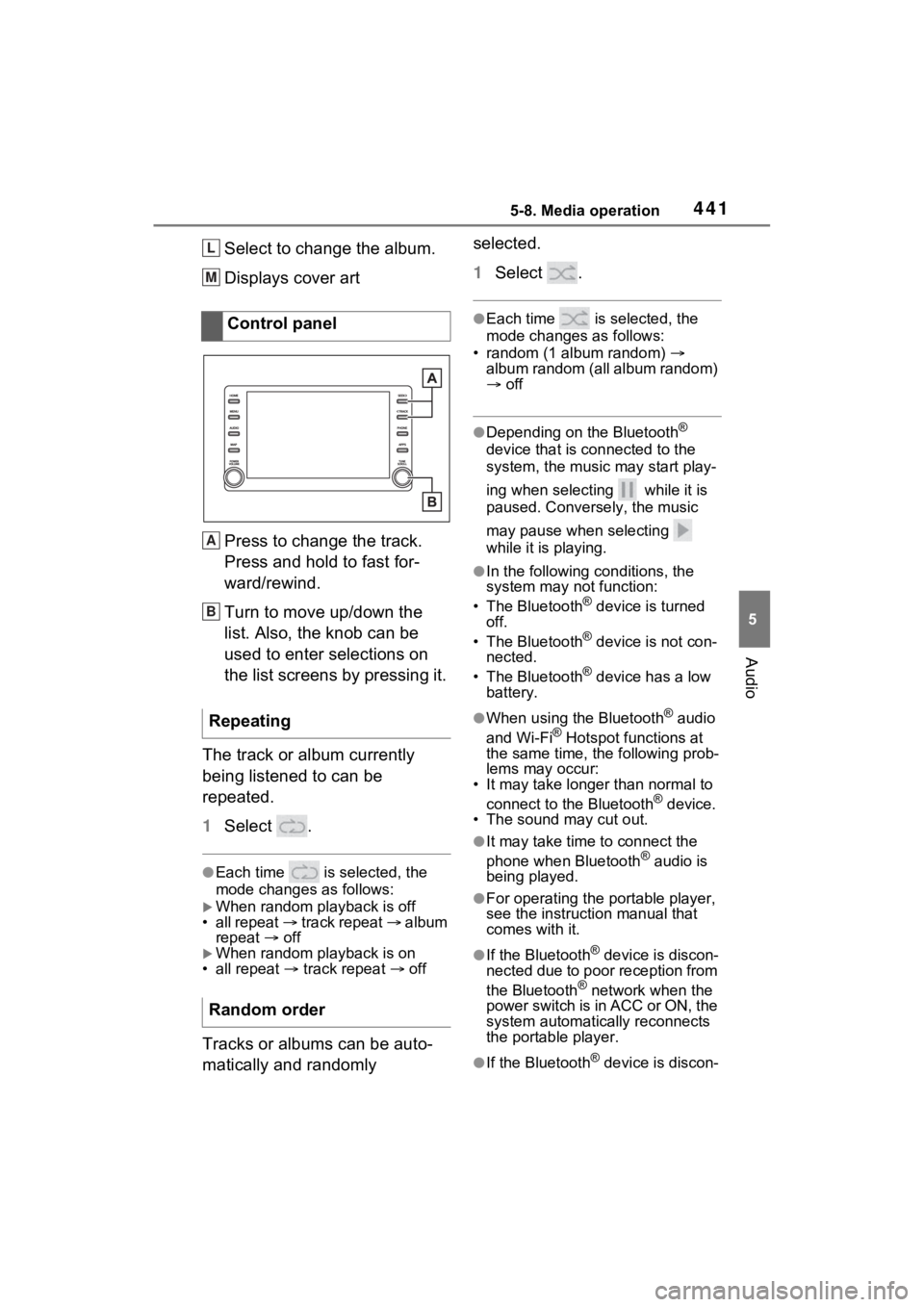
Select to change the album.
Displays cover art
Press to change the track.
Press and hold to fast for-
ward/rewind.
Turn to move up/down the
list. Also, the knob can be
used to enter selections on
the list screens by pressing it.
The track or album currently
being listened to can be
repeated.
1 Select .
●Each time is selected, the
mode changes as follows:
When random playback is off
• all repeat track repeat album
repeat off
When random playback is on
• all repeat track repeat off
Tracks or albums can be auto-
matically and randomly selected.
1
Select .
●Each time is selected, the
mode changes as follows:
• random (1 album random)
album random (all album random)
off
●Depending on the Bluetooth®
device that is connected to the
system, the music may start play-
ing when selecting while it is
paused. Conversely, the music
may pause when selecting
while it is playing.
●In the following c onditions, the
system may not function:
• The Bluetooth
® device is turned
off.
• The Bluetooth
® device is not con-
nected.
• The Bluetooth
® device has a low
battery.
●When using the Bluetooth® audio
and Wi-Fi® Hotspot functions at
the same time, the following prob-
lems may occur:
• It may take longer than normal to
connect to the Bluetooth
® device.
• The sound may cut out.
●It may take time to connect the
phone when Bluetooth® audio is
being played.
●For operating the portable player,
see the instruction manual that
comes with it.
●If the Bluetooth® device is discon-
nected due to poor reception from
the Bluetooth
® network when the
power switch is in ACC or ON, the
system automatically reconnects
the portable player.
●If the Bluetooth® device is discon-
Control panel
Repeating
Random order
L
M
A
B
Page 442 of 752
4425-8. Media operation
nected on purpose, such as it was
turned off, this does not happen.
Reconnect the portable player
manually.
●Bluetooth® device information is
registered when the Bluetooth®
device is connected to the
Bluetooth
® audio system. When
selling or disposing of the vehicle,
remove the Bluetooth
® audio
information from the system.
( P.419)
●In some situations, sound output
via the Bluetooth® audio system
may be out of syn c with the con-
nected device or output intermit-
tently.
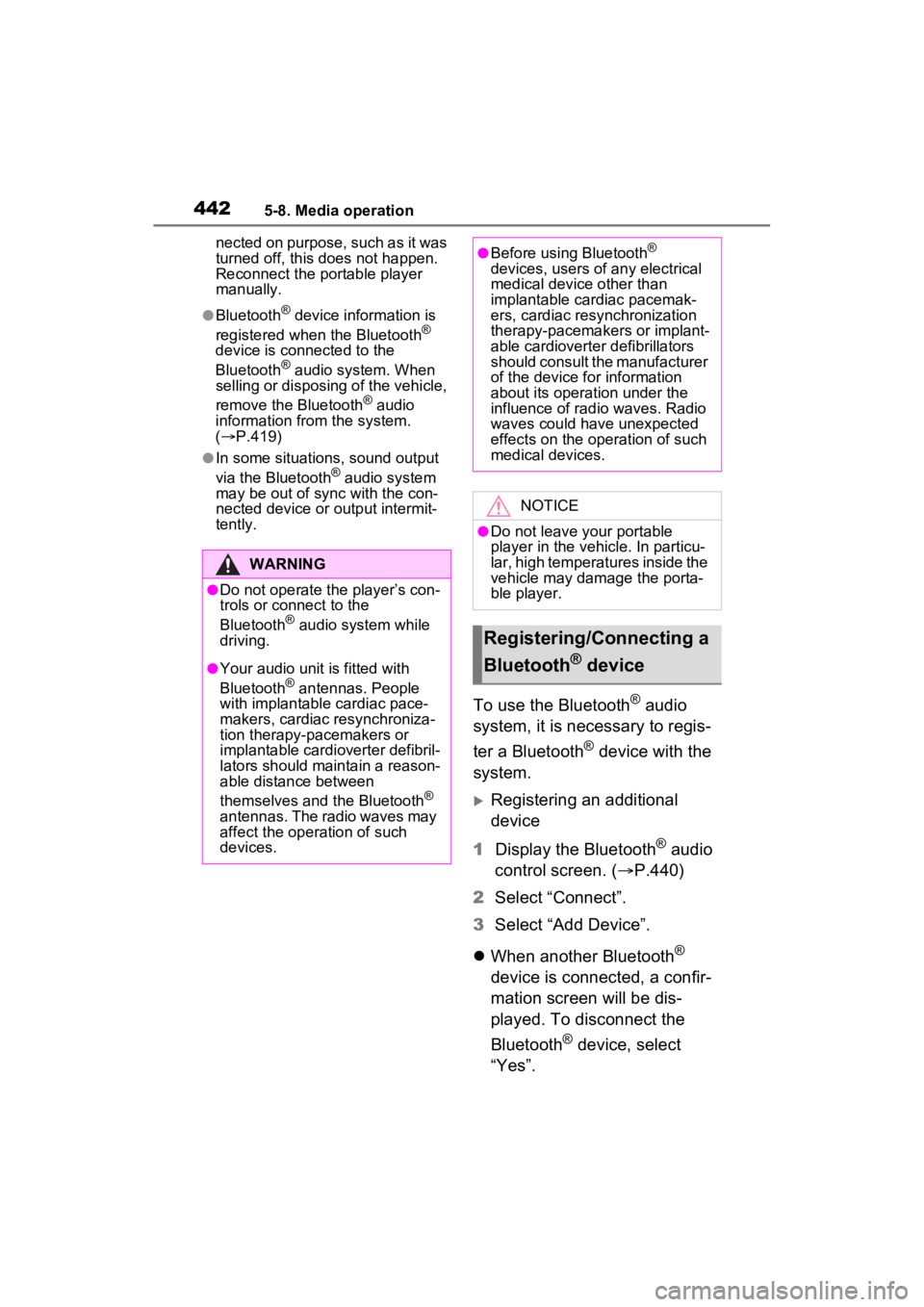
To use the Bluetooth® audio
system, it is necessary to regis-
ter a Bluetooth
® device with the
system.
Registering an additional
device
1 Display the Bluetooth
® audio
control screen. ( P.440)
2 Select “Connect”.
3 Select “Add Device”.
When another Bluetooth
®
device is connected, a confir-
mation screen will be dis-
played. To disconnect the
Bluetooth
® device, select
“Yes”.
WARNING
●Do not operate the player’s con-
trols or connect to the
Bluetooth
® audio system while
driving.
●Your audio unit is fitted with
Bluetooth® antennas. People
with implantable cardiac pace-
makers, cardiac resynchroniza-
tion therapy-pacemakers or
implantable cardioverter defibril-
lators should maintain a reason-
able distance between
themselves and the Bluetooth
®
antennas. The radio waves may
affect the operation of such
devices.
●Before using Bluetooth®
devices, users of any electrical
medical device other than
implantable cardiac pacemak-
ers, cardiac resynchronization
therapy-pacemakers or implant-
able cardioverter defibrillators
should consult the manufacturer
of the device for information
about its operation under the
influence of radio waves. Radio
waves could have unexpected
effects on the operation of such
medical devices.
NOTICE
●Do not leave your portable
player in the vehicle. In particu-
lar, high temperatures inside the
vehicle may damage the porta-
ble player.
Registering/Connecting a
Bluetooth
® device
Page 443 of 752

4435-8. Media operation
5
Audio
4Follow the steps in “Register-
ing a Bluetooth
® phone for
the first time” from step 5.
( P.392)
Selecting a registered device
1 Display the Bluetooth
® audio
control screen. ( P.440)
2 Select “Connect”.
3 Select the desired device to
be connected.
4 Check that a confirmation
screen is displayed when the
connection is complete.
If an error message is dis-
played, follow the guidance
on the screen to try again.
Page 444 of 752
4445-9. Audio/visual remote controls
5-9.Audio/visual remote controls
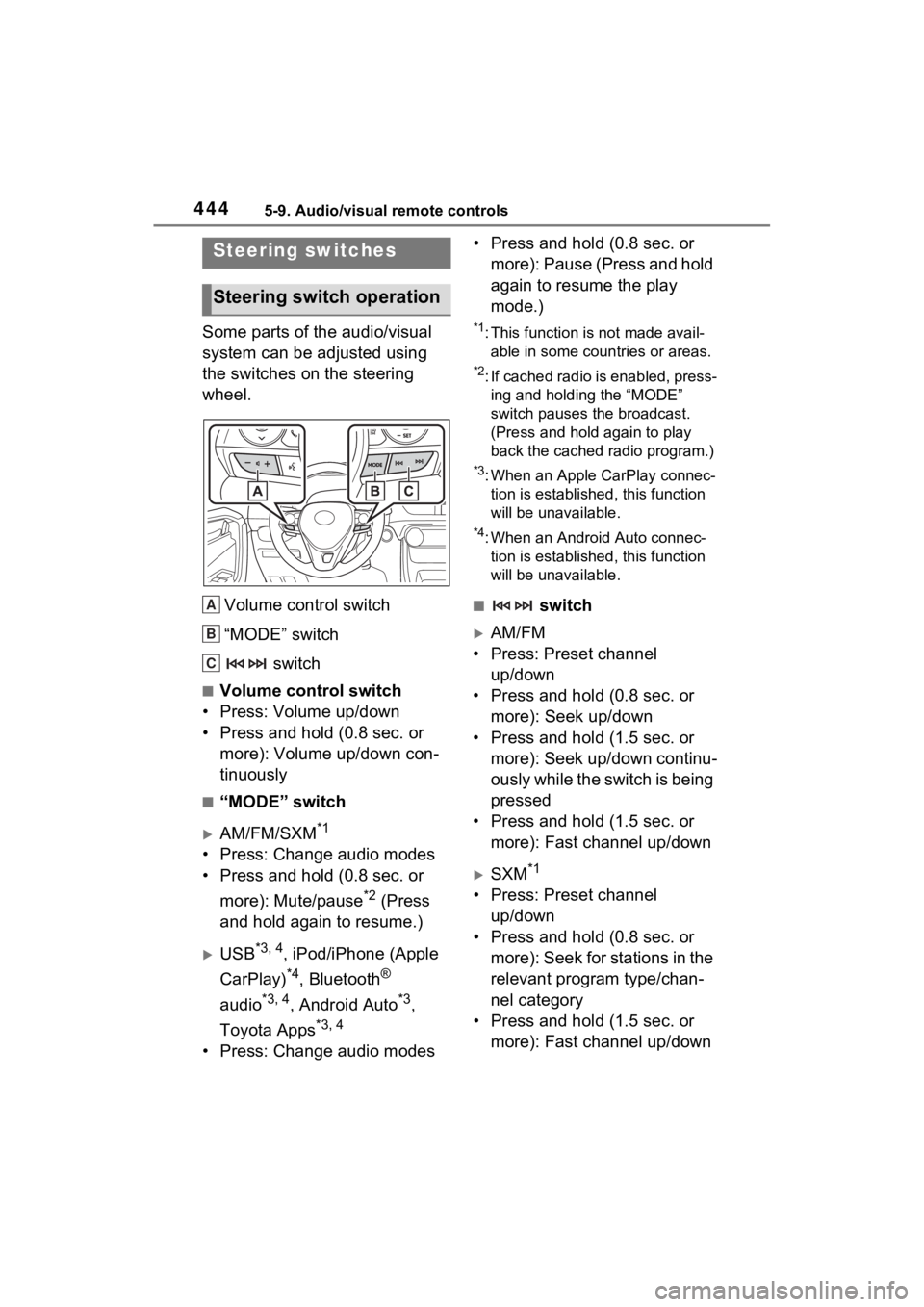
Some parts of the audio/visual
system can be adjusted using
the switches on the steering
wheel.Volume control switch
“MODE” switch switch
■Volume control switch
• Press: Volume up/down
• Press and hold (0.8 sec. or more): Volume up/down con-
tinuously
■“MODE” switch
AM/FM/SXM*1
• Press: Change audio modes
• Press and hold (0.8 sec. or
more): Mute/pause
*2 (Press
and hold again to resume.)
USB*3, 4, iPod/iPhone (Apple
CarPlay)
*4, Bluetooth®
audio
*3, 4, Android Auto*3,
Toyota Apps
*3, 4
• Press: Change audio modes • Press and hold (0.8 sec. or
more): Pause (Press and hold
again to resume the play
mode.)
*1: This function is not made avail-able in some countries or areas.
*2: If cached radio is enabled, press-ing and holding the “MODE”
switch pauses the broadcast.
(Press and hold again to play
back the cached radio program.)
*3: When an Apple CarPlay connec-tion is establishe d, this function
will be unavailable.
*4: When an Android Auto connec- tion is establishe d, this function
will be unavailable.
■ switch
AM/FM
• Press: Preset channel up/down
• Press and hold (0.8 sec. or more): Seek up/down
• Press and hold (1.5 sec. or more): Seek up/down continu-
ously while the switch is being
pressed
• Press and hold (1.5 sec. or more): Fast channel up/down
SXM*1
• Press: Preset channel up/down
• Press and hold (0.8 sec. or
more): Seek for stations in the
relevant program type/chan-
nel category
• Press and hold (1.5 sec. or more): Fast channel up/down
Steering switches
Steering switch operation
A
B
C
Page 445 of 752

4455-9. Audio/visual remote controls
5
Audio
USB*2, 3, iPod/iPhone (Apple
CarPlay)
*3, Bluetooth®
audio
*2, 3
• Press: Track/file up/down
• Press and hold (0.8 sec. or more): Fast forward/rewind
Android Auto*2
• Press: Track up/down
*1: This function is not made avail-able in some countries or areas.
*2: When an Apple CarPlay connec-tion is established, this function
will be unavailable.
*3: When an Android Auto connec-tion is established, this function
will be unavailable.
Page 455 of 752
4555-11. Tips for operating the audio/visual system
5
Audio
WMA files are Ver. 7, 8 and 9.
Windows Media is either a
registered trademark or trade-
mark of Microsoft Corpora-
tion in the United States
and/or other countries.
This product includes technol-
ogy owned by Microsoft Cor-
poration and cannot be used
or distributed without a
license from Microsoft Licens-
ing, Inc.
■AAC
AAC is short for Advanced
Audio Coding and refers to an
audio compression technol-
ogy standard used with
MPEG2 and MPEG4.
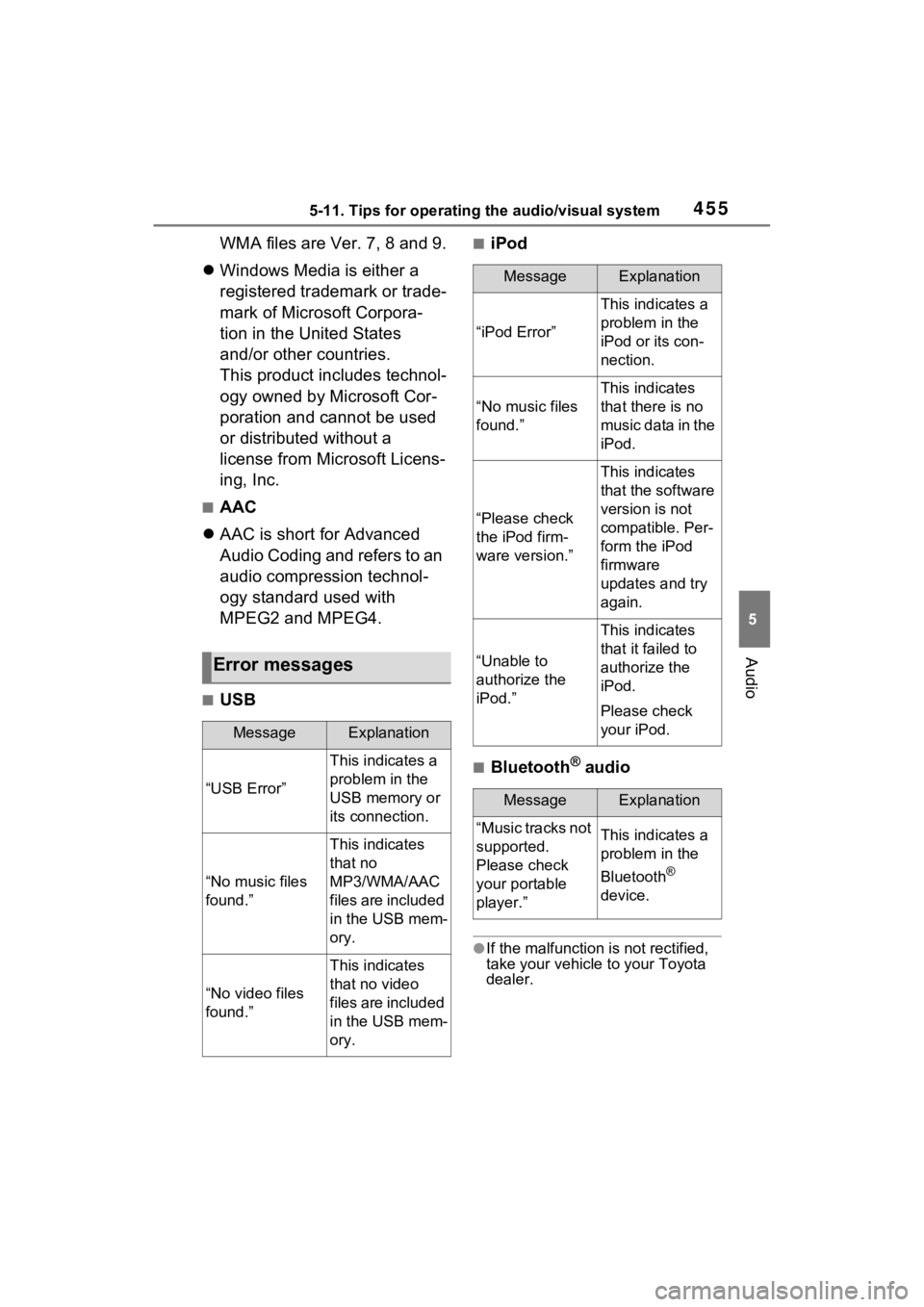
■USB
■iPod
■Bluetooth® audio
●If the malfunction is not rectified,
take your vehicle to your Toyota
dealer.
Error messages
MessageExplanation
“USB Error”
This indicates a
problem in the
USB memory or
its connection.
“No music files
found.”
This indicates
that no
MP3/WMA/AAC
files are included
in the USB mem-
ory.
“No video files
found.”
This indicates
that no video
files are included
in the USB mem-
ory.
MessageExplanation
“iPod Error”
This indicates a
problem in the
iPod or its con-
nection.
“No music files
found.”
This indicates
that there is no
music data in the
iPod.
“Please check
the iPod firm-
ware version.”
This indicates
that the software
version is not
compatible. Per-
form the iPod
firmware
updates and try
again.
“Unable to
authorize the
iPod.”
This indicates
that it failed to
authorize the
iPod.
Please check
your iPod.
MessageExplanation
“Music tracks not
supported.
Please check
your portable
player.”This indicates a
problem in the
Bluetooth
®
device.
Page 467 of 752
4675-13. Mobile Assistant operation
5
Audio
5-13.Mobile Assistant operation
*: This function is not made avail-able in some countries or areas.
Mobile Assist supports the Siri
Eyes Free Mode and Google
App. The available features and
functions may vary based on the
iOS/Android version installed on
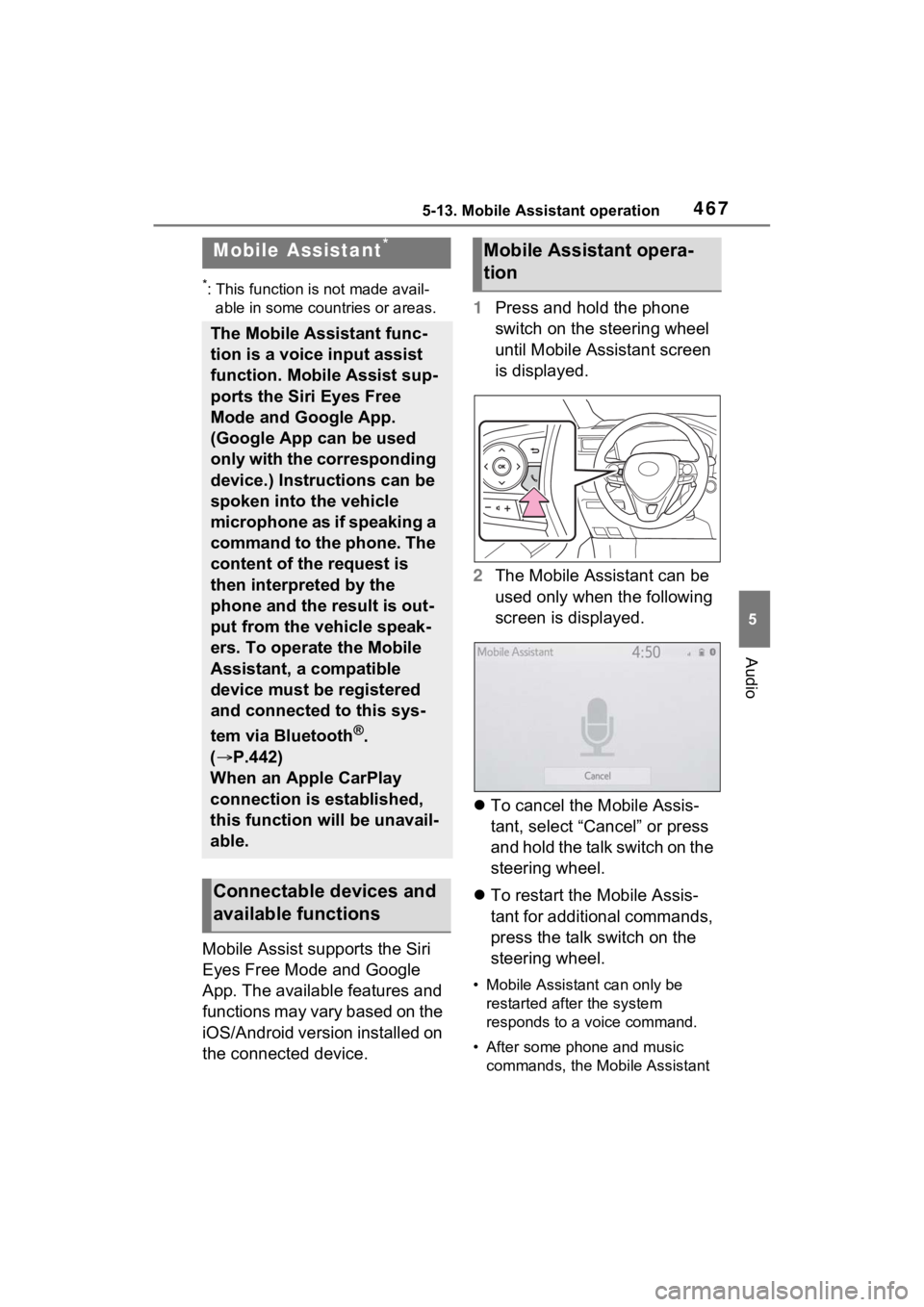
the connected device. 1
Press and hold the phone
switch on the steering wheel
until Mobile Assistant screen
is displayed.
2 The Mobile Assistant can be
used only when the following
screen is displayed.
To cancel the Mobile Assis-
tant, select “Cancel” or press
and hold the talk switch on the
steering wheel.
To restart the Mobile Assis-
tant for additional commands,
press the talk switch on the
steering wheel.
• Mobile Assistant can only be
restarted after the system
responds to a voice command.
• After some phone and music commands, the Mobile Assistant
Mobile Assistant*
The Mobile Assistant func-
tion is a voice input assist
function. Mobile Assist sup-
ports the Siri Eyes Free
Mode and Google App.
(Google App can be used
only with the corresponding
device.) Instructions can be
spoken into the vehicle
microphone as if speaking a
command to the phone. The
content of the request is
then interpreted by the
phone and the result is out-
put from the vehicle speak-
ers. To operate the Mobile
Assistant, a compatible
device must be registered
and connected to this sys-
tem via Bluetooth
®.
( P.442)
When an Apple CarPlay
connection is established,
this function will be unavail-
able.
Connectable devices and
available functions
Mobile Assistant opera-
tion