Driving Support settings multi-information display TOYOTA RAV4 HYBRID 2023 Owners Manual
[x] Cancel search | Manufacturer: TOYOTA, Model Year: 2023, Model line: RAV4 HYBRID, Model: TOYOTA RAV4 HYBRID 2023Pages: 586, PDF Size: 17.55 MB
Page 105 of 586
1052-1. Instrument cluster
2
Vehicle status information and indicators
are on and the surrounding area is
dark
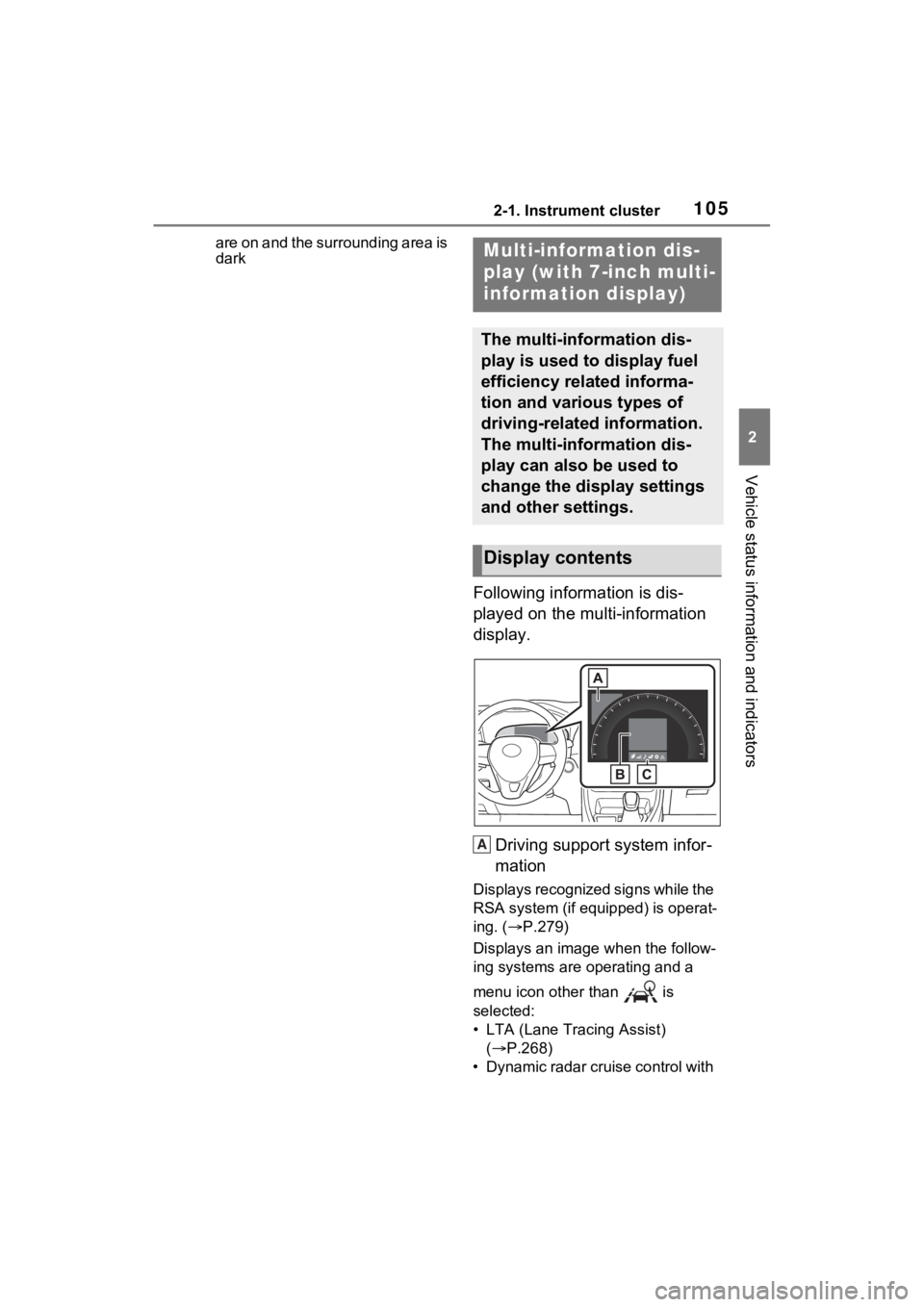
Following information is dis-
played on the multi-information
display.Driving support system infor-
mation
Displays recognized signs while the
RSA system (if equipped) is operat-
ing. ( P.279)
Displays an image when the follow-
ing systems are operating and a
menu icon other than is
selected:
• LTA (Lane Tracing Assist) ( P.268)
• Dynamic radar cruise control with
Multi-information dis-
play (with 7-inch multi-
information display)
The multi-information dis-
play is used to display fuel
efficiency related informa-
tion and various types of
driving-related information.
The multi-information dis-
play can also be used to
change the display settings
and other settings.
Display contents
A
Page 115 of 586
1152-1. Instrument cluster
2
Vehicle status information and indicators
played suggestion, use the
meter control switches.
■Suggestion to turn off the
headlights
If the headlights are left on for a
certain amount of time after the
power switch has been turned
off, a suggestion message will
be displayed.
When the headlight switch is in
the AUTO position: The mes-
sage asking if you wish to turn
the headlights off is displayed.
To turn the headlights off, select
“Yes”.
If the driver’s door is opened after
the power switch is turned off, this
suggestion message will not be dis-
played.
■Customization
Convenience Services (Suggestion
function) can be turned on/off. (Cus-
tomizable features: P.519)
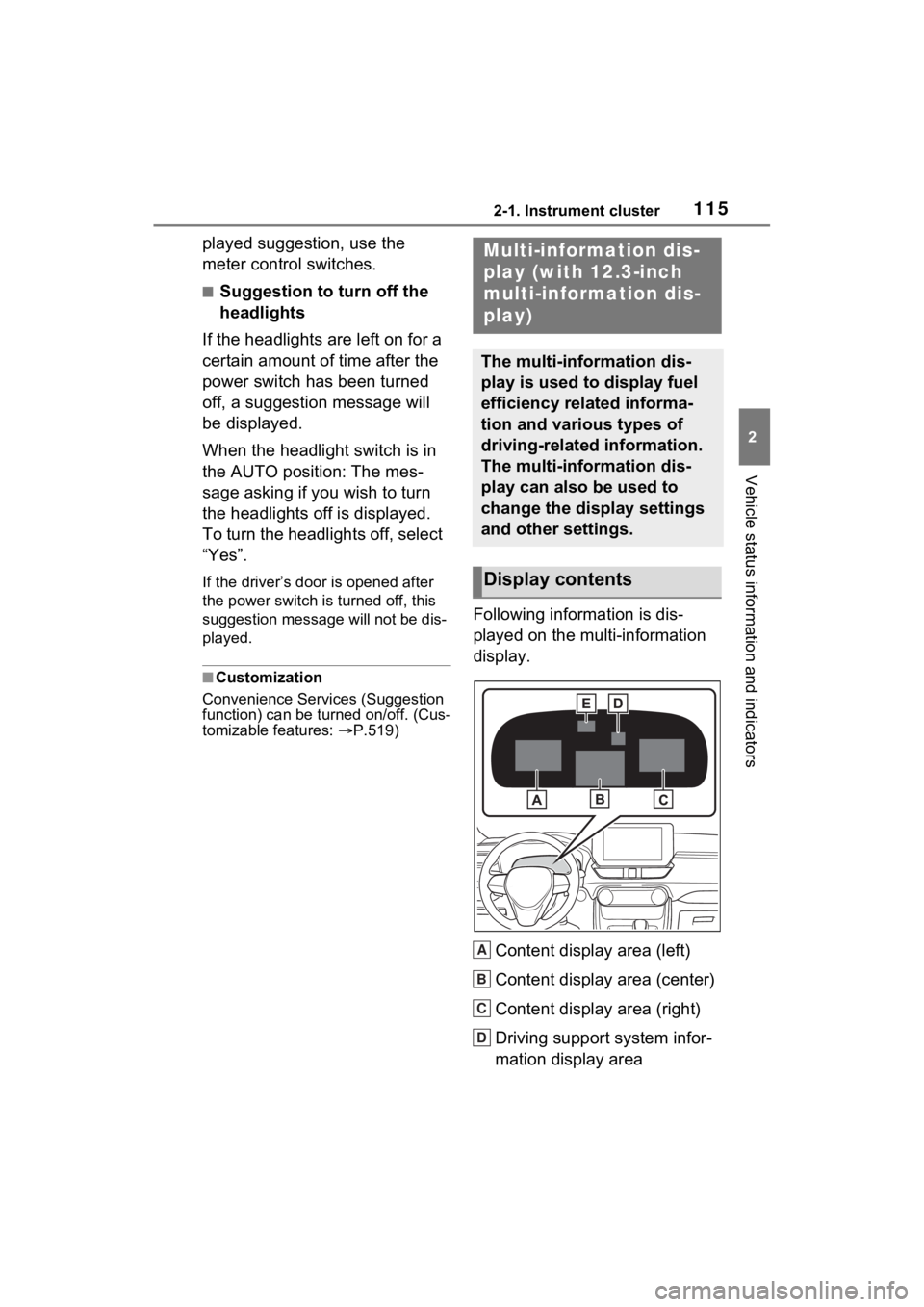
Following information is dis-
played on the multi-information
display.
Content display area (left)
Content display area (center)
Content display area (right)
Driving support system infor-
mation display area
Multi-information dis-
play (with 12.3-inch
multi-information dis-
play)
The multi-information dis-
play is used to display fuel
efficiency related informa-
tion and various types of
driving-related information.
The multi-information dis-
play can also be used to
change the display settings
and other settings.
Display contents
A
B
C
D
Page 116 of 586
1162-1. Instrument cluster
When driving information support
system is displayed on the content
display area, the system operating
state will not be displayed in this
area.
RSA (Road Sign Assist) dis-
play area (if equipped)
(P.279)
■Content display area (cen-
ter)
Driving support system infor-
mation display
Settings display
Warning message display
■Content display area (cen-
ter)
Fuel Economy ( P.117)
ECO Accelerator Guid-
ance/“Eco Score” ( P.118)
Driving time since starting/EV
Driving Ratio ( P.119)
Driving support system infor-
mation display
Navigation system-linked
information display (if
equipped) ( P.120)
Audio system-linked display
( P.120)
Drive information ( P.120)
Energy monitor ( P.125)
AWD operation status display
( P.121)
■The multi-information display is
displayed when
The power swit ch is in ON.
■When changing driving mode
Background color of the multi-infor-
mation display is changed following
the selected driving mode.
( P.324)
■Liquid crystal display
Small spots or light spots may
appear on the display. This phe-
nomenon is characteristic of liquid
crystal displays, and there is no
problem continuing to use the dis-
play.
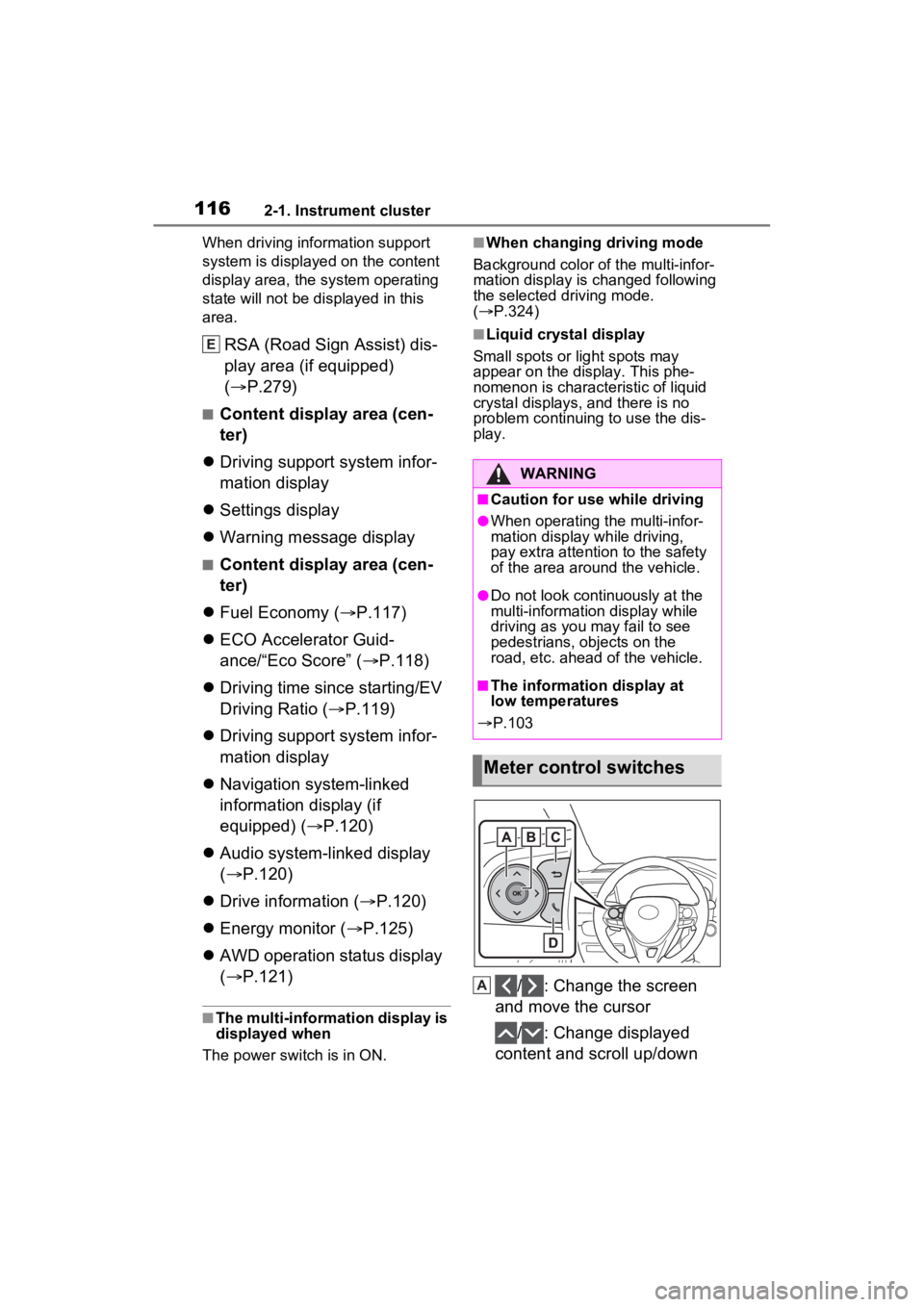
/ : Change the screen
and move the cursor
/ : Change displayed
content and scroll up/down
E
WARNING
■Caution for use while driving
●When operating the multi-infor-
mation display while driving,
pay extra attention to the safety
of the area around the vehicle.
●Do not look continuously at the
multi-informatio n display while
driving as you may fail to see
pedestrians, objects on the
road, etc. ahead of the vehicle.
■The information display at
low temperatures
P.103
Meter control switches
A
Page 280 of 586
2784-5. Using the driving support systems
Depending on the vehicle condition
and road conditions, the warning
may not operate. Also, if the system
determines that the vehicle is driv-
ing around a curve, warnings will
occur earlier than during straight-
lane driving.
●When the system determines that
the driver is driving without hold-
ing the steering wheel while the
steering wheel assist of the steer-
ing assist function is operating.
If the driver continues to keep their
hands off of the steering wheel and
the steering wheel assist is operat-
ing, the buzzer sounds and the
driver is warned. Each time the
buzzer sounds, the continuing time
of the buzzer becomes longer.
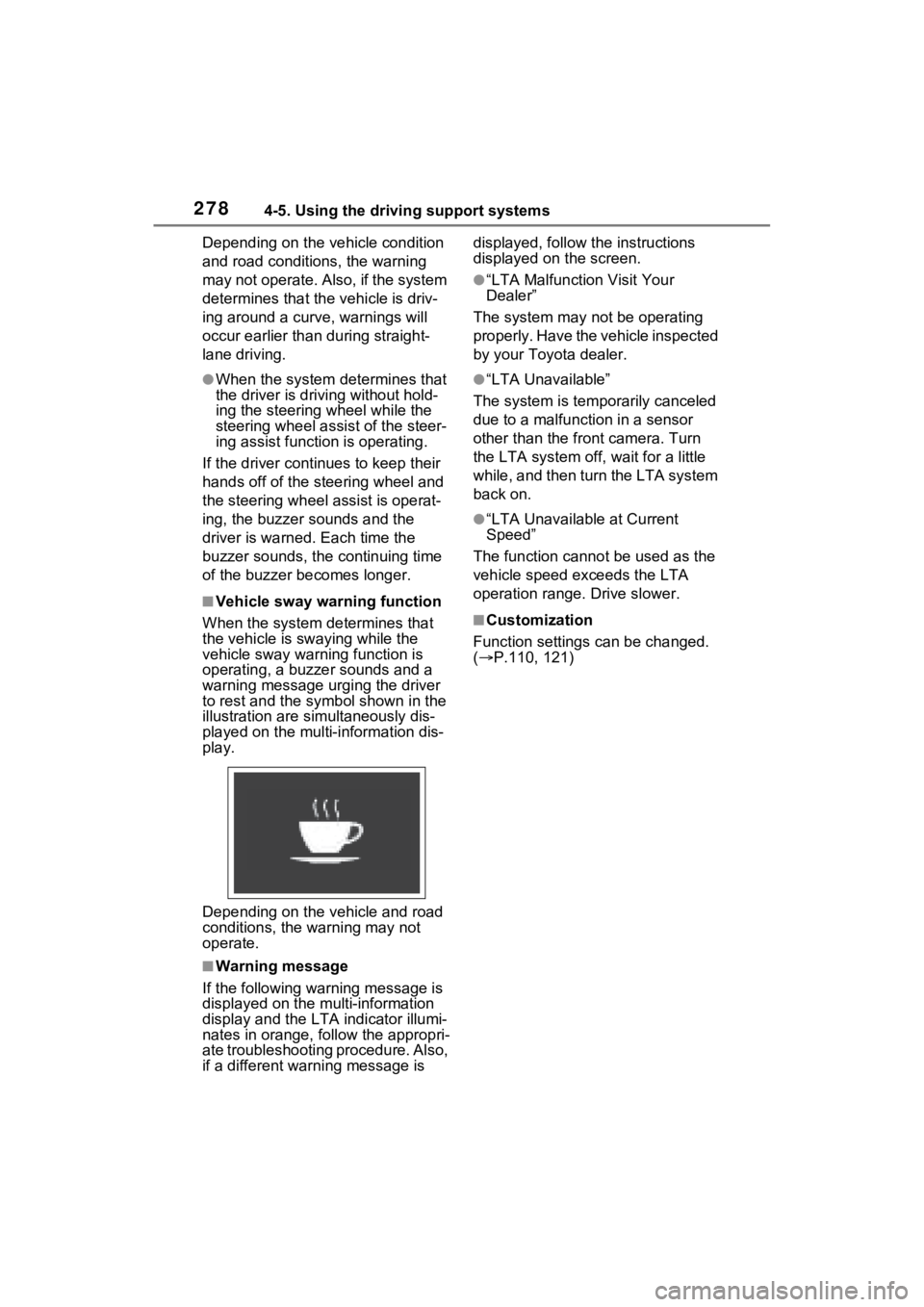
■Vehicle sway warning function
When the system de termines that
the vehicle is swaying while the
vehicle sway warning function is
operating, a buzzer sounds and a
warning message urging the driver
to rest and the symbol shown in the
illustration are sim ultaneously dis-
played on the multi-information dis-
play.
Depending on the vehicle and road
conditions, the warning may not
operate.
■Warning message
If the follo wing warning message is
displayed on the multi-information
display and the LTA indicator illumi-
nates in orange, follow the appropri-
ate troubleshooting procedure. Also,
if a different warning message is displayed, follow the instructions
displayed on the screen.
●“LTA Malfunction Visit Your
Dealer”
The system may not be operating
properly. Have the vehicle inspected
by your Toyo ta dealer.
●“LTA Unavailable”
The system is temporarily canceled
due to a malfunction in a sensor
other than the front camera. Turn
the LTA system off, wait for a little
while, and then turn the LTA system
back on.
●“LTA Unavailable at Current
Speed”
The function cannot be used as the
vehicle speed exceeds the LTA
operation range. Drive slower.
■Customization
Function settings can be changed.
( P.110, 121)
Page 560 of 586
558Alphabetical Index
MirrorsDigital Rear-view Mirror........ 172
Inside rear view mirror.......... 170
Outside rear view mirror defog-gers .................................... 344
Outside rear view mirrors ..... 181
Vanity mirrors ....................... 364
Moon roof Door lock linked moon roof oper-ation ................................... 186
Jam protection function ........ 186
Operation ............................. 186
Warning message ................ 187
Multi-information display Audio system-linked display109, 120
Changing the display.... 106, 116
Convenience Services (Sugges- tion function)....... 114, 519, 520
Display contents ........... 105, 115
Driving informatio n display . 107,
120
Driving support system informa- tion display ................. 109, 119
Dynamic radar cruise control with full-speed range .......... 282
Energy monitor ..................... 125
Hybrid System Indicator ......... 96
Intuitive parking assist-sensor ........................................... 298
Language ............. 113, 519, 520
LTA (Lane Tracing Assist).... 273
Menu icons ........................... 106
Meter control switches . 106, 116
Navigation system-linked display ................................... 109, 120
PCS (Pre-Collision System) . 257
Pop-up display ..... 113, 519, 520
Settings ........................ 110, 518
Tire pressure ........................ 412
Units ..................... 113, 519, 520
Vehicle information display .. 109 Warning message display ....114
Warning messages
...............466
N
Navigation system-linked display
.......................................109, 120
Noise from under ve hicle...........6
Normal mode...........................323
O
Odometer...........................93, 104
Odometer and trip meter display “ODO TRIP” switch .........97, 104
Display items ........................104
“ODO TRIP” switch ..........97, 104
Oil Engine oil..............................498
Opener Back door .....................144, 146
Hood .....................................398
Outer foot lights Replacing light bulbs ............439
Wattage ................................504
Outside rear view mirrors ......181 Adjusting and folding ............181
BSM (Blind Spot M onitor) .....293
Outside rear view mirror defog- gers ....................................344
RCTA (Rear Cross Traffic Alert) function ...............................307
Outside temperature ................99
Outside temperature display ...96
Overheating.............................490
P
Panic mode .............................133
Panoramic moon roof Jam protection function ........190
Operation..............................189
Warning message . ...............191