maintenance TOYOTA RAV4 PRIME 2022 Owners Manual
[x] Cancel search | Manufacturer: TOYOTA, Model Year: 2022, Model line: RAV4 PRIME, Model: TOYOTA RAV4 PRIME 2022Pages: 624, PDF Size: 24.01 MB
Page 1 of 624

RAV4 PRIME_OM_OM42E33U_(U)
1
2
3
4
5
6
7
8
9
10
Pictorial indexSearch by illustration
For safety
and securityMake sure to read through them
(Main topics: Child seat, theft deterrent system)
Plug-in hybrid
systemPlug-in hybrid system features, charging method,
etc.
(Main topics: Driving tips, charging methods)
Vehicle status
information and
indicatorsReading driving-related information
(Main topics: Meters, multi-information display)
Before driving
Opening and closing the doors and windows,
adjustment before driving
(Main topics: Keys, doors, seats)
Driving
Operations and advice which are necessary for
driving
(Main topics: Starting hybrid system, refueling)
Interior featuresUsage of the interior features
(Main topics: Air conditioner, storage features)
Maintenance
and careCaring for your vehicle and maintenance
procedures
(Main topics: Interior and exterior, light bulbs)
When trouble
arisesWhat to do in case of malfunction and emergency
(Main topics: 12-volt battery discharge, flat tire)
Vehicle
specificationsVehicle specifications, customizable features
(Main topics: Fuel, oil, tire inflation pressure)
For ownersReporting safety defects for U.S. owners, and seat
belt, SRS airbag and headlight aim instructions for
Canadian owners
IndexSearch by symptom
Search alphabetically
Page 4 of 624
4TABLE OF CONTENTS
Utility vehicle precautions.................................... 385
6-1. Using the air conditioning
system and defogger
Automatic air conditioning system ......................... 390
Remote Air Conditioning Sys- tem .............................. 399
Heated steering wheel/Front seat heaters/Front seat
heaters and ventilators/Rear
seat heaters ................ 401
6-2. Using the interior lights Interior lights list ............ 404
6-3. Using the storage features List of storage features . 407
Luggage compartment fea- tures ............................ 411
6-4. Using the other interior fea- tures
Other interior features ... 414
Power outlet (AC 120 V/1500 W)................................ 424
When the power outlet (AC 120 V 1500 W) cannot be
used properly .............. 430
Garage door opener...... 432
7-1. Maintenance and care Cleaning and protecting the vehicle exterior ............ 440
Cleaning and protecting the vehicle interior ............. 4437-2. Maintenance
Maintenance requirements.................................... 446
General maintenance .... 447
Emission inspection and maintenance (I/M) programs.................................... 450
7-3. Do-it-yourself maintenance Do-it-yourself service precau-tions ............................. 451
Hood .............................. 453
Positioning a floor jack .. 454
Engine compartment ..... 456
12-volt battery................ 462
Tires .............................. 464
Tire inflation pressure .... 474
Wheels .......................... 476
Air conditioning filter ...... 477
Cleaning the DC/DC Con- verter air intake vent and fil-
ter ................................ 480
Wiper insert replacement .................................... 483
Electronic key battery .... 487
Checking and replacing fuses .................................... 489
Headlight aim ................ 491
Light bulbs ..................... 492
8-1. Essential information Emergency flashers....... 498
If your vehicle has to be stopped in an emergency.................................... 499
6Interior features
7Maintenance and care
8When trouble arises
Page 5 of 624
5TABLE OF CONTENTS
1
2
3
4
5
6
7
8
9
10
If the vehicle is submerged or water on the road is rising.................................... 500
8-2. Steps to take in an emer- gency
If your vehicle needs to be towed........................... 502
If you think something is wrong .......................... 504
If a warning light turns on or a warning buzzer sounds 506
If a warning message is dis- played.......................... 518
If you have a flat tire...... 522
If the hybrid system will not start ............................. 529
If you lose your keys ..... 531
If the fuel filler door cannot be opened ........................ 531
If the electronic key does not operate properly .......... 532
If the 12-volt battery is dis- charged ....................... 534
If your vehicle overheats 539
If the vehicle becomes stuck .................................... 543
9-1. Specifications Maintenance data (fuel, oil level, etc.) .................... 546
Fuel information ............ 553
Tire information ............. 555
9-2. Customization Customizable features .. 565
9-3. Initialization Items to initialize ........... 57810-1.For owners
Reporting safet y defects for
U.S. owners ................. 580
Reporting safet y defects for
Canadian owners ........ 581
Seat belt instructions for Canadian owners (in
French) ........................ 581
SRS airbag instructions for Canadian owners (in
French) ........................ 583
Headlight aim instructions for Canadian owners (in
French) ........................ 590
What to do if... (Trouble- shooting) ..................... 594
Alphabetical Index ........ 597
9Vehicle specifications
10For owners
Index
Page 71 of 624
711-4. Theft deterrent system
1
For safety and security
1-4.Theft deterrent system
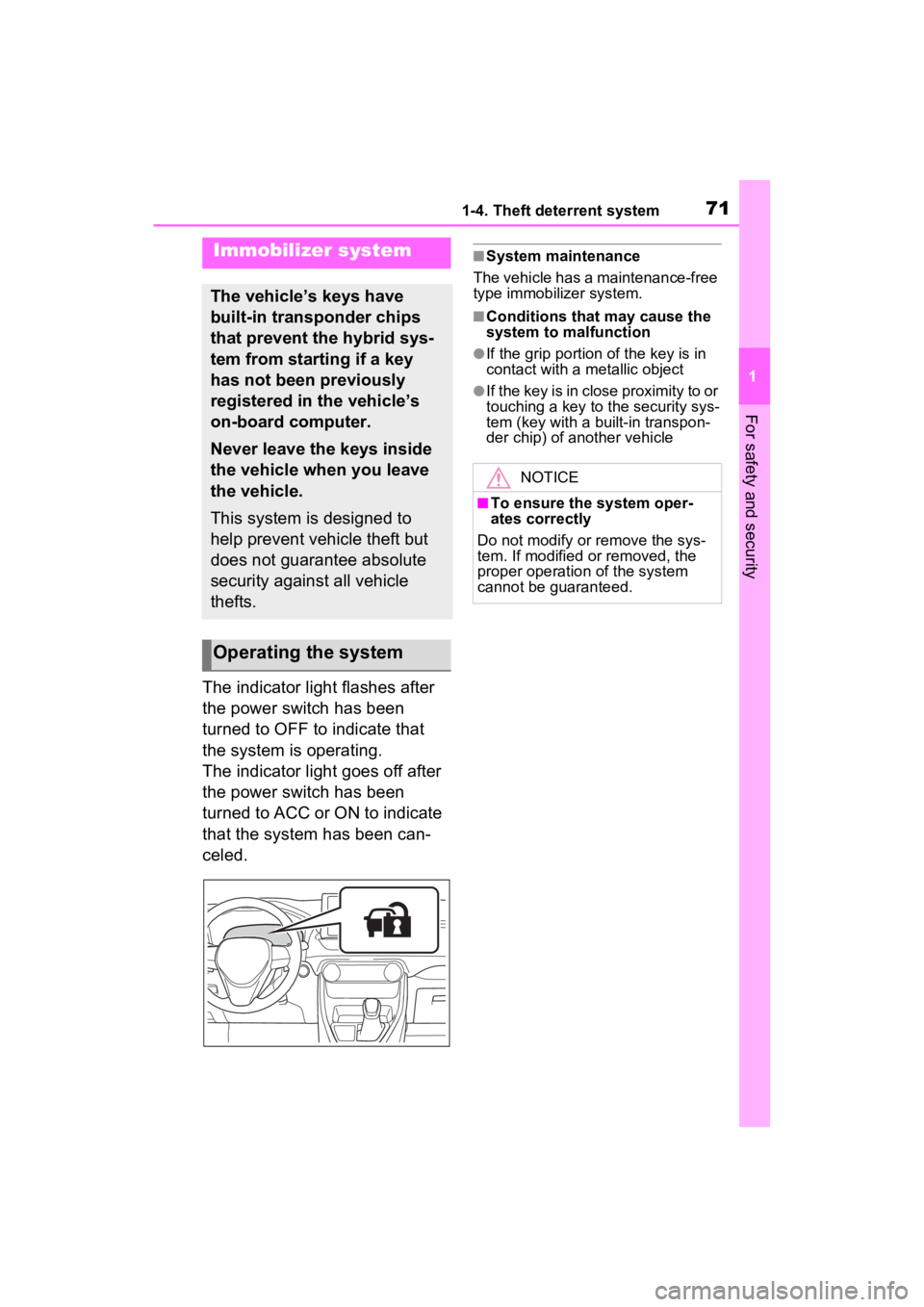
The indicator light flashes after
the power switch has been
turned to OFF to indicate that
the system is operating.
The indicator light goes off after
the power switch has been
turned to ACC or ON to indicate
that the system has been can-
celed.
■System maintenance
The vehicle has a maintenance-free
type immobilizer system.
■Conditions that may cause the
system to malfunction
●If the grip portion of the key is in
contact with a metallic object
●If the key is in close proximity to or
touching a key to the security sys-
tem (key with a built-in transpon-
der chip) of another vehicle
Immobilizer system
The vehicle’s keys have
built-in transponder chips
that prevent the hybrid sys-
tem from starting if a key
has not been previously
registered in the vehicle’s
on-board computer.
Never leave the keys inside
the vehicle when you leave
the vehicle.
This system is designed to
help prevent vehicle theft but
does not guarantee absolute
security against all vehicle
thefts.
Operating the system
NOTICE
■To ensure the system oper-
ates correctly
Do not modify or remove the sys-
tem. If modified or removed, the
proper operation of the system
cannot be guaranteed.
Page 72 of 624
721-4. Theft deterrent system
*: If equipped
■Items to check before lock-
ing the vehicle
To prevent unexpected trigger-
ing of the alarm and vehicle
theft, make sure of the following:
Nobody is in the vehicle.
The side windows and moon
roof (if equipped) or pan-
oramic moon roof (if
equipped) are closed before
the alarm is set.
No valuables or other per-
sonal items are left in the
vehicle.
■Setting
Close the doors and hood, and
lock all the doors. The system will be set automatically after 30
seconds.
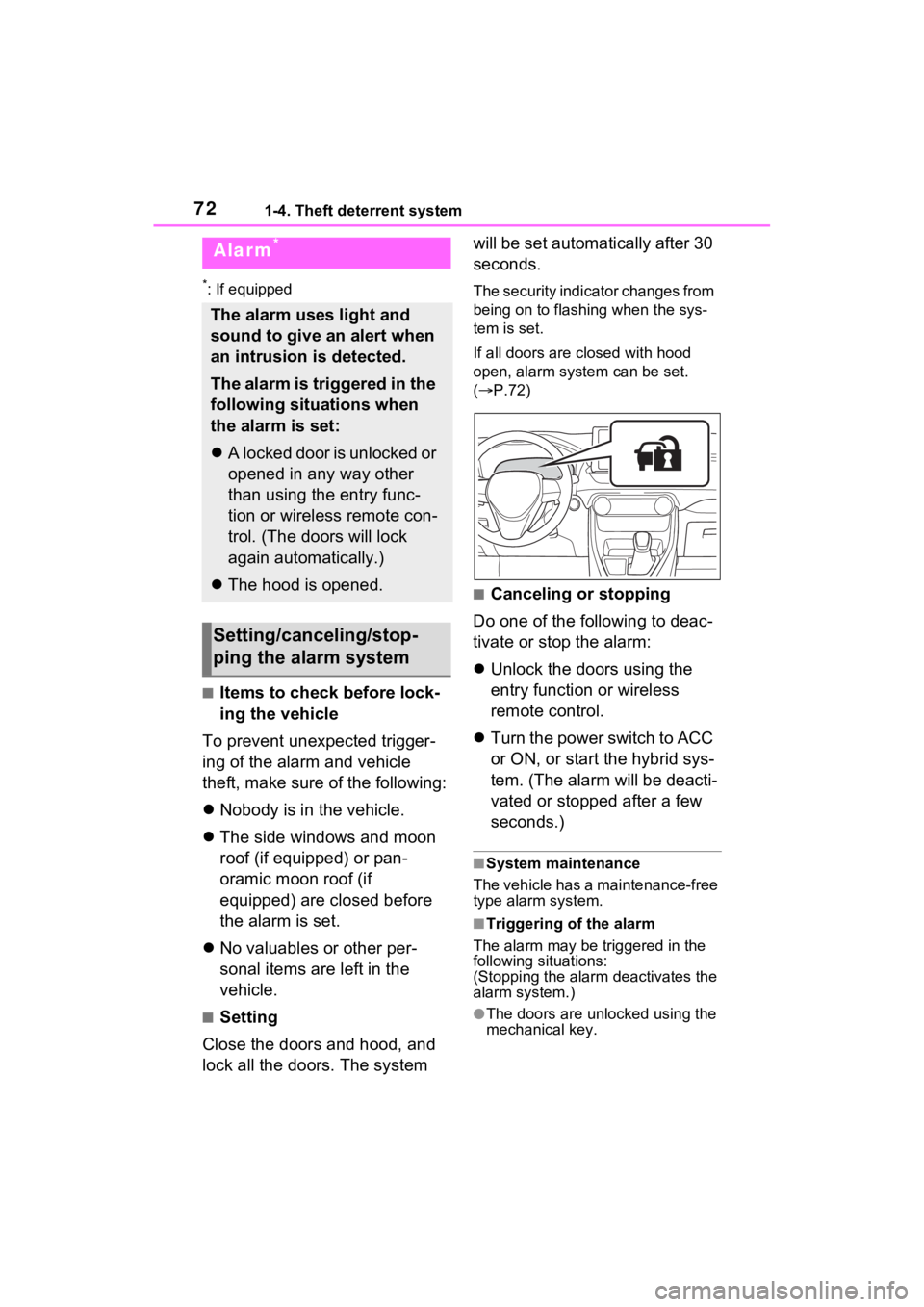
The security indicator changes from
being on to flashing when the sys-
tem is set.
If all doors are closed with hood
open, alarm system can be set.
(
P.72)
■Canceling or stopping
Do one of the following to deac-
tivate or stop the alarm:
Unlock the doors using the
entry function or wireless
remote control.
Turn the power switch to ACC
or ON, or start the hybrid sys-
tem. (The alarm will be deacti-
vated or stopped after a few
seconds.)
■System maintenance
The vehicle has a maintenance-free
type alarm system.
■Triggering of the alarm
The alarm may be triggered in the
following situations:
(Stopping the alarm deactivates the
alarm system.)
●The doors are unlocked using the
mechanical key.
Alarm*
The alarm uses light and
sound to give an alert when
an intrusion is detected.
The alarm is triggered in the
following situations when
the alarm is set:
A locked door is unlocked or
opened in any way other
than using the entry func-
tion or wireless remote con-
trol. (The doors will lock
again automatically.)
The hood is opened.
Setting/canceling/stop-
ping the alarm system
Page 84 of 624
842-1. Plug-in hybrid system
or stopped.
●Sounds from the hybrid system
may be heard when the back door
is open.
●Sounds may be heard from the
transmission when the gasoline
engine starts or stops, when driv-
ing at low speeds, or during idling.
●Engine sounds may be heard
when accelerating sharply.
●Sounds may be heard due to
regenerative braking when the
brake pedal is dep ressed or as
the accelerator pedal is released.
●Vibration may be felt when the
gasoline engine starts or stops.
●Cooling fan sounds may be heard
from the air intake vent under the
rear seat. ( P.91)
●Sounds may be heard from near
the hybrid battery (traction battery)
in accordance with the operation
of the air conditioning system or
battery cooler. ( P.116)
■Maintenance, repair, recycling,
and disposal
Contact your Toyota dealer regard-
ing maintenance, repair, recycling
and disposal. Do not dispose of the
vehicle yourself.
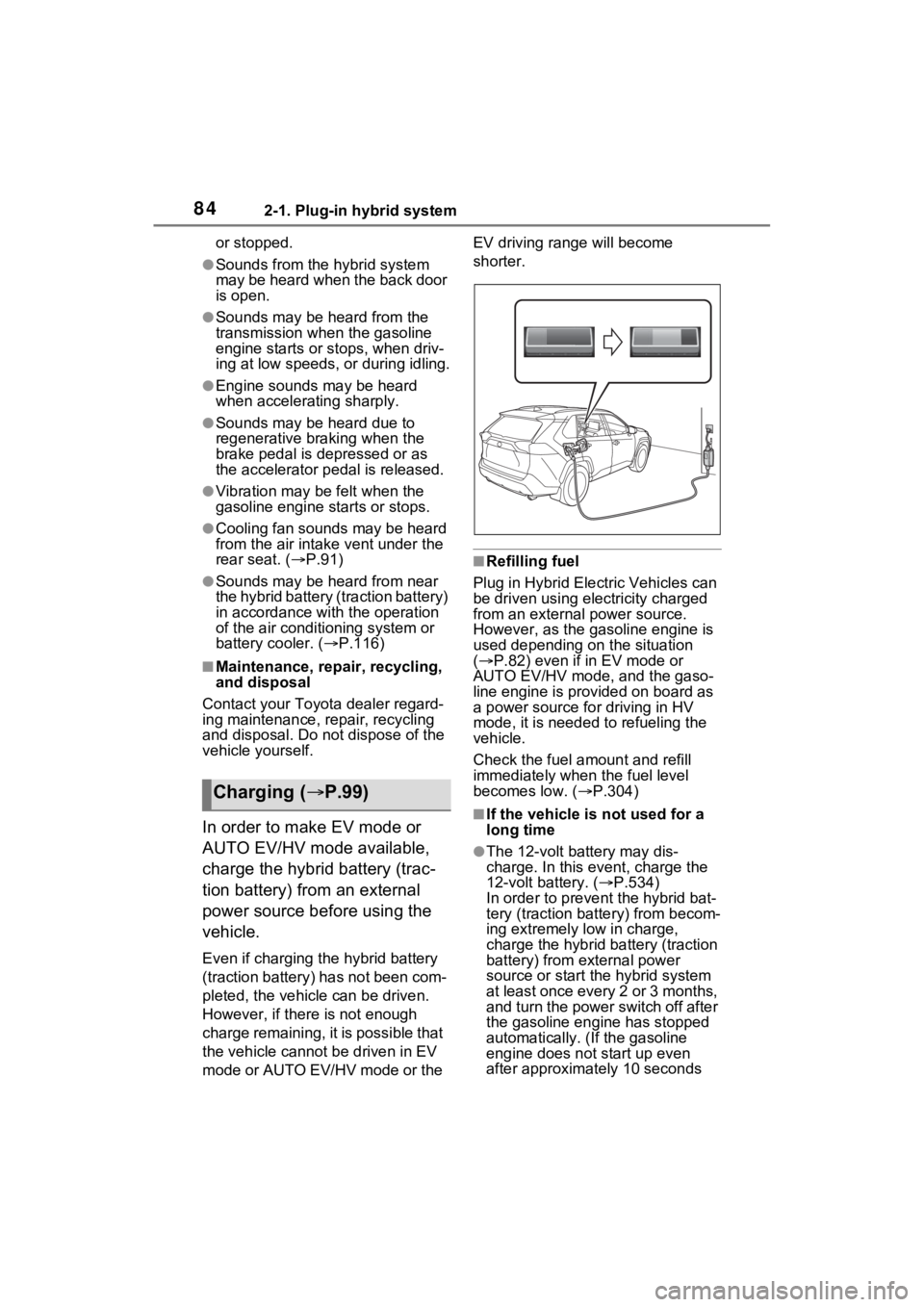
In order to make EV mode or
AUTO EV/HV mode available,
charge the hybrid battery (trac-
tion battery) from an external
power source before using the
vehicle.
Even if charging t he hybrid battery
(traction battery) has not been com-
pleted, the vehicle can be driven.
However, if there is not enough
charge remaining, it is possible that
the vehicle canno t be driven in EV
mode or AUTO EV/HV mode or the EV driving ra
nge will become
shorter.
■Refilling fuel
Plug in Hybrid Electric Vehicles can
be driven using electricity charged
from an external power source.
However, as the ga soline engine is
used depending on the situation
( P.82) even if in EV mode or
AUTO EV/HV mode, and the gaso-
line engine is provided on board as
a power source for driving in HV
mode, it is needed to refueling the
vehicle.
Check the fuel a mount and refill
immediately when the fuel level
becomes low. ( P.304)
■If the vehicle is not used for a
long time
●The 12-volt battery may dis-
charge. In this e vent, charge the
12-volt battery. ( P.534)
In order to prevent the hybrid bat-
tery (traction batt ery) from becom-
ing extremely low in charge,
charge the hybrid battery (traction
battery) from external power
source or start th e hybrid system
at least once every 2 or 3 months,
and turn the power switch off after
the gasoline engine has stopped
automatically. ( If the gasoline
engine does not start up even
after approximately 10 seconds
Charging ( P.99)
Page 91 of 624
912-1. Plug-in hybrid system
2
Plug-in hybrid system
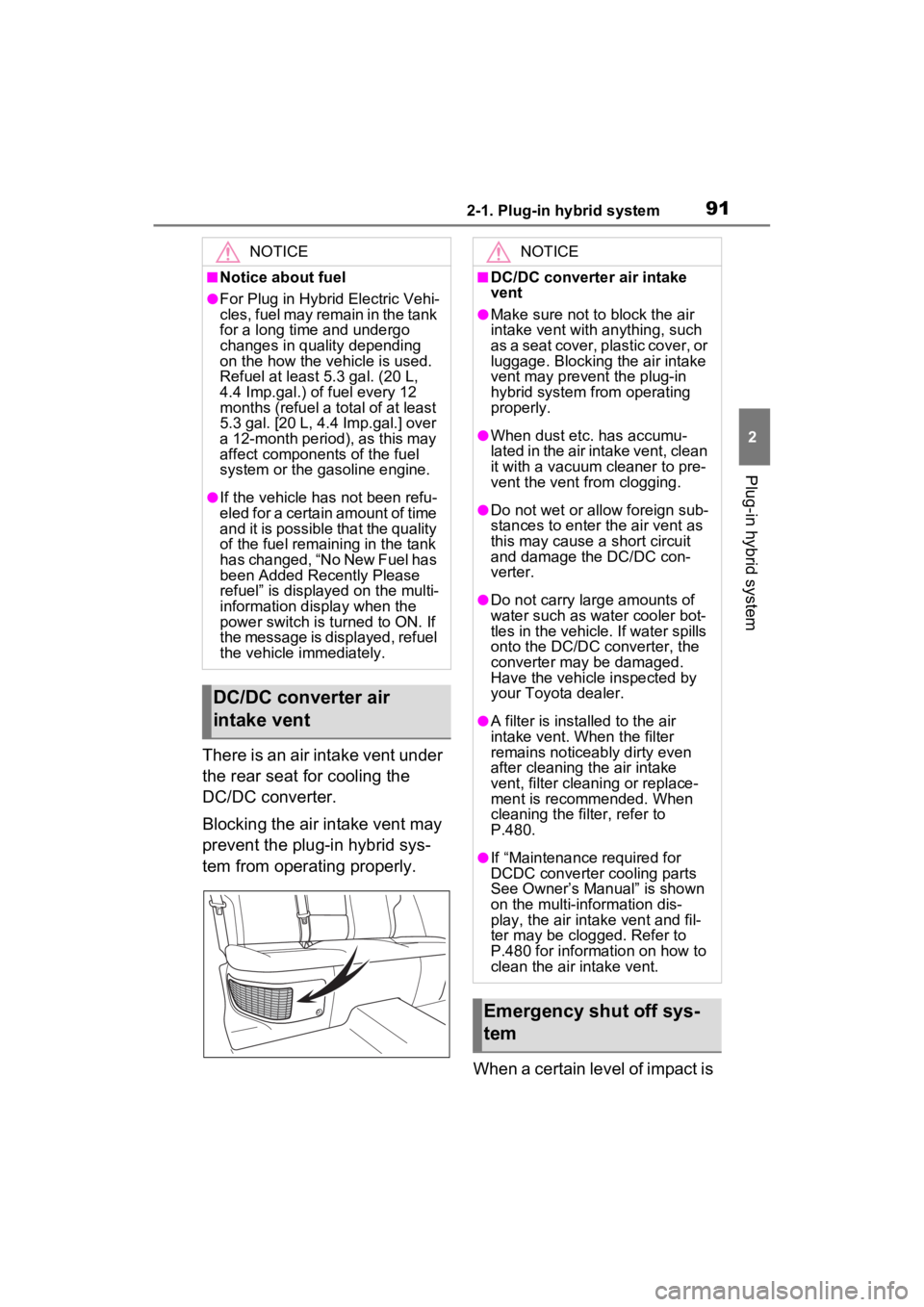
There is an air intake vent under
the rear seat for cooling the
DC/DC converter.
Blocking the air intake vent may
prevent the plug-in hybrid sys-
tem from operating properly.When a certain level of impact is
NOTICE
■Notice about fuel
●For Plug in Hybrid Electric Vehi-
cles, fuel may remain in the tank
for a long time and undergo
changes in quality depending
on the how the vehicle is used.
Refuel at least 5.3 gal. (20 L,
4.4 Imp.gal.) of fuel every 12
months (refuel a total of at least
5.3 gal. [20 L, 4.4 Imp.gal.] over
a 12-month period), as this may
affect components of the fuel
system or the gasoline engine.
●If the vehicle has not been refu-
eled for a certain amount of time
and it is possible that the quality
of the fuel remaining in the tank
has changed, “No New Fuel has
been Added Recently Please
refuel” is displayed on the multi-
information display when the
power switch is turned to ON. If
the message is displayed, refuel
the vehicle immediately.
DC/DC converter air
intake vent
NOTICE
■DC/DC converter air intake
vent
●Make sure not to block the air
intake vent with anything, such
as a seat cover, plastic cover, or
luggage. Blocking the air intake
vent may prevent the plug-in
hybrid system from operating
properly.
●When dust etc. has accumu-
lated in the air intake vent, clean
it with a vacuum cleaner to pre-
vent the vent from clogging.
●Do not wet or allow foreign sub-
stances to enter the air vent as
this may cause a short circuit
and damage the DC/DC con-
verter.
●Do not carry large amounts of
water such as water cooler bot-
tles in the vehicle. If water spills
onto the DC/DC converter, the
converter may be damaged.
Have the vehicle inspected by
your Toyota dealer.
●A filter is installed to the air
intake vent. When the filter
remains noticeably dirty even
after cleaning the air intake
vent, filter cleaning or replace-
ment is recommended. When
cleaning the filter, refer to
P.480.
●If “Maintenance required for
DCDC converter cooling parts
See Owner’s Manual” is shown
on the multi-information dis-
play, the air intake vent and fil-
ter may be clogged. Refer to
P.480 for information on how to
clean the air intake vent.
Emergency shut off sys-
tem
Page 179 of 624
1793-1. Instrument cluster
3
Vehicle status information and indicators
Select to set up the following items.
• “Charging Schedule”
Select to register or change the
charging schedule. ( P.130)
• “Charging Current”
Select to change the charging cur-
rent. ( P.112)
• “Connector Lock”
Select to change the charging con-
nector lock settings. ( P.109)
• “Battery Heater”
Select to enable/disable the bat-
tery heater. ( P.115)
• “Battery Cooler”
Select to enable/disable the bat-
tery cooler. ( P.116)
PBD (Power Back Door)
(if equipped) ( P.206)
Select to set up the following items.
• System settings
Select to enable/disable the power
back door system.
• “Hands Free”
*
Select to enable/disable the Hands
Free Power Back Door.
• “Opening Adjustment”
Select the open position when
power back door is fully open.
•“Volume”
Select to set the volume of the
buzzer which sounds when the
power back door system operates.
*: Vehicles with Hands Free Power
Back Door
“TPWS” (Tire Pressure Warn-
ing System) (if equipped)
( P.467)
• “Setting Pressure”
Select to initialize the tire pressure
warning system.
• “Identify Wheel”
Select to register the ID codes of
the tire pressure se nsors to the tire
pressure warning system.
• “Setting Unit”
Select to change the units of mea-
sure displayed.
“Scheduled Maintenance”
( P.447)
Select to reset the scheduled main-
tenance information (message indi-
cating maintenance is required and
distance until the next mainte-
nance) after all ma intenance is per-
formed.
“Rear Seat Reminder”
( P.200)
Select to enable/disable the rear
seat reminder.
■ Settings
“Language”
Select to change the language on
the multi-information display.
“Units”
Select to change the units of mea-
sure displayed.
“Meter Type”
Select to change the speedometer
display.
(EV indicator) ( P.82)
Select to enable/disable the EV
indicator.
(Driving information dis-
play settings)
Page 275 of 624

2755-1. Before driving
5
Driving
4Apply the parking brake
firmly.
5 Shift into P and turn off the
hybrid system.
When restarting after parking
on a slope:
1 With the transmission in P,
start the hybrid system. Be
sure to keep the brake pedal
depressed.
2 Shift into a forward gear. If
reversing, shift into R.
3 If the parking brake is in man-
ual mode, release the park-
ing brake. ( P.287)
4 Release the brake pedal, and
slowly pull or back away from
the wheel blocks. Stop and
apply the brakes.
5 Have someone retrieve the
blocks.
■Break-in schedule
If your vehicle is new or equipped
with any new power train compo-
nents (such as an engine, transmis-
sion, differential or wheel bearing),
Toyota recommends that you do not
tow a trailer unt il the vehicle has
been driven for over 500 miles (800
km).
After the vehicle has been driven for
over 500 miles (800 km), you can
start towing. However, for the next
500 miles (800 km), drive the vehi-
cle at a speed of less than 45 mph
(72 km/h) when towing a trailer, and
avoid full throttle acceleration.
■Maintenance
●If you tow a traile r, your vehicle
will require more f requent mainte-
nance due to the additional load. (See “Scheduled Maintenance
Guide” or “Owner
’s Manual Sup-
plement”.)
●Retighten the fixing bolts of the
towing ball and bracket after
approximately 600 miles (1000
km) of tra iler towing.
■If trailer sway occurs
One or more factors (crosswinds,
passing vehicles, rough roads, etc.)
can adversely affect handling of
your vehicle and t railer, causing
instability.
●If trailer swaying occurs:
• Firmly grip the steering wheel. Steer straight ahead.
Do not try to contr ol trailer sway-
ing by turning the steering wheel.
• Begin releasing the accelerator
pedal immediately but very gradu-
ally to reduce speed.
Do not increase speed. Do not
apply vehicle brakes.
If you make no extreme correction
with the steering or brakes, your
vehicle and trailer should stabilize (if
enabled, Trailer Sway Control can
also help to stabilize the vehicle and
trailer.).
●After the trailer swaying has
stopped:
• Stop in a safe place. Get all occu-
pants out of the vehicle.
• Check the tires of the vehicle and the trailer.
• Check the load in the trailer. Make sure the load has not
shifted.
Make sure the tongue weight is
appropriate, if possible.
• Check the load in the vehicle.
Make sure the vehicle is not over-
loaded after occupants get in.
If you cannot find any problems, the
speed at which trailer swaying
occurred is beyond the limit of your
particular vehicle-trailer combina-
tion. Drive at a lower speed to pre-
vent instability. Remember that
Page 388 of 624

3885-6. Driving tips
NOTICE
■Inspection after off-road driv-
ing
●Sand and mud that has accu-
mulated around brake discs
may affect braking efficiency
and may damage brake system
components.
●Always perform a maintenance
inspection after each day of off-
road driving tha t has taken you
through rough terrain, sand,
mud, or water. For scheduled
maintenance information, refer
to the “Scheduled Maintenance
Guide” or “Owner’s Manual
Supplement”.