audio TOYOTA SEQUOIA 2008 2.G Workshop Manual
[x] Cancel search | Manufacturer: TOYOTA, Model Year: 2008, Model line: SEQUOIA, Model: TOYOTA SEQUOIA 2008 2.GPages: 596, PDF Size: 12.93 MB
Page 309 of 596
309
3-3. Using the rear audio/video system
3
Interior features
Returning to the previous screen
Select to return to the previous screen. For the operation of the
menu screen, see the separate manual for the DVD disc.
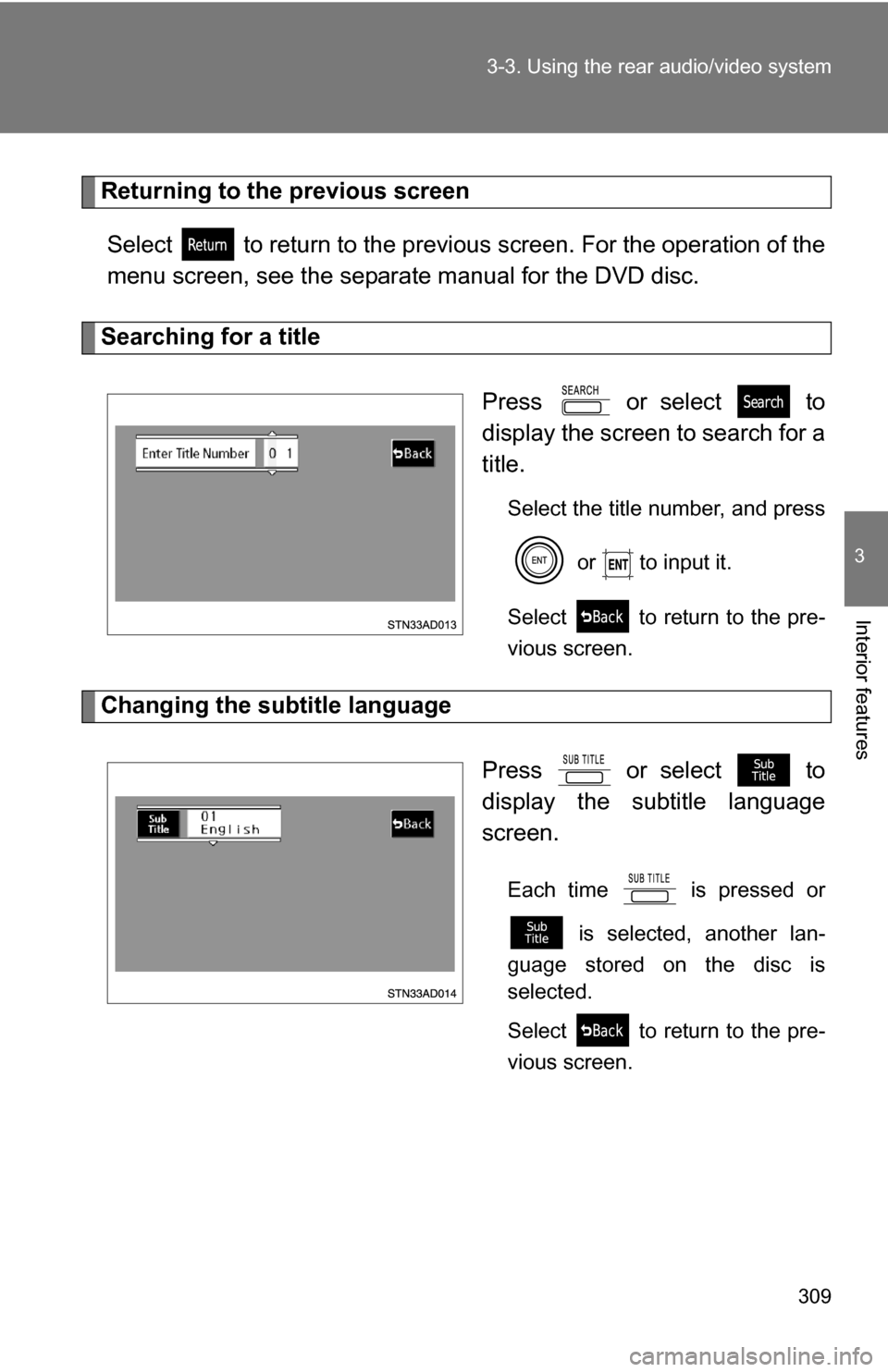
Searching for a title
Press or select to
display the screen to search for a
title.
Select the title number, and press or to input it.
Select to return to the pre-
vious screen.
Changing the subtitle language
Press or select to
display the subtitle language
screen.
Each time is pressed or is selected, another lan-
guage stored on the disc is
selected.
Select to return to the pre-
vious screen.
Page 310 of 596
310 3-3. Using the rear audio/video system
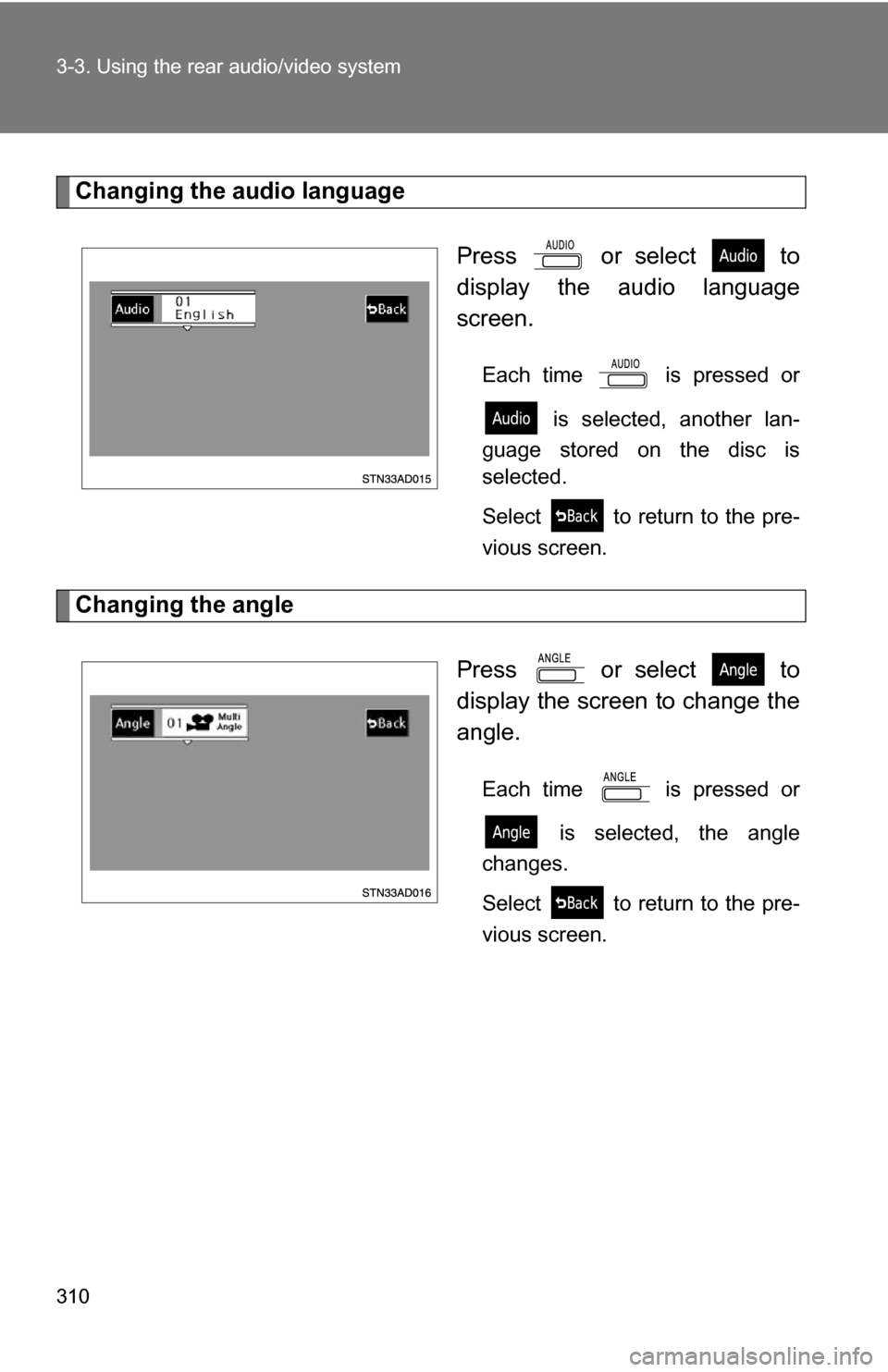
Changing the audio languagePress or select to
display the audio language
screen.
Each time is pressed or is selected, another lan-
guage stored on the disc is
selected.
Select to return to the pre-
vious screen.
Changing the angle
Press or select to
display the screen to change the
angle.
Each time is pressed or is selected, the angle
changes.
Select to return to the pre-
vious screen.
Page 311 of 596
311
3-3. Using the rear audio/video system
3
Interior features
■
DVD player and DVD video discs
This DVD player is compatible with NTSC color TV formats. DVD video discs
conforming to other formats such as PAL or SECAM cannot be used.
■ Region codes
Some DVD video discs have a region code indicating where you can use
them. If the DVD video disc is not labeled “ALL” or “1”, you cannot use it in
this DVD player. If you attempt to play an inappropriate DVD video disc in
this player, “REGION CODE ERROR” appears on the screen. Even if the
DVD video disc does not have a region code, in some cases you cannot use
it.
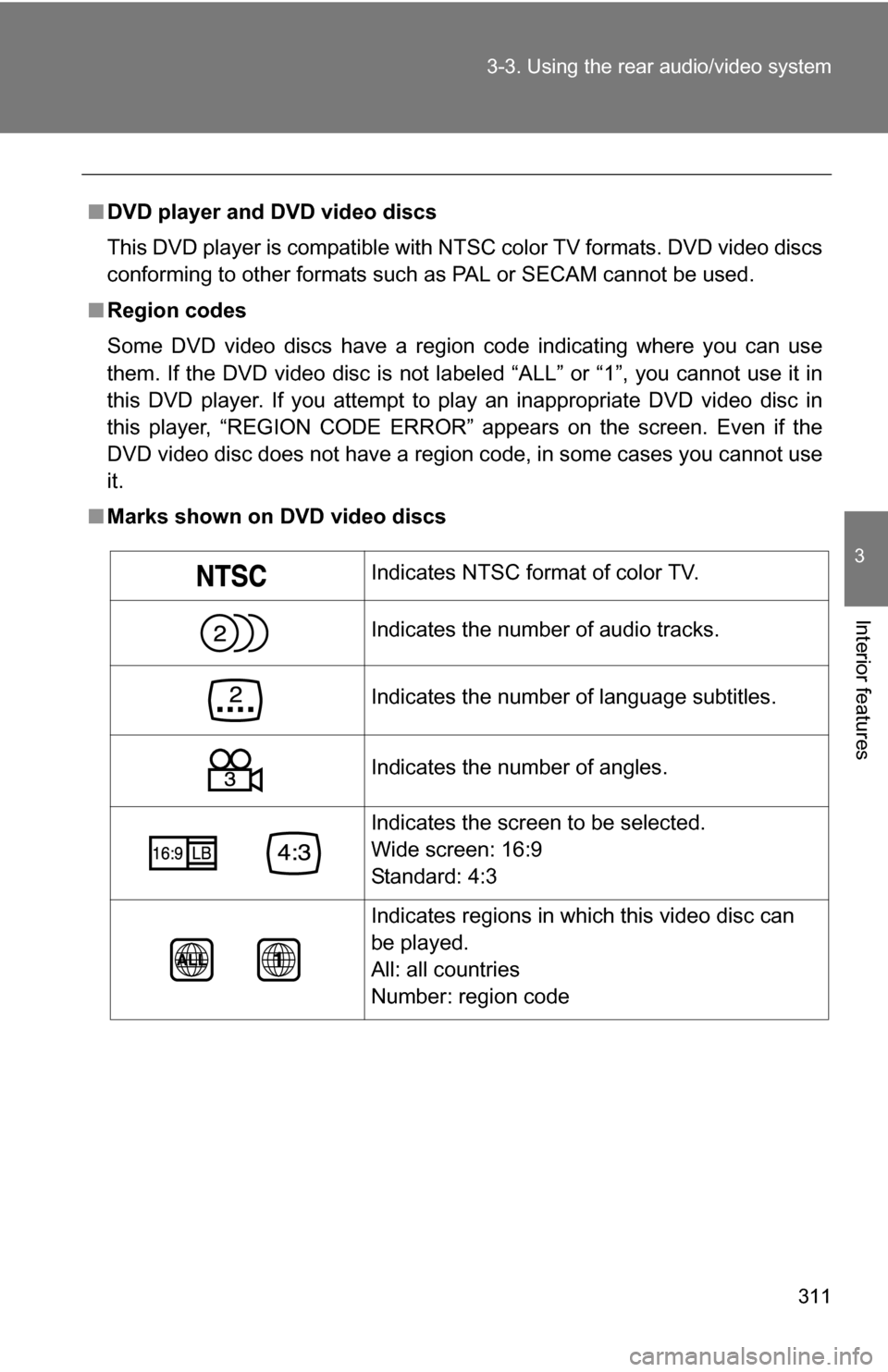
■ Marks shown on DVD video discs
Indicates NTSC format of color TV.
Indicates the number of audio tracks.
Indicates the number of language subtitles.
Indicates the number of angles.
Indicates the screen to be selected.
Wide screen: 16:9
Standard: 4:3
Indicates regions in which this video disc can
be played.
All: all countries
Number: region code
Page 312 of 596
312 3-3. Using the rear audio/video system
■DVD video disc glossary
●DVD video discs: Digital Versatile Discs that hold world’s standard video.
DVD video discs have adopted “MPEG2”, one of the world standards of
digital compression technologies. The picture data is compressed by 1/
40 on average and stored. Variable rate encoded technology has been
adopted in which the volume of data assigned to the picture is changed
depending on the picture format. Audio data is stored using PCM and
Dolby digital, which enables higher sound. Furthermore, multi-angle and
multi-language features will also help you enjoy the more advanced tech-
nology of DVD video.
● Viewer restrictions: This feature limits what can be viewed in conformity
with the level of restrictions of the country. The level of restrictions varies
depending on the DVD video disc. Some DVD video discs cannot be
played at all, or violent scenes are skipped or replaced with other scenes.
• Level 1: DVD video discs for children can be played.
• Level 2 - 7: DVD video discs for children and G-rated movies can be
played.
• Level 8: All types of DVD video discs can be played.
● Multi-angle feature: Allows you to enjoy the same scene at different
angles.
● Multi-language feature: Allows you to select the language of the subtitles
and audio.
● Region codes: Region codes are provided on DVD players and DVD
discs. If the DVD video disc does not have the same region code as the
DVD player, you cannot play the disc on the DVD player.
● Audio: This DVD player can play li ner PCM, Dolby digital, dts and MPEG
audio format DVD. Other decoded type cannot be played.
● Title and chapter: Video and audio programs stored on DVD video discs
are divided into sections by title and chapter.
● Title: The largest unit of the video and audio programs stored on DVD
video discs. Usually, one piece of a movie, one album, or one audio pro-
gram is assigned as a title.
● Chapter: A unit smaller than a title. A title comprises multiple chapters.
Page 313 of 596
313
3-3. Using the rear audio/video system
3
Interior features
■
Audio
Manufactured under license from Dolby Laboratories. “Dolby”, “Dolby
Digital”, “Pro Logic”, and the double-D symbol are trademarks of Dolby
Laboratories.
Confidential unpublished works.
1992-1997 Dolby Laboratories. All rights reserved.
This product incorporates copyright protection technology that is protected
by method claims of certain U.S. patents and other intellectual property
rights owned by Macrovision Corporation and other rights owners. Use of
this copyright protection technology must be authorized by Macrovision Cor-
poration, and is intended for home and other limited viewing uses only
unless otherwise authorized by Macrovision Corporation. Reverse engineer-
ing or disassembly is prohibited.
“dts” is a trademark of Digital Theater Systems, Inc.
Page 314 of 596
314
3-3. Using the rear audio/video system
Using the DVD player (video CD)
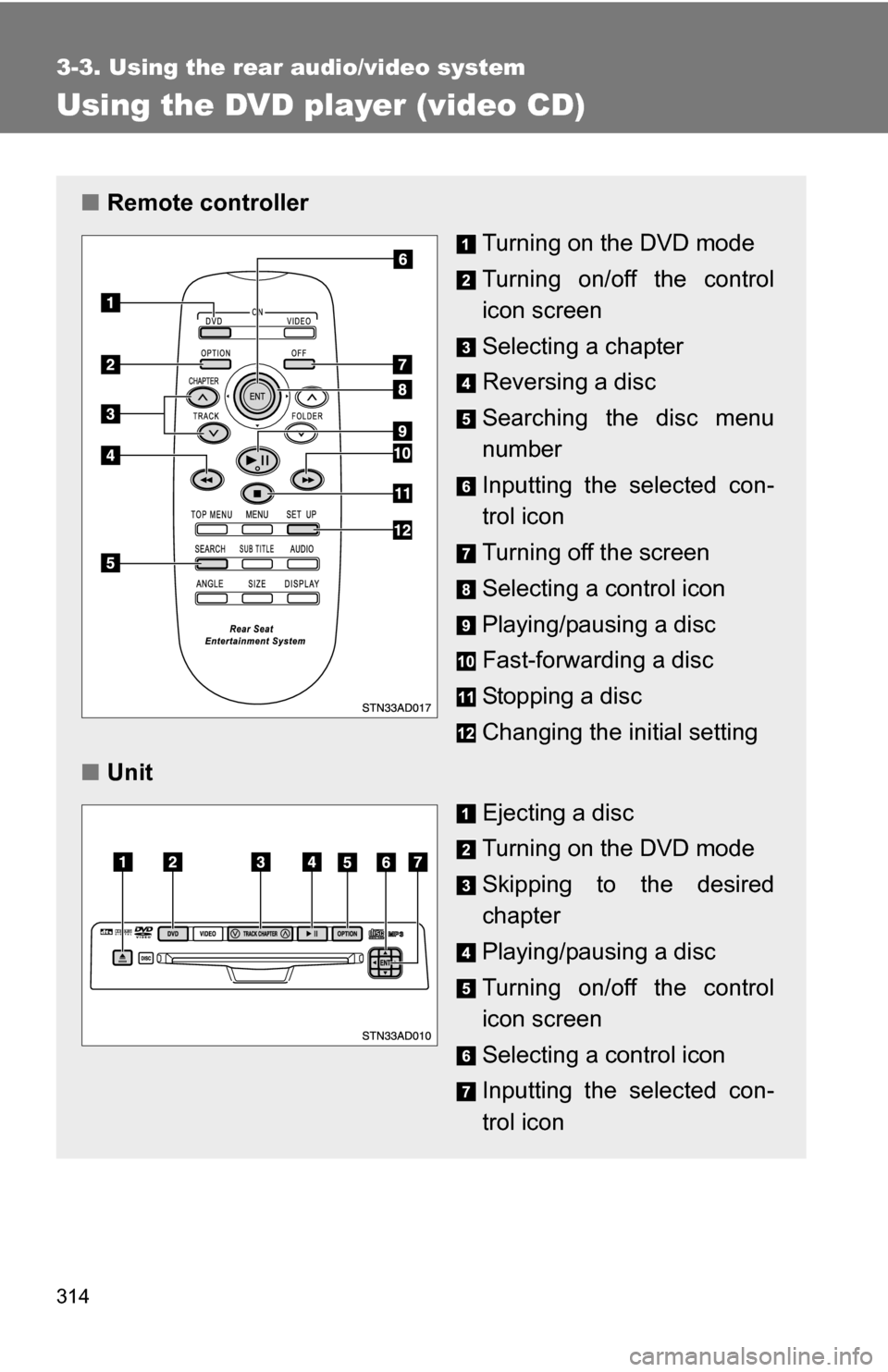
■Remote controller
Turning on the DVD mode
Turning on/off the control
icon screen
Selecting a chapter
Reversing a disc
Searching the disc menu
number
Inputting the selected con-
trol icon
Turning off the screen
Selecting a control icon
Playing/pausing a disc
Fast-forwarding a disc
Stopping a disc
Changing the initial setting
■ Unit
Ejecting a disc
Turning on the DVD mode
Skipping to the desired
chapter
Playing/pausing a disc
Turning on/off the control
icon screen
Selecting a control icon
Inputting the selected con-
trol icon
Page 315 of 596
315
3-3. Using the rear audio/video system
3
Interior features
Selecting a disc menu number
Select
to display the disc menu number search screen.
Select the disc menu number, and press or to input it.
Select to return to the previous screen.
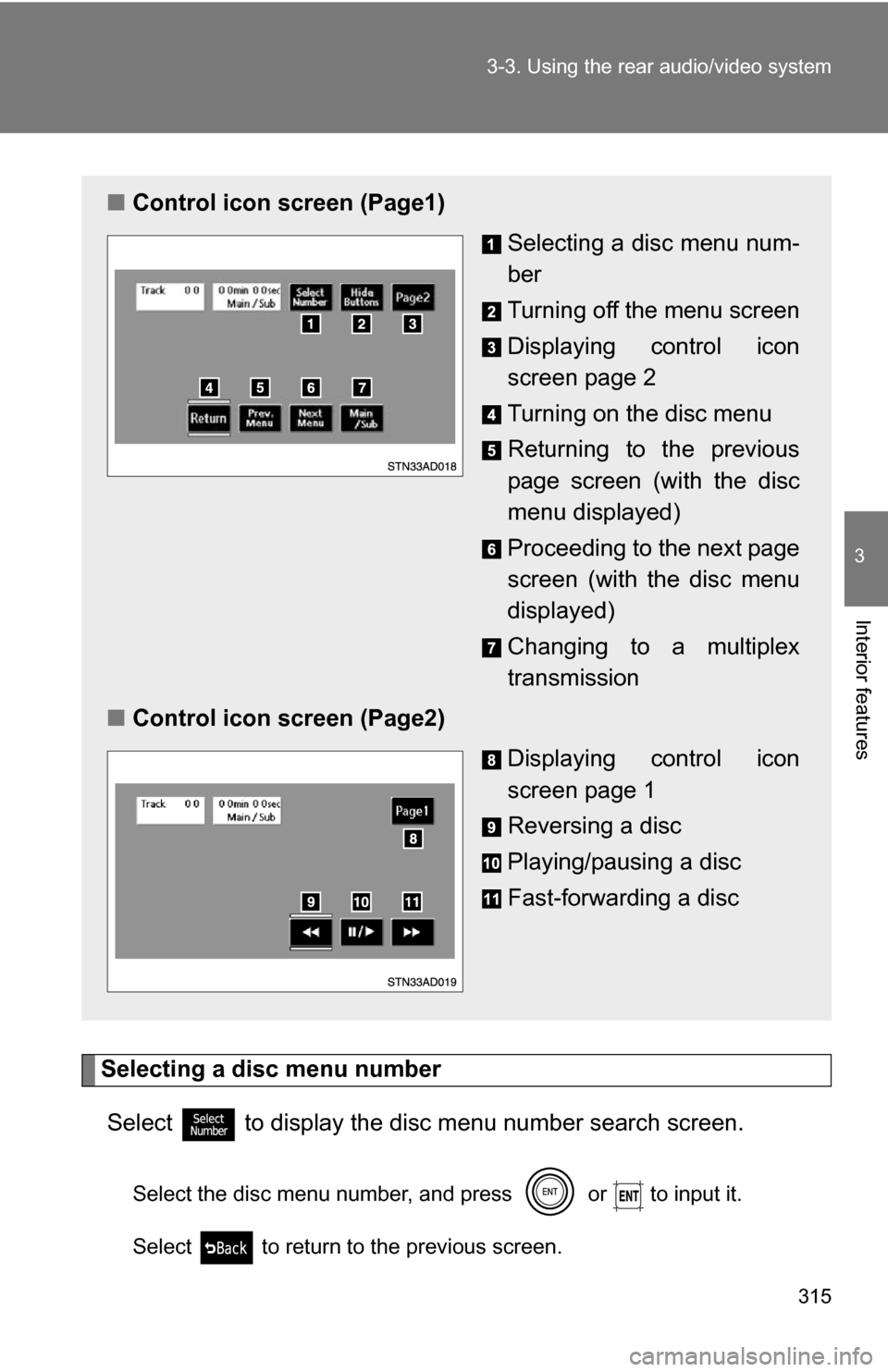
■ Control icon screen (Page1)
Selecting a disc menu num-
ber
Turning off the menu screen
Displaying control icon
screen page 2
Turning on the disc menu
Returning to the previous
page screen (with the disc
menu displayed)
Proceeding to the next page
screen (with the disc menu
displayed)
Changing to a multiplex
transmission
■ Control icon screen (Page2)
Displaying control icon
screen page 1
Reversing a disc
Playing/pausing a disc
Fast-forwarding a disc
Page 316 of 596
316
3-3. Using the rear audio/video system
Using the DVD player (audio CD/CD text)
Repeat play■ Repeating a track
Select .
Random playback
■ Playing all of the tracks on a CD in random order
Select .
Search playback
■ Scanning tracks
Select .
The first 10 seconds of each track will be played.
Select again when the desired track is reached.
■Canceling repeat play and random playback
Select or once again.
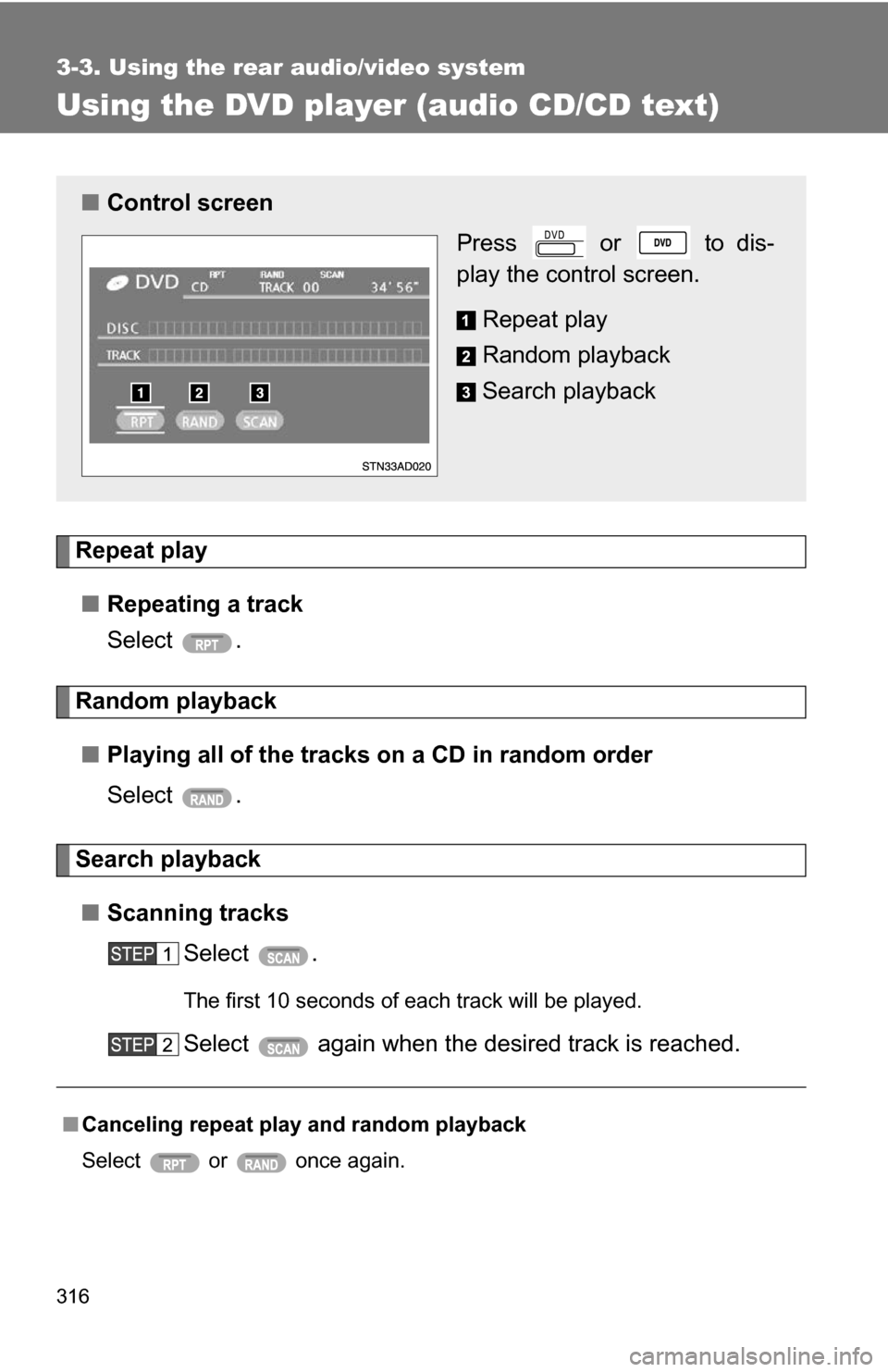
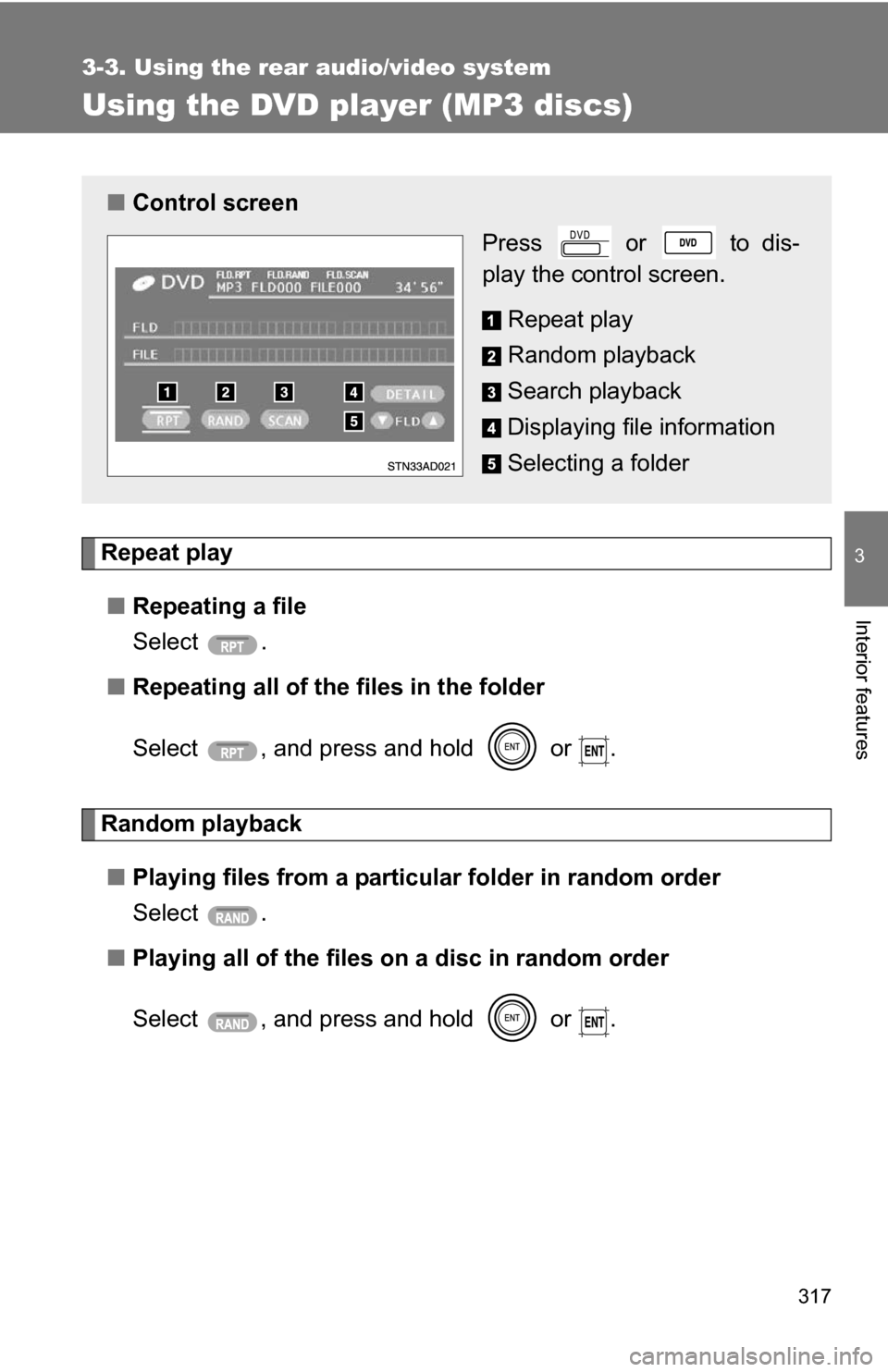
■ Control screen
Press or to dis-
play the control screen.
Repeat play
Random playback
Search playback
Page 317 of 596
317
3-3. Using the rear audio/video system
3
Interior features
Using the DVD player (MP3 discs)
Repeat play■ Repeating a file
Select .
■ Repeating all of the files in the folder
Select , and press and hold or .
Random playback
■ Playing files from a particular folder in random order
Select .
■ Playing all of the files on a disc in random order
Select , and press and hold or .
■Control screen
Press or to dis-
play the control screen.
Repeat play
Random playback
Search playback
Displaying file information
Selecting a folder
Page 318 of 596
318 3-3. Using the rear audio/video system
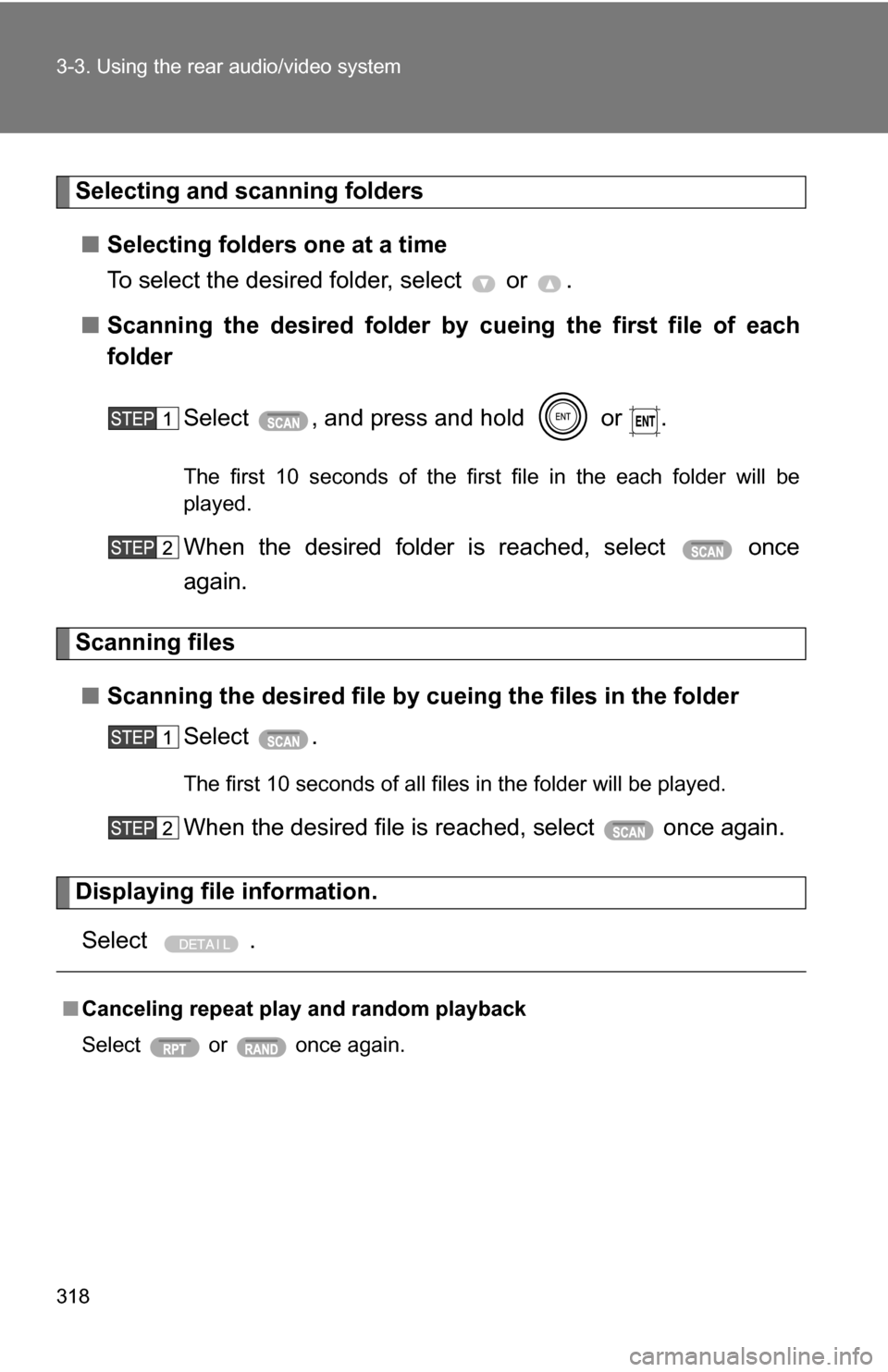
Selecting and scanning folders■ Selecting folders one at a time
To select the desired folder, select or .
■ Scanning the desired folder by cueing the first file of each
folder
Select , and press and hold or .
The first 10 seconds of the first file in the each folder will be
played.
When the desired folder is reached, select once
again.
Scanning files■ Scanning the desired file by cueing the files in the folder
Select .
The first 10 seconds of all files in the folder will be played.
When the desired file is reached, select once again.
Displaying file information.
Select .
■ Canceling repeat play and random playback
Select or once again.