mirror TOYOTA SEQUOIA 2008 2.G Workshop Manual
[x] Cancel search | Manufacturer: TOYOTA, Model Year: 2008, Model line: SEQUOIA, Model: TOYOTA SEQUOIA 2008 2.GPages: 596, PDF Size: 12.93 MB
Page 229 of 596
229
2-5. Driving information
2
When driving
Winter driving tips
Carry out the necessary preparations and inspections before driving
the vehicle in winter. Always drive the vehicle in a manner appropri-
ate to the prevailing weather conditions.
■ Pre-winter preparations
●Use fluids that are appropriate to the prevailing outside tem-
peratures.
• Engine oil
• Engine coolant
• Washer fluid
● Have a service technician inspect the level and specific grav-
ity of battery electrolyte.
● Have the vehicle fitted with four snow tires or purchase a set
of tire chains for the rear tires.
Ensure that all tires are the same size and brand, and that chains
match the size of the tires.
■Before driving the vehicle
Perform the following according to the driving conditions.
●Do not try to forcibly open a window, scrape an outside rear
view mirror surface or move a wiper or outside rear view mir-
ror that is frozen. Pour warm water over the frozen area to
melt the ice. Wipe away the water immediately to prevent it
from freezing.
● To ensure proper operation of th e climate control system fan,
remove any snow that has accumulated on the air inlet vents
in front of the windshield.
● Remove any ice that has accumu lated on the vehicle chassis.
● Periodically check for and remove any excess ice or snow
that may have accumulated in the wheel well or on the
brakes.
Page 243 of 596
243
2-5. Driving information
2
When driving
■
Before towing
Check that the following conditions are met:
●Ensure that your vehicle’s tires are properly inflated. ( P. 553)
● Trailer tires should be inflated according to the trailer manufacturer’s rec-
ommendation.
● All trailer lights work to be legal.
● All lights work each time you connect them.
● The trailer ball is set up at the proper height for the coupler on the t\
railer.
● The vehicle remains level when a loaded or unloaded trailer is hitched.
Do not drive if the vehicle is not level, and check for improper tongue
load, overloading, worn suspension, or other possible causes.
● The trailer cargo is securely loaded.
● The rear view mirrors conform to all applicable federal, state/provincial or
local regulations. If they do not, instal l rear view mirrors appropriate for
towing purposes.
● Depress TOW/HAUL button (if equipped)
■ When connecting and disconnecting a trailer
Set the electronically modulated air suspension system to MAN., or turn off
the engine, when the system is in N mode. (if equipped)
■ AVS (adaptive variable suspension system) (if equipped)
The suspension can be switched for improvement in driveability. ( P. 207)
■ Break-in schedule
●Toyota recommends that you do not use a new vehicle or a vehicle with
any new power train components (engine, transmission, differential,
wheel bearings, etc.) to tow a trailer for the first 500 miles (800 km) of
driving.
● Drive the vehicle at a speed of less than 50 mph (80 km/h) when towing a
trailer for another 500 miles (800 km/h).
● Avoid full throttle acceleration.
■ Maintenance
●If you tow a trailer, your vehicle will require more frequent maintenance
due to the additional load. (See “Scheduled Maintenance Guide” or
“Owner’s Manual Supplement”.)
Page 248 of 596
248
3-1. Using the air conditioning system and defogger... 250
Front air conditioning system ........................... 250
Rear air conditioning system ........................... 258
Rear window and outside rear view mirror
defoggers ....................... 262
Windshield wiper de-icer ............................ 263
Using the steering wheel climate remote control
switches ......................... 264
3-2. Using the audio system .......................... 266
Audio system (without navigation system)
.......... 266
Using the radio ................. 269
Using the CD player ......... 275
Playing back MP3 and WMA discs ..................... 283
Optimal use of the audio system ........................... 292
Using the AUX adapter .... 294
Using the steering wheel audio switches ............... 296 3-3. Using the rear audio/video
system .......................... 298
Rear seat entertainment system ........................... 298
Using the DVD player (DVD video) ................... 305
Using the DVD player (video CD)...................... 314
Using the DVD player (audio CD/CD text) ........ 316
Using the DVD player (MP3 discs) .................... 317
Using the video mode ...... 319
Changing the Setup Menu settings .......................... 321
3-4. Using the hands-free phone system (for
cellular phone) ............. 329
Hands-free phone system (for cellular phone) ......... 329
Using the hands-free phone system ........................... 333
Making a phone call ......... 342
Setting a cellular phone ... 347
Security and system setup .............................. 352
Using the phone book ...... 355
Interior features3
Page 249 of 596
Interior features3
249
3-5. Using the interior lights ............................. 362
Interior lights list ............... 362
• Personal/interior light main switch .................... 363
• Personal/interior lights ... 364
• Interior light .................... 365
3-6. Using the storage features ......................... 366
List of storage features .... 366
• Glove boxes ................... 367
• Coin holder .................... 368
• Front console box .......... 368
• Card holder .................... 370
• Map holder ..................... 371
• Pen holder ..................... 372
• Tissue pocket................. 373
• Rear console box ........... 373
• Overhead console.......... 376
• Cup holders ................... 377
• Bottle holders ................. 381
• Auxiliary boxes............... 382
• Seatback table ............... 384 3-7. Other interior features ... 386
Sun visors ........................ 386
Vanity mirrors ................... 387
Clock ................................ 388
Outside temperature display............................ 389
Portable ashtray ............... 390
Cigarette lighter................ 391
Conversation mirror ......... 392
Power outlets ................... 393
Seat heaters..................... 397
Seat heaters and ventilators ...................... 400
Armrests........................... 402
Rear side sunshades ....... 403
Floor mat .......................... 405
Luggage compartment features .......................... 406
Garage door opener......... 411
Compass .......................... 416
Page 262 of 596
262
3-1. Using the air conditioning system and defogger
Rear window and outside rear view mirror defoggers
■The defogger can be operated when
The engine switch is in the ON position.
■ Outside rear view mirror defoggers (if equipped)
Turning the rear window defogger on will turn the outside rear view mirror
defoggers on.
CAUTION
■Outside rear view mirror defoggers (if equipped)
The surfaces of the outside rear view mirrors become hot. Do not touch
them to prevent from burning yourself.
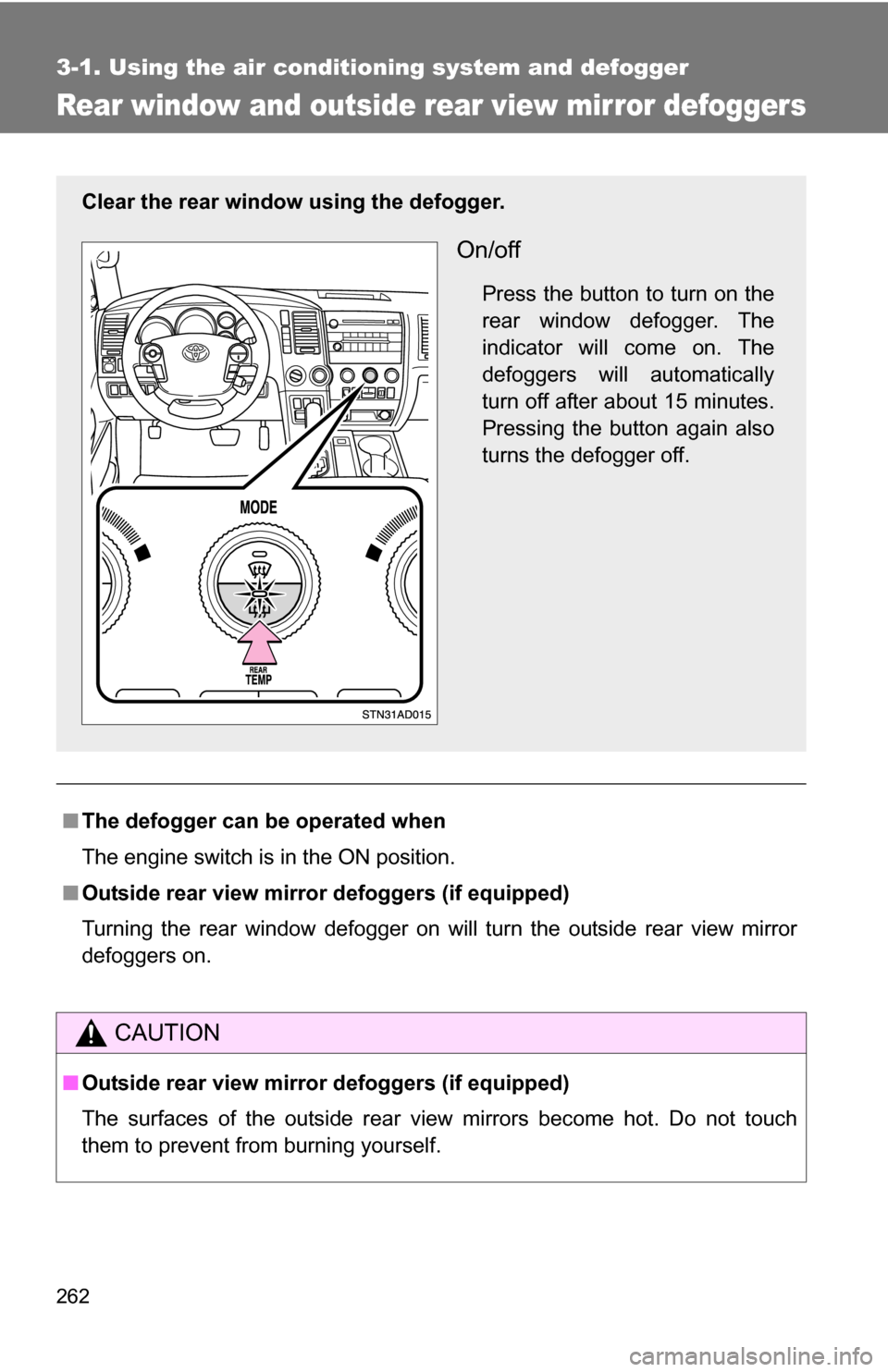
Clear the rear window using the defogger.
On/off
Press the button to turn on the
rear window defogger. The
indicator will come on. The
defoggers will automatically
turn off after about 15 minutes.
Pressing the button again also
turns the defogger off.
Page 387 of 596
387
3-7. Other interior features
3
Interior features
Vanity mirrors
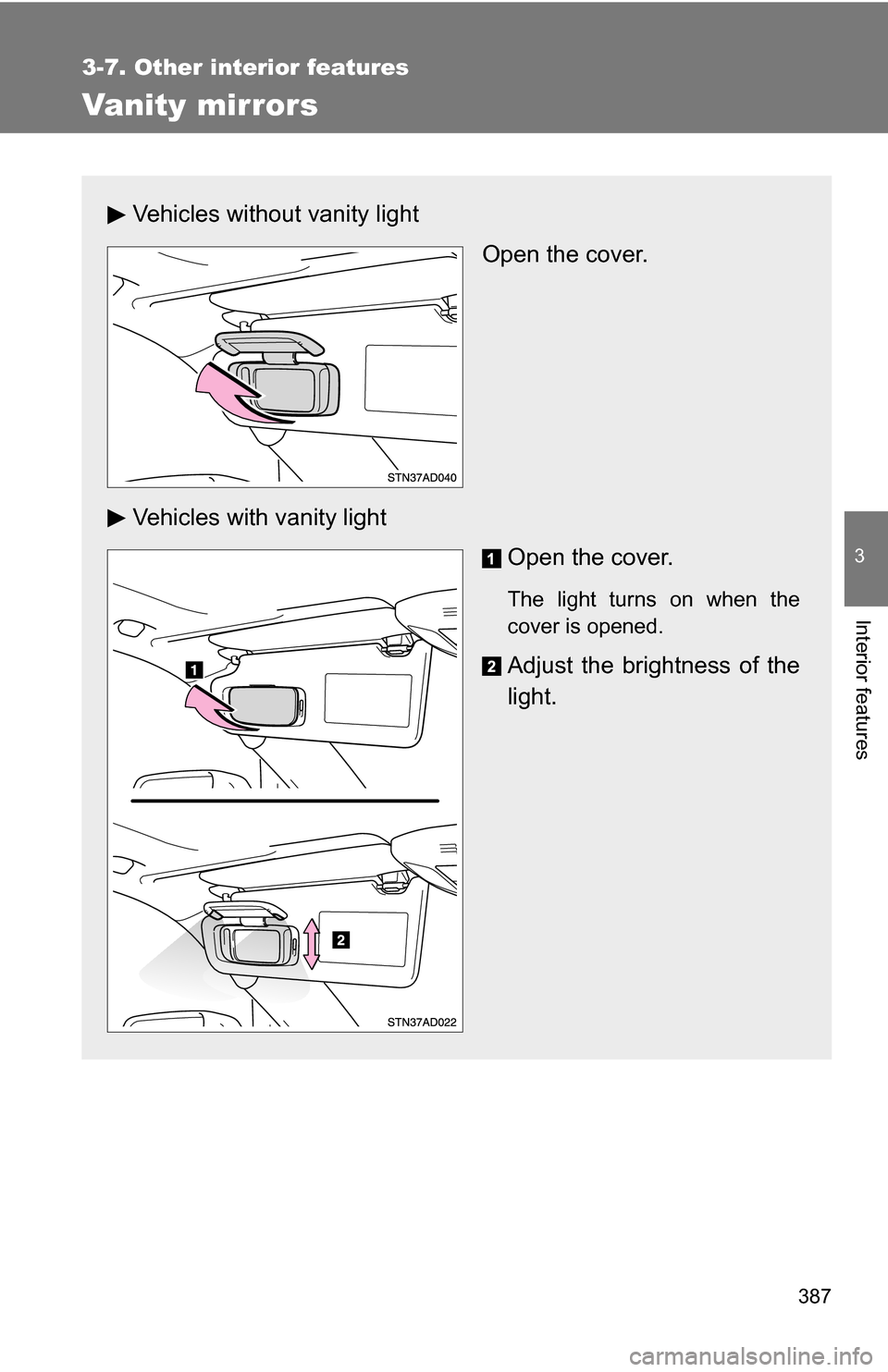
Vehicles without vanity lightOpen the cover.
Vehicles with vanity light Open the cover.
The light turns on when the
cover is opened.
Adjust the brightness of the
light.
Page 392 of 596
392
3-7. Other interior features
Conversation mirror
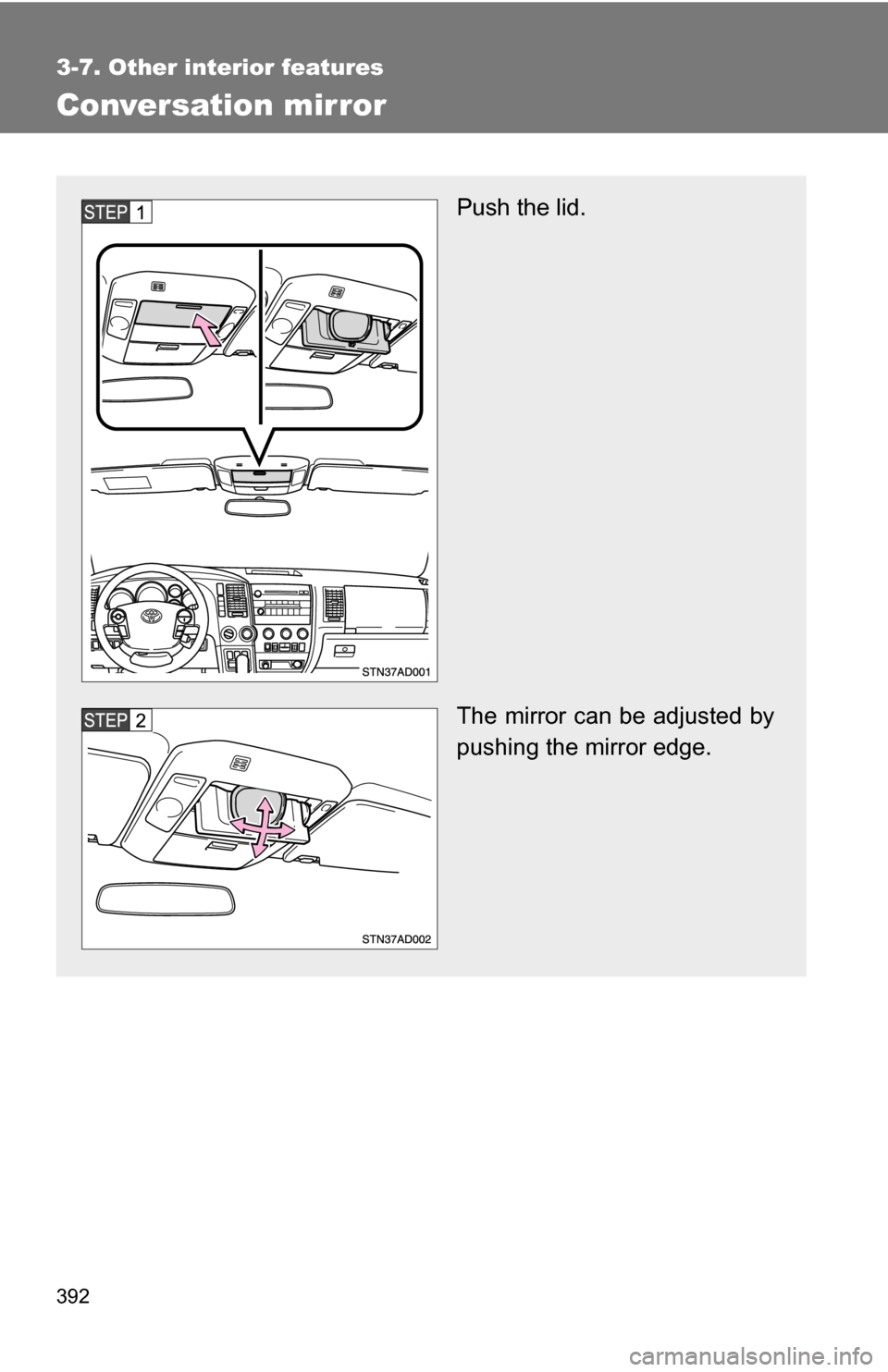
Push the lid.
The mirror can be adjusted by
pushing the mirror edge.
Page 416 of 596
416
3-7. Other interior features
Compass (if equipped)
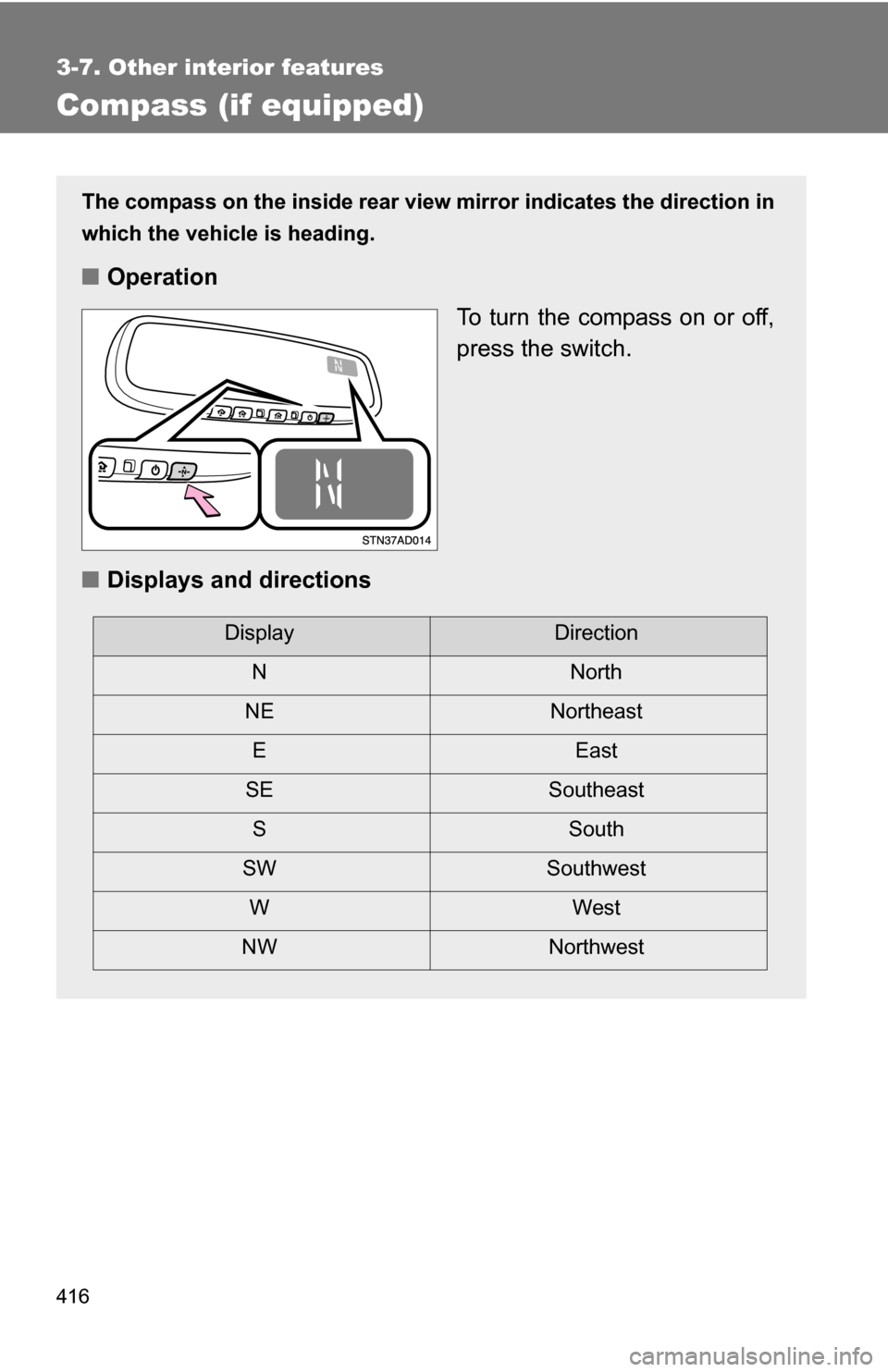
The compass on the inside rear view mirror indicates the direction in
which the vehicle is heading.
■ Operation
To turn the compass on or off,
press the switch.
■ Displays and directions
DisplayDirection
NNorth
NE Northeast EEast
SE Southeast S South
SW Southwest
WWest
NW Northwest
Page 418 of 596
418 3-7. Other interior features
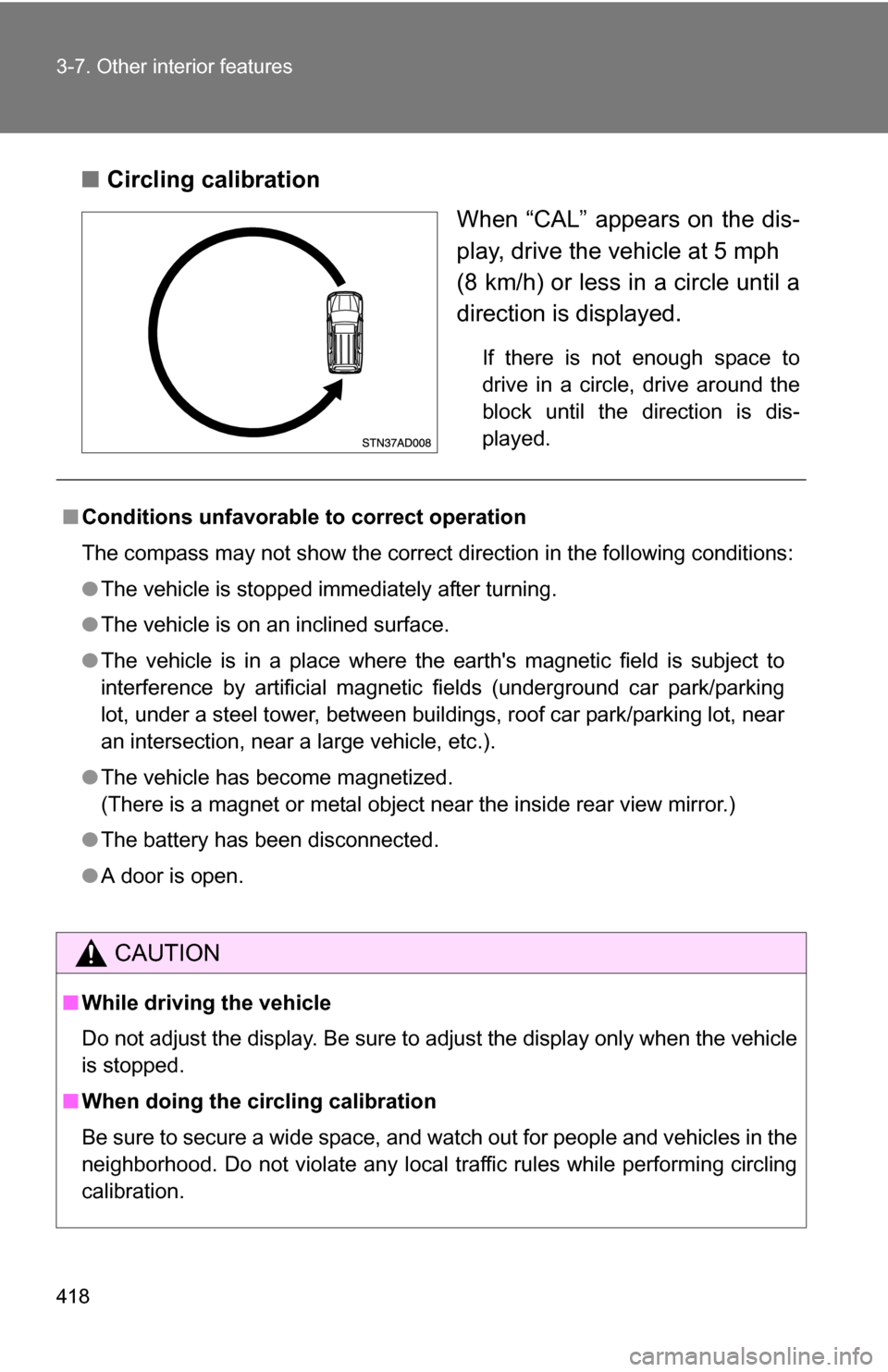
■Circling calibration
When “CAL” appears on the dis-
play, drive the vehicle at 5 mph
(8 km/h) or less in a circle until a
direction is displayed.
If there is not enough space to
drive in a circle, drive around the
block until the direction is dis-
played.
■Conditions unfavorable to correct operation
The compass may not show the correct direction in the following conditions:
●The vehicle is stopped immediately after turning.
● The vehicle is on an inclined surface.
● The vehicle is in a place where the earth's magnetic field is subject to
interference by artificial magnetic fields (underground car park/parking
lot, under a steel tower, between buildings, roof car park/parking lot, near
an intersection, near a large vehicle, etc.).
● The vehicle has become magnetized.
(There is a magnet or metal object near the inside rear view mirror.)
● The battery has been disconnected.
● A door is open.
CAUTION
■While driving the vehicle
Do not adjust the display. Be sure to adjust the display only when the vehicle
is stopped.
■ When doing the circling calibration
Be sure to secure a wide space, and watch out for people and vehicles in the
neighborhood. Do not violate any local traffic rules while performing circling
calibration.
Page 419 of 596
419
3-7. Other interior features
3
Interior features
NOTICE
■
To avoid the compass malfunctions
Do not place magnets or any metal objects near the inside rear view mirror.
Doing this may cause a malfunction of the compass sensor.
■ To ensure normal operation of the compass
●Do not perform circling calibration of the compass in a place where the
earth's magnetic field is subject to interference by artificial magnetic fields.
● During calibration, do not operate electric systems (moon roof, power win-
dows, etc.) as they may interfere with the calibration.