Nav TOYOTA SEQUOIA 2010 2.G User Guide
[x] Cancel search | Manufacturer: TOYOTA, Model Year: 2010, Model line: SEQUOIA, Model: TOYOTA SEQUOIA 2010 2.GPages: 660, PDF Size: 12.29 MB
Page 387 of 660
387
3
Interior features
3-5. Using the hands-free phone system (for cellular phone)
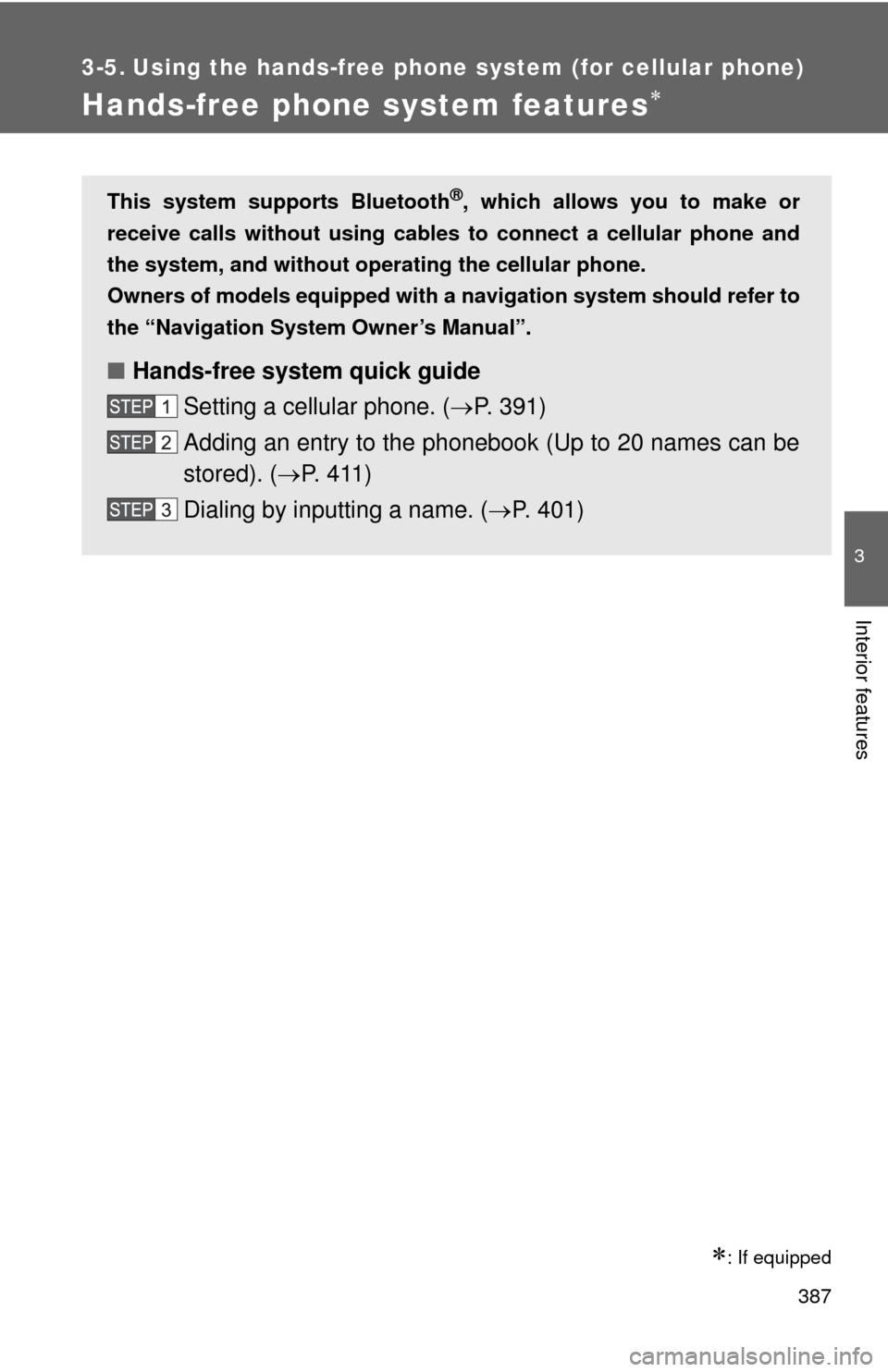
Hands-free phone system features
: If equipped
This system supports Bluetooth®, which allows you to make or
receive calls without using cables to connect a cellular phone and
the system, and without oper ating the cellular phone.
Owners of models equipped with a navigation system should refer to
the “Navigation System Owner’s Manual”.
■ Hands-free system quick guide
Setting a cellular phone. ( P. 391)
Adding an entry to the phonebook (Up to 20 names can be
stored). ( P. 411)
Dialing by inputting a name. ( P. 401)
Page 535 of 660
535
4-3. Do-it-yourself maintenance
4
Maintenance and care
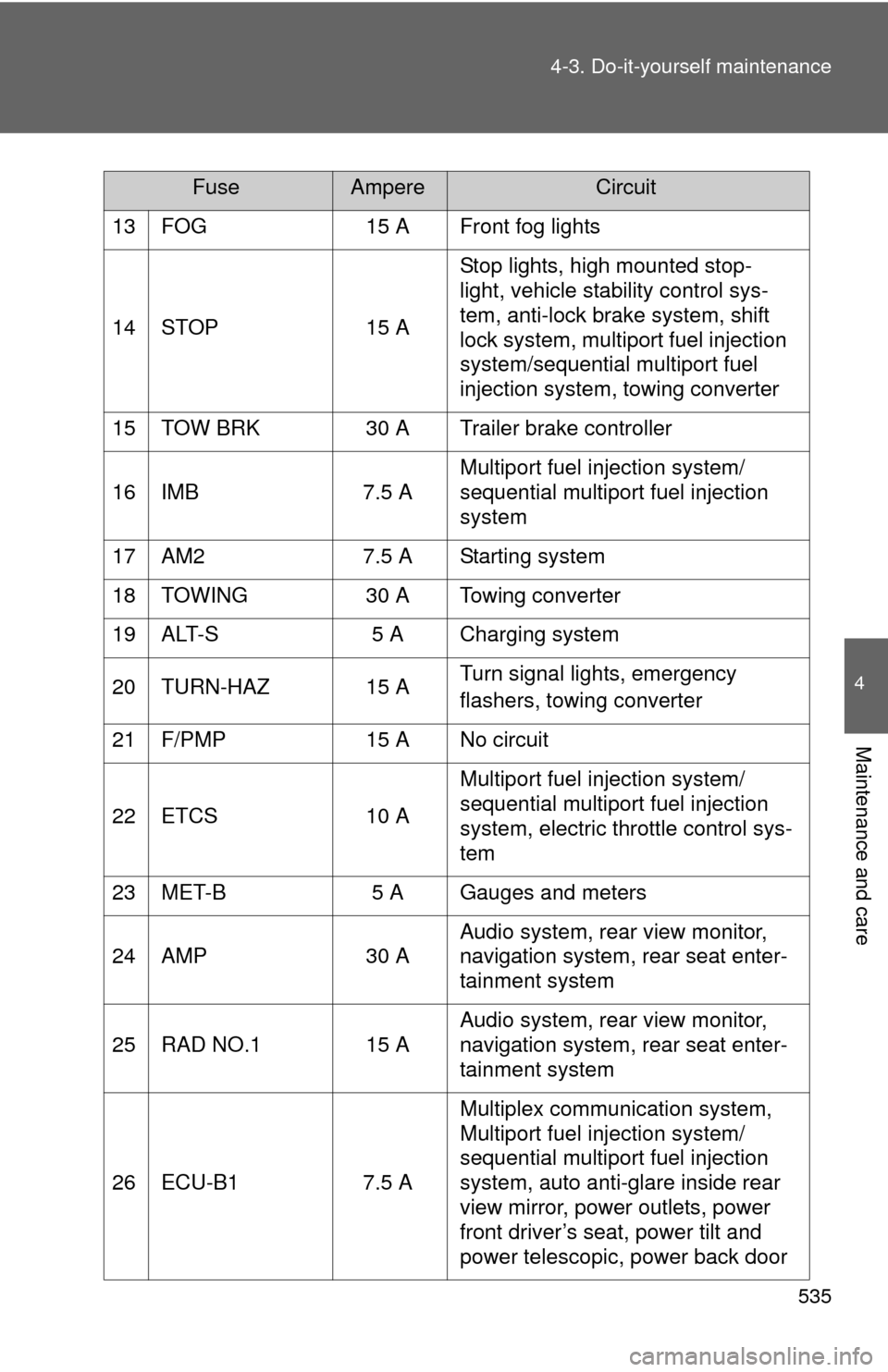
13 FOG
15 A Front fog lights
14 STOP 15 AStop lights, high mounted stop-
light, vehicle stability control sys-
tem, anti-lock brake system, shift
lock system, multiport fuel injection
system/sequential multiport fuel
injection system, towing converter
15 TOW BRK 30 A Trailer brake controller
16 IMB 7.5 AMultiport fuel injection system/
sequential multiport fuel injection
system
17 AM2 7.5 A Starting system
18 TOWING 30 A Towing converter
19 ALT-S 5 A Charging system
20 TURN-HAZ 15 A Turn signal lights, emergency
flashers, towing converter
21 F/PMP 15 A No circuit
22 ETCS 10 AMultiport fuel injection system/
sequential multiport fuel injection
system, electric throttle control sys-
tem
23 MET-B 5 A Gauges and meters
24 AMP 30 AAudio system, rear view monitor,
navigation system, rear seat enter-
tainment system
25 RAD NO.1 15 A Audio system, rear view monitor,
navigation system, rear seat enter-
tainment system
26 ECU-B1 7.5 AMultiplex communication system,
Multiport fuel injection system/
sequential multiport fuel injection
system, auto anti-glare inside rear
view mirror, power outlets, power
front driver’s seat, power tilt and
power telescopic, power back door
FuseAmpereCircuit
Page 540 of 660
540 4-3. Do-it-yourself maintenance
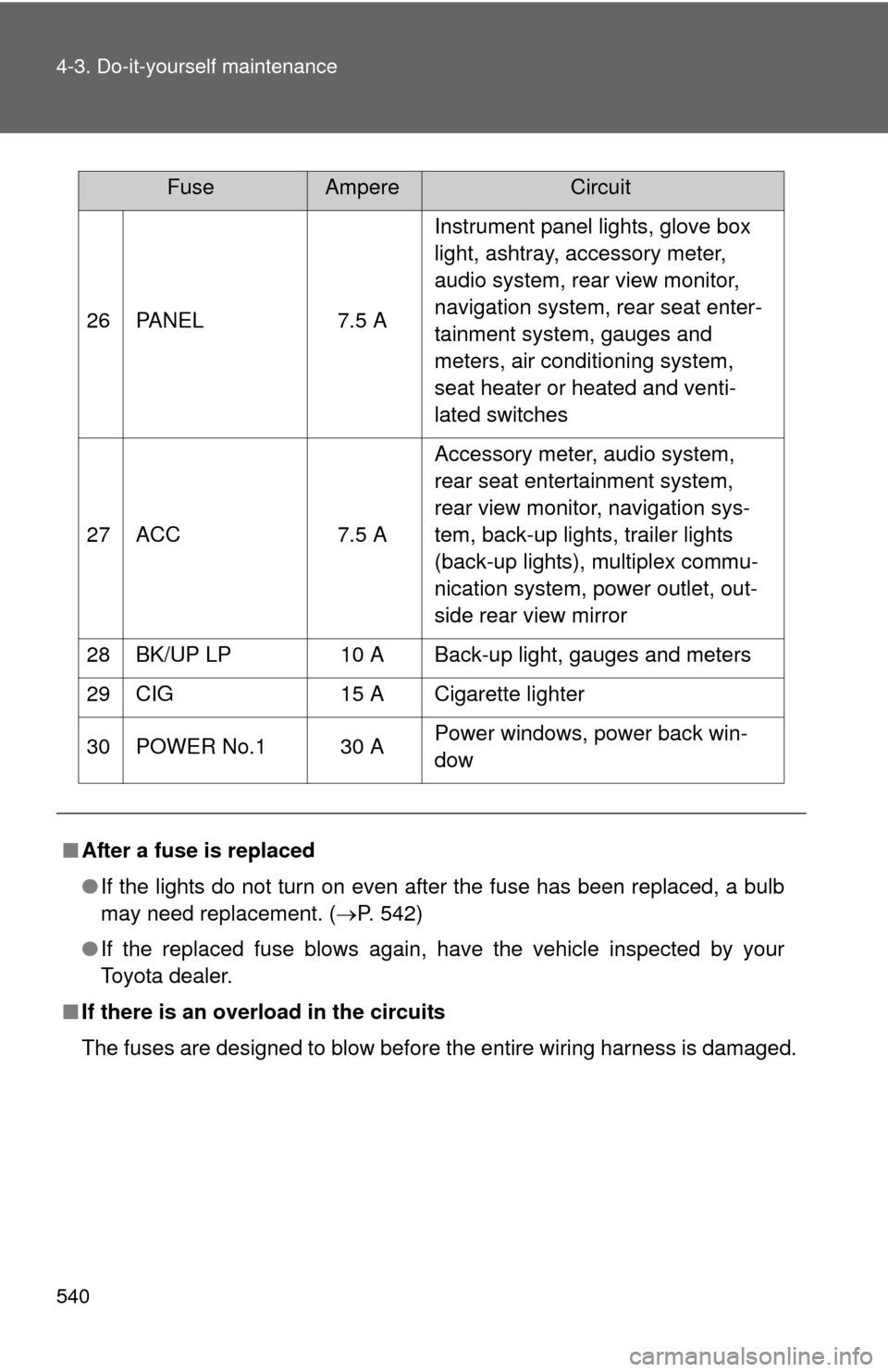
26 PANEL7.5 AInstrument panel lights, glove box
light, ashtray, accessory meter,
audio system, rear view monitor,
navigation system, rear seat enter-
tainment system, gauges and
meters, air conditioning system,
seat heater or heated and venti-
lated switches
27 ACC 7.5 AAccessory meter, audio system,
rear seat entertainment system,
rear view monitor, navigation sys-
tem, back-up lights, trailer lights
(back-up lights), multiplex commu-
nication system, power outlet, out-
side rear view mirror
28 BK/UP LP 10 A Back-up light, gauges and meters
29 CIG 15 A Cigarette lighter
30 POWER No.1 30 A Power windows, power back win-
dow
■ After a fuse is replaced
●If the lights do not turn on even after the fuse has been replaced, a bulb
may need replacement. ( P. 542)
● If the replaced fuse blows again, have the vehicle inspected by your
Toyota dealer.
■ If there is an overload in the circuits
The fuses are designed to blow before the entire wiring harness is damaged.
FuseAmpereCircuit
Page 589 of 660
5
When trouble arises
589
5-2. Steps to take in an emergency
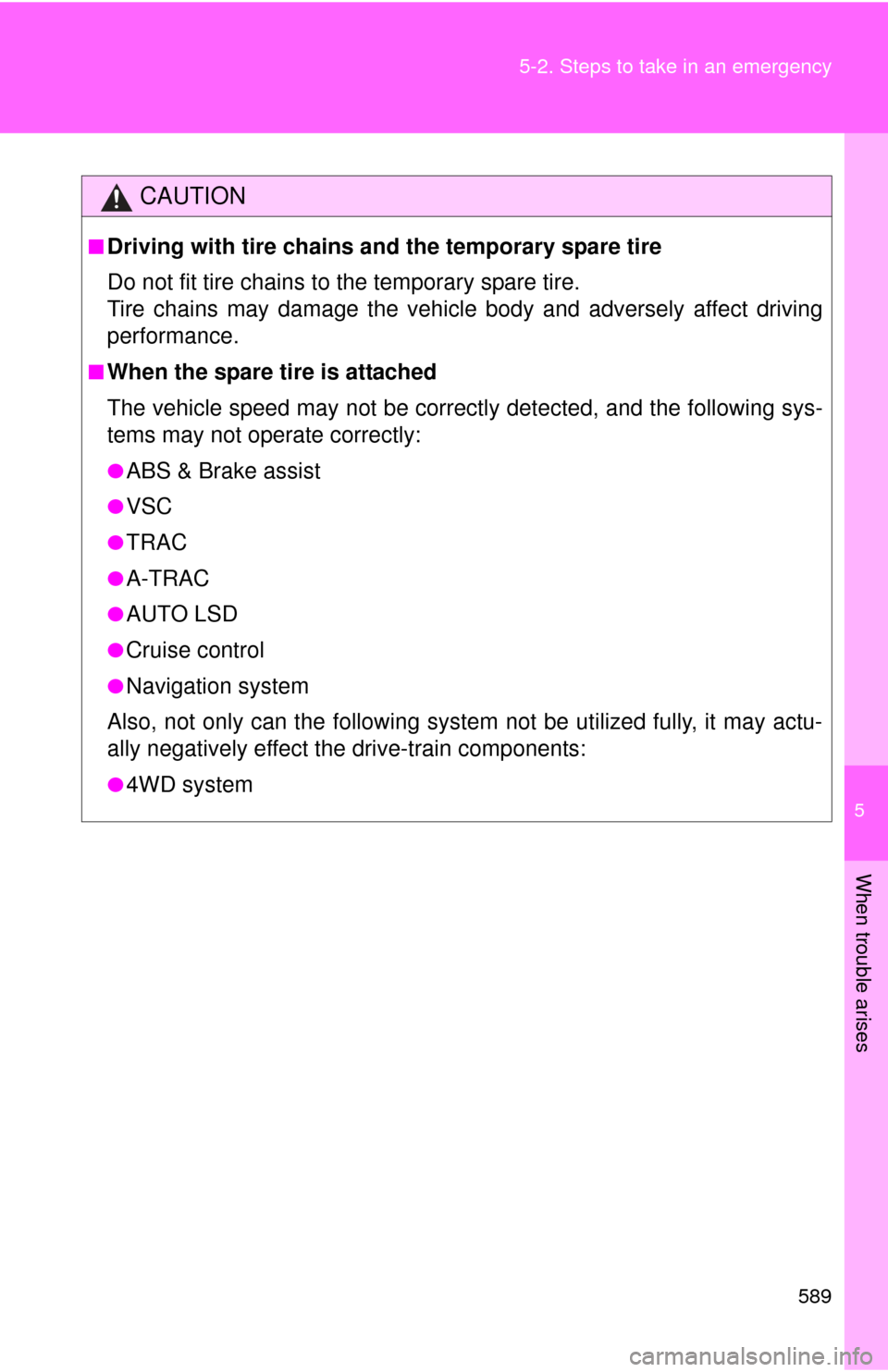
CAUTION
■Driving with tire chains and the temporary spare tire
Do not fit tire chains to the temporary spare tire.
Tire chains may damage the vehicle body and adversely affect driving
performance.
■When the spare tire is attached
The vehicle speed may not be correctly detected, and the following sys-
tems may not operate correctly:
●ABS & Brake assist
●VSC
●TRAC
●A-TRAC
●AUTO LSD
●Cruise control
●Navigation system
Also, not only can the following syste m not be utilized fully, it may actu-
ally negatively effect t he drive-train components:
●4WD system
Page 599 of 660
5
When trouble arises
599
5-2. Steps to take in an emergency
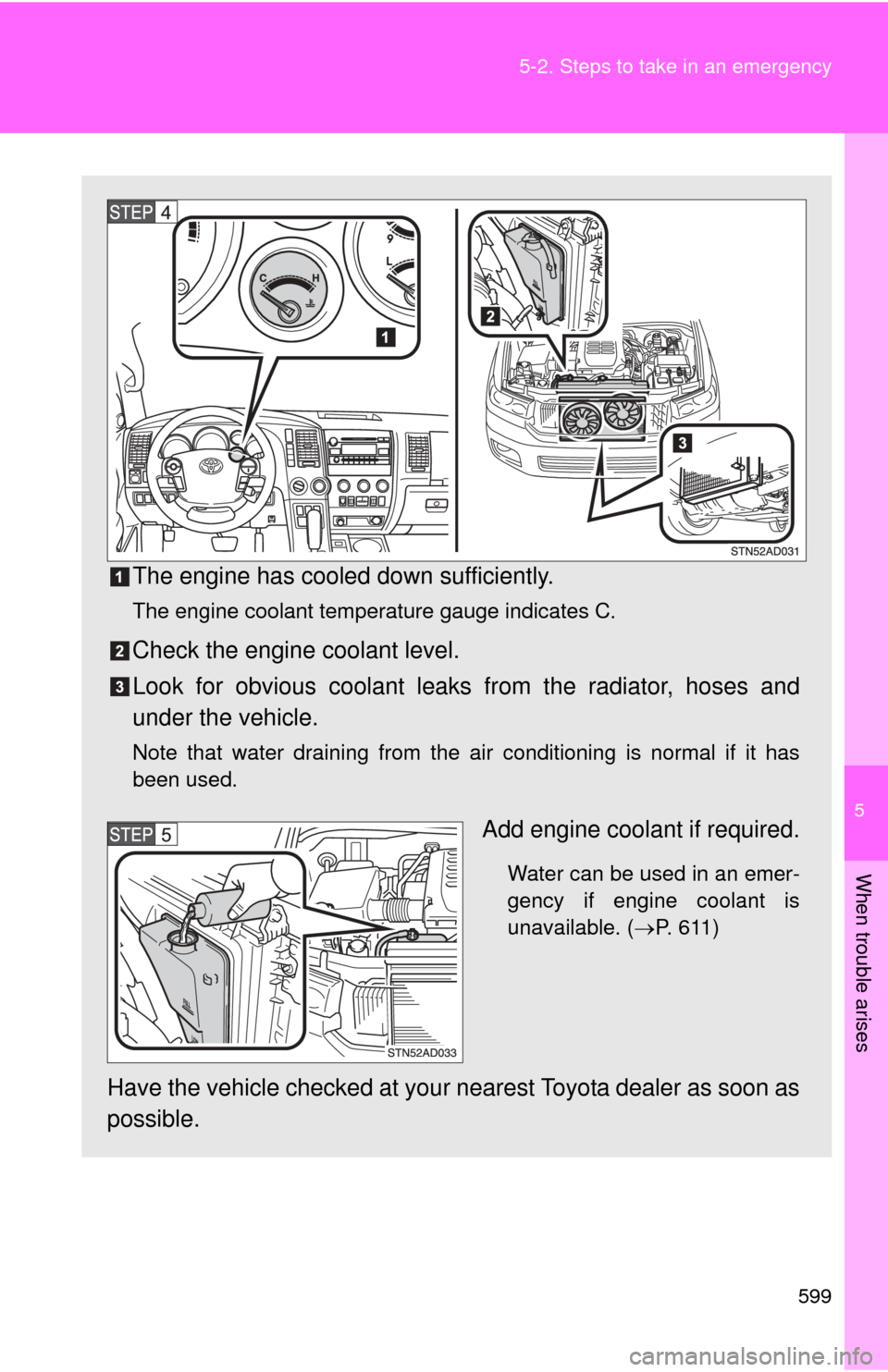
The engine has cooled down sufficiently.
The engine coolant temperature gauge indicates C.
Check the engine coolant level.
Look for obvious coolant leaks
from the radiator, hoses and
under the vehicle.
Note that water draining from the air conditioning is normal if it has
been used.
Add engine coolant if required.
Water can be used in an emer-
gency if engine coolant is
unavailable. ( P. 611)
Have the vehicle checked at your nearest Toyota dealer as soon as
possible.
Page 643 of 660
Index
643
Abbreviation list ..................... 644
Alphabetical index .................. 646
What to do if... ......................... 654
For details of equipment related to the navigation
system and navigation system screen, refer to the
“Navigation System Owner’s Manual”.