Passenger TOYOTA SEQUOIA 2010 2.G Workshop Manual
[x] Cancel search | Manufacturer: TOYOTA, Model Year: 2010, Model line: SEQUOIA, Model: TOYOTA SEQUOIA 2010 2.GPages: 660, PDF Size: 12.29 MB
Page 268 of 660
268
3-1. Using the air conditioning system and defogger
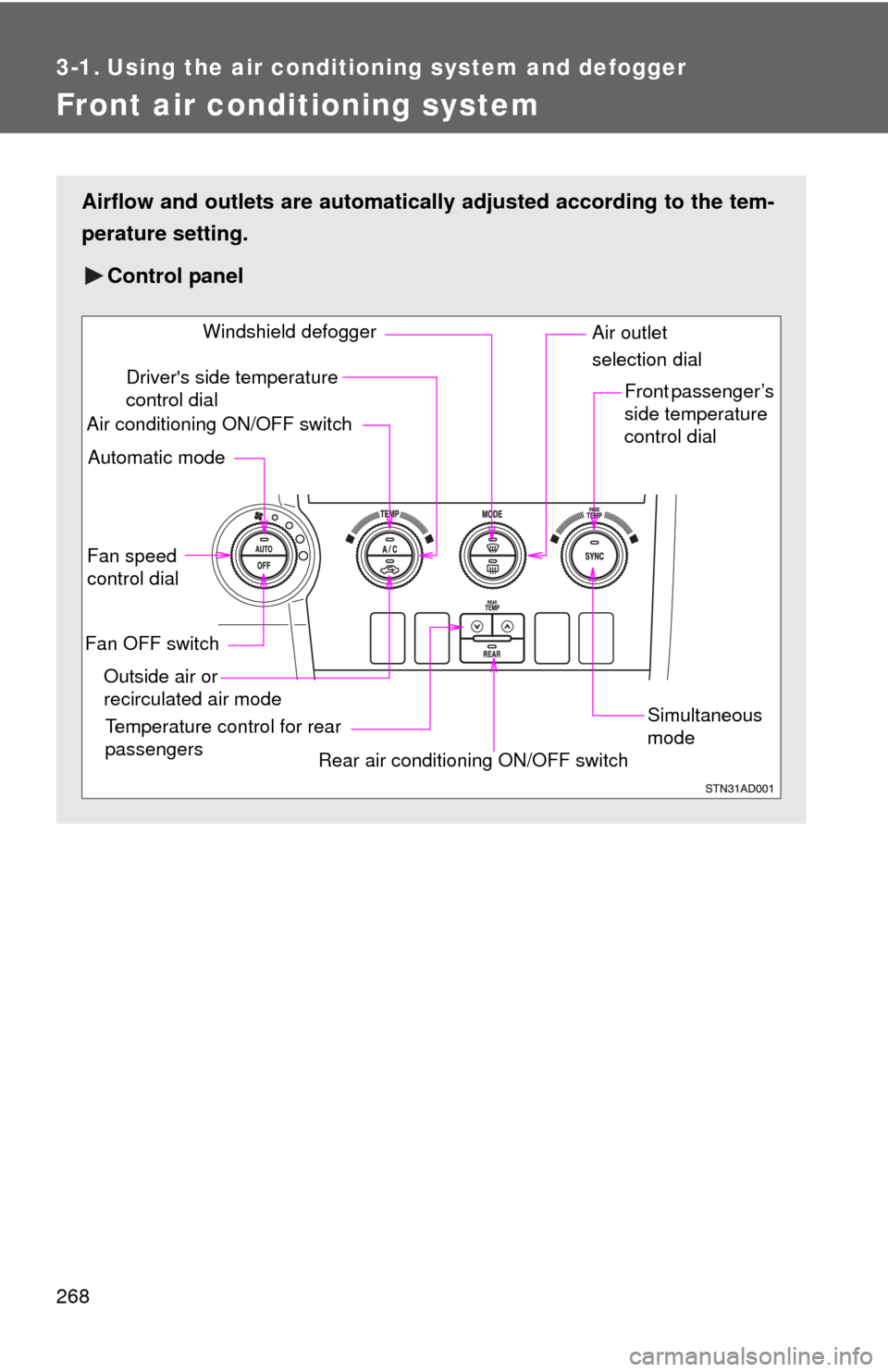
Front air conditioning system
Airflow and outlets are automatically adjusted according to the tem-
perature setting.
Control panel
Fan speed
control dial
Outside air or
recirculated air mode Front passenger’s
side temperature
control dial
Air conditioning ON/OFF switch
Simultaneous
mode
Rear air conditioning ON/OFF switch
Temperature control for rear
passengers Air outlet
selection dial
Driver's side temperature
control dial
Automatic mode Windshield defogger
Fan OFF switch
Page 269 of 660
269
3-1. Using the air conditioning system
and defogger
3
Interior features
Using the automatic mode
Press .
The air conditioning system will begin to operate. Air outlets and fan
speed are automatically adjusted according to the temperature set-
ting.
Turn the temperature control dial clockwise (warm) or coun-
terclockwise (cool).
The temperature for the driver and passenger seat can be set sepa-
rately.
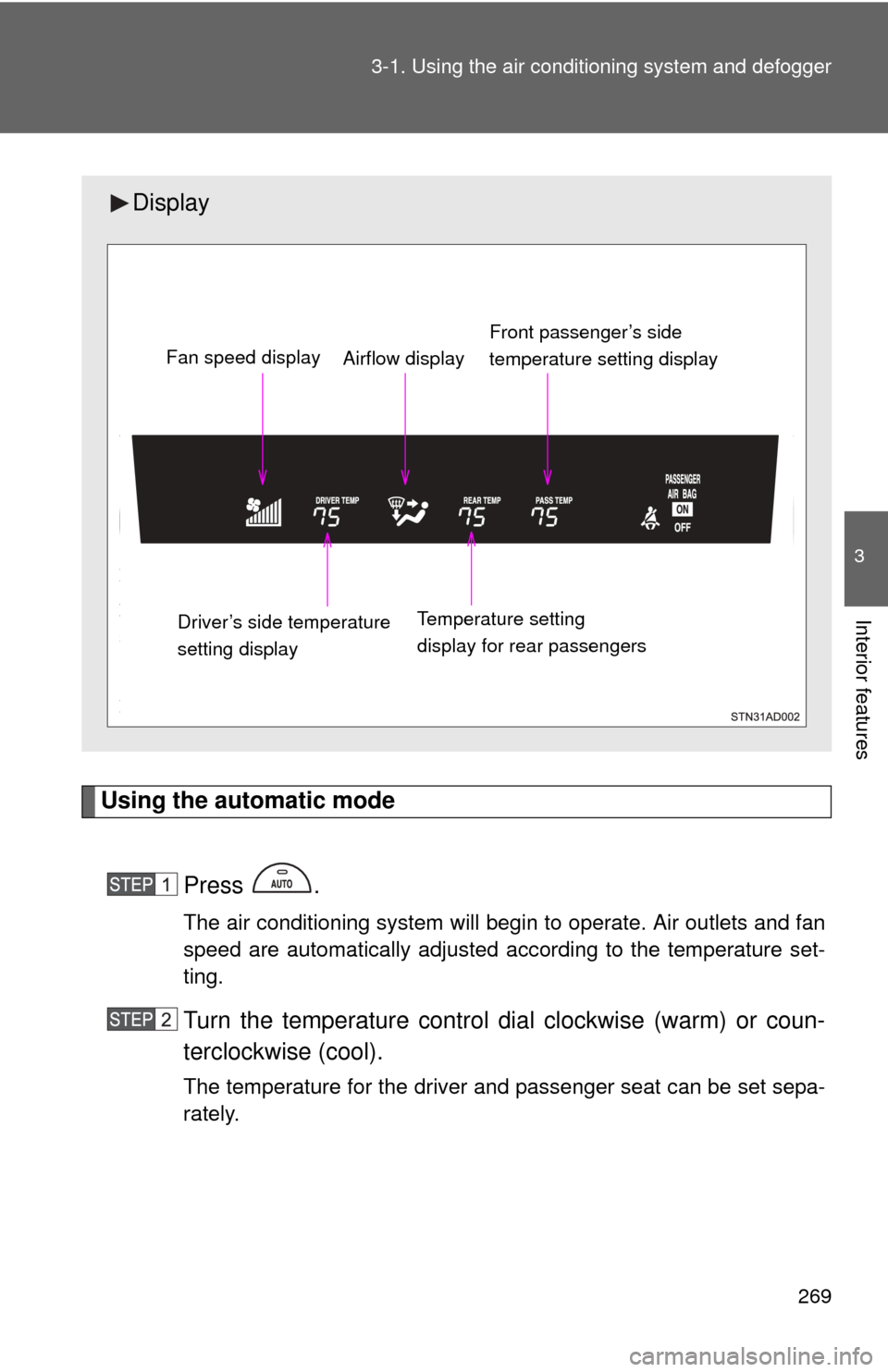
Display
Front passenger’s side
temperature setting display
Fan speed display
Airflow display
Driver’s side temperature
setting display Temperature setting
display for rear passengers
Page 270 of 660
270 3-1. Using the air conditioning system and defogger
Adjusting the settings
■ Adjusting the temperature setting
Turn the temperature control dial clockwise (warm) or counter-
clockwise (cool).
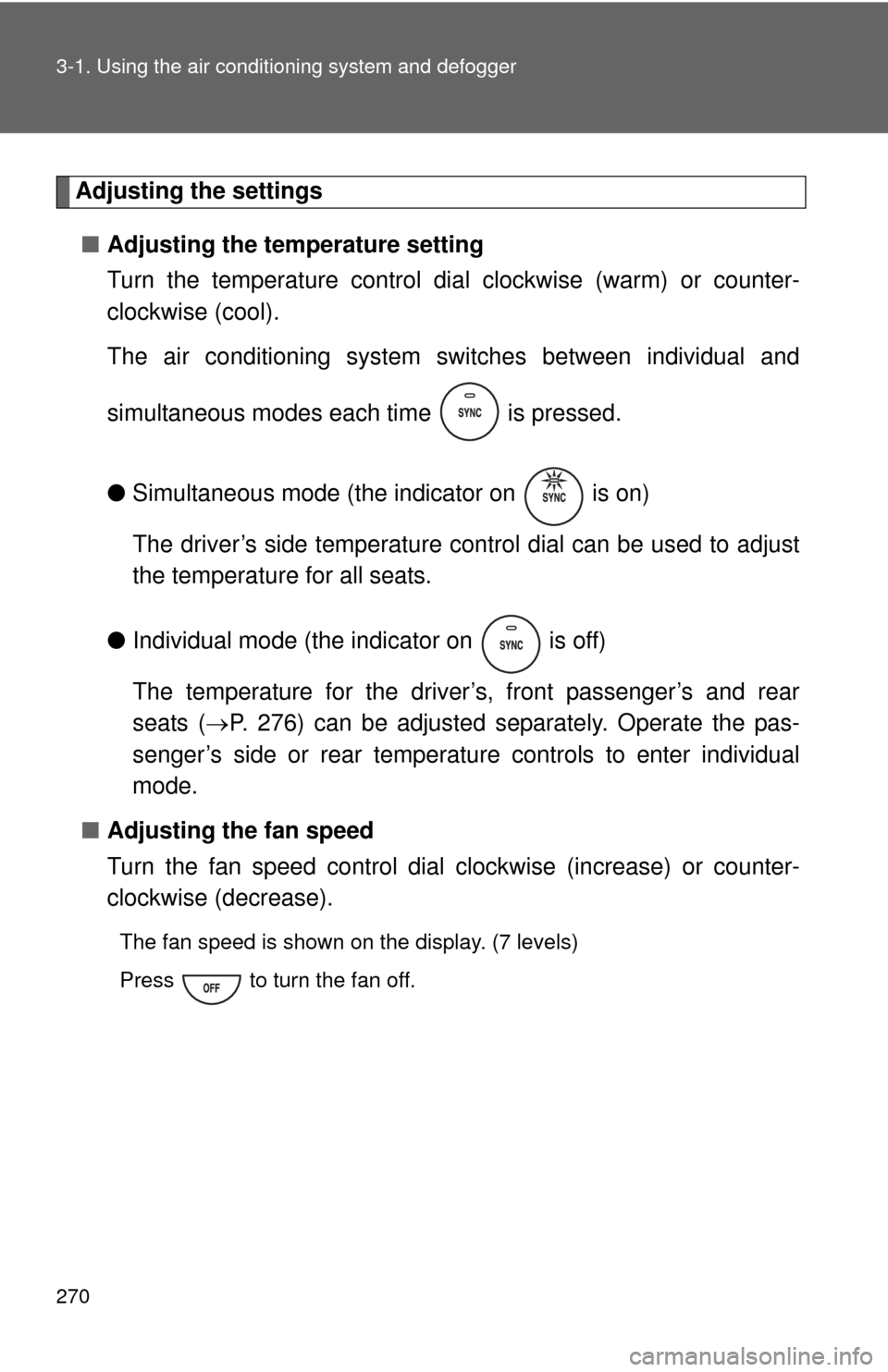
The air conditioning system sw itches between individual and
simultaneous modes each time is pressed.
● Simultaneous mode (the indicator on is on)
The driver’s side temperature control dial can be used to adjust
the temperature for all seats.
● Individual mode (the indicator on is off)
The temperature for the driver’s, front passenger’s and rear
seats ( P. 276) can be adjusted separately. Operate the pas-
senger’s side or rear temperature controls to enter individual
mode.
■ Adjusting the fan speed
Turn the fan speed control dial clockwise (increase) or counter-
clockwise (decrease).
The fan speed is shown on the display. (7 levels)
Press to turn the fan off.
Page 274 of 660
274 3-1. Using the air conditioning system and defogger
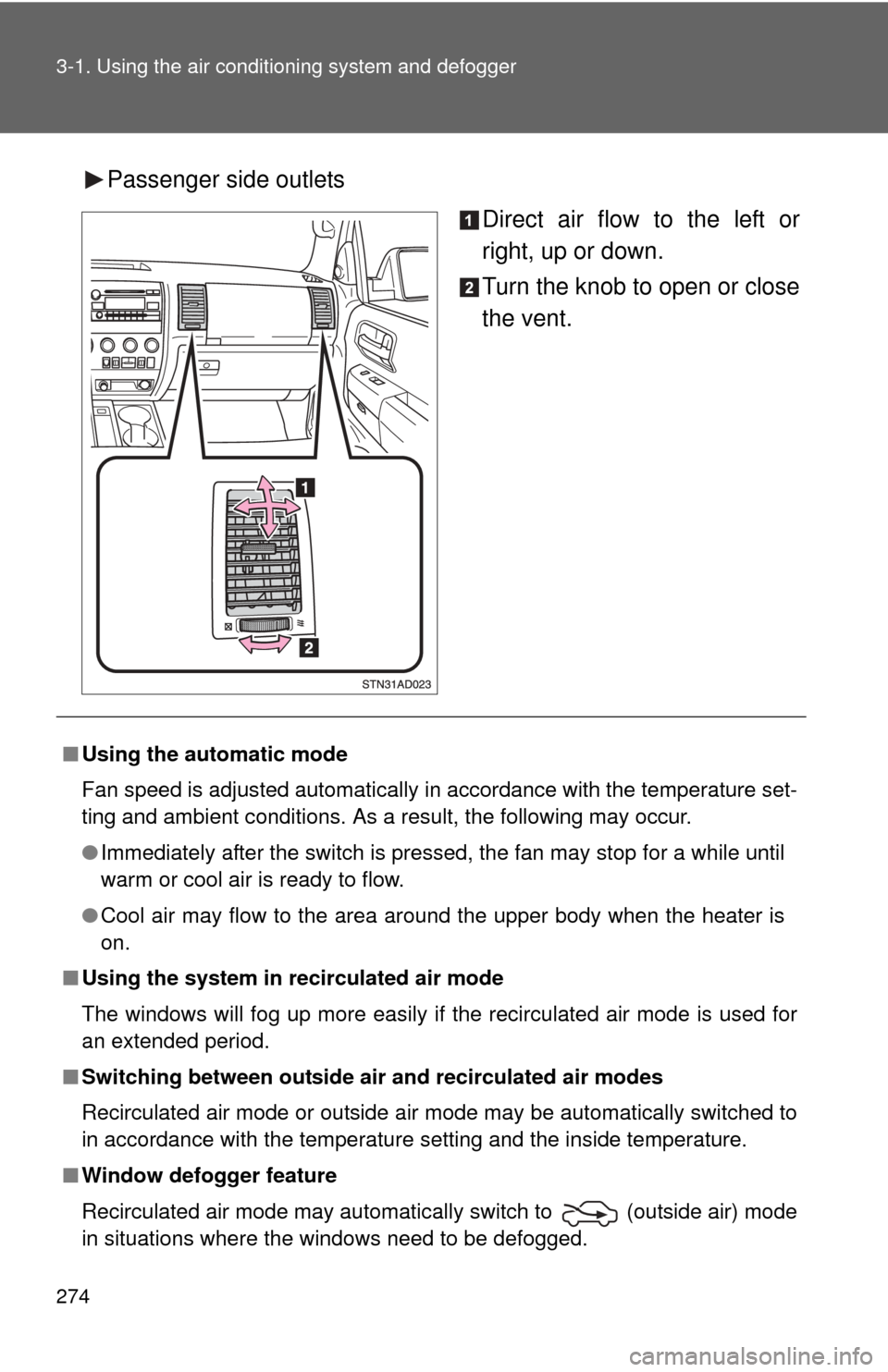
Passenger side outlets
Direct air flow to the left or
right, up or down.
Turn the knob to open or close
the vent.
■Using the automatic mode
Fan speed is adjusted automatically in accordance with the temperature set-
ting and ambient conditions. As a result, the following may occur.
●Immediately after the switch is pressed, the fan may stop for a while until
warm or cool air is ready to flow.
● Cool air may flow to the area around the upper body when the heater is
on.
■ Using the system in recirculated air mode
The windows will fog up more easily if the recirculated air mode is used for
an extended period.
■ Switching between outside air and recirculated air modes
Recirculated air mode or outside air mode may be automatically switched to
in accordance with the temperature setting and the inside temperature.
■ Window defogger feature
Recirculated air mode may automatically switch to
(outside air) mode
in situations where the windows need to be defogged.
Page 276 of 660
276
3-1. Using the air conditioning system and defogger
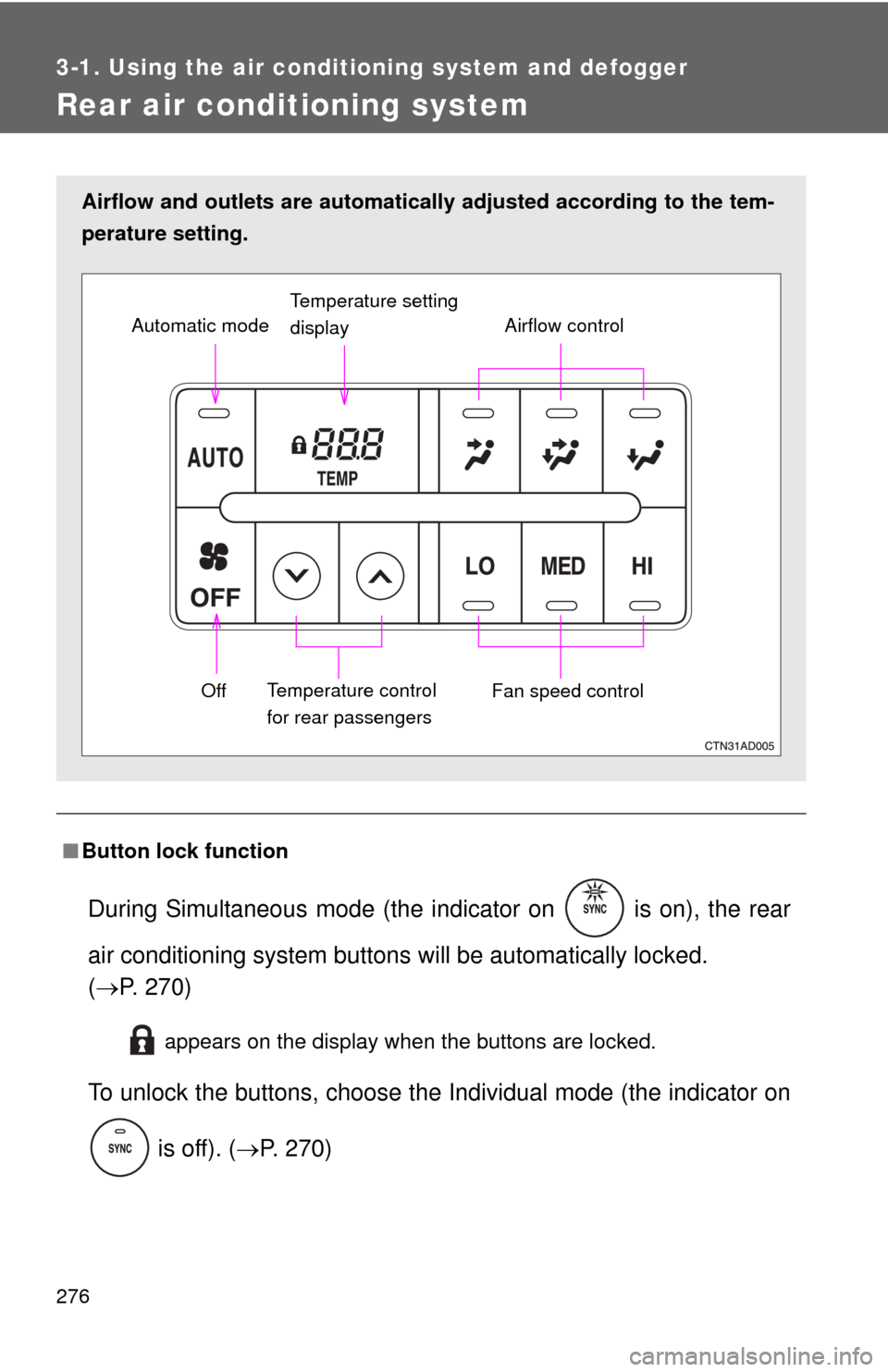
Rear air conditioning system
■Button lock function
During Simultaneous mode (the indicator on is on), the rear
air conditioning system button s will be automatically locked.
( P. 270)
appears on the display when the buttons are locked.
To unlock the buttons, c hoose the Individual mode (the indicator on
is off). ( P. 270)
Airflow and outlets are automatica lly adjusted according to the tem-
perature setting.
Airflow control
Temperature setting
display
Fan speed control
Off
Automatic mode
Temperature control
for rear passengers
Page 465 of 660
465
3-8. Other interior features
3
Interior features
Seatback table
: If equipped
CAUTION
■Caution while driving
Observe the following precautions to avoid death or serious injury.
●Do not set up the seatback table.
● Do not sit on or place anything on the seatback table.
NOTICE
■To prevent damage to the seatback table
Do not put heavy loads on the table.
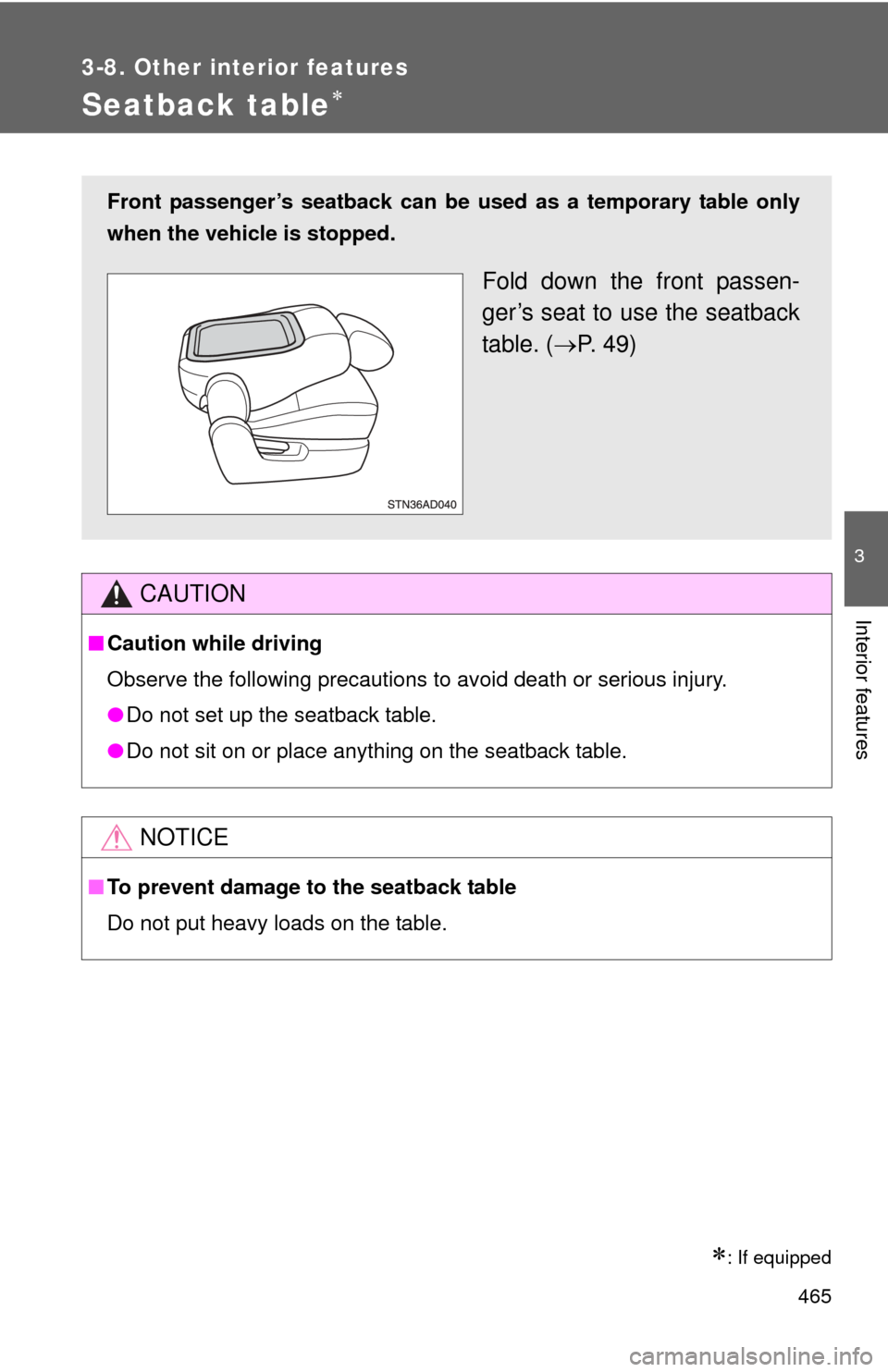
Front passenger’s seatback can be used as a temporary table only
when the vehicle is stopped.
Fold down the front passen-
ger’s seat to use the seatback
table. ( P. 49)
Page 522 of 660
522 4-3. Do-it-yourself maintenance
■Instructions for checking tire inflation pressure
When checking tire inflation pressure, observe the following:
●Check only when the tires are cold.
If your vehicle has been parked for at least 3 hours and has not been
driven for more than 1 mile or 1.5 km, you will get an accurate cold
tire inflation pressure reading.
●Always use a tire pressure gauge.
The appearance of the tire can be mi sleading. In addition, tire infla-
tion pressures that are even just a few pounds off can degrade ride
and handling.
●Do not bleed or reduce tire inflation pressure after driving. It is normal
for the tire inflation pressure to be higher after driving.
●Never exceed the vehicle capacity weight.
Passengers and luggage weight should be placed so that the vehicle
is balanced.
CAUTION
■Proper inflation is critical to save tire performance
Keep your tires properly inflated.
Otherwise, the following conditions may occur and result in an accident
causing death or serious injury.
●Excessive wear
●Uneven wear
●Poor handling
●Possibility of blowouts resu lting from overheated tires
●Poor sealing of the tire bead
●Wheel deformation and/or tire separation
●A greater possibility of tire damage from road hazards
Page 538 of 660
538 4-3. Do-it-yourself maintenance
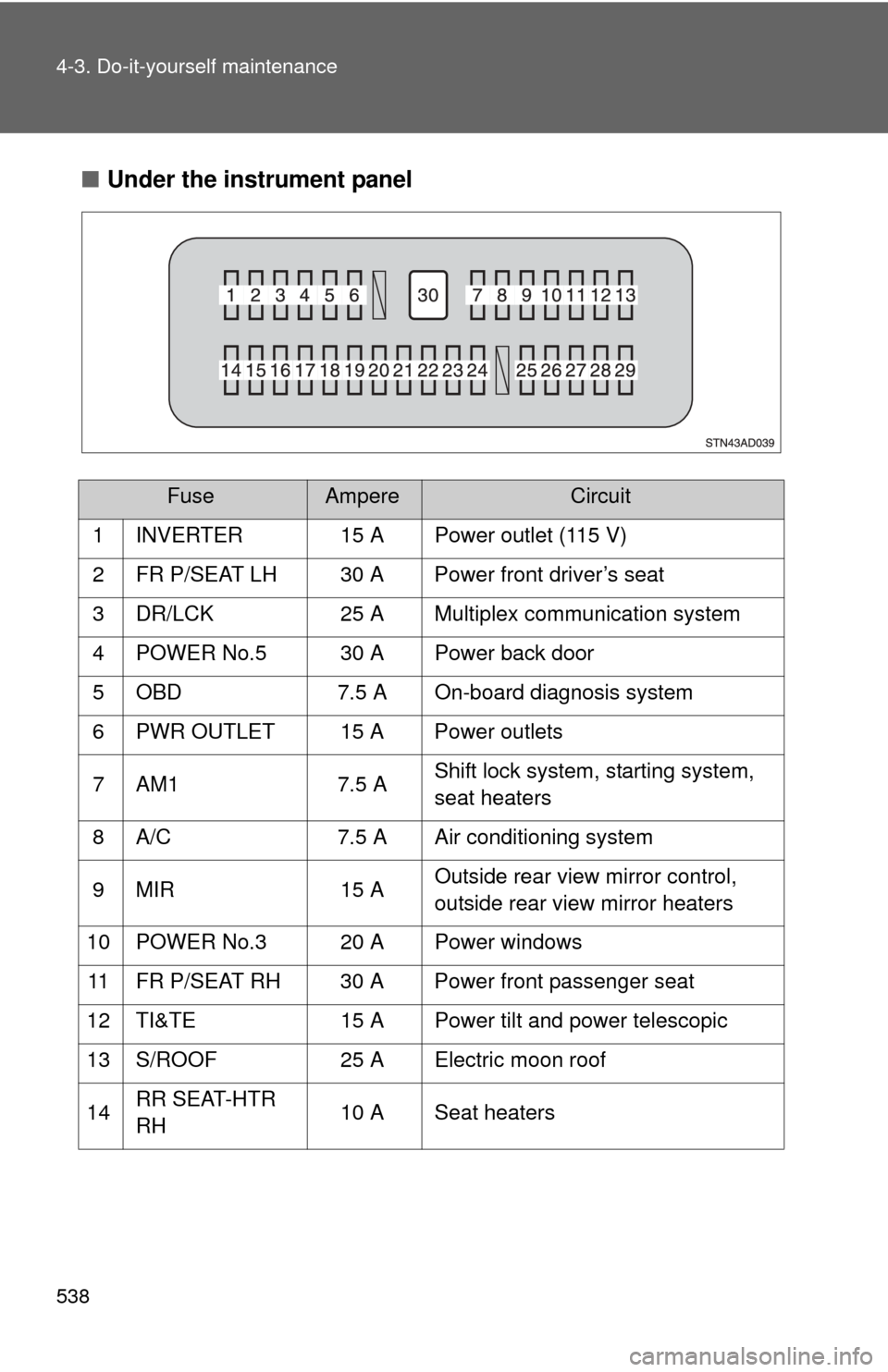
■Under the instrument panel
FuseAmpereCircuit
1 INVERTER 15 A Power outlet (115 V)
2 FR P/SEAT LH 30 A Power front driver’s seat
3 DR/LCK 25 A Multiplex communication system
4 POWER No.5 30 A Power back door
5 OBD 7.5 A On-board diagnosis system
6 PWR OUTLET 15 A Power outlets
7 AM1 7.5 A Shift lock system, starting system,
seat heaters
8 A/C 7.5 A Air conditioning system
9 MIR 15 A Outside rear view mirror control,
outside rear view mirror heaters
10 POWER No.3 20 A Power windows
11 FR P/SEAT RH 30 A Power front passenger seat
12 TI&TE 15 A Power tilt and power telescopic
13 S/ROOF 25 A Electric moon roof
14 RR SEAT-HTR
RH 10 A Seat heaters
Page 564 of 660
564
5-1. Essential information
Event data recorder
In a crash or a near car crash eventThe SRS airbag sensor assembly contains the EDR. In a crash or a
near car crash event, this device may record some or all of the follow-
ing information:
● Engine speed
● Whether the brake pedal was applied or not
● Vehicle speed
● To what extent the accelerator pedal was depressed
● Position of the transmission shift lever
● Whether the driver and front passenger wore seat belts or not
● Driver’s seat position
● SRS airbag deployment data
● SRS airbag system diagnostic data
● Front passenger’s occupant classification
The information above is intended to be used for the purpose of
improving vehicle safety performan ce. Unlike general data recorders,
the EDR does not record sound data such as conversation between
passengers.
Your vehicle has computers that monitor and control certain aspects
of your vehicle. These computers assi st in driving and maintaining
optimal vehicle performance.
Besides storing data useful for tr oubleshooting, there is an event
data recorder (EDR) that records data in a crash or a near car
crash event.
Page 567 of 660
5
When trouble arises
567
5-2. Steps to take in an emergency
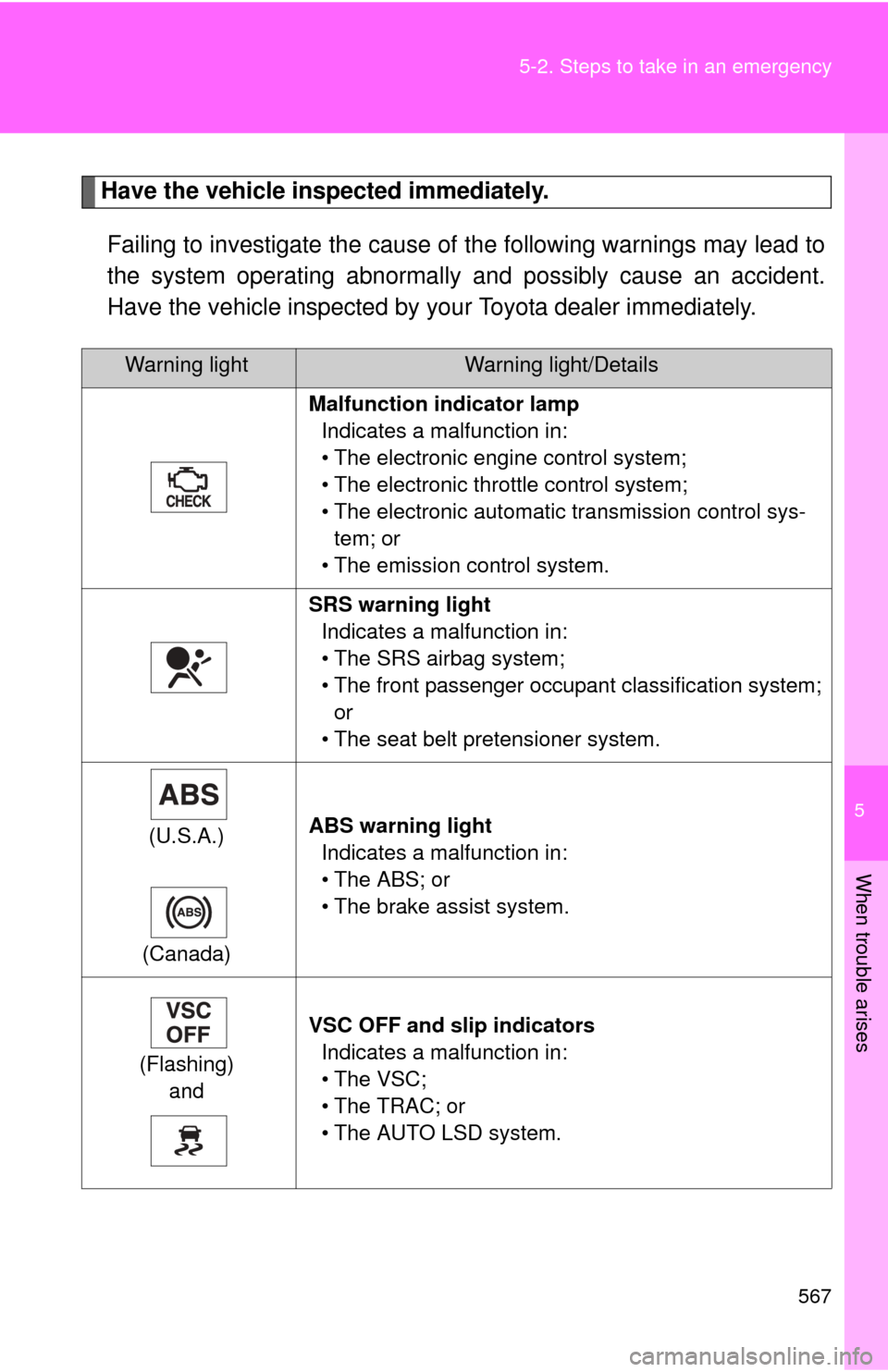
Have the vehicle inspected immediately.
Failing to investigate the cause of the following warnings may lead to
the system operating abnormally and possibly cause an accident.
Have the vehicle inspected by your Toyota dealer immediately.
Warning lightWarning light/Details
Malfunction indicator lamp Indicates a malfunction in:
• The electronic engine control system;
• The electronic throttle control system;
• The electronic automatic transmission control sys-tem; or
• The emission control system.
SRS warning light Indicates a malfunction in:
• The SRS airbag system;
• The front passenger occupant classification system; or
• The seat belt pretensioner system.
(U.S.A.)
(Canada) ABS warning light
Indicates a malfunction in:
• The ABS; or
• The brake assist system.
(Flashing) and VSC OFF and slip indicators
Indicates a malfunction in:
• The VSC;
• The TRAC; or
• The AUTO LSD system.