table of contents TOYOTA SEQUOIA 2010 2.G Owners Manual
[x] Cancel search | Manufacturer: TOYOTA, Model Year: 2010, Model line: SEQUOIA, Model: TOYOTA SEQUOIA 2010 2.GPages: 660, PDF Size: 12.29 MB
Page 1 of 660
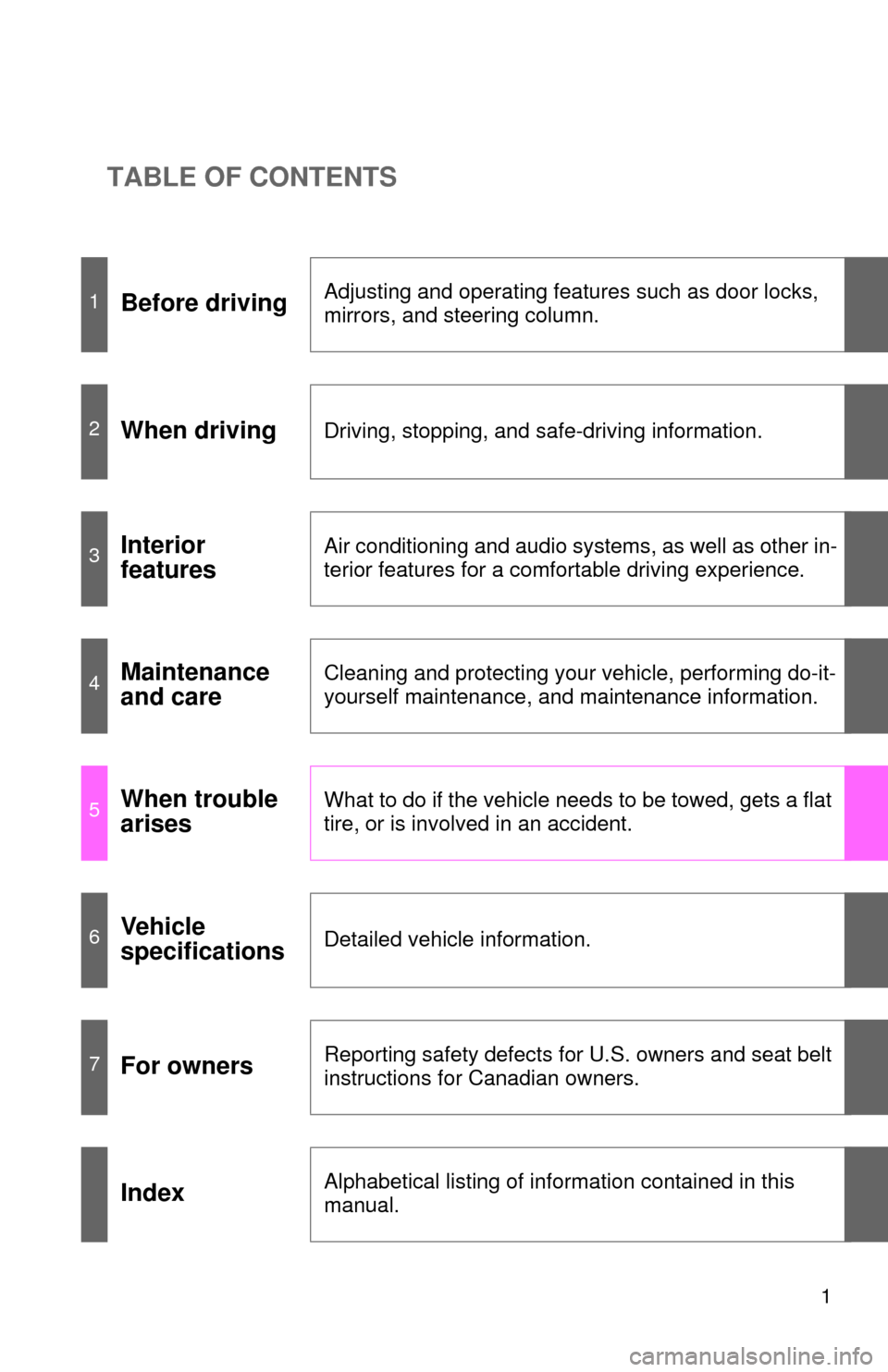
TABLE OF CONTENTS
1
1Before drivingAdjusting and operating features such as door locks,
mirrors, and steering column.
2When drivingDriving, stopping, and safe-driving information.
3Interior
featuresAir conditioning and audio systems, as well as other in-
terior features for a comfortable driving experience.
4Maintenance
and careCleaning and protecting your vehicle, performing do-it-
yourself maintenance, and maintenance information.
5When trouble
arisesWhat to do if the vehicle needs to be towed, gets a flat
tire, or is involved in an accident.
6Vehicle
specificationsDetailed vehicle information.
7For ownersReporting safety defects for U.S. owners and seat belt
instructions for Canadian owners.
IndexAlphabetical listing of information contained in this
manual.
Page 2 of 660

TABLE OF CONTENTSIndex
2
1-1. Key informationKeys ..................................... 32
1-2. Opening, closing and locking the doors
Wireless remote control ....... 33
Side doors ............................ 37
Back door ............................. 42
1-3. Adjustable components (seats, mirrors, steering
wheel)
Front seats ........................... 47
Rear seats ............................ 51
Driving position memory (driver’s seat) ..................... 61
Head restraints ..................... 64
Seat belts ............................. 68
Steering wheel (manually adjustable type) .................. 78
Steering wheel (power-adjustable type)...... 79
Anti-glare inside rear view mirror .................................. 80
Outside rear view mirrors ..... 83
Roof luggage carrier............. 87
1-4. Opening and closing the windows and moon roof
Power windows .................... 89
Power back window ............. 91
Moon roof ............................. 93 1-5. Refueling
Opening the fuel tank cap..... 96
1-6. Theft deterrent system Engine immobilizer system .............................. 101
Alarm .................................. 103
1-7. Safety information Correct driving posture ....... 106
SRS airbags ....................... 108
Front passenger occupant classification system ......... 121
Child restraint systems ....... 126
Installing child restraints ..... 130
2-1. Driving procedures Driving the vehicle .............. 144
Engine (ignition) switch....... 153
Automatic
transmission........ 156
Turn signal lever ................. 160
Parking brake ..................... 161
Horn .................................... 162
2-2. Instrument cluster Gauges and meters ............ 163
Indicators and warning lights ................................. 168
Multi-information display ..... 173
Accessory meter ................. 179
1Before driving
2When driving
Page 4 of 660

TABLE OF CONTENTSIndex
4
3-3. Using the Bluetooth® audio
system
Bluetooth
® audio system .... 336
Using the Bluetooth®
audio system .................... 339
Operating a Bluetooth
®
enabled portable player ... 344
Setting up a Bluetooth
®
enabled portable player ... 346
Bluetooth
® audio system
setup ................................ 351
3-4. Using the rear audio/video system
Rear seat entertainment system .............................. 352
Using the DVD player (DVD video)...................... 360
Using the DVD player (video CD) ........................ 369
Using the DVD player (audio CD/CD text) ........... 372
Using the DVD player (MP3 discs) ...................... 374
Using the video mode ........ 377
Changing the Setup Menu settings ............................. 379 3-5. Using the hands-free phone
system (for cellular phone)
Hands-free phone system features ............................ 387
Using the hands-free phone system ................... 391
Making a phone call............ 400
Setting a cellular phone ...... 404
Security and system setup ................................. 408
Using the phone book......... 411
3-6. Using the interior lights Interior lights list.................. 417
• Personal/interior light main switch ....................... 418
• Personal/interior lights ...... 419
• Interior light ....................... 420
3-7. Using the storage features List of storage features ....... 421
• Glove boxes ..................... 422
• Coin holder ....................... 423
• Front console box ............. 424
• Card holder ....................... 426
• Map holder ....................... 427
• Pen holder ........................ 429
• Tissue pocket ................... 430
• Rear console box ............. 431
• Overhead console ............ 434
• Cup holders ...................... 436
• Bottle holders ................... 440
• Auxiliary boxes ................. 441
Page 6 of 660

TABLE OF CONTENTSIndex
6
5-2. Steps to take in an emergencyIf a warning light turns on or a warning buzzer
sounds... .......................... 566
If a warning message is displayed (vehicles
with multi-information
display) ............................. 575
If you have a flat tire ........... 580
If the engine will not start ... 591
If the shift lever cannot be shifted from P ................... 593
If you lose your keys .......... 594
If the vehicle battery is discharged ....................... 595
If your vehicle overheats .... 598
If the vehicle becomes stuck................................. 601
6-1. Specifications Maintenance data (fuel, oil level, etc.) ........... 604
Fuel information ................. 617
Tire information .................. 621
6-2. Customization Customizable features ....... 632
Items to initialize................. 636 Reporting safety defects
for U.S. owners ................. 638
Seat belt instructions for Canadian owners
(in French) ........................ 639
Abbreviation list ........................ 644
Alphabetical index .................... 646
What to do if... ........................... 654
6Vehicle specifications
7For owners
Index