TOYOTA SEQUOIA 2011 2.G Owners Manual
SEQUOIA 2011 2.G
TOYOTA
TOYOTA
https://www.carmanualsonline.info/img/14/6762/w960_6762-0.png
TOYOTA SEQUOIA 2011 2.G Owners Manual
Page 421 of 688
421
3-5. Using the hand
s-free phone system (for cellular phone)
3
Interior features
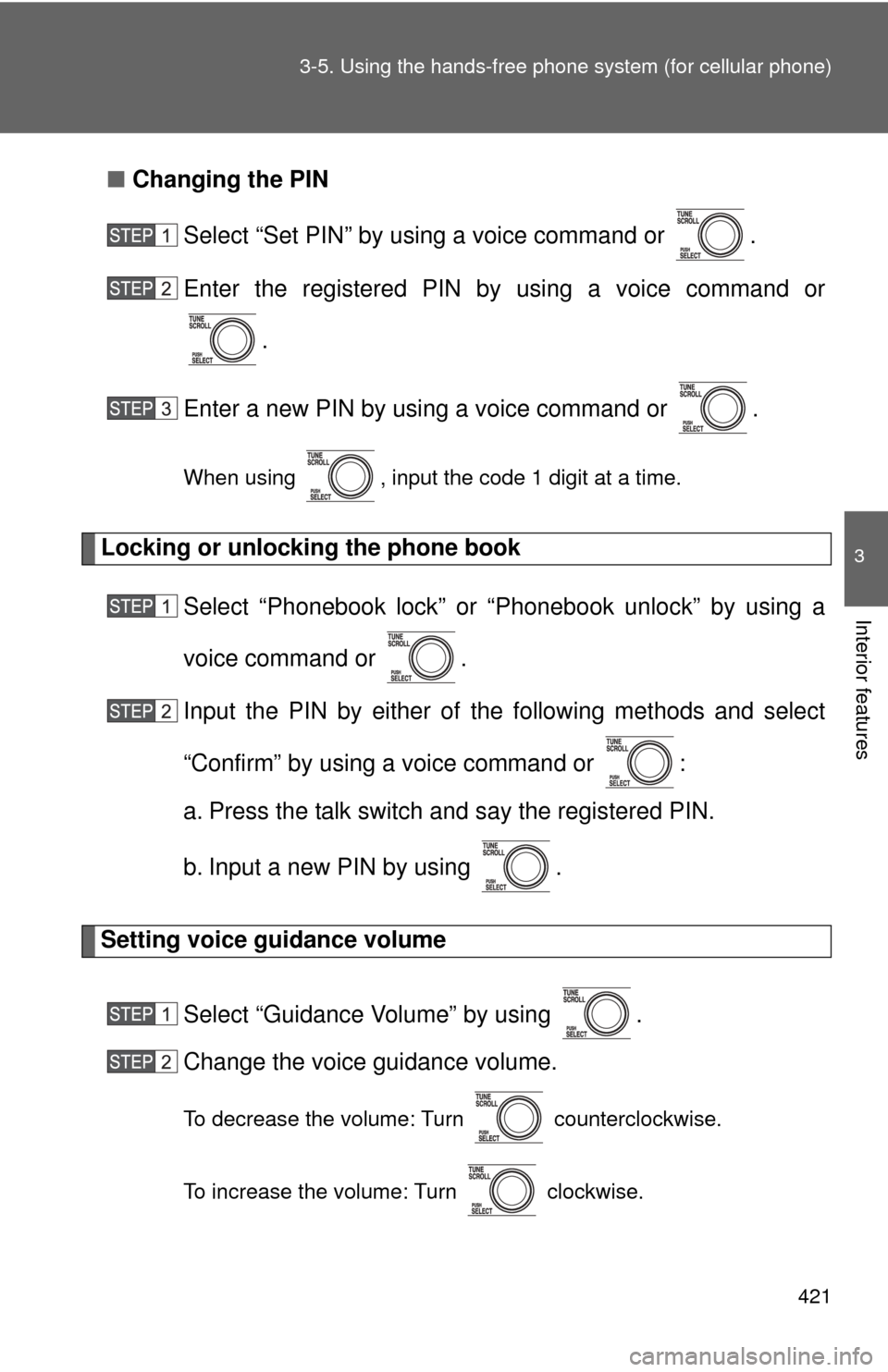
■Changing the PIN
Select “Set PIN” by using a voice command or .
Enter the registered PIN by using a voice command or
.
Enter a new PIN by using a voice command or .
When using , input the code 1 digit at a time.
Locking or unlocking the phone book Select “Phonebook lock” or “Phonebook unlock” by using a
voice command or .
Input the PIN by either of the following methods and select
“Confirm” by using a voice command or :
a. Press the talk switch and say the registered PIN.
b. Input a new PIN by using .
Setting voice guidance volume
Select “Guidance Volume” by using .
Change the voice guidance volume.
To decrease the volume: Turn counterclockwise.
To increase the volume: Turn clockwise.
Page 422 of 688
422 3-5. Using the hands-free phone system (for cellular phone)
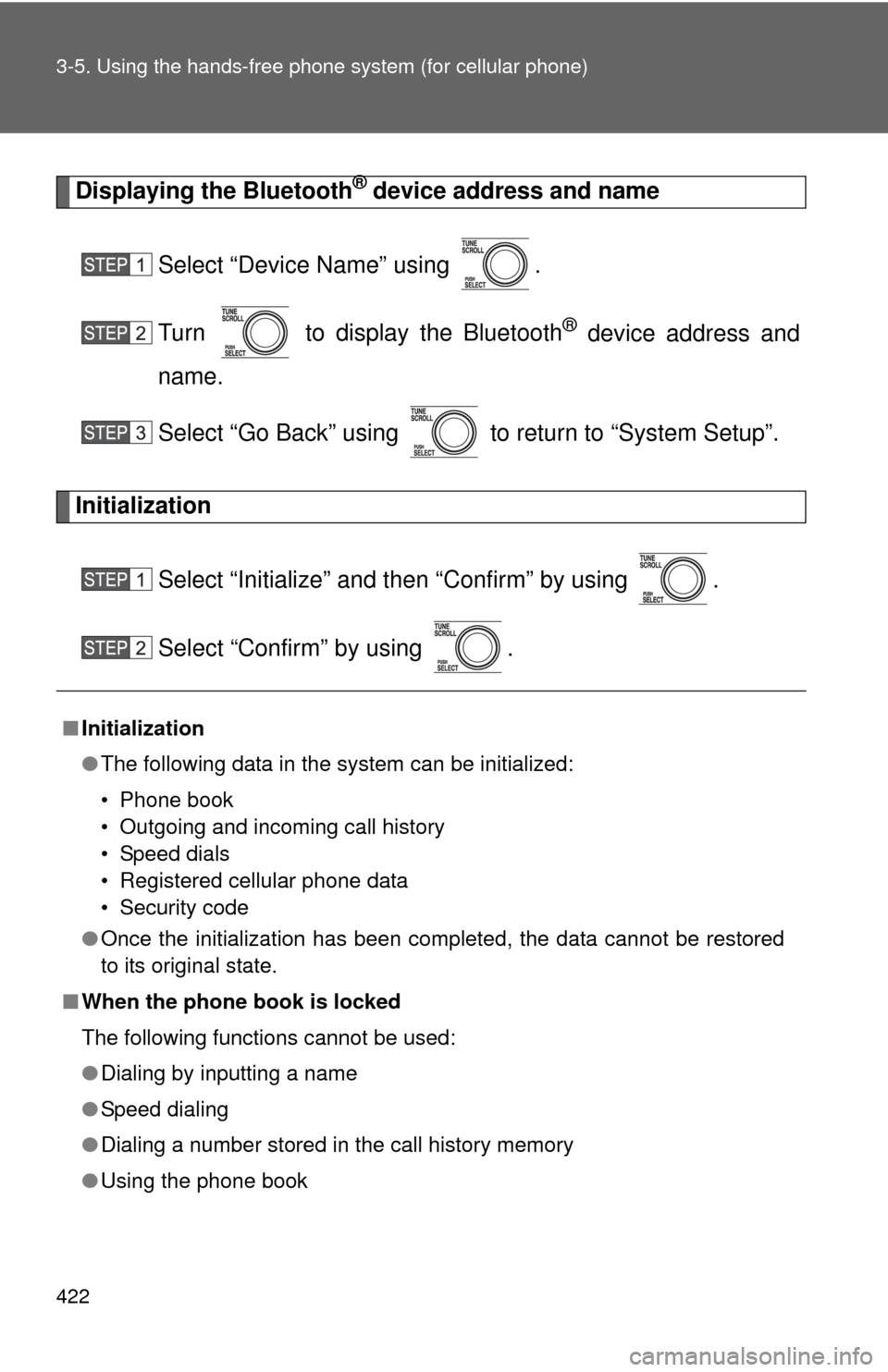
Displaying the Bluetooth® device address and name
Select “Device Name” using .
Turn to display the Bluetooth
® device address and
name.
Select “Go Back” using to return to “System Setup”.
Initialization
Select “Initialize” and then “Confirm” by using .
Select “Confirm” by using .
■Initialization
●The following data in the system can be initialized:
• Phone book
• Outgoing and incoming call history
• Speed dials
• Registered cellular phone data
• Security code
● Once the initialization has been completed, the data cannot be restored
to its original state.
■ When the phone book is locked
The following functions cannot be used:
●Dialing by inputting a name
● Speed dialing
● Dialing a number stored in the call history memory
● Using the phone book
Page 429 of 688
429
3
Interior features
3-6. Using the interior lights
Interior lights list
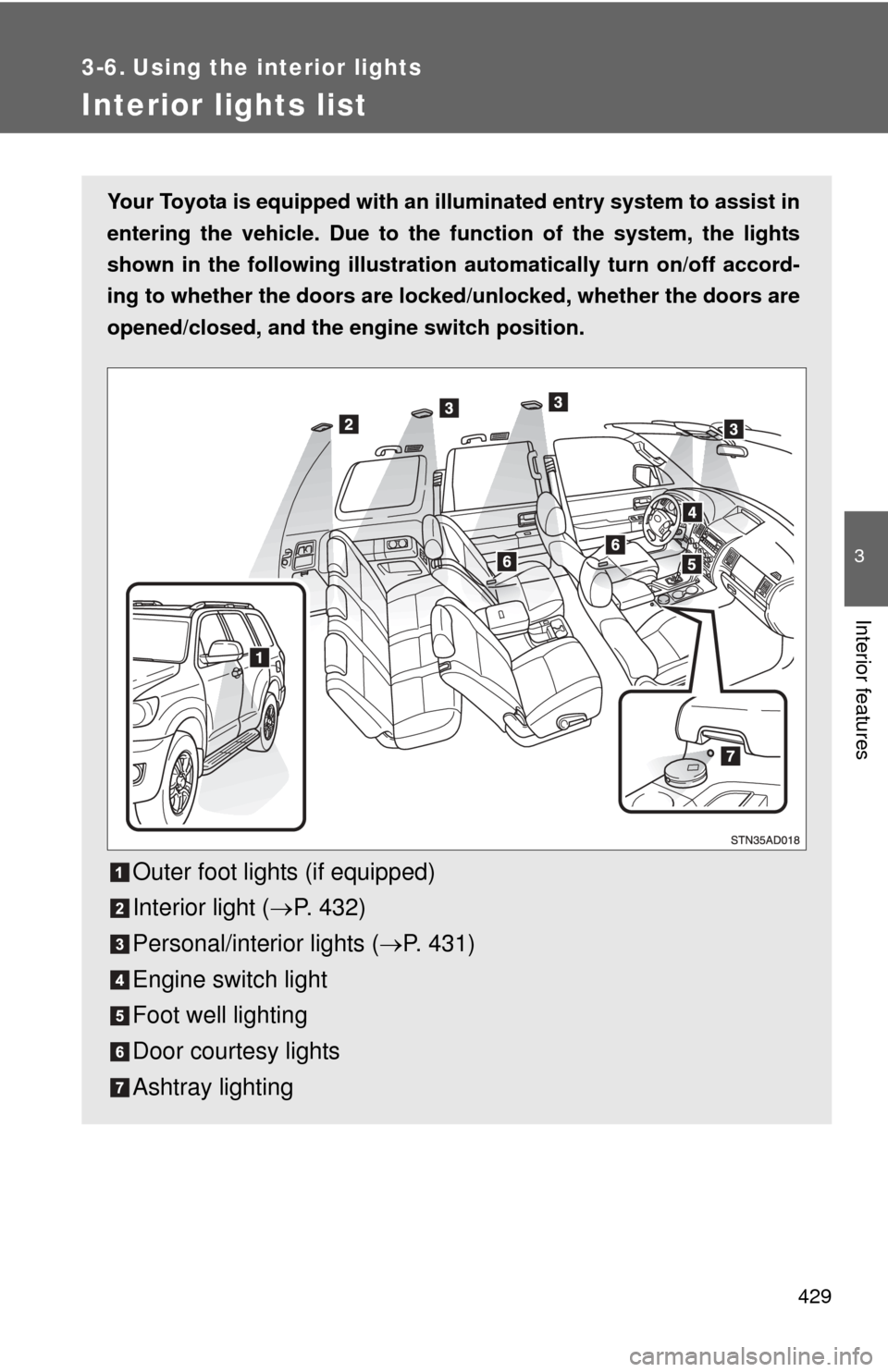
Your Toyota is equipped with an illuminated entry system to assist in
entering the vehicle. Due to the function of the system, the lights
shown in the following illustration automatically turn on/off accord-
ing to whether the doo rs are locked/unlocked, whether the doors are
opened/closed, and the en gine switch position.
Outer foot lights (if equipped)
Interior light (P. 432)
Personal/interior lights ( P. 431)
Engine switch light
Foot well lighting
Door courtesy lights
Ashtray lighting
Page 434 of 688
434 3-7. Using the storage features
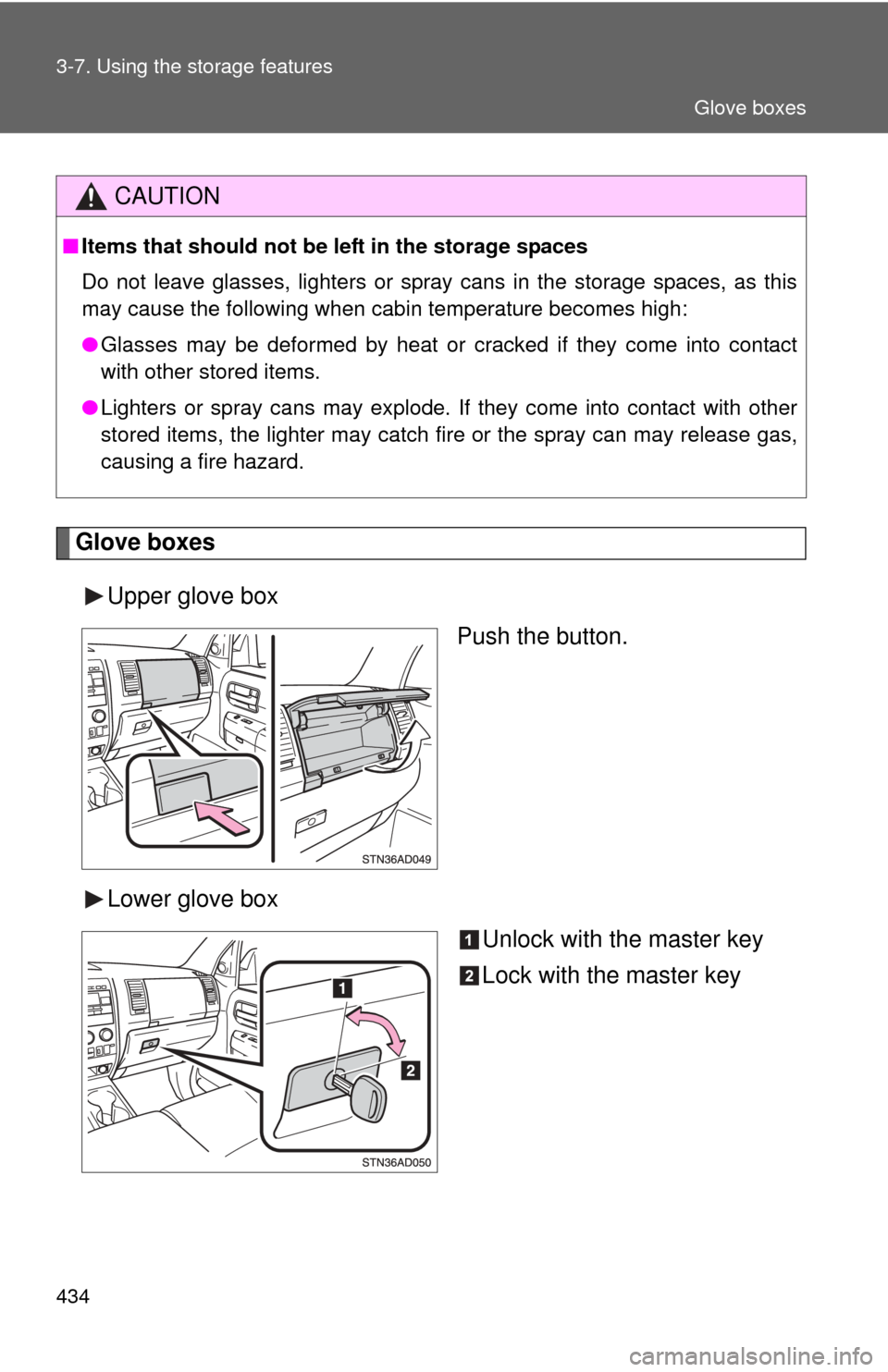
Glove boxesUpper glove box Push the button.
Lower glove box Unlock with the master key
Lock with the master key
CAUTION
■Items that should not be left in the storage spaces
Do not leave glasses, lighters or spray cans in the storage spaces, as this
may cause the following when cabin temperature becomes high:
● Glasses may be deformed by heat or cracked if they come into contact
with other stored items.
● Lighters or spray cans may explode. If they come into contact with other
stored items, the lighter may catch fire or the spray can may release gas,
causing a fire hazard.
Glove boxes
Page 439 of 688
439
3-7. Using the
storage features
3
Interior features
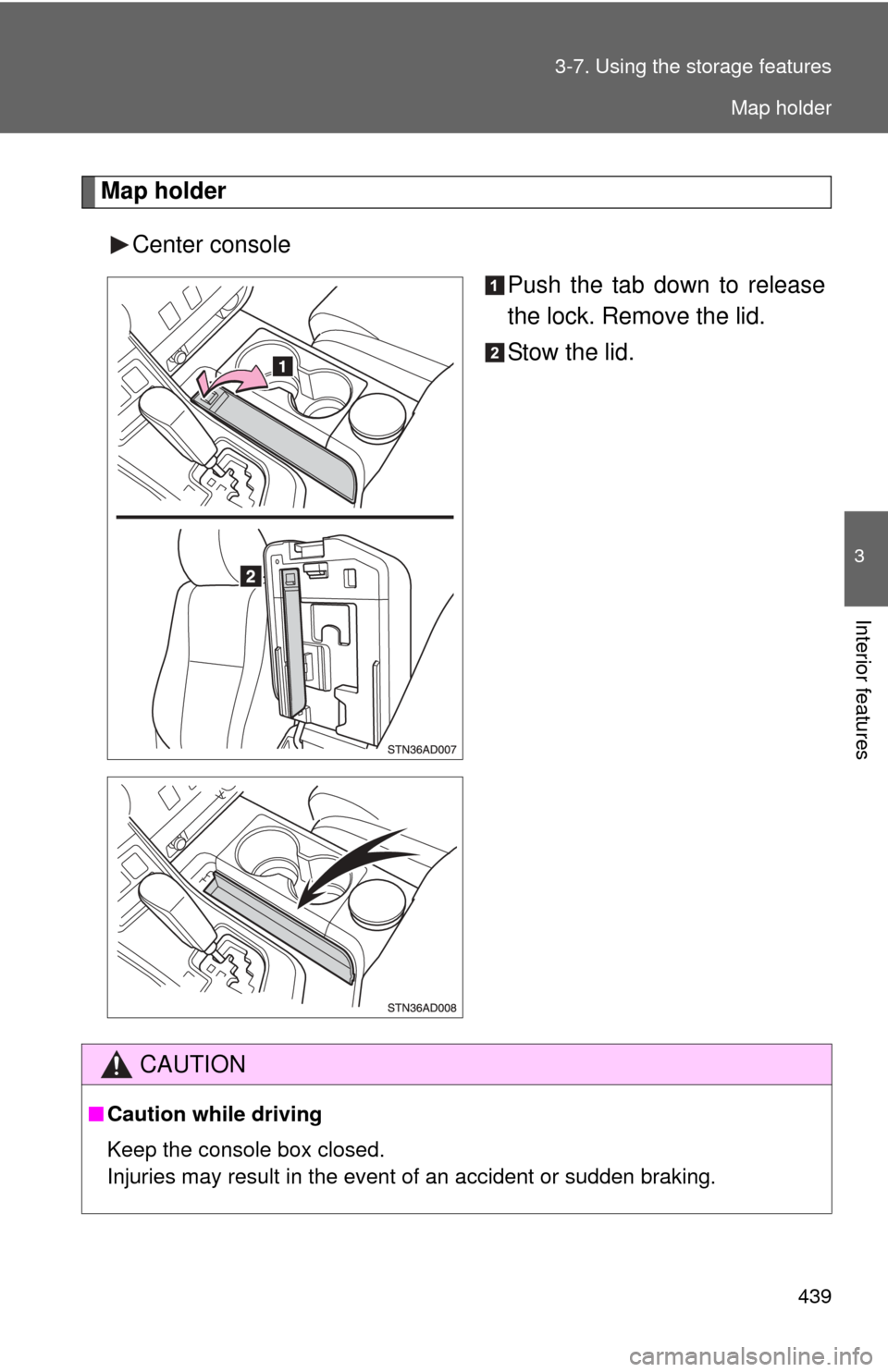
Map holder
Center console Push the tab down to release
the lock. Remove the lid.
Stow the lid.
CAUTION
■Caution while driving
Keep the console box closed.
Injuries may result in the event of an accident or sudden braking.
Map holder
Page 446 of 688
446 3-7. Using the storage features
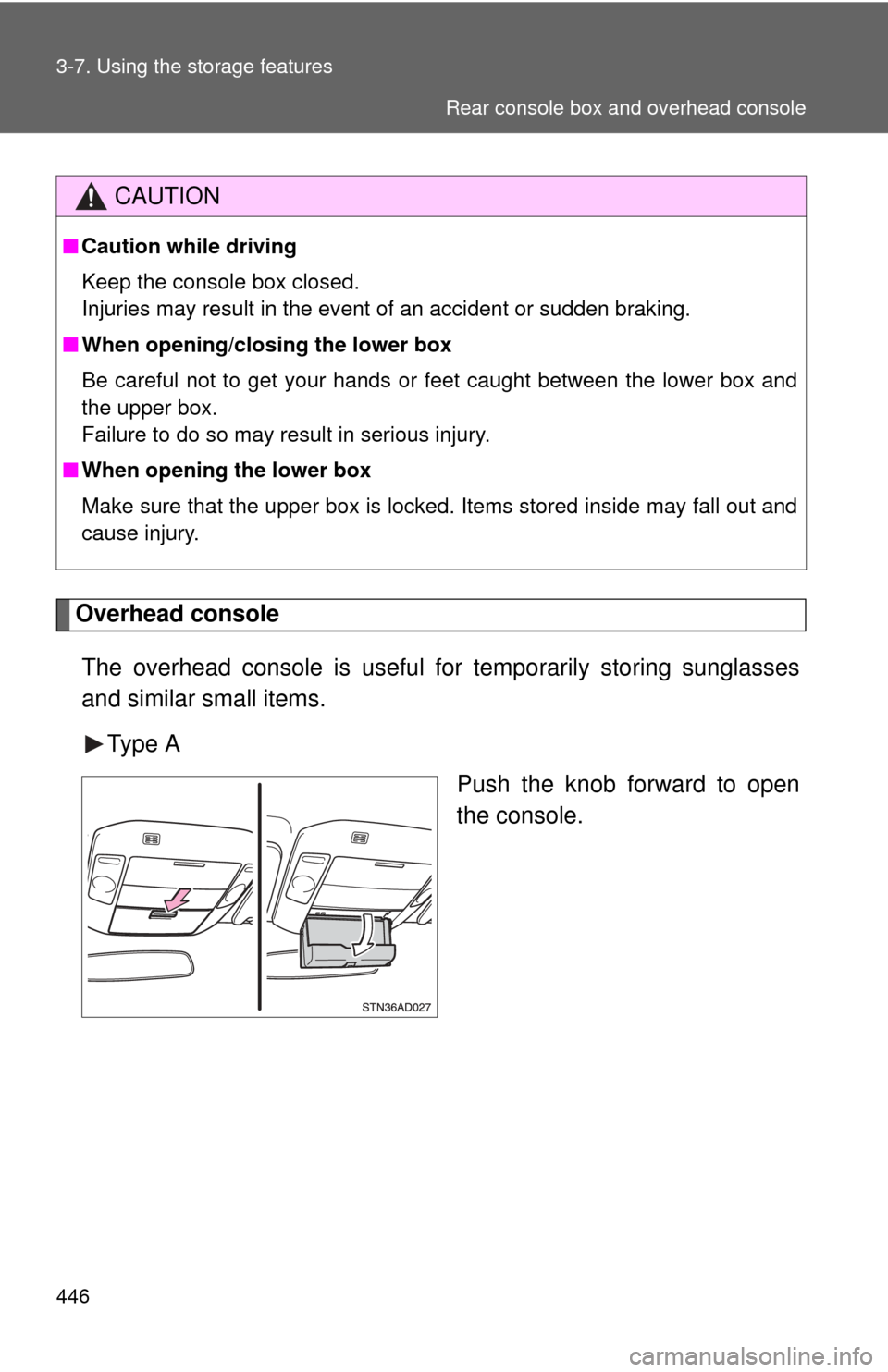
Overhead consoleThe overhead console is useful for temporarily storing sunglasses
and similar small items.
Type A Push the knob forward to open
the console.
CAUTION
■Caution while driving
Keep the console box closed.
Injuries may result in the event of an accident or sudden braking.
■ When opening/closing the lower box
Be careful not to get your hands or feet caught between the lower box and
the upper box.
Failure to do so may result in serious injury.
■ When opening the lower box
Make sure that the upper box is locked. Items stored inside may fall out and
cause injury.
Rear console box and overhead console
Page 449 of 688
449
3-7. Using the
storage features
3
Interior features
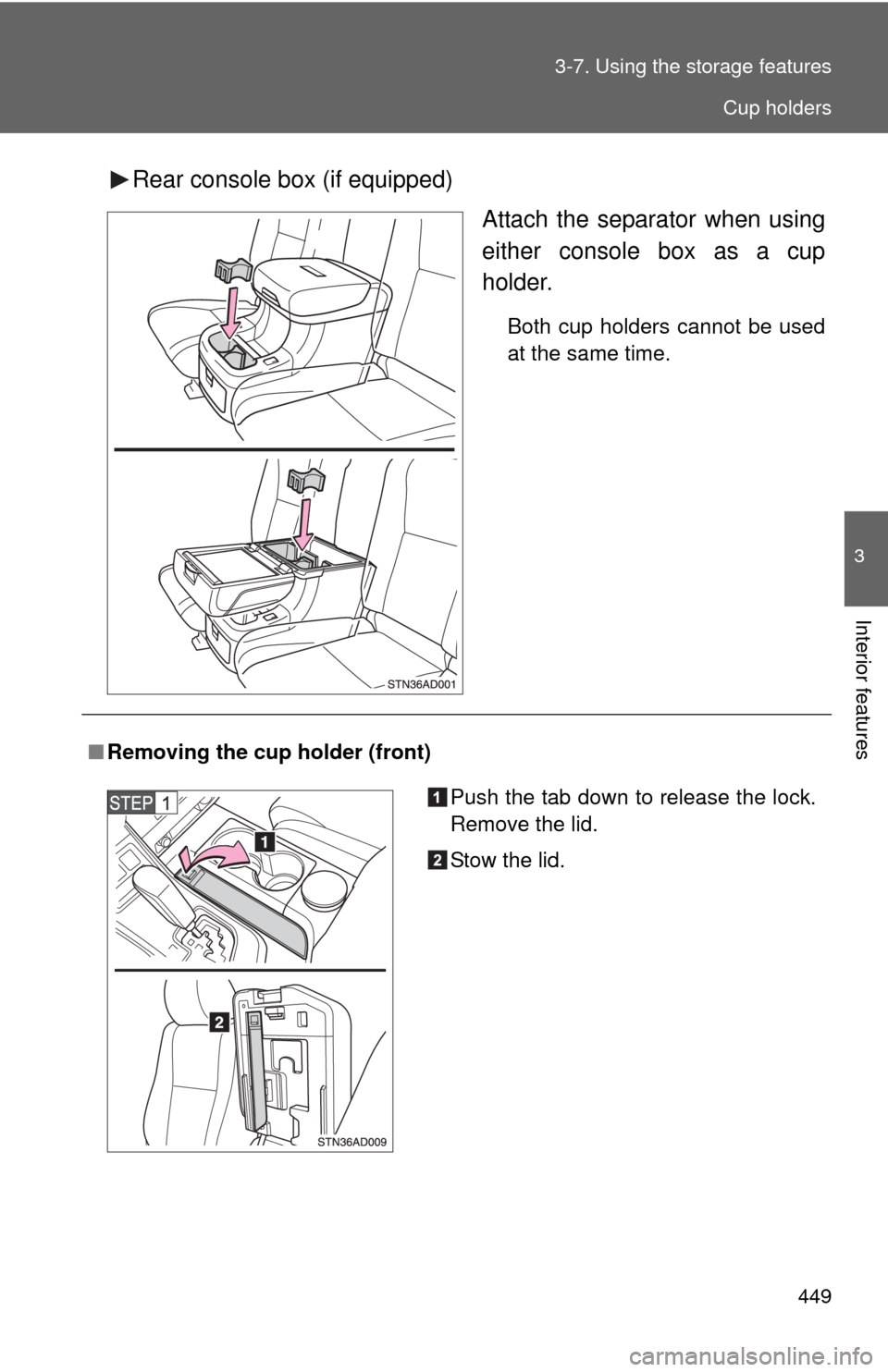
Rear console box (if equipped)
Attach the separator when using
either console box as a cup
holder.
Both cup holders cannot be used
at the same time.
■Removing the cup holder (front)
Push the tab down to release the lock.
Remove the lid.
Stow the lid.
Cup holders
Page 454 of 688
454 3-7. Using the storage features
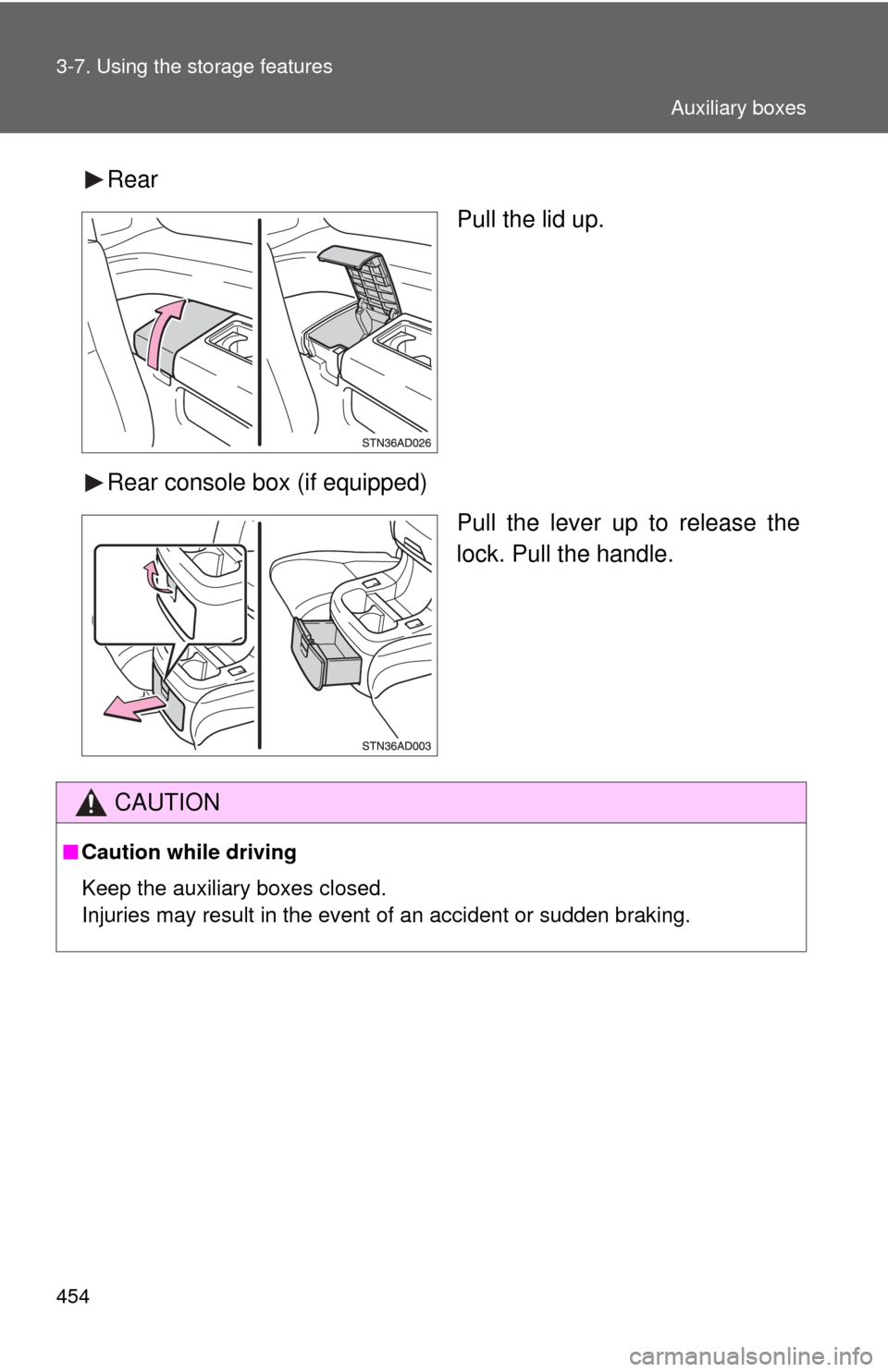
RearPull the lid up.
Rear console box (if equipped) Pull the lever up to release the
lock. Pull the handle.
CAUTION
■Caution while driving
Keep the auxiliary boxes closed.
Injuries may result in the event of an accident or sudden braking.
Auxiliary boxes
Page 457 of 688
457
3-8. Other interior features
3
Interior features
Clock
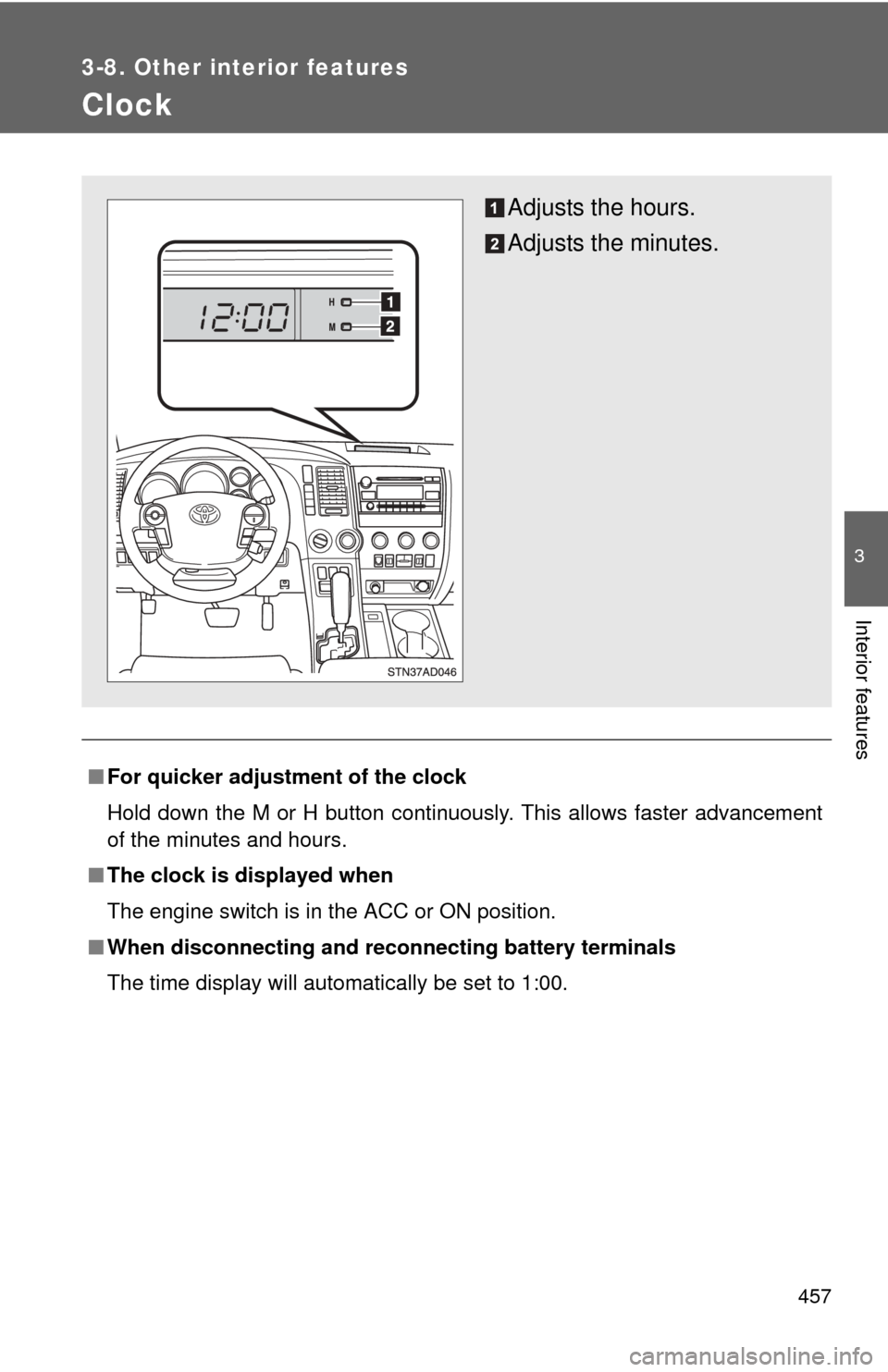
■For quicker adjustme nt of the clock
Hold down the M or H button continuously. This allows faster advancement
of the minutes and hours.
■ The clock is displayed when
The engine switch is in the ACC or ON position.
■ When disconnecting and reco nnecting battery terminals
The time display will automatically be set to 1:00.
Adjusts the hours.
Adjusts the minutes.
Page 464 of 688
464 3-8. Other interior features
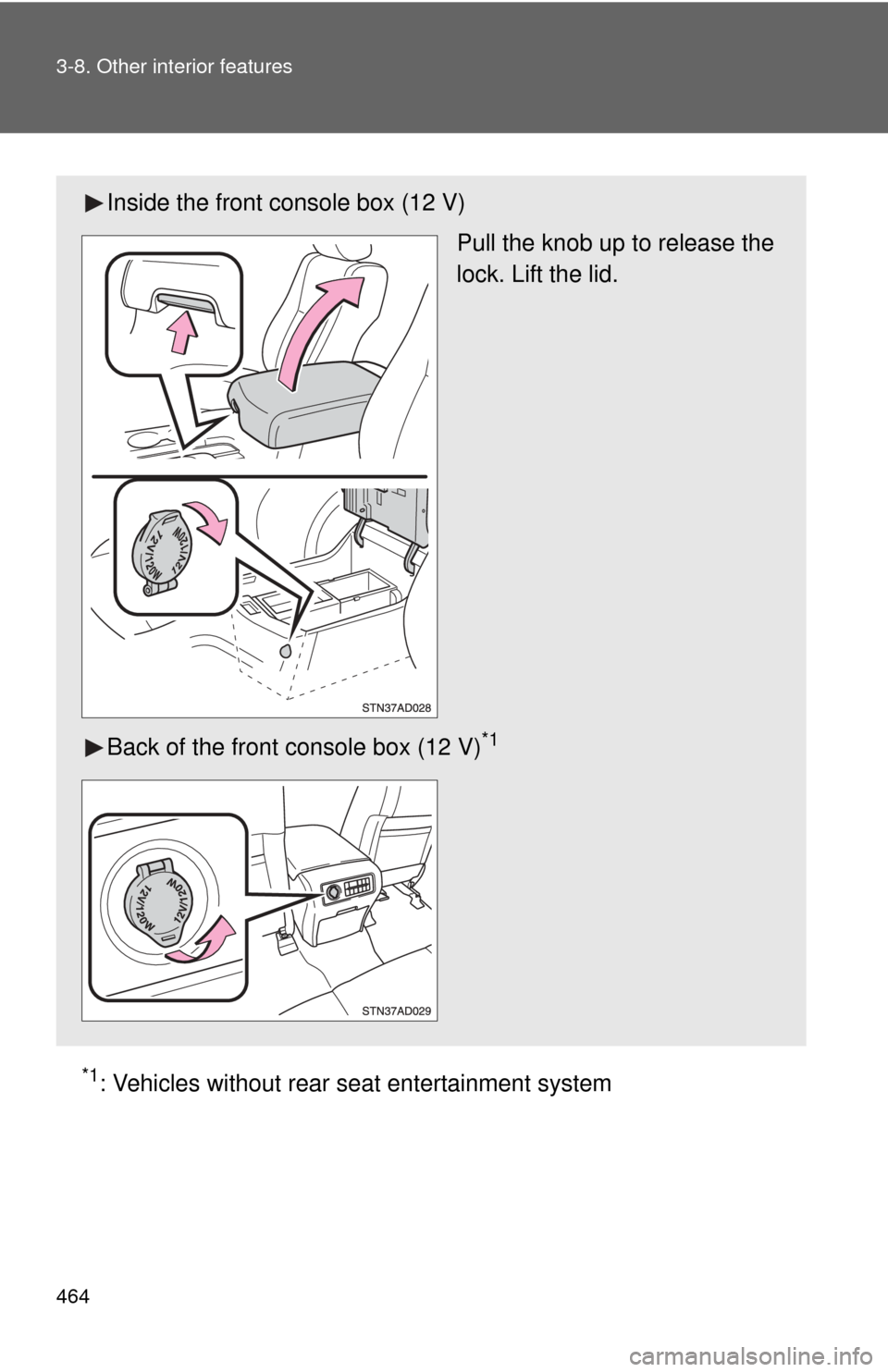
*1: Vehicles without rear seat entertainment system
Inside the front console box (12 V)
Pull the knob up to release the
lock. Lift the lid.
Back of the front console box (12 V)
*1