warning light TOYOTA SEQUOIA 2011 2.G User Guide
[x] Cancel search | Manufacturer: TOYOTA, Model Year: 2011, Model line: SEQUOIA, Model: TOYOTA SEQUOIA 2011 2.GPages: 688, PDF Size: 14.76 MB
Page 147 of 688
When driving2
147
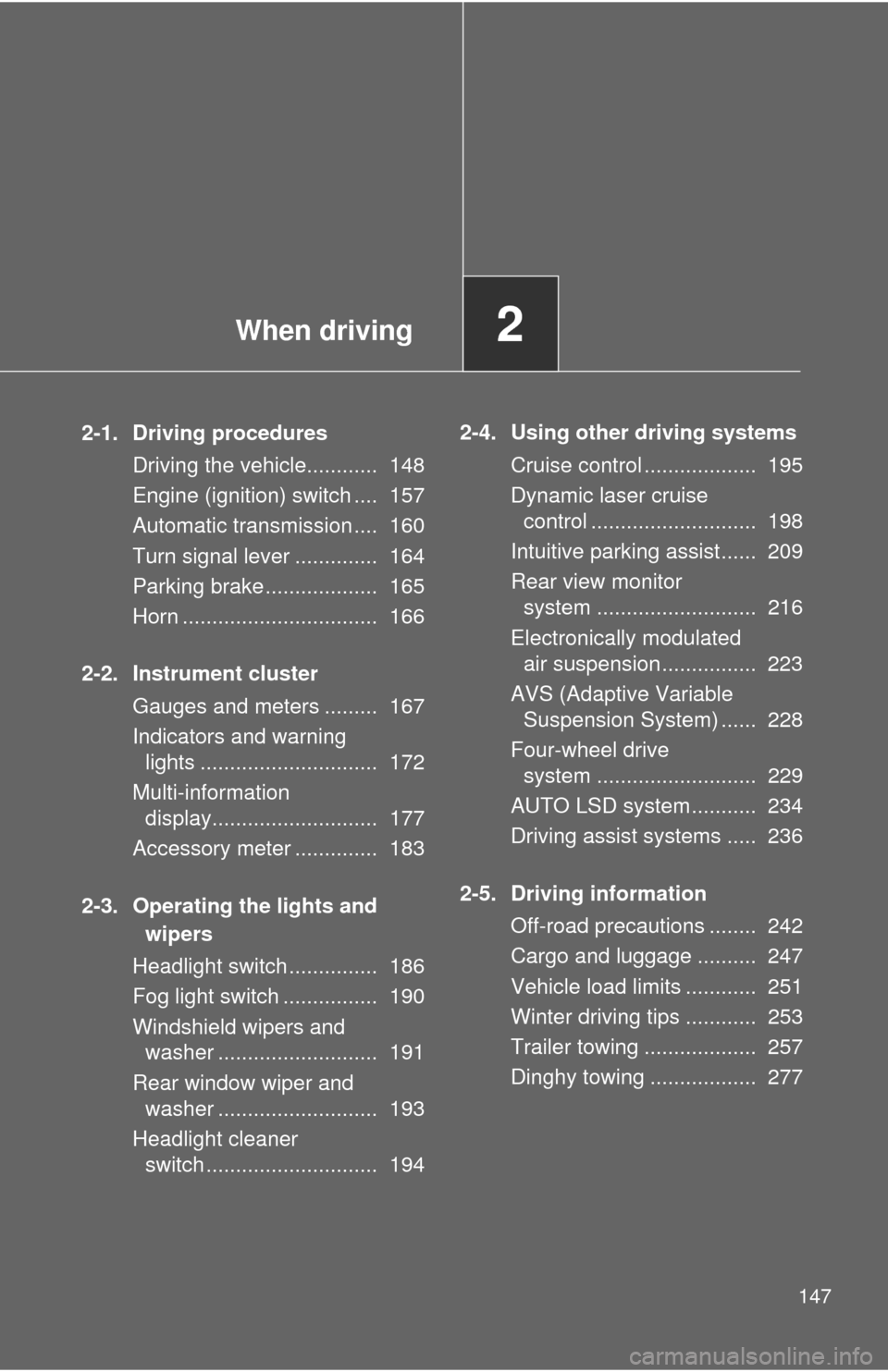
2-1. Driving proceduresDriving the vehicle............ 148
Engine (ignition) switch .... 157
Automatic transmission .... 160
Turn signal lever .............. 164
Parking brake ................... 165
Horn ................................. 166
2-2. Instrument cluster Gauges and meters ......... 167
Indicators and warninglights .............................. 172
Multi-information display............................ 177
Accessory meter .............. 183
2-3. Operating the lights and wipers
Headlight switch ............... 186
Fog light switch ................ 190
Windshield wipers and washer ........................... 191
Rear window wiper and washer ........................... 193
Headlight cleaner switch ............................. 194 2-4. Using other driving systems
Cruise control ................... 195
Dynamic laser cruisecontrol ............................ 198
Intuitive parking assist...... 209
Rear view monitor system ........................... 216
Electronically modulated air suspension ................ 223
AVS (Adaptive Variable Suspension System) ...... 228
Four-wheel drive system ........................... 229
AUTO LSD system........... 234
Driving assist systems ..... 236
2-5. Driving information Off-road precautions ........ 242
Cargo and luggage .......... 247
Vehicle load limits ............ 251
Winter driving tips ............ 253
Trailer towing ................... 257
Dinghy towing .................. 277
Page 172 of 688
172
2-2. Instrument cluster
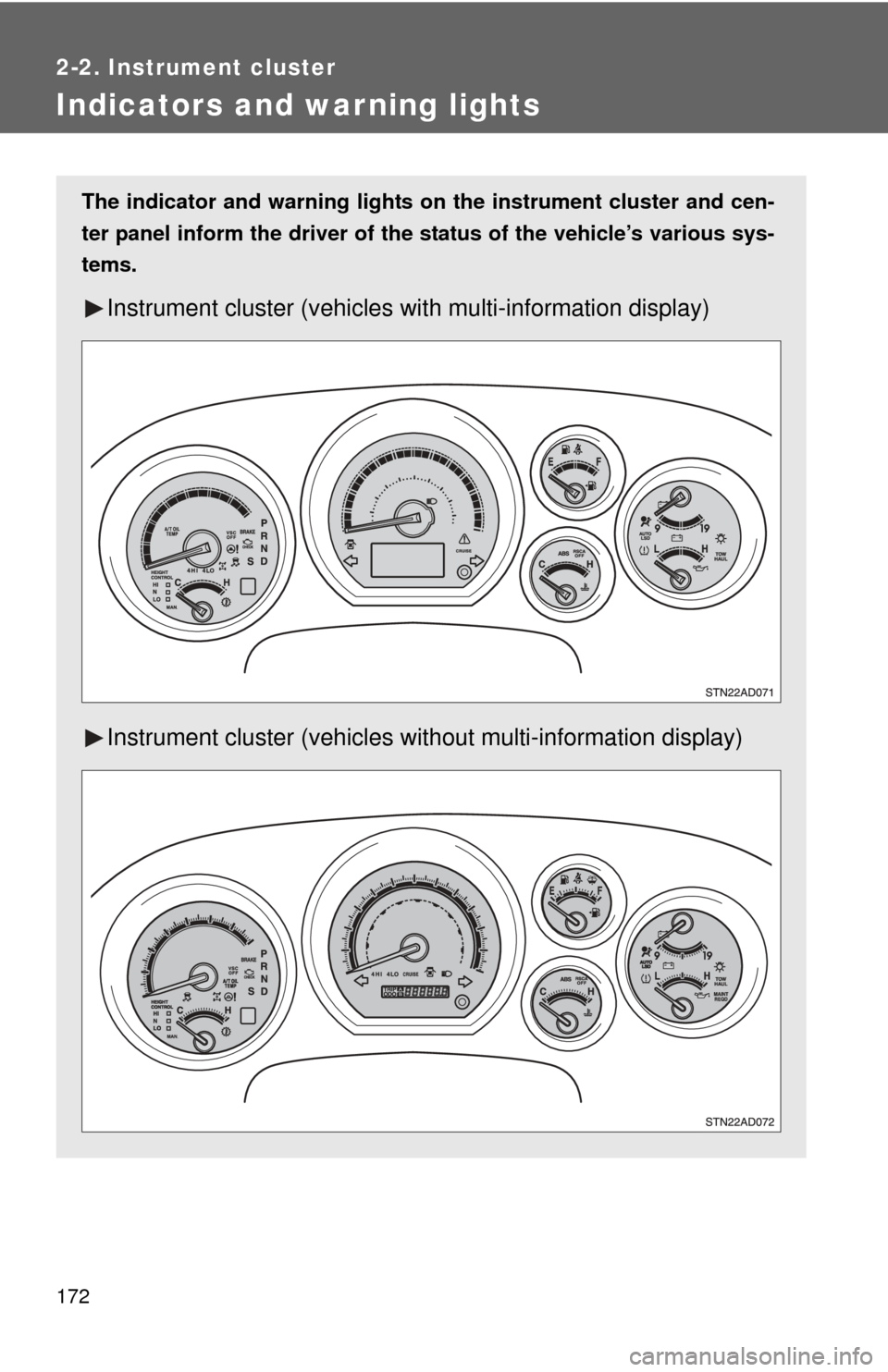
Indicators and warning lights
The indicator and warning lights on the instrument cluster and cen-
ter panel inform the driver of the status of the vehicle’s various sys-
tems.
Instrument cluster (vehicles with multi-information display)
Instrument cluster (vehicles without multi-information display)
Page 175 of 688

175
2-2. Instrument cluster
2
When driving
■
Warning lights
Warning lights inform the driver of malfunctions in any of the
vehicle’s systems. ( P. 583)
*1: These lights turn on when the engine switch is turned to the ON
position to indicate that a system check is being performed. They
will turn off after the engine is started, or after a few seconds. There
may be a malfunction in a system if a light does not come on, or if
the lights do not turn off. Have the vehicle inspected by your Toyota
dealer for details.
*2: Vehicles with multi-information display
*3: Vehicles without multi-information display
*4: The indicator flashes to indicate that the system is operating.
*5: The indicator comes on to indicate a malfunction.
*6: For 2WD models, even though there is no function of deactivatingthe curtain shield airbags in a vehicle rollover, the RSCA OFF indi-
cator turns on briefly when the engine switch is turned to the ON
position. But this is not a malfunction.
*7: The indicator flashes to indicate a malfunction.
*1Height control N indi-
cator (P. 224)*1Height control LO indi-
cator (P. 224)
*1Height control MAN.
indicator ( P. 224)
(Canada)(U.S.A.)(Canada)(U.S.A.)
(U.S.A.)
(Flashing)
*2*1*1*1*1*1*1*1
*1*3*3*1,7*1
*1,5*1
Page 176 of 688

176 2-2. Instrument cluster
CAUTION
■If a safety system warning light does not come on
Should a safety system light such as ABS and the SRS airbag warning light
not come on when you start the engine, this could mean that these systems
are not available to help protect you in an accident, which could result in
death or serious injury. Have the vehicle inspected by your Toyota dealer
immediately if this occurs.
Page 180 of 688

180 2-2. Instrument cluster
Press the SELECT RESET button to customize the items.
*: Default setting
ItemsScreen textSelect in this order
To select Unit A
or Unit B
(P. 185)
UNITS
Door lock/
unlock warning
functionKEYLESS ENTRY
FEEDBACK
Time for auto-
matic door lock
functionKEYLESS ENTRY
RELOCK TIMER
Double switch
operation to
unlock all the
doorsKEYLESS ENTRY
ALL DOORS
UNLOCK
Automatic door
locking functionDOOR AUTO
LOCKING
Automatic door
unlocking func-
tionDOOR AUTO
UNLOCKING
Time period
before lights
turn off (if a door
is opened and
closed, and
engine switch is
in ACC or
LOCK)
HEADLAMPS AUTO
OFF TIMER
Time period
before lights
turn offCOURTESY LAMPS
OFF TIMER
Reset to default
settingHOLD RESET
TO RESTORE
DEFAULT SETTINGS
Unit B
Unit A
LAMPS + TONE*LAMPS
TONE
OFF
60 SECONDS*120 SECONDS
30 SECONDS OFF
2 PRESSES*1 PRESS
SHIFT OUT
OF PARKABOVE 12 MPH*
(20 km/h)
OFF
SHIFT TO PARK*DRIVER DOOR
OPEN
OFF
30 SECONDS*60 SECONDS
90 SECONDS
0 SECONDS
15 SECONDS*30 SECONDS
8 SECONDS
Page 203 of 688

203
2-4. Using other
driving systems
2
When driving
Example of follow-up cruising (when following a vehicle driving
slower than the set speed):
When the speed is set to 62 mph (100 km/h) and the vehicle ahead
is driving at 50 mph (80 km/h)
The system continues follow-up cruising while adjusting for changes in the
speed of the vehicle ahead in order to maintain the vehicle-to-vehicle dis-
tance set by the driver.
Example of acceleration (when there are no longer vehicles driving
slower than the set speed in the lane ahead):
When the speed is set to 62 mph (100 km/h) and the vehicle ahead
driving at 50 mph (80 km/h) is out of the lane
When the vehicle ahead of you executes a lane change, the system
slowly accelerates until the set vehicle speed is reached. The system then
returns to fixed speed cruising.
■Fine adjustment of the set speed
Adjustment of the set speed by the following speed can be made by lightly
pressing the lever up or down and releasing it.
In the constant speed control mode: Approximately 1.0 mph (1.6 km/h)
In the vehicle-to-vehicle distance control mode:U.S.A.: Approximately 5 mph (8 km/h)
Canada: Approximately 3 mph (5 km/h)
■ Dynamic laser cruise control warning lights, display and buzzers
Warning lights, display and buzzers are used to indicate a system malfunc-
tion or to alert you to the need for caution while driving. ( P. 595)
■ The dynamic laser cruise can be set when
●The shift lever is in D or the shift range position must be in between 4 and
6 in S mode.
● Vehicle speed is above approximately 30 mph (50 km/h).
■ Accelerating
The vehicle can be accelerated normally.
Page 527 of 688
527
4-3. Do-it-yourself maintenance
4
Maintenance and care
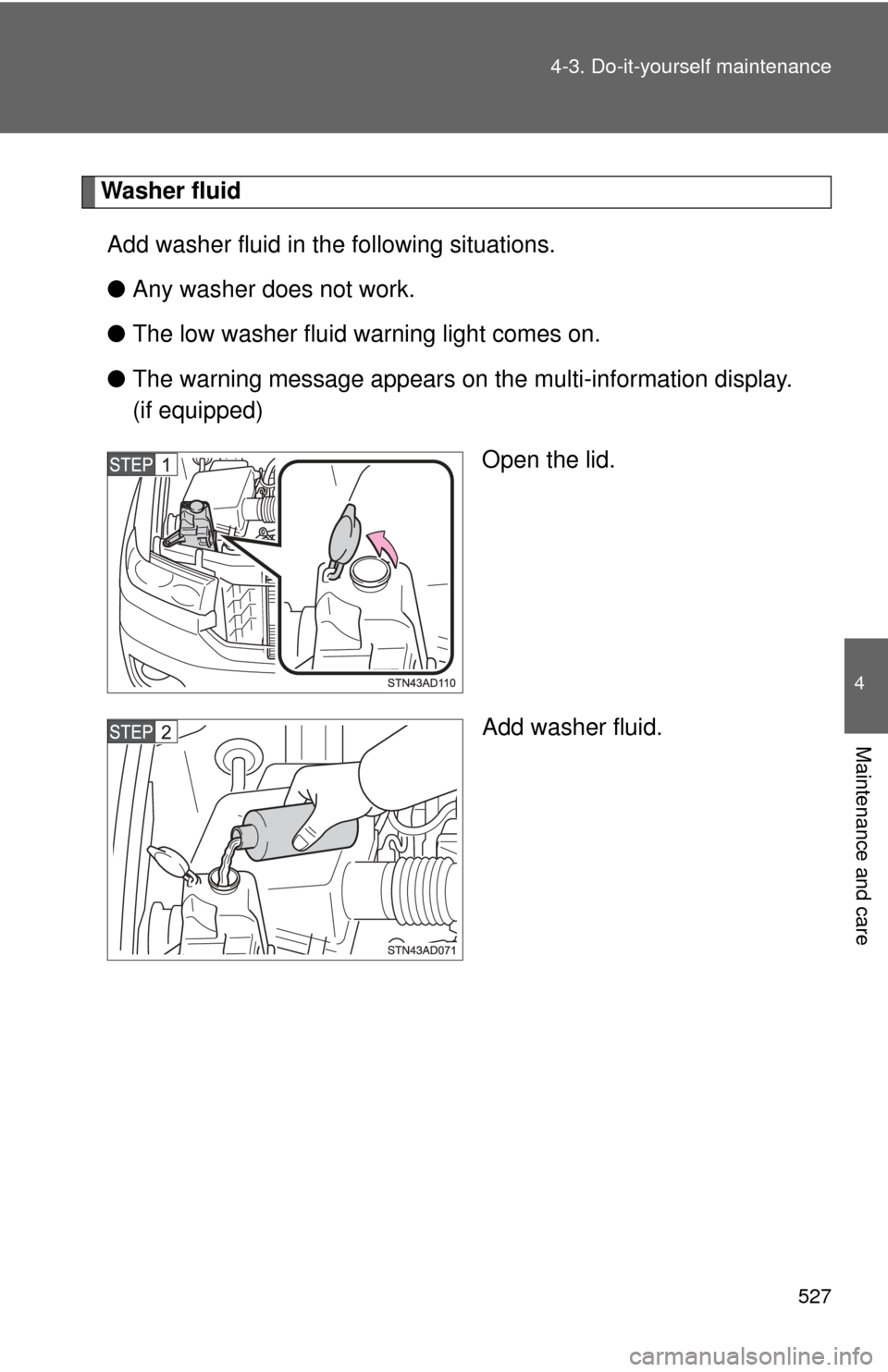
Washer fluid
Add washer fluid in the following situations.
● Any washer does not work.
● The low washer fluid warning light comes on.
● The warning message appears on the multi-information display.
(if equipped)
Open the lid.
Add washer fluid.
Page 531 of 688
531
4-3. Do-it-yourself maintenance
4
Maintenance and care
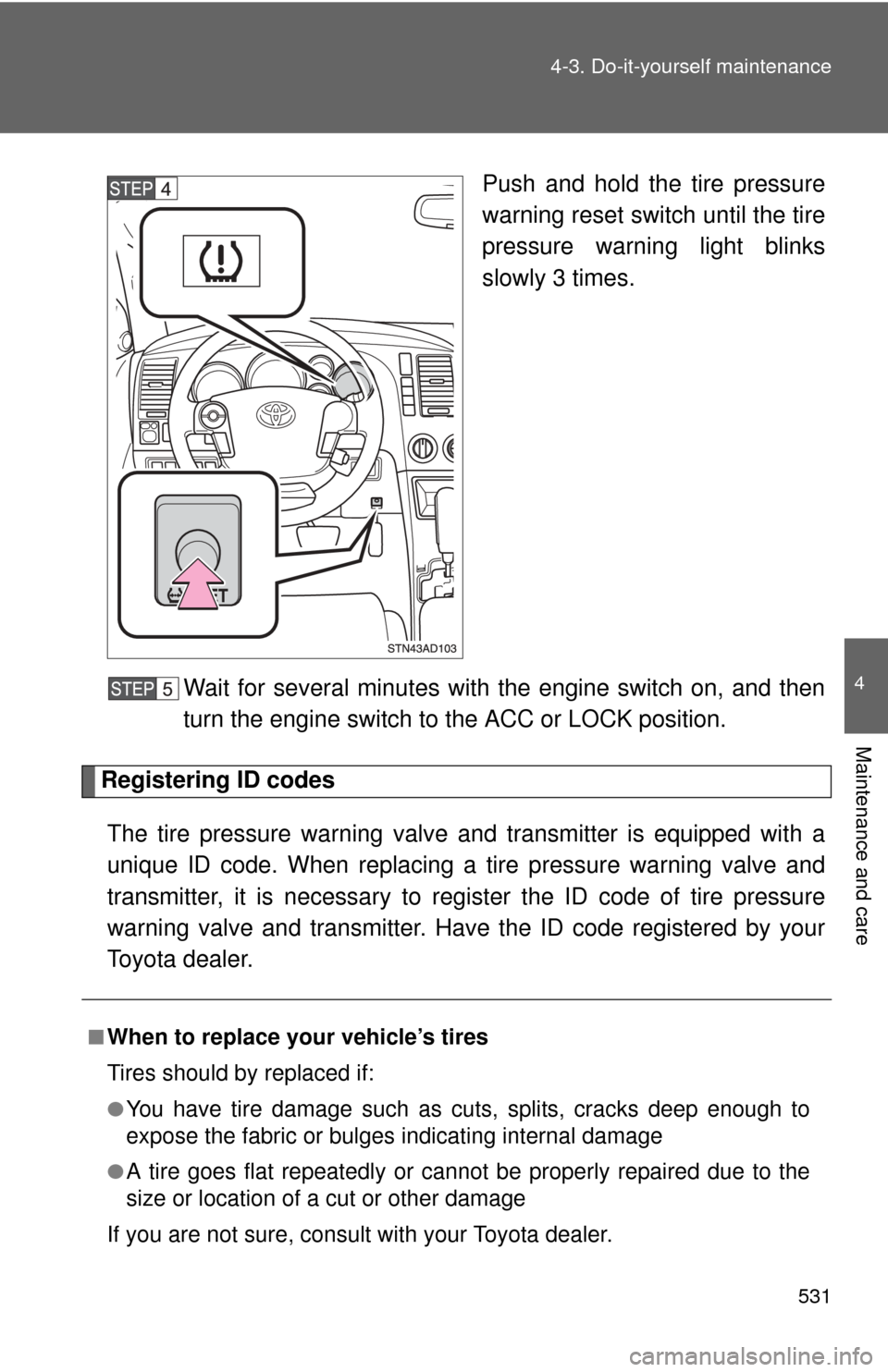
Push and hold the tire pressure
warning reset switch until the tire
pressure warning light blinks
slowly 3 times.
Wait for several minutes with the engine switch on, and then
turn the engine switch to the ACC or LOCK position.
Registering ID codes The tire pressure warning valve and transmitter is equipped with a
unique ID code. When replacing a tire pressure warning valve and
transmitter, it is necessary to regi ster the ID code of tire pressure
warning valve and transmitter. Have the ID code registered by your
Toyota dealer.
■When to replace your vehicle’s tires
Tires should by replaced if:
●You have tire damage such as cuts, splits, cracks deep enough to
expose the fabric or bulges indicating internal damage
●A tire goes flat repeatedly or c annot be properly repaired due to the
size or location of a cut or other damage
If you are not sure, consult with your Toyota dealer.
Page 532 of 688
532 4-3. Do-it-yourself maintenance
■Replacing tires and wheels
If the ID code of the tire pressure warning valve and transmitter is not
registered, the tire pressure warning system will not work properly. After
driving for about 20 minutes, the ti re pressure warning light comes on
after blinking for 1 minute to indicate a system malfunction.
■Tire life
Any tire over 6 years old must be checked by a qualified technician even
if they have seldom or never been used or damage is not obvious.
■If the tread wears down below 0.16 in. (4 mm) on snow tires
The effectiveness of snow tires is lost.
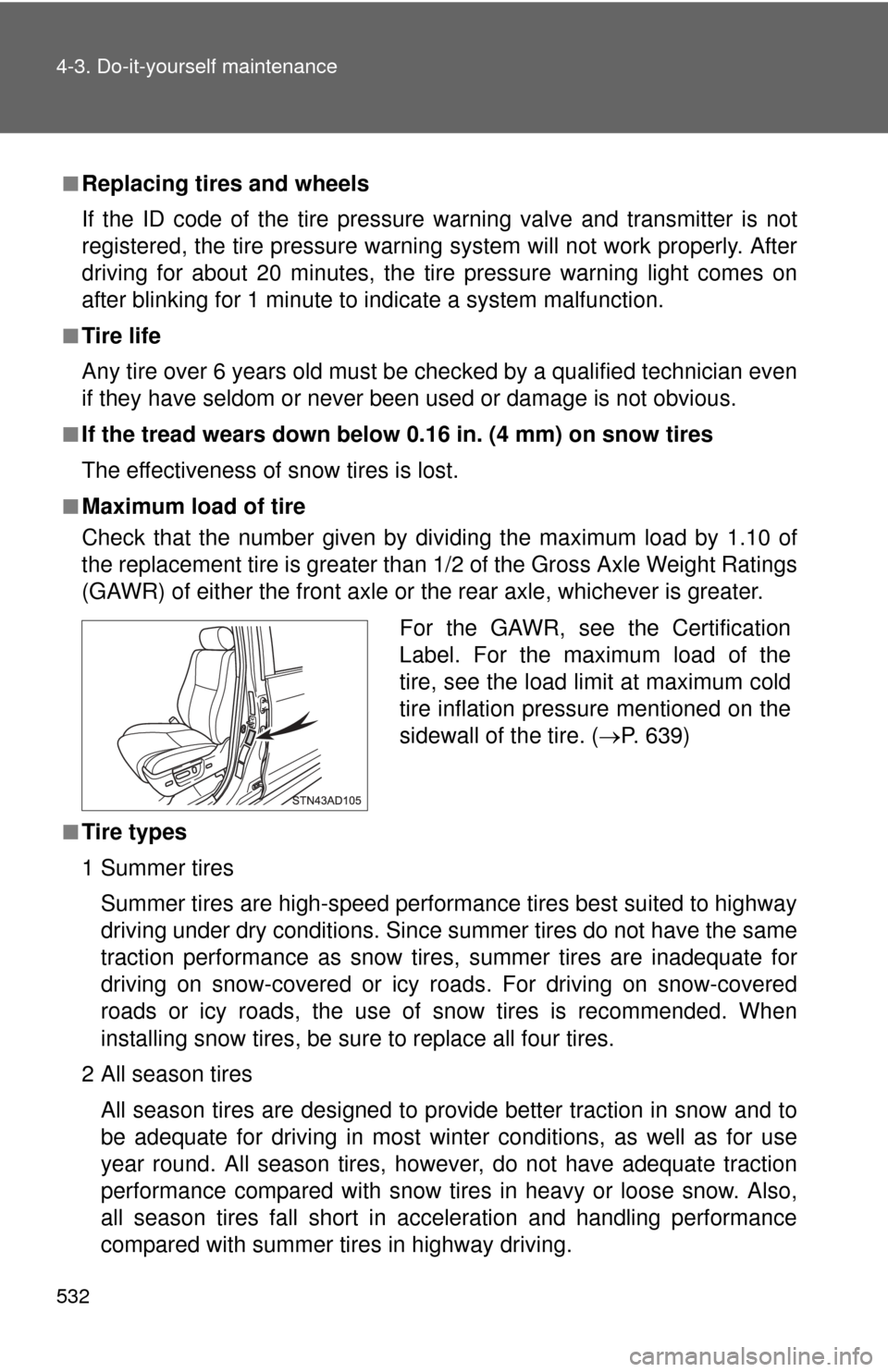
■Maximum load of tire
Check that the number given by di viding the maximum load by 1.10 of
the replacement tire is greater than 1/2 of the Gross Axle Weight Ratings
(GAWR) of either the front axle or the rear axle, whichever is greater.
■Tire types
1 Summer tires
Summer tires are high-speed performance tires best suited to highway
driving under dry conditions. Sinc e summer tires do not have the same
traction performance as snow tire s, summer tires are inadequate for
driving on snow-covered or icy roads. For driving on snow-covered
roads or icy roads, the use of snow tires is recommended. When
installing snow tires, be sure to replace all four tires.
2 All season tires
All season tires are designed to provide better traction in snow and to
be adequate for driving in most winter conditions, as well as for use
year round. All season tires, however, do not have adequate traction
performance compared with snow tires in heavy or loose snow. Also,
all season tires fall short in acceleration and handling performance
compared with summer tires in highway driving.
For the GAWR, see the Certification
Label. For the maximum load of the
tire, see the load limit at maximum cold
tire inflation pressure mentioned on the
sidewall of the tire. ( P. 639)
Page 533 of 688

533
4-3. Do-it-yourself maintenance
4
Maintenance and care
3Snow tires
For driving on snow-covered roads or icy roads, we recommend using
snow tires. If you need snow tires, select tires of the same size, con-
struction and load capacity as the or iginally installed tires. Since your
vehicle has radial tires as original equipment, make sure your snow
tires also have radial construction. Do not install studded tires without
first checking local regulations for possible restriction. Snow tires
should be installed on all wheels. ( P. 253)
■Initializing the tire pressure warning system
Initialize the tires with the tire inflat ion pressure adjusted to the specified
level.
■If you push the tire pressure warning reset switch accidentally
If initialization is performed, adjust t he tire inflation pressure to the speci-
fied level and initialize the tire pressure warning system again.
■When the initialization of the tire pressure warning system has
failed
Initialization can be completed in seve ral minutes. However, in the fol-
lowing cases, the settings have not been recorded and the system will
not operate properly. If repeated attempts to record tire inflation pressure
settings are unsuccessful, have the vehicle inspected by your Toyota
dealer.
●When operating the tire pressure warning reset switch, the tire pres-
sure warning light does not flash 3 times.
●After carrying out the initialization procedure, the tire pressure warn-
ing light blinks for 1 minute and then stays on after driving for about
20 minutes.
■Routine tire inflation pressure checks
The tire pressure warning system doe s not replace routine tire inflation
pressure checks. Make su re to check tire inflation pressure as part of
your routine of daily vehicle checks.