CD player TOYOTA SEQUOIA 2011 2.G Owner's Guide
[x] Cancel search | Manufacturer: TOYOTA, Model Year: 2011, Model line: SEQUOIA, Model: TOYOTA SEQUOIA 2011 2.GPages: 688, PDF Size: 14.76 MB
Page 362 of 688
362 3-3. Using the Bluetooth
® audio system
■The number of portable pl ayers that can be registered
Up to 2 portable players can be registered in the system.
Page 364 of 688
364
3-4. Using the rear audio/video system
Rear seat entertainment system
: If equipped
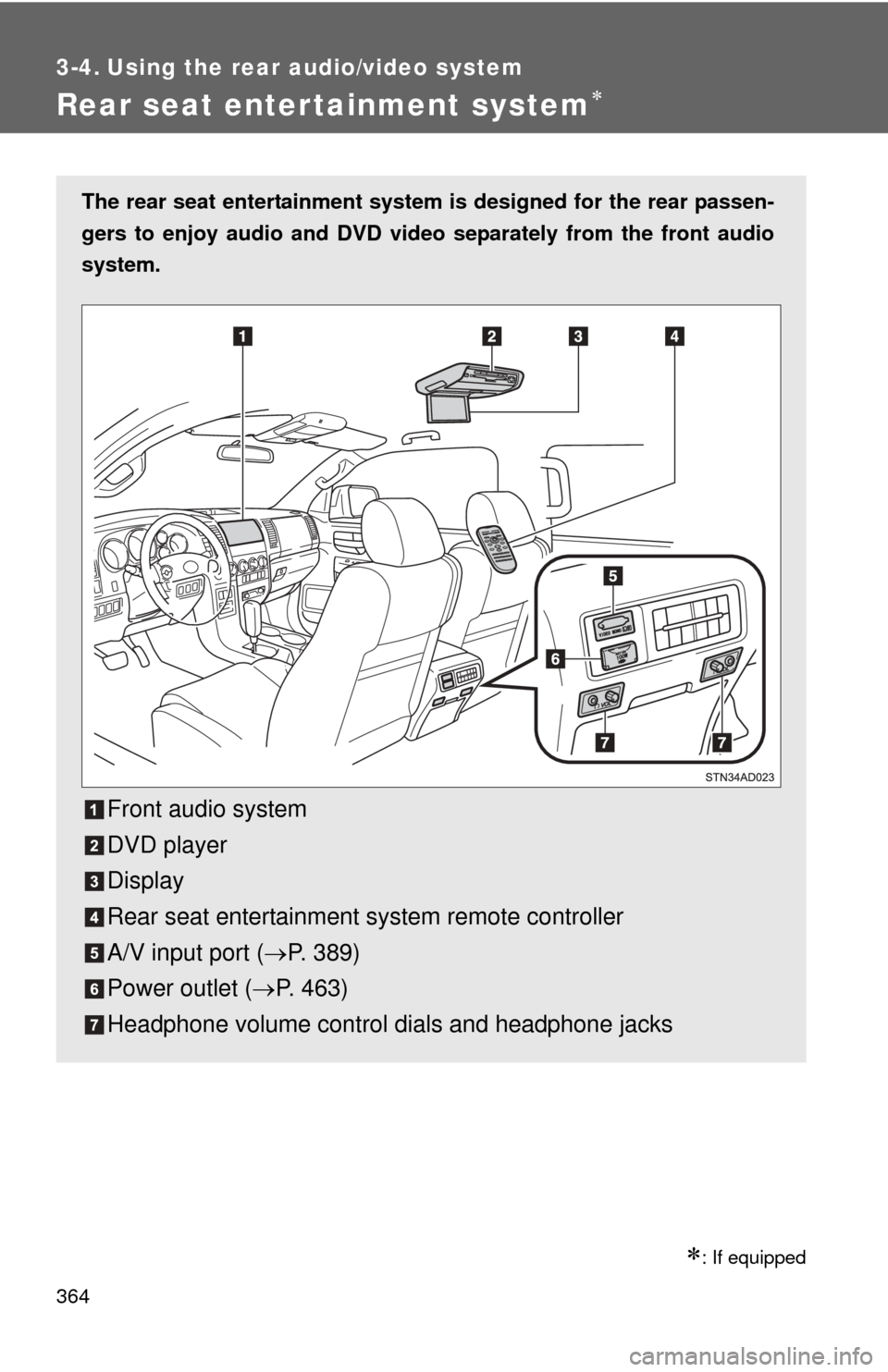
The rear seat entertainment system is designed for the rear passen-
gers to enjoy audio and DVD vide o separately from the front audio
system.
Front audio system
DVD player
Display
Rear seat entertainment system remote controller
A/V input port ( P. 389)
Power outlet ( P. 463)
Headphone volume control dials and headphone jacks
Page 365 of 688
365
3-4. Using the rear audio/video system
3
Interior features
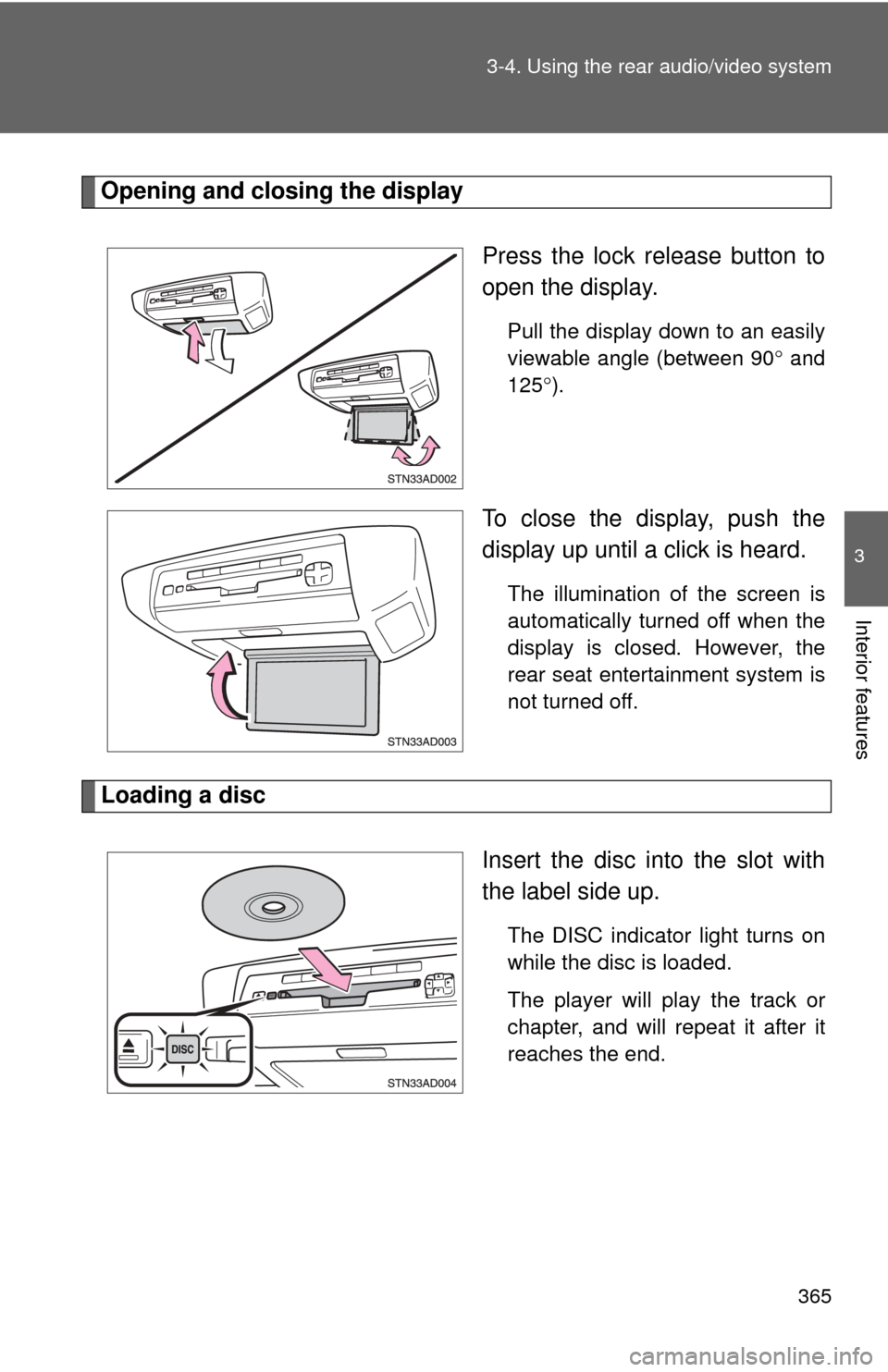
Opening and closing the display
Press the lock release button to
open the display.
Pull the display down to an easily
viewable angle (between 90 and
125 ).
To close the display, push the
display up until a click is heard.
The illumination of the screen is
automatically turned off when the
display is closed. However, the
rear seat entertainment system is
not turned off.
Loading a disc
Insert the disc into the slot with
the label side up.
The DISC indicator light turns on
while the disc is loaded.
The player will play the track or
chapter, and will repeat it after it
reaches the end.
Page 366 of 688
366 3-4. Using the rear audio/video system
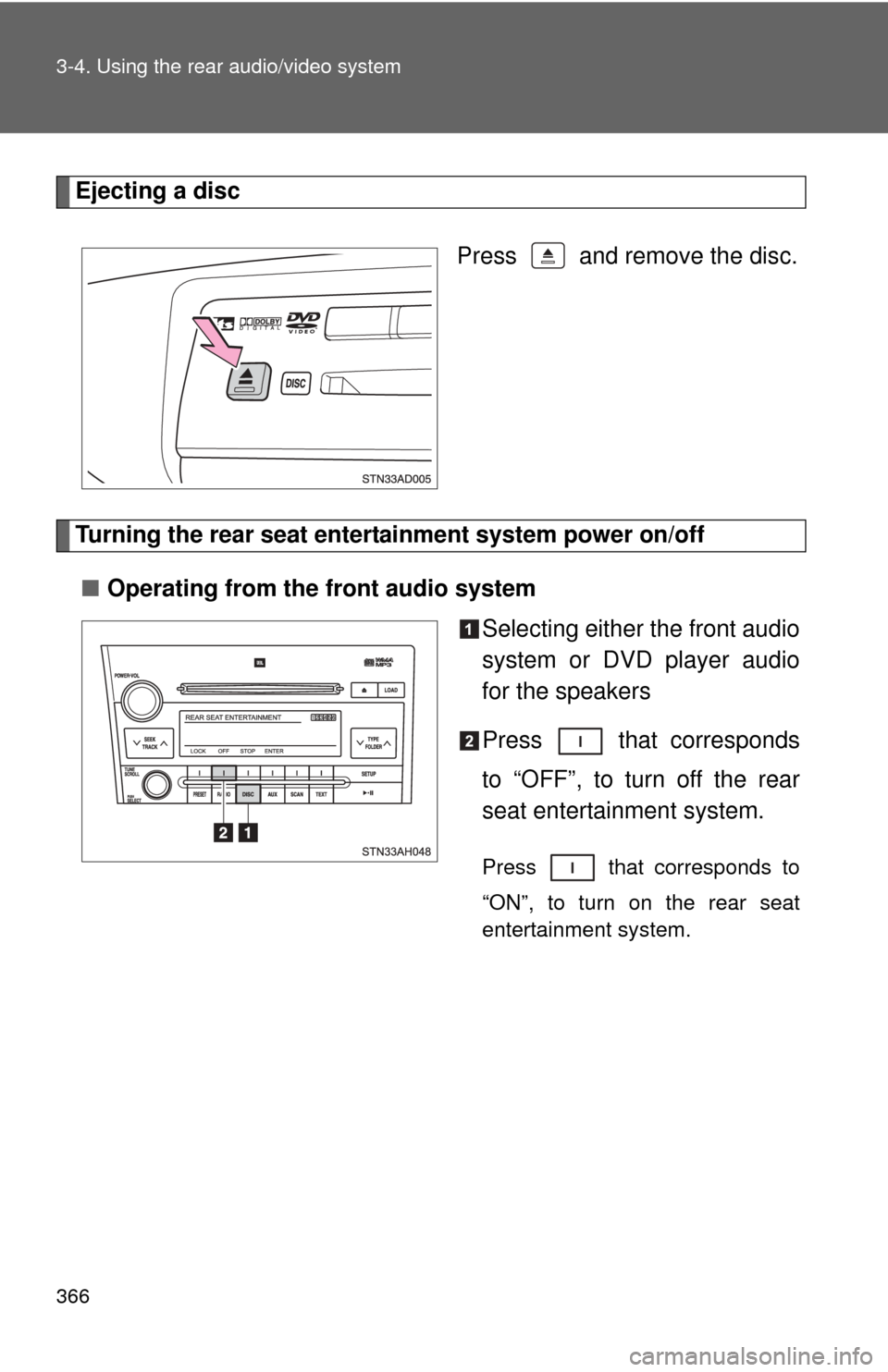
Ejecting a discPress and remove the disc.
Turning the rear seat entertainment system power on/off■ Operating from the front audio system
Selecting either the front audio
system or DVD player audio
for the speakers
Press that corresponds
to “OFF”, to turn off the rear
seat entertainment system.
Press that corresponds to
“ON”, to turn on the rear seat
entertainment system.
Page 367 of 688
367
3-4. Using the rear audio/video system
3
Interior features
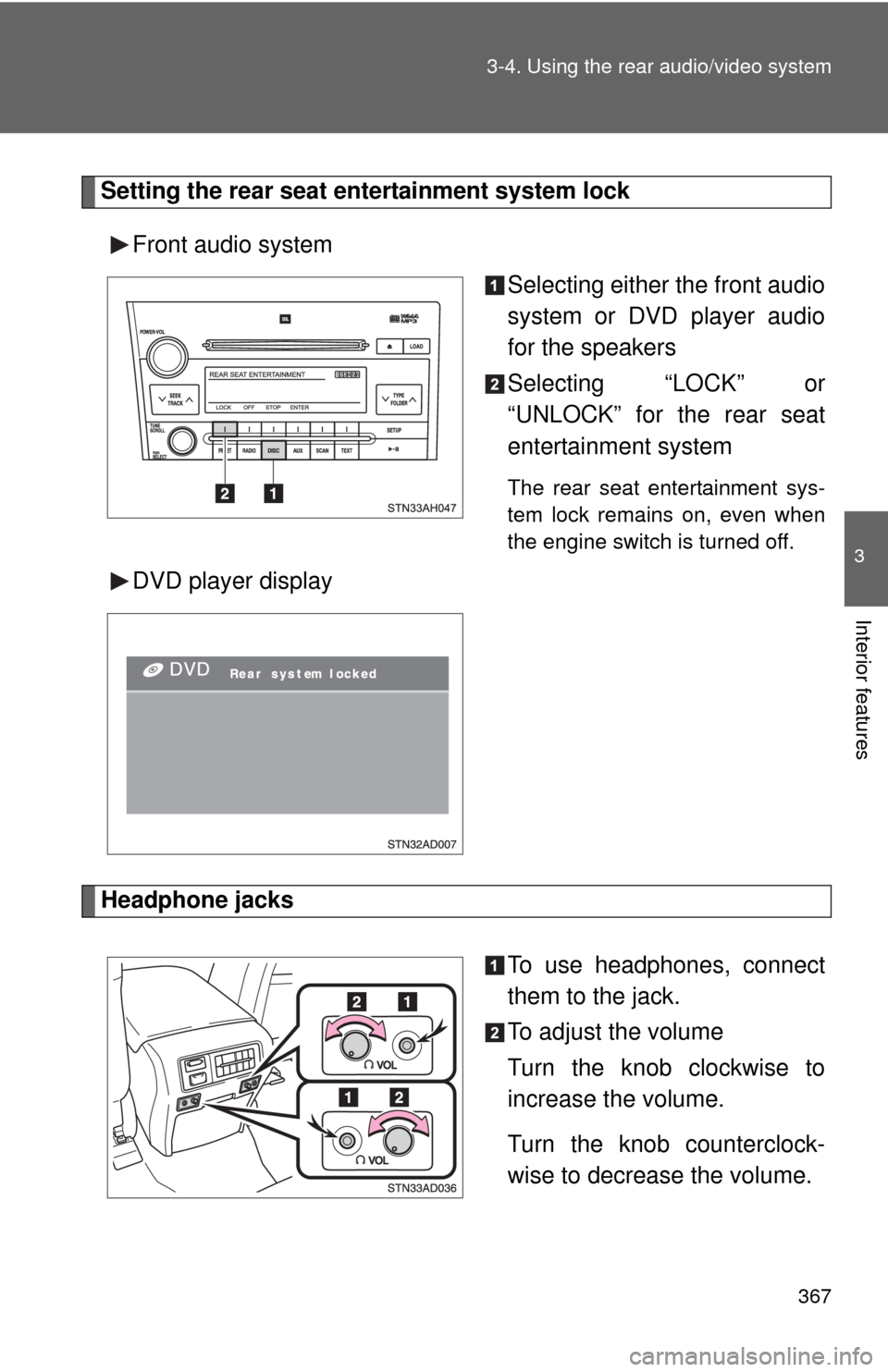
Setting the rear seat entertainment system lock
Front audio system Selecting either the front audio
system or DVD player audio
for the speakers
Selecting “LOCK” or
“UNLOCK” for the rear seat
entertainment system
The rear seat entertainment sys-
tem lock remains on, even when
the engine switch is turned off.
DVD player display
Headphone jacks
To use headphones, connect
them to the jack.
To adjust the volume
Turn the knob clockwise to
increase the volume.
Turn the knob counterclock-
wise to decrease the volume.
Page 368 of 688
368 3-4. Using the rear audio/video system
■The rear seat entertainmen t system can be used when
The engine switch is in the ACC or ON position.
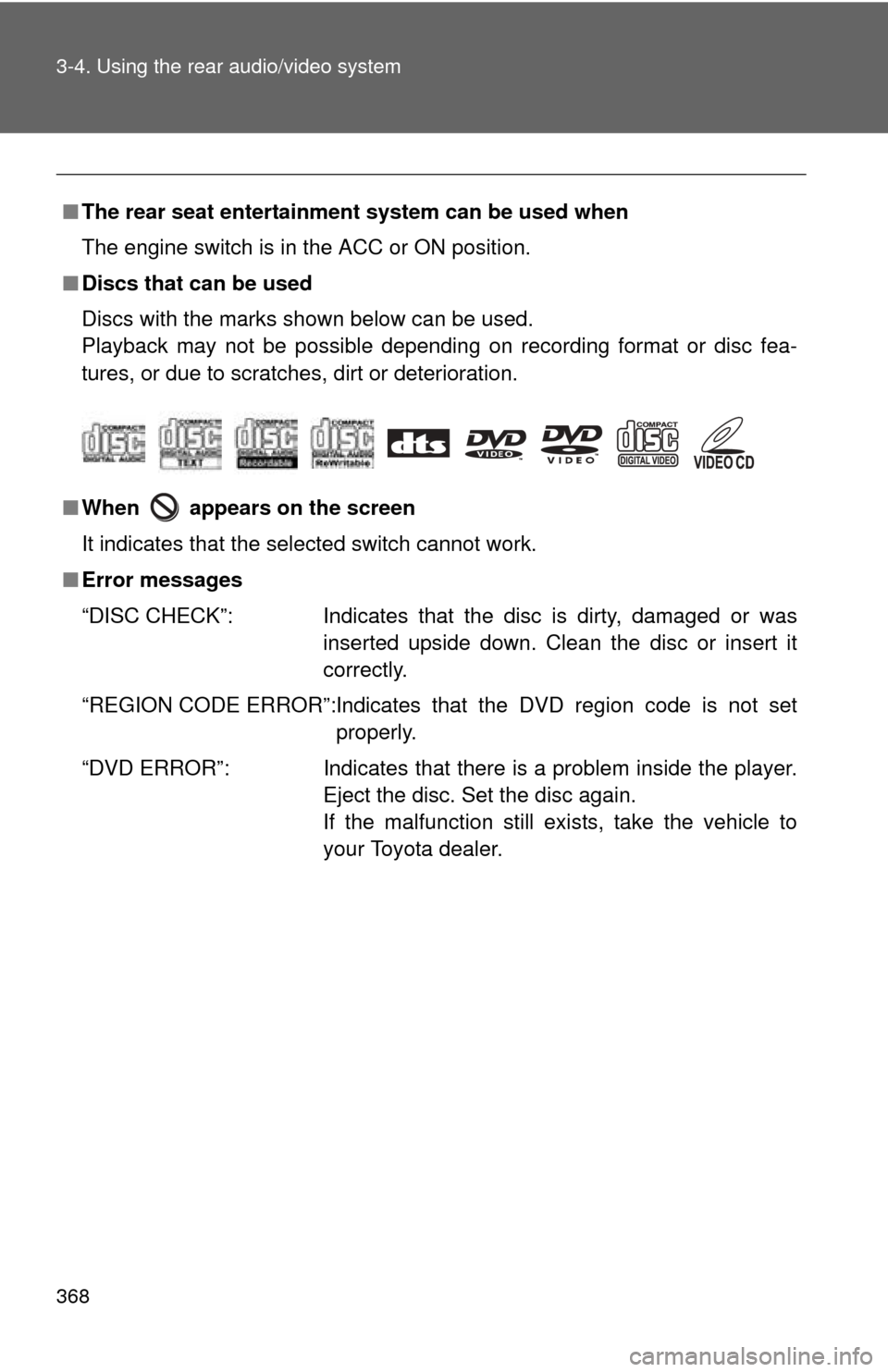
■ Discs that can be used
Discs with the marks shown below can be used.
Playback may not be possible depending on recording format or disc fea-
tures, or due to scratches, dirt or deterioration.
■ When appears on the screen
It indicates that the selected switch cannot work.
■ Error messages
“DISC CHECK”: Indicates that the disc is dirty, damaged or was
inserted upside down. Clean the disc or insert it
correctly.
“REGION CODE ERROR”:Indicates that the DVD region code is not set properly.
“DVD ERROR”: Indicates that there is a problem inside the player.
Eject the disc. Set the disc again.
If the malfunction still exists, take the vehicle to
your Toyota dealer.
Page 372 of 688
372
3-4. Using the rear audio/video system
Using the DVD player (DVD video)
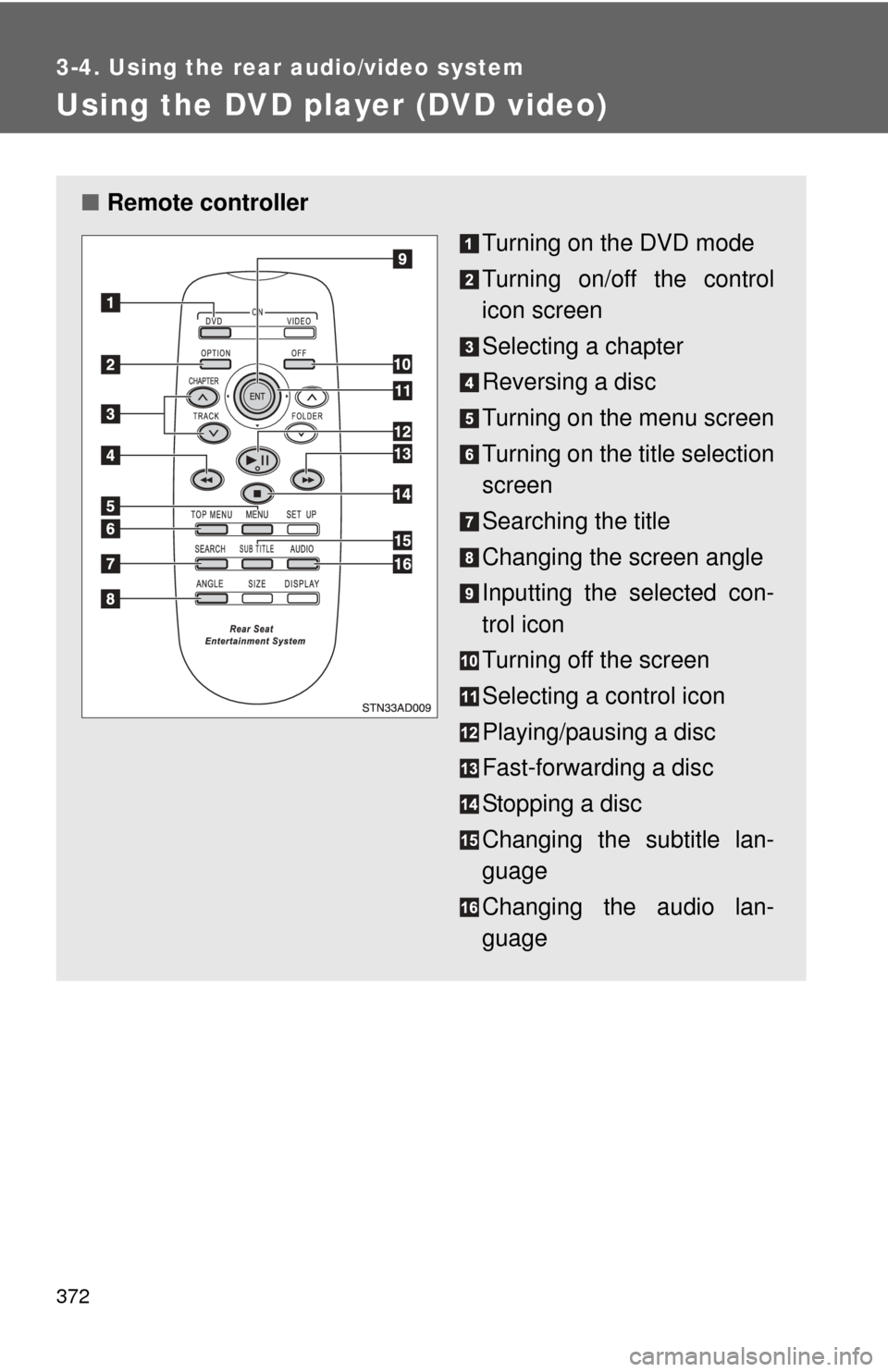
■Remote controller
Turning on the DVD mode
Turning on/off the control
icon screen
Selecting a chapter
Reversing a disc
Turning on the menu screen
Turning on the title selection
screen
Searching the title
Changing the screen angle
Inputting the selected con-
trol icon
Turning off the screen
Selecting a control icon
Playing/pausing a disc
Fast-forwarding a disc
Stopping a disc
Changing the subtitle lan-
guage
Changing the audio lan-
guage
Page 375 of 688
375
3-4. Using the rear audio/video system
3
Interior features
NOTICE
■
Cleaning the screen
Wipe the screen with a dry soft cloth.
If the screen is wiped with a rough cloth, the surface of the screen may be
scratched.
■ To prevent damage to the remote controller
●Keep the remote controller away from direct sunlight, heat and high
humidity.
● Do not drop or knock the remote controller against hard objects.
● Do not sit on or place heavy objects on the remote controller.
■ DVD player
Never try to disassemble or oil any part of the DVD player. Do not insert any-
thing other than a disc into the slot.
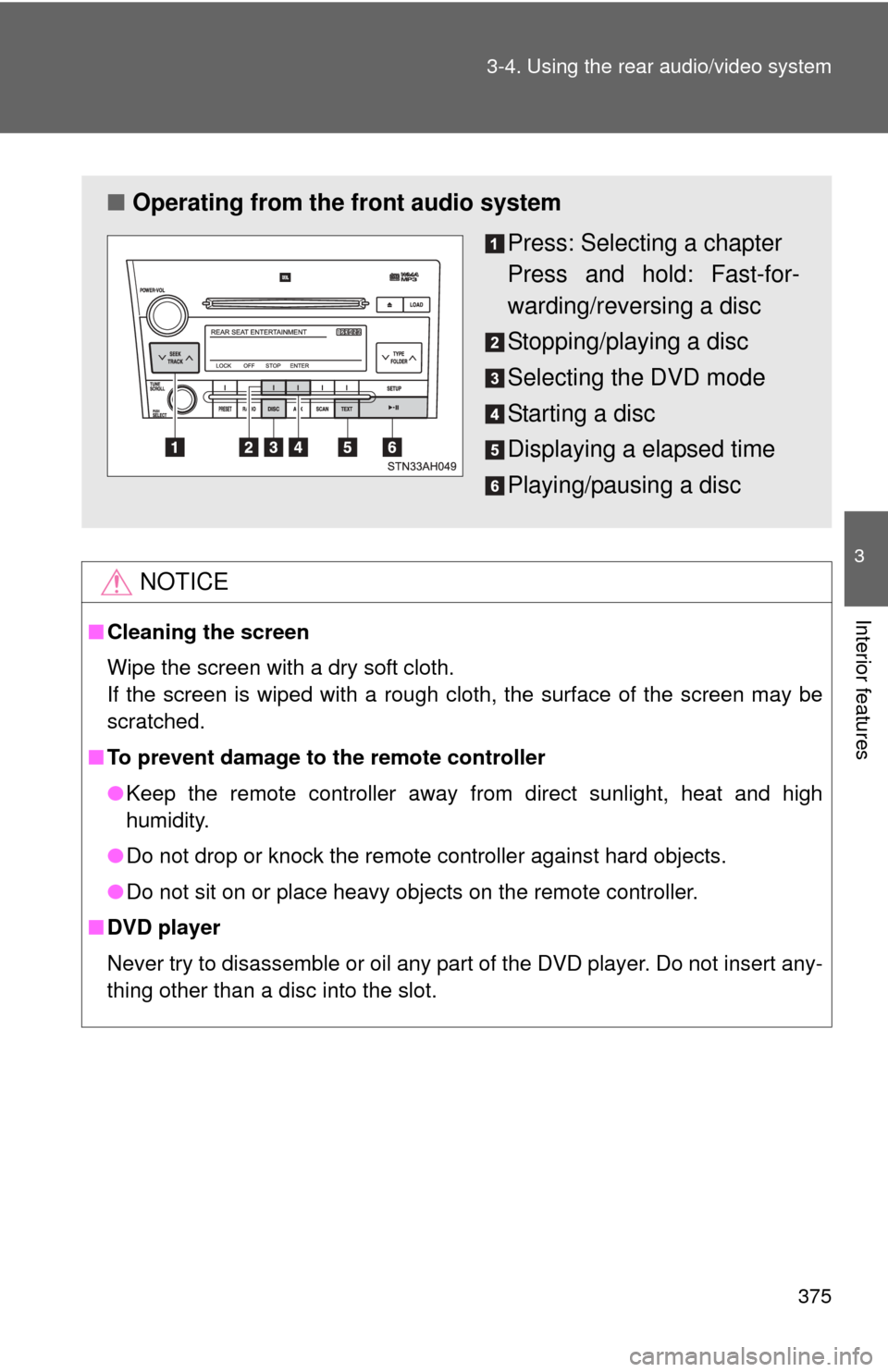
■ Operating from the front audio system
Press: Selecting a chapter
Press and hold: Fast-for-
warding/reversing a disc
Stopping/playing a disc
Selecting the DVD mode
Starting a disc
Displaying a elapsed time
Playing/pausing a disc
Page 378 of 688
378 3-4. Using the rear audio/video system
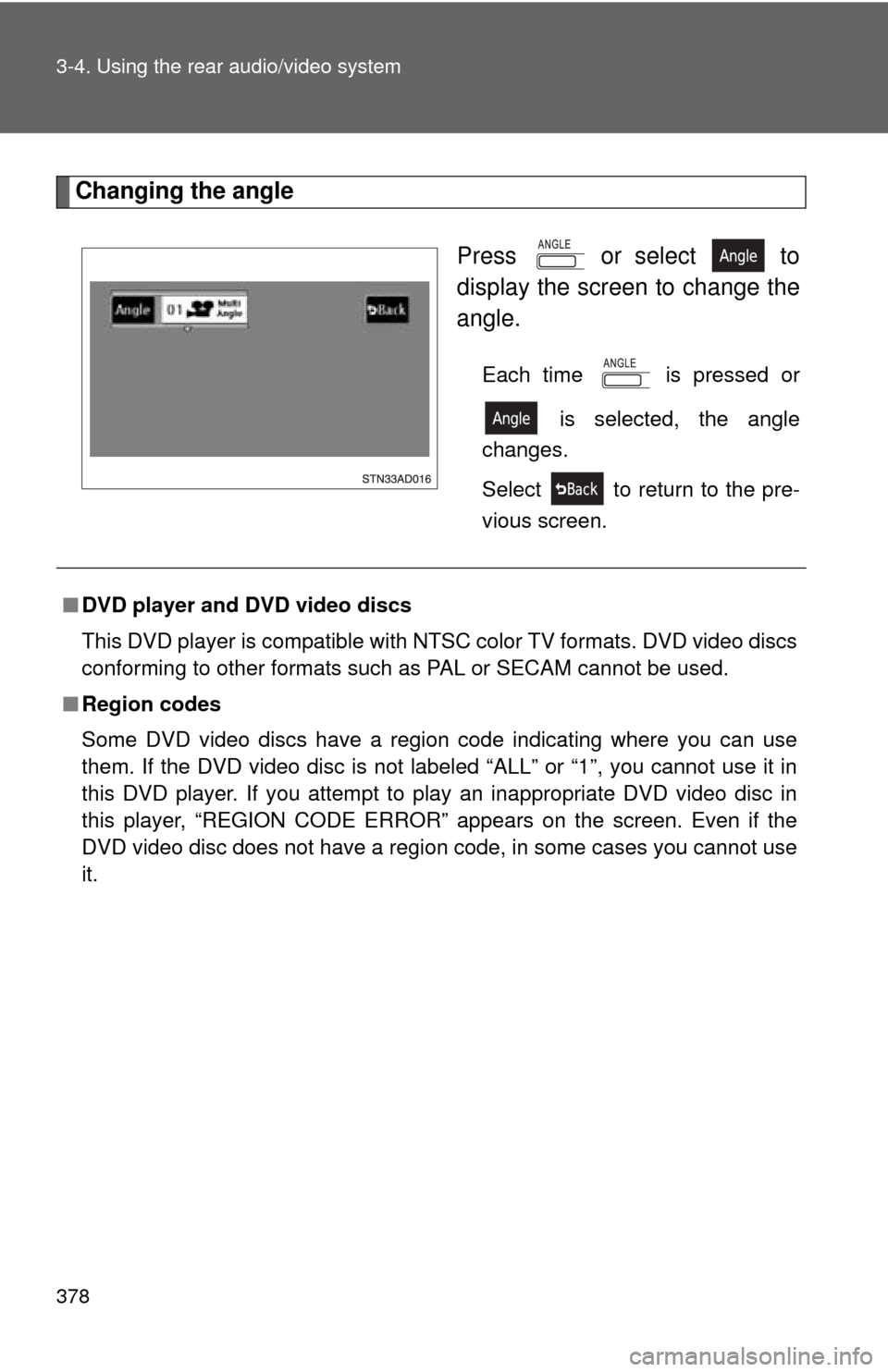
Changing the angle Press or select to
display the screen to change the
angle.
Each time is pressed or is selected, the angle
changes.
Select to return to the pre-
vious screen.
■ DVD player and DVD video discs
This DVD player is compatible with NTSC color TV formats. DVD video discs
conforming to other formats such as PAL or SECAM cannot be used.
■ Region codes
Some DVD video discs have a region code indicating where you can use
them. If the DVD video disc is not labeled “ALL” or “1”, you cannot use it in
this DVD player. If you attempt to play an inappropriate DVD video disc in
this player, “REGION CODE ERROR” appears on the screen. Even if the
DVD video disc does not have a region code, in some cases you cannot use
it.
Page 380 of 688
380 3-4. Using the rear audio/video system
●Multi-angle feature: Allows you to enjoy the same scene at different
angles.
● Multi-language feature: Allows you to select the language of the subtitles
and audio.
● Region codes: Region codes are provided on DVD players and DVD
discs. If the DVD video disc does not have the same region code as the
DVD player, you cannot play the disc on the DVD player.
● Audio: This DVD player can play linear PCM, Dolby digital, dts and
MPEG audio format DVD. Other decoded types cannot be played.
● Title and chapter: Video and audio programs stored on DVD video discs
are divided into sections by title and chapter.
● Title: The largest unit of the video and audio programs stored on DVD
video discs. Usually, one piece of a movie, one album, or one audio pro-
gram is assigned as a title.
● Chapter: A unit smaller than a title. A title comprises multiple chapters.
■ Audio
Manufactured under license from Dolby Laboratories. “Dolby”, “Dolby
Digital”, “Pro Logic”, and the double-D symbol are trademarks of Dolby
Laboratories.
Confidential unpublished works.
1992-1997 Dolby Laboratories. All rights reserved.
“dts” is a trademark of Digital Theater Systems, Inc.