mirror TOYOTA SEQUOIA 2012 2.G Repair Manual
[x] Cancel search | Manufacturer: TOYOTA, Model Year: 2012, Model line: SEQUOIA, Model: TOYOTA SEQUOIA 2012 2.GPages: 708, PDF Size: 15.12 MB
Page 240 of 708
240 2-4. Using other driving systems
CAUTION
■Cautions regarding the use of the system
The driver is solely responsible for safe driving. Always drive safely, taking
care to observe your surroundings.
The Blind Spot Monitor is a supplementary system which alerts the driver
that a vehicle is present in the outside rear view mirror’s blind spot. Do not
overly rely on the Blind Spot Monitor system. The system does not judge if it
is safe to change lanes, therefore over reliance could cause an accident
resulting in death or serious injury. According to conditions, the system may
not function correctly. Therefore the driver’s own visual confirmation of
safety is necessary.
■ Handling the radar sensor
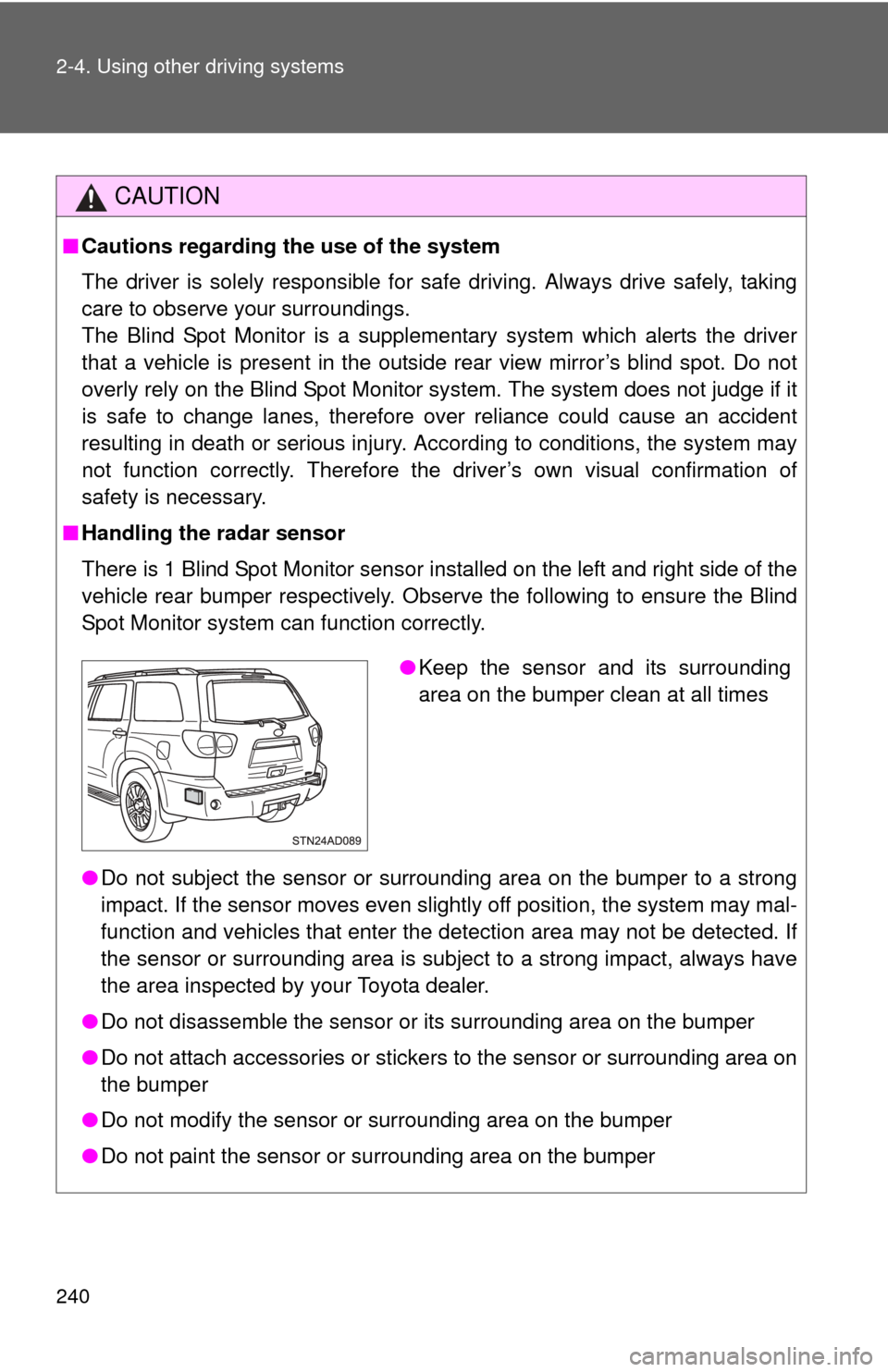
There is 1 Blind Spot Monitor sensor installed on the left and right side of the
vehicle rear bumper respectively. Observe the following to ensure the Blind
Spot Monitor system can function correctly.
●Do not subject the sensor or surrounding area on the bumper to a strong
impact. If the sensor moves even slightly off position, the system may mal-
function and vehicles that enter the detection area may not be detected. If
the sensor or surrounding area is subject to a strong impact, always have
the area inspected by your Toyota dealer.
● Do not disassemble the sensor or its surrounding area on the bumper
● Do not attach accessories or stickers to the sensor or surrounding area on
the bumper
● Do not modify the sensor or surrounding area on the bumper
● Do not paint the sensor or surrounding area on the bumper
●Keep the sensor and its surrounding
area on the bumper clean at all times
Page 272 of 708
272
2-5. Driving information
Winter driving tips
Carry out the necessary preparations and inspections before driving
the vehicle in winter. Always drive the vehicle in a manner appropri-
ate to the prevailing weather conditions.
■ Pre-winter preparations
●Use fluids that are appropriate to the prevailing outside tem-
peratures.
• Engine oil
• Engine coolant
• Washer fluid
● Have a service technician inspect the level and specific grav-
ity of battery electrolyte.
● Have the vehicle fitted with four snow tires or purchase a set
of tire chains for the rear tires.
Ensure that all tires are the same size and brand, and that chains
match the size of the tires.
■Before driving the vehicle
Perform the following according to the driving conditions.
●Do not try to forcibly open a window, scrape an outside rear
view mirror surface or move a wiper or outside rear view mir-
ror that is frozen. Pour warm water over the frozen area to
melt the ice. Wipe away the water immediately to prevent it
from freezing.
● To ensure proper operation of th e climate control system fan,
remove any snow that has accumulated on the air inlet vents
in front of the windshield.
● Remove any ice that has accumu lated on the vehicle chassis.
● Periodically check for and remove any excess ice or snow
that may have accumulated in the wheel well or on the
brakes.
Page 291 of 708
291
2-5. Driving information
2
When driving
■
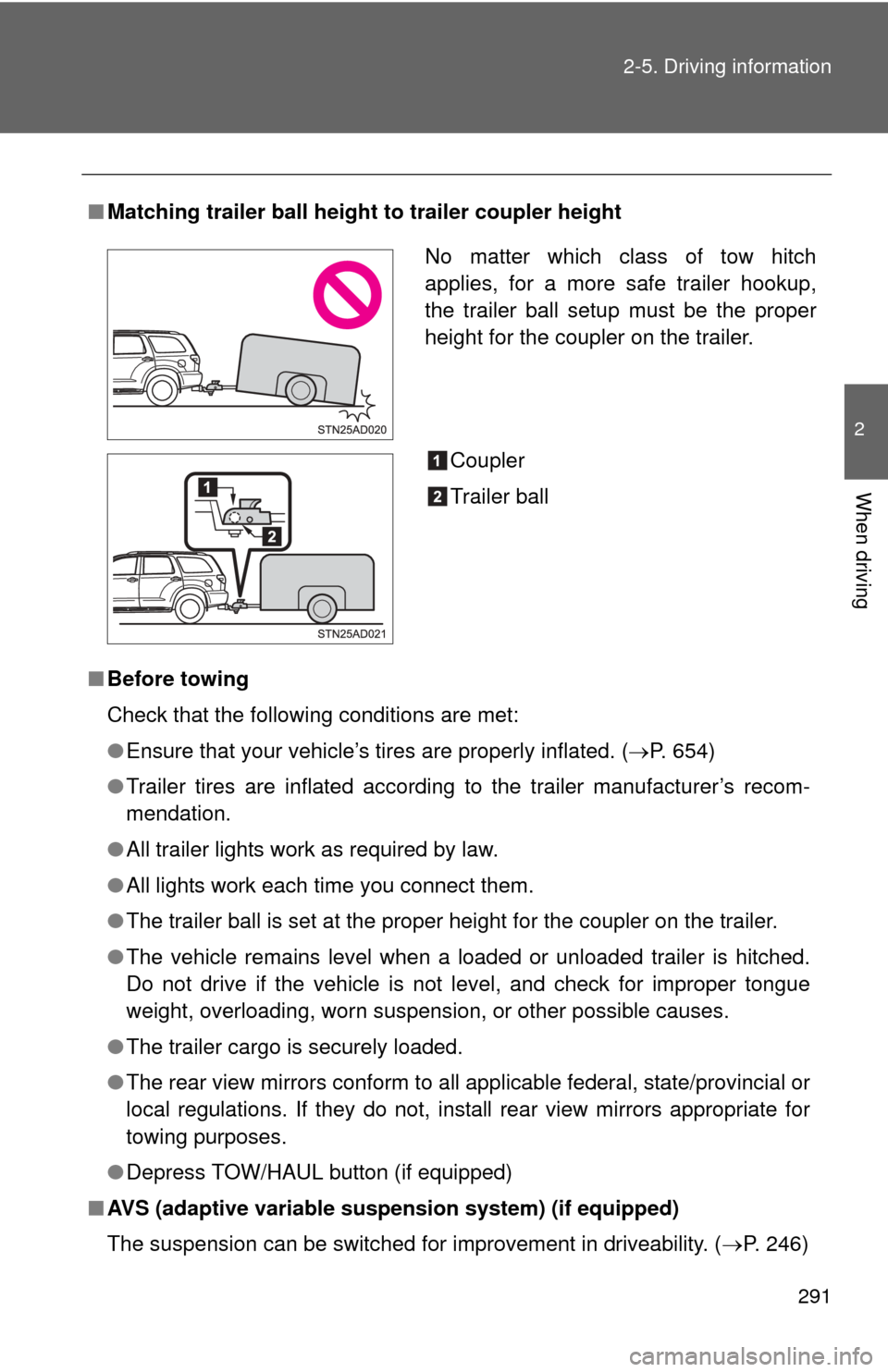
Matching trailer ball height to trailer coupler height
■ Before towing
Check that the following conditions are met:
●Ensure that your vehicle’s tires are properly inflated. ( P. 654)
● Trailer tires are inflated according to the trailer manufacturer’s recom-
mendation.
● All trailer lights work as required by law.
● All lights work each time you connect them.
● The trailer ball is set at the proper height for the coupler on the trai\
ler.
● The vehicle remains level when a loaded or unloaded trailer is hitched.
Do not drive if the vehicle is not level, and check for improper tongue
weight, overloading, worn suspension, or other possible causes.
● The trailer cargo is securely loaded.
● The rear view mirrors conform to all applicable federal, state/provincial or
local regulations. If they do not, instal l rear view mirrors appropriate for
towing purposes.
● Depress TOW/HAUL button (if equipped)
■ AVS (adaptive variable suspension system) (if equipped)
The suspension can be switched for improvement in driveability. ( P. 246)
No matter which class of tow hitch
applies, for a more safe trailer hookup,
the trailer ball setup must be the proper
height for the coupler on the trailer.
Coupler
Trailer ball
Page 298 of 708
298
3-1. Using the air conditioning system and defogger
Front air conditioning system ........................... 300
Rear air conditioning system ........................... 308
Rear window and outside rear view mirror
defoggers ....................... 312
Windshield wiper de-icer ............................ 314
Using the steering wheel climate remote control
switches ......................... 315
3-2. Using the audio system Audio system ................... 317
Using the radio ................. 321
Using the CD player ......... 329
Playing MP3 and WMA discs............................... 338
Operating an iPod ............ 346
Operating a USB memory .......................... 352
Optimal use of the audio system ........................... 359
Using the AUX port .......... 363
Using the steering wheel audio switches ............... 365 3-3. Using the Bluetooth® audio
system
Bluetooth
® audio
system ........................... 368
Using the Bluetooth
®
audio system.................. 371
Operating a Bluetooth
®
enabled portable
player ............................. 376
Setting up a Bluetooth
®
enabled portable
player ............................. 378
Bluetooth
® audio system
setup .............................. 383
3-4. Using the rear audio/video system
Rear seat entertainment system ........................... 384
Using the DVD player (DVD video) ................... 392
Using the DVD player (video CD)...................... 401
Using the DVD player (audio CD/CD text) ........ 404
Using the DVD player (MP3 discs) .................... 406
Using the video mode ...... 409
Changing the Setup Menu settings .......................... 411
Interior features3
Page 299 of 708
Interior features3
299
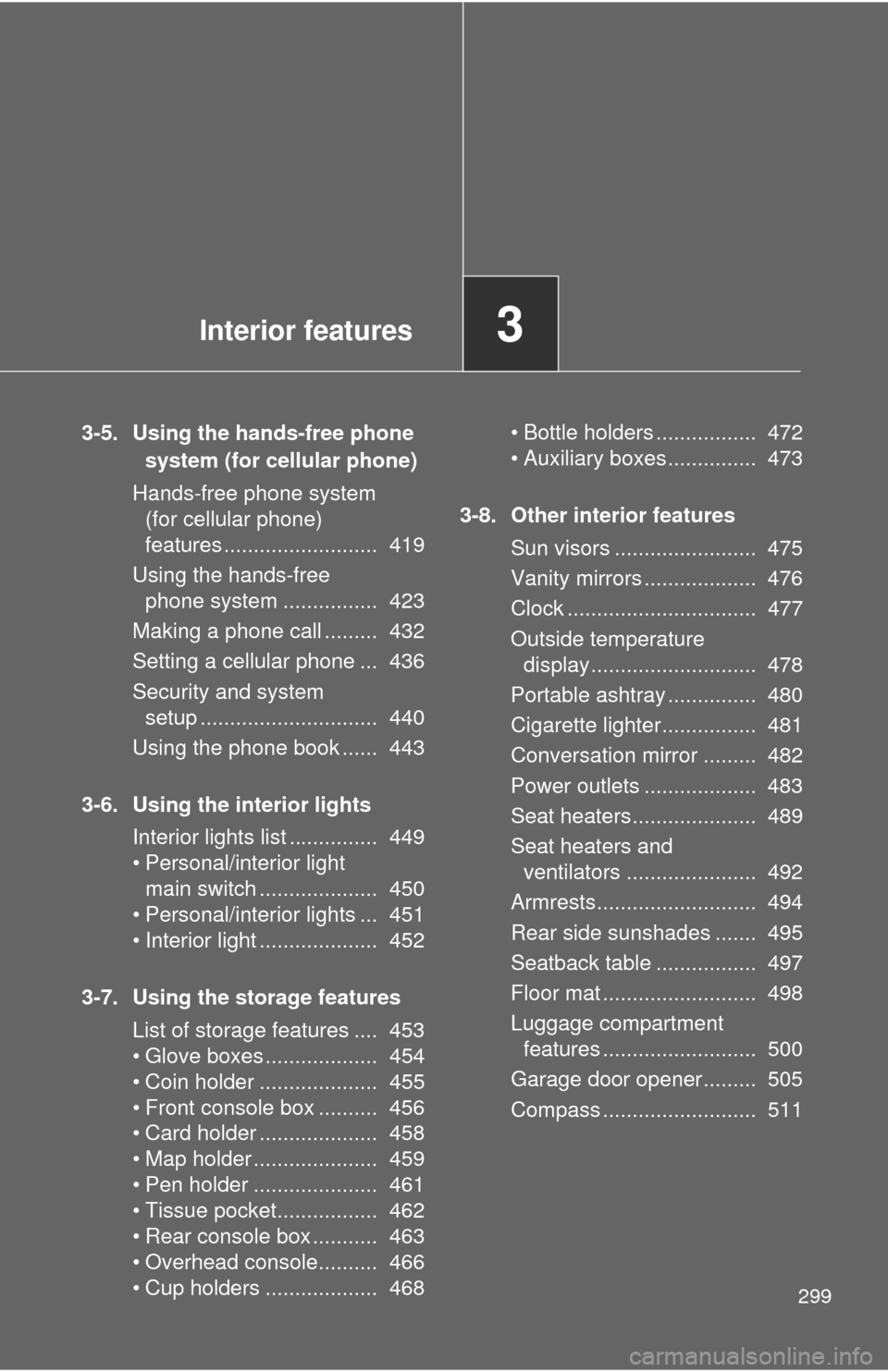
3-5. Using the hands-free phone system (for cellular phone)
Hands-free phone system (for cellular phone)
features .......................... 419
Using the hands-free phone system ................ 423
Making a phone call ......... 432
Setting a cellular phone ... 436
Security and system setup .............................. 440
Using the phone book ...... 443
3-6. Using the interior lights Interior lights list ............... 449
• Personal/interior light main switch .................... 450
• Personal/interior lights ... 451
• Interior light .................... 452
3-7. Using the storage features List of storage features .... 453
• Glove boxes ................... 454
• Coin holder .................... 455
• Front console box .......... 456
• Card holder .................... 458
• Map holder ..................... 459
• Pen holder ..................... 461
• Tissue pocket................. 462
• Rear console box ........... 463
• Overhead console.......... 466
• Cup holders ................... 468 • Bottle holders ................. 472
• Auxiliary boxes............... 473
3-8. Other interior features Sun visors ........................ 475
Vanity mirrors ................... 476
Clock ................................ 477
Outside temperature display............................ 478
Portable ashtray ............... 480
Cigarette lighter................ 481
Conversation mirror ......... 482
Power outlets ................... 483
Seat heaters..................... 489
Seat heaters and ventilators ...................... 492
Armrests........................... 494
Rear side sunshades ....... 495
Seatback table ................. 497
Floor mat .......................... 498
Luggage compartment features .......................... 500
Garage door opener......... 505
Compass .......................... 511
Page 312 of 708

312
3-1. Using the air conditioning system and defogger
Rear window and outside rear view mirror defoggers
: If equipped
■The rear window and outside rear vi ew mirror defoggers can be oper-
ated when
The engine switch is in the ON position.
■ Outside rear view mirror defoggers (vehicles with outside rear view
mirror defoggers)
Turning the rear window defogger on will turn the outside rear view mirror
defoggers on.
These features are used to defog the rear window, and to remove
raindrops, dew and frost from the outside rear view mirrors.
On/off
Press the button to turn on the
rear window defogger. The
indicator will come on. The
defoggers will automatically
turn off after approximately 15
minutes. Pressing the button
again also turns the defoggers
off.
Page 313 of 708

313
3-1. Using the air conditioning system
and defogger
3
Interior features
CAUTION
■When the outside rear view mirror defoggers are on (vehicles with out-
side rear view mirror defoggers)
Do not touch the rear view mirror surfaces, as they can become very hot and
burn you.
Page 476 of 708
476
3-8. Other interior features
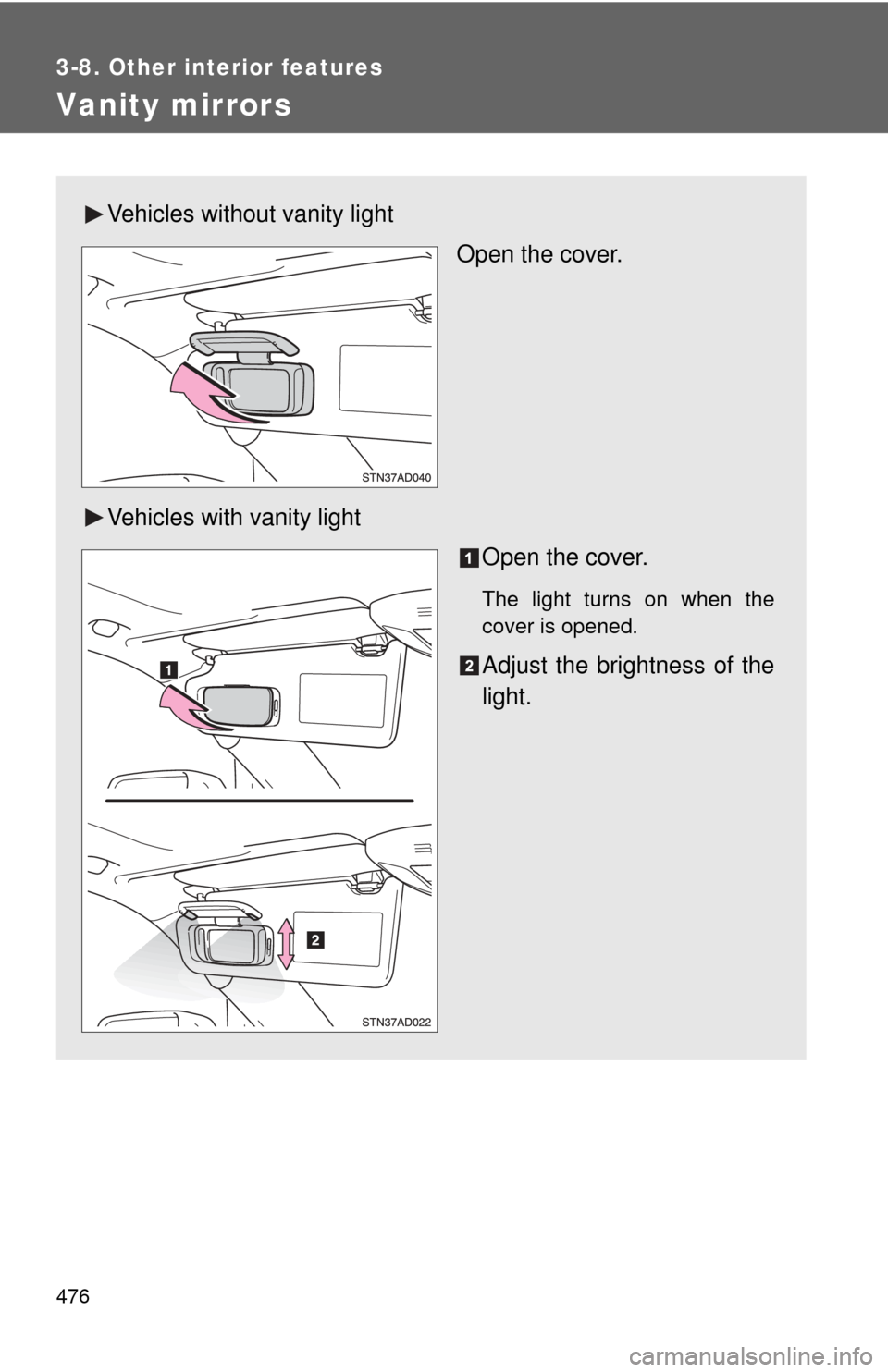
Vanity mirrors
Vehicles without vanity lightOpen the cover.
Vehicles with vanity light Open the cover.
The light turns on when the
cover is opened.
Adjust the brightness of the
light.
Page 482 of 708
482
3-8. Other interior features
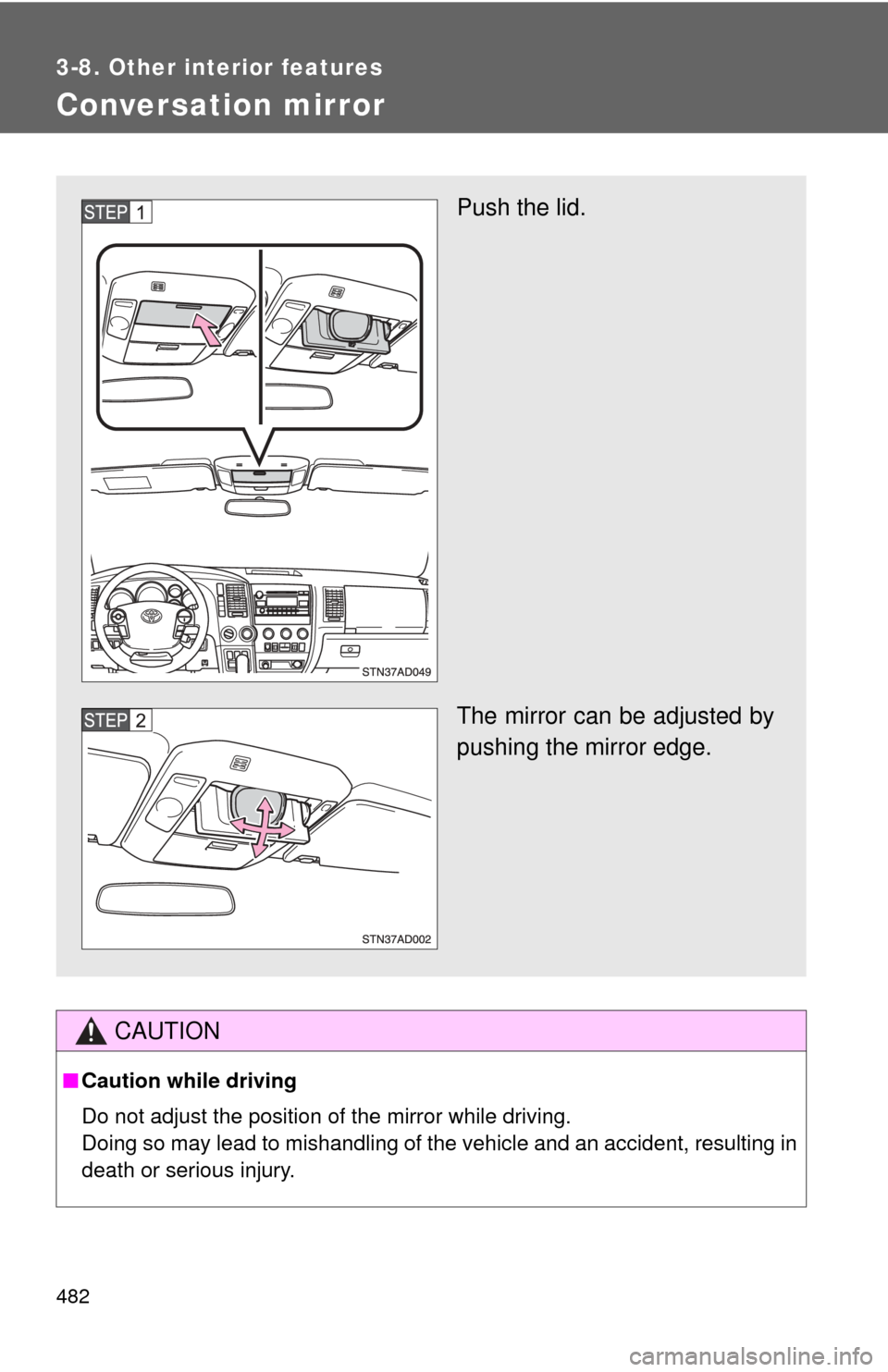
Conversation mirror
CAUTION
■Caution while driving
Do not adjust the position of the mirror while driving.
Doing so may lead to mishandling of the vehicle and an accident, resulting in
death or serious injury.
Push the lid.
The mirror can be adjusted by
pushing the mirror edge.
Page 511 of 708
511
3-8. Other interior features
3
Interior features
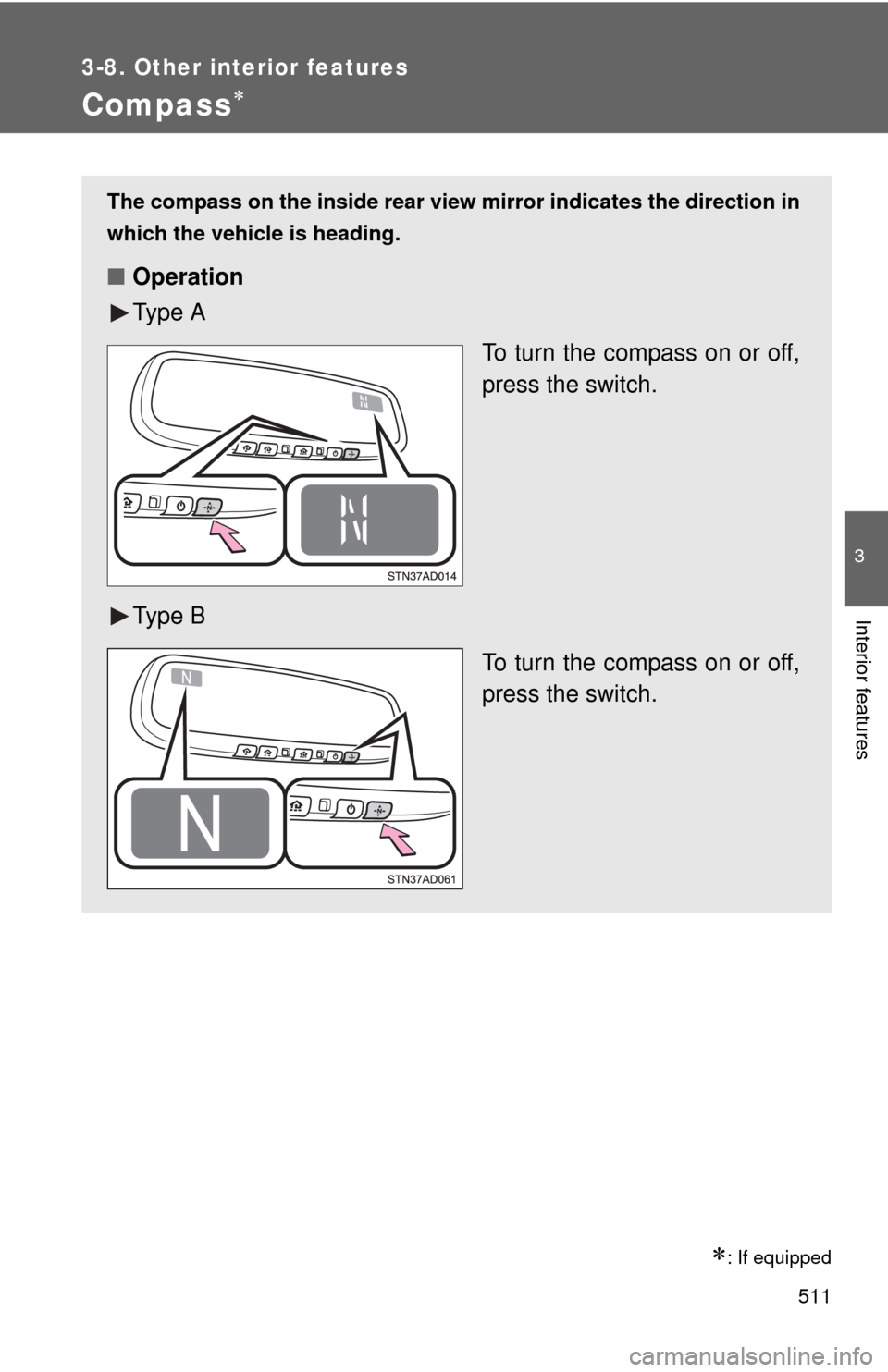
Compass
: If equipped
The compass on the inside rear view mirror indicates the direction in
which the vehicle is heading.
■ Operation
Ty p e A
To turn the compass on or off,
press the switch.
Ty p e B To turn the compass on or off,
press the switch.