AUX TOYOTA SEQUOIA 2013 2.G User Guide
[x] Cancel search | Manufacturer: TOYOTA, Model Year: 2013, Model line: SEQUOIA, Model: TOYOTA SEQUOIA 2013 2.GPages: 740, PDF Size: 15.34 MB
Page 301 of 740
Interior features3
301
3-5. Using the hands-free phone system (for cellular phone)
Hands-free phone system (for cellular phone)
features .......................... 448
Using the hands-free phone system ................ 452
Making a phone call ......... 461
Setting a cellular phone ... 465
Security and system setup .............................. 469
Using the phone book ...... 472
3-6. Using the interior lights Interior lights list ............... 478
• Personal/interior light main switch .................... 479
• Personal/interior lights ... 480
• Interior light .................... 481
3-7. Using the storage features List of storage features .... 482
• Glove boxes ................... 483
• Coin holder .................... 484
• Front console box .......... 485
• Card holder .................... 487
• Map holder ..................... 488
• Pen holder ..................... 490
• Tissue pocket................. 491
• Rear console box ........... 492 • Overhead console .......... 495
• Cup holders ................... 497
• Bottle holders ................. 501
• Auxiliary boxes ............... 502
3-8. Other interior features Sun visors ........................ 504
Vanity mirrors ................... 505
Clock ................................ 506
Outside temperature display............................ 507
Portable ashtray ............... 509
Cigarette lighter................ 510
Conversation mirror ......... 511
Power outlets ................... 512
Seat heaters..................... 518
Seat heaters and ventilators ...................... 521
Armrests........................... 523
Rear side sunshades ....... 524
Seatback table ................. 526
Assist grips....................... 527
Floor mat .......................... 528
Luggage compartment features .......................... 530
Garage door opener......... 535
Compass .......................... 541
Page 320 of 740
320 3-2. Using the audio system
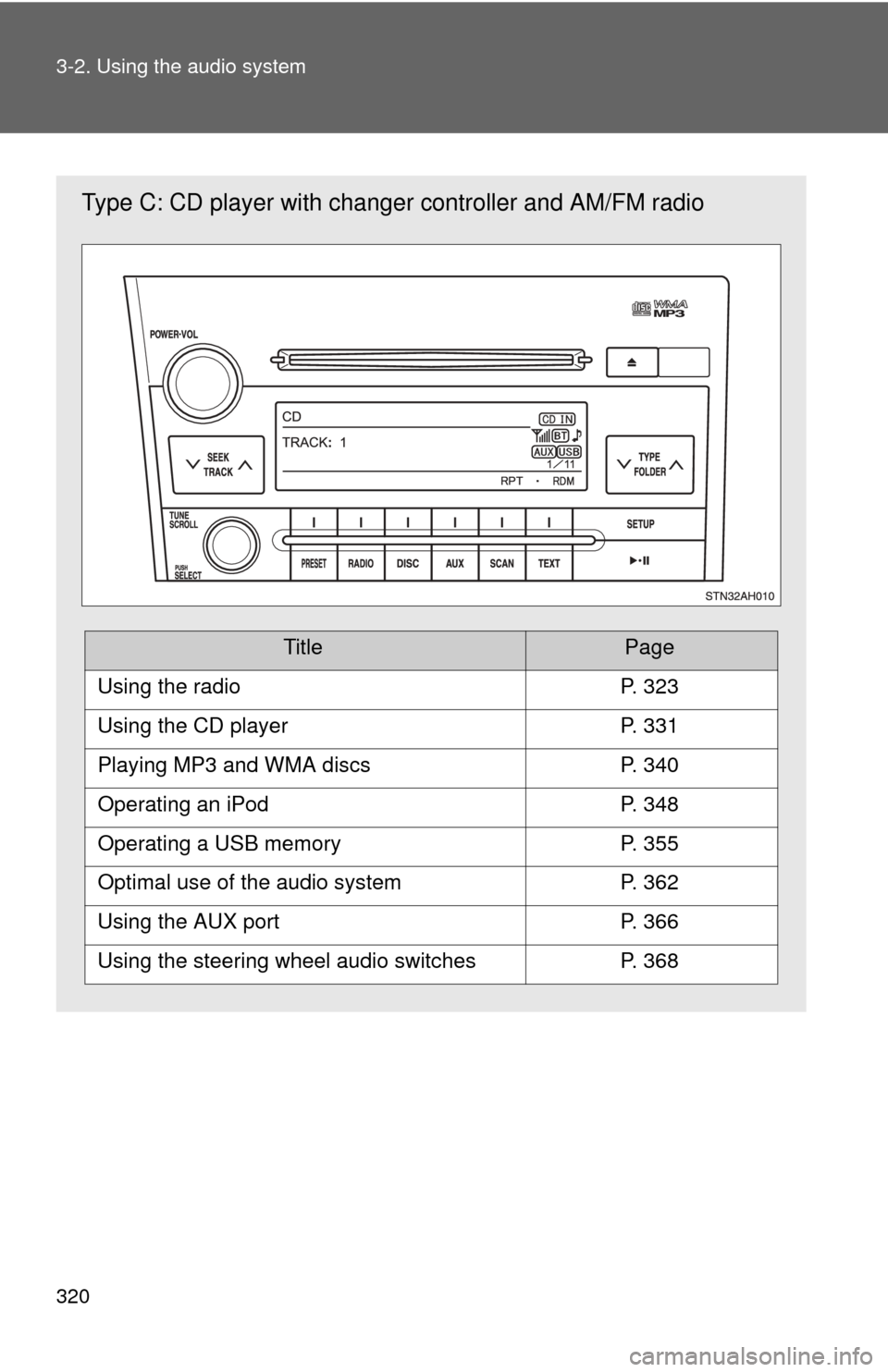
Type C: CD player with changer controller and AM/FM radio
TitlePage
Using the radioP. 323
Using the CD playerP. 331
Playing MP3 and WMA discsP. 340
Operating an iPodP. 348
Operating a USB memoryP. 355
Optimal use of the audio systemP. 362
Using the AUX portP. 366
Using the steering wheel audio switchesP. 368
Page 366 of 740
366
3-2. Using the audio system
Using the AUX port
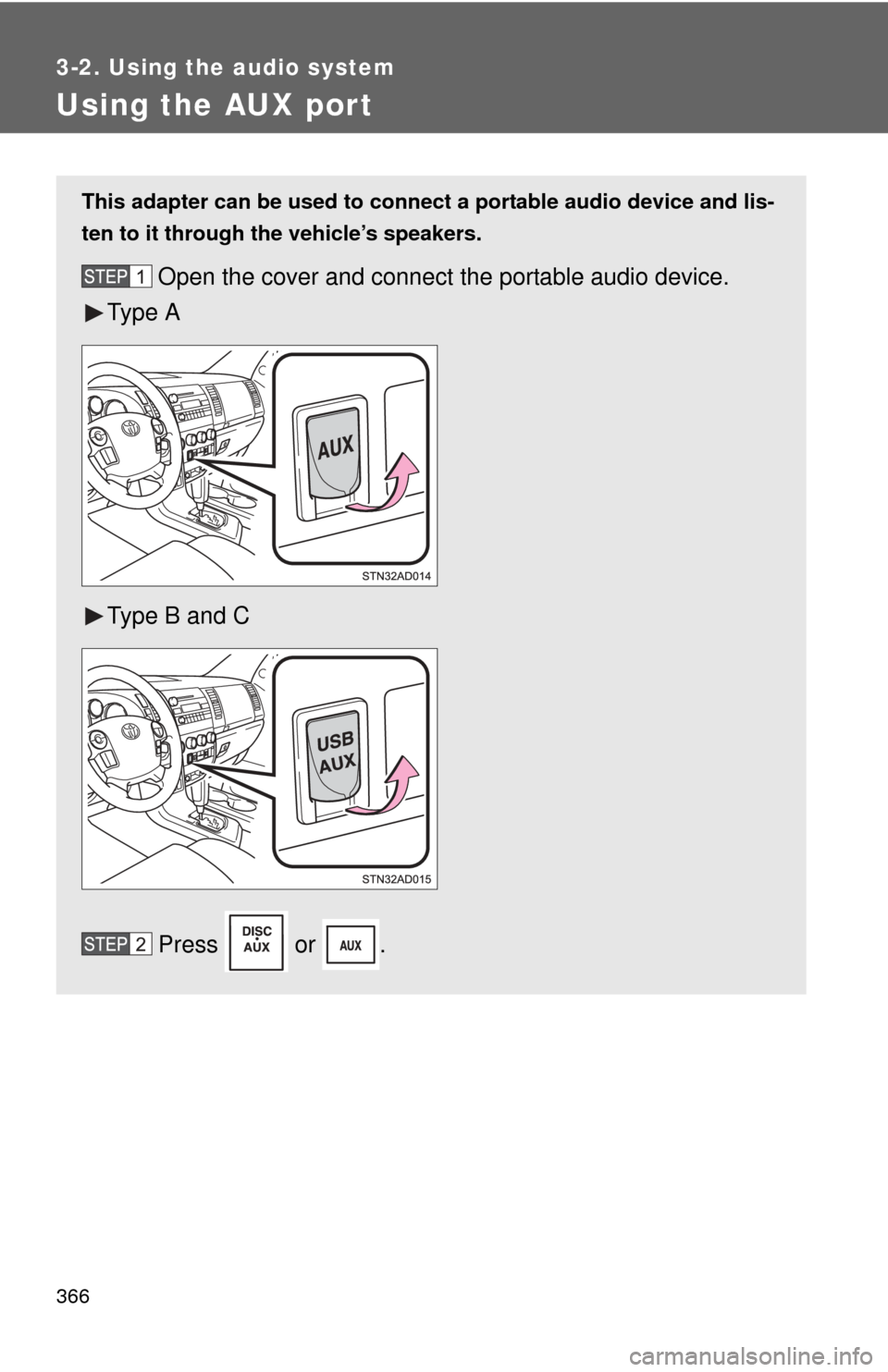
This adapter can be used to connect a portable audio device and lis-
ten to it through the vehicle’s speakers.
Open the cover and connect the portable audio device.
Ty p e A
Type B and C
Press or .
Page 369 of 740
369
3-2. Using the audio system
3
Interior features
Turning the power on
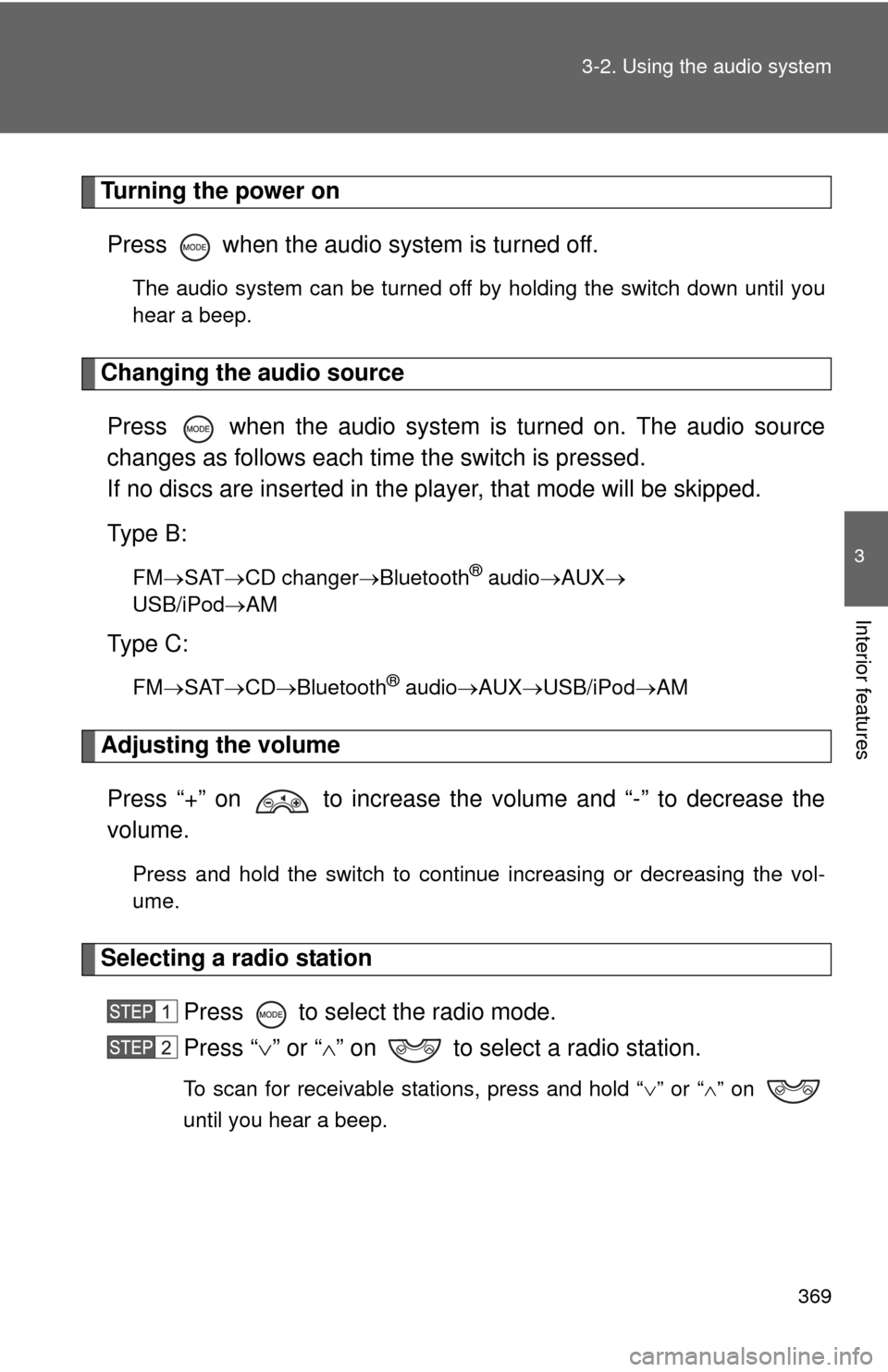
Press when the audio system is turned off.
The audio system can be turned off by holding the switch down until you
hear a beep.
Changing the audio sourcePress when the audio system is turned on. The audio source
changes as follows each time the switch is pressed.
If no discs are inserted in the player, that mode will be skipped.
Type B:
FM SAT CD changer Bluetooth® audioAUX
USB/iPodAM
Type C:
FM SAT CDBluetooth® audio AUXUSB/iPodAM
Adjusting the volume
Press “+” on to increase the volume and “-” to decrease the
volume.
Press and hold the switch to continue increasing or decreasing the vol-
ume.
Selecting a radio station Press to select the radio mode.
Press “” or “ ” on to select a radio station.
To scan for receivable stations, press and hold “ ” or “ ” on
until you hear a beep.
Page 375 of 740
375
3-3. Using the Bluetooth
® audio system
3
Interior features
Operating the system using voice commands
By following the voice guidance inst ructions output from the speaker,
voice commands enable the operation of the Bluetooth
® audio sys-
tem without the need to check the display or operate .
■ Operation procedure when using voice commands
Press the talk switch and follow the voice guidance instructions.
■ Auxiliary commands when using voice commands
The following auxiliary commands can be used when operating the
system using a voice command:
“Cancel”: Exits the Bluetooth
® audio system
“Repeat”: Repeats the previous voice guidance instruction
“Go back”: Returns to the previous procedure
“Help”: Reads aloud the function summary if a help comment is
registered for the selected function
Page 455 of 740
455
3-5. Using the hand
s-free phone system (for cellular phone)
3
Interior features
Operating the system by using a voice command
By following the voice guidance inst ructions output from the speaker,
voice commands enable the operat ion of the hands-free phone sys-
tem without the need to check the display or operate .
■ Operation procedure when using a voice command
Press the talk switch and follow the voice guidance instructions.
■ Auxiliary commands when using a voice command
The following auxiliary commands can be used when operating the
system using a voice command:
“Cancel”: Exits the hands-free phone system
“Repeat”: Repeats the previous voice guidance instruction
“Go back”: Returns to the previous procedure
“Help”: Reads aloud the function summary if a help comment is
registered for the selected function
Using the hands-free phone system for the first time
Before using the hands-free phone system, it is necessary to register
a cellular phone in the system. Th e phone registration mode will be
entered automatically when starting the system with no cellular
phone registered. Follow the procedure below to register a cellular
phone:
Press the off-hook switch or the talk switch.
The introductory guidance and phone name registration instructions
are heard.
Select “Pair Phone” using a voice command or .
Page 482 of 740
482
3-7. Using the storage features
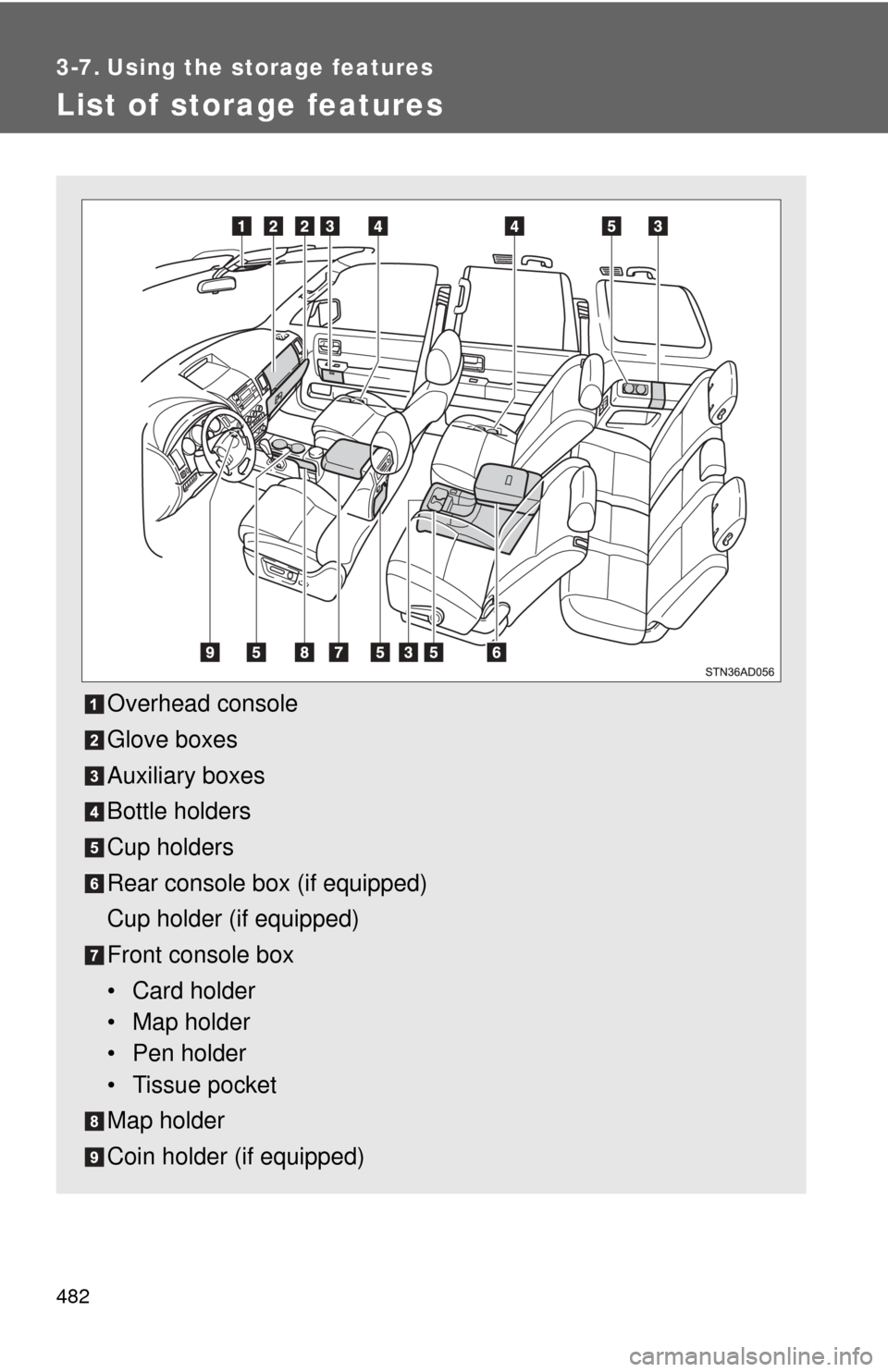
List of storage features
Overhead console
Glove boxes
Auxiliary boxes
Bottle holders
Cup holders
Rear console box (if equipped)
Cup holder (if equipped)
Front console box
• Card holder
• Map holder
• Pen holder
• Tissue pocket
Map holder
Coin holder (if equipped)
Page 502 of 740
502 3-7. Using the storage features
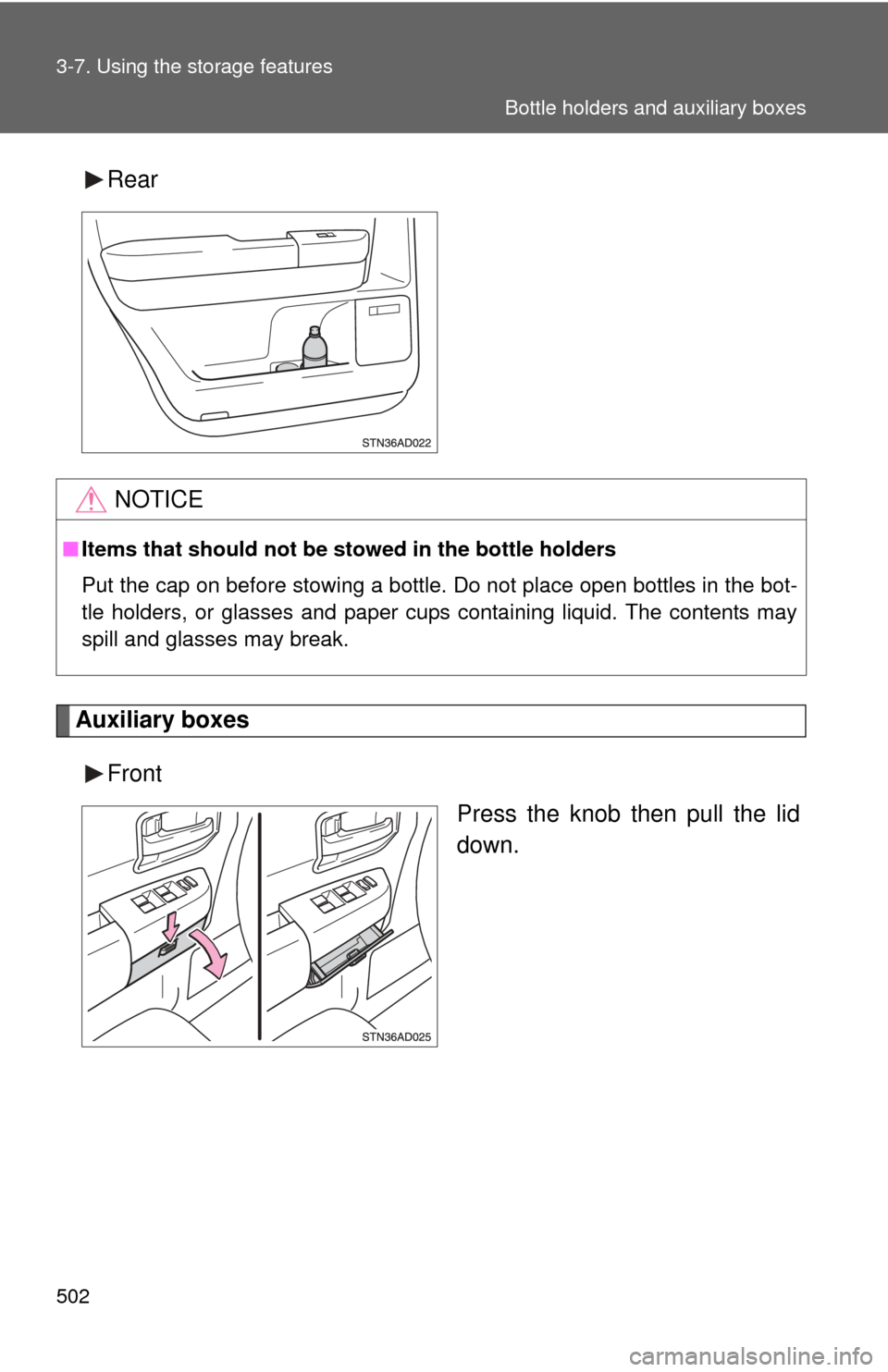
Rear
Auxiliary boxesFront Press the knob then pull the lid
down.
NOTICE
■Items that should not be stowed in the bottle holders
Put the cap on before stowing a bottle. Do not place open bottles in the bot-
tle holders, or glasses and paper cups containing liquid. The contents may
spill and glasses may break.
Bottle holders and auxiliary boxes
Page 503 of 740
503
3-7. Using the
storage features
3
Interior features
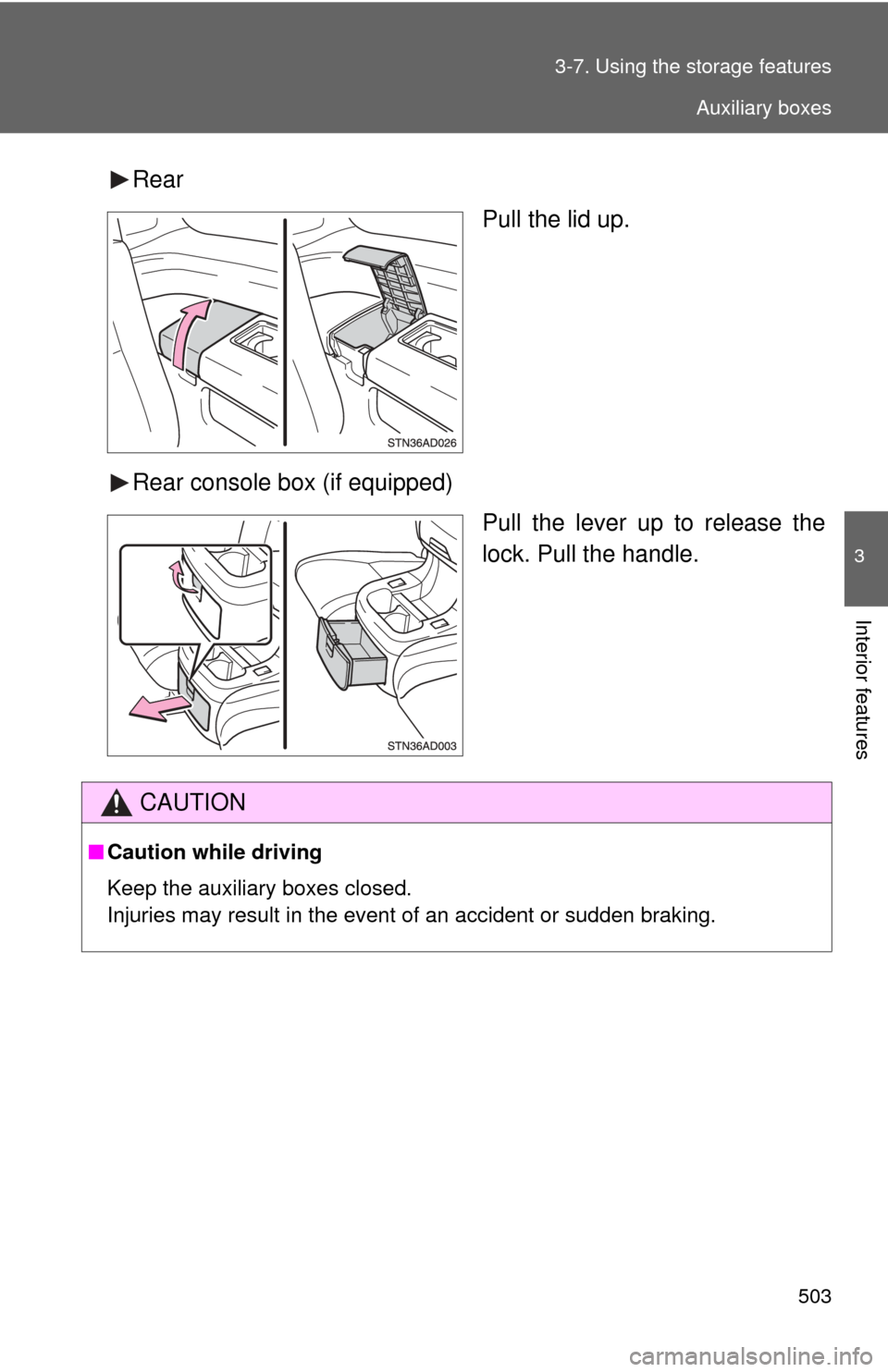
Rear
Pull the lid up.
Rear console box (if equipped) Pull the lever up to release the
lock. Pull the handle.
CAUTION
■Caution while driving
Keep the auxiliary boxes closed.
Injuries may result in the event of an accident or sudden braking.
Auxiliary boxes
Page 533 of 740
533
3-8. Other interior features
3
Interior features
■
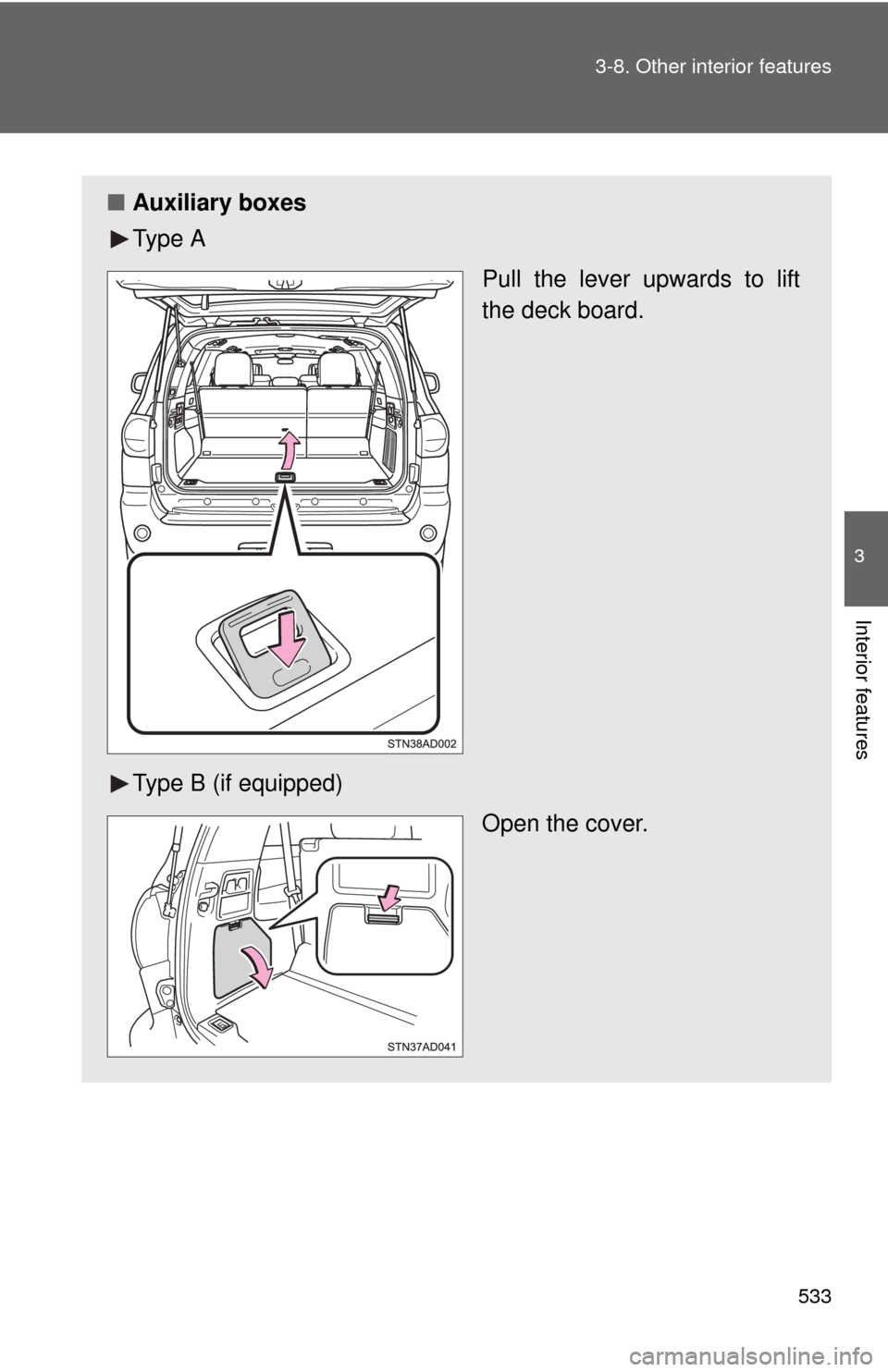
Auxiliary boxes
Ty p e A
Pull the lever upwards to lift
the deck board.
Type B (if equipped) Open the cover.