TOYOTA SEQUOIA 2014 2.G Owners Manual
SEQUOIA 2014 2.G
TOYOTA
TOYOTA
https://www.carmanualsonline.info/img/14/6774/w960_6774-0.png
TOYOTA SEQUOIA 2014 2.G Owners Manual
Page 306 of 668
306 3-1. Using the air conditioning system and defogger
Adjusting the settings
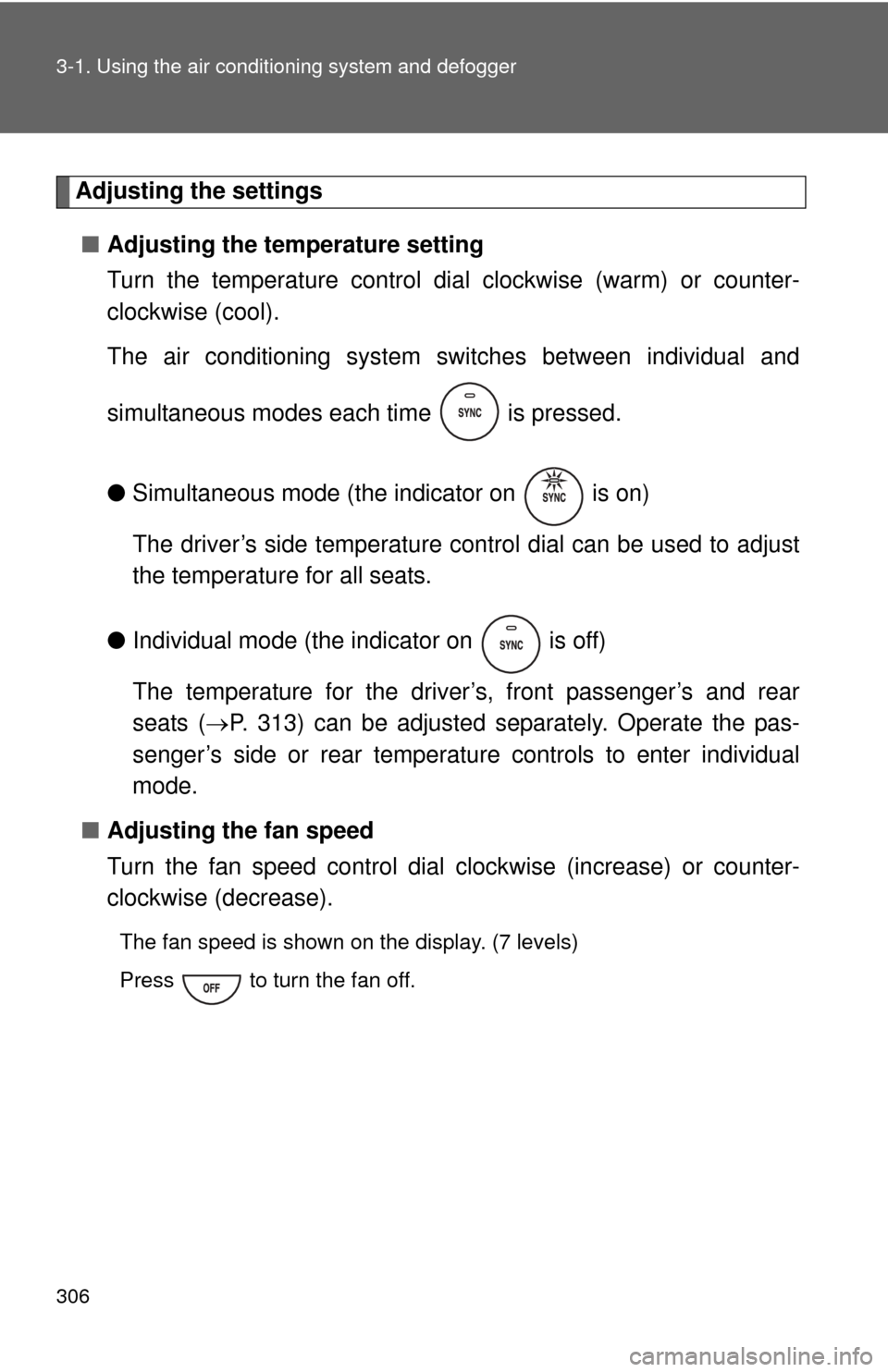
■ Adjusting the temperature setting
Turn the temperature control dial clockwise (warm) or counter-
clockwise (cool).
The air conditioning system sw itches between individual and
simultaneous modes each time is pressed.
● Simultaneous mode (the indicator on is on)
The driver’s side temperature control dial can be used to adjust
the temperature for all seats.
● Individual mode (the indicator on is off)
The temperature for the driver’s, front passenger’s and rear
seats ( P. 313) can be adjusted separately. Operate the pas-
senger’s side or rear temperature controls to enter individual
mode.
■ Adjusting the fan speed
Turn the fan speed control dial clockwise (increase) or counter-
clockwise (decrease).
The fan speed is shown on the display. (7 levels)
Press to turn the fan off.
Page 312 of 668
312 3-1. Using the air conditioning system and defogger
CAUTION
■To prevent the windshield from fogging up
Do not use during cool air operation in extremely humid weather. The
difference between the temperature of the outside air and that of the wind-
shield can cause the outer surface of the windshield to fog up, blocking your
vision.
NOTICE
■To prevent battery discharge
Do not leave the air conditioning system on longer than necessary when the
engine is stopped.
Page 313 of 668
313
3-1. Using the air conditioning system and defogger
3
Interior features
Rear air conditioning system
■Button lock function
During Simultaneous mode (the indicator on is on), the rear air condi-
tioning system buttons will be automatically locked. ( P. 306)
appears on the display when the buttons are locked.
To unlock the buttons, choose the Individual mode (the indicator on
is off). ( P. 306)
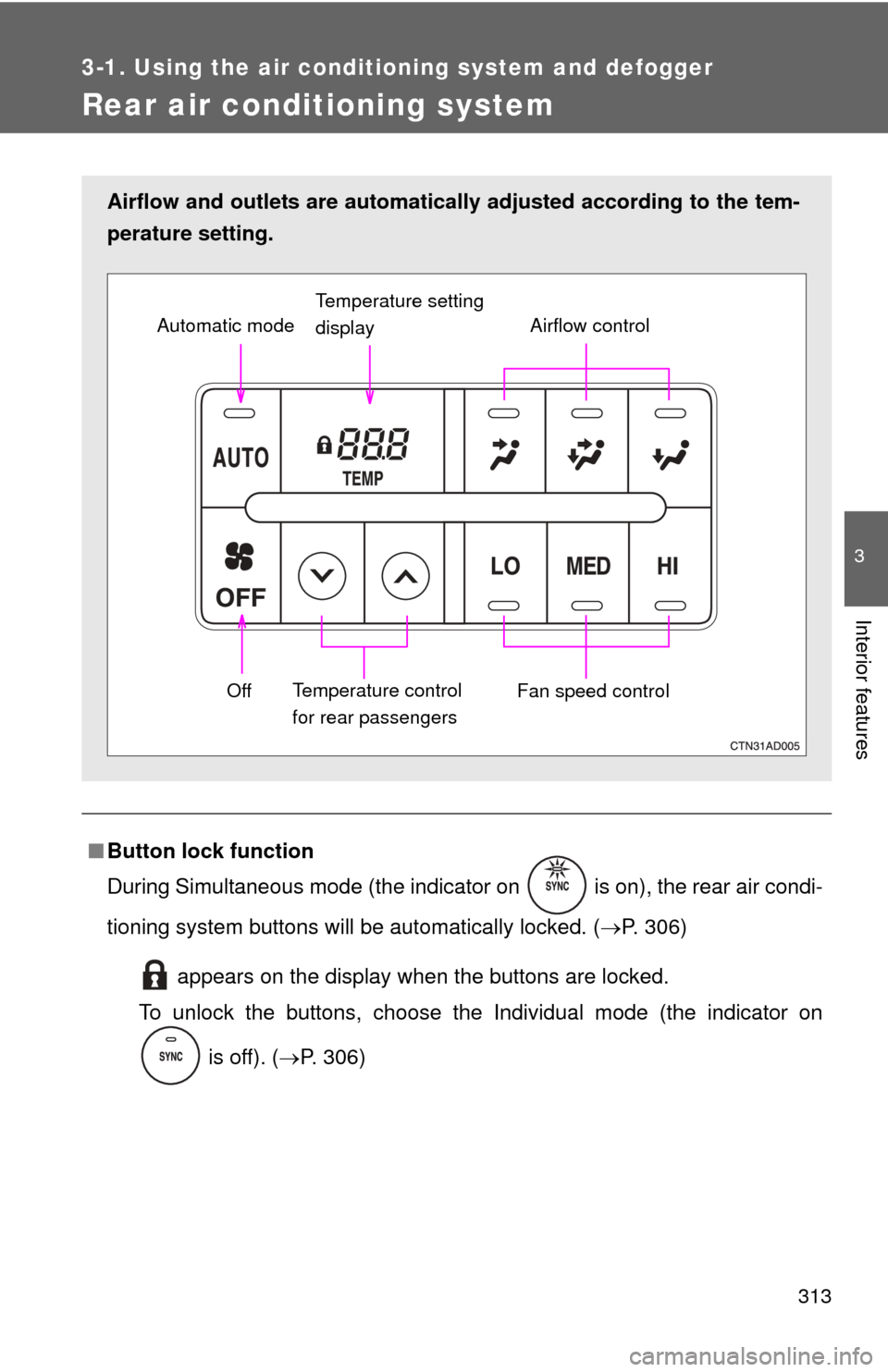
Airflow and outlets are automatically adjusted according to the tem-
perature setting.
Airflow control
Temperature setting
display
Fan speed control
Off
Automatic mode
Temperature control
for rear passengers
Page 406 of 668
406
3-3. Using the interior lights
Interior lights list
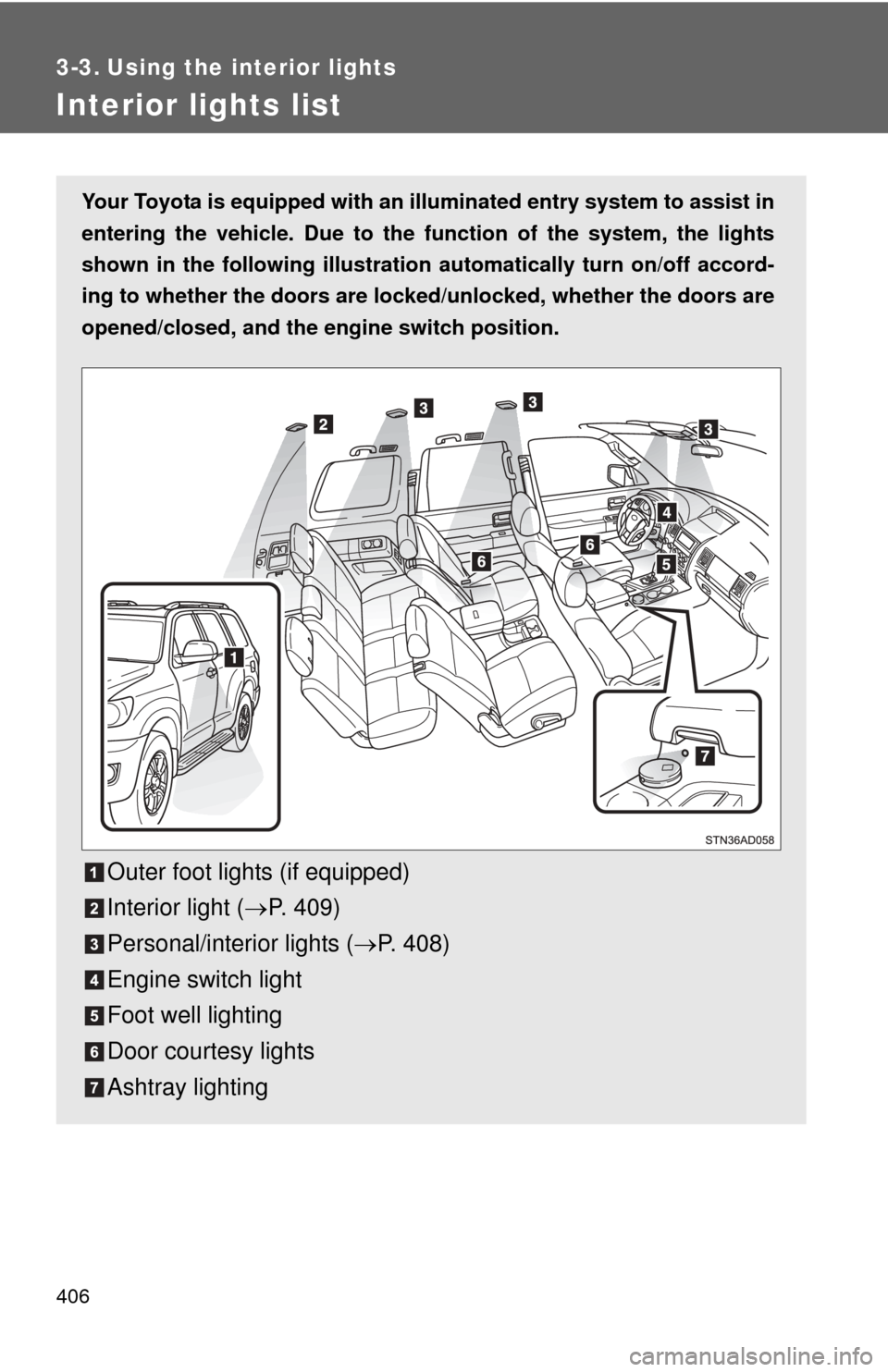
Your Toyota is equipped with an illuminated entry system to assist in
entering the vehicle. Due to the fu nction of the system, the lights
shown in the following illustration automatically turn on/off accord-
ing to whether the doo rs are locked/unlocked, whether the doors are
opened/closed, and the en gine switch position.
Outer foot lights (if equipped)
Interior light (P. 409)
Personal/interior lights ( P. 408)
Engine switch light
Foot well lighting
Door courtesy lights
Ashtray lighting
Page 411 of 668
411
3-4. Using the
storage features
3
Interior features
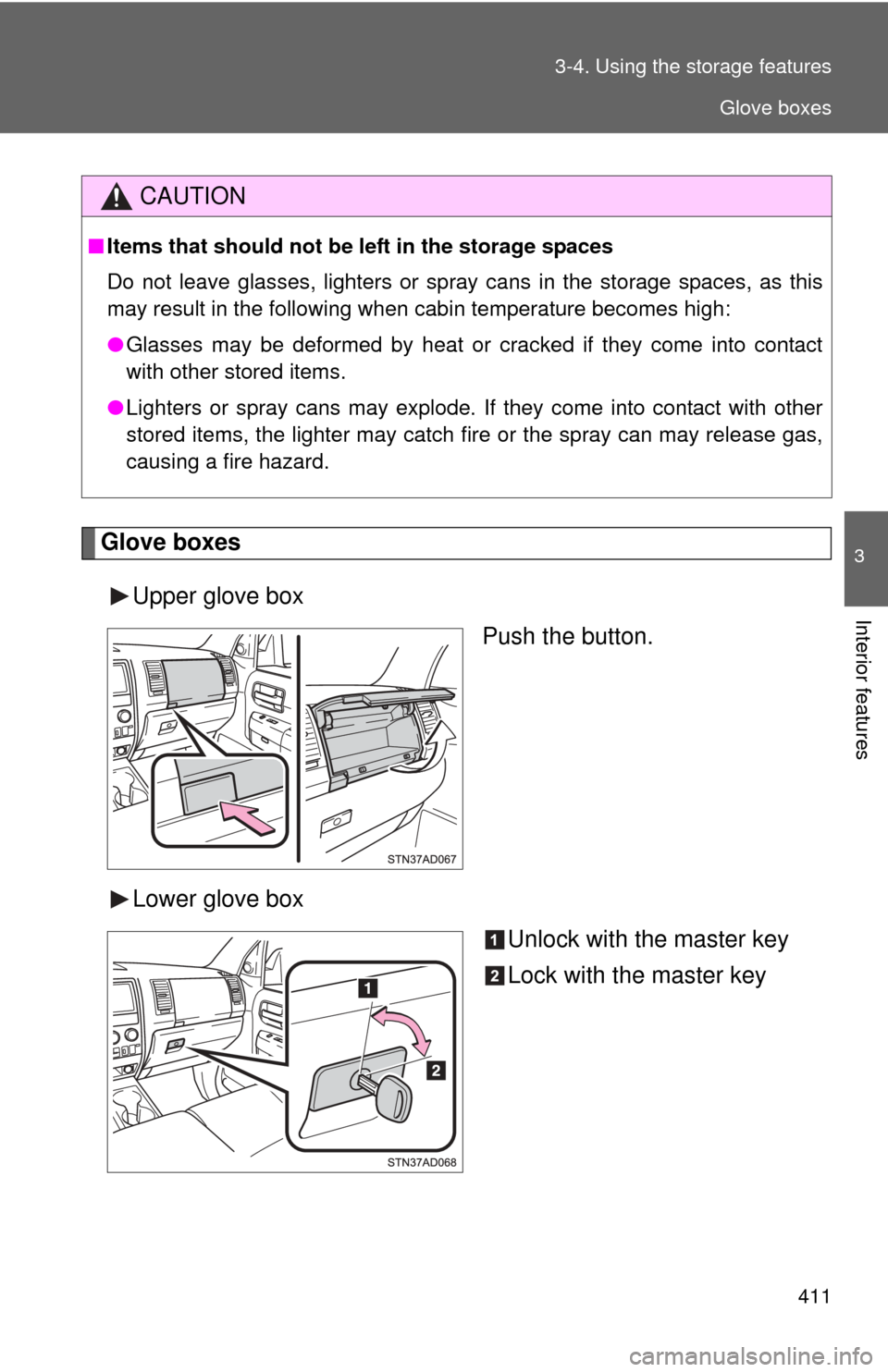
Glove boxes
Upper glove box Push the button.
Lower glove box Unlock with the master key
Lock with the master key
CAUTION
■Items that should not be left in the storage spaces
Do not leave glasses, lighters or spray cans in the storage spaces, as this
may result in the following when cabin temperature becomes high:
● Glasses may be deformed by heat or cracked if they come into contact
with other stored items.
● Lighters or spray cans may explode. If they come into contact with other
stored items, the lighter may catch fire or the spray can may release gas,
causing a fire hazard.
Glove boxes
Page 417 of 668
417
3-4. Using the
storage features
3
Interior features
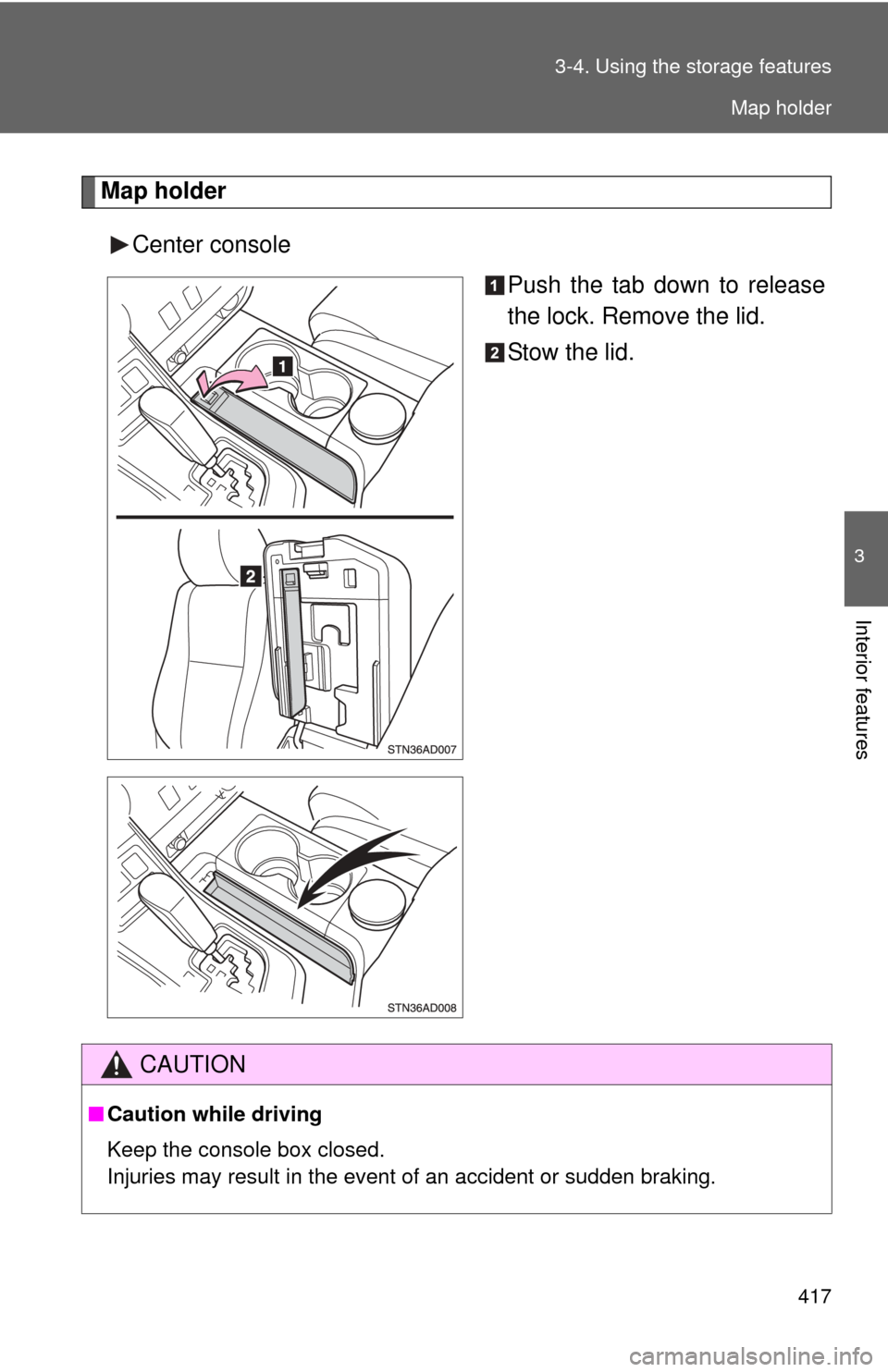
Map holder
Center console Push the tab down to release
the lock. Remove the lid.
Stow the lid.
CAUTION
■Caution while driving
Keep the console box closed.
Injuries may result in the event of an accident or sudden braking.
Map holder
Page 424 of 668
424 3-4. Using the storage features
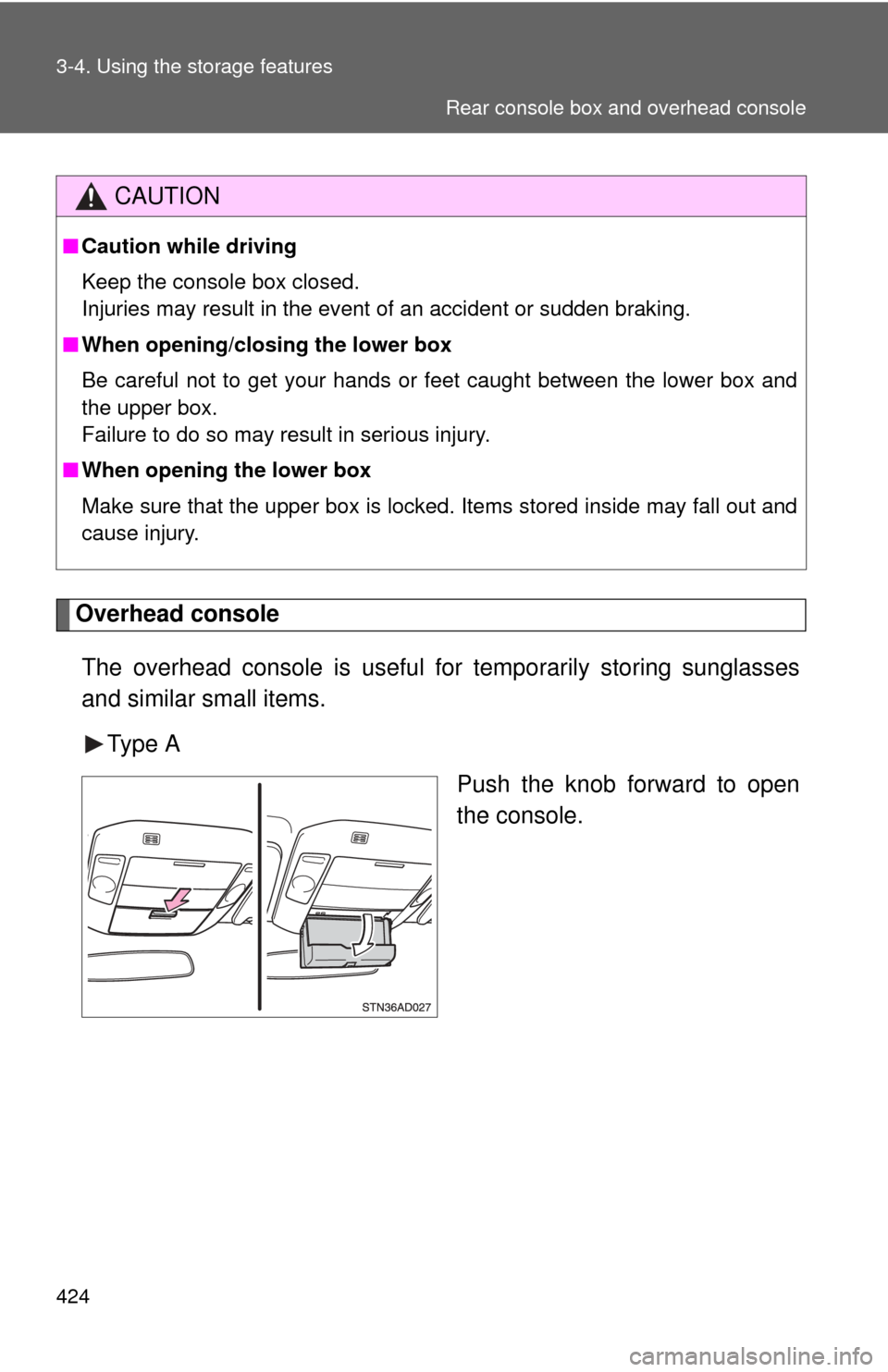
Overhead consoleThe overhead console is useful for temporarily storing sunglasses
and similar small items.
Type A Push the knob forward to open
the console.
CAUTION
■Caution while driving
Keep the console box closed.
Injuries may result in the event of an accident or sudden braking.
■ When opening/closing the lower box
Be careful not to get your hands or feet caught between the lower box and
the upper box.
Failure to do so may result in serious injury.
■ When opening the lower box
Make sure that the upper box is locked. Items stored inside may fall out and
cause injury.
Rear console box and overhead console
Page 427 of 668
427
3-4. Using the
storage features
3
Interior features
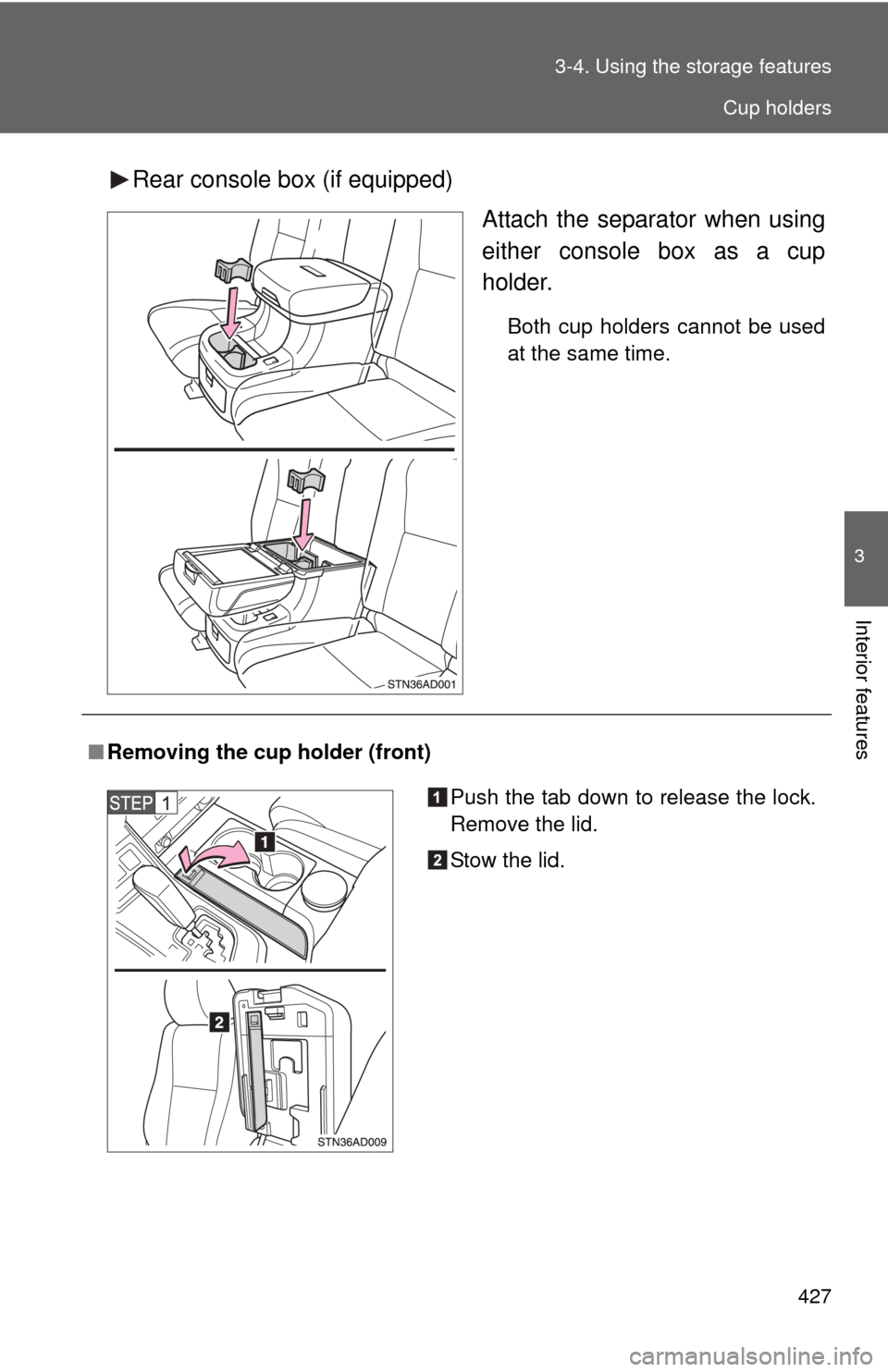
Rear console box (if equipped)
Attach the separator when using
either console box as a cup
holder.
Both cup holders cannot be used
at the same time.
■Removing the cup holder (front)
Push the tab down to release the lock.
Remove the lid.
Stow the lid.
Cup holders
Page 432 of 668
432 3-4. Using the storage features
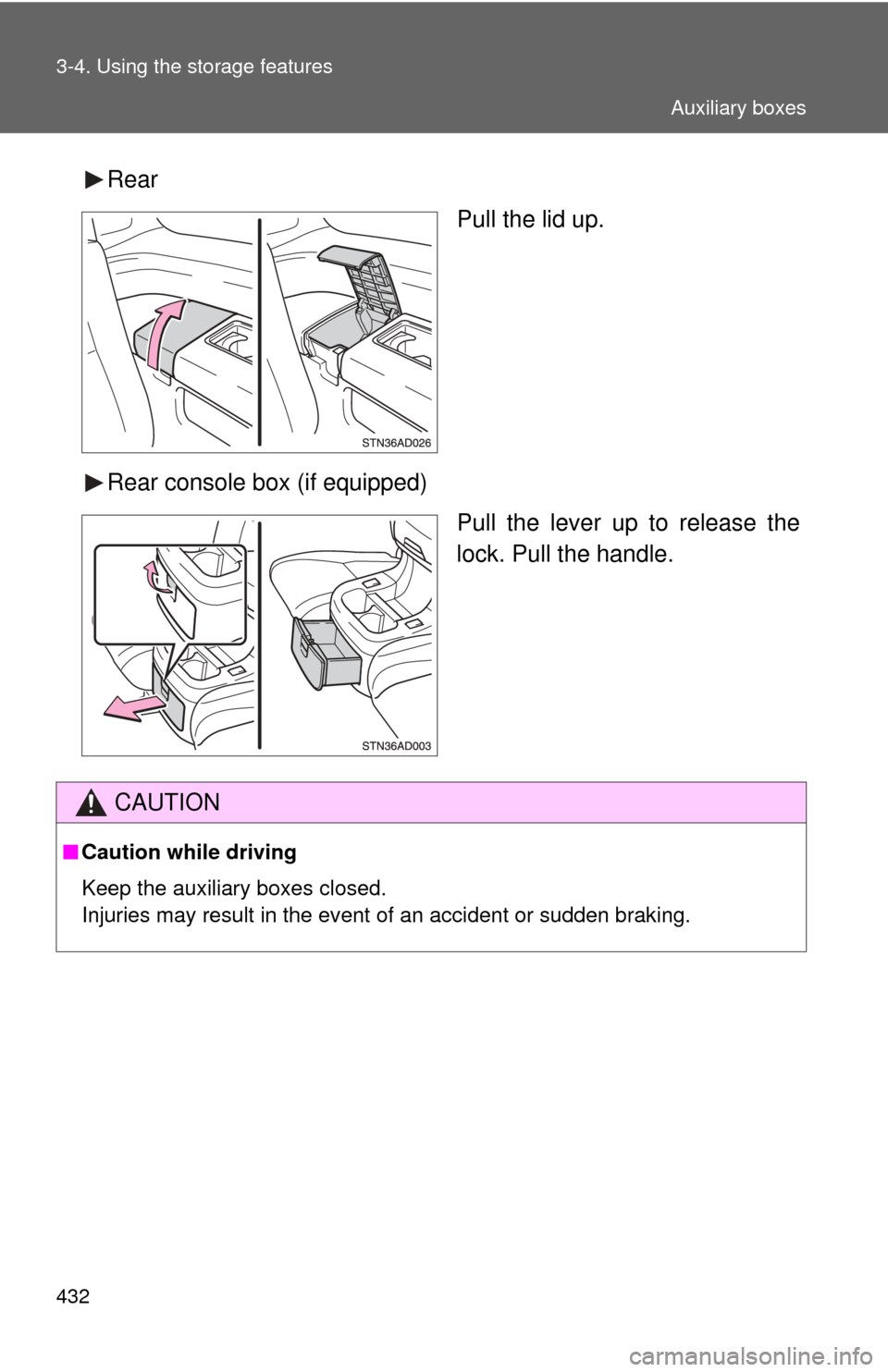
RearPull the lid up.
Rear console box (if equipped) Pull the lever up to release the
lock. Pull the handle.
CAUTION
■Caution while driving
Keep the auxiliary boxes closed.
Injuries may result in the event of an accident or sudden braking.
Auxiliary boxes
Page 435 of 668
435
3-5. Other interior features
3
Interior features
Clock
■For quicker adjustme nt of the clock
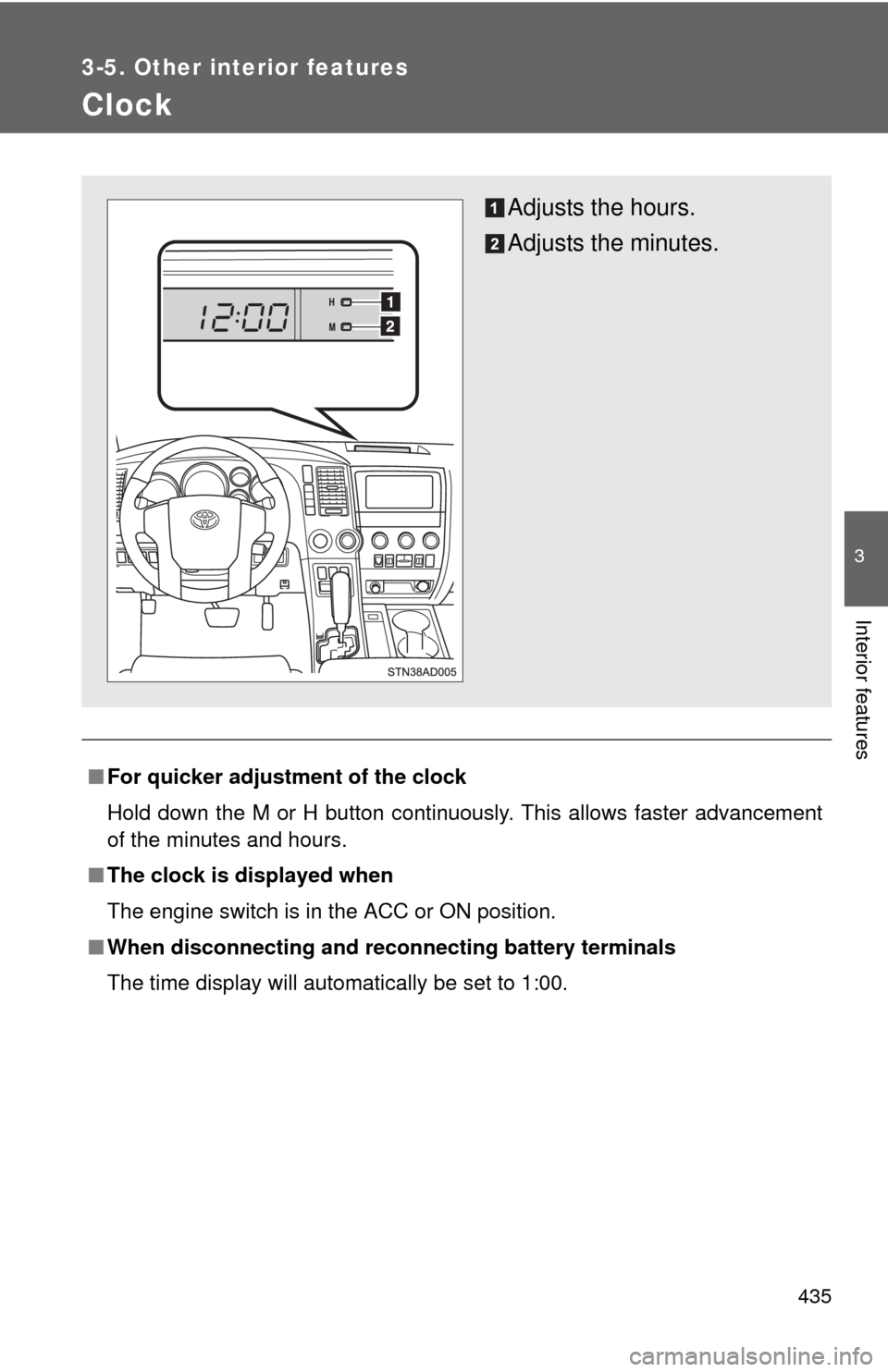
Hold down the M or H button continuously. This allows faster advancement
of the minutes and hours.
■ The clock is displayed when
The engine switch is in the ACC or ON position.
■ When disconnecting and reco nnecting battery terminals
The time display will automatically be set to 1:00.
Adjusts the hours.
Adjusts the minutes.