AUX TOYOTA SEQUOIA 2017 2.G User Guide
[x] Cancel search | Manufacturer: TOYOTA, Model Year: 2017, Model line: SEQUOIA, Model: TOYOTA SEQUOIA 2017 2.GPages: 576, PDF Size: 12.76 MB
Page 293 of 576
Interior features3
293
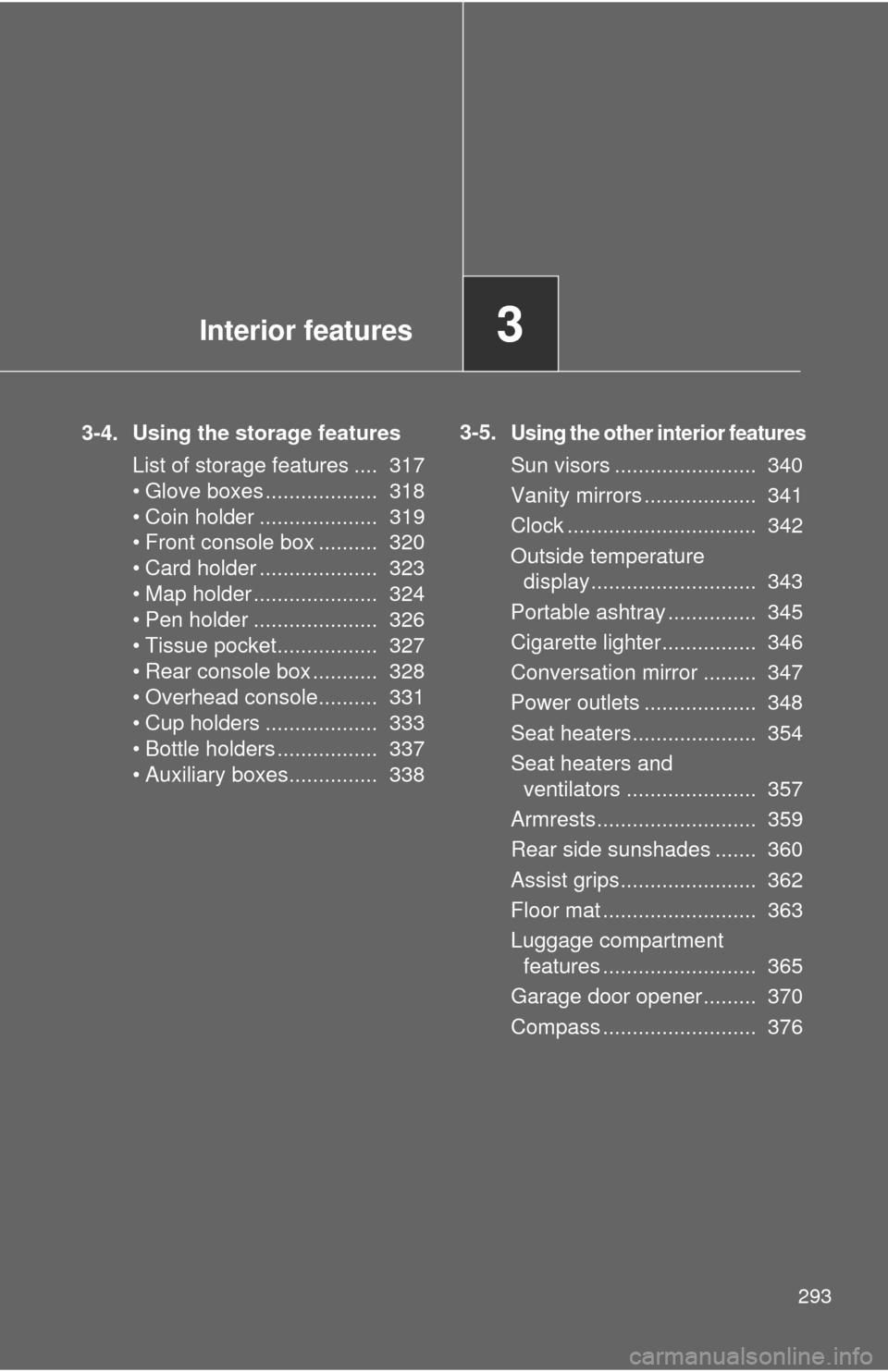
3-4. Using the storage featuresList of storage features .... 317
• Glove boxes ................... 318
• Coin holder .................... 319
• Front console box .......... 320
• Card holder .................... 323
• Map holder ..................... 324
• Pen holder ..................... 326
• Tissue pocket................. 327
• Rear console box ........... 328
• Overhead console.......... 331
• Cup holders ................... 333
• Bottle holders ................. 337
• Auxiliary boxes............... 338 3-5.Using the other interior features
Sun visors ........................ 340
Vanity mirrors ................... 341
Clock ................................ 342
Outside temperature
display............................ 343
Portable ashtray ............... 345
Cigarette lighter................ 346
Conversation mirror ......... 347
Power outlets ................... 348
Seat heaters..................... 354
Seat heaters and ventilators ...................... 357
Armrests........................... 359
Rear side sunshades ....... 360
Assist grips....................... 362
Floor mat .......................... 363
Luggage compartment features .......................... 365
Garage door opener......... 370
Compass .......................... 376
Page 311 of 576
311
3-2. Using the multimedia system
3
Interior features
USB port/AUX port
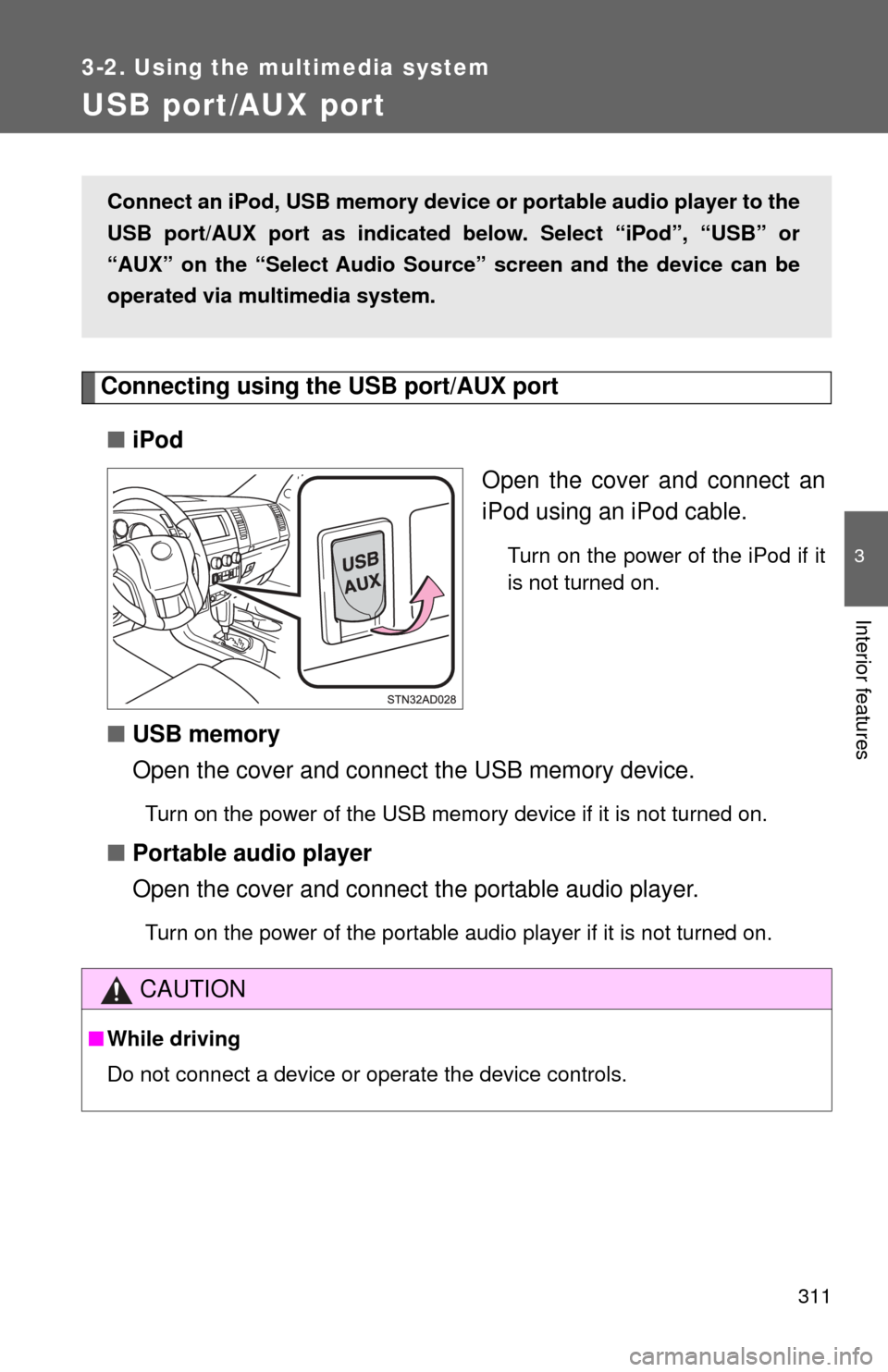
Connecting using the USB port/AUX port■ iPod
Open the cover and connect an
iPod using an iPod cable.
Turn on the power of the iPod if it
is not turned on.
■USB memory
Open the cover and connect the USB memory device.
Turn on the power of the USB memory device if it is not turned on.
■Portable audio player
Open the cover and connect the portable audio player.
Turn on the power of the portable audio player if it is not turned on.
Connect an iPod, USB memory device or portable audio player to the
USB port/AUX port as indicated below. Select “iPod”, “USB” or
“AUX” on the “Select Audio Sour ce” screen and the device can be
operated via multimedia system.
CAUTION
■ While driving
Do not connect a device or operate the device controls.
Page 312 of 576
312
3-2. Using the multimedia system
Using the AUX port
Connecting a portable audio player→ P. 3 1 1
■Operating portable audio players co nnected to the multimedia system
The volume can be adjusted using the vehicle’s audio controls. All other
adjustments must be made on the portable audio player itself.
■ When using a portable audio player connected to the power outlet
Noise may occur during playback. Use the power source of the portable
audio player.
CAUTION
■ While driving
Do not connect a portable audio player or operate the device controls.
To use the AUX port, connect a po rtable player, then select “AUX” on
the “Select Audio Source” screen.
Page 317 of 576
317
3
Interior features
3-4. Using the storage features
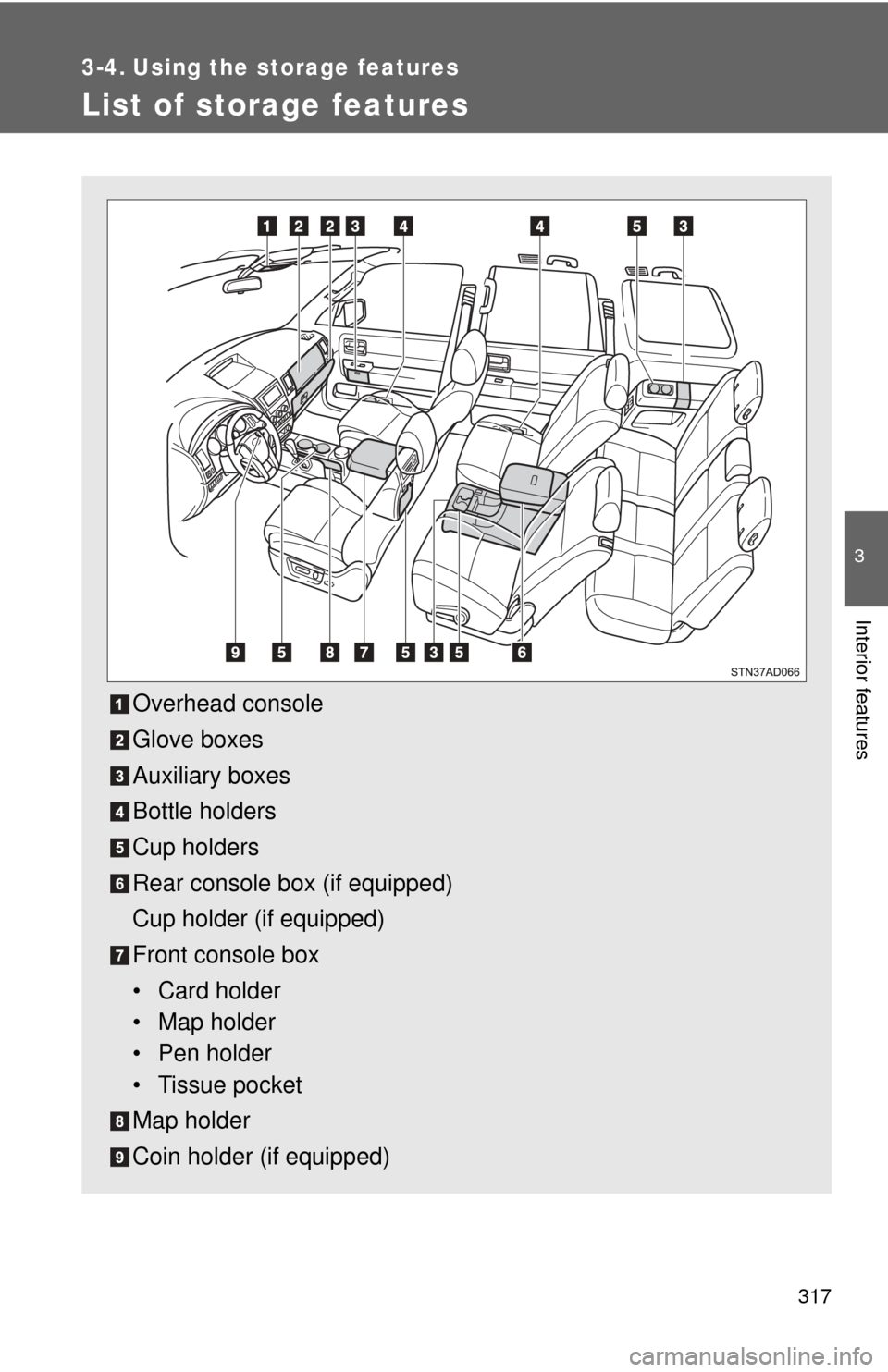
List of storage features
Overhead console
Glove boxes
Auxiliary boxes
Bottle holders
Cup holders
Rear console box (if equipped)
Cup holder (if equipped)
Front console box
• Card holder
• Map holder
• Pen holder
• Tissue pocket
Map holder
Coin holder (if equipped)
Page 338 of 576
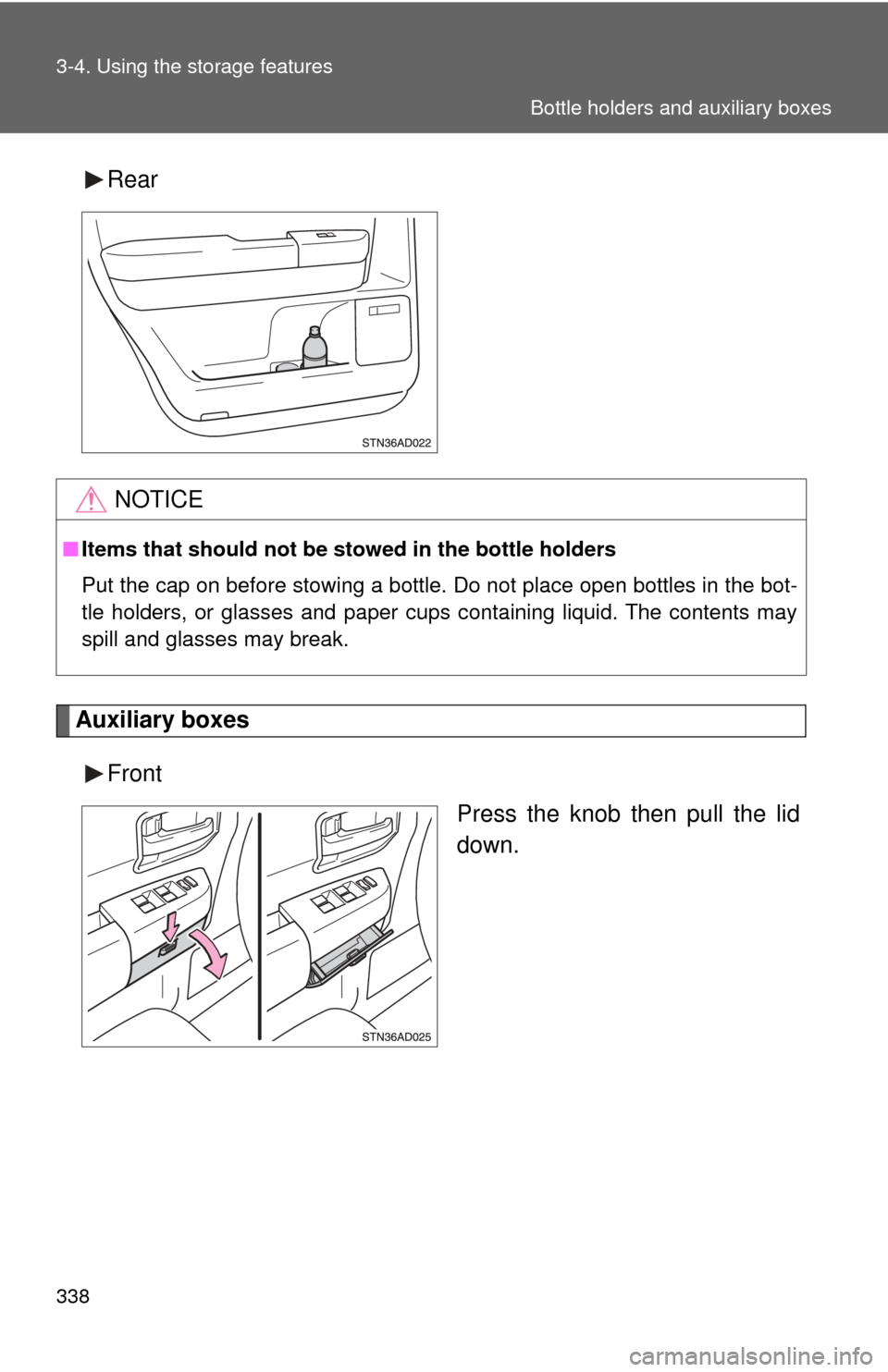
338 3-4. Using the storage features
Rear
Auxiliary boxesFront Press the knob then pull the lid
down.
NOTICE
■Items that should not be stowed in the bottle holders
Put the cap on before stowing a bottle. Do not place open bottles in the bot-
tle holders, or glasses and paper cups containing liquid. The contents may
spill and glasses may break.
Bottle holders and auxiliary boxes
Page 339 of 576
339
3-4. Using the
storage features
3
Interior features
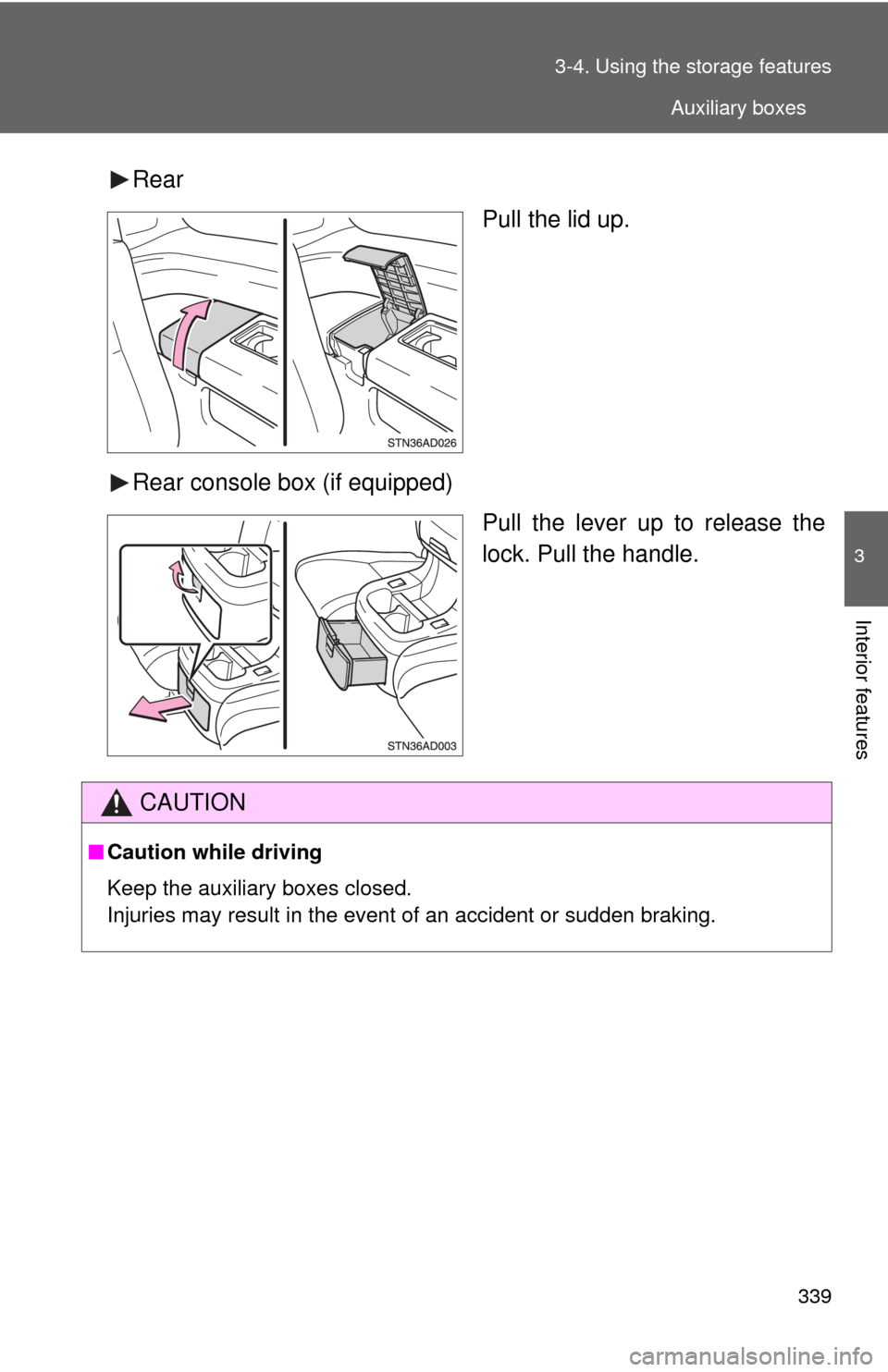
Rear
Pull the lid up.
Rear console box (if equipped) Pull the lever up to release the
lock. Pull the handle.
CAUTION
■Caution while driving
Keep the auxiliary boxes closed.
Injuries may result in the event of an accident or sudden braking.
Auxiliary boxes
Page 368 of 576
368 3-5. Using the other interior features
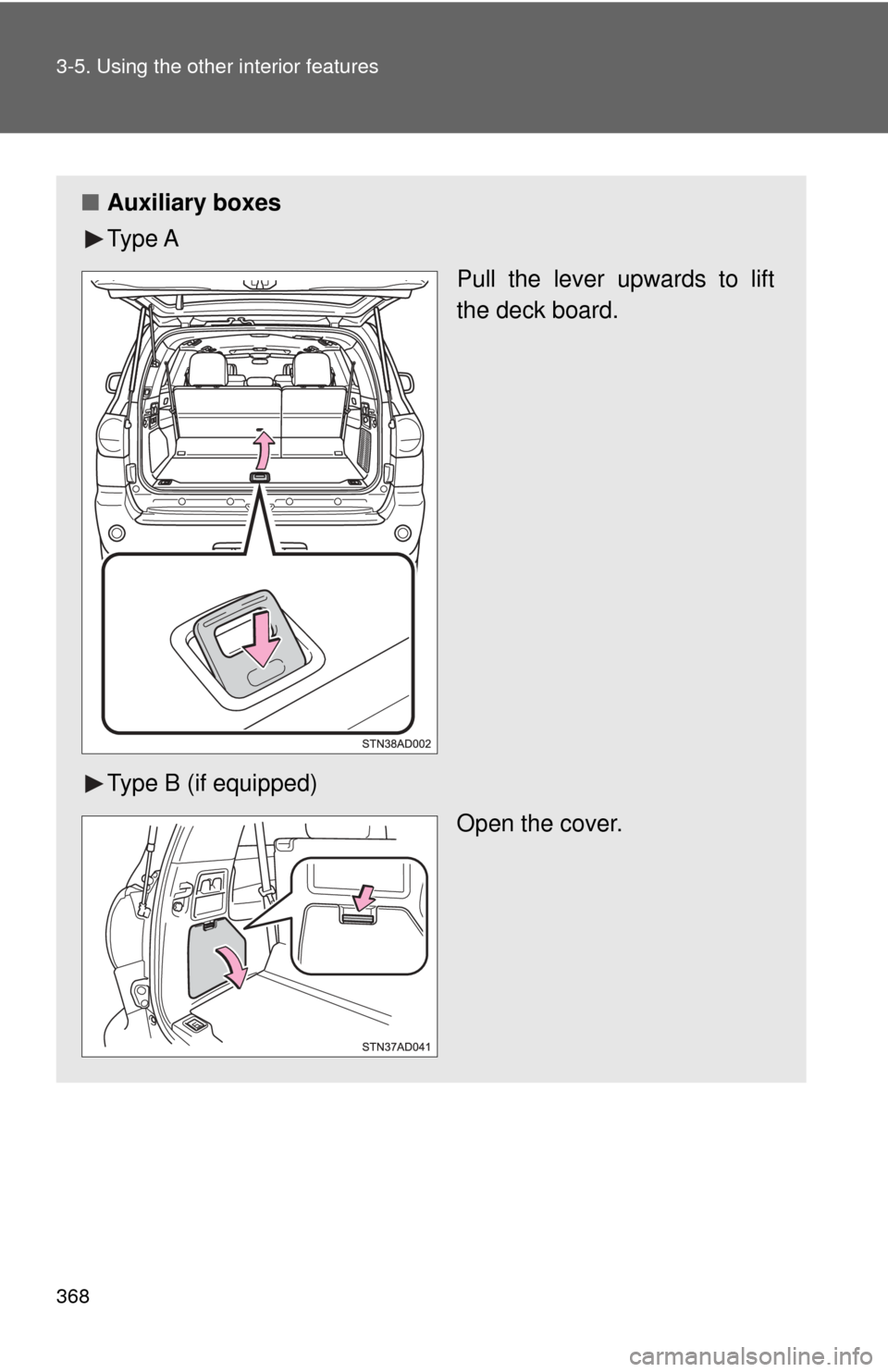
■Auxiliary boxes
Ty p e A
Pull the lever upwards to lift
the deck board.
Type B (if equipped) Open the cover.
Page 369 of 576

369
3-5. Using the other interior features
3
Interior features
CAUTION
■
When the tie-down hooks are not in use
To avoid injury, always return the tie-down hooks to their retracted positions
when they are not in use.
■ Caution while driving
Keep the auxiliary box closed. Injuries may result in the event of an accident
or sudden braking.
Page 562 of 576

562
Alphabetical index
Alphabetical index
A/C ..................................... 294, 303
AAC disc
*
ABS ........................................... 246
Active traction control ............. 246
Adaptive variable suspension system .................................... 238
Air conditioning filter............... 430
Air conditioning system
Air conditioning filter .............. 430
Front air conditioning system ................................ 294
Rear air conditioning system ................................ 303
Airbags Airbag operating conditions............................ 115
Airbag precautions for your child .................................... 119
Airbag warning light............... 470
Curtain shield airbag
operating conditions............ 115
Curtain shield airbag
precautions ......................... 119
Front passenger occupant classification system ........... 124
General airbag precautions ......................... 119
Locations of airbags .............. 112
Modification and disposal of
airbags ................................ 123
Proper driving
posture ........................ 110, 119
Side airbag operating conditions............................ 115
Side airbag precautions ........ 119
SRS airbags .......................... 112 Alarm......................................... 107
Antenna
*
Anti-lock brake system ........... 246
Armrest ..................................... 359
Ashtrays ................................... 345
Assist grips .............................. 362
A-TRAC ..................................... 246
Audio input ............................... 311
Audio system
A/V input port
*
Antenna*
Audio input ............................ 311
Audio visual input
*
AUX port ............................... 312
Blu-ray Disc™
*
CD player*
DVD disc*
DVD player*
iPod*
MP3/WMA/AAC disc*
Portable music player*
Radio*
Rear seat entertainment
system
*
Steering wheel audio switch*
Type ...................................... 310
USB memory
*
Audio visual input*
AUTO LSD system ................... 244
Automatic light control system .................................... 192
Automatic transmission .......................... 161
AUX port ................................... 311
Auxiliary box ............................ 338
A/V input port
*
AVS ........................................... 238
A
Page 576 of 576
576
GAS STATION INFORMATION
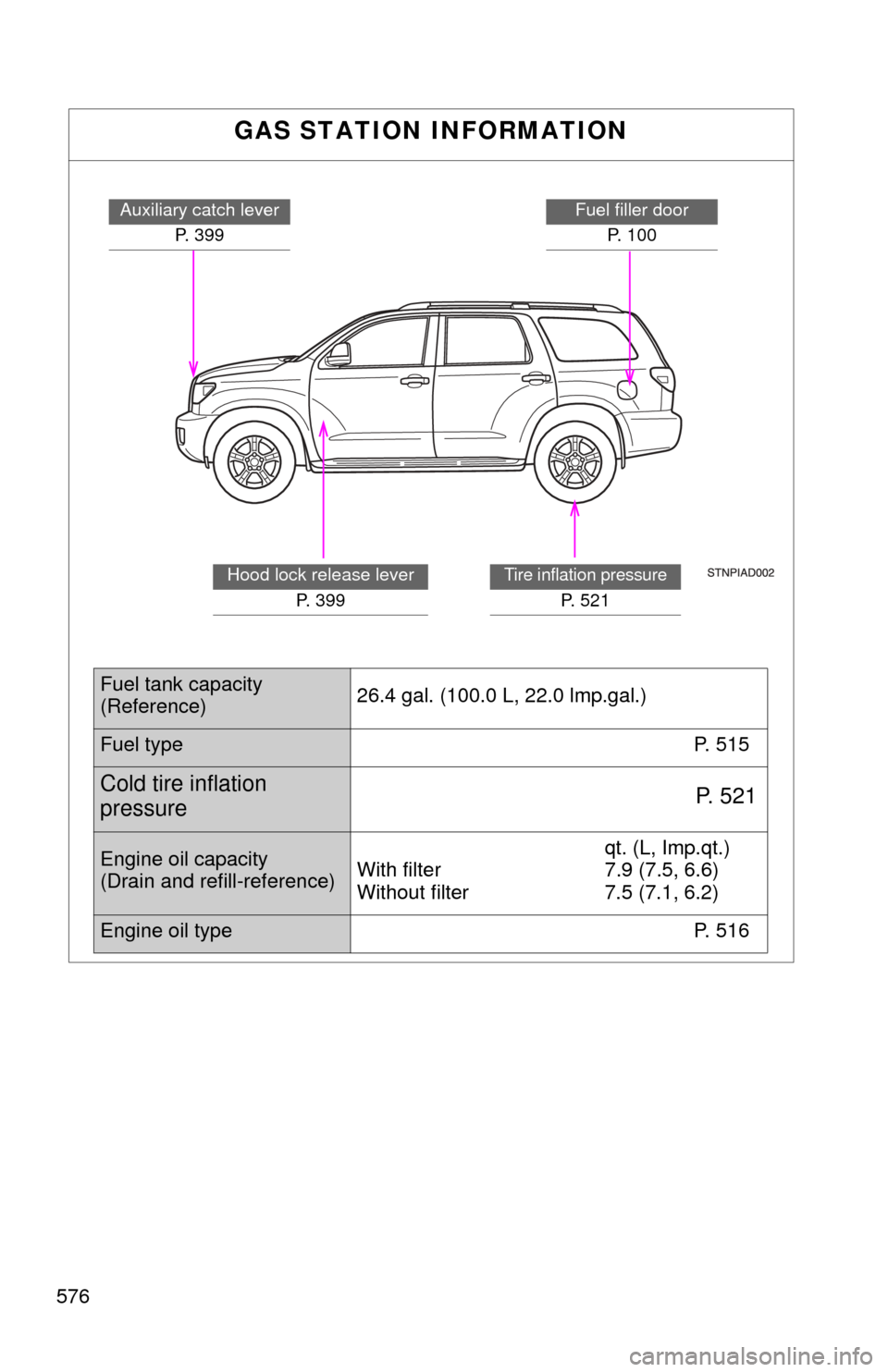
Auxiliary catch leverP. 399Fuel filler doorP. 100
Tire inflation pressure
P. 5 2 1
Hood lock release lever P. 399
Fuel tank capacity
(Reference) 26.4 gal. (100.0 L, 22.0 lmp.gal.)
Fuel type
P. 515
Cold tire inflation
pressureP. 5 2 1
Engine oil capacity
(Drain and refill-reference)qt. (L, Imp.qt.)
With filter 7.9 (7.5, 6.6)
Without filter 7.5 (7.1, 6.2)
Engine oil type P. 516