change time TOYOTA SEQUOIA 2017 2.G User Guide
[x] Cancel search | Manufacturer: TOYOTA, Model Year: 2017, Model line: SEQUOIA, Model: TOYOTA SEQUOIA 2017 2.GPages: 576, PDF Size: 12.76 MB
Page 309 of 576
309
3-1. Using the air conditioning system and defogger
3
Interior features
Windshield wiper de-icer∗
∗: If equipped
■The de-icer can be operated when
●The engine switch is in the ON position.
● The back window is completely closed.
CAUTION
■When the windshield wiper de-icer is on
Do not touch the glass at the lower part of the windshield or to the side of the
front pillars as the surfaces can become very hot and burn you.
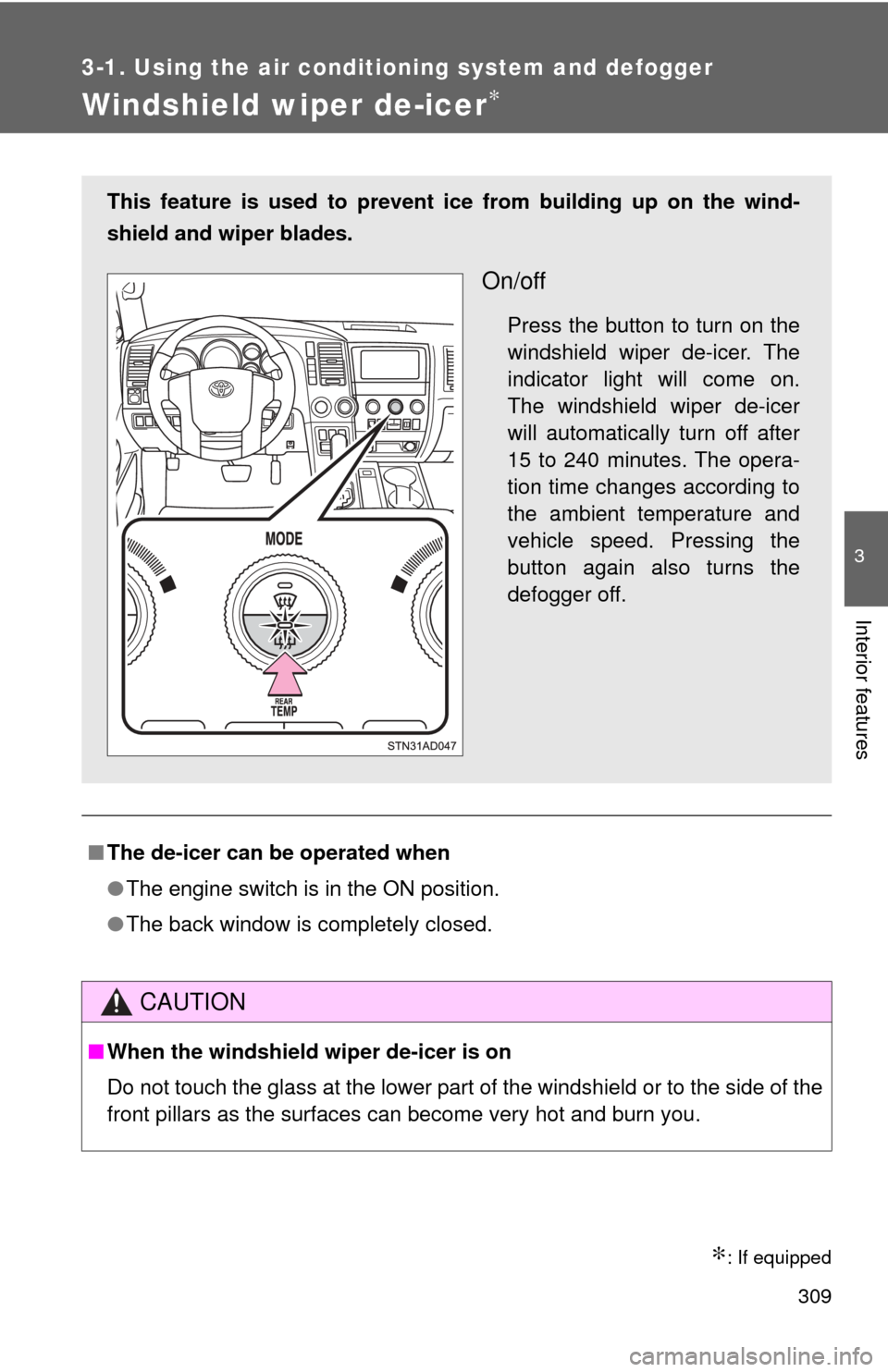
This feature is used to prevent ice from building up on the wind-
shield and wiper blades.
On/off
Press the button to turn on the
windshield wiper de-icer. The
indicator light will come on.
The windshield wiper de-icer
will automatically turn off after
15 to 240 minutes. The opera-
tion time changes according to
the ambient temperature and
vehicle speed. Pressing the
button again also turns the
defogger off.
Page 314 of 576
314 3-3. Using the interior lights
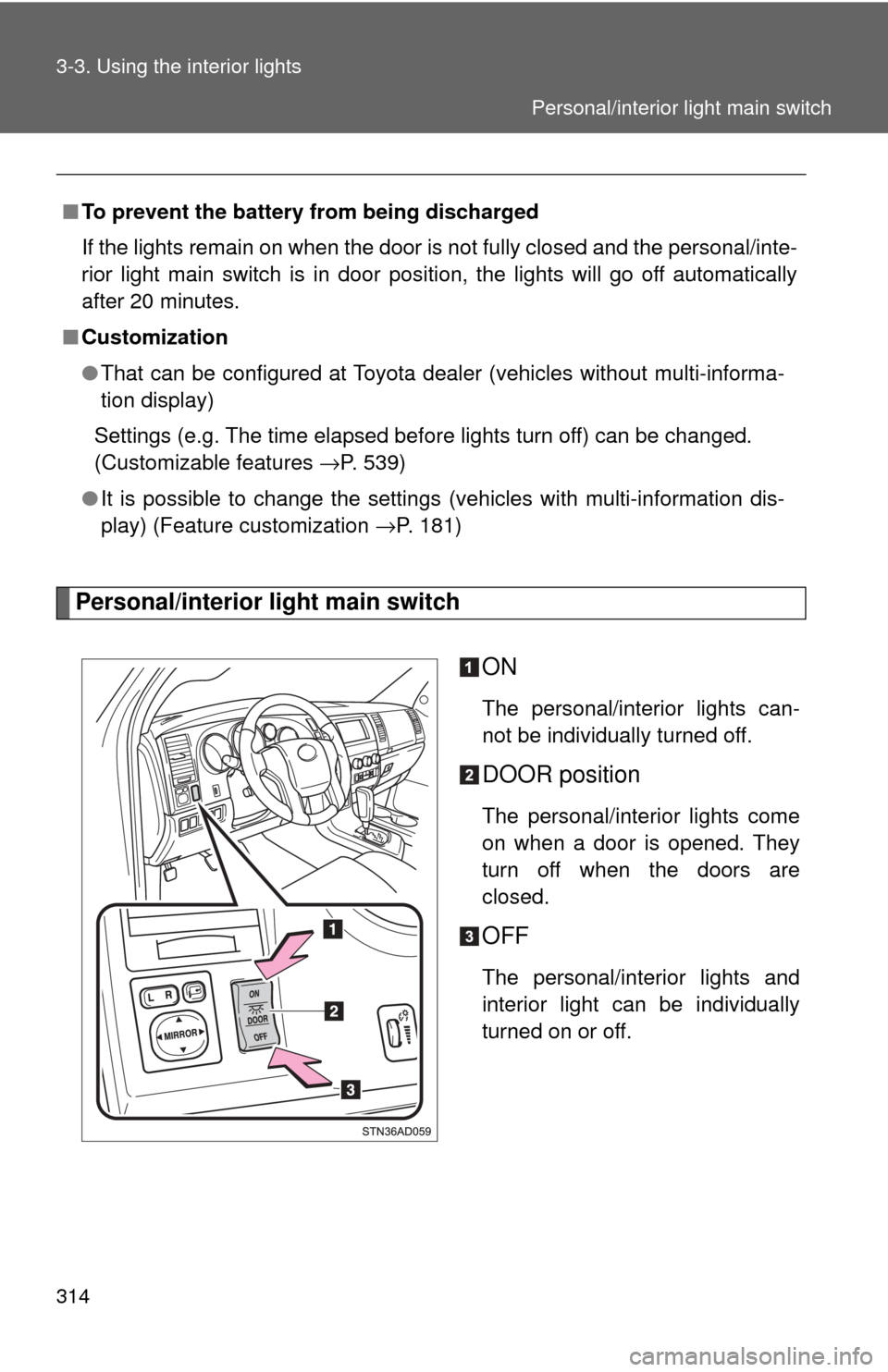
Personal/interior light main switchON
The personal/interior lights can-
not be individually turned off.
DOOR position
The personal/interior lights come
on when a door is opened. They
turn off when the doors are
closed.
OFF
The personal/interior lights and
interior light can be individually
turned on or off.
■
To prevent the battery from being discharged
If the lights remain on when the door is not fully closed and the personal/inte-
rior light main switch is in door position, the lights will go off automatically
after 20 minutes.
■ Customization
●That can be configured at Toyota dealer (vehicles without multi-informa-
tion display)
Settings (e.g. The time elapsed before lights turn off) can be changed.
(Customizable features →P. 539)
● It is possible to change the settings (vehicles with multi-information dis-
play) (Feature customization →P. 181)
Personal/interior light main switch
Page 493 of 576
5
When trouble arises
493
5-2. Steps to take in an emergency
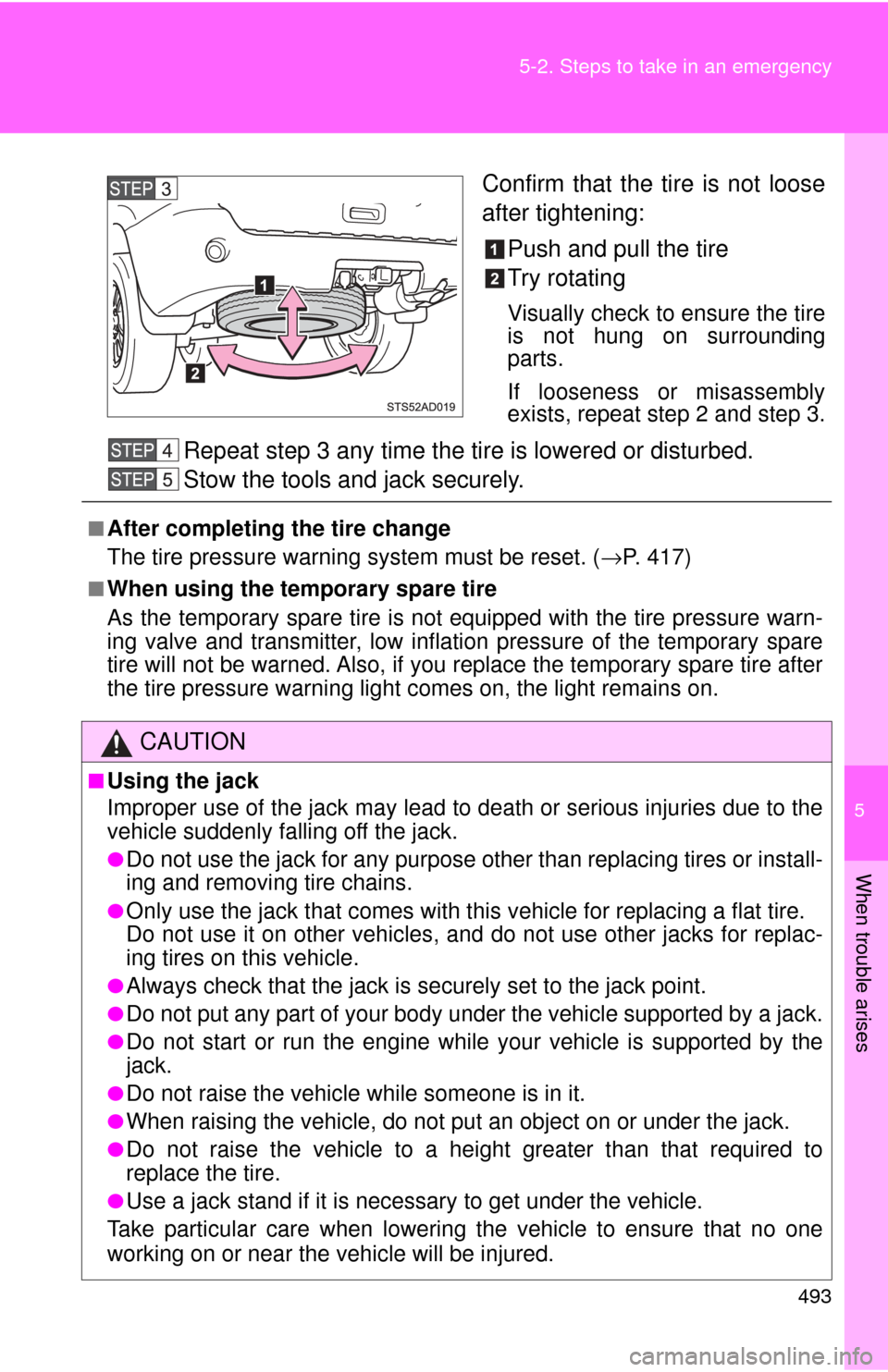
Confirm that the tire is not loose
after tightening:
Push and pull the tire
Try rotating
Visually check to ensure the tire
is not hung on surrounding
parts.
If looseness or misassembly
exists, repeat step 2 and step 3.
Repeat step 3 any time the ti re is lowered or disturbed.
Stow the tools and jack securely.
■After completing the tire change
The tire pressure warning system must be reset. (→P. 417)
■When using the temporary spare tire
As the temporary spare tire is not equipped with the tire pressure warn-
ing valve and transmitter, low inflation pressure of the temporary spare
tire will not be warned. Also, if you replace the temporary spare tire after
the tire pressure warning light comes on, the light remains on.
CAUTION
■Using the jack
Improper use of the jack may lead to death or serious injuries due to the
vehicle suddenly falling off the jack.
●Do not use the jack for any purpose other than replacing tires or install-
ing and removing tire chains.
●Only use the jack that comes with this vehicle for replacing a flat tire.
Do not use it on other vehicles, an d do not use other jacks for replac-
ing tires on this vehicle.
●Always check that the jack is securely set to the jack point.
●Do not put any part of your body under the vehicle supported by a jack.
●Do not start or run the engine while your vehicle is supported by the
jack.
●Do not raise the vehicle while someone is in it.
●When raising the vehicle, do not put an object on or under the jack.
●Do not raise the vehicle to a hei ght greater than that required to
replace the tire.
●Use a jack stand if it is necessary to get under the vehicle.
Take particular care when lowering the vehicle to ensure that no one
working on or near the vehicle will be injured.
Page 539 of 576
539
6
Vehicle specifications
6-2. Customization
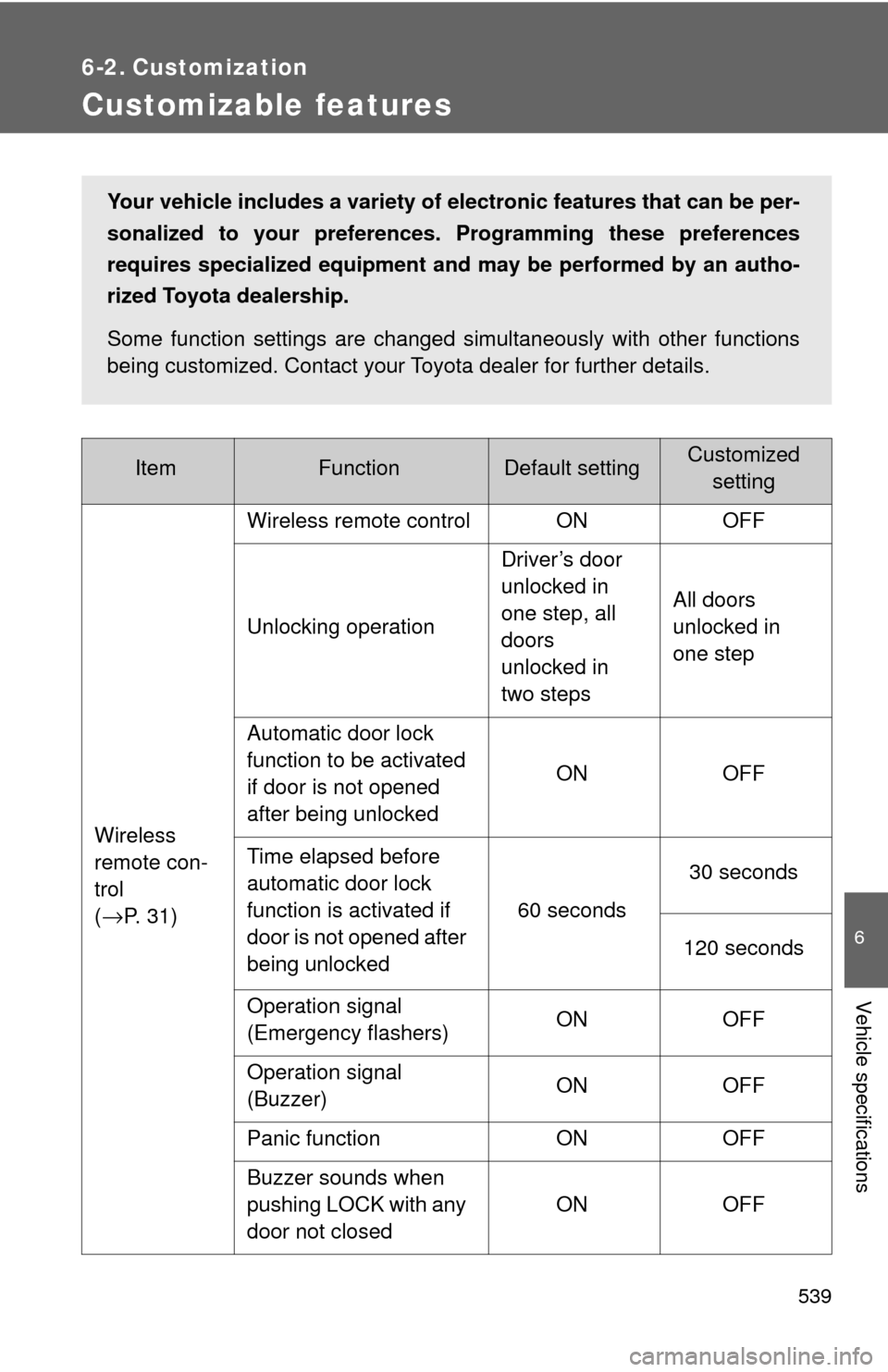
Customizable features
ItemFunctionDefault settingCustomizedsetting
Wireless
remote con-
trol
(
→P. 31) Wireless remote control ON OFF
Unlocking operation
Driver’s door
unlocked in
one step, all
doors
unlocked in
two stepsAll doors
unlocked in
one step
Automatic door lock
function to be activated
if door is not opened
after being unlocked ON OFF
Time elapsed before
automatic door lock
function is activated if
door is not opened after
being unlocked 60 seconds
30 seconds
120 seconds
Operation signal
(Emergency flashers) ON OFF
Operation signal
(Buzzer) ON OFF
Panic function ON OFF
Buzzer sounds when
pushing LOCK with any
door not closed ON OFF
Your vehicle includes a variety of electronic features that can be per-
sonalized to your preferences.
Programming these preferences
requires specialized equipment and may be performed by an autho-
rized Toyota dealership.
Some function settings are changed simultaneously with other functions
being customized. Contact your Toyota dealer for further details.