warning TOYOTA SEQUOIA 2017 2.G Owner's Manual
[x] Cancel search | Manufacturer: TOYOTA, Model Year: 2017, Model line: SEQUOIA, Model: TOYOTA SEQUOIA 2017 2.GPages: 576, PDF Size: 12.76 MB
Page 181 of 576
181
2-2. Instrument cluster
2
When driving
Feature customization
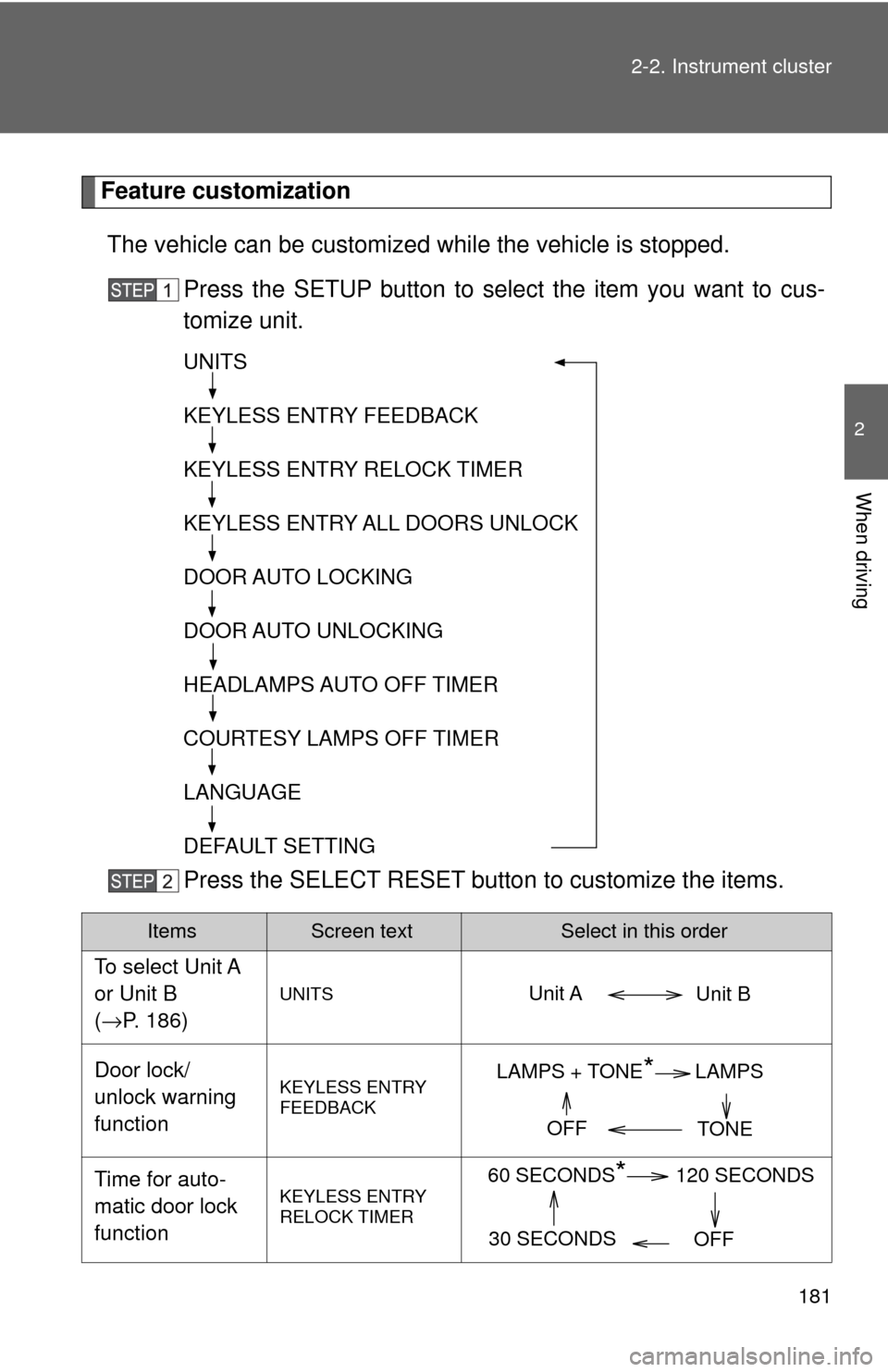
The vehicle can be customized while the vehicle is stopped.
Press the SETUP button to select the item you want to cus-
tomize unit.
Press the SELECT RESET butto n to customize the items.
ItemsScreen textSelect in this order
To select Unit A
or Unit B
(→P. 186)
UNITS
Door lock/
unlock warning
functionKEYLESS ENTRY
FEEDBACK
Time for auto-
matic door lock
functionKEYLESS ENTRY
RELOCK TIMER
UNITS
KEYLESS ENTRY FEEDBACK
KEYLESS ENTRY RELOCK TIMER
KEYLESS ENTRY ALL DOORS UNLOCK
DOOR AUTO LOCKING
DOOR AUTO UNLOCKING
HEADLAMPS AUTO OFF TIMER
COURTESY LAMPS OFF TIMER
LANGUAGE
DEFAULT SETTING
Unit B
Unit A
LAMPS + TONE*LAMPS
TONE
OFF
60 SECONDS*120 SECONDS
30 SECONDS OFF
Page 211 of 576
211
2-4. Using other
driving systems
2
When driving
Driving in vehicle-to-veh icle distance control mode
This mode employs a laser radar sensor to detect the presence of
vehicles up to approximately 40 0 ft. (120 m) ahead, determines the
current vehicle-to-vehicle following distance, and operates to main-
tain a suitable following distance from the vehicle ahead.
Note that vehicle-to-vehicle distance will close in when traveling on long
downhill slopes.
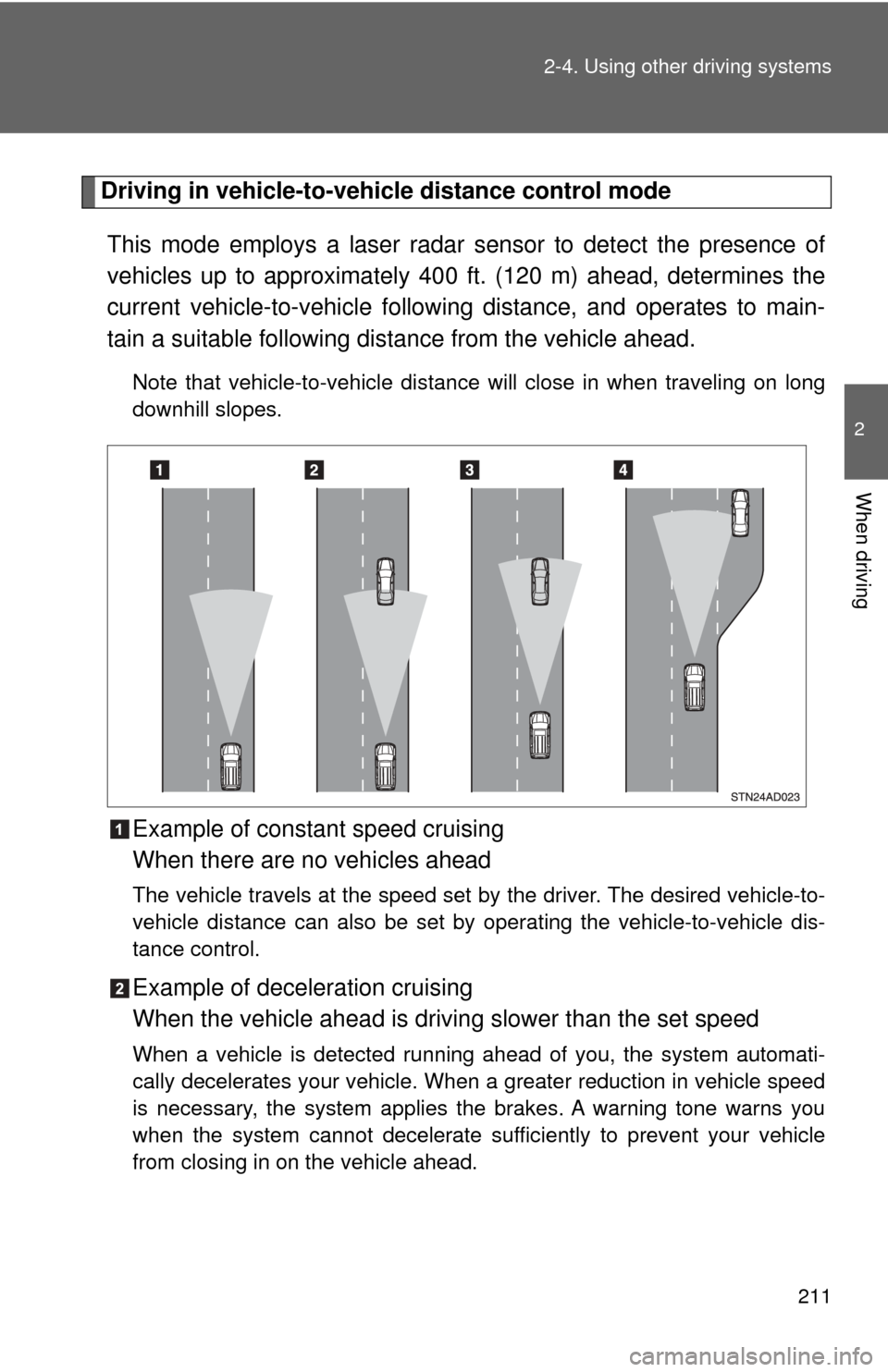
Example of constant speed cruising
When there are no vehicles ahead
The vehicle travels at the speed set by the driver. The desired vehicle-to-
vehicle distance can also be set by operating the vehicle-to-vehicle dis-
tance control.
Example of deceleration cruising
When the vehicle ahead is driving slower than the set speed
When a vehicle is detected running ahead of you, the system automati-
cally decelerates your vehicle. When a greater reduction in vehicle speed
is necessary, the system applies the brakes. A warning tone warns you
when the system cannot decelerate sufficiently to prevent your vehicle
from closing in on the vehicle ahead.
Page 212 of 576
212 2-4. Using other driving systems
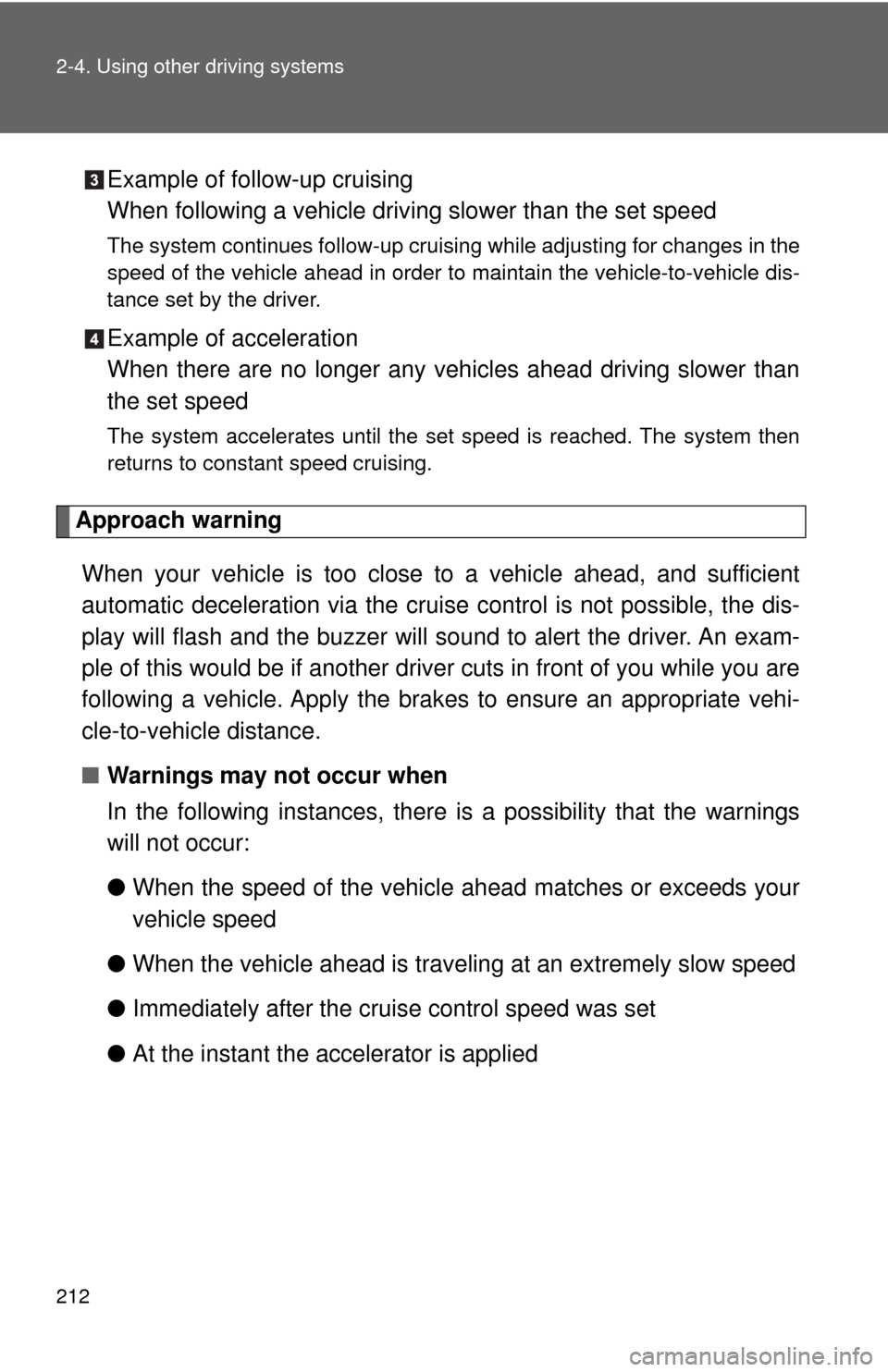
Example of follow-up cruising
When following a vehicle driving slower than the set speed
The system continues follow-up cruising while adjusting for changes in the
speed of the vehicle ahead in order to maintain the vehicle-to-vehicle dis-
tance set by the driver.
Example of acceleration
When there are no longer any vehi cles ahead driving slower than
the set speed
The system accelerates until the set speed is reached. The system then
returns to constant speed cruising.
Approach warning
When your vehicle is too close to a vehicle ahead, and sufficient
automatic deceleration via the cruise control is not possible, the dis-
play will flash and the buzzer will so und to alert the driver. An exam-
ple of this would be if another driver cuts in front of you while you are
following a vehicle. Apply the brak es to ensure an appropriate vehi-
cle-to-vehicle distance.
■ Warnings may not occur when
In the following instances, there is a possibility that the warnings
will not occur:
●When the speed of the vehicl e ahead matches or exceeds your
vehicle speed
● When the vehicle ahead is traveling at an extremely slow speed
● Immediately after the cruise control speed was set
● At the instant the accelerator is applied
Page 215 of 576
215
2-4. Using other
driving systems
2
When driving
■Automatic cancelation of constant speed control
The cruise control will stop maintaining the vehicle speed in the following sit-
uations:
● Actual vehicle speed is more than approximately 10 mph (16 km/h)
below the set vehicle speed
At this time, the memorized set speed is not retained.
● Vehicle speed falls below approximately 25 mph (40 km/h)
● VSC is activated
● The operation cannot be switched for 5 seconds or more after operating
the front wheel drive control switch or the center differential lock switch.
(4WD models)
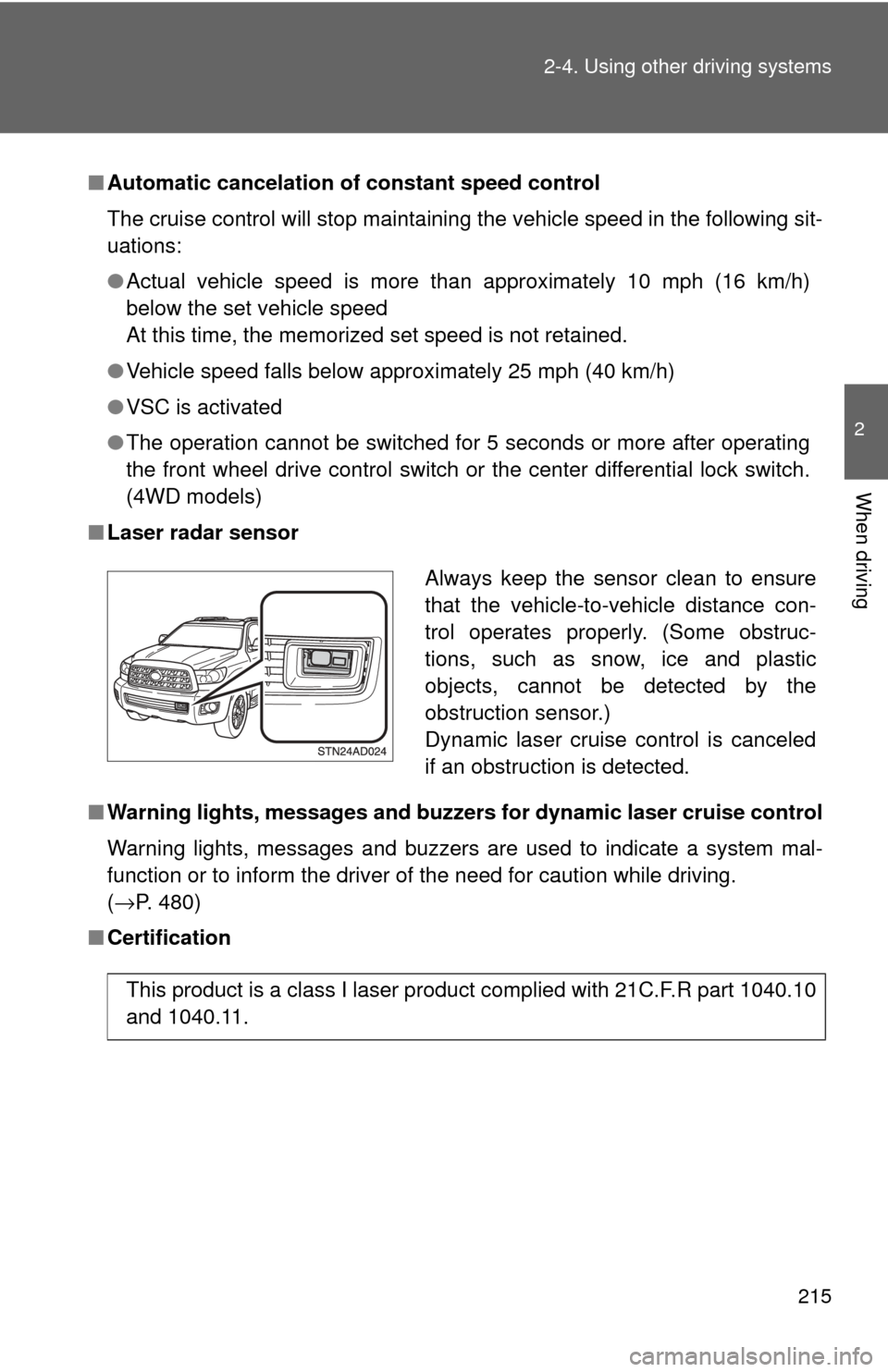
■ Laser radar sensor
■ Warning lights, messages and buzzers for dynamic laser cruise control
Warning lights, messages and buzzers are used to indicate a system mal-
function or to inform the driver of the need for caution while driving.
(→P. 480)
■ Certification
Always keep the sensor clean to ensure
that the vehicle-to-vehicle distance con-
trol operates properly. (Some obstruc-
tions, such as snow, ice and plastic
objects, cannot be detected by the
obstruction sensor.)
Dynamic laser cruise control is canceled
if an obstruction is detected.
This product is a class I laser product complied with 21C.F.R part 1040.10
and 1040.11.
Page 217 of 576
217
2-4. Using other
driving systems
2
When driving
CAUTION
■Situations unsuitable for dynamic laser cruise control
Do not use dynamic laser cruise control in any of the following situations.
Doing so may result in inappropriate speed control and could cause an acci-
dent resulting in death or serious injury.
●In heavy traffic
● On roads with sharp bends
● On winding roads
● On slippery roads, such as those covered with rain, ice or snow
● On steep downhills, or where there are sudden changes between sharp up
and down gradients
Vehicle speed may exceed the set speed when driving down a steep hill.
● At entrances to expressways
● When weather conditions are bad enough that they may prevent the sen-
sors from functioning correctly (fog, rain, snow, sandstorm, direct sunlight,
etc.)
● When an approach warning buzzer is heard often
● When your vehicle is towing a trailer or during emergency towing
Page 218 of 576
218 2-4. Using other driving systems
CAUTION
■When the sensor may not be correctly detecting the vehicle ahead
Apply the brakes as necessary when any of the following types of vehicles
are in front of you.
As the sensor may not be able to correctly detect these types of vehicles,
the approach warning ( →P. 480) will not be activated, and a fatal or serious
accident may result.
● The vehicle ahead has higher ground clearance, which means that the
placement of the reflectors is in a higher position.
● The rear section of the vehicle ahead is extremely dirty.
● The vehicle ahead or other vehicles around you are flinging up water or
snow.
● Excessive exhaust gas (black smoke) is coming from the vehicle ahead or
other vehicles around you, obscuring your front view.
● There is an obstruction (protective film, sticker, etc.) on the reflectors on
the vehicle ahead, or reflectors are not installed on the vehicle ahead or
are damaged.
● Heavy luggage in the luggage compartment or rear seats is causing the
nose of your vehicle to tilt up.
● Vehicles that cut in suddenly
● Vehicles traveling at low speeds
● Vehicles that are not moving
● Vehicles with small rear ends (trailers with no load on board etc.)
● Motorcycles traveling in the same lane
Page 230 of 576
230 2-4. Using other driving systems
●Instances of the Blind Spot Monitor unnecessarily detecting a vehicle
and/or object may increase under the following conditions:
• When there is only a short distance between your vehicle and a guard-
rail, wall etc.
• When there is only a short distance between your vehicle and a follow- ing vehicle
• When vehicle lanes are narrow and a vehicle driving 2 lanes across from your vehicle enters the detection area
■ The outside rear view mi rror indicators visibility
When under strong sunlight, the outside rear view mirror indicator may b\
e
difficult to see.
■ When there is a malfunction in the system
If a system malfunction is detected due to any of the following reasons,
warning messages will be displayed: ( →P. 480)
● There is a malfunction with the sensors
● The sensors have become dirty
● The outside temperature is extremely high or low
● The sensor voltage has become abnormal
■ Certification for the BSM
For vehicles sold in the U.S.A.
FCC ID: OAYBSDTX
This device complies with part 15 of the FCC Rules. Operation is subject to
the following three conditions:
(1) This device may not cause harmful interference.
(2) This device must accept any interference received, including interference that may cause undesired operation.
(3) This device may only work when the vehicle is in operation pursuant to § 15.252 (a) (4).
FCC WARNING
Changes or modifications not expressly approved by the party responsible
for compliance could void the user’s authority to operate the equipment.
Page 231 of 576

231
2-4. Using other
driving systems
2
When driving
For vehicles sold in Canada
IC: 4135A-BSDTX
This device complies with the radio standards specification RSS-220 of
Industry Canada.
Operation is subject to the following two conditions:
(1) This device may not cause harmful interference.
(2) This device must accept any interference received, including interference that may cause undesired operation.
NOTE
During printing time of this user manual the approvals listed below are
granted.
Further countries may become available or actual certification identifiers
may be subject to change or update.
WARNING
Changes or modifications not expressly approved by the party responsible
for compliance could void the user’s authority to operate the equipment.
Page 269 of 576
269
2-5. Driving information
2
When driving
CAUTION
■
Driving with snow chains
Observe the following precautions to reduce the risk of accidents.
Failing to do so may result in the vehicle being unable to be driven safely,
and may cause death or serious injury.
●Do not drive in excess of the speed limit specified for the tire chains being
used or 30 mph (50 km/h), whichever is lower.
● Avoid driving on bumpy road surfaces or over potholes.
● Avoid sudden turns and braking.
● Slow down sufficiently before entering a curve to ensure that vehicle con-
trol is maintained.
NOTICE
■Repairing or replacing snow tires
Request repairs of and obtain replacement snow tires from Toyota deal-
ers or legitimate tire retailers.
This is because the removal and attachment of snow tires affects the
operation of the tire pressure warning valves and transmitters.
■Fitting tire chains
The tire pressure warning valves and transmitters may not function cor-
rectly when tire chains are fitted.
Page 374 of 576
374 3-5. Using the other interior features
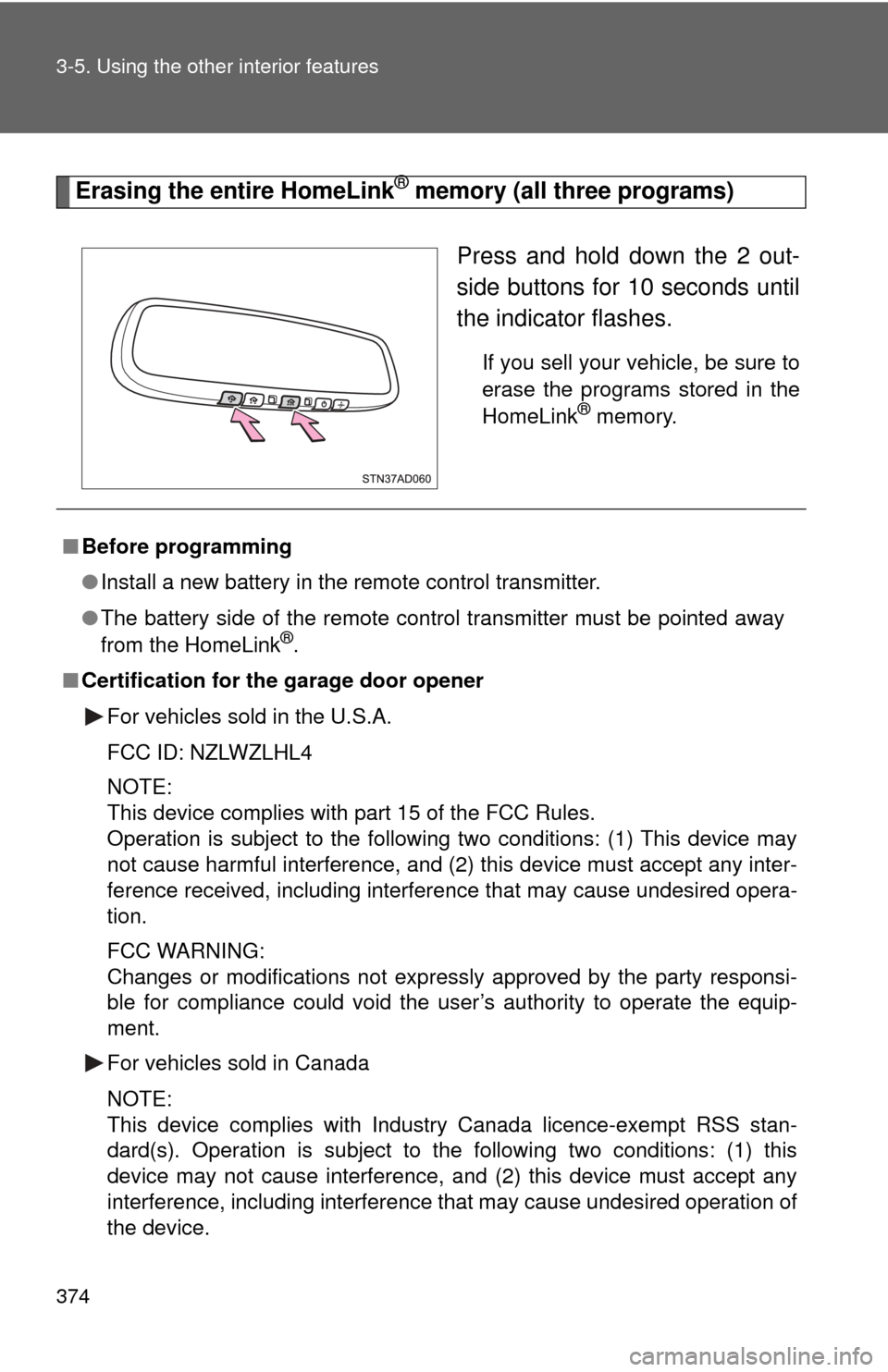
Erasing the entire HomeLink® memory (all three programs)
Press and hold down the 2 out-
side buttons for 10 seconds until
the indicator flashes.
If you sell your vehicle, be sure to
erase the programs stored in the
HomeLink
® memory.
■Before programming
●Install a new battery in the remote control transmitter.
● The battery side of the remote control transmitter must be pointed away
from the HomeLink
®.
■ Certification for the garage door opener
For vehicles sold in the U.S.A.
FCC ID: NZLWZLHL4
NOTE:
This device complies with part 15 of the FCC Rules.
Operation is subject to the following two conditions: (1) This device may
not cause harmful interference, and (2) this device must accept any inter-
ference received, including interference that may cause undesired opera-
tion.
FCC WARNING:
Changes or modifications not expressly approved by the party responsi-
ble for compliance could void the user’s authority to operate the equip-
ment.
For vehicles sold in Canada
NOTE:
This device complies with Industry Canada licence-exempt RSS stan-
dard(s). Operation is subject to the following two conditions: (1) this
device may not cause interference, and (2) this device must accept any
interference, including interference that may cause undesired operation of
the device.