tire TOYOTA SEQUOIA 2021 Owners Manual (in English)
[x] Cancel search | Manufacturer: TOYOTA, Model Year: 2021, Model line: SEQUOIA, Model: TOYOTA SEQUOIA 2021Pages: 588, PDF Size: 12.76 MB
Page 5 of 588
5
1
8 7
6
5
4
3
2
9
SEQUOIA_OM_USA_OM0C035U6-1. Maintenance and care
Cleaning and protecting the vehicle exterior .......... 398
Cleaning and protecting the vehicle interior ........... 402
6-2. Maintenance Maintenance requirements ................... 405
General maintenance ........ 407
Emission inspection and maintenance (I/M)
programs ......................... 410
6-3. Do-it-yourself maintenance
Do-it-yourself service precautions ..................... 411
Hood.................................. 414
Engine compartment ......... 415
Tires .................................. 426
Tire inflation pressure........ 438
Wheels .............................. 441
Air conditioning filter .......... 444
Electronic key battery ........ 446
Checking and replacing fuses ............................... 448
Light bulbs ......................... 451 7-1. Essential information
Emergency flashers ........... 460
If your vehicle has to be stopped in an
emergency....................... 461
If the vehicle is trapped in rising water .................. 463
7-2. Steps to take in an emergency
If your vehicle needs to be towed .......................... 464
If you think something is wrong............................... 468
Fuel pump shut off system ............................. 469
If a warning light turns on or a warning buzzer
sounds ............................. 470
If a warning message is displayed ......................... 479
If you have a flat tire .......... 491
If the engine will not start ................................. 505
If the electronic key does not operate properly ........ 507
If the vehicle battery is discharged ....................... 509
If your vehicle overheats.... 513
If the vehicle becomes stuck ................................ 516
6Maintenance and care7When trouble arises
Page 6 of 588
TABLE OF CONTENTS6
SEQUOIA_OM_USA_OM0C035U8-1. Specifications
Maintenance data (fuel, oil level, etc.) .......... 520
Fuel information ................ 531
Tire information ................. 534
8-2. Customization Customizable features ...... 546
8-3. Items to initialize Items to initialize................ 557
Reporting safety defects for U.S. owners ............... 560
Seat belt instructions for Canadian owners
(in French)....................... 561
SRS airbag instructions for Canadian owners
(in French)....................... 563 What to do if...
(Troubleshooting) ..................... 572
Alphabetical index ...................... 576
8Vehicle specifications
9For owners
Index
For vehicles with a navigation s ystem or a multimedia system, r efer
to the “NAVIGATION AND MULTIMEDIA SYSTEM OWNER’S MAN-
UAL” for information regarding the equipment listed below.
• Navigation system
• Audio system• Hands-free system
(for cellular phone)
• Rear view monitor system
Page 17 of 588
17Pictorial index
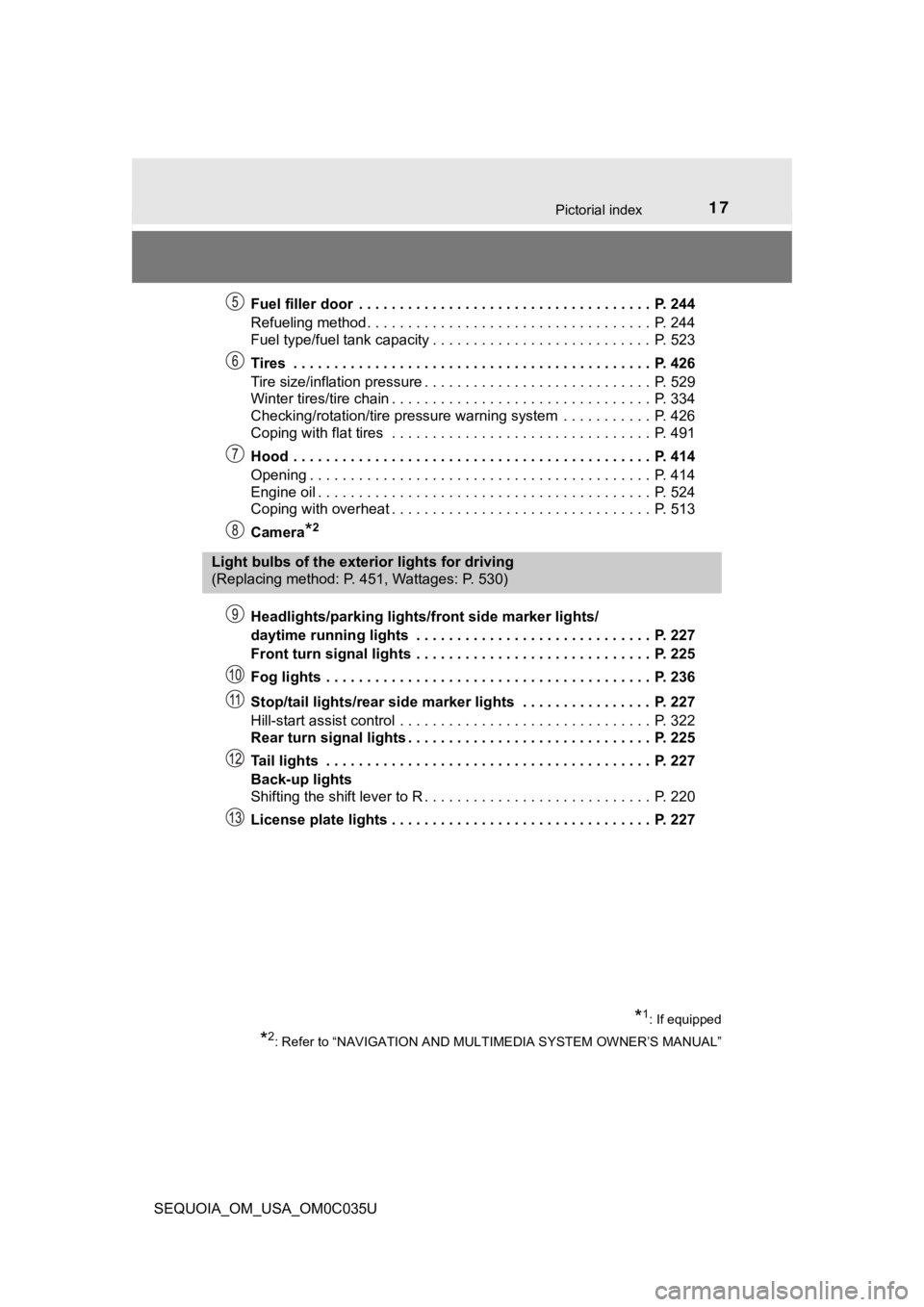
SEQUOIA_OM_USA_OM0C035UFuel filler door . . . . . . . . . . . . . . . . . . . . . . . . . . . . . . . . . . . . P. 244
Refueling method . . . . . . . . . . . . . . . . . . . . . . . . . . . . . . . . . . . P. 244
Fuel type/fuel tank capacity . . . . . . . . . . . . . . . . . . . . . . . . . . . P. 523
Tires . . . . . . . . . . . . . . . . . . . . . . . . . . . . . . . . . . . . . . . . . . . . P. 426
Tire size/inflation pressure . . . . . . . . . . . . . . . . . .
. . . . . . . . . . P. 529
Winter tires/tire chain . . . . . . . . . . . . . . . . . . . . . . . . . . . . . . . . P. 334
Checking/rotation/tire pressure warning system . . . . . . . . . . . P. 426
Coping with flat tires . . . . . . . . . . . . . . . . . . . . . . . . . . . . . . . . P. 491
Hood . . . . . . . . . . . . . . . . . . . . . . . . . . . . . . . . . . . . . . . . . . . . P. 414
Opening . . . . . . . . . . . . . . . . . . . . . . . . . . . . . . . . . . . . . . . . . . P. 414
Engine oil . . . . . . . . . . . . . . . . . . . . . . . . . . . . . . . . . . . . . . . . . P. 524
Coping with overheat . . . . . . . . . . . . . . . . . . . . . . . . . . . . . . . . P. 513
Camera
*2
Headlights/parking lights/front side marker lights/
daytime running lights . . . . . . . . . . . . . . . . . . . . . . . . . . . . . P. 227
Front turn signal lights . . . . . . . . . . . . . . . . . . . . . . . . . . . . . P. 225
Fog lights . . . . . . . . . . . . . . . . . . . . . . . . . . . . . . . . . . . . . . . . P. 236
Stop/tail lights/rear side marker lights . . . . . . . . . . . . . . . . P. 227
Hill-start assist control . . . . . . . . . . . . . . . . . . . . . . . . . . . . . . . P. 322
Rear turn signal lights . . . . . . . . . . . . . . . . . . . . . . . . . . . . . . P. 225
Tail lights . . . . . . . . . . . . . . . . . . . . . . . . . . . . . . . . . . . . . . . . P. 227
Back-up lights
Shifting the shift lever to R . . . . . . . . . . . . . . . . . . . . . . . . . . . . P. 220
License plate lights . . . . . . . . . . . . . . . . . . . . . . . . . . . . . . . . P. 227
Light bulbs of the exterior lights for driving
(Replacing method: P. 451, Wattages: P. 530)
*1: If equipped
*2: Refer to “NAVIGATION AND MULTIMEDIA SYSTEM OWNER’S MANUAL”
Page 20 of 588
20Pictorial index
SEQUOIA_OM_USA_OM0C035U
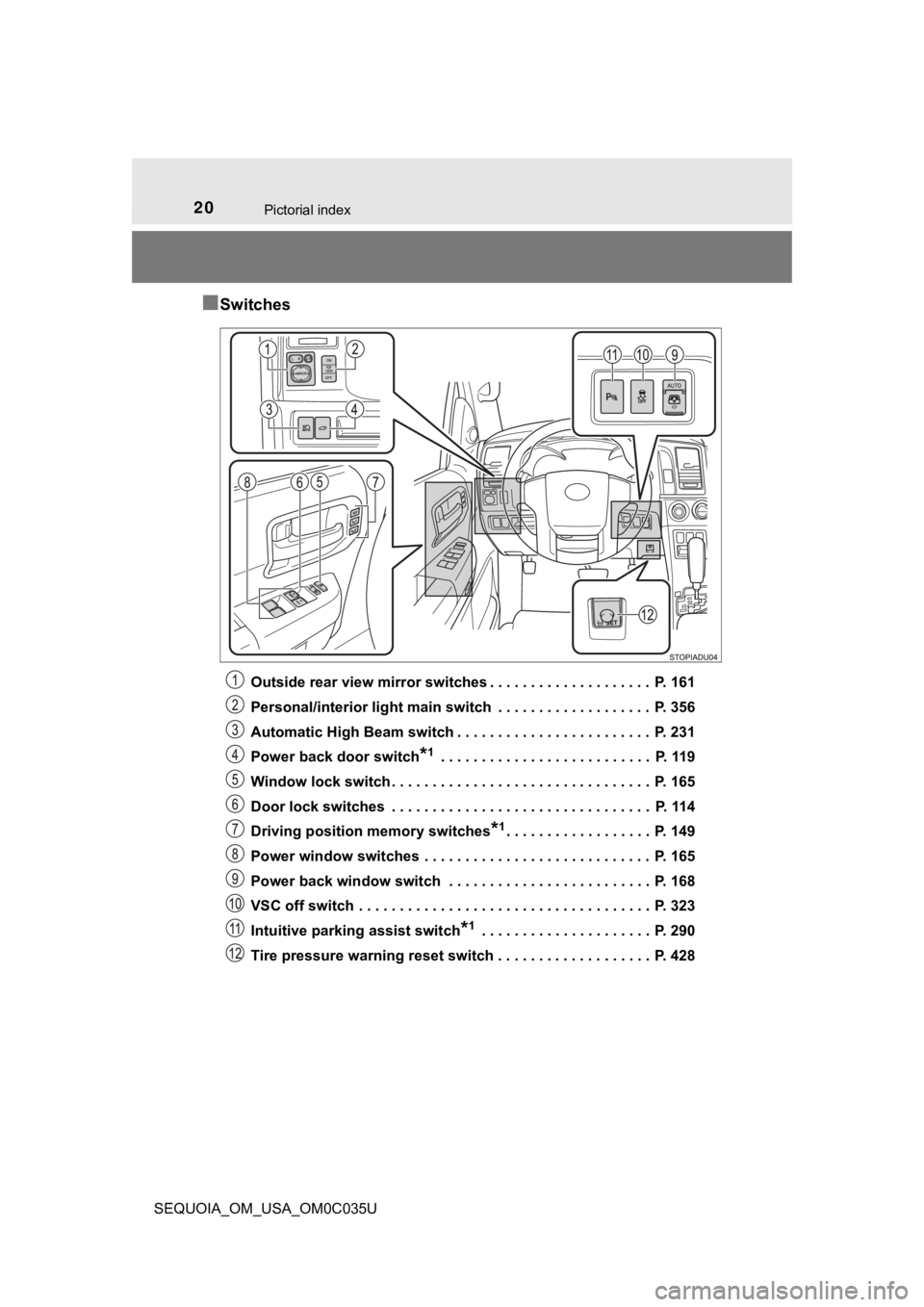
■Switches
Outside rear view mirror switches . . . . . . . . . . . . . . . . . . . . P. 161
Personal/interior light main switch . . . . . . . . . . . . . . . . . . . P. 356
Automatic High Beam switch . . . . . . . . . . . . . . . . . . . . . . . . P. 231
Power back door switch
*1 . . . . . . . . . . . . . . . . . . . . . . . . . . P. 119
Window lock switch . . . . . . . . . . . . . . . . . . . . . . . . . . . . . . . . P. 165
Door lock switches . . . . . . . . . . . . . . . . . . . . . . . . . . . . . . . . P. 114
Driving position memory switches
*1. . . . . . . . . . . . . . . . . . P. 149
Power window switches . . . . . . . . . . . . . . . . . . . . . . . . . . . . P. 165
Power back window switch . . . . . . . . . . . . . . . . . . . . . . . . . P. 168
VSC off switch . . . . . . . . . . . . . . . . . . . . . . . . . . . . . . . . . . . . P. 323
Intuitive parking assist switch
*1 . . . . . . . . . . . . . . . . . . . . . P. 290
Tire pressure warning reset switch . . . . . . . . . . . . . . . . . . . P. 428
Page 29 of 588
291-1. For safe use
1
For safety and security
SEQUOIA_OM_USA_OM0C035U
Make sure that you can see the rear of the vehicle clearly by adjusting
the inside and outside rear view mirrors properly. ( P. 158, 161)
Adjusting the mirrors
WARNING
Observe the following precautions.
Failure to do so may result in death or serious injury.
● Do not adjust the position of the driver’s seat while driving.
Doing so could cause the driver to lose control of the vehicle.
● Do not place a cushion between the driver or passenger and the seatback.
A cushion may prevent correct posture from being achieved, and reduce
the effectiveness of the seat belt and head restraint.
● Do not place anything under the front seats.
Objects placed under the front seats may become jammed in the s eat
tracks and stop the seat from locking in place. This may lead t o an acci-
dent and the adjustment mechanism may also be damaged.
● Always observe the legal speed limit when driving on public roads.
● When driving over long distances, take regular breaks before yo u start to
feel tired.
Also, if you feel tired or sleepy while driving, do not force y ourself to con-
tinue driving and take a break immediately.
Page 80 of 588
801-2. Emergency assistance
SEQUOIA_OM_USA_OM0C035U■
Enhanced Roadside Assistance
Enhanced Roadside As
sistance adds GPS data to the already
included warranty-based Toyota roadside service.
Subscribers can press the “SOS” button to reach a Safety Connec t
response-center agent, who can he lp with a wide range of needs,
such as: towing, flat tire, fuel delivery, etc. For a description of the
Enhanced Roadside Assistance se rvices and their limitations,
please see the Safety Connect Te rms and Conditions, which are
available at Toyota.com in the United States, Toyotapr.com in
Puerto Rico and Toyota.ca in Canada.
Important! Read this informatio n before using Safety Connect.
■Exposure to radio frequency signals
The Safety Connect system installed in your vehicle is a low-po wer
radio transmitter and receiver. I t receives and also sends out radio
frequency (RF) signals.
In August 1996, the Federal Communications Commission (FCC)
adopted RF exposure guidelines with safety levels for mobile wi re-
less phones. Those guidelines are consistent with the safety stan-
dards previously set by the following U.S. and international
standards bodies.
● ANSI (American National Stand ards Institute) C95.1 [1992]
● NCRP (National Council on Radi ation Protection and Measure-
ment) Report 86 [1986]
● ICNIRP (International Commission on Non-Ionizing Radiation
Protection) [1996]
Those standards were based on comprehensive and periodic eval-
uations of the relevant scienti fic literature. Over 120 scientists, engi-
neers, and physicians from unive rsities, and government health
agencies and industries reviewed the available body of research to
develop the ANSI Standard (C95.1).
The design of Safety Connect complies with the FCC guidelines i n
addition to those standards.
Safety information for Safety Connect
Page 90 of 588
902. Instrument cluster
SEQUOIA_OM_USA_OM0C035U
*1: These lights turn on when the engine switch is turned to ON to indicate thata system check is being performed. They will turn off after the engine is
started, or after a few seconds. There may be a malfunction in a system if
the lights do not come on, or do not turn off. Have the vehicle inspected by
your Toyota dealer.
*2: The light illuminates on the multi-information display.
*3: The light comes on to indicate a malfunction.
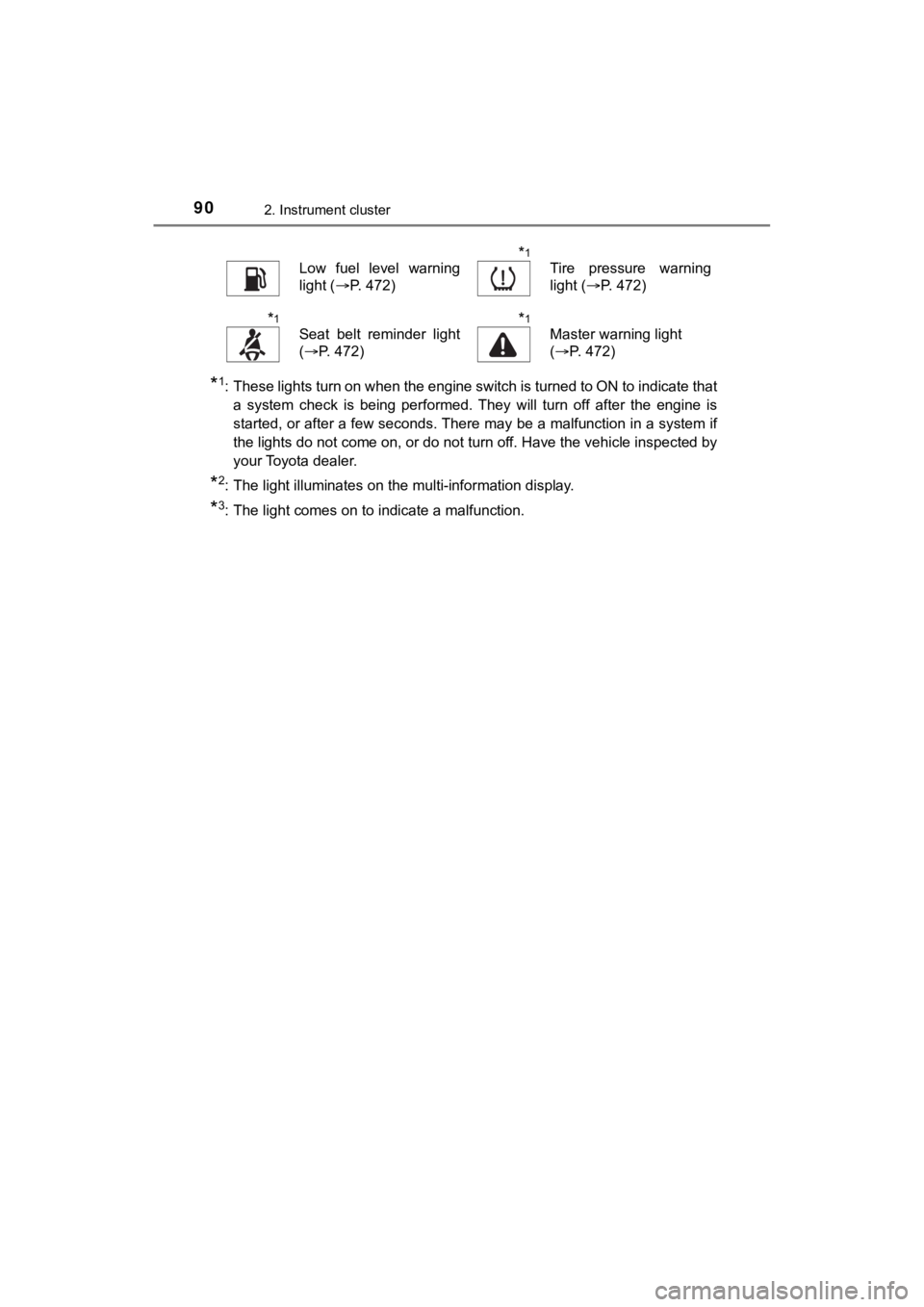
Low fuel level warning
light ( P. 472)*1
Tire pressure warning
light (P. 472)
*1
Seat belt reminder light
(P. 472)*1
Master warning light
(P. 472)
Page 98 of 588
982. Instrument cluster
SEQUOIA_OM_USA_OM0C035U
Multi-infor mation display
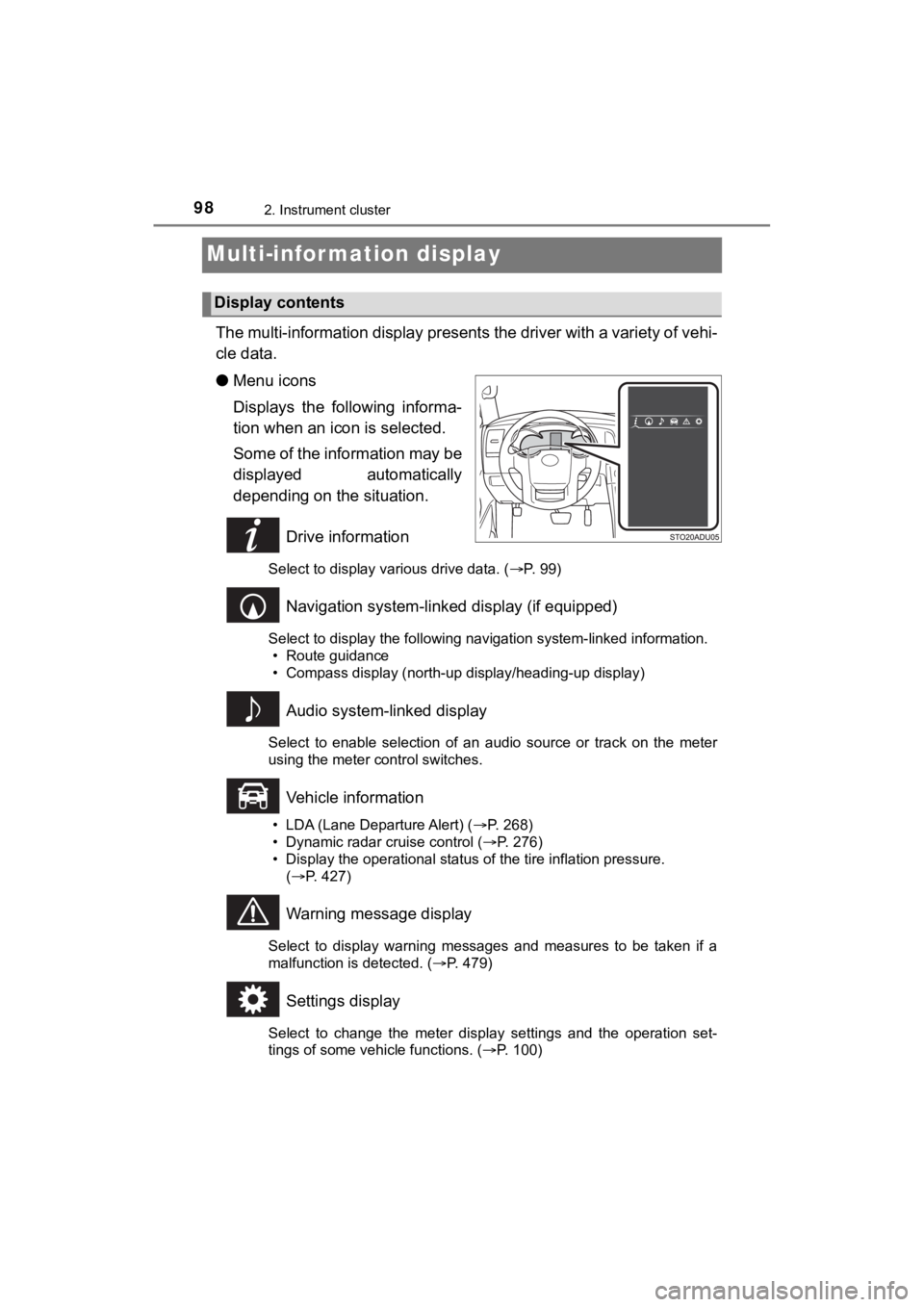
The multi-information display presents the driver with a variety of vehi-
cle data.
● Menu icons
Displays the following informa-
tion when an icon is selected.
Some of the information may be
displayed automatically
depending on the situation.
Drive information
Select to display various drive data. ( P. 99)
Navigation system-linked display (if equipped)
Select to display the following navigation system-linked information.
• Route guidance
• Compass display (north-up display/heading-up display)
Audio system-linked display
Select to enable selection of an audio source or track on the m eter
using the meter control switches.
Vehicle information
• LDA (Lane Departure Alert) ( P. 268)
• Dynamic radar cruise control ( P. 276)
• Display the operational status of the tire inflation pressure.
( P. 427)
Warning message display
Select to display warning messages and measures to be taken if a
malfunction is detected. ( P. 479)
Settings display
Select to change the meter display settings and the operation set-
tings of some vehicle functions. ( P. 100)
Display contents
Page 102 of 588

1022. Instrument cluster
SEQUOIA_OM_USA_OM0C035U
■Setting items
●“Vehicle Settings” and “Meter Settings” setting items are not s electable
during driving and cannot be operated.
Also, the settings screen is temporarily canceled in the follow ing situations.
• A warning message is displayed.
• The vehicle starts off.
● Settings for functions not equipped to the vehicle are not disp layed.
● When a function is turned off, the related settings for that fu nction are not
selectable.
■ Pop-up display
In some situations, such as when a switch operation is performe d, a pop-up
display will be temporarily displayed on the multi-information display.
■ When disconnecting and reco nnecting battery terminals
The drive information will be reset.
■ Trip Summary display
When the engine switch is turned off, each of the following wil l be displayed
on the multi-information display, and will extinguish after approximately
30 seconds.
● Distance traveled
● Average fuel economy
● Driving range
■ Tire inflation pressure
●It may take a few minutes to display the tire inflation pressur e after the
engine switch is turned to ON. It may also take a few minutes t o display the
tire inflation pressure after inflation pressure has been adjusted.
● “---” may be displayed if the tire position information cannot be determined
due to unfavorable radio wave conditions.
● Tire inflation pressure changes with temperature. The displayed values may
also be different from the values measured using a tire pressur e gauge.
■ Liquid crystal display
Small spots or light spots may appear on the display. This phen omenon is
characteristic of liquid crystal displays, and there is no prob lem continuing to
use the display.
Page 177 of 588
1774-1. Before driving
4
Driving
SEQUOIA_OM_USA_OM0C035U
■When starting off on an uphill
Hill-start assist control is activated. (
P. 322)
■ Driving in the rain
●Drive carefully when it is raining, because visibility will be reduced, the win-
dows may become fogged-up, and the road will be slippery.
● Drive carefully when it starts to rain, because the road surface will be espe-
cially slippery.
● Refrain from driving at high speeds in the rain, as there may b e a layer of
water between the tires and the road surface, preventing the st eering and
brakes from operating properly.
■ Engine speed while driving
In the following conditions, the engine speed may become high while driving.
This is due to automatic up-shifting control or down-shifting implementation to
meet driving conditions. It does not indicate sudden acceleration.
●The vehicle is judged to be driving uphill or downhill
● When the accelerator pedal is released
● When the brake pedal is depressed while S mode is selected
■ Restraining the engine out put (Brake Override System)
● When the accelerator and brake pedals are depressed at the same time, the
engine output may be restrained.
● A warning message is displayed on the multi-information display while the
system is operating.
■ Restraining sudden start (Drive-Start Control)
● When the following unusual operation is performed, the engine o utput may
be restrained.
• When the shift lever is shifted from R to D, D to R, N to R, P to D, or P to
R (D includes S) with the accelerator pedal depressed, a warnin g mes-
sage appears on the multi-information display.
• When the accelerator pedal is depressed too much while the veh icle is in
reverse.
● While Drive-Start Control is being activated, your vehicle may have trouble
escaping from the mud or fresh snow. In such case, perform the following
actions to cancel Drive-Start Control so that the vehicle may b ecome able to
escape from the mud or fresh snow.
• Deactivate TRAC ( P. 323)
• Turn on the AUTO LSD system. ( P. 320)
• 4WD models: Put the four-wheel drive control switch is in “4L” position. ( P. 315)
• 4WD models: Lock the center differential. ( P. 316)