tire size TOYOTA SEQUOIA HYBRID 2023 Owners Manual
[x] Cancel search | Manufacturer: TOYOTA, Model Year: 2023, Model line: SEQUOIA HYBRID, Model: TOYOTA SEQUOIA HYBRID 2023Pages: 628, PDF Size: 14.27 MB
Page 15 of 628
15Pictorial index
Owners Manual_USA_M0C043_en
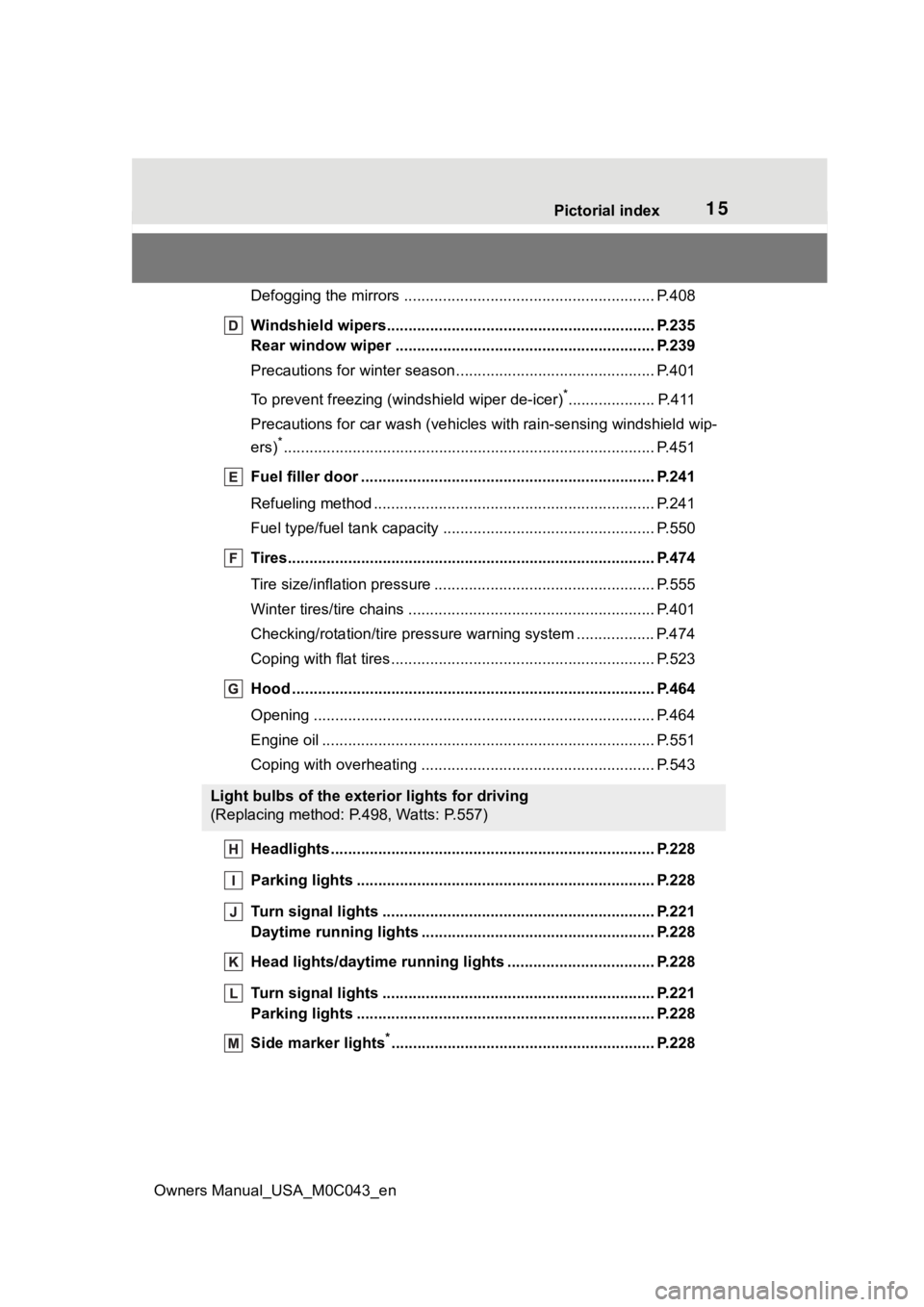
Defogging the mirrors .......................................... ................ P.408
Windshield wipers.............................................. ................ P.235
Rear window wiper .............................................. .............. P.239
Precautions for winter seas on.............................................. P.401
To prevent freezing (windshield wiper de-icer)
*.................... P.411
Precautions for car wash (vehicles with rain-sensing windshield wip-
ers)
*...................................................................................... P.451
Fuel filler door ............................................... ..................... P.241
Refueling method ............................................... .................. P.241
Fuel type/fuel tan k capacity ................................... .............. P.550
Tires.......................................................... ........................... P.474
Tire size/inflation pressure ................................... ................ P.555
Winter tires/tire chains ....................................... .................. P.401
Checking/rotation/tire pressur e warning system ..................P.474
Coping with flat tires......................................... .................... P.523
Hood ........................................................... ......................... P.464
Opening ............................................................................... P.464
Engine oil ..................................................... ........................ P.551
Coping with overheating ...................................................... P.543
Headlights..................................................... ...................... P.228
Parking lights ................................................. .................... P.228
Turn signal lights ............................................. .................. P.221
Daytime running lights .. .................................................... P.228
Head lights/daytime running lights ............................. ..... P.228
Turn signal lights ............................................. .................. P.221
Parking lights ................................................. .................... P.228
Side marker lights
*............................................................. P. 228
Light bulbs of the exterior lights for driving
(Replacing method: P.498, Watts: P.557)
Page 164 of 628
1643-4. Adjusting the steering wheel and mirrors
Owners Manual_USA_M0C043_en
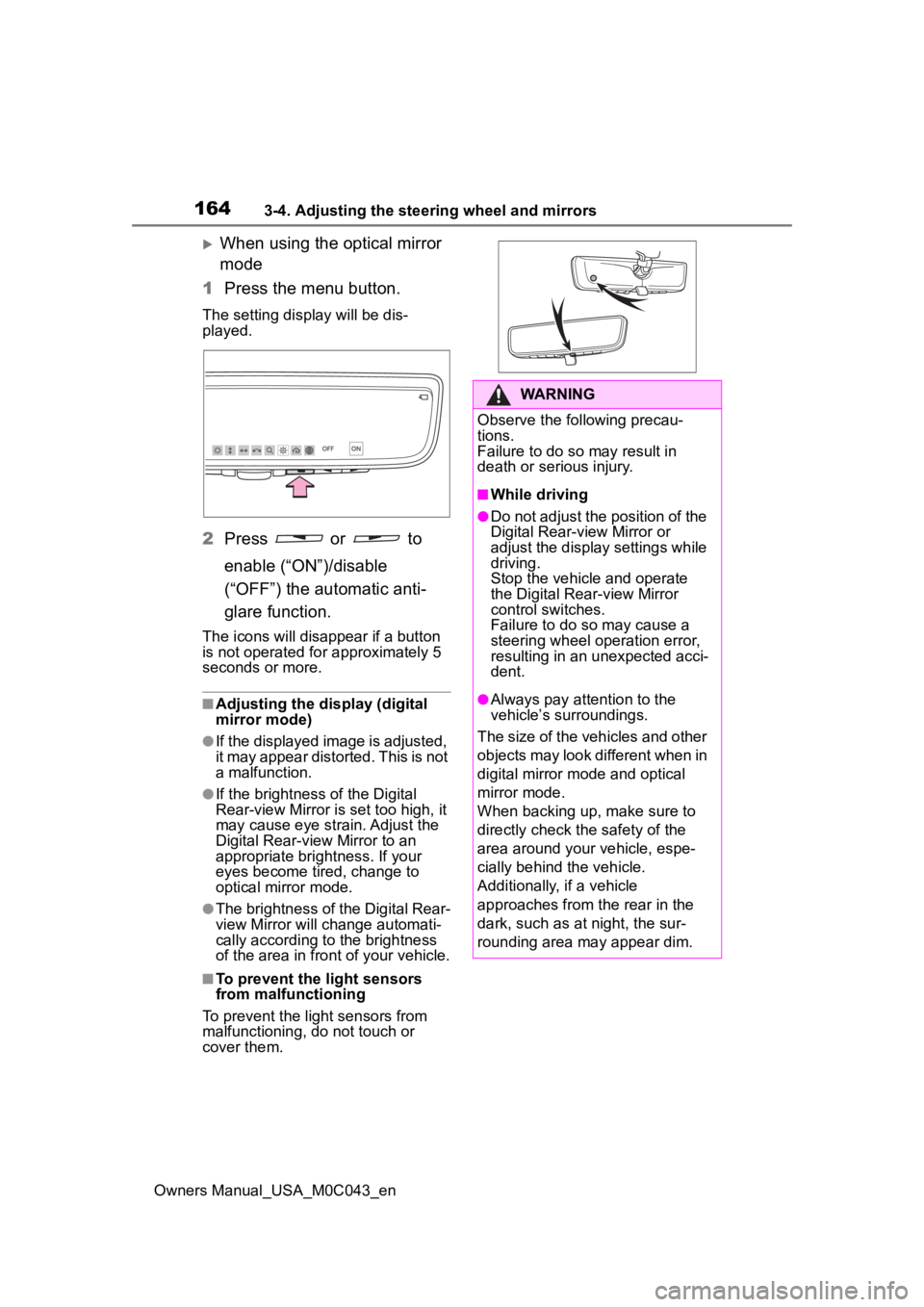
When using the optical mirror
mode
1 Press the menu button.
The setting display will be dis-
played.
2Press or to
enable (“ON”)/disable
(“OFF”) the automatic anti-
glare function.
The icons will disappear if a button
is not operated fo r approximately 5
seconds or more.
■Adjusting the display (digital
mirror mode)
●If the displayed image is adjusted,
it may appear distorted. This is not
a malfunction.
●If the brightness of the Digital
Rear-view Mirror is set too high, it
may cause eye strain. Adjust the
Digital Rear-view Mirror to an
appropriate brightness. If your
eyes become tired, change to
optical mirror mode.
●The brightness of the Digital Rear-
view Mirror will ch ange automati-
cally according to the brightness
of the area in front of your vehicle.
■To prevent the light sensors
from malfunctioning
To prevent the light sensors from
malfunctioning, do not touch or
cover them.
WARNING
Observe the following precau-
tions.
Failure to do so may result in
death or serious injury.
■While driving
●Do not adjust the position of the
Digital Rear-view Mirror or
adjust the display settings while
driving.
Stop the vehicle and operate
the Digital Rear-view Mirror
control switches.
Failure to do so may cause a
steering wheel operation error,
resulting in an unexpected acci-
dent.
●Always pay attention to the
vehicle’s surroundings.
The size of the vehicles and other
objects may look different when in
digital mirror mode and optical
mirror mode.
When backing up, make sure to
directly check the safety of the
area around your vehicle, espe-
cially behind the vehicle.
Additionally, if a vehicle
approaches from the rear in the
dark, such as at night, the sur-
rounding area may appear dim.
Page 252 of 628
2524-5. Using the driving support systems
Owners Manual_USA_M0C043_en
WARNING
●Emergency steering assist may
not operate or may be cancel in
the following cases as the sys-
tem may determine the driver is
taking actions.
• If the accelerato r pedal is being
depressed strongly, the steering
wheel is being operated sharply,
the brake pedal is being
depressed or the turn signal
lever is being ope rated. In this
case, the system may deter-
mine that the driver is taking
evasive action and the emer-
gency steering assist may not
operate.
• The emergency steering assist will be disabled automatically
when the system judges that a
trailer is connected.
• In some situations, while the emergency steering assist is
operating, operation of the func-
tion may be canceled if the
accelerator peda l is depressed
strongly, the st eering wheel is
operated sharply or the brake
pedal is being depressed and
the system determines that the
driver is taking evasive action.
• When the emergency steering assist is operating, if the steer-
ing wheel is held firmly or is
operated in the opposite direc-
tion to that which the system is
generating torque, the function
may be canceled.
■When to disable the pre-colli-
sion system
In the following situations, disable
the system, as it may not operate
properly, possibly leading to an
accident resulting in death or seri-
ous injury:
●When the vehicle is being towed
●When your vehicles is towing a
trailer or another vehicle, except
when the followin g conditions
are all met
• When the other vehicle is a trailer properly attached and
connected to Toyota’s official
TBC ECU. ( P.198)
• When the vehicle is not being driven on a slippery surface
such as an icy road or a very
wet road.
●When transporting the vehicle
via truck, boat, train or similar
means of transportation
●When the vehicle is raised on a
lift with the hybrid system on
and the tires are allowed to
rotate freely
●When inspecting the vehicle
using a drum tester such as a
chassis dynamometer or speed-
ometer tester, or when using an
on vehicle wheel balancer
●When a strong impact is applied
to the front bumper or front
grille, due to an accident or
other reasons
●If the vehicle cannot be driven in
a stable manner, such as when
the vehicle has been in an acci-
dent or is malfunctioning
●When the vehicle is driven in a
sporty manner or off-road
●When the tires are not properly
inflated
●When the tires are very worn
●When tires of a size other than
specified are installed
●When tire chains are installed
●When a compact spare tire or
an emergency tire puncture
repair kit is used
Page 264 of 628
2644-5. Using the driving support systems
Owners Manual_USA_M0C043_en
WARNING
●The vehicle is driven in an area
without white (yellow) lines,
such as in front of a tollgate or
checkpoint, or at an intersec-
tion, etc.
●The white (yellow) lines are
cracked, “Botts’ dots”, “Raised
pavement marker” or stones are
present.
●The white (yellow) lines cannot
be seen or are difficult to see
due to sand, etc.
●The vehicle is driven on a road
surface that is wet due to rain,
puddles, etc.
●The traffic li nes are yellow
(which may be more difficult to
recognize than lines that are
white).
●The white (yellow) lines cross
over a curb, etc.
●The vehicle is driven on a bright
surface, such as concrete.
●The vehicle is driven on a sur-
face that is bright due to
reflected light, etc.
●The vehicle is driven in an area
where the brightness changes
suddenly, such as at the
entrances and exits of tunnels,
etc.
●Light from the h eadlights of an
oncoming vehicle, the sun, etc.,
enters the camera.
●The vehicle is driven on a slope.
●The vehicle is driven on a road
which tilts left or right, or a wind-
ing road.
●The vehicle is driven on an
unpaved or rough road.
●The traffic lane is excessively
narrow or wide.
●The vehicle is extremely tilted
due to carrying heavy luggage
or having improper tire pres-
sure.
●The distance to the preceding
vehicle is extremely short.
●The vehicle is moving up and
down a large amount due to
road conditions during driving
(poor roads or road seams).
●When driving in a tunnel or at
night with the headlights off or
when a headlight is dim due to
its lens being dir ty or it being
misaligned.
●The vehicle is struck by a cross-
wind.
●The vehicle is affected by wind
from a vehicle driven in a
nearby lane.
●The vehicle has just changed
lanes or crossed an intersec-
tion.
●Tires which differ by structure,
manufacturer, brand or tread
pattern are used.
●When tires of a size other than
specified are installed.
●Snow tires, etc., are equipped.
●The vehicle is b eing driven at
extremely high speeds.
●When your vehicles is towing a
trailer or another vehicle, except
when the followin g condition is
met.
• When the other vehicle is a trailer properly attached and
connected to Toyota’s official
TBC ECU. ( P.198)
Page 305 of 628
3054-5. Using the driving support systems
Owners Manual_USA_M0C043_en
4
Driving
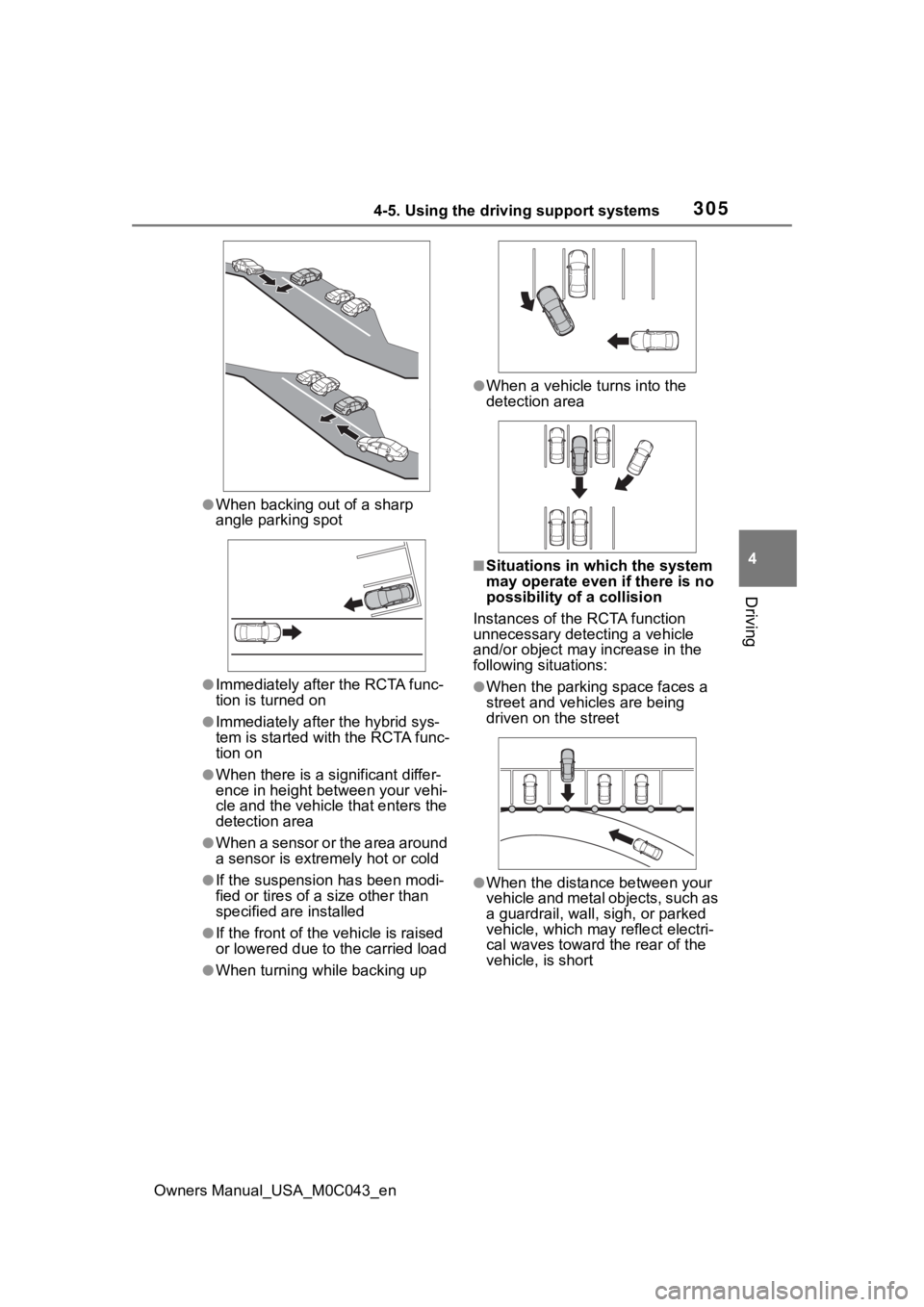
●When backing out of a sharp
angle parking spot
●Immediately afte r the RCTA func-
tion is turned on
●Immediately after the hybrid sys-
tem is started with the RCTA func-
tion on
●When there is a significant differ-
ence in height between your vehi-
cle and the vehicle that enters the
detection area
●When a sensor or the area around
a sensor is extremely hot or cold
●If the suspension has been modi-
fied or tires of a size other than
specified are installed
●If the front of the vehicle is raised
or lowered due to the carried load
●When turning while backing up
●When a vehicle tu rns into the
detection area
■Situations in which the system
may operate even if there is no
possibility of a collision
Instances of the RCTA function
unnecessary detec ting a vehicle
and/or object may increase in the
following situations:
●When the parking space faces a
street and vehicles are being
driven on the street
●When the distance between your
vehicle and metal objects, such as
a guardrail, wall, sigh, or parked
vehicle, which may reflect electri-
cal waves toward the rear of the
vehicle, is short
Page 306 of 628
3064-5. Using the driving support systems
Owners Manual_USA_M0C043_en
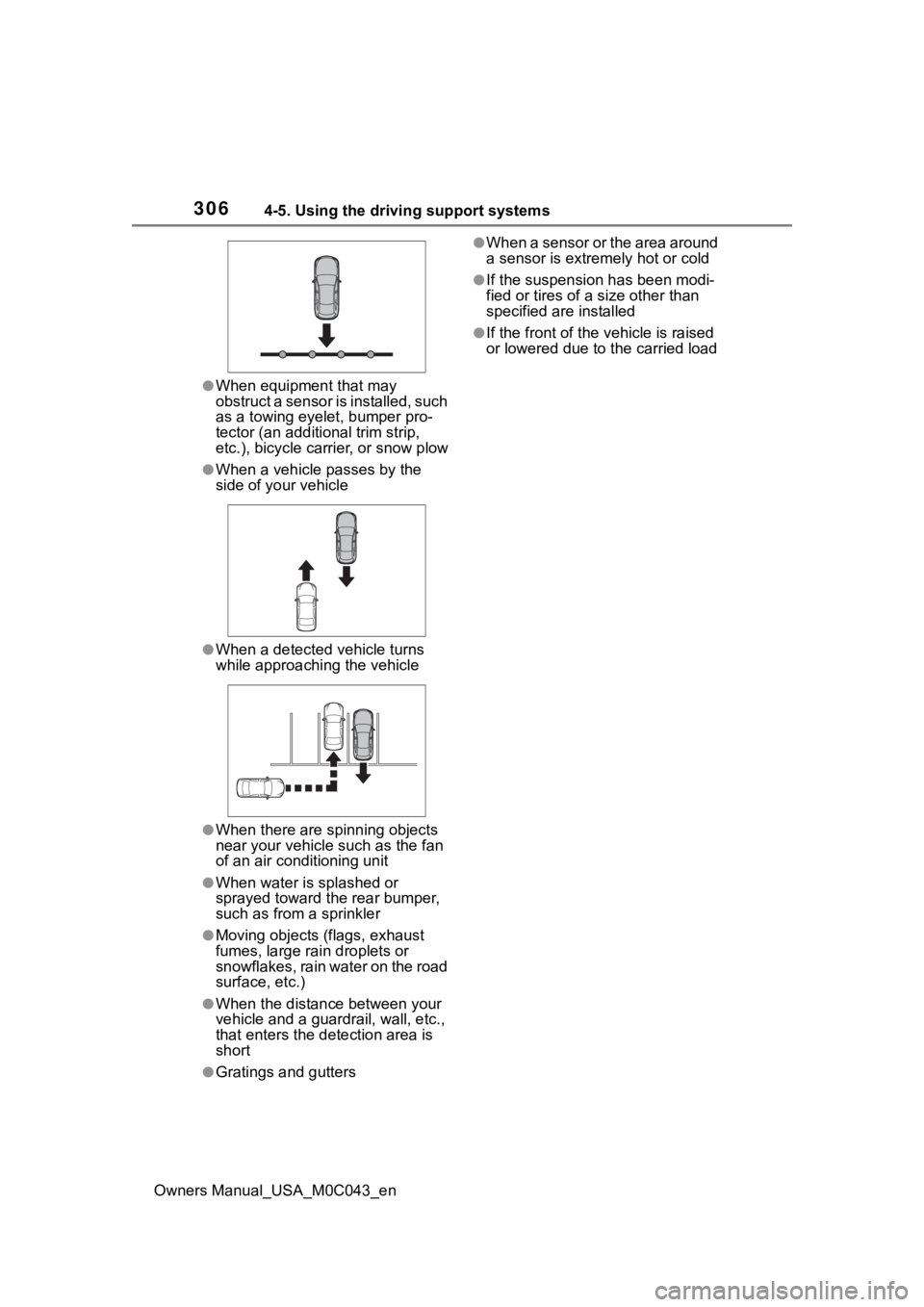
●When equipment that may
obstruct a sensor is installed, such
as a towing eyelet, bumper pro-
tector (an additional trim strip,
etc.), bicycle carrier, or snow plow
●When a vehicle passes by the
side of your vehicle
●When a detected vehicle turns
while approaching the vehicle
●When there are spinning objects
near your vehicle such as the fan
of an air conditioning unit
●When water is splashed or
sprayed toward t he rear bumper,
such as from a sprinkler
●Moving objects (flags, exhaust
fumes, large rain droplets or
snowflakes, rain water on the road
surface, etc.)
●When the distanc e between your
vehicle and a guardr ail, wall, etc.,
that enters the detection area is
short
●Gratings and gutters
●When a sensor or the area around
a sensor is extremely hot or cold
●If the suspension has been modi-
fied or tires of a size other than
specified are installed
●If the front of the v ehicle is raised
or lowered due to the carried load
Page 308 of 628
3084-5. Using the driving support systems
Owners Manual_USA_M0C043_en
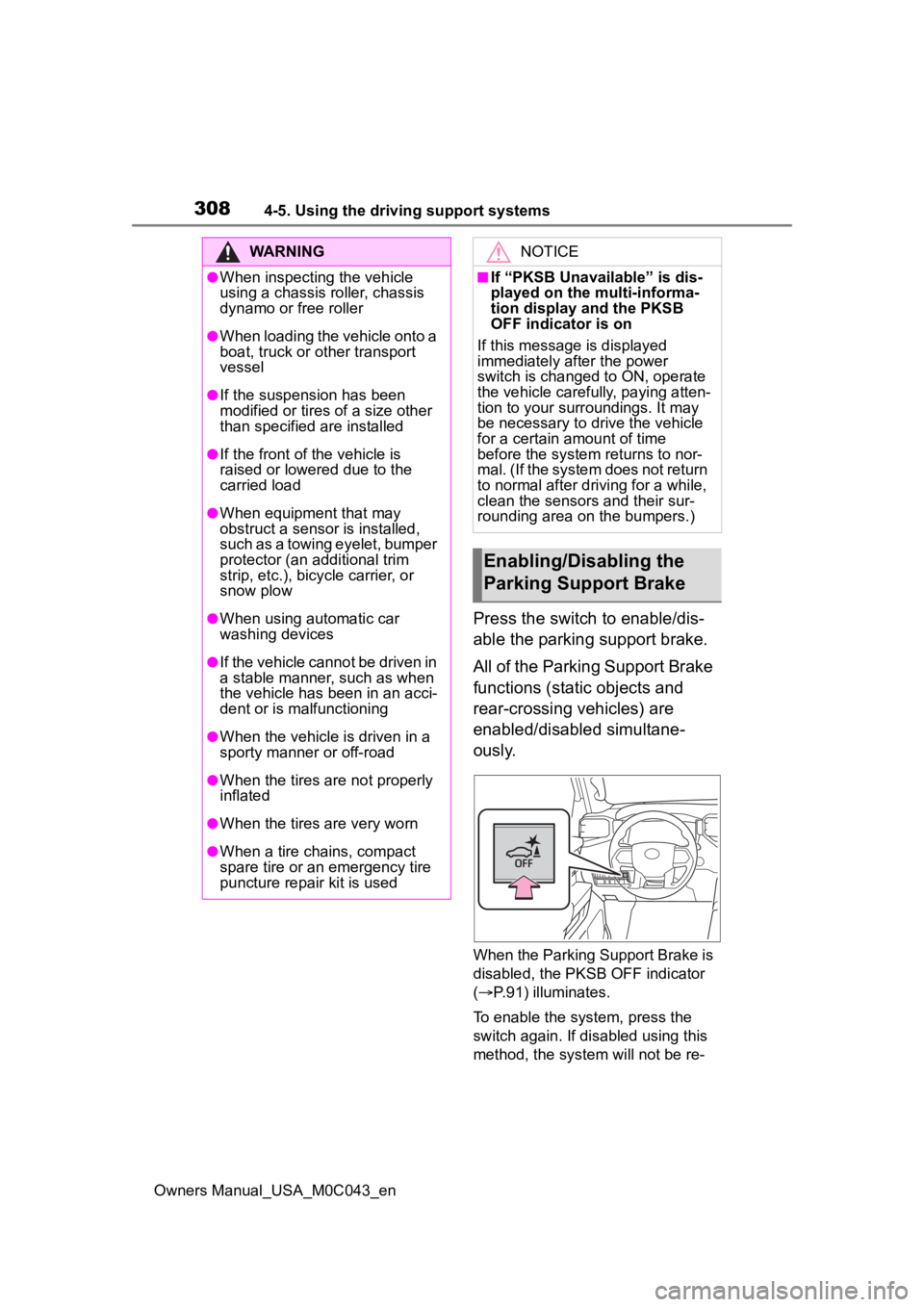
Press the switch to enable/dis-
able the parking support brake.
All of the Parking Support Brake
functions (static objects and
rear-crossing vehicles) are
enabled/disabled simultane-
ously.
When the Parking Support Brake is
disabled, the PKSB OFF indicator
( P.91) illuminates.
To enable the system, press the
switch again. If disabled using this
method, the system will not be re-
WARNING
●When inspecting the vehicle
using a chassis roller, chassis
dynamo or free roller
●When loading the vehicle onto a
boat, truck or other transport
vessel
●If the suspension has been
modified or tires of a size other
than specified are installed
●If the front of the vehicle is
raised or lowered due to the
carried load
●When equipment that may
obstruct a sensor is installed,
such as a towing eyelet, bumper
protector (an additional trim
strip, etc.), bicycle carrier, or
snow plow
●When using automatic car
washing devices
●If the vehicle cannot be driven in
a stable manner, such as when
the vehicle has been in an acci-
dent or is malfunctioning
●When the vehicle is driven in a
sporty manner or off-road
●When the tires are not properly
inflated
●When the tires are very worn
●When a tire chains, compact
spare tire or an emergency tire
puncture repair kit is used
NOTICE
■If “PKSB Unavailable” is dis-
played on the multi-informa-
tion display and the PKSB
OFF indicator is on
If this message is displayed
immediately after the power
switch is changed to ON, operate
the vehicle carefully, paying atten-
tion to your surroundings. It may
be necessary to drive the vehicle
for a certain amount of time
before the system returns to nor-
mal. (If the system does not return
to normal after dr iving for a while,
clean the sensors and their sur-
rounding area on the bumpers.)
Enabling/Disabling the
Parking Support Brake
Page 318 of 628
3184-5. Using the driving support systems
Owners Manual_USA_M0C043_en
WARNING
●Do not use the panoramic view
monitor system in the following
cases:
• On icy or slick road surfaces, or in snow
• When using tire chains or emer- gency tires
• When the front door or the back door is not clo sed completely
• On roads that are not flat or straight, such as curves or
slopes
• If the suspension has been modified or tires of a size other
than specified are installed
●In low temperatures, the screen
may darken or the image may
become faint. The image could
distort when the vehicle is mov-
ing, or you may become unable
to see the image on the screen.
Be sure to visually check all
around the vehicle both directly
and using the mirrors before
proceeding.
●If the tire sizes are changed, the
position of the guide lines dis-
played on the screen may
change.
●The camera uses a special lens.
The distances between objects
and pedestrians that appear in
the image displayed on the
screen will differ from the actual
distances. ( P.344)
●When an aftermarket part is
installed in the display area of
the screen.
NOTICE
●In panoramic view/moving
view/see-through view, the sys-
tem combines images taken
from the front, back, left and
right side cameras into a single
image. There are limits to the
range and content that can be
displayed. Familiarize yourself
with the characteristics of the
panoramic view monitor system
before using it.
●Image clarity may decline at the
four corners of t he panoramic
view/moving view/see-through
view. However, this is not a mal-
function, as these are the
regions along the border of
each camera image where the
images are combined.
●Depending on lighting condi-
tions near each of the cameras,
bright and dark patches may
appear on the panoramic
view/moving view/see-through
view.
●The panoramic view/moving
view/see-through view display
does not extend higher than the
installation pos ition and image
capture range o f each camera.
●There are blind spots around
the vehicle. Accordingly, there
are regions not displayed in
panoramic view.
●Three-dimensional objects dis-
played in wide fr ont view, rear
view or side view may not be
displayed in panoramic
view/moving view/see-through
view.
Page 387 of 628
3874-5. Using the driving support systems
Owners Manual_USA_M0C043_en
4
Driving
WARNING
■Replacing tires
Make sure that all tires are of the
specified size, brand, tread pat-
tern and total load capacity. In
addition, make sure that the tires
are inflated to the recommended
tire inflation pressure level.
The ABS, TRAC, Trailer Sway
Control and VSC systems will not
function correctly if different tires
are installed on the vehicle.
Contact your Toyota dealer for fur-
ther information when replacing
tires or wheels.
■Handling of tires and the sus-
pension
Using tires with any kind of prob-
lem or modifying the suspension
will affect the driving assist sys-
tems, and may cause a system to
malfunction.
■Trailer Sway Control precau-
tion
The Trailer Sway Control system
is not able to reduce trailer sway
in all situations . Depending on
many factors such as the condi-
tions of the vehicle, trailer, road
surface and driving environment,
the Trailer Sway Control system
may not be effec tive. Refer to
your trailer owner’s manual for
information on how to tow your
trailer properly.
■If trailer sway occurs
Observe the following precau-
tions.
Failing to do so may cause death
or serious injury.
●Firmly grip the steering wheel.
Steer straight ahead. Do not try
to control trailer sway by turning
the steering wheel.
●Begin releasing the accelerator
pedal immediately but very
gradually to reduce speed.
Do not increase speed. Do not
apply vehicle brakes.
If you make no extreme correction
with the steering or brakes, your
vehicle and traile r should stabi-
lize. ( P.198)
■Secondary Collision Brake
Do not rely solely upon the Sec-
ondary Collision Brake. This sys-
tem is designed to help reduce
the possibility of further damage
due to a secondary collision, how-
ever, that effect changes accord-
ing to various conditions. Overly
relying on the system may result
in death or serious injury.
Page 401 of 628
4014-6. Driving tips
Owners Manual_USA_M0C043_en
4
Driving
Use fluids that are appropriate
to the prevailing outside tem-
peratures.
• Engine oil
• Engine/power control unit coolant
• Washer fluid
Have a service technician
inspect the condition of the
12-volt battery.
Have the vehicle fitted with
four snow tires or purchase a
set of tire chains for the rear
tires
*.
*: Tire chains cannot be mounted
on 285/65R18 tires.
Ensure that all tires are the same
size and brand, and that chains
match the size of the tires.
Winter driving tips
Carry out the necessary
preparations and inspec-
tions before driving the
vehicle in winter. Always
drive the vehicle in a man-
ner appropriate to the pre-
vailing weather conditions.
Preparation for winter
WARNING
■Driving with snow tires
Observe the following precautions
to reduce the risk of accidents.
Failure to do so m ay result in a
loss of vehicle control and cause
death or serious injury.
●Use tires of the specified size.
●Maintain the recommended
level of air pressure.
●Do not drive in excess of 75
mph (120 km/h), regardless of
the type of snow tires being
used.
●Use snow tires on all, not just
some wheels.
●4WD models: Do not mix tires of
different makes, models, tread
patterns or treadwear.
■Driving with tire chains (vehi-
cles without 285/65R18 tires)
Observe the following precautions
to reduce the risk of accidents.
Failure to do so may result in the
vehicle being unable to be driven
safely, and may cause death or
serious injury.
●Do not drive in excess of the
speed limit specifi ed for the tire
chains being used, or 30 mph
(50 km/h), whichever is lower.
●Avoid driving on bumpy road
surfaces or over potholes.
●Avoid sudden acceleration,
abrupt steering, sudden brak-
ing and shifting operations that
cause sudden engine braking.
●Slow down sufficiently before
entering a curve to ensure that
vehicle control is maintained.
●Do not use LTA (Lane Tracing
Assist) (if equipped) system.