sensor TOYOTA SIENNA 2013 XL30 / 3.G Owner's Manual
[x] Cancel search | Manufacturer: TOYOTA, Model Year: 2013, Model line: SIENNA, Model: TOYOTA SIENNA 2013 XL30 / 3.GPages: 876, PDF Size: 15.9 MB
Page 291 of 876
291
2-3. Operating the lights and wipers
2
When driving
SIENNA_OM_OM45472U_(U)
CAUTION
■
Caution regarding the use of windshield wipers in “AUTO” mode
The windshield wipers may operate unexpec tedly if the sensor is touched or
the windshield is subject to vibration in “AUTO” mode. Take care that your
fingers etc. do not become caught in the windshield wipers.
NOTICE
■ When the windshield is dry
Do not use the wipers, as they may damage the windshield.
■ When the washer fluid tank is empty
Do not operate the switch continually as the washer fluid pump may over-
heat.
■ When a nozzle becomes blocked
In this case, contact your Toyota dealer.
Do not try to clear it with a pin or other object. The nozzle will be damaged.
Page 305 of 876
305
2-4. Using other
driving systems
2
When driving
SIENNA_OM_OM45472U_(U)
Driving in vehicle-to-vehicle distance control mode
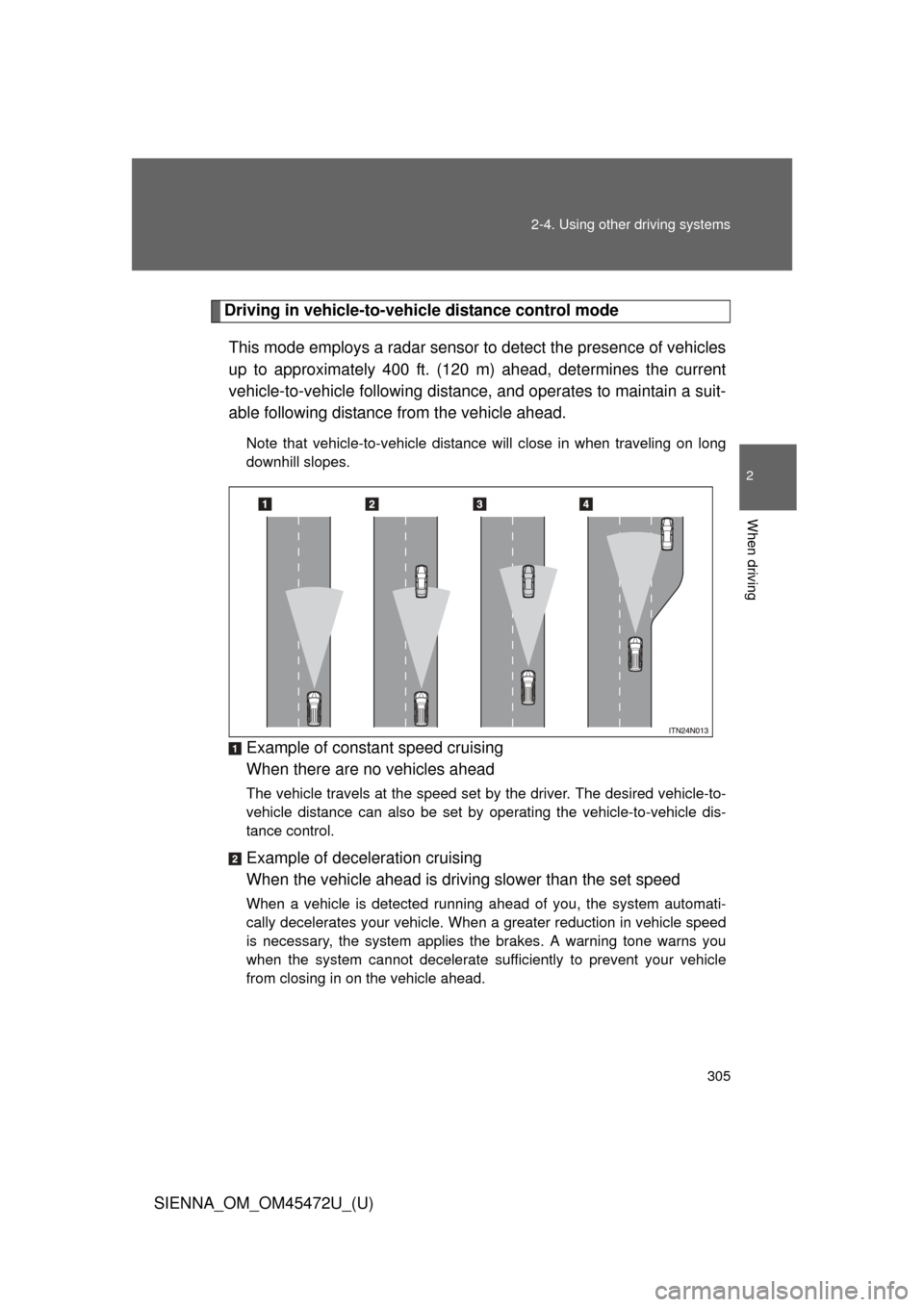
This mode employs a radar sensor to detect the presence of vehicles
up to approximately 400 ft. (120 m) ahead, determines the current
vehicle-to-vehicle following distance, and operates to maintain a suit-
able following distance from the vehicle ahead.
Note that vehicle-to-vehicle distance will close in when traveling on long
downhill slopes.
Example of constant speed cruising
When there are no vehicles ahead
The vehicle travels at the speed set by the driver. The desired vehicle-to-
vehicle distance can also be set by operating the vehicle-to-vehicle dis-
tance control.
Example of deceleration cruising
When the vehicle ahead is driving slower than the set speed
When a vehicle is detected running ahead of you, the system automati-
cally decelerates your vehicle. When a greater reduction in vehicle speed
is necessary, the system applies the brakes. A warning tone warns you
when the system cannot decelerate sufficiently to prevent your vehicle
from closing in on the vehicle ahead.
Page 309 of 876
309
2-4. Using other
driving systems
2
When driving
SIENNA_OM_OM45472U_(U)
■Dynamic radar cruise control can be set when
● The shift lever is in the D or more than range 4 of S has been selected.
● Vehicle speed is above approximately 30 mph (50 km/h).
■ Accelerating after setting the vehicle speed
The vehicle can accelerate normally. After acceleration, the set speed
resumes.
However, during vehicle-to-vehicle distance control mode, the vehicle speed
may decrease below the set speed in order to maintain the distance to the
vehicle ahead.
■ Automatic cancelation of vehicle-to-vehicle distance control
Vehicle-to-vehicle distance control driving is automatically canceled in the
following situations:
● Actual vehicle speed falls below approximately 25 mph (40 km/h).
● Enhanced VSC is activated.
● The sensor cannot operate correctly because it is covered in some way.
● The windshield wipers are operating at high speed (when the wiper
switch is set to the “AUTO” mode or the high speed wiper operation posi-
tion).
If vehicle-to-vehicle distance control driving is automatically canceled for any
other reason, there may be a malfunction in the system. Contact your Toyota
dealer.
Page 310 of 876
310 2-4. Using other driving systems
SIENNA_OM_OM45472U_(U)
■Automatic cancelation of constant speed control
The cruise control will stop maintaining the vehicle speed in the following sit-
uations.
● Actual vehicle speed is more than approximately 10 mph (16 km/h)
below the set vehicle speed.
At this time, the memorized set speed is not retained.
● Vehicle speed falls below appr oximately 25 mph (40 km/h).
● Enhanced VSC is activated.
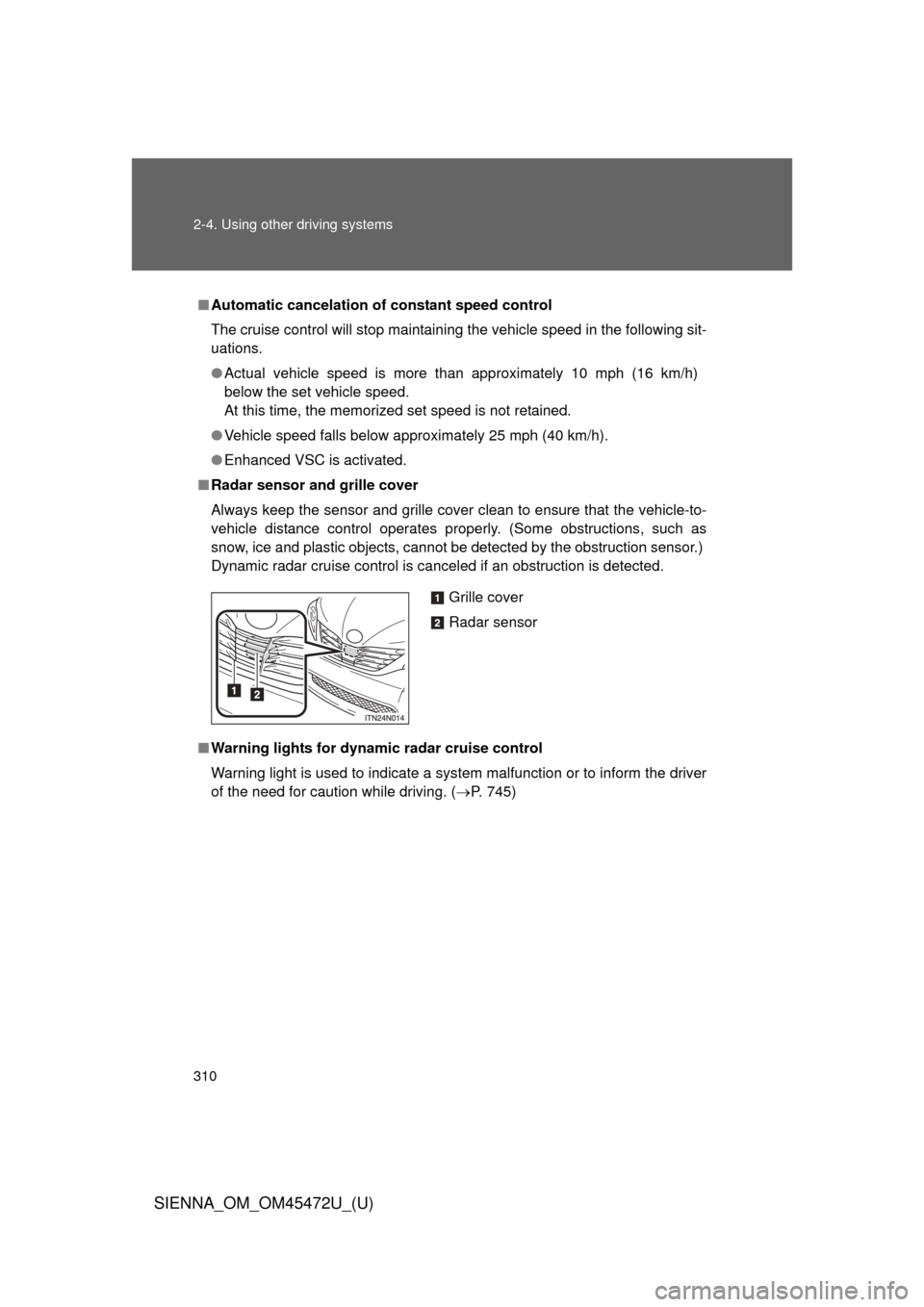
■ Radar sensor and grille cover
Always keep the sensor and grille cover clean to ensure that the vehicle\
-to-
vehicle distance control operates pr operly. (Some obstructions, such as
snow, ice and plastic objects, cannot be detected by the obstruction sensor.)
Dynamic radar cruise control is canceled if an obstruction is detected.
■ Warning lights for dynamic radar cruise control
Warning light is used to indicate a system malfunction or to inform the driver
of the need for caution while driving. ( P. 745)
Grille cover
Radar sensor
Page 314 of 876
314 2-4. Using other driving systems
SIENNA_OM_OM45472U_(U)
CAUTION
■When the sensor may not be correctly detecting the vehicle ahead
Apply the brakes as necessary when any of the following types of vehicles
are in front of you.
As the sensor may not be able to correctly detect these types of vehicles,
the approach warning ( P. 306) will not be activated, and a fatal or serious
accident may result.
● Vehicles that cut in suddenly
● Vehicles traveling at low speeds
● Vehicles that are not moving
● Vehicles with small rear ends (trailers with no load on board etc.)
● Motorcycles traveling in the same lane
■ Conditions under which the vehicle -to-vehicle distance control may
not function correctly
Apply the brakes as necessary in the following conditions as the radar sen-
sor may not be able to correctly detect vehicles ahead, and a fatal or serious
accident may result:
● When water or snow thrown up by the surrounding vehicles hinders the
functioning of the sensor
● When your vehicle is pointing upwards (caused by a heavy load in the lug-
gage compartment, etc.)
● When the road curves or when the lanes are narrow
● When steering wheel operation or your position in the lane is unstable
● When the vehicle ahead of you decelerates suddenly
Page 315 of 876
315
2-4. Using other
driving systems
2
When driving
SIENNA_OM_OM45472U_(U)
CAUTION
■Handling the radar sensor
Observe the following to ensure the cruise control system can function effec-
tively:
Otherwise, the system may not function correctly and could result in an acci-
dent.
● Keep the sensor and grille cover clean at all times.
Clean the sensor and grille cover with a soft cloth so you do not mark or
damage them.
● Do not subject the sensor or surrounding area to a strong impact.
If the sensor moves even slightly off position, the system may malfunction.
If the sensor or surrounding area is subject to a strong impact, always
have the area inspected and adjusted by a Toyota dealer.
● Do not disassemble the sensor.
● Do not attach accessories or stickers to the sensor, grille cover or sur-
rounding area.
● Do not modify or paint the sensor and grille cover.
● Do not replace them with non-genuine parts.
Page 316 of 876
316
2-4. Using other driving systems
SIENNA_OM_OM45472U_(U)
Intuitive parking assist
: If equipped
The distance from your vehicle to nearby obstacles when parallel
parking or maneuvering into a garage is measured by the sensors
and communicated via the multi- information display, the touch
screen and a buzzer. Always check the surrounding area when using
this system.
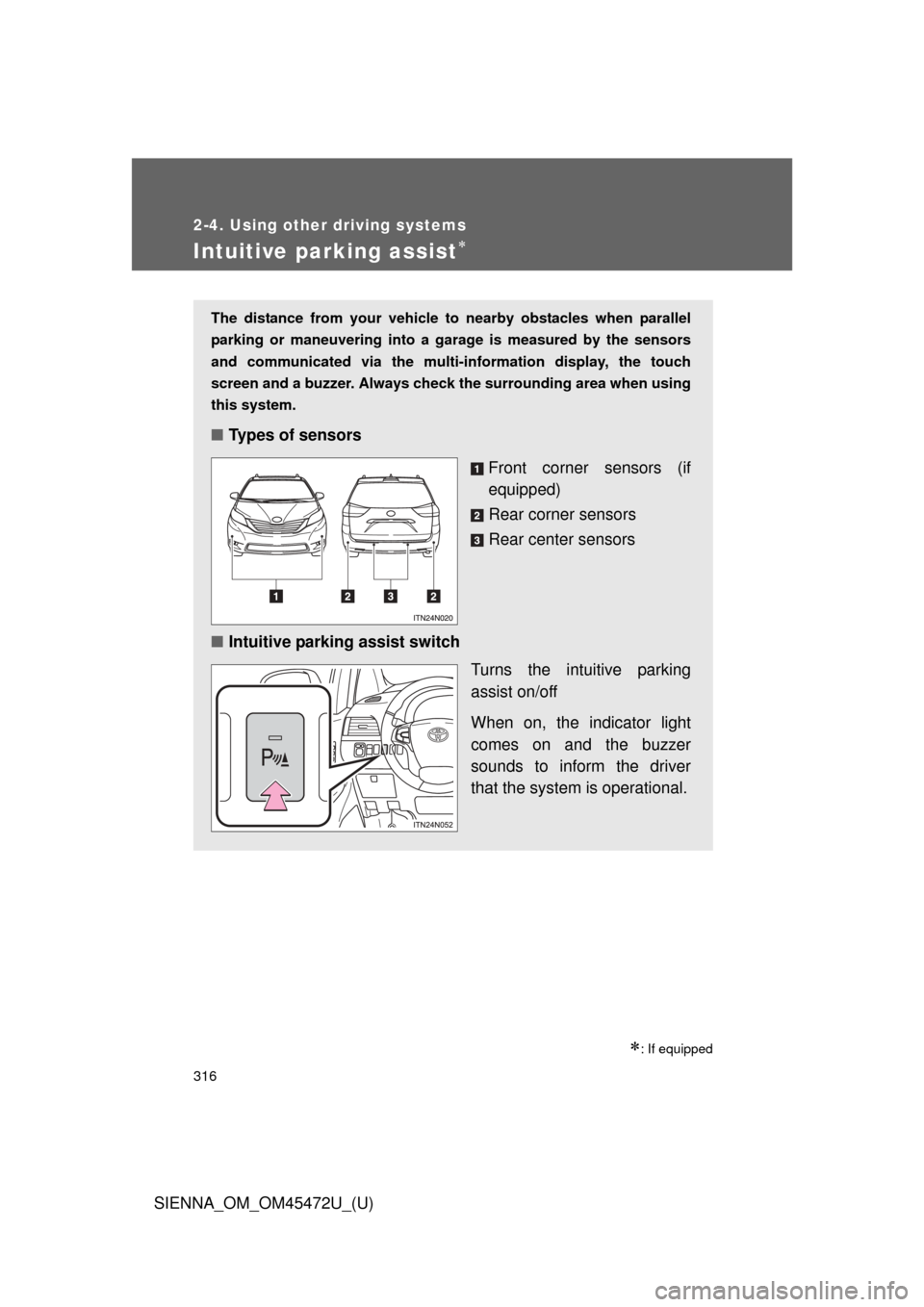
■ Types of sensors
Front corner sensors (if
equipped)
Rear corner sensors
Rear center sensors
■ Intuitive parking assist switch
Turns the intuitive parking
assist on/off
When on, the indicator light
comes on and the buzzer
sounds to inform the driver
that the system is operational.
Page 317 of 876
317
2-4. Using other
driving systems
2
When driving
SIENNA_OM_OM45472U_(U)
Display
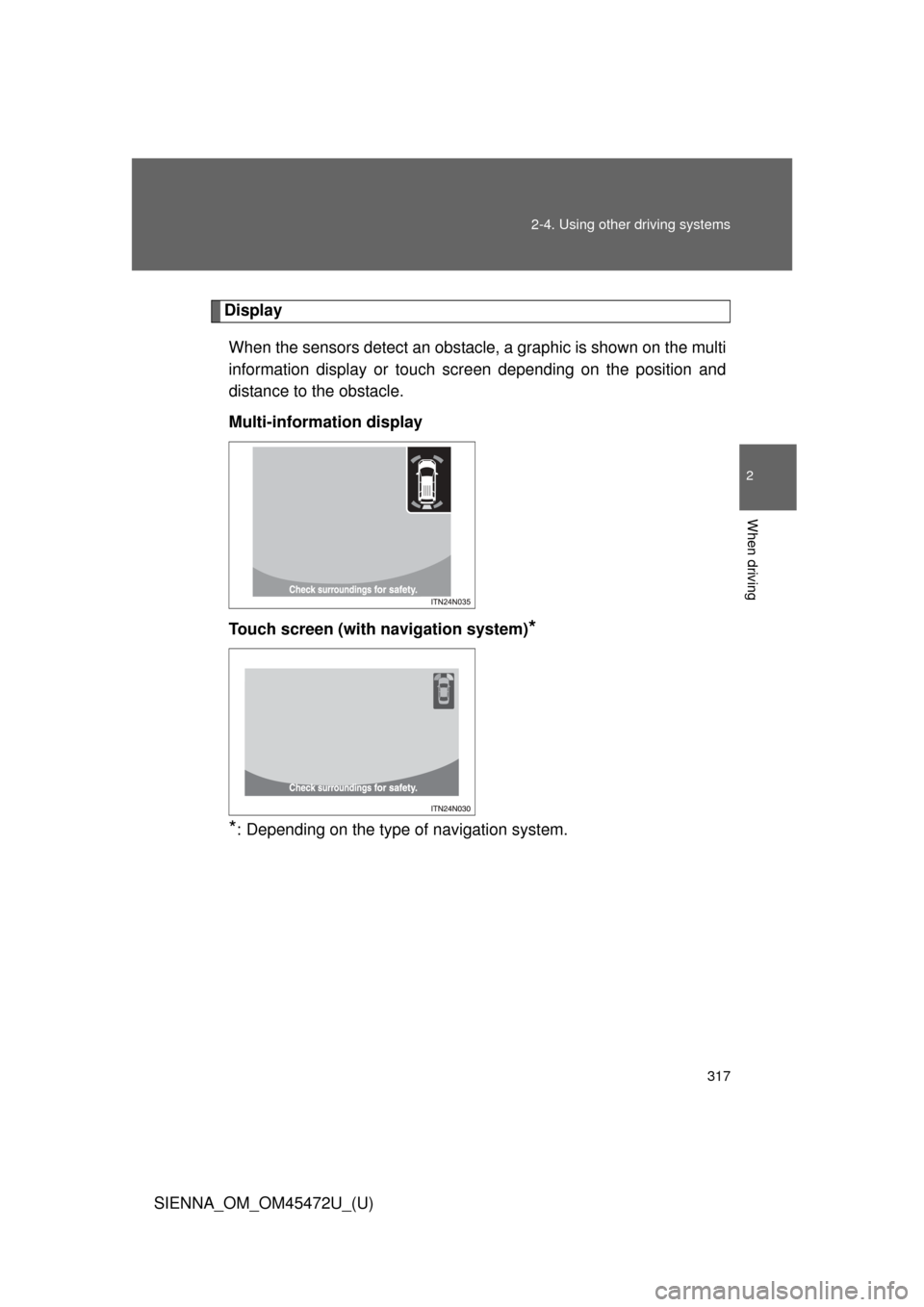
When the sensors detect an obstacle, a graphic is shown on the multi
information display or touch screen depending on the position and
distance to the obstacle.
Multi-information display
Touch screen (with navigation system)
*
*
: Depending on the type of navigation system.
Page 318 of 876
318 2-4. Using other driving systems
SIENNA_OM_OM45472U_(U)
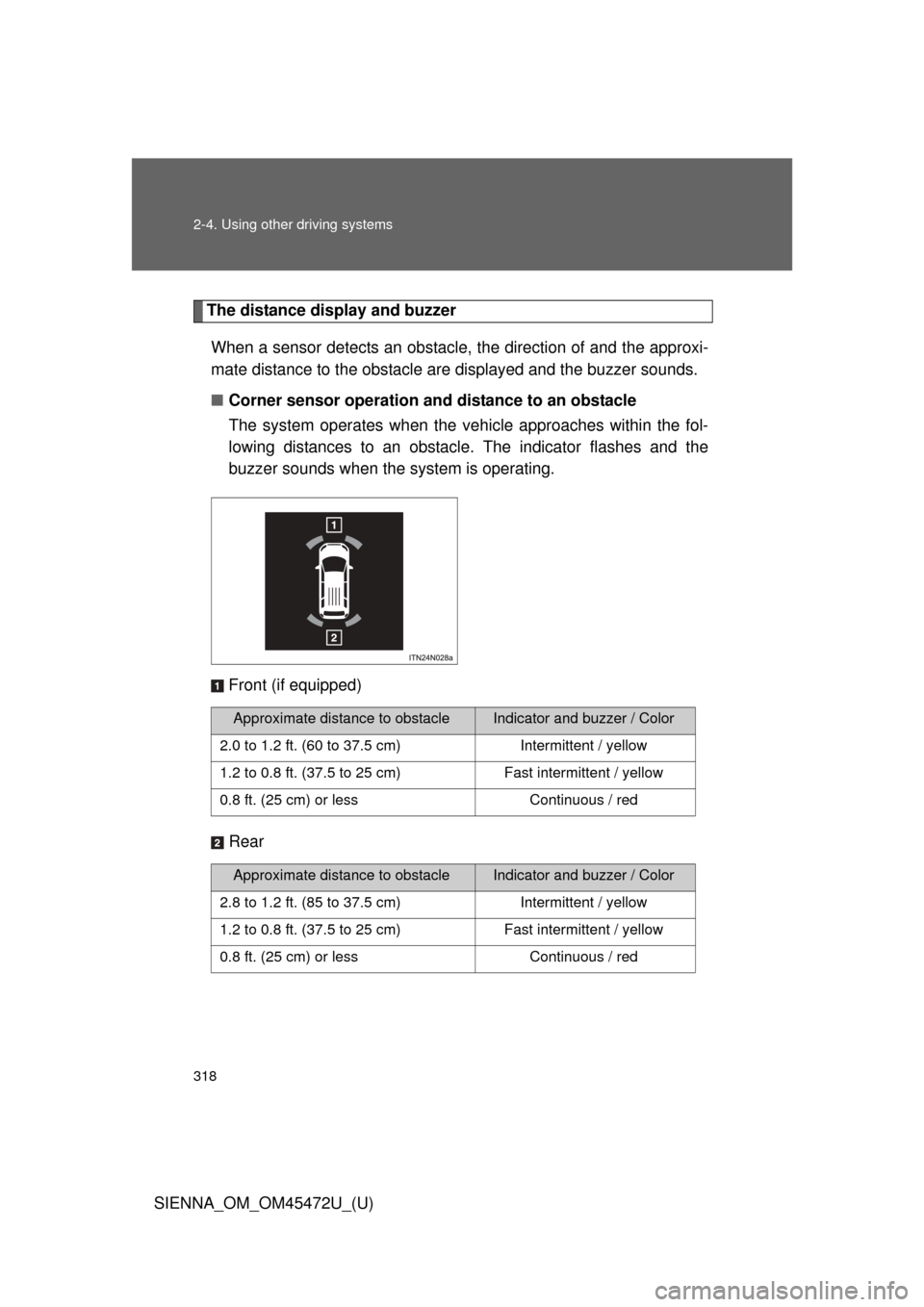
The distance display and buzzerWhen a sensor detects an obstacle, the direction of and the approxi-
mate distance to the obstacle are displayed and the buzzer sounds.
■ Corner sensor operation and distance to an obstacle
The system operates when the ve hicle approaches within the fol-
lowing distances to an obstacle. The indicator flashes and the
buzzer sounds when the system is operating.
Front (if equipped)
Rear
Approximate distance to obstacleIndicator and buzzer / Color
2.0 to 1.2 ft. (60 to 37.5 cm) Intermittent / yellow
1.2 to 0.8 ft. (37.5 to 25 cm) Fast intermittent / yellow
0.8 ft. (25 cm) or less Continuous / red
Approximate distance to obstacleIndicator and buzzer / Color
2.8 to 1.2 ft. (85 to 37.5 cm) Intermittent / yellow
1.2 to 0.8 ft. (37.5 to 25 cm) Fast intermittent / yellow
0.8 ft. (25 cm) or less Continuous / red
Page 319 of 876
319
2-4. Using other
driving systems
2
When driving
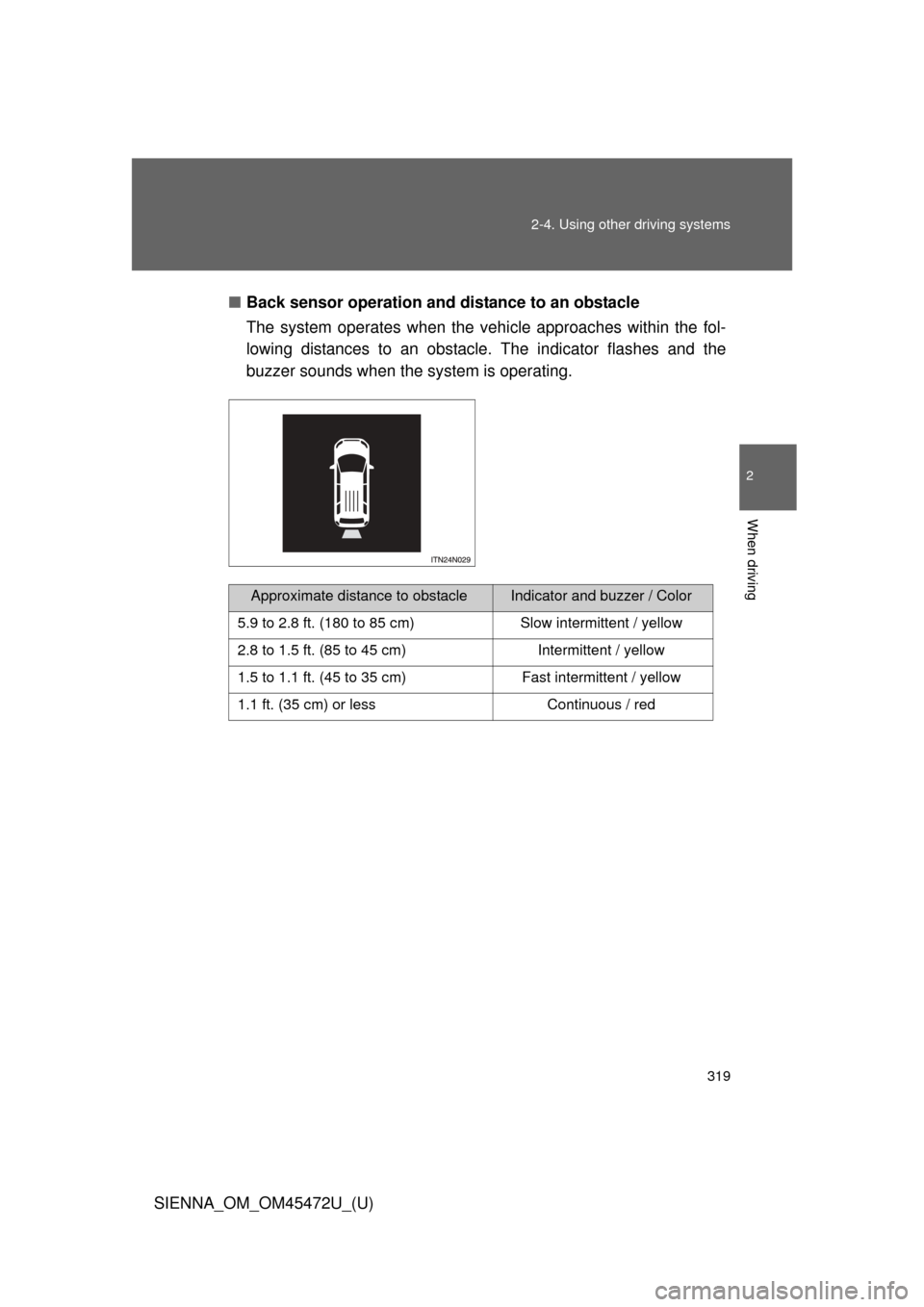
SIENNA_OM_OM45472U_(U)■
Back sensor operation and distance to an obstacle
The system operates when the vehi cle approaches within the fol-
lowing distances to an obstacle. The indicator flashes and the
buzzer sounds when the system is operating.
Approximate distance to obstacleIndicator and buzzer / Color
5.9 to 2.8 ft. (180 to 85 cm) Slow intermittent / yellow
2.8 to 1.5 ft. (85 to 45 cm) Intermittent / yellow
1.5 to 1.1 ft. (45 to 35 cm) Fast intermittent / yellow
1.1 ft. (35 cm) or less Continuous / red