bluetooth TOYOTA SIENNA 2013 XL30 / 3.G Owners Manual
[x] Cancel search | Manufacturer: TOYOTA, Model Year: 2013, Model line: SIENNA, Model: TOYOTA SIENNA 2013 XL30 / 3.GPages: 876, PDF Size: 15.9 MB
Page 4 of 876

TABLE OF CONTENTSIndex
4
SIENNA_OM_OM45472U_(U)
3-1. Using the air conditioning system and defogger
Front manual air conditioning system.......... 394
Front automatic air conditioning system.......... 402
Rear manual air conditioning system.......... 412
Rear automatic air conditioning system.......... 415
Rear window and outside rear view mirror defoggers,
and windshield wiper
de-icer .............................. 419
3-2. Using the audio system Audio system type .............. 421
Using the radio ................... 426
Using the CD player ........... 436
Playing MP3 and WMA discs ....................... 445
Operating an iPod .............. 456
Operating a USB memory ............................ 463
Optimal use of the audio system .............................. 471
Using the AUX port ............ 476
Using the steering switches ........................... 477
Detachable pole antenna ............................ 481 3-3. Using the Bluetooth
® audio
system
Bluetooth
® audio
system .............................. 484
Using the Bluetooth
®
audio system .................... 488
Operating a Bluetooth
®
enabled portable player .... 494
Setting up a Bluetooth
®
enabled portable player .... 496
Bluetooth
® audio system
setup ................................. 501
3-4. Using the rear audio system Rear seat entertainment system features ................ 502
Using the DVD player (DVD video) ...................... 513
Using the DVD player (video CD) ........................ 523
Using the DVD player (audio CD/CD text) ........... 527
Using the DVD player (WMA/MP3 discs) ............. 528
Using the video mode ......... 530
Changing the DVD initial setting ............................... 532
3Interior features
Page 392 of 876
392
SIENNA_OM_OM45472U_(U)
3-1. Using the air conditioning system and defogger
Front manual air conditioning system ....... 394
Front automatic air conditioning system ....... 402
Rear manual air conditioning system ....... 412
Rear automatic air conditioning system ....... 415
Rear window and outside rear view mirror defoggers,
and windshield wiper
de-icer ............................ 419
3-2. Using the audio system Audio system type............ 421
Using the radio ................. 426
Using the CD player ......... 436
Playing MP3 and WMA discs ..................... 445
Operating an iPod ............ 456
Operating a USB memory .......................... 463
Optimal use of the audio system ........................... 471
Using the AUX port .......... 476
Using the steering switches ......................... 477
Detachable pole antenna .......................... 481 3-3. Using the Bluetooth®
audio system
Bluetooth
® audio
system ........................... 484
Using the Bluetooth
®
audio system .................. 488
Operating a Bluetooth
®
enabled portable
player ............................. 494
Setting up a Bluetooth
®
enabled portable
player ............................. 496
Bluetooth
® audio system
setup .............................. 501
3-4. Using the rear audio system Rear seat entertainment system features ............. 502
Using the DVD player (DVD video) ................... 513
Using the DVD player (video CD) ...................... 523
Using the DVD player (audio CD/CD text) ........ 527
Using the DVD player (WMA/MP3 discs) .......... 528
Using the video mode ...... 530
Changing the DVD initial setting ............................ 532
Interior features3
Page 477 of 876
477
3-2. Using the audio system
3
Interior features
SIENNA_OM_OM45472U_(U)
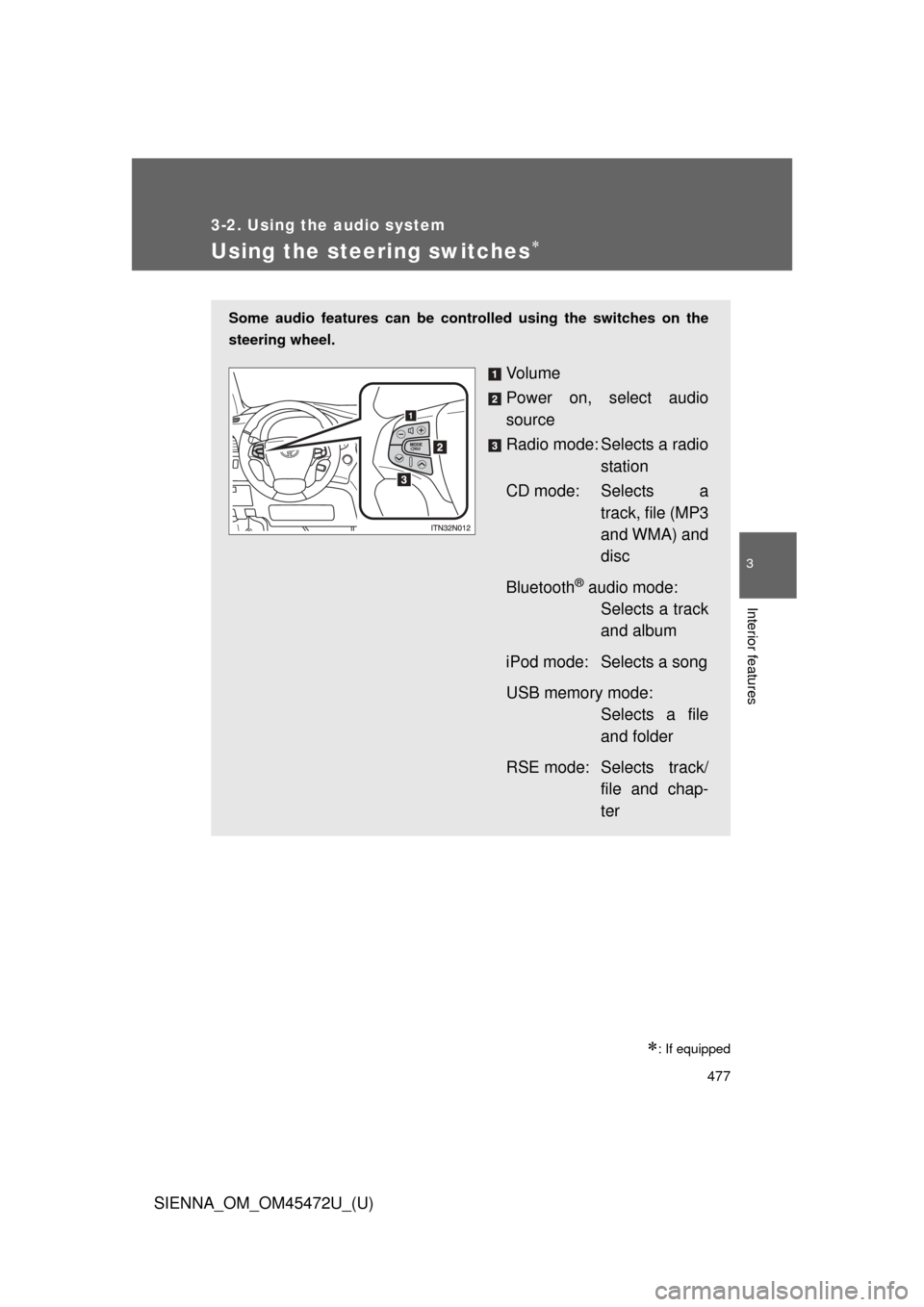
Using the steering switches
: If equipped
Some audio features can be controlled using the switches on the
steering wheel.
Vo l u m e
Power on, select audio
source
Radio mode: Selects a radio station
CD mode: Selects a track, file (MP3
and WMA) and
disc
Bluetooth
® audio mode: Selects a track
and album
iPod mode: Selects a song
USB memory mode: Selects a file
and folder
RSE mode: Selects track/ file and chap-
ter
Page 478 of 876
478 3-2. Using the audio system
SIENNA_OM_OM45472U_(U)
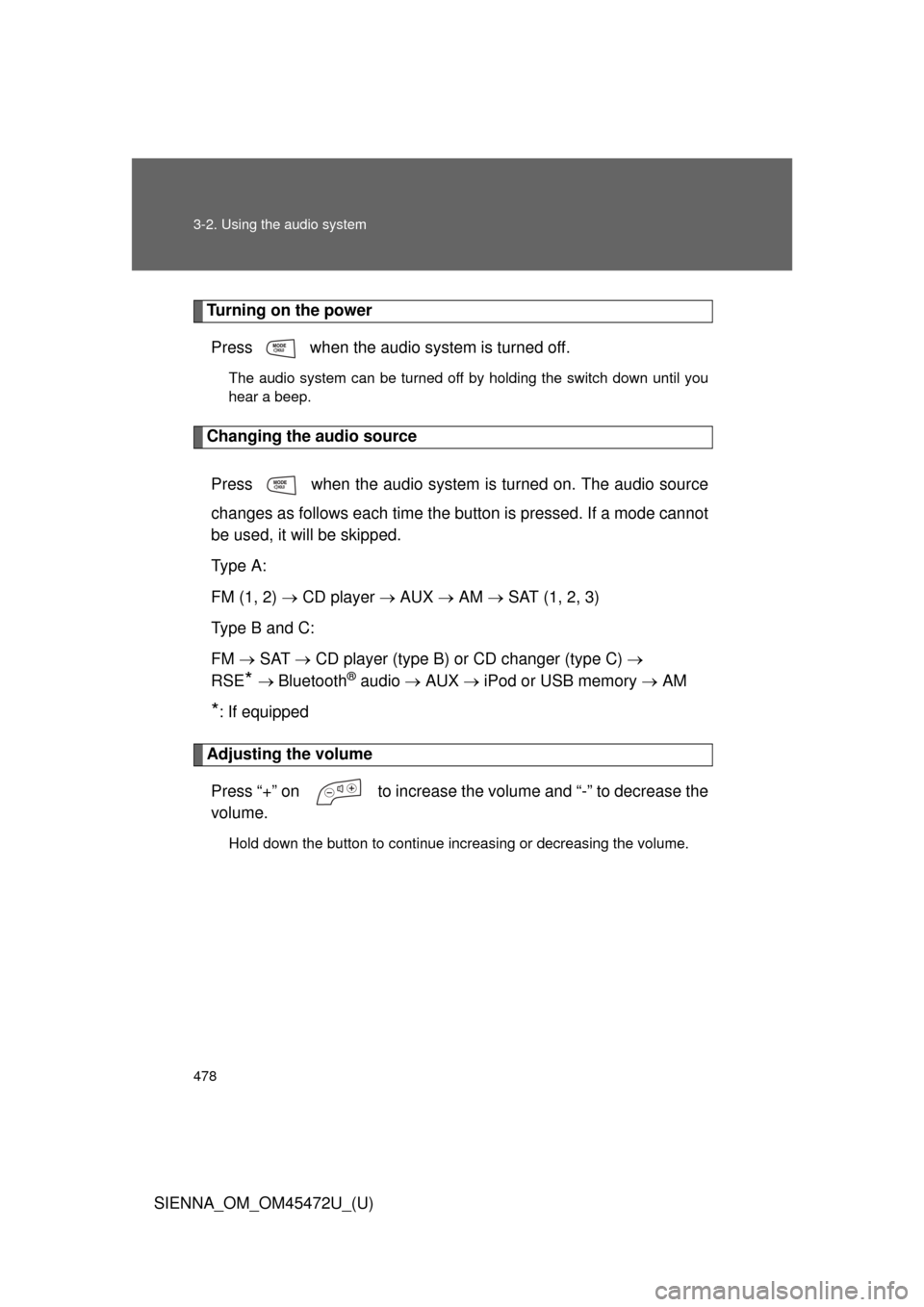
Turning on the powerPress when the audio system is turned off.
The audio system can be turned off by holding the switch down until you
hear a beep.
Changing the audio source
Press when the audio system is turned on. The audio source
changes as follows each time the button is pressed. If a mode cannot
be used, it will be skipped.
Type A:
FM (1, 2) CD player AUX AM SAT (1, 2, 3)
Type B and C:
FM SAT CD player (type B) or CD changer (type C)
RSE
* Bluetooth® audio AUX iPod or USB memory AM
*: If equipped
Adjusting the volume
Press “+” on to increase the volume and “-” to decrease the
volume.
Hold down the button to continue increasing or decreasing the volume.
Page 479 of 876
479
3-2. Using the audio system
3
Interior features
SIENNA_OM_OM45472U_(U)
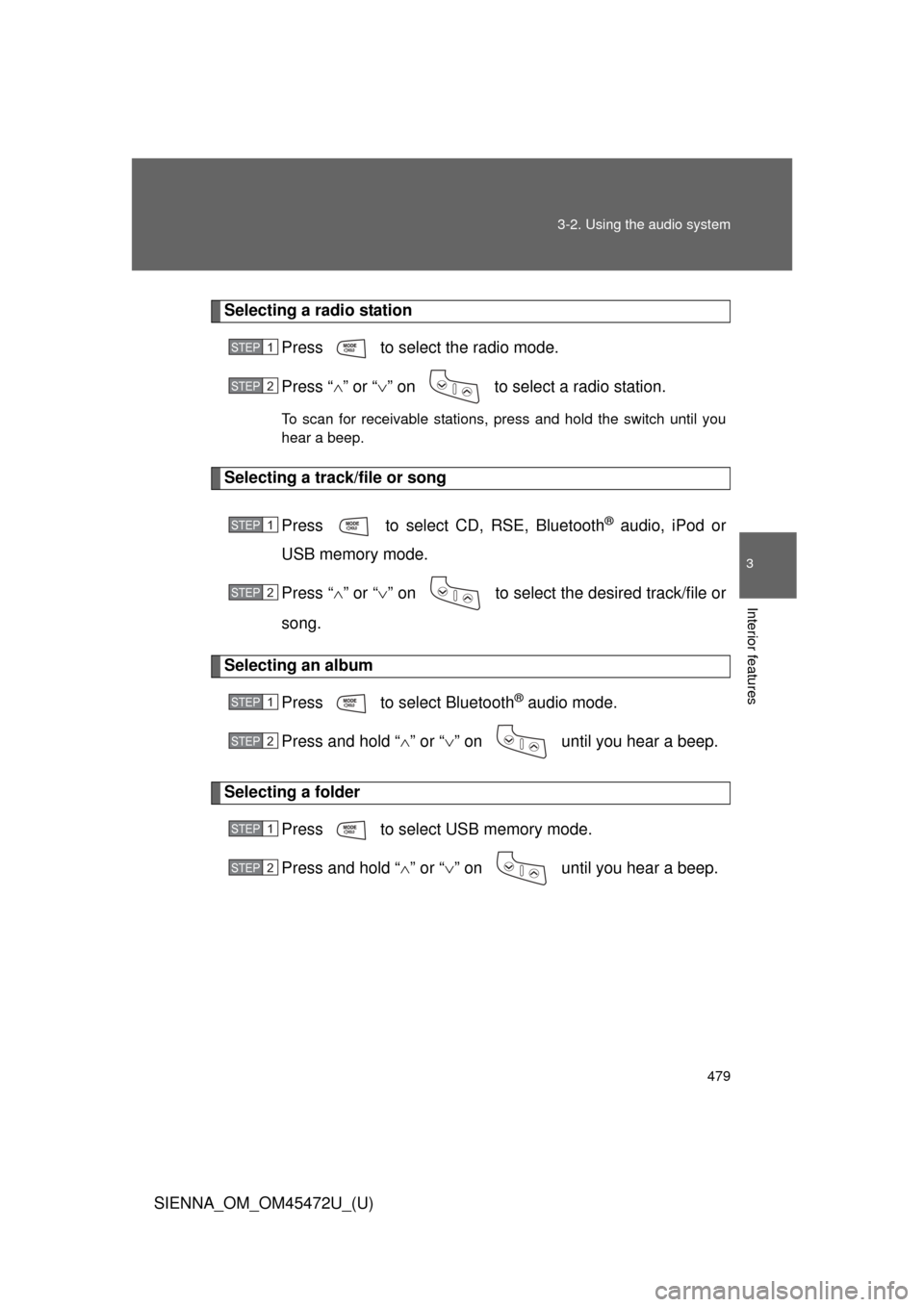
Selecting a radio station
Press to select the radio mode.
Press “” or “ ” on to select a radio station.
To scan for receivable stations, press and hold the switch until you
hear a beep.
Selecting a track/file or song
Press to select CD, RSE, Bluetooth
® audio, iPod or
USB memory mode.
Press “ ” or “ ” on to select the desired track/file or
song.
Selecting an album
Press to select Bluetooth
® audio mode.
Press and hold “ ” or “ ” on until you hear a beep.
Selecting a folder
Press to select USB memory mode.
Press and hold “ ” or “ ” on until you hear a beep.
STEP1
STEP2
STEP1
STEP2
STEP1
STEP2
STEP1
STEP2
Page 484 of 876
484
SIENNA_OM_OM45472U_(U)
3-3. Using the Bluetooth® audio system
Bluetooth® audio system
: If equipped
The Bluetooth® audio system enables you to enjoy music played on
a portable digital audio player (portable player) from the vehicle
speakers via wireless communication.
This audio system supports Bluetooth
®, a wireless data system
capable of playing portable audio music without cables. If your por-
table player does not support Bluetooth
®, the Bluetooth® audio sys-
tem will not function.
Vehicles with a navigation system
Owners of models equipped with a navigation system should
refer to the “NAVIGATION SYSTEM OWNER’S MANUAL”.
Vehicles without a navigation system
TitlePage
Using the Bluetooth® audio systemP. 488
Operating a Bluetooth® enabled portable playerP. 494
Setting up a Bluetooth® enabled portable playerP. 496
Bluetooth® audio system setupP. 501
Page 485 of 876
485
3-3. Using the Bluetooth
® audio system
3
Interior features
SIENNA_OM_OM45472U_(U)
■
Conditions under which th e system will not operate
● If using a portable player that does not support Bluetooth
®
●If the portable player is switched off
● If the portable player is not connected
● If the portable player’s battery is low
● If the portable player is behind the seat or in the glove box or console box
● If metal is covering or touching the portable player
■ When transferring ownership of the vehicle
Be sure to initialize the system to prevent personal data from being improp-
erly accessed. ( P. 571)
■ About Bluetooth
®
Bluetooth is a registered trademark of
Bluetooth SIG. Inc.
Page 486 of 876

486 3-3. Using the Bluetooth
® audio system
SIENNA_OM_OM45472U_(U)
■Compatible models
● Bluetooth
® specifications:
Ver. 1.2, or higher (Recommended: Ver. 2.0+EDR or higher)
● Following Profiles:
• A2DP (Advanced Audio Distribution Profile) Ver. 1.0 or higher
• AVRCP (Audio/Video Remote Control Profile) Ver. 1.0 or higher
(Ver. 1.3 or higher recommended)
Portable players must correspond to the above specifications in order to be
connected to the Bluetooth
® audio system. However, please note that some
functions may be limited depending on the type of portable player.
Please go to “http://www.toyota.com/bluetooth” to find approved Bluetooth
®
phones for this system.
■ Certification for the Bluetooth
® audio system
FCC ID: AJDK025
IC ID: 775E-K025
MADE IN THAILAND
This device complies with Part 15 of the FCC Rules and RSS-Gen of IC
Rules. Operation is subject to the following two conditions: (1) This device
may not cause harmful interference, and (2) This device must accept any
interference received, including interference that may cause undesired oper-
ation.
Page 487 of 876
487
3-3. Using the Bluetooth
® audio system
3
Interior features
SIENNA_OM_OM45472U_(U)
CAUTION
■
FCC WARNING
Changes or modifications not expressly approved by the party responsible
for compliance could void the user’s authority to operate the equipment.
Radio Frequency Radiation Exposure. This equipment complies with FCC/
IC radiation exposure limits set forth for uncontrolled equipment and meets
the FCC radio frequency (RF) Exposure Guidelines in Supplement C to
OET65 and RSS-102 of the IC radio frequency (RF) Exposure rules. This
equipment has very low levels of RF energy that it deemed to comply with-
out maximum permissive exposure evaluation (MPE). But it is desirable that
it should be installed and operated with at least 7.9 in. (20 cm) and more
between the radiator and person’s body (excluding extremities: hands,
wrists, feet and ankles).
This transmitter must not be co-located or operated in conjunction with any
other antenna or transmitter.
■ While driving
Do not connect portable players or operate the controls.
NOTICE
■To prevent damage to portable players
Do not leave portable players in the vehicle. The temperature inside the
vehicle may become high, resulting in damage to the player.
Page 488 of 876
488
3-3. Using the Bluetooth® audio system
SIENNA_OM_OM45472U_(U)
Using the Bluetooth® audio system
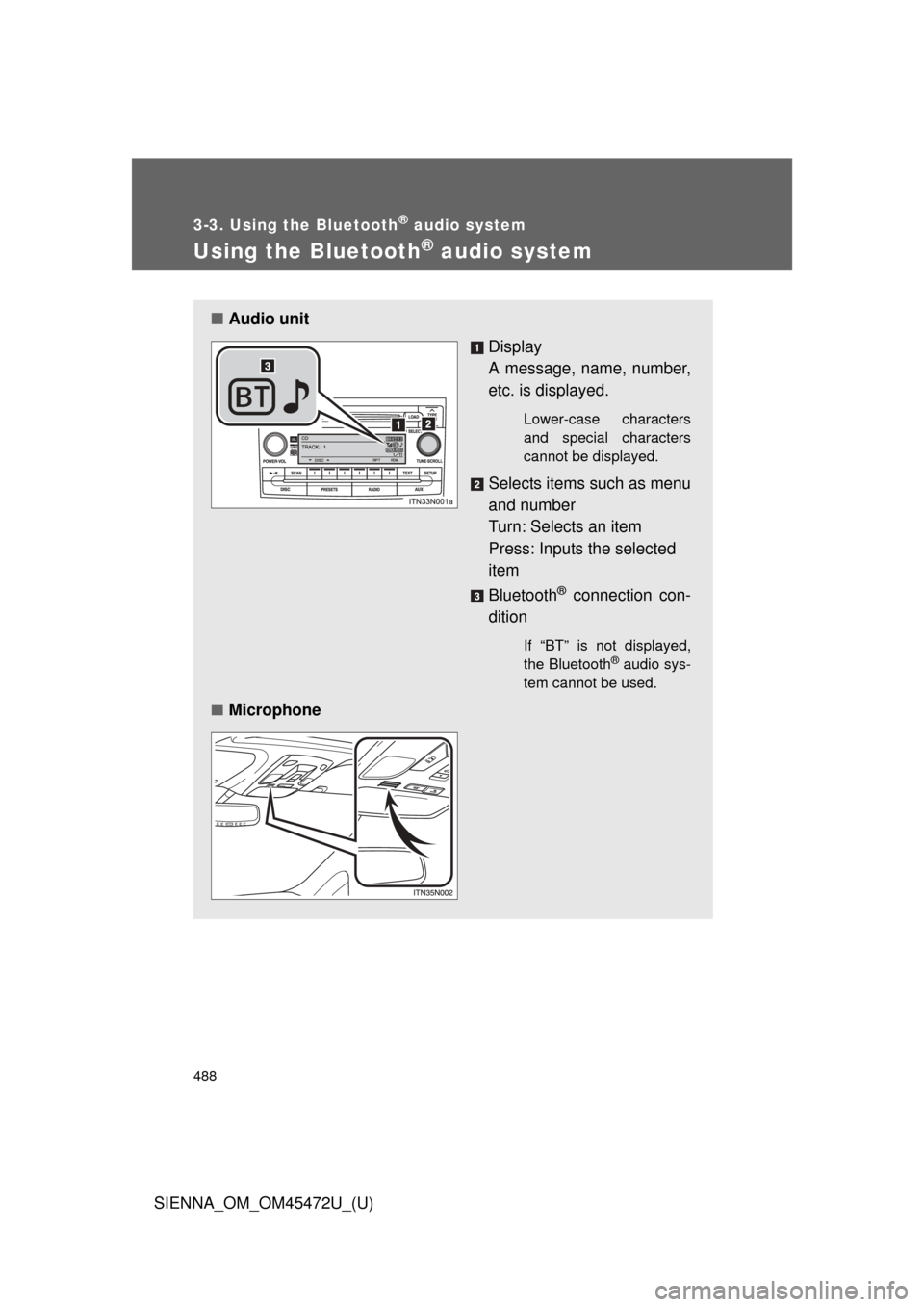
■Audio unit
Display
A message, name, number,
etc. is displayed.
Lower-case characters
and special characters
cannot be displayed.
Selects items such as menu
and number
Turn: Selects an item
Press: Inputs the selected
item
Bluetooth
® connection con-
dition
If “BT” is not displayed,
the Bluetooth® audio sys-
tem cannot be used.
■ Microphone