engine can be started by following TOYOTA SIENNA 2013 XL30 / 3.G Owners Manual
[x] Cancel search | Manufacturer: TOYOTA, Model Year: 2013, Model line: SIENNA, Model: TOYOTA SIENNA 2013 XL30 / 3.GPages: 876, PDF Size: 15.9 MB
Page 47 of 876
47
1-2. Opening, closing and locking the doors
1
Before driving
SIENNA_OM_OM45472U_(U)
●
If window tint with a metallic content or metallic objects are attached to
the rear window
● Vehicles with AUTO ACCESS SEAT: If the wireless remote control of the
AUTO ACCESS SEAT is operated simultaneously, the AUTO ACCESS
SEAT may not operate properly.
For details, refer to “AUTO ACCESS SEAT OWNER’S MANUAL”.
■ Notes for the entry function
● Even when the electronic key is within the effective range (detection
areas), the system may not operate properly in the following cases.
• The electronic key is too close to the window or outside door handle,
near the ground, or in a high place when the doors are locked or
unlocked.
• The electronic key is on the instrument panel, floor or in the glove box when the engine is started or “ENGINE START STOP” switch modes
are changed.
● Do not leave the electronic key on top of the instrument panel or near the
door pockets when exiting the vehicle. Depending on the radio wave
reception conditions, it may be detected by the antenna outside the cabin
and the door will become lockable from the outside, possibly trapping the
electronic key inside the vehicle.
● As long as the electronic key is within the effective range, the doors may
be locked or unlocked by anyone. However, only the doors detecting the
electronic key can be used to unlock the vehicle.
● The doors may unlock or lock if a large amount of water splashes on the
door handle, such as in the rain or in a car wash when the electronic key
is within the effective range. (The doors will automatically be locked after
approximately 60 seconds if the doors are not opened and closed.)
● If the wireless remote control is used to lock the doors when the elec-
tronic key is near the vehicle, there is a possibility that the door may not
be unlocked by the smart key system. (Use the wireless remote control to
unlock the doors.)
● If power slide door is unable to operate due to prohibition by the power
sliding door main switch, the door unlock and open operation will not be
performed. ( P. 70)
Page 115 of 876
115
1-3. Adjustable components (s
eats, mirrors, steering wheel)
1
Before driving
SIENNA_OM_OM45472U_(U)
■Power third seat
● If the indicator light above the switches flashes three times when the fold-
ing/returning switch is pressed, the folding operation will not start. Make
sure the shift lever is in P.
● If any of the following conditions occur while the seat is operating, the
seat operation will stop. The indicator light above the switches will flash
three times and a beep will sound for about 10 seconds:
• An object is caught between the seatback and seat cushion.
• The stowing switch is released.
• Other power third seat switch is pushed while operating the stowing
switch.
• The shift lever is moved from P when the engine switch is turned to the “ON” position (vehicles without a smart key system) or the “ENGINE
START STOP” switch is in IGNITION ON mode (vehicles with a smart
key system).
If the engine is started during operating, the seat operation may also be
stopped.
To continue the folding operation, the seatback must be returned to its
original position first.
■ AUTO ACCESS SEAT (if equipped)
The AUTO ACCESS SEAT cannot be removed.
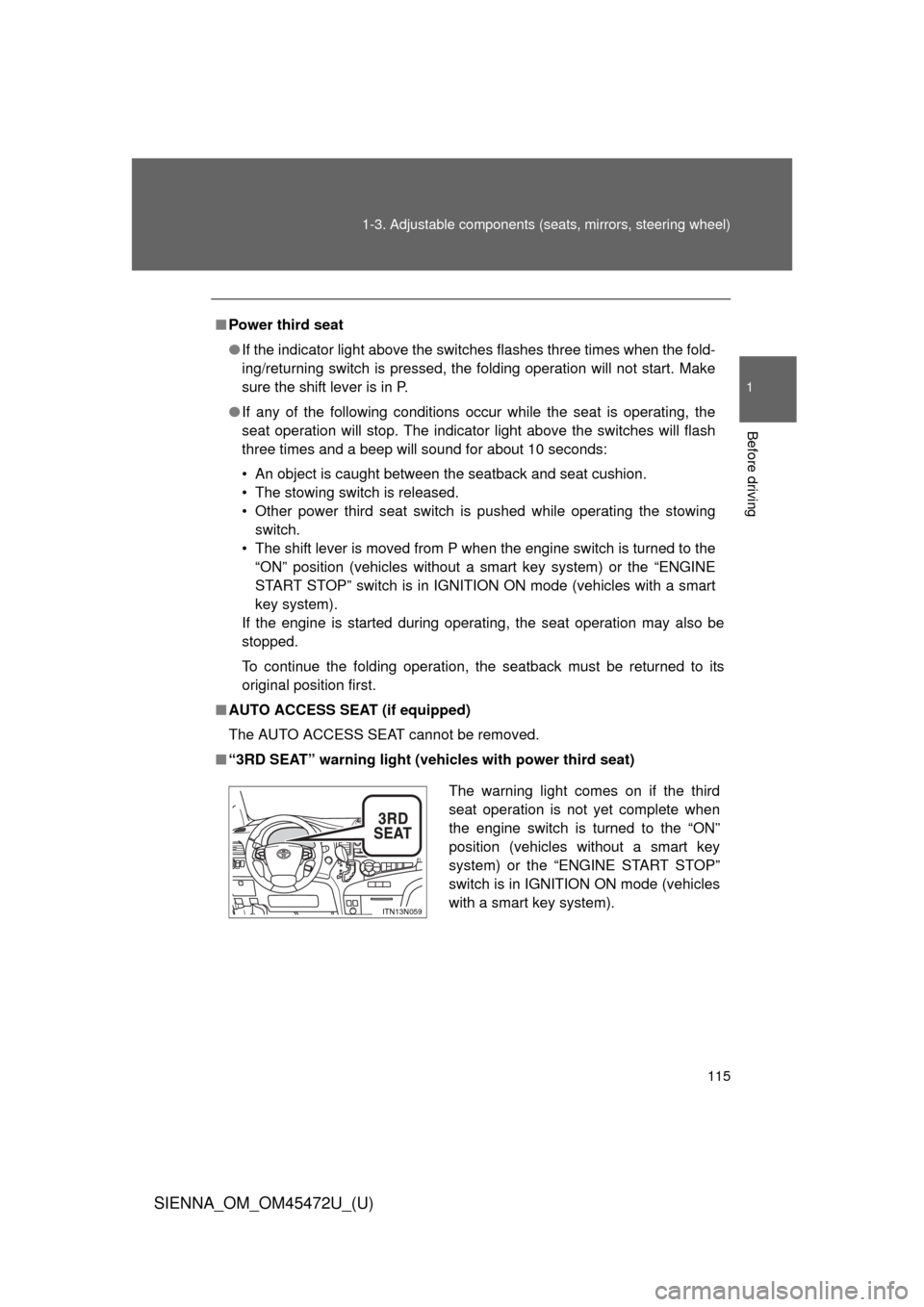
■ “3RD SEAT” warning light (vehicles with power third seat)
The warning light comes on if the third
seat operation is not yet complete when
the engine switch is turned to the “ON”
position (vehicles without a smart key
system) or the “ENGINE START STOP”
switch is in IGNITION ON mode (vehicles
with a smart key system).
ITN13N059
Page 229 of 876
229
2-1. Driving procedures
2
When driving
SIENNA_OM_OM45472U_(U)
Engine (ignition) switch (vehicles with smar t key system)
Performing the following operations when carrying the electronic
key on your person starts the engine or changes “ENGINE START
STOP” switch modes.
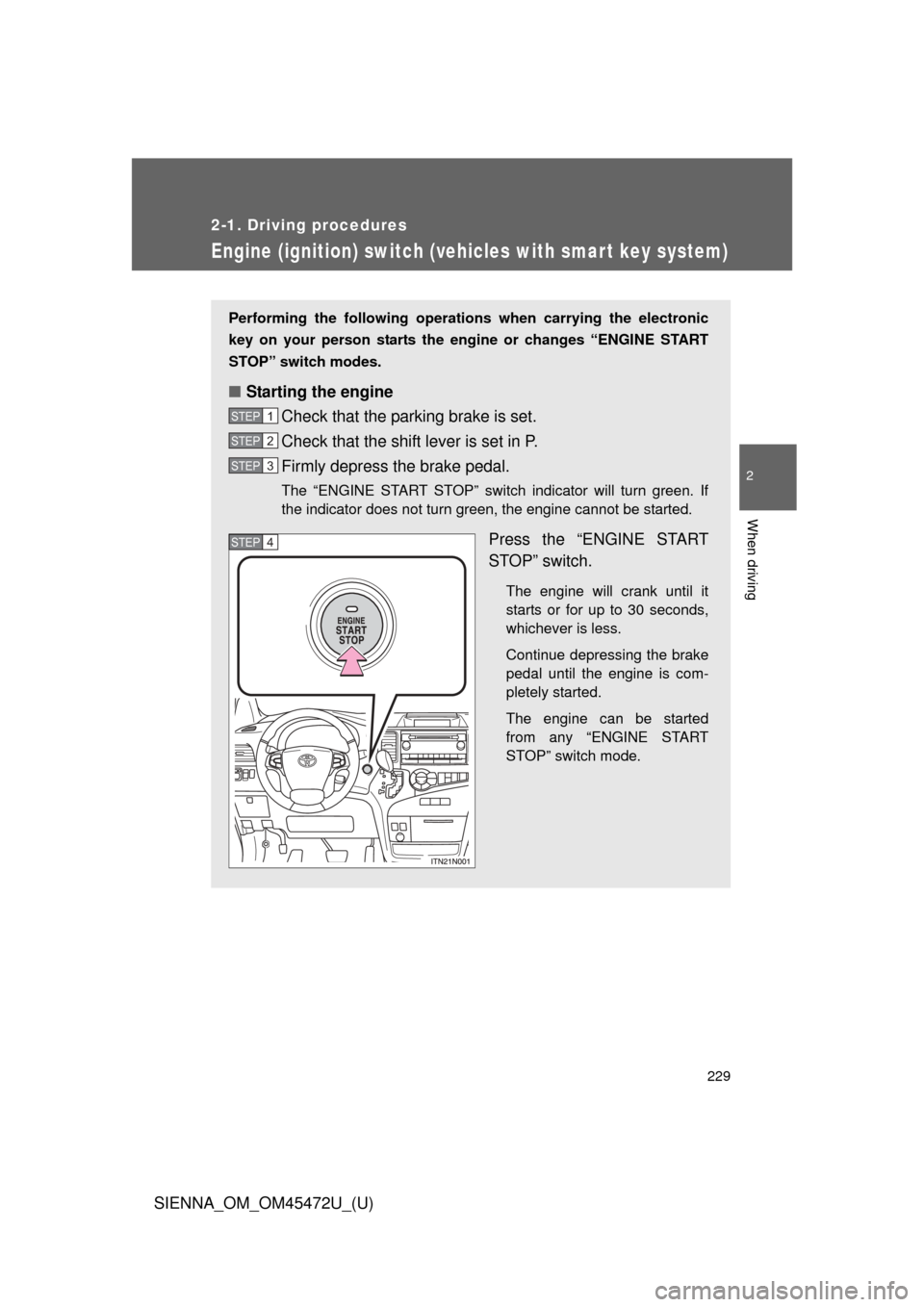
■ Starting the engine
Check that the parking brake is set.
Check that the shift lever is set in P.
Firmly depress the brake pedal.
The “ENGINE START STOP” switch indicator will turn green. If
the indicator does not turn green, the engine cannot be started.
Press the “ENGINE START
STOP” switch.
The engine will crank until it
starts or for up to 30 seconds,
whichever is less.
Continue depressing the brake
pedal until the engine is com-
pletely started.
The engine can be started
from any “ENGINE START
STOP” switch mode.
STEP1
STEP2
STEP3
STEP4
Page 332 of 876

332 2-4. Using other driving systems
SIENNA_OM_OM45472U_(U)
■When the “TRAC OFF” indicator light comes on even if the VSC OFF
switch has not been pressed
TRAC and hill-start assist control cannot be operated. Contact your Toyota
dealer.
■ Sounds and vibrations caused by ABS, brake assist, Enhanced VSC
and TRAC
● A sound may be heard from the engine compartment when the engine is
started or just after the vehicle begins to move. This sound does not indi-
cate that a malfunction has occurred in any of these systems.
● Any of the following conditions may occur when the above systems are
operating. None of these indicates that a malfunction has occurred.
• Vibrations may be felt through the vehicle body and steering.
• A motor sound may be heard after the vehicle comes to a stop.
• The brake pedal may pulsate slightly after ABS is activated.
• The brake pedal may move down slightly after ABS is activated.
■ EPS operation sound
When the steering wheel is operated, a motor sound (whirring sound) may
be heard. This does not indicate a malfunction.
■ Reactivation of the TRAC and VSC systems after turning off the engine
Turning off the engine after turning off the TRAC and VSC systems will auto-
matically reactivate them.
■ Reactivation of the TRAC system linked to vehicle speed
When only the TRAC system is turned off, the TRAC system will turn on
when vehicle speed increases. However, when both TRAC and VSC sys-
tems are turned off, the systems will not turn on even when vehicle speed
increases.
Page 783 of 876
5
When trouble arises
783
5-2. Steps to take in an emergency
SIENNA_OM_OM45472U_(U)
If the electronic key does not operate properly
Locking and unlocking the doors and key linked functions
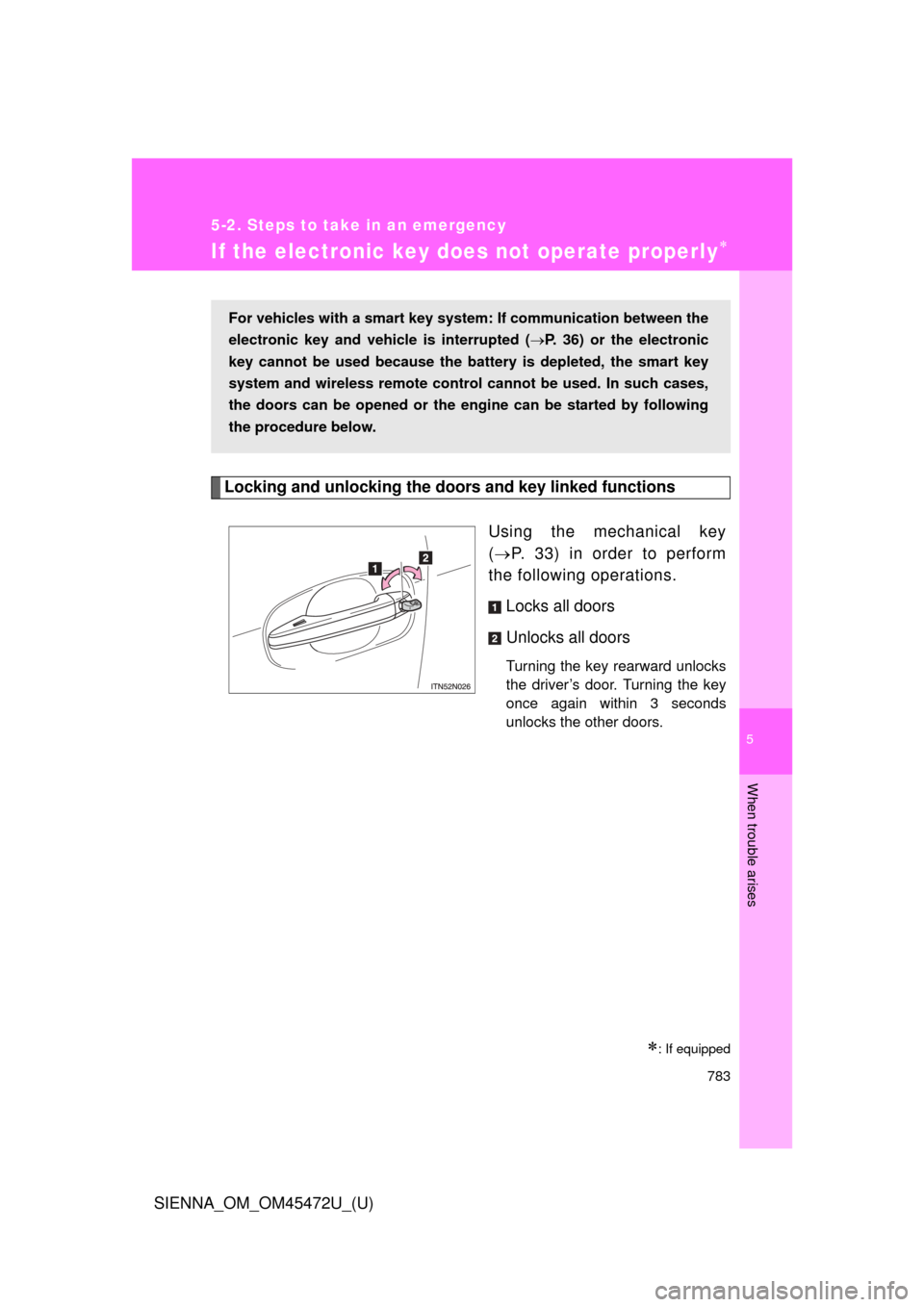
Using the mechanical key
( P. 33) in order to perform
the following operations.
Locks all doors
Unlocks all doors
Turning the key rearward unlocks
the driver’s door. Turning the key
once again within 3 seconds
unlocks the other doors.
: If equipped
For vehicles with a smart key system : If communication between the
electronic key and vehic le is interrupted (P. 36) or the electronic
key cannot be used because the batt ery is depleted, the smart key
system and wireless remote contro l cannot be used. In such cases,
the doors can be opened or the engine can be started by following
the procedure below.
Page 789 of 876
5
When trouble arises
789
5-2. Steps to take in an emergency
SIENNA_OM_OM45472U_(U)
■
Starting the engine when the battery is discharged
The engine cannot be started by push-starting.
■ To prevent battery discharge
● Turn off the headlights and the audio system while the engine is off.
● Turn off any unnecessary electrical components when the vehicle is run-
ning at a low speed for an extended period, such as in heavy traffic.
■ When the battery is removed or discharged
● The power sliding door (if equipped) must be initialized. ( P. 67)
● The power back door (if equipped) must be initialized. ( P. 82)
● The moon roof (if equipped) must be initialized. ( P. 150)
■ Charging the battery
The electricity stored in the battery will discharge gradually even when the
vehicle is not in use, due to natural discharge and the draining effects of cer-
tain electrical appliances. If the vehicle is left for a long time, the battery may
discharge, and the engine may be unable to start. (The battery recharges
automatically during driving.)
CAUTION
■Avoiding battery fires or explosions
Observe the following precautions to prevent accidentally igniting the flam-
mable gas that may be emitted from the battery:
● Make sure the jumper cable is connected to the correct terminal and that it
is not unintentionally in contact with any other than the intended terminal.
● Do not allow the + and - clamps of the jumper cables to come into contact
with each other.
● Do not smoke, use matches, cigarette lighters or allow open flame near
the battery.