clock TOYOTA SIENNA 2014 XL30 / 3.G User Guide
[x] Cancel search | Manufacturer: TOYOTA, Model Year: 2014, Model line: SIENNA, Model: TOYOTA SIENNA 2014 XL30 / 3.GPages: 872, PDF Size: 15.99 MB
Page 406 of 872
406 3-1. Using the air conditioning system and defogger
SIENNA_OM_OM45483U_(U)
Adjusting the settings
■ Adjusting the temperature setting
Turn the temperature control dial clockwise (warm) or counter-
clockwise (cool).
The air conditioning system switch es between individual and simulta-
neous modes each time is pressed.
Individual mode: The temperature for the driver’s, passenger’s and rear seats can be set separately. Operating the passenger’s
side or rear temperature control will enter individual
mode.
Simultaneous mode: Only the temperature control dial (driver’s side) can be used to adjust the temperature for all seats.
■Adjusting the fan speed
Press “ ” (increase) or “ ” (decrease) on .
The fan speed is shown on the display. (7 levels)
Press to turn the fan off.
Page 407 of 872
407
3-1. Using the air conditioning system
and defogger
3
Interior features
SIENNA_OM_OM45483U_(U)
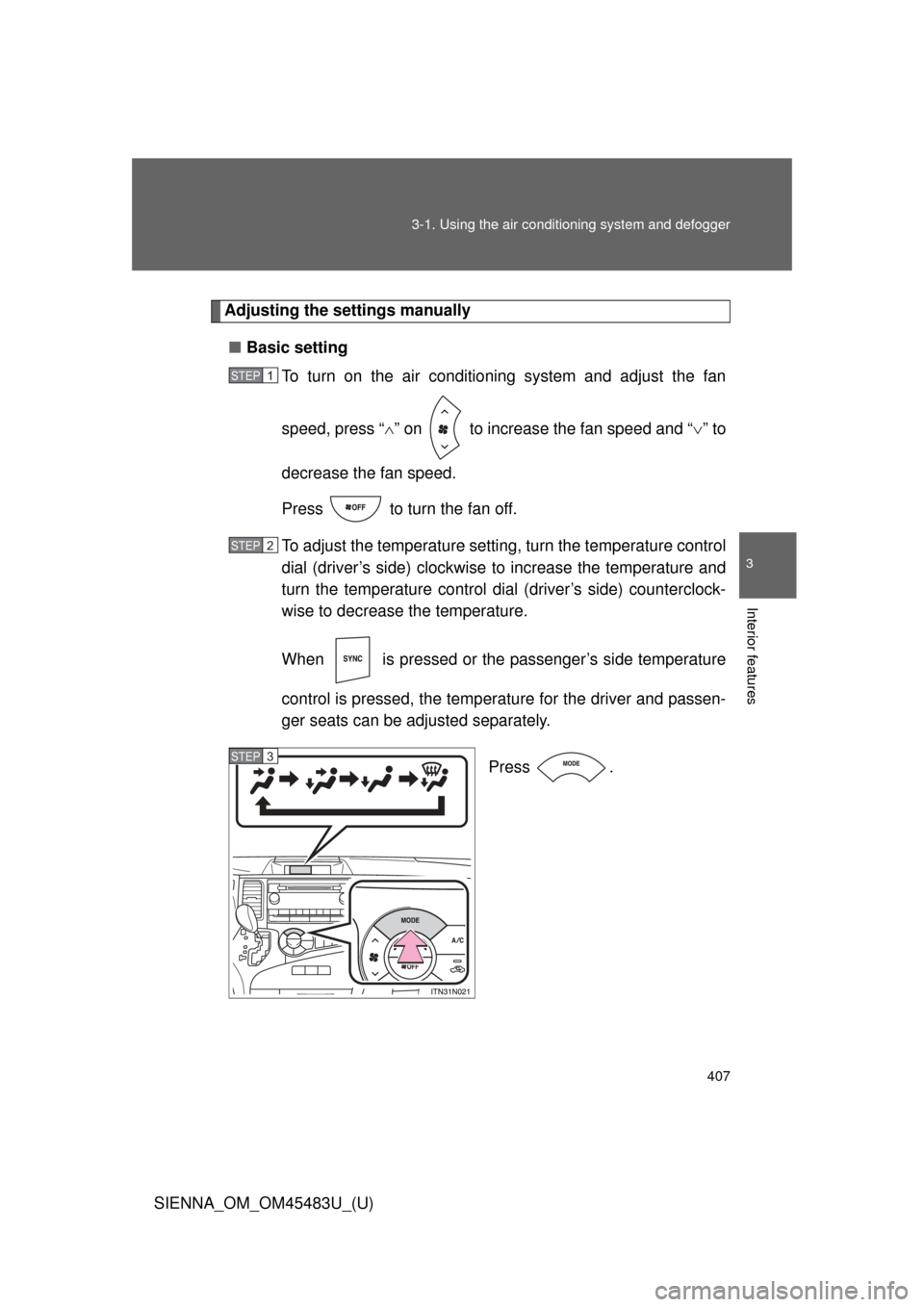
Adjusting the settings manually
■ Basic setting
To turn on the air conditioning system and adjust the fan
speed, press “ ” on to increase the fan speed and “ ” to
decrease the fan speed.
Press to turn the fan off.
To adjust the temperature setting, turn the temperature control
dial (driver’s side) clockwise to increase the temperature and
turn the temperature control dial (driver’s side) counterclock-
wise to decrease the temperature.
When is pressed or the passenger’s side temperature
control is pressed, the temper ature for the driver and passen-
ger seats can be adjusted separately.
Press .
STEP1
STEP2
STEP3
Page 414 of 872
414
3-1. Using the air conditioning system and defogger
SIENNA_OM_OM45483U_(U)
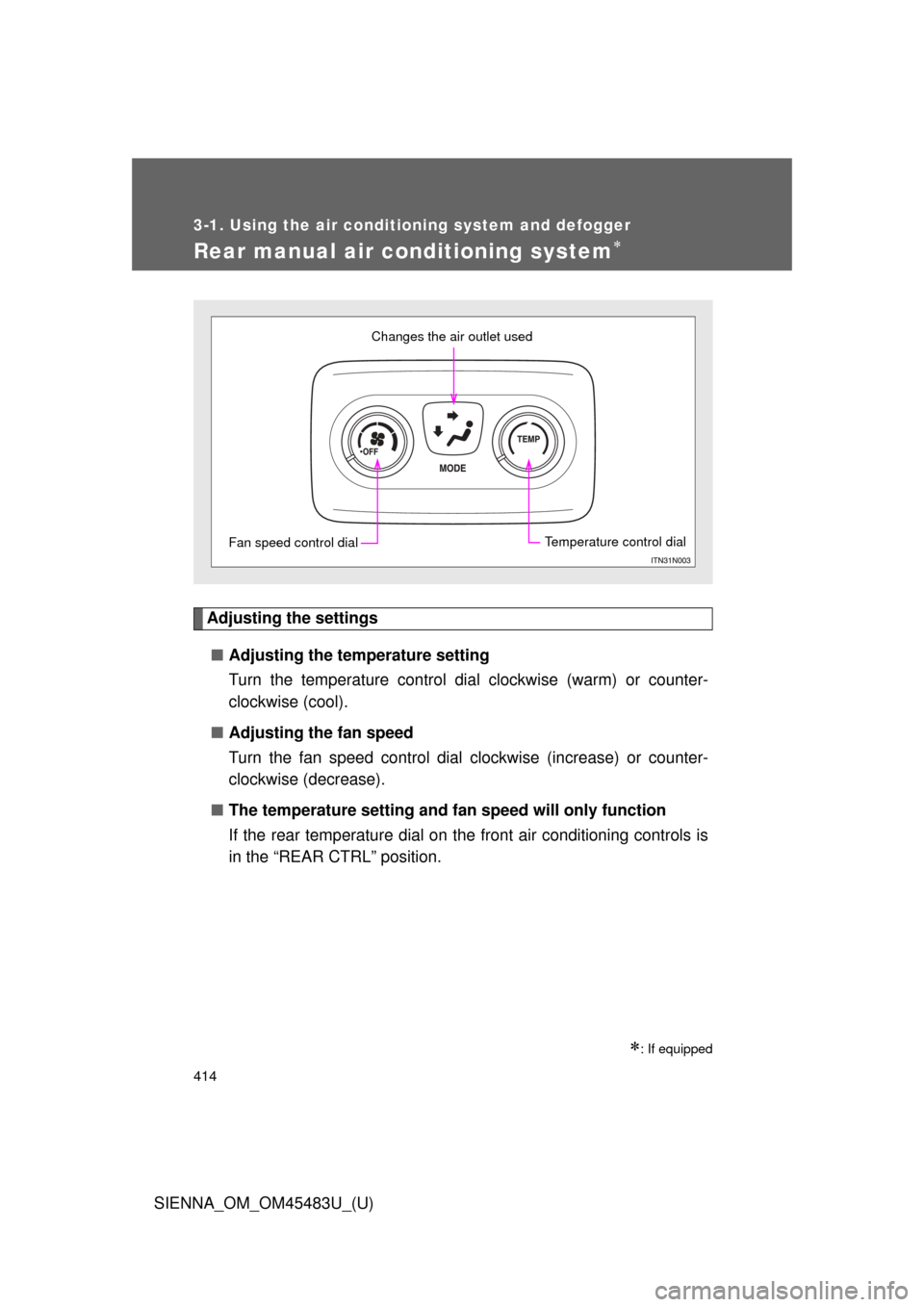
Rear manual air conditioning system
Adjusting the settings■ Adjusting the temperature setting
Turn the temperature control dial clockwise (warm) or counter-
clockwise (cool).
■ Adjusting the fan speed
Turn the fan speed control dial clockwise (increase) or counter-
clockwise (decrease).
■ The temperature setting and fa n speed will only function
If the rear temperature dial on the front air conditioning controls is
in the “REAR CTRL” position.
: If equipped
Changes the air outlet used
Fan speed control dialTemperature control dial
Page 434 of 872
434 3-2. Using the audio system
SIENNA_OM_OM45483U_(U)
Silencing the sound (type B and C)Press .
Press the button again to turn the system back on.
■ When the battery is disconnected (type A only)
All preset stations are erased.
■ Radio antenna type
●Detachable antenna (type A and B)
To remove a detachable antenna, carefully turn it counterclockwise.
● Wire antenna (type C)
The radio antenna is mounted inside the rear quarter window.
■ Reception sensitivity
●Type B and C Cargo loaded on the roof luggage carrier, especially
metal objects, may adversely affect the reception of XM
® Satellite Radio.
● Maintaining perfect radio reception at all times is difficult due to the con-
tinually changing position of the antenna, differences in signal strength
and surrounding objects, such as trains, transmitters, etc.
● Type C The radio antenna is mounted inside the rear quarter window.
To maintain clear radio reception, do not attach metallic window tinting or
other metallic objects to the antenna wire mounted inside the rear quarter
window.
Page 510 of 872
510 3-4. Using the rear audio system
SIENNA_OM_OM45483U_(U)
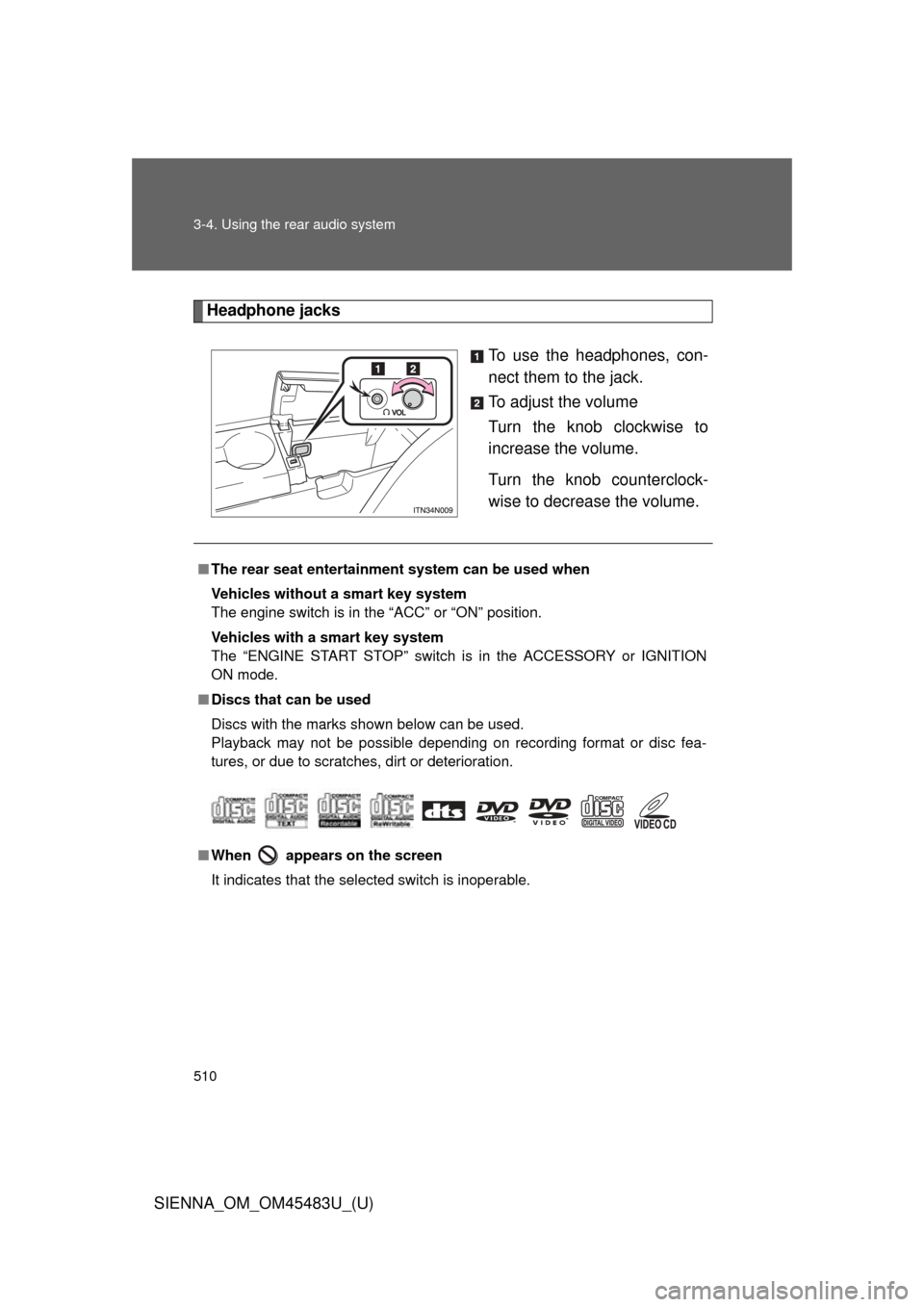
Headphone jacksTo use the headphones, con-
nect them to the jack.
To adjust the volume
Turn the knob clockwise to
increase the volume.
Turn the knob counterclock-
wise to decrease the volume.
■The rear seat entertainmen t system can be used when
Vehicles without a smart key system
The engine switch is in the “ACC” or “ON” position.
Vehicles with a smart key system
The “ENGINE START STOP” switch is in the ACCESSORY or IGNITION
ON mode.
■ Discs that can be used
Discs with the marks shown below can be used.
Playback may not be possible depending on recording format or disc fea-
tures, or due to scratches, dirt or deterioration.
■ When appears on the screen
It indicates that the selected switch is inoperable.
Page 571 of 872
571
3-5. Using the hand
s-free phone system (for cellular phone)
3
Interior features
SIENNA_OM_OM45483U_(U)
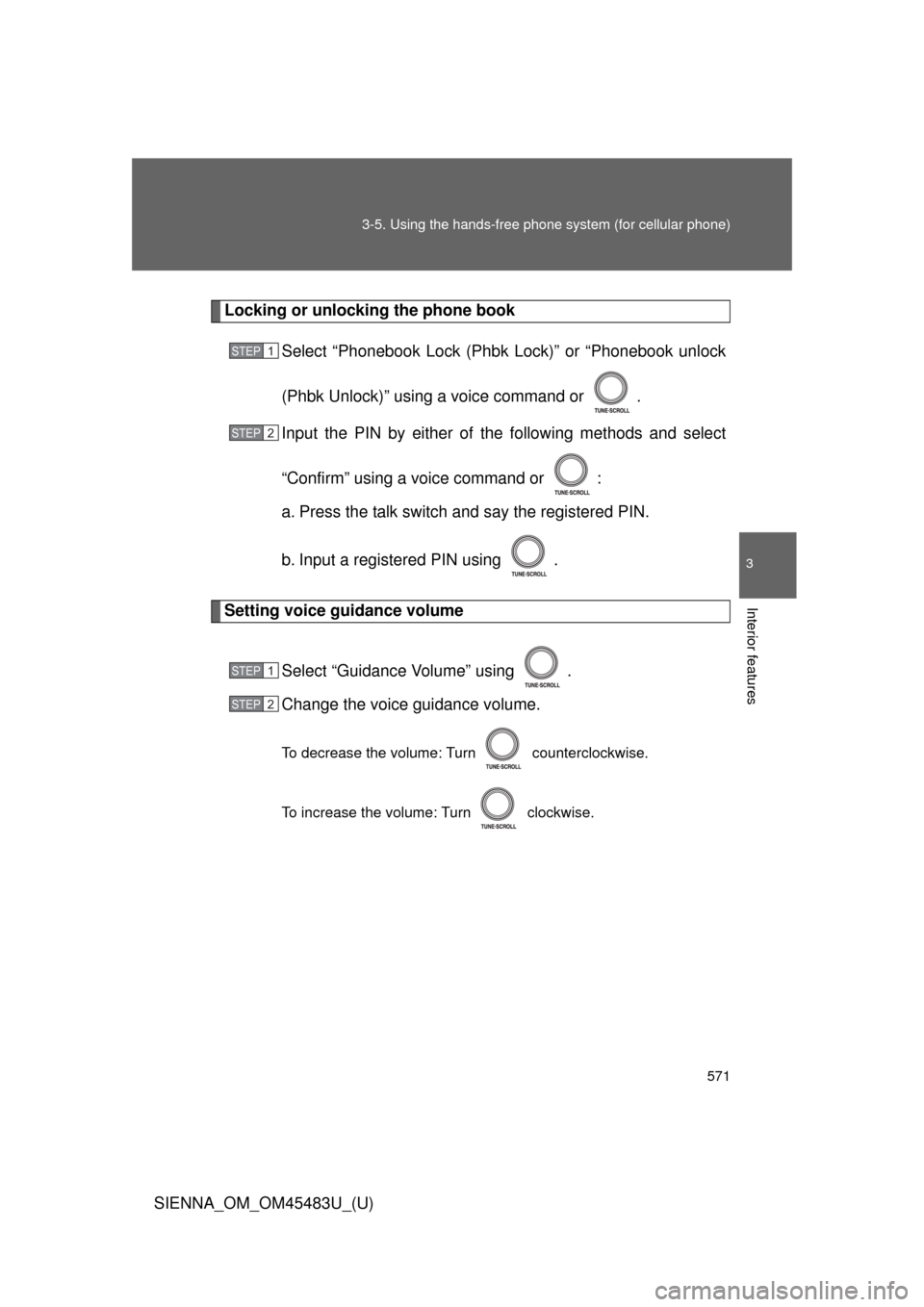
Locking or unlocking the phone book
Select “Phonebook Lock (Phb k Lock)” or “Phonebook unlock
(Phbk Unlock)” using a voice command or .
Input the PIN by either of the following methods and select
“Confirm” using a voice command or :
a. Press the talk switch and say the registered PIN.
b. Input a registered PIN using .
Setting voice guidance volume
Select “Guidance Volume” using .
Change the voice guidance volume.
To decrease the volume: Turn counterclockwise.
To increase the volume: Turn clockwise.
STEP1
STEP2
STEP1
STEP2
Page 608 of 872
608
3-8. Other interior features
SIENNA_OM_OM45483U_(U)
Clock
: If equipped
■The clock is displayed when
Vehicles without a smart key system
The engine switch is in the “ACC” or “ON” position.
Vehicles with a smart key system
The “ENGINE START STOP” switch is in ACCESSORY or IGNITION ON
mode.
■ When disconnecting and reco nnecting battery terminals
The time display will automatically be set to 1:00.
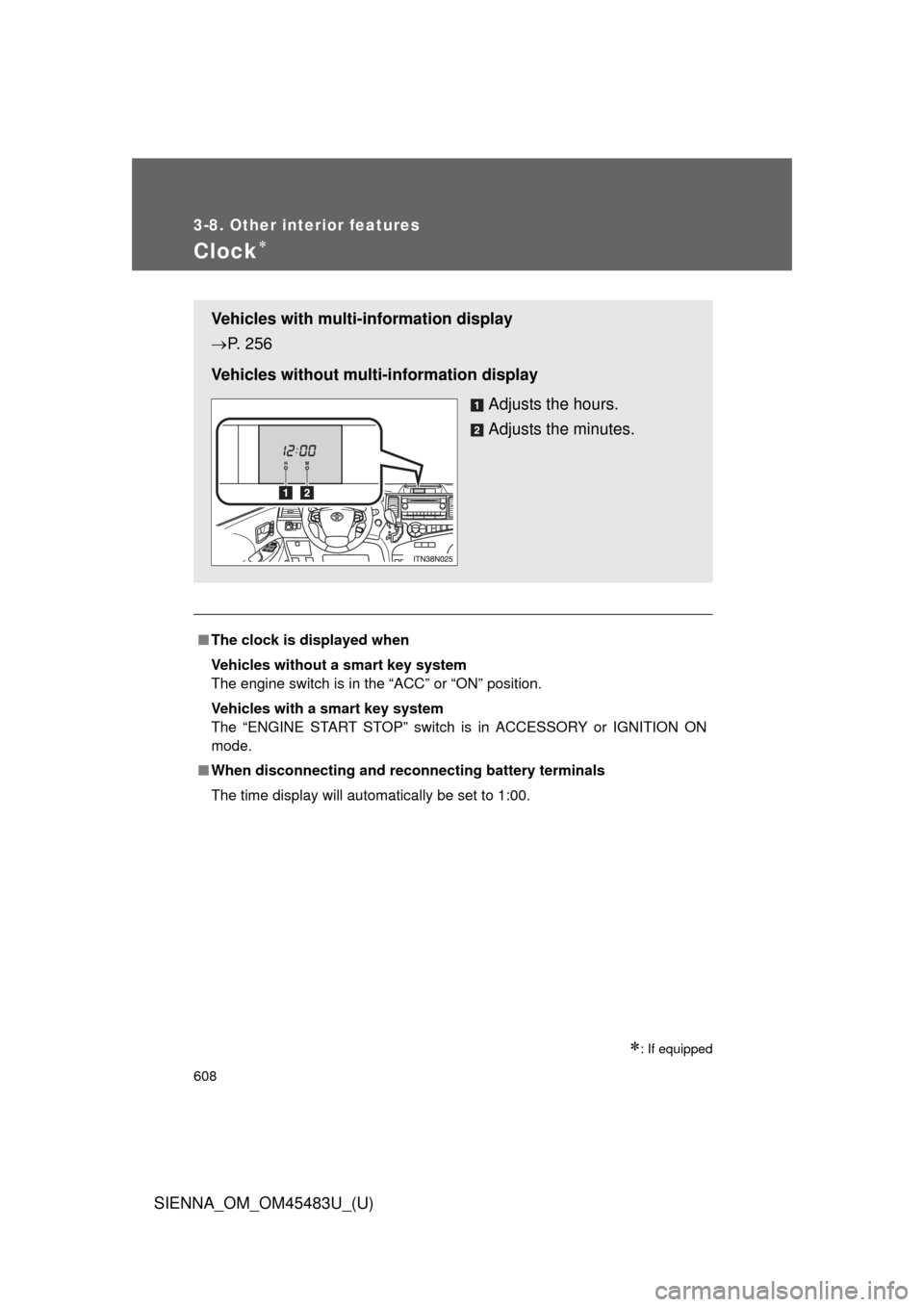
Vehicles with multi-information display
P. 256
Vehicles without multi-information display Adjusts the hours.
Adjusts the minutes.
Page 675 of 872
675
4-3. Do-it-yourself maintenance
4
Maintenance and care
SIENNA_OM_OM45483U_(U)
■
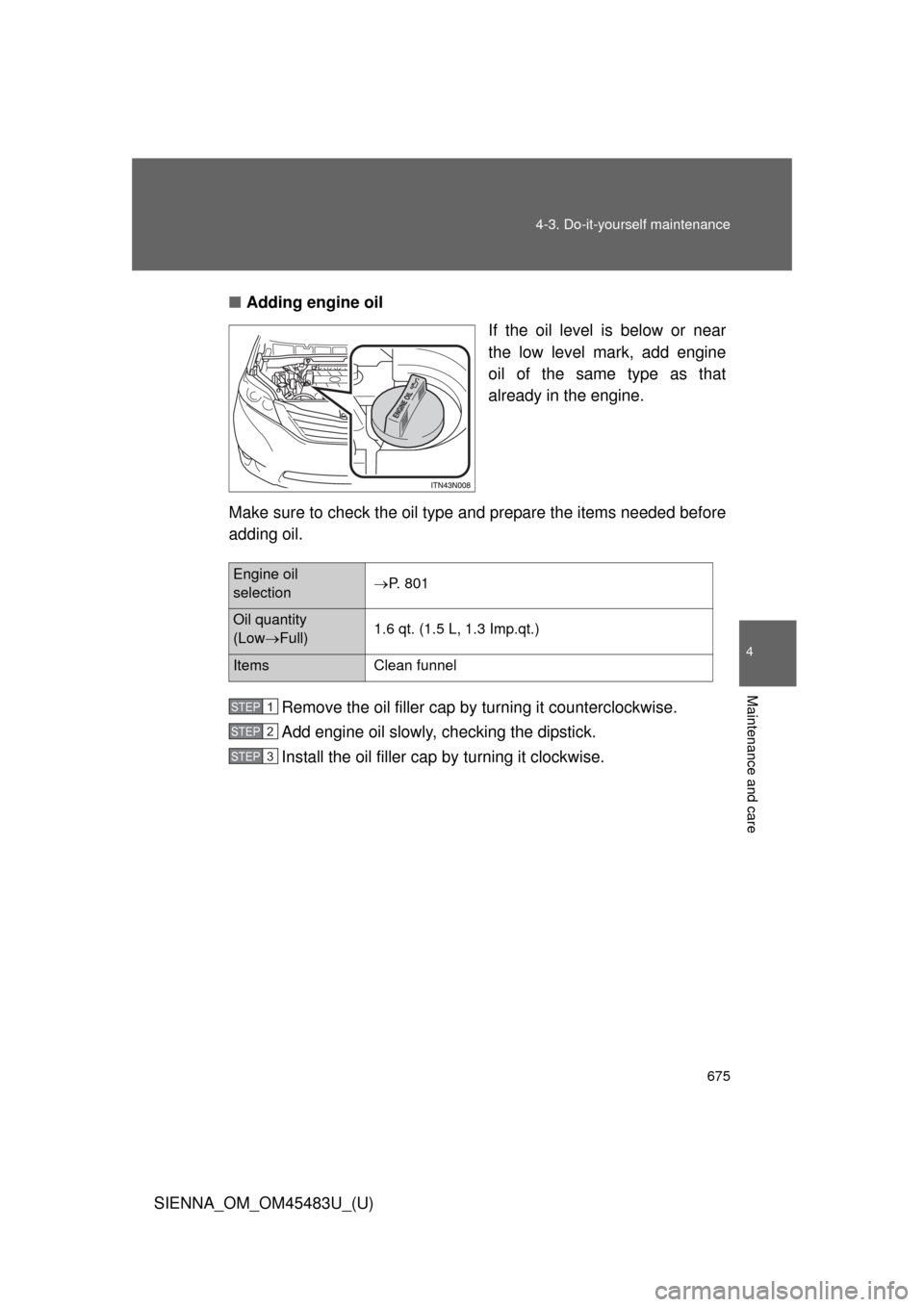
Adding engine oil
If the oil level is below or near
the low level mark, add engine
oil of the same type as that
already in the engine.
Make sure to check the oil type and prepare the items needed before
adding oil.
Remove the oil filler cap by turning it counterclockwise.
Add engine oil slowly, checking the dipstick.
Install the oil filler cap by turning it clockwise.
Engine oil
selectionP. 801
Oil quantity
(Low
Full) 1.6 qt. (1.5 L, 1.3 Imp.qt.)
Items
Clean funnel
STEP1
STEP2
STEP3
Page 717 of 872
717
4-3. Do-it-yourself maintenance
4
Maintenance and care
SIENNA_OM_OM45483U_(U)
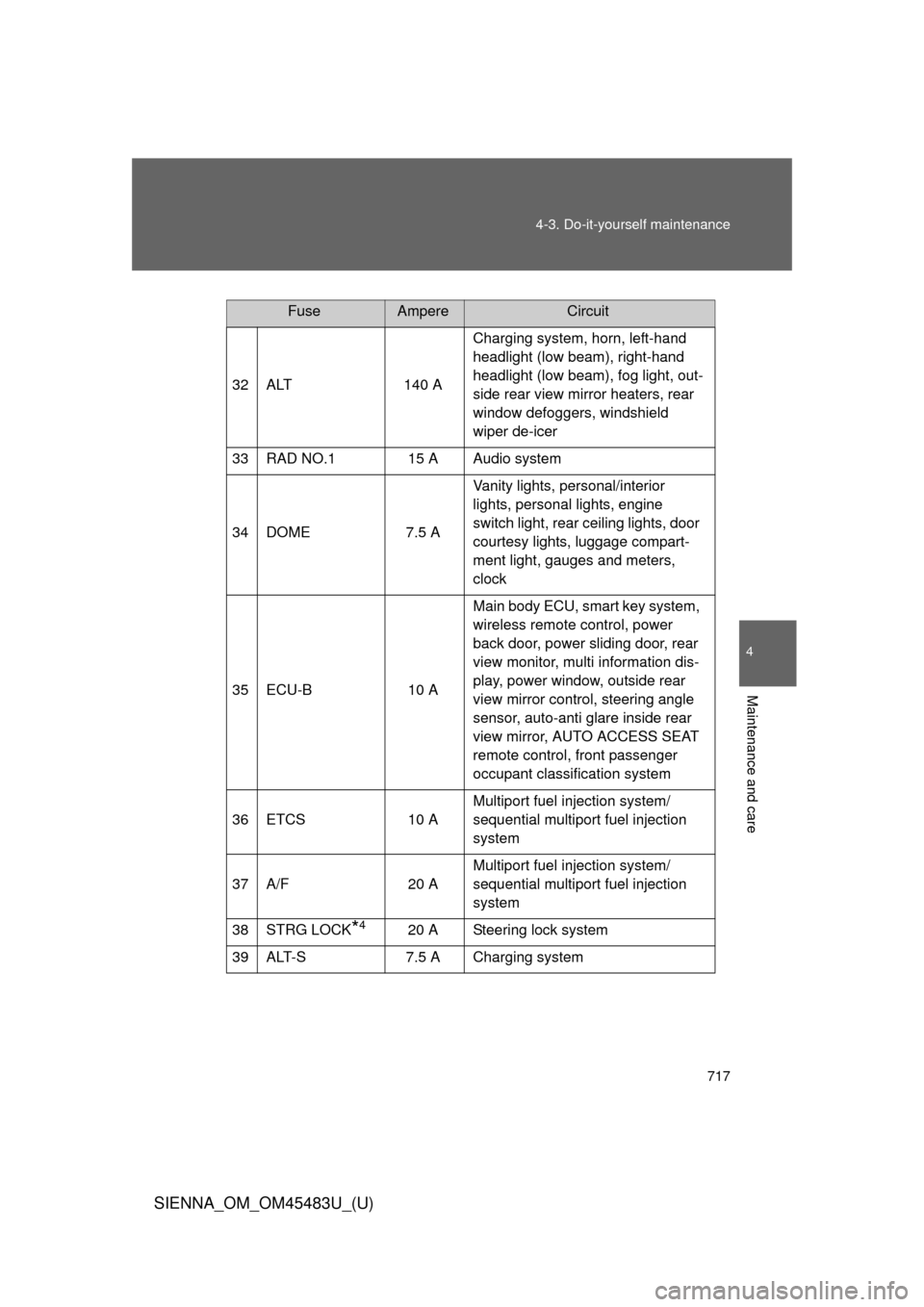
FuseAmpereCircuit
32 ALT 140 A Charging system, horn, left-hand
headlight (low beam), right-hand
headlight (low beam), fog light, out-
side rear view mirror heaters, rear
window defoggers, windshield
wiper de-icer
33 RAD NO.1 15 A Audio system
34 DOME 7.5 AVanity lights, personal/interior
lights, personal lights, engine
switch light, rear ceiling lights, door
courtesy lights, luggage compart-
ment light, gauges and meters,
clock
35 ECU-B 10 AMain body ECU, smart key system,
wireless remote control, power
back door, power sliding door, rear
view monitor, multi information dis-
play, power window, outside rear
view mirror control, steering angle
sensor, auto-anti glare inside rear
view mirror, AUTO ACCESS SEAT
remote control, front passenger
occupant classification system
36 ETCS 10 AMultiport fuel injection system/
sequential multiport fuel injection
system
37 A/F 20 AMultiport fuel injection system/
sequential multiport fuel injection
system
38 STRG LOCK
*420 A Steering lock system
39 ALT-S 7.5 A Charging system
Page 719 of 872
719
4-3. Do-it-yourself maintenance
4
Maintenance and care
SIENNA_OM_OM45483U_(U)
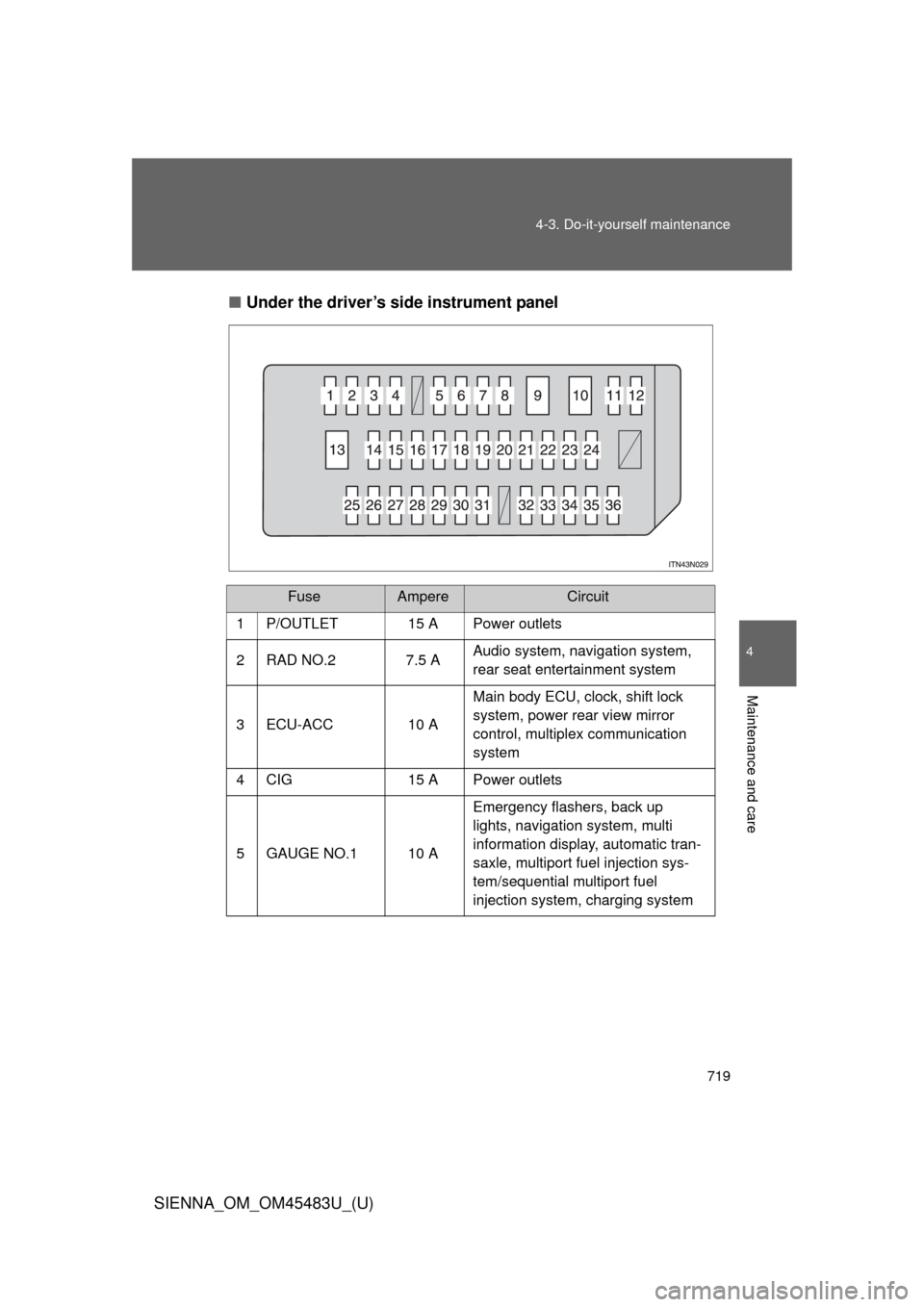
■
Under the driver’s side instrument panel
FuseAmpereCircuit
1P/OUTLET15 APower outlets
2 RAD NO.2 7.5 A Audio system, navigation system,
rear seat entertainment system
3 ECU-ACC 10 A Main body ECU, clock, shift lock
system, power rear view mirror
control, multiplex communication
system
4 CIG 15 A Power outlets
5 GAUGE NO.1 10 A Emergency flashers, back up
lights, navigation system, multi
information display, automatic tran-
saxle, multiport fuel injection sys-
tem/sequential multiport fuel
injection system, charging system