audio TOYOTA SIENNA 2017 XL30 / 3.G Navigation Manual
[x] Cancel search | Manufacturer: TOYOTA, Model Year: 2017, Model line: SIENNA, Model: TOYOTA SIENNA 2017 XL30 / 3.GPages: 366, PDF Size: 10.33 MB
Page 1 of 366
1
SIENNA_Navi+MM_OM08009U_(U)
16.01.25 16:40
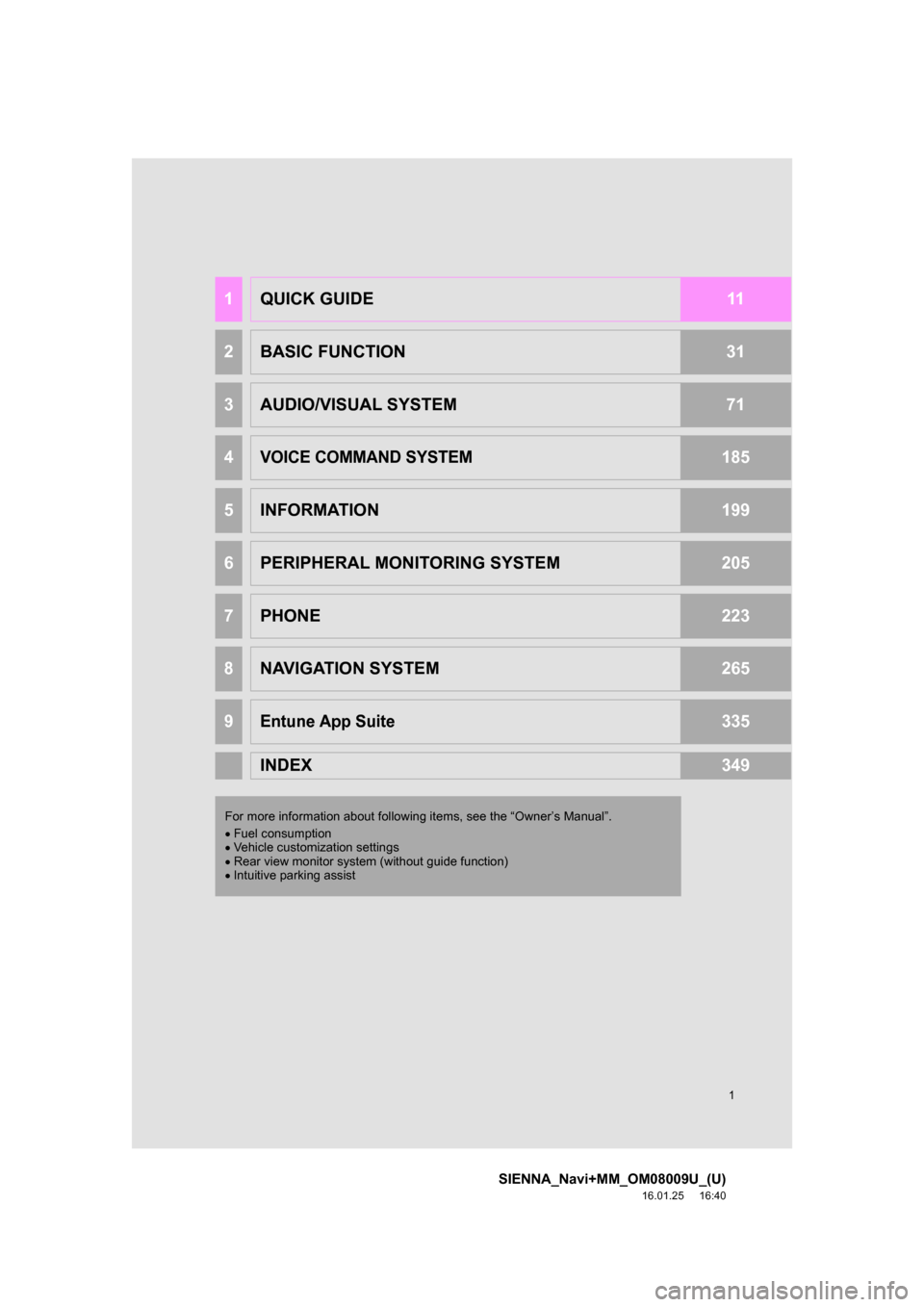
1QUICK GUIDE11
2BASIC FUNCTION31
3AUDIO/VISUAL SYSTEM71
4VOICE COMMAND SYSTEM185
5INFORMATION199
6PERIPHERAL MONITORING SYSTEM205
7PHONE223
8NAVIGATION SYSTEM265
9Entune App Suite335
INDEX349
For more information about followi ng items, see the “Owner’s Manual”.
Fuel consumption
Vehicle customization settings
Rear view monitor system (without guide function)
Intuitive parking assist
Page 3 of 366
3
SIENNA_Navi+MM_OM08009U_(U)
16.01.25 16:40
The Navigation System is one of the most technologically advanced vehicle ac-
cessories ever developed. The system receives satellite signals from the Global
Positioning System (GPS) operated by the U.S. Department of Defense. Using
these signals and other vehicle sensors, the system indicates your present po-
sition and assists in locating a desired destination.
The navigation system is designed to select efficient routes from your present
starting location to your destination. The system is also designed to direct you
to a destination that is unfamiliar to you in an efficient manner. The system uses
AISIN AW maps. The calculated routes may not be the shortest nor the least
traffic congested. Your own personal local knowledge or “short cut” may at
times be faster than the calculated routes.
The navigation system’s database includes Point of Interest categories to allow
you to easily select destinations such as restaurants and hotels. If a destination
is not in the database, you can enter the street address or a major intersection
close to it and the system will guide you there.
The system will provide both a visual map and audio instructions. The audio in-
structions will announce the distance remaining and the direction to turn in when
approaching an intersection. These voice instructions will help you keep your
eyes on the road and are timed to provide enough time to allow you to maneu-
ver, change lanes or slow down.
Please be aware that all current vehicle navigation systems have certain limita-
tions that may affect their ability to perform properly. The accuracy of the vehi-
cle’s position depends on satellite conditions, road configuration, vehicle
condition or other circumstances. For more information on the limitations of the
system, refer to page 330.
NAVIGATION SYSTEM (ENTUNE PREMIUM AUDIO)
Page 6 of 366
6
SIENNA_Navi+MM_OM08009U_(U)
16.01.25 16:40
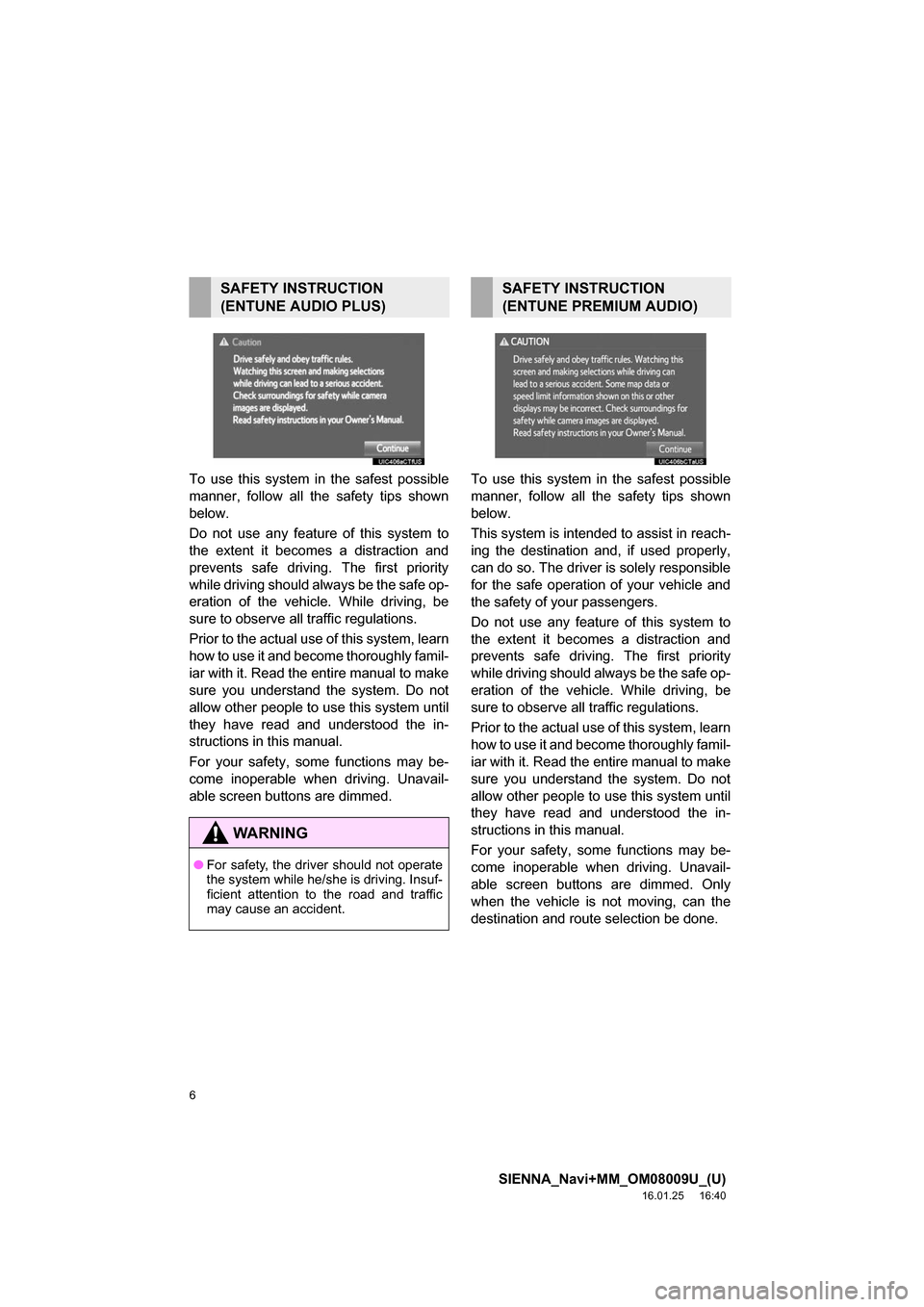
To use this system in the safest possible
manner, follow all the safety tips shown
below.
Do not use any feature of this system to
the extent it becomes a distraction and
prevents safe driving. The first priority
while driving should always be the safe op-
eration of the vehicle. While driving, be
sure to observe all traffic regulations.
Prior to the actual use of this system, learn
how to use it and become thoroughly famil-
iar with it. Read the entire manual to make
sure you understand the system. Do not
allow other people to use this system until
they have read and understood the in-
structions in this manual.
For your safety, some functions may be-
come inoperable when driving. Unavail-
able screen buttons are dimmed. To use this system in the safest possible
manner, follow all the safety tips shown
below.
This system is intended
to assist in reach-
ing the destination and, if used properly,
can do so. The driver is solely responsible
for the safe operation of your vehicle and
the safety of your passengers.
Do not use any featur e of this system to
the extent it becomes a distraction and
prevents safe driving. The first priority
while driving should always be the safe op-
eration of the vehicl e. While driving, be
sure to observe all traffic regulations.
Prior to the actual use of this system, learn
how to use it and become thoroughly famil-
iar with it. Read the entire manual to make
sure you understand the system. Do not
allow other people to use this system until
they have read and understood the in-
structions in this manual.
For your safety, some functions may be-
come inoperable when driving. Unavail-
able screen buttons are dimmed. Only
when the vehicle is not moving, can the
destination and route selection be done.
SAFETY INSTRUCTION
(ENTUNE AUDIO PLUS)
WA R N I N G
● For safety, the driver should not operate
the system while he/she is driving. Insuf-
ficient attention to the road and traffic
may cause an accident.
SAFETY INSTRUCTION
(ENTUNE PREMIUM AUDIO)
Page 9 of 366
9
SIENNA_Navi+MM_OM08009U_(U)
16.01.25 16:40
1
2
3
4
5
6
7
8
9
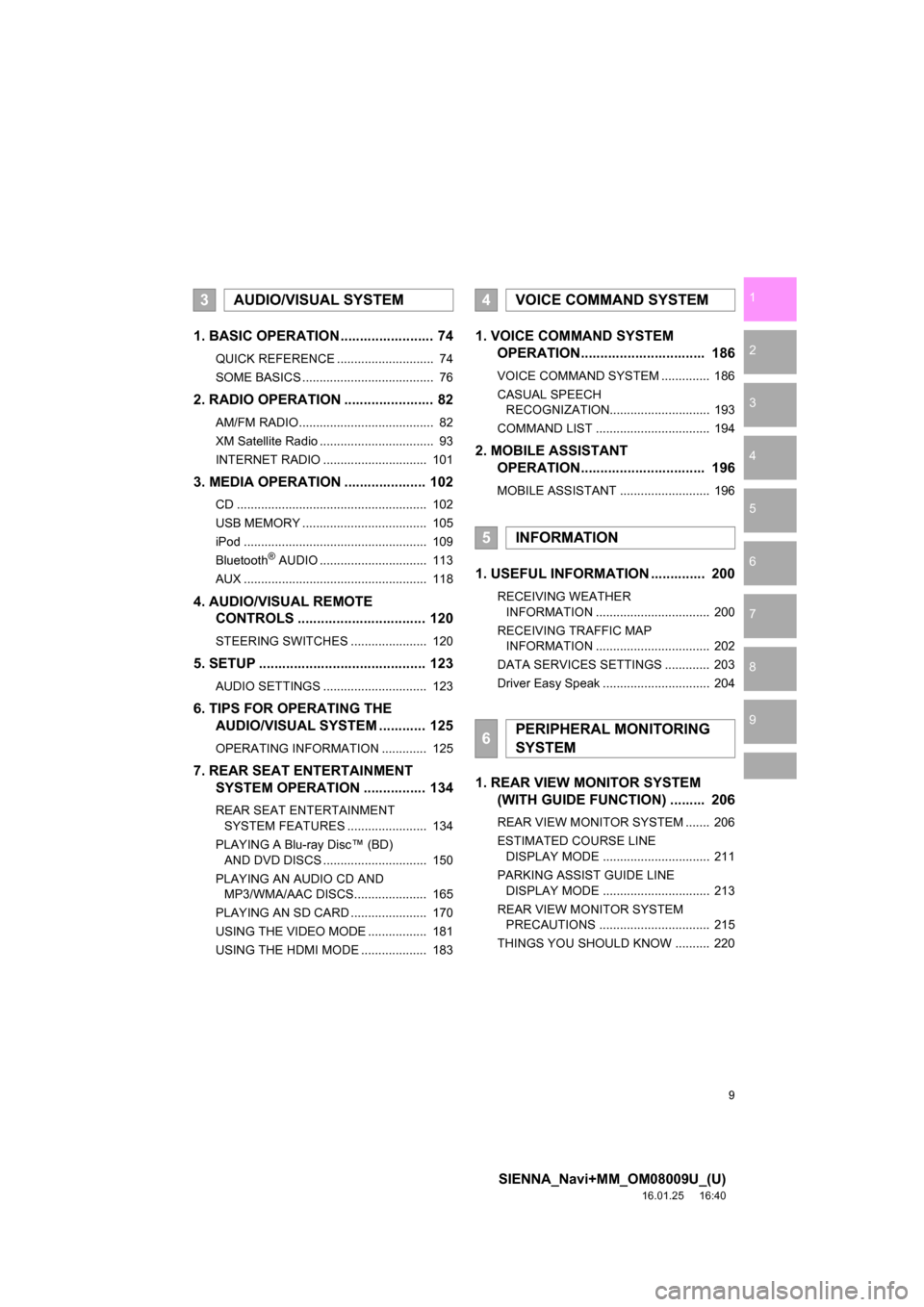
1. BASIC OPERATION ........................ 74
QUICK REFERENCE ............................ 74
SOME BASICS ...................................... 76
2. RADIO OPERATION ....................... 82
AM/FM RADIO....................................... 82
XM Satellite Radio ................................. 93
INTERNET RADIO .............................. 101
3. MEDIA OPERATION ..................... 102
CD ....................................................... 102
USB MEMORY .................................... 105
iPod ..................................................... 109
Bluetooth
® AUDIO ............................... 113
AUX ..................................................... 118
4. AUDIO/VISUAL REMOTE CONTROLS ................................. 120
STEERING SWITCHES ...................... 120
5. SETUP ........................................... 123
AUDIO SETTINGS .............................. 123
6. TIPS FOR OPERATING THE AUDIO/VISUAL SYSTEM ............ 125
OPERATING INFORMATION ............. 125
7. REAR SEAT ENTERTAINMENT SYSTEM OPERATION ................ 134
REAR SEAT ENTERTAINMENT
SYSTEM FEATURES ....................... 134
PLAYING A Blu-ray Disc™ (BD) AND DVD DISCS .............................. 150
PLAYING AN AUDIO CD AND MP3/WMA/AAC DISCS..................... 165
PLAYING AN SD CARD ...................... 170
USING THE VIDEO MODE ................. 181
USING THE HDMI MODE ................... 183
1. VOICE COMMAND SYSTEM OPERATION................................ 186
VOICE COMMAND SYSTEM .............. 186
CASUAL SPEECH
RECOGNIZATION............................. 193
COMMAND LIST ................................. 194
2. MOBILE ASSISTANT OPERATION................................ 196
MOBILE ASSISTANT .......................... 196
1. USEFUL INFORMATION .............. 200
RECEIVING WEATHER
INFORMATION ................................. 200
RECEIVING TRAFFIC MAP INFORMATION ................................. 202
DATA SERVICES SETTINGS ............. 203
Driver Easy Speak ............................... 204
1. REAR VIEW MONITOR SYSTEM (WITH GUIDE FUNCTION) ......... 206
REAR VIEW MONITOR SYSTEM ....... 206
ESTIMATED COURSE LINE
DISPLAY MODE ............................... 211
PARKING ASSIST GUIDE LINE DISPLAY MODE ............................... 213
REAR VIEW MONITOR SYSTEM PRECAUTIONS ................................ 215
THINGS YOU SHOULD KNOW .......... 220
3AUDIO/VISUAL SYSTEM4VOICE COMMAND SYSTEM
5INFORMATION
6PERIPHERAL MONITORING
SYSTEM
Page 13 of 366
13
1. BASIC FUNCTION
SIENNA_Navi+MM_OM08009U_(U)
16.01.25 16:40
QUICK GUIDE
1No.FunctionPage
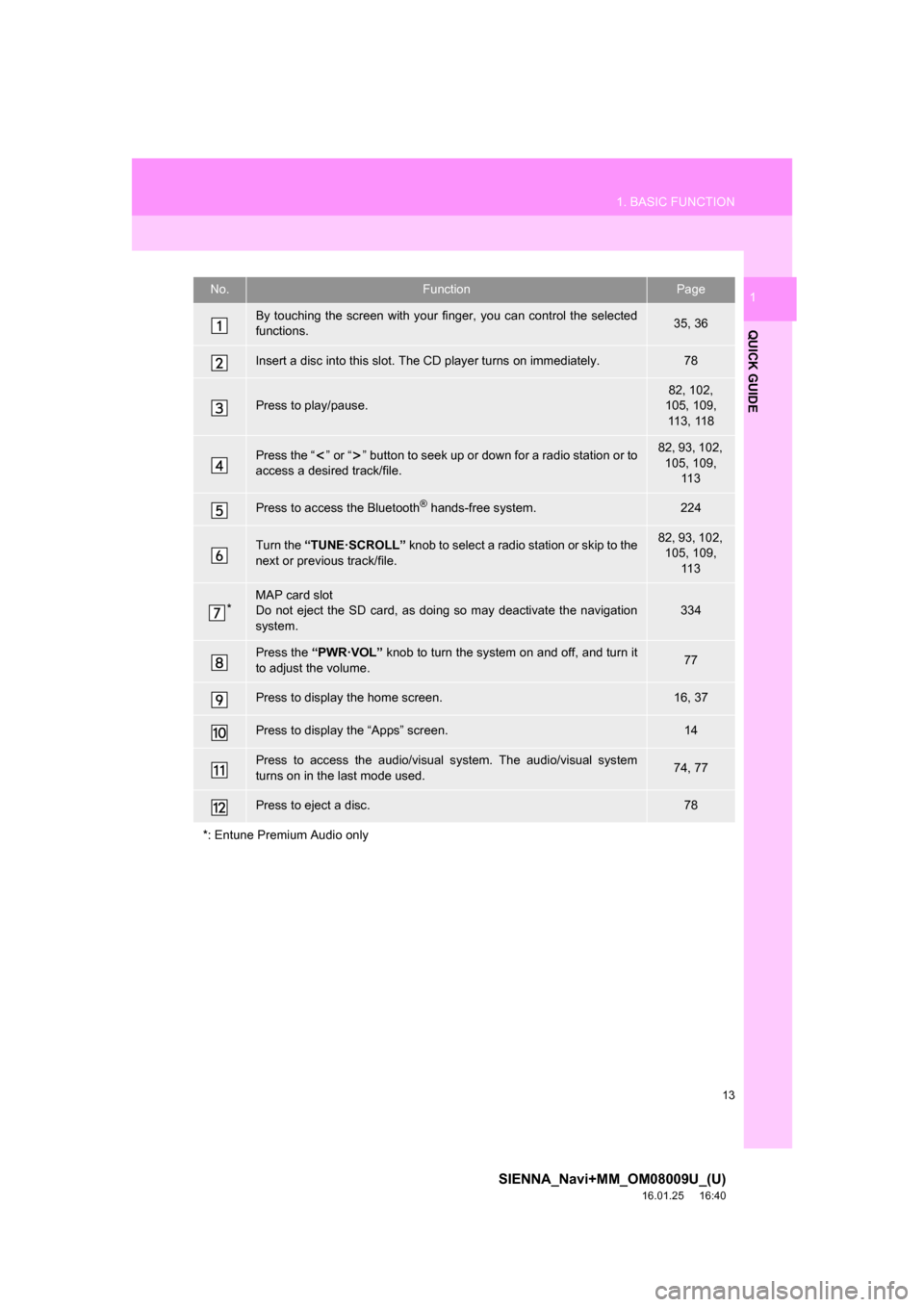
By touching the screen with your finger, you can control the selected
functions.35, 36
Insert a disc into this slot. The CD player turns on immediately.78
Press to play/pause.82, 102,
105, 109,
113, 118
Press the “ ” or “ ” button to seek up or down for a radio station or to
access a desired track/file.82, 93, 102, 105, 109, 11 3
Press to access the Bluetooth® hands-free system.224
Turn the “TUNE·SCROLL” knob to select a radio station or skip to the
next or previous track/file.82, 93, 102, 105, 109, 11 3
*MAP card slot
Do not eject the SD card, as doing so may deactivate the navigation
system.334
Press the “PWR·VOL” knob to turn the system on and off, and turn it
to adjust the volume.77
Press to display the home screen.16, 37
Press to display the “Apps” screen.14
Press to access the audio/visual system. The audi o/visual system
turns on in the last mode used.74, 77
Press to eject a disc.78
*: Entune Premium Audio only
Page 14 of 366
14
1. BASIC FUNCTION
SIENNA_Navi+MM_OM08009U_(U)
16.01.25 16:40
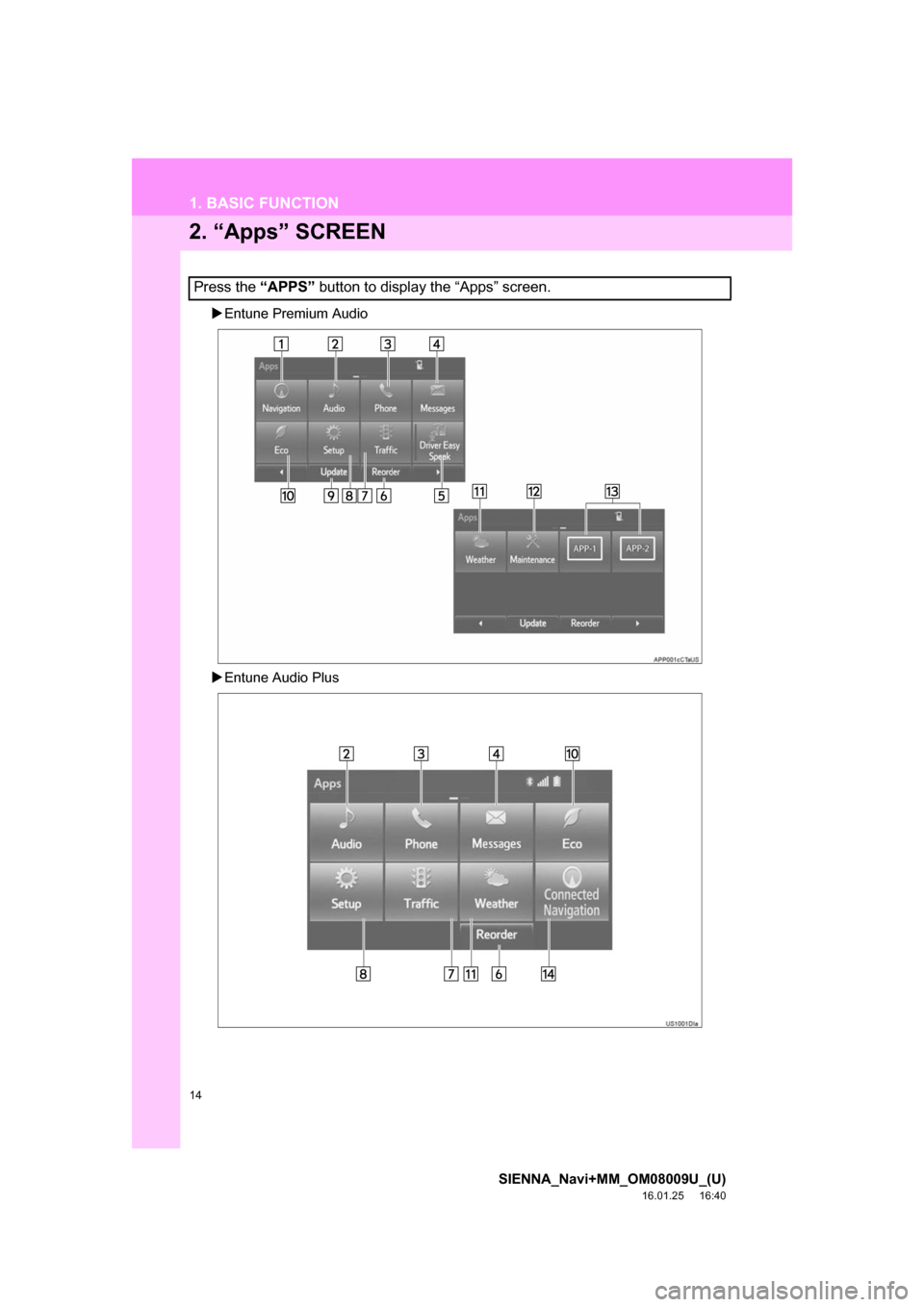
2. “Apps” SCREEN
Entune Premium Audio
Entune Audio Plus
Press the “APPS” button to display the “Apps” screen.
Page 15 of 366
15
1. BASIC FUNCTION
SIENNA_Navi+MM_OM08009U_(U)
16.01.25 16:40
QUICK GUIDE
1No.FunctionPage
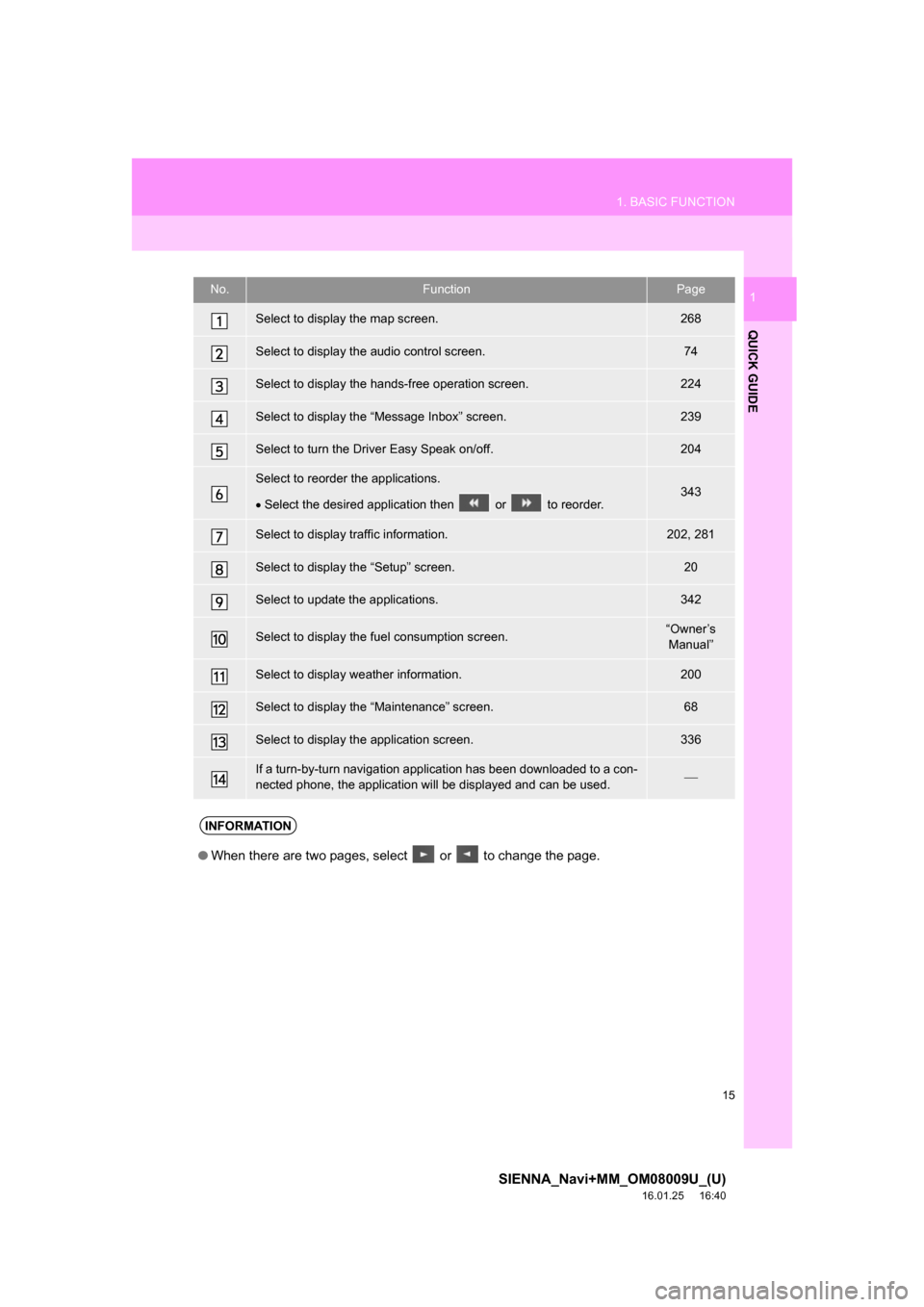
Select to display the map screen.268
Select to display the audio control screen.74
Select to display the hands-free operation screen.224
Select to display the “Message Inbox” screen.239
Select to turn the Driver Easy Speak on/off.204
Select to reorder the applications.
Select the desired application then or to reorder.343
Select to display traffic information.202, 281
Select to display the “Setup” screen.20
Select to update the applications.342
Select to display the fuel consumption screen.“Owner’s
Manual”
Select to display weather information.200
Select to display the “Maintenance” screen.68
Select to display the application screen.336
If a turn-by-turn navigation applic ation has been downloaded to a con-
nected phone, the application will be displayed and can be used.
INFORMATION
●When there are two pages, select or to change the page.
Page 16 of 366
16
1. BASIC FUNCTION
SIENNA_Navi+MM_OM08009U_(U)
16.01.25 16:40
3. HOME SCREEN
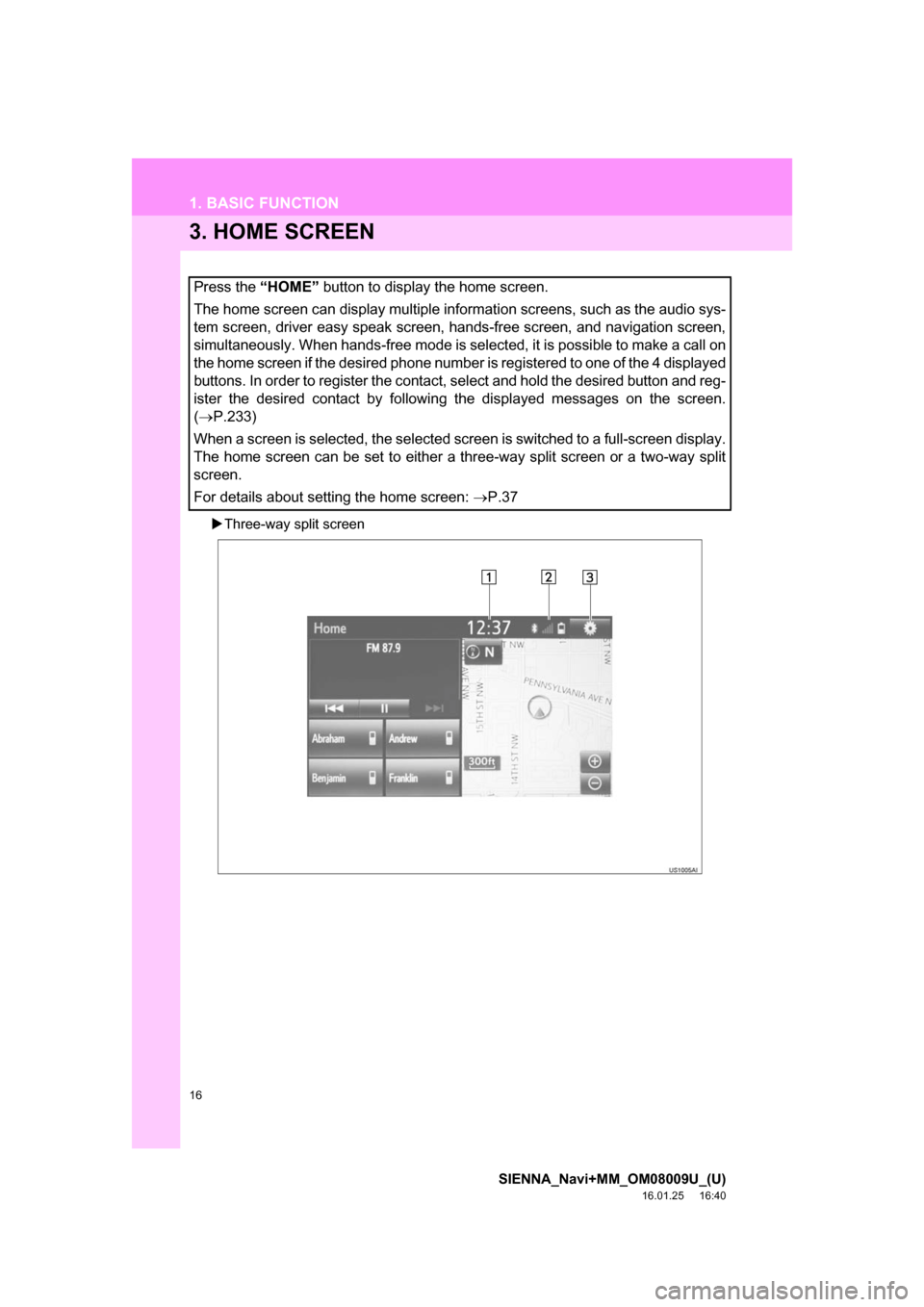
Three-way split screen
Press the “HOME” button to display the home screen.
The home screen can display multiple information screens, such as the audio sys-
tem screen, driver easy speak screen, hands-free screen, and navigation screen,
simultaneously. When hands-free mode is selected, it is possible to make a call on
the home screen if the desired phone number is registered to one of the 4 displayed
buttons. In order to register the contact, select and hold the desired button and reg-
ister the desired contact by following the displayed messages on the screen.
( P.233)
When a screen is selected, the selected screen is switched to a full-screen display.
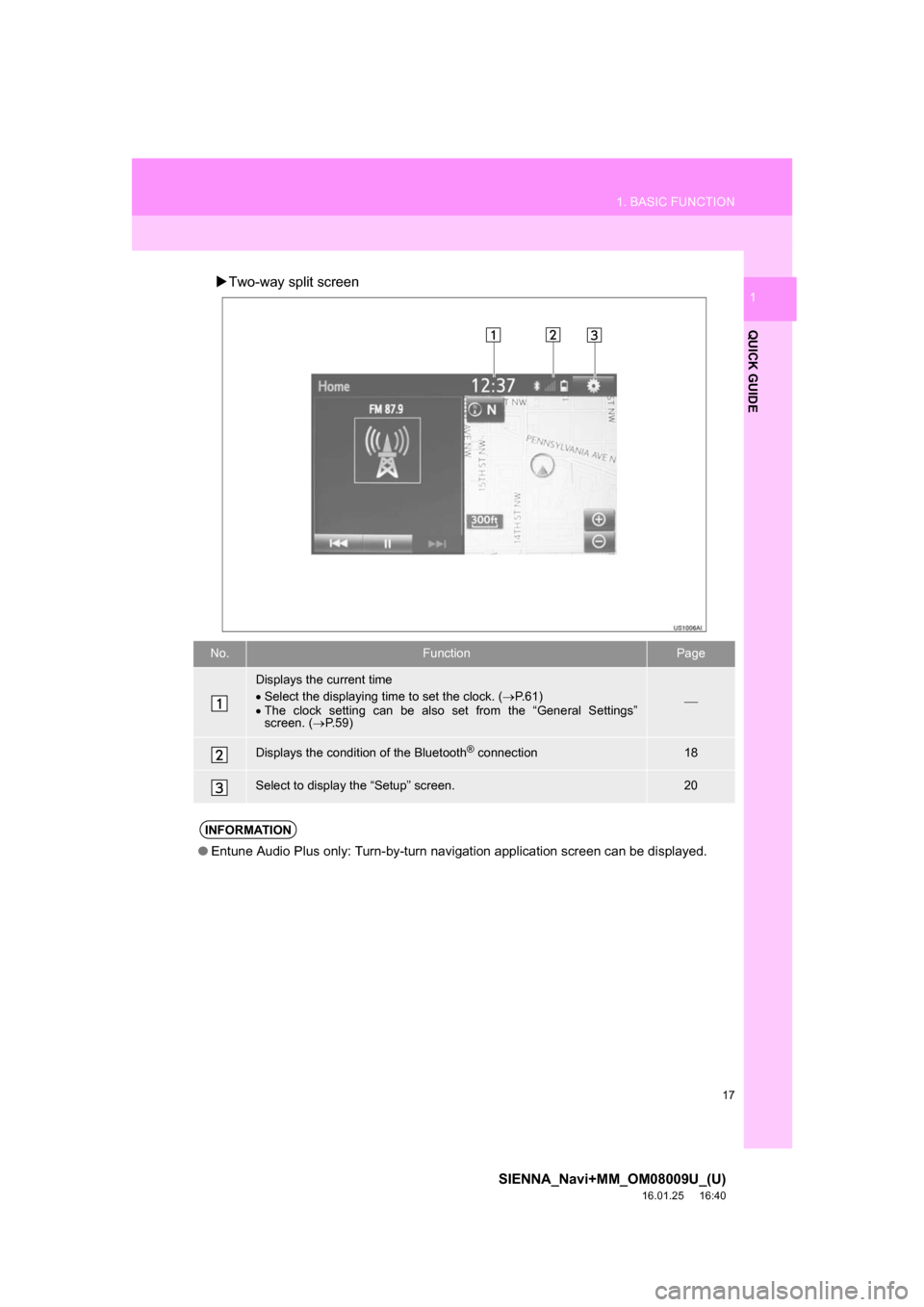
The home screen can be set to either a three-way split screen or a two-way split
screen.
For details about setting the home screen: P.37
Page 17 of 366
17
1. BASIC FUNCTION
SIENNA_Navi+MM_OM08009U_(U)
16.01.25 16:40
QUICK GUIDE
1Two-way split screen
No.FunctionPage
Displays the current time
Select the displaying time to set the clock. ( P.61)
The clock setting can be also set from the “General Settings”
screen. ( P.59)
Displays the condition of the Bluetooth® connection18
Select to display the “Setup” screen.20
INFORMATION
● Entune Audio Plus only: Turn-by-turn navigation application screen can be displayed.
Page 20 of 366
20
SIENNA_Navi+MM_OM08009U_(U)
16.01.25 16:40
2. QUICK REFERENCE
1. “Setup” SCREEN
Entune Premium Audio
Entune Audio Plus
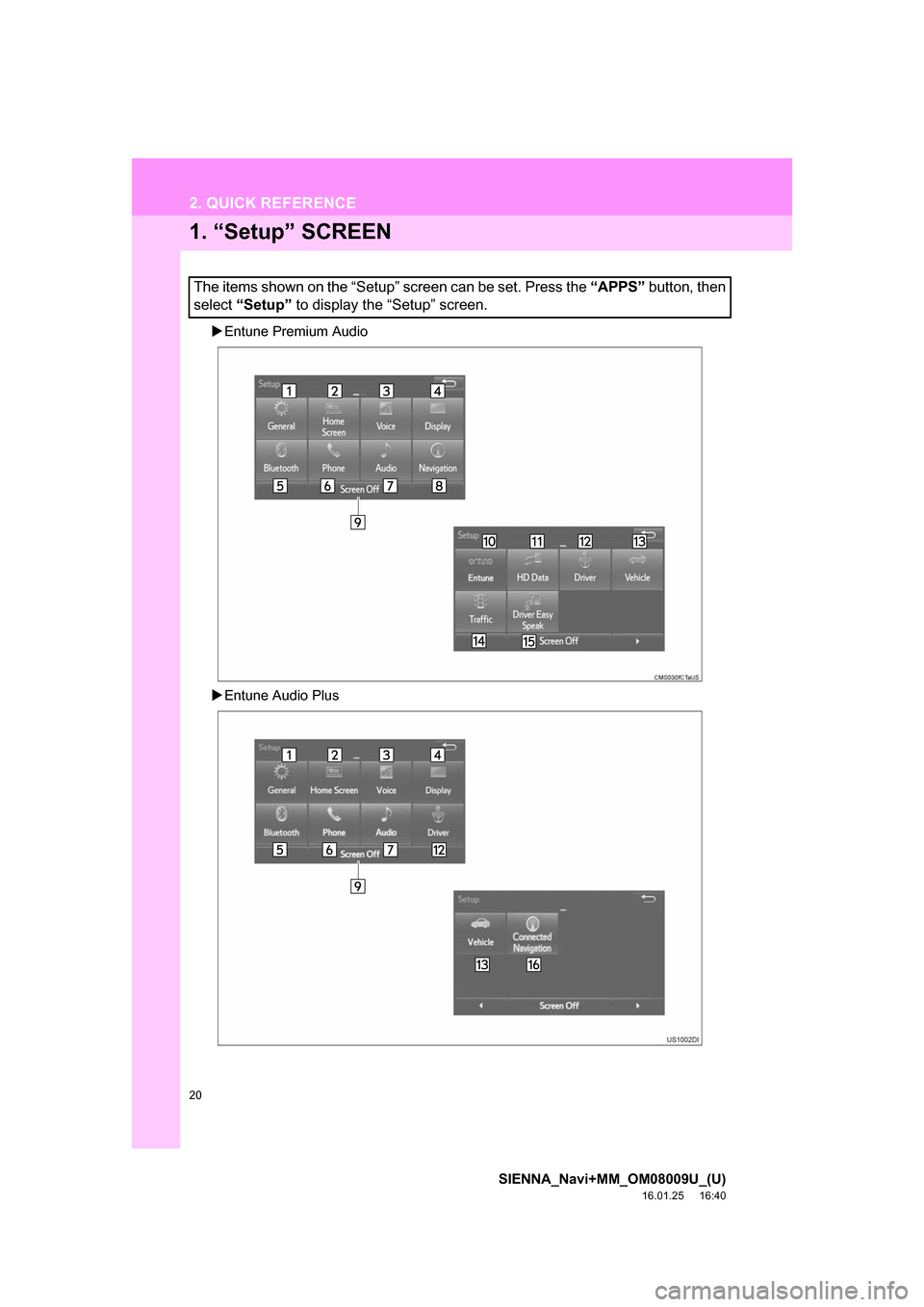
The items shown on the “Setup” screen can be set. Press the “APPS” button, then
select “Setup” to display the “Setup” screen.