radio TOYOTA SUPRA 1996 Owner's Manual
[x] Cancel search | Manufacturer: TOYOTA, Model Year: 1996, Model line: SUPRA, Model: TOYOTA SUPRA 1996Pages: 188, PDF Size: 3.84 MB
Page 95 of 188
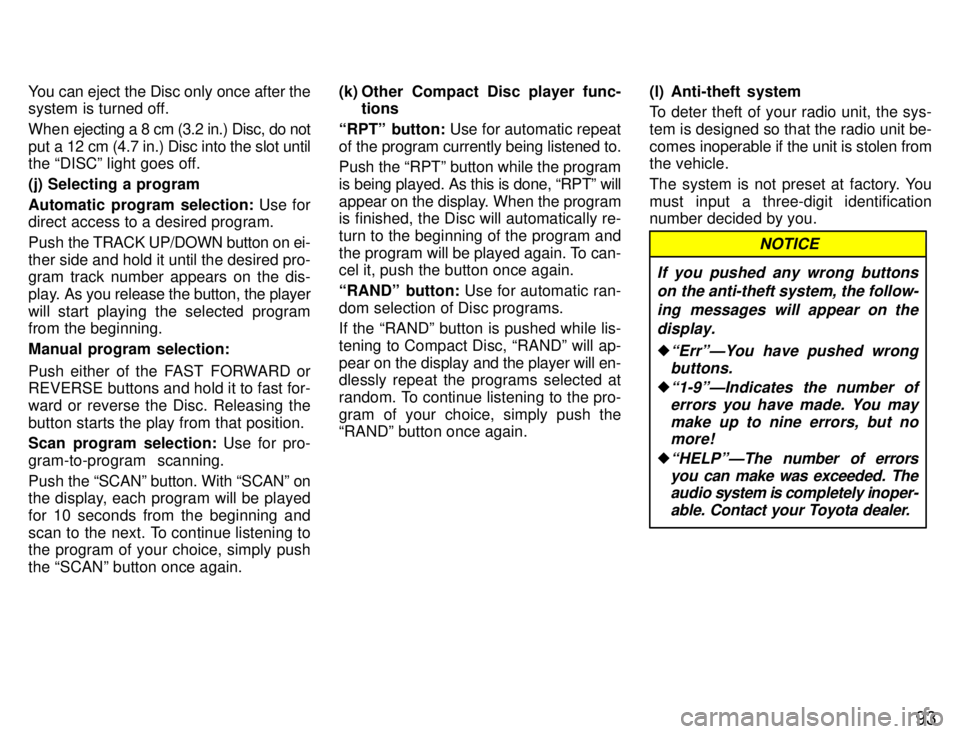
93
You can eject the Disc only once after the
system is turned off.
When ejecting a 8 cm (3.2 in.) Disc, do not
put a 12 cm (4.7 in.) Disc into the slot until
the DISCº light goes off. (j) Selecting a program
Automatic program selection:
Use for
direct access to a desired program.
Push the TRACK UP/DOWN button on ei-
ther side and hold it until the desired pro- gram track number appears on the dis-
play. As you release the button, the player
will start playing the selected program
from the beginning. Manual program selection:
Push either of the FAST FORWARD or
REVERSE buttons and hold it to fast for-
ward or reverse the Disc. Releasing thebutton starts the play from that position.
Scan program selection: Use for pro-
gram-to-program scanning. Push the SCANº button. With SCANº on
the display, each program will be played
for 10 seconds from the beginning and
scan to the next. To continue listening to
the program of your choice, simply push the SCANº button once again. (k) Other Compact Disc player func-
tions
RPTº button: Use for automatic repeat
of the program currently being listened to. Push the RPTº button while the program
is being played. As this is done, RPTº will
appear on the display. When the program
is finished, the Disc will automatically re- turn to the beginning of the program and
the program will be played again. To can-
cel it, push the button once again. RANDº button: Use for automatic ran-
dom selection of Disc programs.
If the RANDº button is pushed while lis- tening to Compact Disc, RANDº will ap-pear on the display and the player will en-
dlessly repeat the programs selected at
random. To continue listening to the pro-
gram of your choice, simply push the
RANDº button once again. (l) Anti-theft system
To deter theft of your radio unit, the sys-
tem is designed so that the radio unit be-
comes
inoperable if the unit is stolen from
the vehicle.
The system is not preset at factory. You
must input a three-digit identification
number decided by you.
NOTICE
If you pushed any wrong buttons on the anti-theft system, the follow-
ing messages will appear on thedisplay.
ErrºÐYou have pushed wrongbuttons.
1-9ºÐIndicates the number oferrors you have made. You maymake up to nine errors, but nomore!
HELPºÐThe number of errors
you can make was exceeded. Theaudio system is completely inoper-
able. Contact your Toyota dealer.
Page 96 of 188

94
Setting the anti-theft system
1. Make sure the radio unit is turned off with the ignition switch in ACCº.
2. While holding the 1 and 6 buttons in,
push and hold the PWR VOLº knob in un-
til SECº appears on the display.3. Press the 1 button while holding the right side of TUNEº button in. - - -º will
appear on the display.4. Input your identification number by
pressing the 1, 2 and 3 buttons repeated-
ly. Use the 1 button for the first digit, the
2 button for the second digit and the 3 but- ton for the last digit. For example, if your
number is 210, press the 1 button three
times, the 2 button twice and the 3 button once. If the display returns to - - -º while inputting, try again.
We recommend that your identification
number be associated with something
easy to remember. In case you are unsure
of the number, write it in a notebook you
normally carry. Do not leave it behind in your vehicle.
Page 97 of 188

95
5. With your identification number ap-
pearing on the display, press the SCANº button and hold it in until SECº appears
on the display. SECº will go off to indicate the system is set. If invalid buttons have
been used, Errº will appear on the display
before SECº appears. Try again from the
step 3.
Once the system is set, the indicator light
turns on and off with the ignition switch in
OFFº and SECº will appear each time the key is turned to the ACCº position.
To change the identification number for some reason, cancel the system (See
Cancelling the anti-theft systemº) and
set it again with a new number.The system will be activated if the electri-
cal power source is disconnected from the
radio unit. When the system is activated,
the audio system cannot be turned on even after the power supply resumes and
SECº will appear on the display. If this
happens, such as when the battery is dis-
charged, see If the anti-theft system isactivatedº.Cancelling the anti-theft system
1. Follow the steps 1 to 4 described in
Setting the anti-theft systemº.
2. With your identification number ap-
pearing on the display, press the SCANº
button and hold it in until - - -º appears
on the display. - - -º will go off to indicate
the system is cancelled. If invalid buttons
have been used, Errº will appear on the
display and SECº appears. Try again from
step 3 in Setting the anti-theft systemº.
Page 185 of 188

183
9. STOP 15 A: Stop lights, cruise control
system cancel device
10. CIG 15 A: Cigarette lighter, air condi-
tioning system, SRS airbag system, theft
deterrent system, shift lock control sys-tem
11. RAD NO.2 7.5 A: Radio, cassette
tape player, power antenna
12. TAIL 10 A: Tail lights, parking lights,
front side marker lights, rear side marker lights, licence plate lights
13. ECU-IG 10 A: Cruise control system,
anti-lock brake system, power steering,
power antenna, theft deterrent system,
shift lock control system, traction control system14. GAUGE 10 A: Gauges and meters,
service reminder indicators and warning
buzzers (except discharge and open door
warning lights), rear window defogger,
charging system, cruise control system,
electronically controlled automatic trans-mission system, traction control system
15. ECU-B 10 A: Air conditioning sys-
tem, cruise control system, anti-lock brake system, SRS airbag system, trac-tion control system
16. EFI NO.2 30 A: Multiport fuel injection
system/sequential multiport fuel injection
system17. EFI NO.1 30 A: Multiport fuel injection
system/sequential multiport fuel injection
system
18. AM2 30 A: Starter system
19. FOG 15 A: Front fog lights
20. HAZ-HORN 15 A: Emergency flash-
ers, horns
21. TRAC 7.5 A: Traction control system
22. ALT-S 7.5 A: Charging system
23. DOME 7.5 A: Interior lights, personal
lights, door courtesy lights, luggage
compartment light, ignition switch light,
open door warning light, theft deterrent
system, daytime running light system
Page 186 of 188

18424. RAD NO.1 20 A:
Radio cassette tape
player
25. HEAD (RH) 15 A: Right-hand head-
light
26. HEAD (LH) 15 A: Left-hand head-
light
27. HEAD (RH-LWR) 15 A: Right-hand
headlight (low beam)
28. HEAD (LH-LWR) 15 A: Left-hand
headlight (low beam)
29. HEAD (RH-UPR) 15 A: Right-hand
headlight (high beam)
30. HEAD (LH-UPR) 15 A: Left-hand
headlight (high beam)
31. DRL 7.5 A: Daytime running light sys-
tem
32. 30 A: Spare fuse
33. 7.5 A: Spare fuse
34. 15 A: Spare fuse
35. OBD-II 7.5 A: On-board diagnosis
system
Fuses (type B)
36. DOOR 30 A: Power window, power
door lock system, theft deterrent system
37. DEFOG 30 A: Rear window defogger
Fuses (type C)
38. ALT 120 A: Charging system
39. MAIN 50 A: Starter system, head-
lights
40. HTR 50 A: Air conditioning system
41. FAN 30 A: Electric cooling fan 42. ABS NO.1 60 A:
Anti-lock brake sys-
tem, traction control system
43. AM1 50 A: Electronic ignition system/
distributor ignition system
44. AM1 60 A: Electronic ignition system/
distributor ignition system
45. POWER 60 A: PANELº, STOPº,
TAILº, ECU-B, DEFOGº and DOORº fuses