instrument panel TOYOTA T100 1998 User Guide
[x] Cancel search | Manufacturer: TOYOTA, Model Year: 1998, Model line: T100, Model: TOYOTA T100 1998Pages: 214, PDF Size: 4.72 MB
Page 105 of 214

T100(U)105
Fan speed selector
Move the lever to adjust the fan speed—
to the right to increase, to the left to
decrease.
Temperature selector
Move the lever to adjust the tempera-
ture—to the right to warm, to the left to
cool.
Air flow selector
Move the lever to select the vents used
for air flow.
1. Panel— Air flows mainly from the
instrument panel vents.
2. Bi −level— Air flows from both the floor
vents and the instrument panel vents.
3. Floor— Air flows mainly from the floor
vents.
4. Floor/Windshield— Air flows mainly
from the floor vents and windshield
vents.
5. Windshield— Air flows mainly from the
windshield vents. For details about air flow selector settings,
see the illustration after ”A/C” button.
Vehicles with ”A/C” button—
Moving the air flow selector lever to the
windshield position turns on the defroster
−
linked air conditioning. This is to clear up
the front view more quickly.
When the ”A/C” button is not pressed in,
moving the air flow selector lever to
another position turns off the air condition-
ing.
Page 109 of 214

T100(U)109
Defrosting
The outside of the windshield
For best results, set controls to:
Fan speed —Any setting except ”OFF”
Temperature —Towards WA R M
(red zone)
Air intake —FRESH (outside air)
Air flow —WINDSHIELD
Vehicles with ”A/C” button—
Moving the air flow selector lever to the
windshield position turns on the defroster −
linked air conditioning. This is to clear up
the front view more quickly.
When the ”A/C” button is not pressed in,
moving the air flow selector lever to
another position turns off the air condition-
ing.
To heat the vehicle interior while de-
frosting the windshield, choose
floor/windshield air flow. —Instrument panel vents
If air flow control is not satisfactory, check
the instrument panel vents. The instrument
panel vents may be opened or closed as
shown.
Page 111 of 214

T100(U)111
Part 1
OPERATION OF
INSTRUMENTS
AND CONTROLS—
Chapter 1
−8
Other equipment
Clock
Cigarette lighter and ashtray
Glovebox
Auxiliary box
Cup holder
Floor mat
Clock
The digital clock indicates the time with
the ignition key at the ”ACC” or ”ON”
position. To reset the hour, depress the
”H” button. To reset the minutes, de-
press the ”M” button. To adjust the
time to a full hour, depress the ”:00”
button.
For example, if the ”:00” button is de-
pressed when the time is between
1:01—1:29, the time will change to 1:00.
If the time is between 1:30—1:59, the
time will change to 2:00.
When the instrument panel lights are
turned on, the brightness of the time in-
dication will be reduced. Once the electrical power source has
been disconnected from the clock, the
time is automatically set to 1:00 (one
o’clock).
Page 124 of 214
T100(U)
124
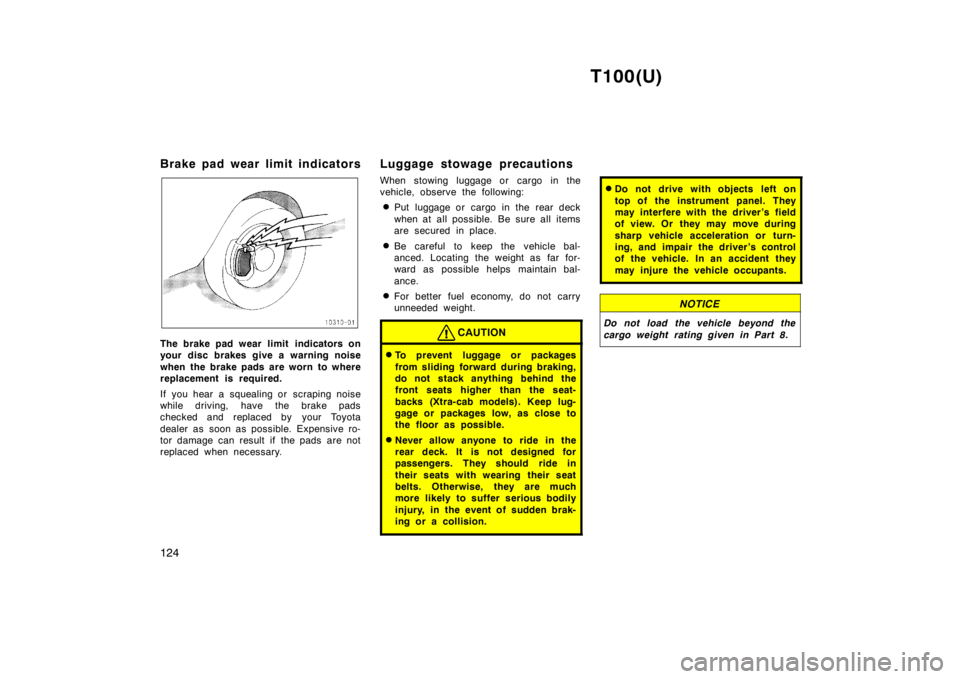
Brake pad wear limit indicators
The brake pad wear limit indicators on
your disc brakes give a warning noise
when the brake pads are worn to where
replacement is required.
If you hear a squealing or scraping noise
while driving, have the brake pads
checked and replaced by your Toyota
dealer as soon as possible. Expensive ro-
tor damage can result if the pads are not
replaced when necessary.
Luggage stowage pr
ecautions
When stowing luggage or cargo in the
vehicle, observe the following: Put luggage or cargo in the rear deck
when at all possible. Be sure all items
are secured in place.
Be careful to keep the vehicle bal-
anced. Locating the weight as far for-
ward as possible helps maintain bal-
ance.
For better fuel economy, do not carry
unneeded weight.CAUTION
To prevent luggage or packages
from sliding forward during braking,
do not stack anything behind the
front seats higher than the seat-
backs (Xtra-cab models). Keep lug-
gage or packages low, as close to
the floor as possible.
Never allow anyone to ride in the
rear deck. It is not designed for
passengers. They should ride in
their seats with wearing their seat
belts. Otherwise, they are much
more likely to suffer serious bodily
injury, in the event of sudden brak-
ing or a collision.
Do not drive with objects left on
top of the instrument panel. They
may interfere with the driver’s field
of view. Or they may move during
sharp vehicle acceleration or turn-
ing, and impair the driver’s control
of the vehicle. In an accident they
may injure the vehicle occupants.
NOTICE
Do not load the vehicle beyond the
cargo weight rating given in Part 8.
Page 125 of 214

T100(U)125
Your Toyota’s identification
The vehicle identification number (VIN)
is the legal identifier for your vehicle.
This number is on the left top of the
instrument panel, and can be seen
through the windshield from outside.
The vehicle identification number (VIN) is
also on the Certification Label.
This is the primary identification number
for your Toyota. It is used in registering
the ownership of your vehicle.The engine number is stamped on the
engine block as shown.
Page 164 of 214
T100(U)
164
NOTICE
Do not use solvent, thinner, gasoline
or window cleaner on the interior.
Carpets
Use a good foam-type shampoo to
clean the carpets.
Begin by vacuuming thoroughly to remove
as much dirt as possible. Several types of
foam cleaners are available; some are in
aerosol cans and others are powders or
liquids which you mix with water to pro-
duce a foam. To shampoo the carpets,
use a sponge or brush to apply the foam.
Rub in overlapping circles.
Do not apply water–the best results are
obtained by keeping the carpet as dry as
possible. Read the shampoo instructions
and follow them closely.
Seat belts
The seat belts may be cleaned with
mild soap and water or with lukewarm
water.
Use a cloth or sponge. As you are clean-
ing, check the belts for excessive wear,
fraying, or cuts.
NOTICE
Do not use dye or bleach on the belt-
s—it may weaken them.
Windows
The windows may be cleaned with any
household window cleaner.
NOTICE
When cleaning the inside of the win-
dows, be careful not to scratch or
damage the heater wires on the rear
window.
Air conditioning control panel, car au-
dio, instrument panel, console panel,
and switches
Use a soft damp cloth for cleaning.
Soak a clean soft cloth in water or luke-
warm water then lightly wipe off any dirt.
NOTICE
Do not use organic substances (sol-
vents, kerosene, alcohol, gasoline,
etc.) or alkaline or acidic solutions.
These chemicals can cause discol-
oring, staining or peeling of the
surface.
If you use cleaners or polishing
agents, make sure their ingredients
do not include the substances men-
tioned above.
If you use a liquid car freshener, do
not spill the liquid onto the ve-
hicle’s interior surfaces. It may con-
tain the ingredients mentioned
above. Immediately clean any spill
using the method mentioned above.
If you have any questions about the
cleaning of your Toyota, your local
Toyota dealer will be pleased to answer
them.
Page 206 of 214

T100(U)
206
Fuses
Fuses (type A)
1. HEAD (LH) 10 A: Left-hand headlight
2. HEAD (RH) 10 A: Right-hand headlight
3. A/C 10 A: Air conditioning cooling sys-
tem
4. EFI 15 A: Multiport fuel injection sys-
tem/sequential multiport fuel injection
system, electronically controlled auto-
matic transmission system
5. HAZ-HORN 15 A: Emergency flashers,
horns
6. DOME 15 A: Interior light, personal
lights, step lights, ignition switch light,
radio, cassette tape player, power an-
tenna, clock7. HEAD (LH-HI) 10 A: Left-hand head-
light (high beam)
8. HEAD (RH-HI) 10 A: Right-hand head-
light (high beam)
9. HEAD (LH-LO) 10 A: Left-hand head-
light (low beam)
10. HEAD (RH-LO) 10 A: Right-hand head-
light (low beam)
11. ENGINE 10 A: Charging system, cruise
control system
12. IGN. 7.5 A: Charging system, dis-
charge warning light, multiport fuel in-
jection system/sequential multiport fuel
injection system13. TAIL 15 A: Tail lights, parking lights,
license plate lights, instrument panel
lights, glovebox light
14. WIPER 20 A: Windshield wiper and
washer
15. GAUGES 10 A: (except discharge warn-
ing light), A.D.D. control system, cruise
control system, back-up lights, power
door lock system
16. STOP 15 A: Stop lights, High-mounted
stoplight, cruise control system, elec-
tronically controlled automatic transmis-
sion system