ignition TOYOTA TACOMA 1999 Owner's Manual
[x] Cancel search | Manufacturer: TOYOTA, Model Year: 1999, Model line: TACOMA, Model: TOYOTA TACOMA 1999Pages: 247, PDF Size: 4.17 MB
Page 110 of 247
'99 Tacoma (U)
11 0
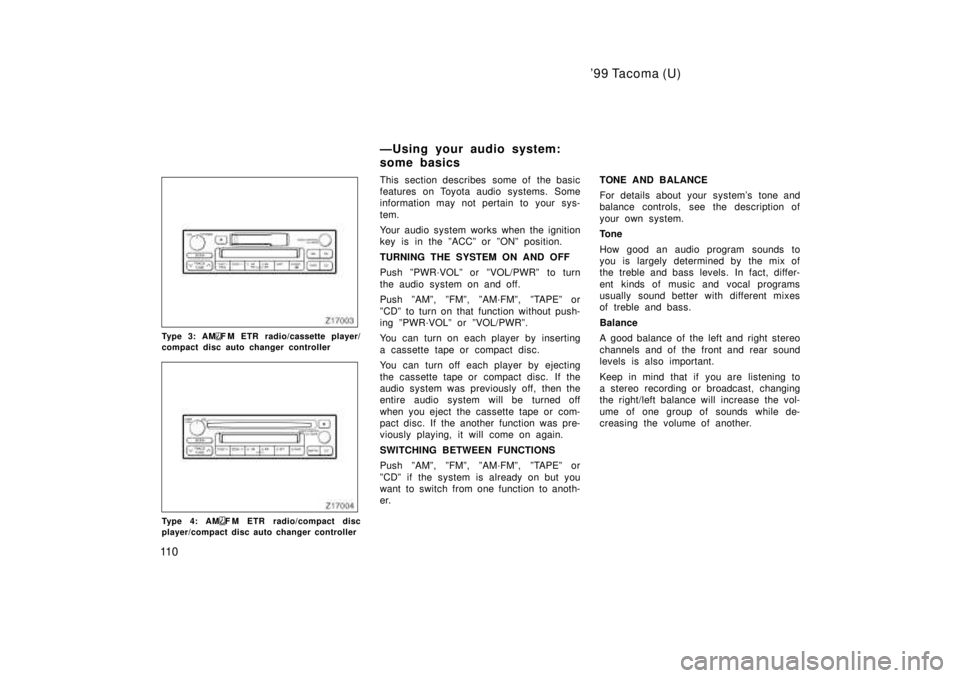
Type 3: AMF M ETR radio/cassette player/
compact disc auto changer controller
Type 4: AMF M ETR radio/compact disc
player/compact disc auto changer controller This section describes some of the basic
features on Toyota audio systems. Some
information may not pertain to your sys-
tem.
Your audio system works when the ignition
key is in the ºACCº or ºONº position.
TURNING THE SYSTEM ON AND OFF
Push ºPWR´VOLº or ºVOL/PWRº to turn
the audio system on and off.
Push ºAMº, ºFMº, ºAM´FMº, ºTAPEº or
ºCDº to turn on that function without push-
ing ºPWR´VOLº or ºVOL/PWRº.
You can turn on each player by inserting
a cassette tape or compact disc.
You can turn off each player by ejecting
the cassette tape or compact disc. If the
audio system was previously off, then the
entire audio system will be turned off
when you eject the cassette tape or com-
pact disc. If the another function was pre-
viously playing, it will come on again.
SWITCHING BETWEEN FUNCTIONS
Push ºAMº, ºFMº, ºAM´FMº, ºTAPEº or
ºCDº if the system is already on but you
want to switch from one function to anoth-
er.
TONE AND BALANCE
For details about your system's tone and
balance controls, see the description of
your own system.
Tone
How good an audio program sounds to
you is largely determined by the mix of
the treble and bass levels. In fact, differ-
ent kinds of music and vocal programs
usually sound better with different mixes
of treble and bass.
Balance
A good balance of the left and right stereo
channels and of the front and rear sound
levels is also important.
Keep in mind that if you are listening to
a stereo recording or broadcast, changing
the right/left balance will increase the vol-
ume of one group of sounds while de-
creasing the volume of another.
ÐUsing your audio system:
some basics
Page 111 of 247
'99 Tacoma (U)
111
YOUR RADIO ANTENNA
To remove an antenna, carefully turn it
counterclockwise.
To lower a power antenna, turn off the
audio system by pushing ºPWR´VOLº or
ºVOL/PWRº, or turn the ignition key to
ºLOCKº.
On some models, the power antenna auto-
matically retracts when the radio mode is
switched off to turn on the cassette tape
player.
YOUR CASSETTE PLAYER
When you insert a cassette, the exposed
tape should be to the right.
NOTICE
Do not oil any part of the player and
do not insert anything other than cas-sette tapes into the slot, or the tape
player may be damaged.
YOUR COMPACT DISC PLAYER
When you insert a disc, gently push it in
with the label side up. (The player will
automatically eject a disc if the label side
is down.) The compact disc player will
play from track 1 through the end of the
disc. Then it will play from track 1 again.
NOTICE
Never try to disassemble or oil any
part of the compact disc player. Donot insert anything except a compact disc into the slot.
8 cm (3 in.) compact disc singles
Your compact disc player does not need
an adaptor to play compact disc singles.
Compact disc singles are about 8 cm (3
in.) in diameter- smaller than standard
discs.
After you eject a compact disc single, do
not insert a standard 12 cm (5 in.) disc
until ºDISCº disappears from the display.
NOTICE
Do not use an adaptor for compact
disc singlesÐit could cause trackingerrors or interfere with the ejection of compact discs.
Page 118 of 247

'99 Tacoma (U)
11 8
1 2 3 4 5 6 (Preset buttons)
These buttons are used to preset and
tune in radio stations.
To preset a station to a button: Tune in
the desired station (see ºTUNEº button).
Push and hold down the button until you
hear a beepÐthis will set the station to
the button. The button number will appear
on the display.
To tune in to a preset station: Push the
button for the station you want. The but-
ton number and station frequency will ap-
pear on the display.
These systems can store one AM and two
FM stations for each button (The display
will show ºAMº, ºFM1º or ºFM2º when you
push ºAMº or ºFMº).
(Eject button)
Push this button to eject a cassette.
After you turn the ignition to ºLOCKº, you
will be able to eject a cassette but you
will not be able to reinsert it.
(Reverse/Fast forward buttons)
Cassette Player
Push the fast forward button to fast for-
ward a cassette tape. ºFFº will appear on
the display. Push the reverse button to
rewind a tape. ºREWº will appear on the
display.
To stop the tape while it is fast forward-
ing, push the fast forward button or
ºTAPEº; to stop the tape while it is re-
winding, push the reverse button or
ºTAPEº.
If a tape side rewinds completely, the cas-
sette player will stop and then play that
same side. If a tape fast forwards com-
pletely, the cassette player will play the
other side of the tape, using the auto- re-
verse feature.
Compact Disc Player
If you want to fast forward or reverse
through a compact disc track, push and
hold in the fast forward or reverse button.
When you release the button, the compact
disc player will resume playing. AM
Push ºAMº to switch the AM band. ºAMº
will appear on the display.
If the audio system is off, you can turn
on the radio by pushing ºAMº. Also, push
ºAMº to switch from cassette or compact
disc operation to radio operation.
AUDIO CONTROL / MODE
Manual tone adjustment functionÐ
This knob is used to adjust the tone
manually.
For low- pitch tone adjustment, push
ºAUDIO CONTROL / MODEº repeatedly
until ºBASº appears on the display. Then
turn the knob to suit your preference.
The display will show the range from
ºBAS -5º to ºBAS 5º.
For high- pitch tone adjustment, push
ºAUDIO CONTROL / MODEº repeatedly
until ºTREº appears on the display. Then
turn the knob to suit your preference.
The display will show the range from
ºTRE -5º to ºTRE 5º.
Page 124 of 247

'99 Tacoma (U)
124
1 2 3 4 5 6 (Preset buttons)
These buttons are used to preset and
tune in radio stations.
To preset a station to a button: Tune in
the desired station (see ºTUNEº button).
Push and hold down the button until you
hear a beepÐthis will set the station to
the button. The button number will appear
on the display.
To tune in to a preset station: Push the
button for the station you want. The but-
ton number and station frequency will ap-
pear on the display.
These systems can store one AM and two
FM stations for each button (The display
will show ºAMº, ºFM1º or ºFM2º when you
push ºAM´FMº).
(Eject button)
Push this button to eject a compact disc.
After you turn the ignition to ºLOCKº, you
will be able to eject a disc but you will
not be able to reinsert it.
(Reverse/Fast forward buttons)
If you want to fast forward or reverse
through a compact disc track, push and
hold in the fast forward or reverse button.
When you release the button, the compact
disc player will resume playing. AM
FM
Push ºAM
F Mº to switch between the AM
and FM bands. ºAMº, ºFM1º or ºFM2º will
appear on the display. These systems al-
low you to set twelve FM stations, two for
each button.
If the audio system is off, you can turn
on the radio by pushing ºAM
FMº. Also,
push ºAM
F Mº to switch from compact
disc operation to radio operation.
AUDIO CONTROL / MODE
Manual tone adjustment functionÐ
This knob is used to adjust the tone
manually.
For low- pitch tone adjustment, push
ºAUDIO CONTROL / MODEº repeatedly
until ºBASº appears on the display. Then
turn the knob to suit your preference.
The display will show the range from
ºBAS -5º to ºBAS 5º. For high- pitch tone adjustment, push
ºAUDIO CONTROL / MODEº repeatedly
until ºTREº appears on the display. Then
turn the knob to suit your preference.
The display will show the range from
ºTRE -5º to ºTRE 5º.
Sound balance adjustment functionÐ
This knob is also used to adjust the
sound balance between the front and rear,
and the right and left speakers.
For front/rear adjustment, push ºAUDIO
CONTROL / MODEº repeatedly until ºFAdº
appears on the display. Then turn the
knob to adjust the front/rear balance.
The display will show the range from ºFAd
F7º to ºFAd R7º.
For left/right adjustment, push ºAUDIO
CONTROL / MODEº repeatedly until ºBALº
appears on the display. Then turn the
knob to adjust the left/right balance.
The display will show the range from ºBAL
L7º to ºBAL R7º.
Page 147 of 247
'99 Tacoma (U)
147
NOTICE
A large amount of unburned gasesflowing into the three- way catalyticconverter may cause it to overheatand create a fire hazard. To prevent
this and other damage, observe thefollowing precautions:
Use only unleaded gasoline.
Do not drive with an extremely lowfuel level; running out of fuel could
cause the engine to misfire, creat-ing an excessive load on the three-way catalytic converter.
Do not allow the engine to run atidle speed for more than 20 minu-
tes.
Avoid racing the engine.
Do not push- start or pull- start yourvehicle.
Do not turn off the ignition while
the vehicle is moving.
Keep your engine in good runningorder. Malfunctions in the engineelectrical system, electronic ignitionsystem/distributor ignition system
or fuel systems could cause an ex-tremely high three- way catalyticconverter temperature.
If the engine becomes difficult tostart or stalls frequently, take yourvehicle in for a check- up as soon
as possible. Remember, your Toyotadealer knows your vehicle and itsthree- way catalytic converter sys-
tem best.
To ensure that the three- way cata-lytic converter and the entire emis-sion control system operate proper-ly, your vehicle must receive the
periodic inspections required by theToyota Maintenance Schedule. Forscheduled maintenance information,
refer to the separate ºScheduledMaintenance Guideº or ºOwner'sManual Supplementº.
Engine exhaust cautions
CAUTION
Avoid inhaling the engine exhaust.
It contains carbon monoxide, which
is a colorless and odorless gas. It
can cause unconsciousness or even
death.
Make sure the exhaust system has
no holes or loose connections. The
system should be checked from
time to time. If you hit something,
or notice a change in the sound of
the exhaust, have the system
checked immediately.
Do not run the engine in a garage
or enclosed area except for the
time needed to drive the vehicle in
or out. The exhaust gases cannot
escape, making this a particularly
dangerous situation.
Do not remain for a long time in a
parked vehicle with the engine run-
ning. If it is unavoidable, however,
do so only in an unconfined area
and adjust the heating or cooling
system to force outside air into the
vehicle.
Page 151 of 247

'99 Tacoma (U)
151
Ty p e A
Ty p e BºABSº warning light
This light comes on when the ignition key
is turned to the ºONº position. After a few
seconds, the light will go off.
If any of the following conditions occurs,
this indicates a malfunction somewhere in
the parts monitored by the warning light
system. Contact your Toyota dealer as
soon as possible to service the vehicle.
The light does not come on as de-
scribed above, or remains on.
The light comes on while driving.
Vehicles with rear differential lock
systemÐ The light comes on while driving with
the rear differential unlocked.
The light does not comes on with the
rear differential locked.
The system comes into operation with
the rear differential locked. Even if the anti- lock brake system should
fail, the brake system will still operate
conventionally. However, when the ºABSº
warning light is on (and the brake system
warning light is off), the anti- lock brake
system is not assisting brake performance
so that the wheels can lock- up during
sudden braking or braking on slippery
road surfaces. Have your vehicle checked
by your Toyota dealer as soon as pos-
sible.
Page 171 of 247
'9 9 Ta co ma (U)
171
Part 4
IN CASE OF AN
EMERGENCY
If your vehicle will not start
If your engine stalls while
driving
If your vehicle overheats
If you have a flat tire
If your vehicle needs to
be towed
If you cannot shift automatic
transmission selector lever
If you lose your keys
Before making these checks, make sure
you have followed the correct starting pro-
cedure given in ºHow to start the engineº
in Part 3 and that you have sufficient fuel.
If the engine is not turning over or is
turning over too slowlyÐ
1. Check that the battery terminals are tight and clean.
2. If the battery terminals are O.K., switch on the interior light.
3. If the light is out, dim or goes out when the starter is cranked, the battery
is discharged. You may try jump start-
ing. See º(c) Jump startingº for further
instructions.
If the light is O.K., but the engine still will
not start, it needs adjustment or repair.
Call a Toyota dealer or qualified repair
shop.
NOTICE
Do not pull- or push- start the ve- hicle. It may damage the vehicle orcause a collision when the engine starts. Also the three- way catalytic
converter may overheat and become afire hazard.
If the engine turns over at its normal
speed but will not startÐ
1. Check that all the push- on connectors are tight. (For example, connectors at
the spark plugs, ignition coil and/or dis-
tributor)
2. If the connectors are O.K., the engine may be flooded because of repeated
cranking. See º(b) Starting a flooded
engineº for further instructions.
If your vehicle will not startÐ
(a) Simple checks
Page 185 of 247
'99 Tacoma (U)
185
If towing is necessary, we recommend
you have it done by your Toyota dealer
or a commercial tow truck service. In
consultation with them, have your ve-
hicle towed using either (a) or (b).
Only when you cannot receive a towing
service from a Toyota dealer or com-
mercial tow truck service, tow your ve-
hicle carefully in accordance with the
instructions given in ºÐEmergency tow-
ingº in this part.
Proper equipment will help ensure that
your vehicle is not damaged while being
towed. Commercial operators are generally
aware of the state/provincial and local
laws pertaining to towing.
Your vehicle can be damaged if it is
towed incorrectly. Although most operators
know the correct procedure, it is possible
to make a mistake. To avoid damage to
your vehicle, make sure the following few
precautions are observed. If necessary,
show this page to the tow truck driver.
TOWING PRECAUTIONS:
Use a safety chain system for all towing,
and abide by the state/provincial and local
laws. The wheels and axle on the ground
must be in good condition. If they are
damaged, use a towing dolly.
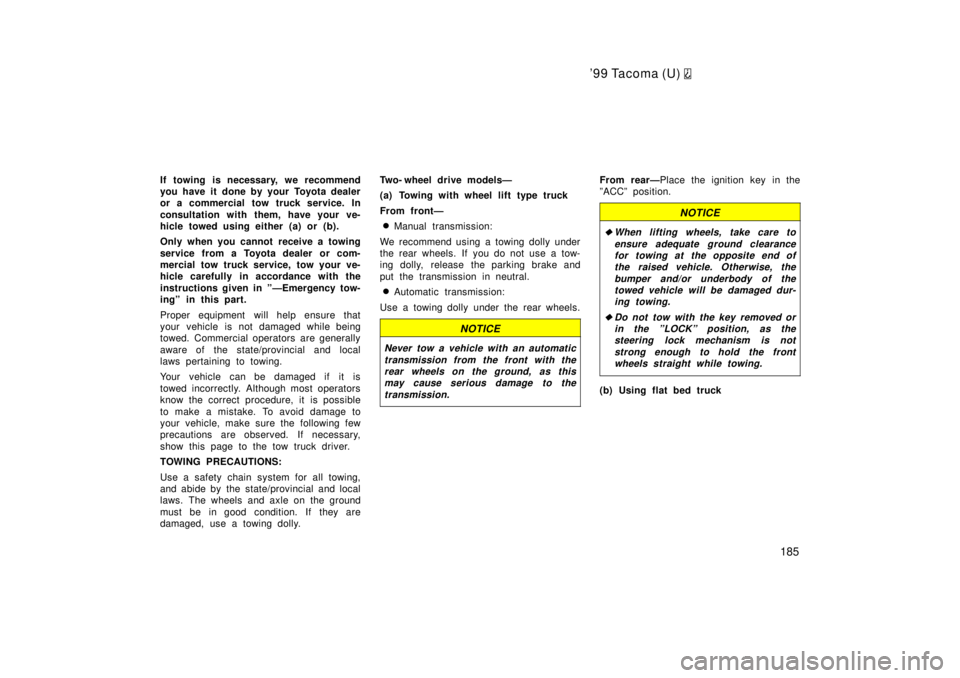
Two- wheel drive modelsÐ
(a) Towing with wheel lift type truck
From frontÐ
Manual transmission:
We recommend using a towing dolly under
the rear wheels. If you do not use a tow-
ing dolly, release the parking brake and
put the transmission in neutral. Automatic transmission:
Use a towing dolly under the rear wheels.
NOTICE
Never tow a vehicle with an automatic transmission from the front with therear wheels on the ground, as this
may cause serious damage to the
transmission.
From rearÐ Place the ignition key in the
ºACCº position.
NOTICE
When lifting wheels, take care to
ensure adequate ground clearancefor towing at the opposite end ofthe raised vehicle. Otherwise, the
bumper and/or underbody of thetowed vehicle will be damaged dur-ing towing.
Do not tow with the key removed or in the ºLOCKº position, as thesteering lock mechanism is not
strong enough to hold the frontwheels straight while towing.
(b) Using flat bed truck
Page 186 of 247
'99 Tacoma (U)
186
Four- wheel drive modelsÐ
(a) Towing with wheel lift type truck
From frontÐ
Manual transmission:
We recommend using a towing dolly under
the rear wheels. If you do not use a tow-
ing dolly, release the parking brake, put
the transmission in neutral and set the
transfer in ºH2º mode. Automatic transmission:
Use a towing dolly under the rear wheels.
NOTICE
Never tow a vehicle with an automatic transmission from the front with therear wheels on the ground, as thismay cause serious damage to the
transmission.
From rearÐ We recommend using a tow-
ing dolly under the front wheels. If you do
not use a towing dolly, place the ignition
key in the ºACCº position, put the trans-
mission in neutral and set the transfer in
ºH2º mode. Disengage both free- wheeling
hubs if so equipped.
NOTICE
Do not tow with the key removed or
in the ºLOCKº position when towingfrom the rear without a towing dolly. The steering lock mechanism is not
strong enough to hold the frontwheels straight.
(b) Using flat bed truck
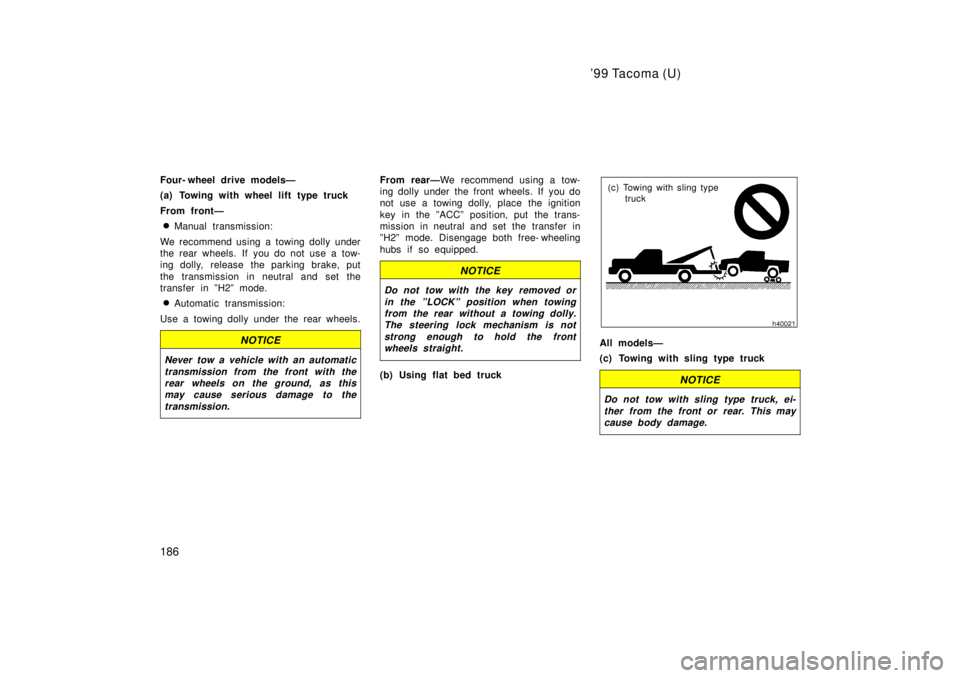
(c) Towing with sling type truck
All modelsÐ
(c) Towing with sling type truck
NOTICE
Do not tow with sling type truck, ei- ther from the front or rear. This maycause body damage.
Page 190 of 247

'99 Tacoma (U)
190
If you cannot shift the selector lever
out of ºPº position to other positions
even though the brake pedal is de-
pressed, use the shift lock override but-
ton as follows: 1. Turn the ignition key to ºLOCKº position. Make sure the parking
brake is set.
2. Pry up the cover with a flat- bladed screwdriver or equivalent.3. Insert the screwdriver or equivalent into the hole to push up the shift
lock override button. You can shift
out of ºPº position only while push-
ing the button.
4. Shift into ºNº position.
5. Insert the cover.
6. Start the engine. For your safety, keep the brake pedal depressed.
Be sure to have the system checked by
your Toyota dealer as soon as possible.If you cannot shift the selector lever
out of ºPº position to other positions
even though the brake pedal is de-
pressed, use the shift lock override but-
ton as follows: 1. Turn the ignition key to ºLOCKº position. Make sure the parking
brake is set.
2. Pry up the cover with a flat- bladed screwdriver or equivalent.
If you cannot shift automatic
transmission selector lever
(column shift)
If you cannot shift automatic
transmission selector lever
(floor shift)