set clock TOYOTA TACOMA 2010 Owners Manual (in English)
[x] Cancel search | Manufacturer: TOYOTA, Model Year: 2010, Model line: TACOMA, Model: TOYOTA TACOMA 2010Pages: 532, PDF Size: 15.03 MB
Page 154 of 532
154
2-1. Driving procedures
Parking brake
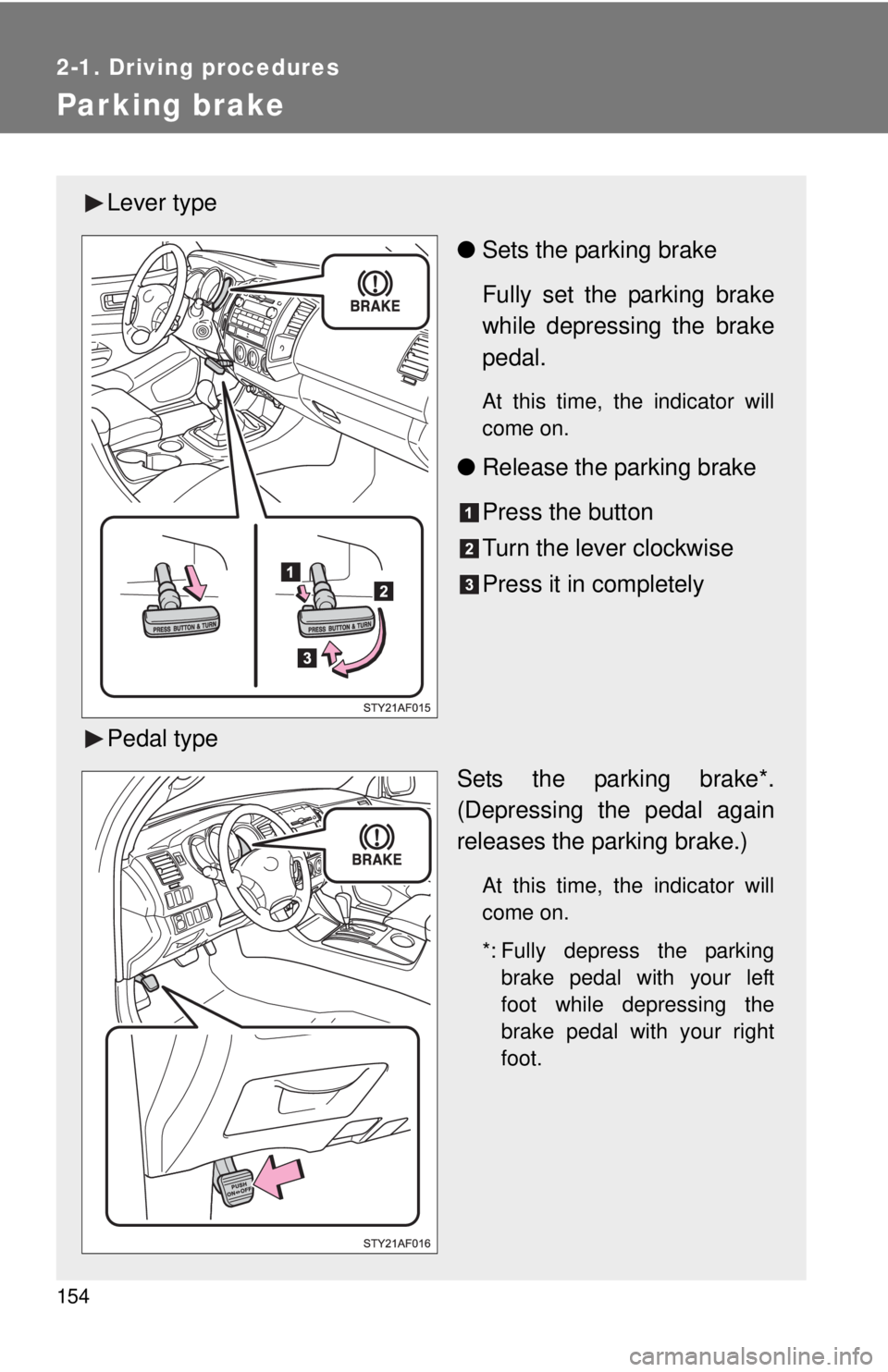
Lever type
●Sets the parking brake
Fully set the parking brake
while depressing the brake
pedal.
At this time, the indicator will
come on.
●Release the parking brake
Press the button
Turn the lever clockwise
Press it in completely
Pedal type
Sets the parking brake*.
(Depressing the pedal again
releases the parking brake.)
At this time, the indicator will
come on.
*: Fully depress the parking
brake pedal with your left
foot while depressing the
brake pedal with your right
foot.
Page 227 of 532
Interior and exterior
features3
227
3-1. Using the air conditioning
system and defogger
Air conditioning system .... 228
3-2. Using the audio system
Audio system types .......... 236
Using the radio ................. 239
Using the CD player ......... 245
Playing back MP3 and
WMA discs ..................... 251
Optimal use of the audio
system ........................... 259
Operating the sub woofer
(on some Access Cab
models) .......................... 262
Using the AUX adapter .... 263
Using the steering wheel
audio switches ............... 265
3-3. Using the hands-free phone
system (for cellular phone)
Hands-free phone system
(for cellular phone) ......... 268
Using the hands-free
phone system ................ 272
Making a phone call ......... 280
Setting a cellular phone ... 285
Security and system
setup .............................. 290
Using the phone book ...... 293
3-4. Using the interior lights
Interior lights list ............... 300
• Interior light .................... 301
• Personal lights ............... 3013-5. Using the storage features
List of storage features .... 302
• Glove box....................... 302
• Console boxes ............... 303
• Cup holders ................... 304
• Bottle holders ................. 306
• Auxiliary boxes ............... 307
• Overhead console .......... 309
3-6. Other interior features
Sun visors ........................ 310
Vanity mirrors ................... 311
Clock ................................ 312
Outside temperature
display (vehicles with
accessory meter) ........... 313
Cigarette lighter................ 314
Power outlet (12V DC) ..... 315
Power outlet (115V AC) ... 316
Seatback table ................. 322
Floor mat .......................... 323
Luggage compartment
features .......................... 324
Garage door opener
box ................................. 333
Compass (vehicles with
accessory meter) ........... 337
Page 229 of 532
229 3-1. Using the air conditioning system and defogger
3
Interior and exterior features
Adjusting the settings
■Adjusting the temperature setting (Type A)
Turn the temperature control dial clockwise to increase the temper-
ature.
■Adjusting the temperature setting (Type B)
Turn the temperature control dial clockwise (warm) or counter-
clockwise (cool).
If is not pressed, the system will blow ambient temperature air or
heated air.
For quick cooling, turn the temperature control dial to the MAX A/C posi-
tion. The air conditioning will automatically turn on and the air intake
selector will be set to recirculated air mode.
■Adjusting the fan speed
Turn the fan speed control dial clockwise (increase) or counter-
clockwise (decrease).
Set the dial to OFF to turn the fan off.
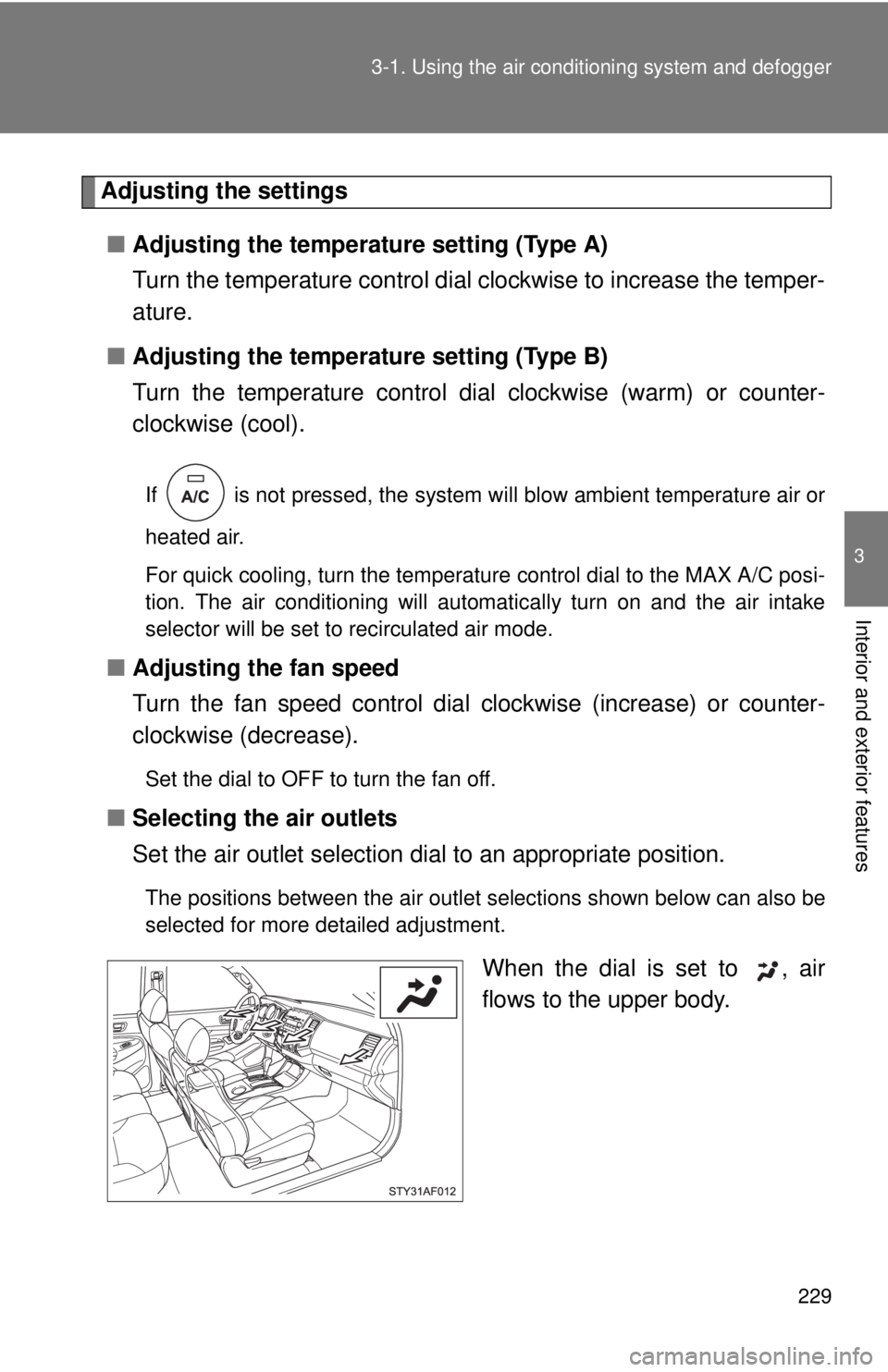
■Selecting the air outlets
Set the air outlet selection dial to an appropriate position.
The positions between the air outlet selections shown below can also be
selected for more detailed adjustment.
When the dial is set to , air
flows to the upper body.
Page 292 of 532
292 3-3. Using the hands-free phone system (for cellular phone)
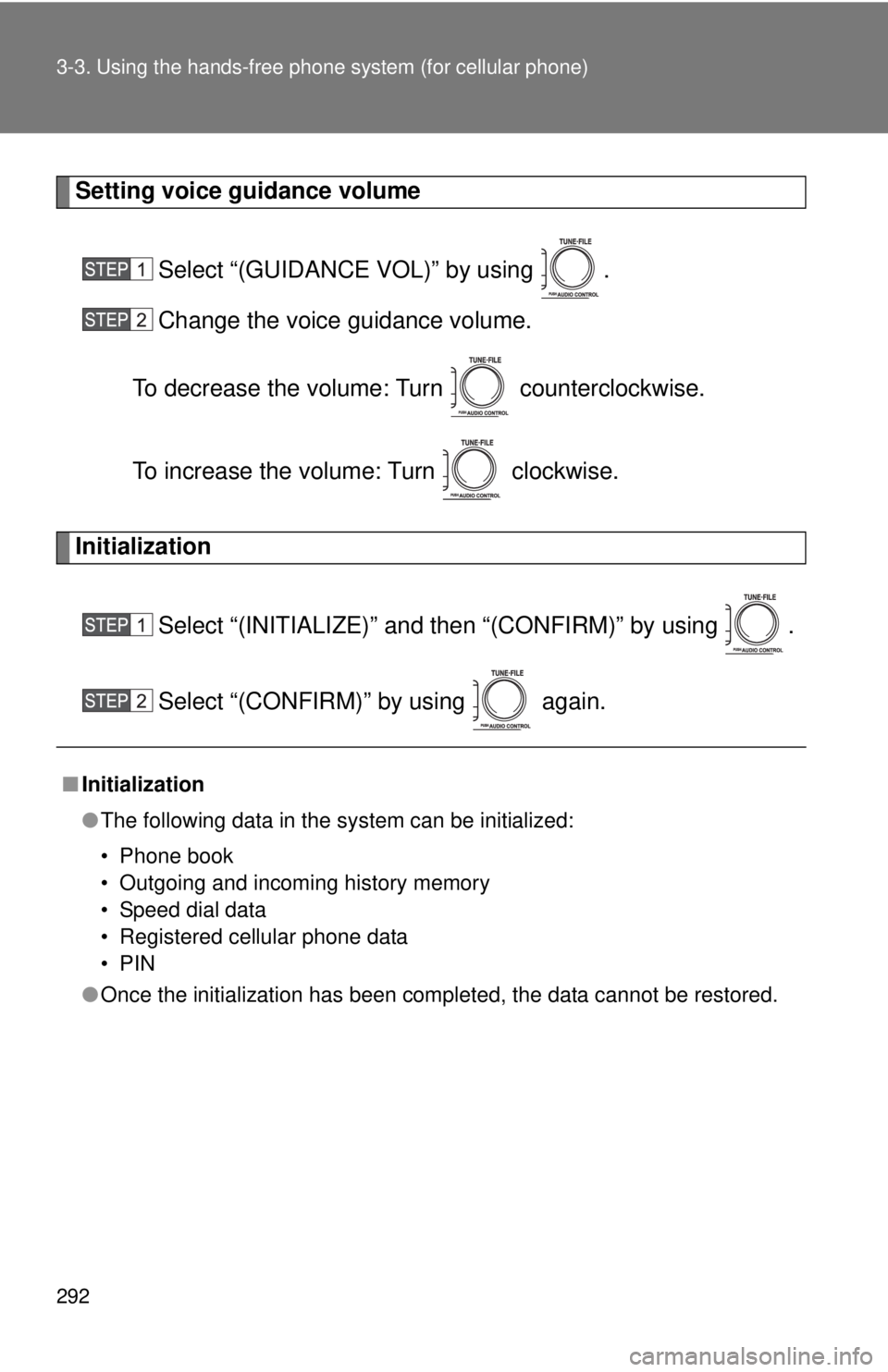
Setting voice guidance volume
Select “(GUIDANCE VOL)” by using .
Change the voice guidance volume.
To decrease the volume: Turn counterclockwise.
To increase the volume: Turn clockwise.
Initialization
Select “(INITIALIZE)” and then “(CONFIRM)” by using .
Select “(CONFIRM)” by using again.
■Initialization
●The following data in the system can be initialized:
• Phone book
• Outgoing and incoming history memory
• Speed dial data
• Registered cellular phone data
•PIN
●Once the initialization has been completed, the data cannot be restored.
Page 312 of 532
312
3-6. Other interior features
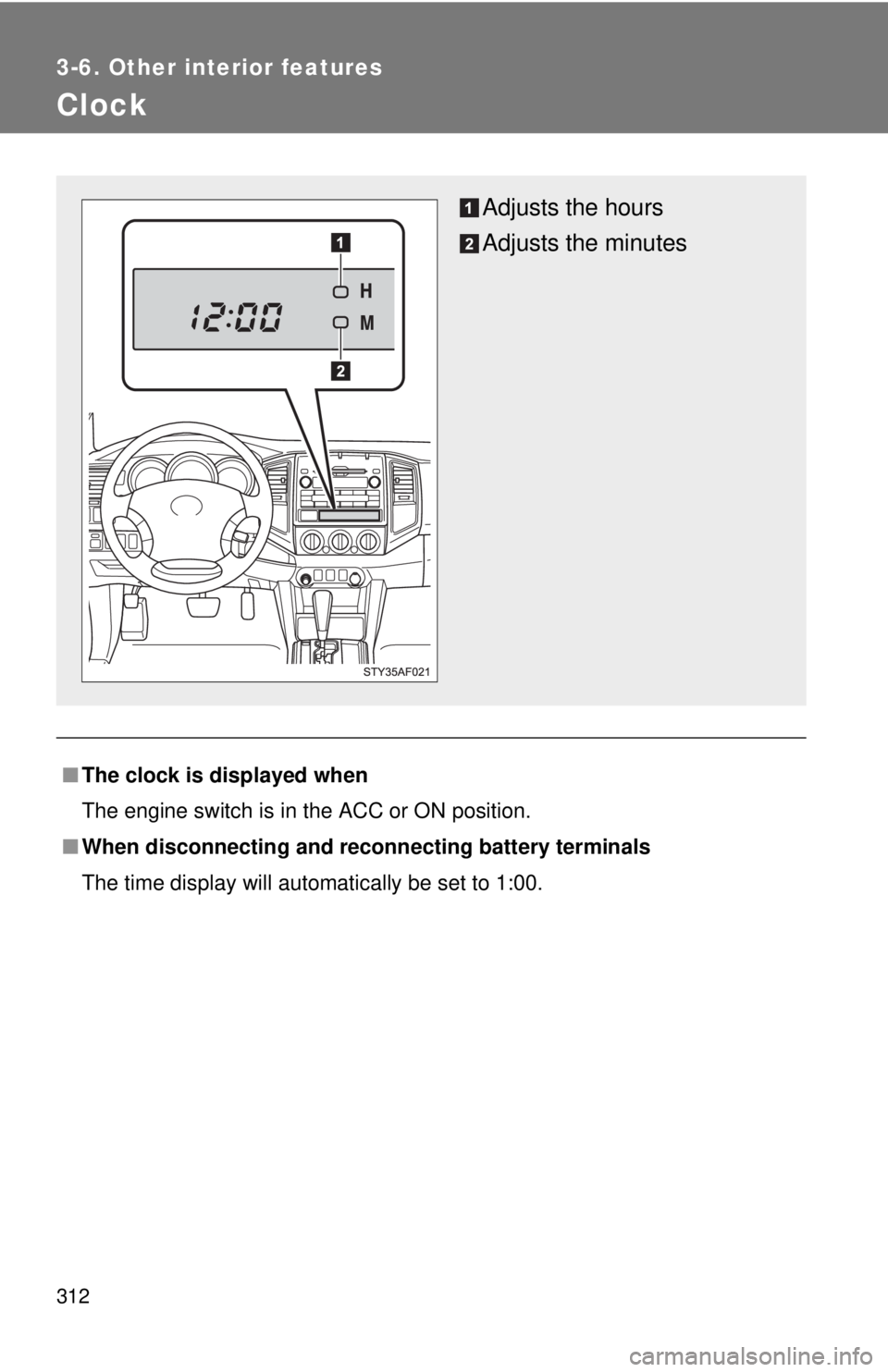
Clock
■The clock is displayed when
The engine switch is in the ACC or ON position.
■When disconnecting and reconnecting battery terminals
The time display will automatically be set to 1:00.
Adjusts the hours
Adjusts the minutes