clock TOYOTA TACOMA 2011 Owners Manual (in English)
[x] Cancel search | Manufacturer: TOYOTA, Model Year: 2011, Model line: TACOMA, Model: TOYOTA TACOMA 2011Pages: 548, PDF Size: 9.84 MB
Page 4 of 548

TABLE OF CONTENTSIndex
4
3-4. Using the interior lightsInterior lights list ................. 308
• Interior light ....................... 309
• Personal lights ................. 309
3-5. Using the storage features List of storage features....... 310
• Glove box ........................ 311
• Console boxes ................. 311
• Cup holders ...................... 312
• Bottle holders ................... 314
• Auxiliary boxes ................. 316
• Overhead console ............ 318
3-6. Other interior features Sun visors .......................... 319
Vanity mirrors ..................... 320
Clock .................................. 321
Outside temperature display (vehicles with accessory
meter) ............................... 322
Cigarette lighter .................. 323
Power outlet (12V DC) ....... 324
Power outlet (115V AC) ..... 325
Seatback table ................... 331
Floor mat ............................ 332
Luggage compartment features ............................ 334
Garage door opener box .... 343
Compass (vehicles with accessory meter).............. 347 4-1. Maintenance and care
Cleaning and protecting the vehicle exterior ........... 354
Cleaning and protecting the vehicle interior ............ 357
4-2. Maintenance Maintenance requirements .................... 360
General maintenance ......... 362
Emission inspection and maintenance (I/M)
programs .......................... 365
4-3. Do-it-yourself maintenance Do-it-yourself service precautions ....................... 366
Hood ................................... 370
Engine compartment .......... 372
Tires.................................... 388
Tire inflation pressure ......... 396
Wheels................................ 401
Air conditioning filter ........... 403
Wireless remote control battery .............................. 406
Checking and replacing fuses ................................. 408
Light bulbs .......................... 418
4Maintenance and care
Page 95 of 548
95
1-7. Safety information
1
Before driving
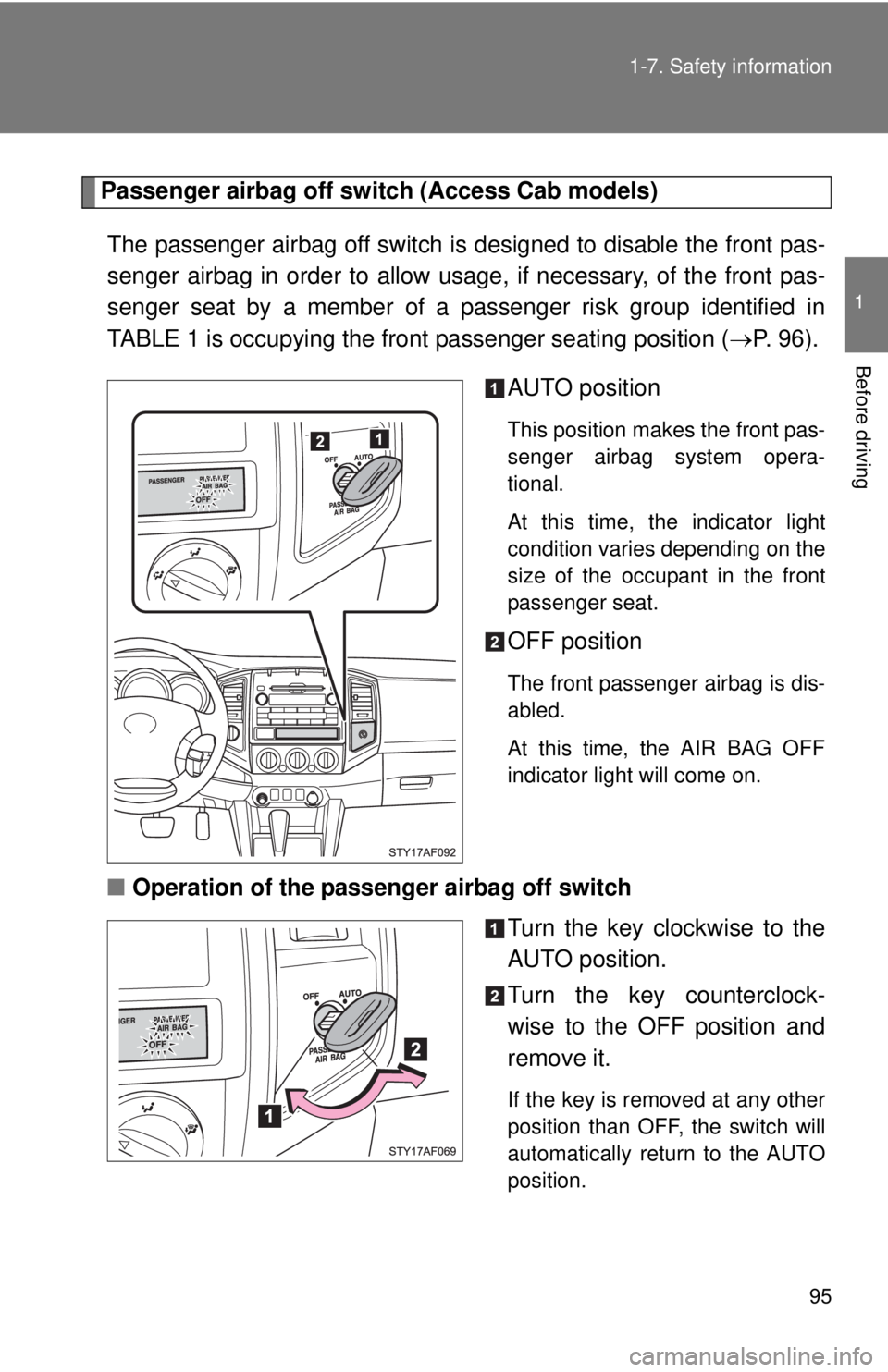
Passenger airbag off switch (Access Cab models)
The passenger airbag off switch is designed to disable the front pas-
senger airbag in order to allow usage , if necessary, of the front pas-
senger seat by a member of a passenger risk group identified in
TABLE 1 is occupying the fron t passenger seating position (P. 96).
AUTO position
This position makes the front pas-
senger airbag system opera-
tional.
At this time, the indicator light
condition varies depending on the
size of the occupant in the front
passenger seat.
OFF position
The front passenger airbag is dis-
abled.
At this time, the AIR BAG OFF
indicator light will come on.
■ Operation of the passenger airbag off switch
Turn the key clockwise to the
AUTO position.
Turn the key counterclock-
wise to the OFF position and
remove it.
If the key is removed at any other
position than OFF, the switch will
automatically return to the AUTO
position.
Page 114 of 548
114 1-7. Safety information
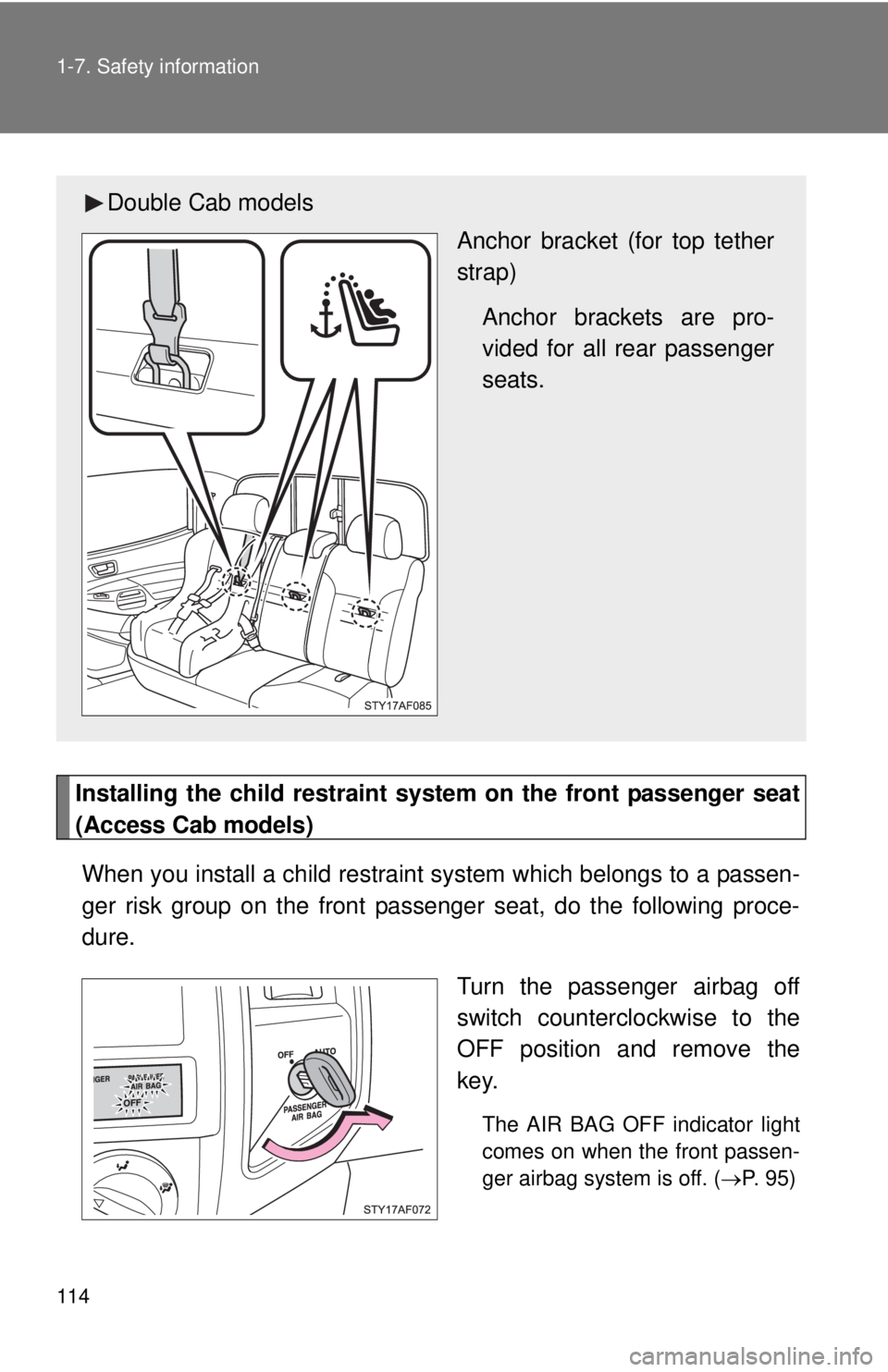
Installing the child restraint system on the front passenger seat
(Access Cab models)When you install a child restraint system which belongs to a passen-
ger risk group on the front passenger seat, do the following proce-
dure.
Turn the passenger airbag off
switch counterclockwise to the
OFF position and remove the
key.
The AIR BAG OFF indicator light
comes on when the front passen-
ger airbag system is off. (P. 95)
Double Cab models
Anchor bracket (for top tether
strap)
Anchor brackets are pro-
vided for all rear passenger
seats.
Page 154 of 548
154
2-1. Driving procedures
Parking brake
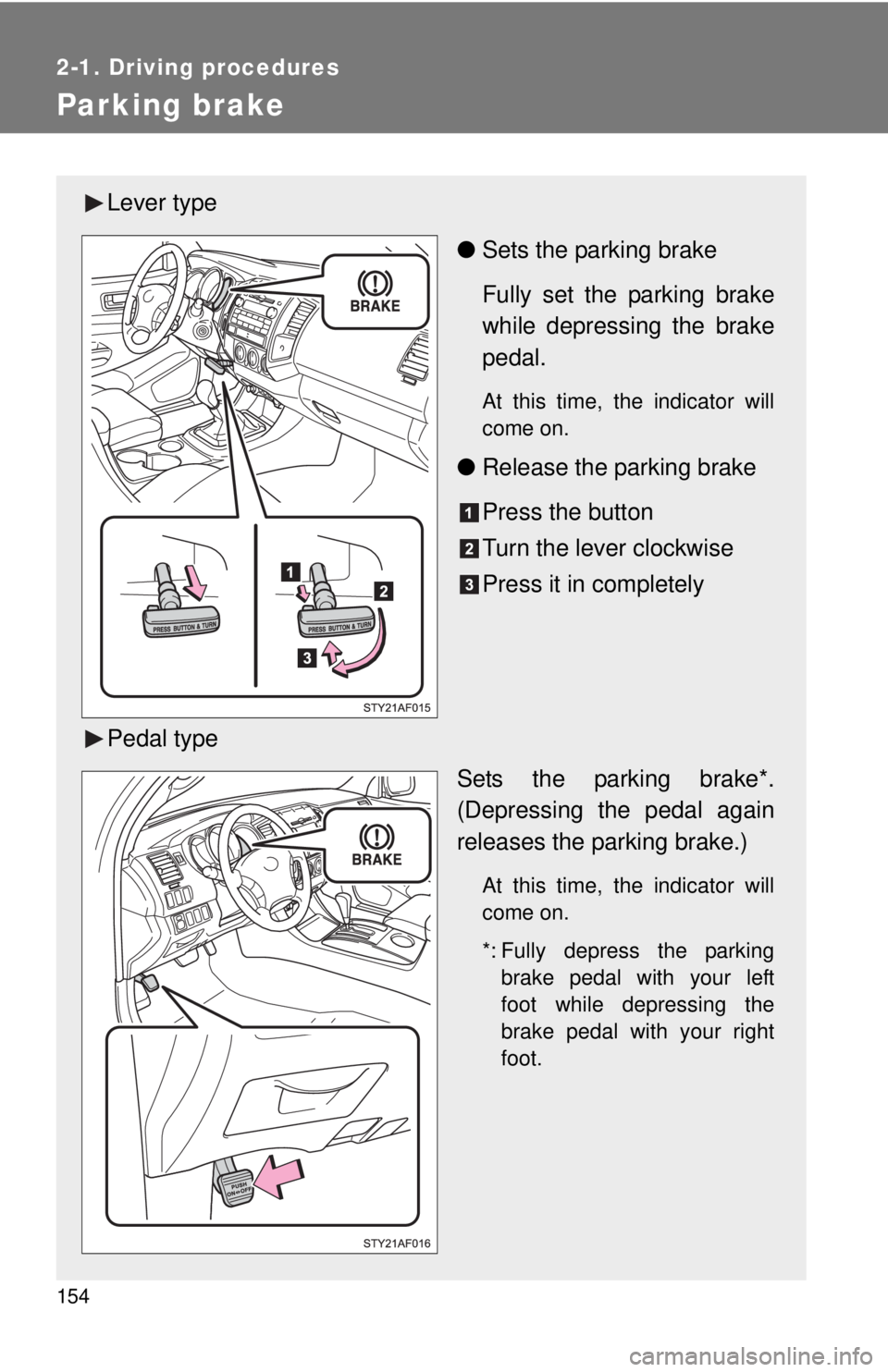
Lever type●Sets the parking brake
Fully set the parking brake
while depressing the brake
pedal.
At this time, the indicator will
come on.
●Release the parking brake
Press the button
Turn the lever clockwise
Press it in completely
Pedal type Sets the parking brake*.
(Depressing the pedal again
releases the parking brake.)
At this time, the indicator will
come on.
*: Fully depress the parkingbrake pedal with your left
foot while depressing the
brake pedal with your right
foot.
Page 178 of 548
178 2-4. Using other driving systems
Shifting between H4 and L4■ Shifting from H4 to L4
Automatic transmission
Stop the vehicle completely.
Shift the shift lever to N.
Push and turn the front-wheel drive control switch fully clock-
wise.
If the four-wheel drive indicator flashes and the buzzer
sounds, try the above steps again.
Manual transmission Stop the vehicle or reduce your speed to less than 2 mph (3
km/h).
Depress the clutch pedal all the way.
Push and turn the front-wheel drive control switch fully clock-
wise.
If the four-wheel drive indicator flashes and the buzzer
sounds, try the above steps again.
■ Shifting from L4 to H4
Automatic transmission
Stop the vehicle completely.
Shift the shift lever to N.
Turn the front-wheel drive control switch counterclockwise.
If the four-wheel drive indicator flashes and the buzzer
sounds, try the above steps again.
Manual transmission Stop the vehicle or reduce your speed to less than 2 mph (3
km/h).
Depress the clutch pedal all the way.
Turn the front-wheel drive co ntrol switch counterclockwise.
If the four-wheel drive indicator flashes and the buzzer
sounds, try the above steps again.
Page 179 of 548
179
2-4. Using other
driving systems
2
When driving
■Shifting between H2 and H4
●Shifting from H2 to H4
Reduce the vehicle speed to less than 62 mph (100 km/h) and turn the
front-wheel drive control switch fully clockwise.
● Shifting from H4 to H2
Turn the front-wheel drive control switch fully counterclockwise.
This can be done at any speed. You need not depress the clutch pedal.
(manual transmission)
■ If the four-wheel drive indicator li ght or the 4LO indicator light blinks
● Shifting from H2 to H4
• If the four-wheel drive indicator continues to blink, drive straight ahead
while accelerating or decelerating.
• If the four-wheel drive indicator continues to blink and the buzzer sounds, stop the vehicle or reduce the vehicle speed to less than 62
mph (100 km/h). Operate the switch again.
● Shifting from H4 to H2
If the four-wheel drive indicator continues to blink, drive straight ahead
while accelerating or decelerating, or drive forward or backward in a short
distance.
● Shifting to H4 or L4
Automatic transmission
If the 4LO indicator continues to blink when you operate the front-wheel
drive control switch to the H4 or L4 position, drive forward or backward in a
short distance, then stop the vehicle completely, shift the shift lever
securely to N and operate the switch again. Manual transmission
If the 4LO indicator continues to blink when you operate the front-wheel
drive control switch to the H4 or L4 position, drive forward or backward in a
short distance, then stop the vehicle completely, depress the clutch pedal
and operate the switch again.
If the indicator light continues to blink even if doing so, contact your Toyota
dealer as soon as possible. There may be a trouble in the four-wheel drive
system.
Page 235 of 548
Interior and exterior features3
235
3-1.Using the air conditioning
system a
nd defogger
Air conditioning system .... 236
3-2. Using the audio system Audio system types .......... 244
Using the radio ................. 247
Using the CD player ......... 253
Playing back MP3 andWMA discs ..................... 259
Optimal use of the audio system ........................... 267
Operating the sub woofer (on some Access Cab
models) .......................... 270
Using the AUX port .......... 271
Using the steering wheel audio switches ............... 273
3-3. Using the hands
-free phone
system (for cellula
r phone)
Hands-free phone system (for cellular phone) ......... 276
Using the hands-free phone system ................ 280
Making a phone call ......... 288
Setting a cellular phone ... 293
Security and system setup .............................. 298
Using the phone book ...... 301
3-4. Using the interior lights Interior lights list ............... 308
• Interior light ................... 309
• Personal lights ............... 309 3-5. Using the storage features
List of storage features .... 310
• Glove box....................... 311
• Console boxes ............... 311
• Cup holders ................... 312
• Bottle holders ................. 314
• Auxiliary boxes ............... 316
• Overhead console .......... 318
3-6. Other interior features Sun visors ........................ 319
Vanity mirrors ................... 320
Clock ................................ 321
Outside temperaturedisplay (vehicles with
accessory meter) ........... 322
Cigarette lighter................ 323
Power outlet (12V DC) ..... 324
Power outlet (115V AC) ... 325
Seatback table ................. 331
Floor mat .......................... 332
Luggage compartment features .......................... 334
Garage door opener box ................................. 343
Compass (vehicles with accessory meter) ........... 347
Page 237 of 548
237
3-1. Using the air conditioning system
and defogger
3
Interior and exterior features
Adjusting the settings
■ Adjusting the temperature setting (Type A)
Turn the temperature control dial clockwise to increase the temper-
ature.
■ Adjusting the temperature setting (Type B)
Turn the temperature control dial clockwise (warm) or counter-
clockwise (cool).
If is not pressed, the system will blow ambient temperature air or
heated air.
For quick cooling, turn the temperature control dial to the MAX A/C posi-
tion. The air conditioning will automatically turn on and the air intake
selector will be set to recirculated air mode.
■ Adjusting the fan speed
Turn the fan speed control dial clockwise (increase) or counter-
clockwise (decrease).
Set the dial to OFF to turn the fan off.
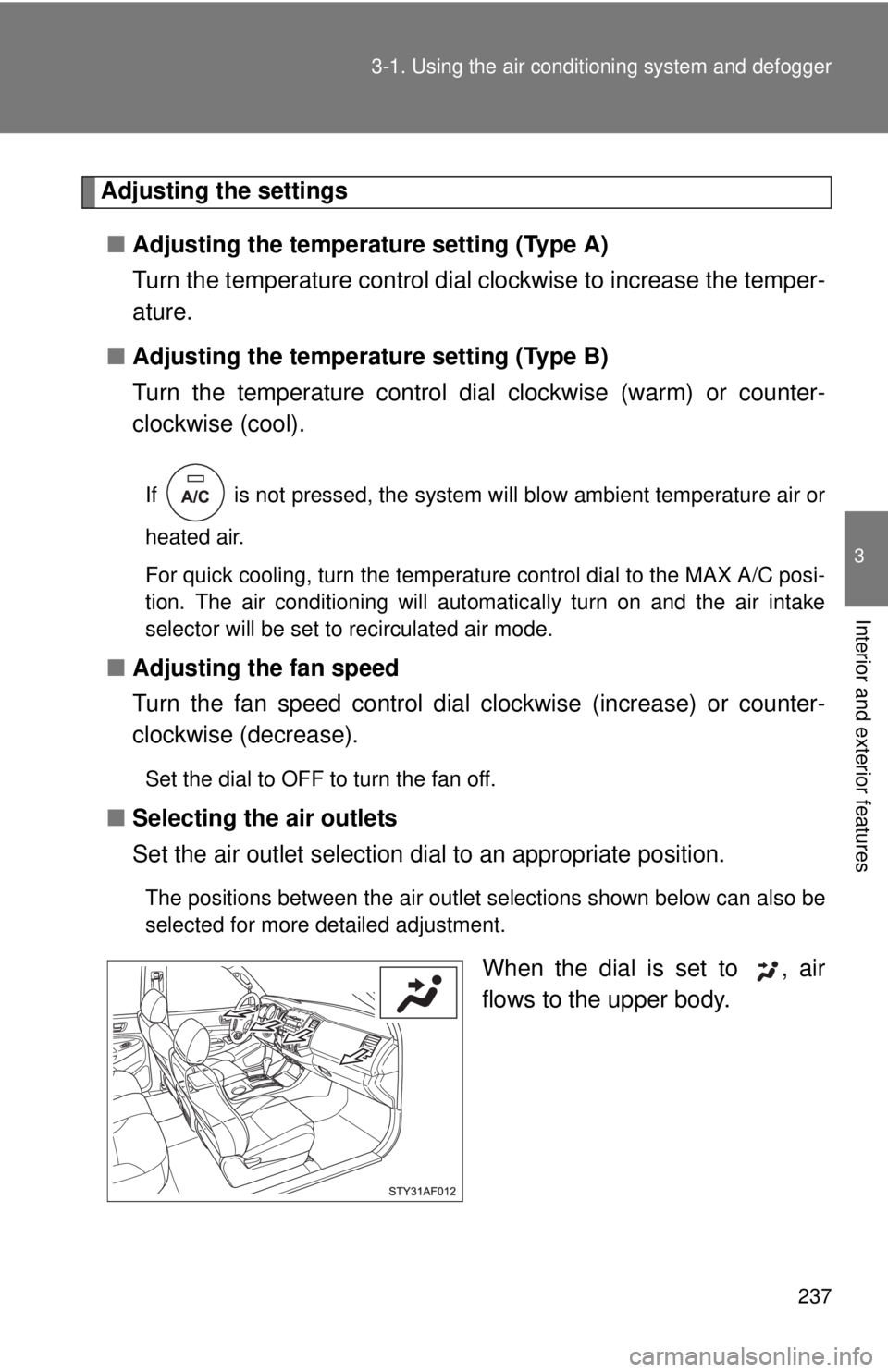
■ Selecting the air outlets
Set the air outlet selection di al to an appropriate position.
The positions between the air outlet selections shown below can also be
selected for more detailed adjustment.
When the dial is set to , air
flows to the upper body.
Page 300 of 548
300 3-3. Using the hands-free phone system (for cellular phone)
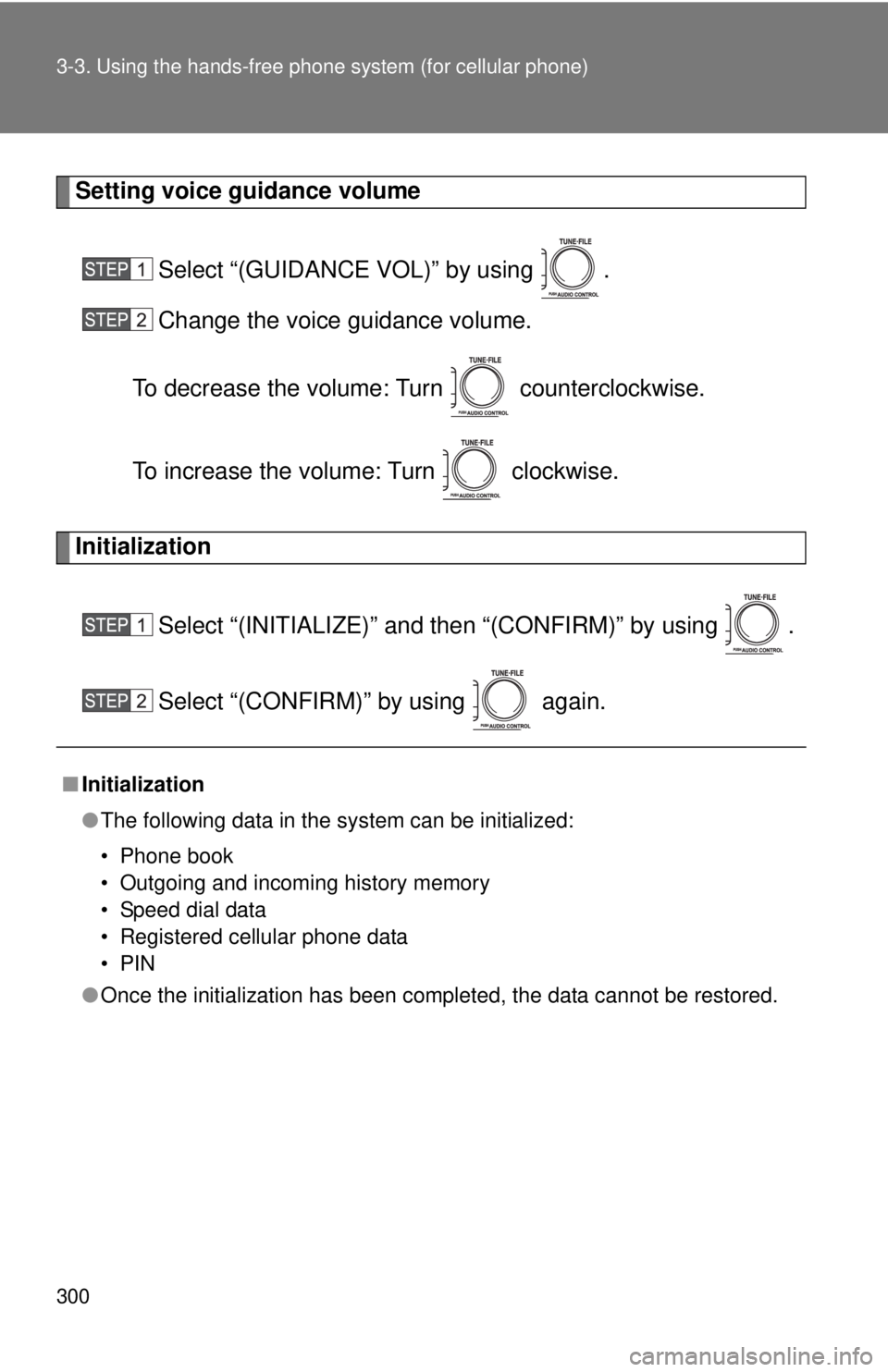
Setting voice guidance volume
Select “(GUIDANCE VOL)” by using .
Change the voice guidance volume.
To decrease the volume: Turn counterclockwise.
To increase the volume: Turn clockwise.
Initialization
Select “(INITIALIZE)” and then “(CONFIRM)” by using .
Select “(CONFIRM)” by using again.
■Initialization
●The following data in the system can be initialized:
• Phone book
• Outgoing and incoming history memory
• Speed dial data
• Registered cellular phone data
•PIN
● Once the initialization has been completed, the data cannot be restored.
Page 316 of 548
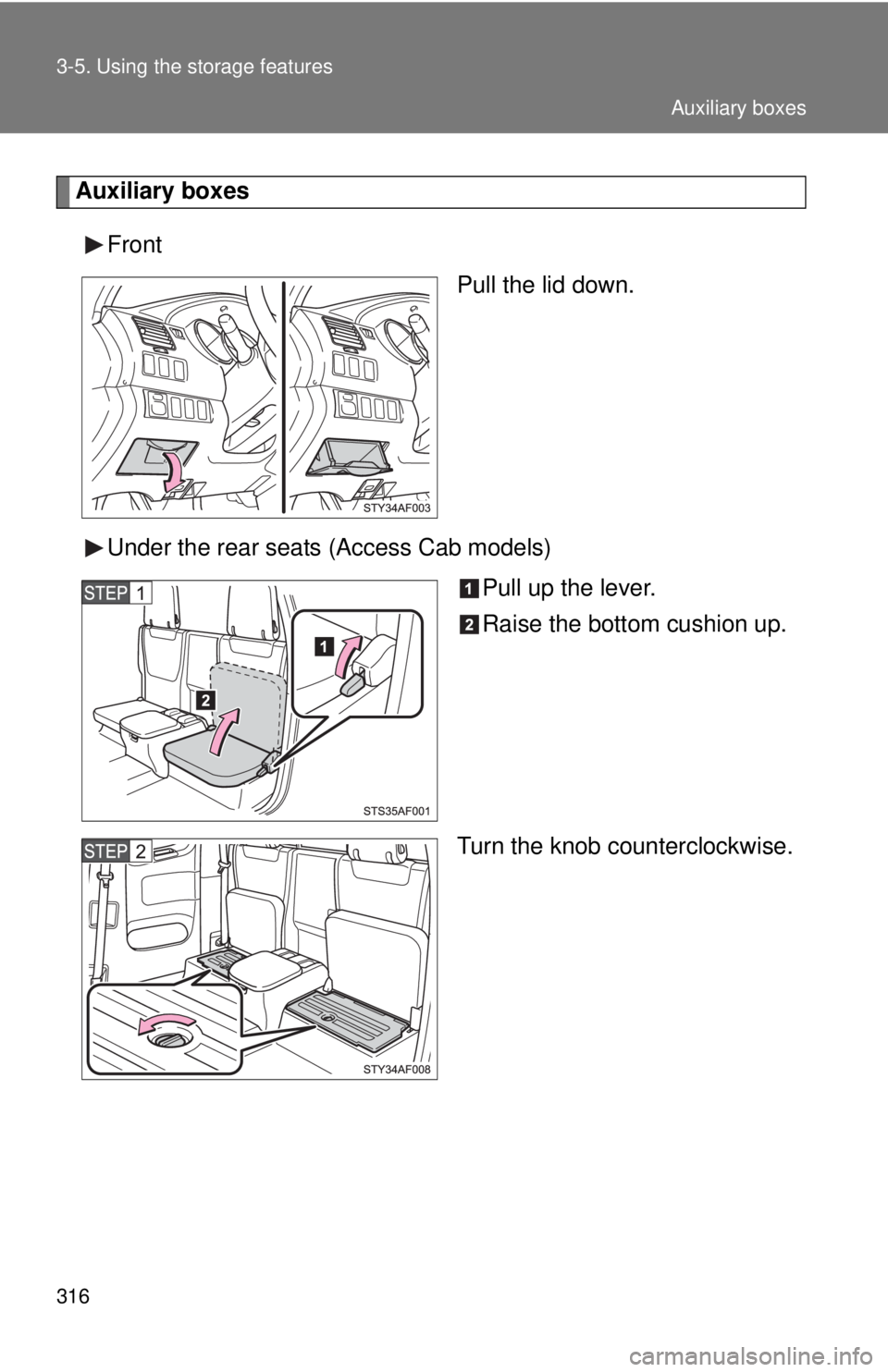
316 3-5. Using the storage features
Auxiliary boxesFront Pull the lid down.
Under the rear seats (Access Cab models) Pull up the lever.
Raise the bottom cushion up.
Turn the knob counterclockwise.
Auxiliary boxes