air conditioning TOYOTA TACOMA 2014 Owners Manual (in English)
[x] Cancel search | Manufacturer: TOYOTA, Model Year: 2014, Model line: TACOMA, Model: TOYOTA TACOMA 2014Pages: 601, PDF Size: 11.67 MB
Page 1 of 601
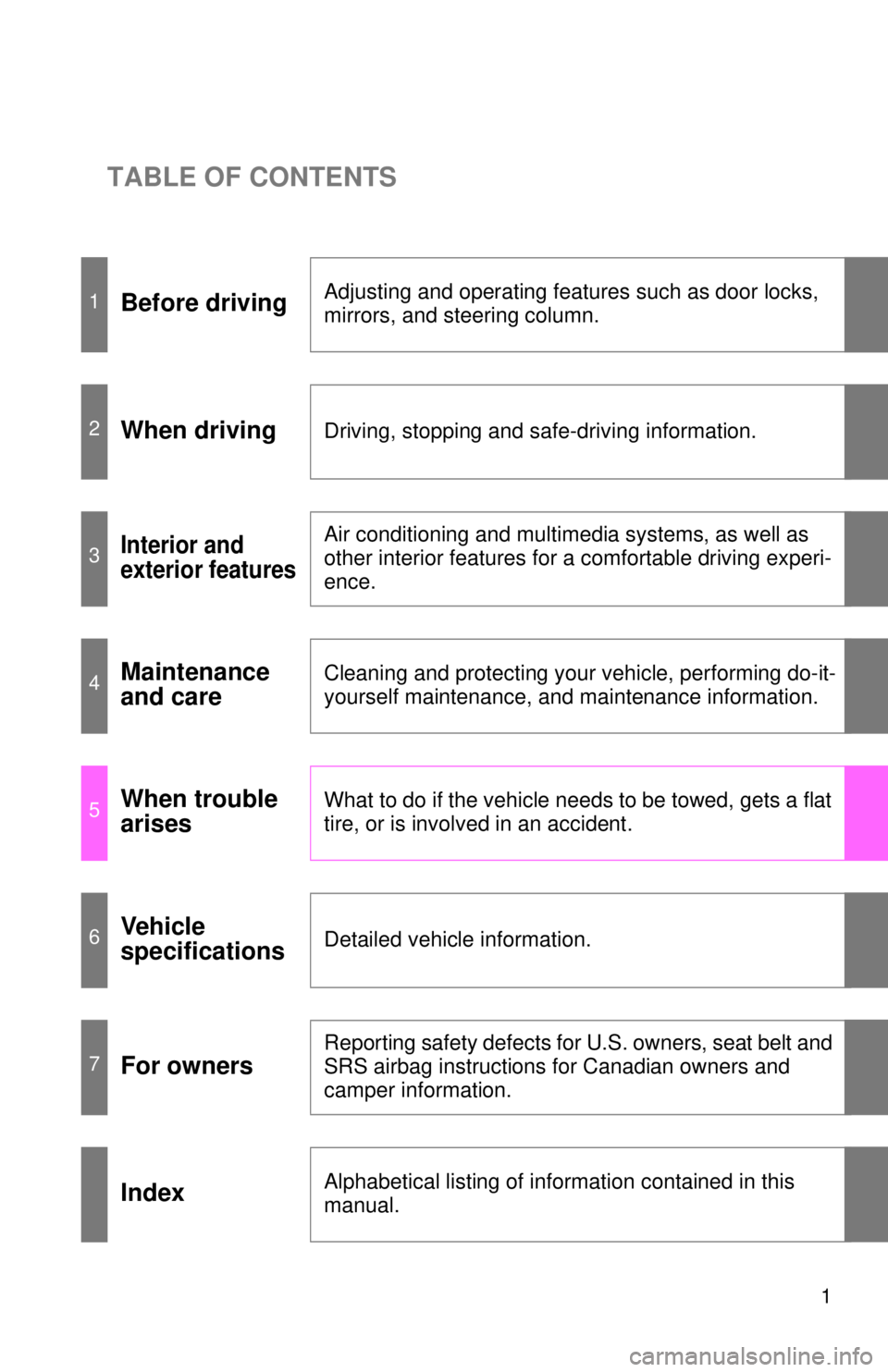
TABLE OF CONTENTS
1
1Before drivingAdjusting and operating features such as door locks,
mirrors, and steering column.
2When drivingDriving, stopping and safe-driving information.
3Interior and
exterior featuresAir conditioning and multimedia systems, as well as
other interior features for a comfortable driving experi-
ence.
4Maintenance
and careCleaning and protecting your vehicle, performing do-it-
yourself maintenance, and maintenance information.
5When trouble
arisesWhat to do if the vehicle needs to be towed, gets a flat
tire, or is involved in an accident.
6Vehicle
specificationsDetailed vehicle information.
7For owners
Reporting safety defects for U.S. owners, seat belt and
SRS airbag instructions for Canadian owners and
camper information.
IndexAlphabetical listing of information contained in this
manual.
Page 3 of 601

1
2
3
4
5
6
7
3
2-3. Operating the lights and wipers
Headlight switch .................. 162
Fog light switch ................... 165
Windshield wipers and washer .............................. 166
2-4. Using other driving systems Cruise control ...................... 172
Rear view monitor system... 176
Four-wheel drive system ..... 187
Active traction control system .............................. 191
AUTO LSD system.............. 193
Rear differential lock system .............................. 195
Downhill Assist Control system .............................. 198
Clutch start cancel switch ... 200
Driving assist systems ........ 201
2-5. Driving information Off-road precautions (4WD models and PreRunner).... 207
Cargo and luggage ............. 212
Vehicle load limits ............... 217
Winter driving tips ............... 219
Trailer towing ...................... 223
Dinghy towing ..................... 244 3-1. Using the air conditioning
system and defogger
Air conditioning system ...... 246
3-2. Using the multimedia system Multimedia system types .... 253
Entune Audio ...................... 255
USB port/AUX port ............. 259
Setup menu ........................ 260
Basic audio operations ....... 265
Using the radio ................... 270
Playing an audio CD and MP3/WMA/AAC discs ...... 272
Listening to an iPod ............ 279
Listening to a USB memory device ................. 285
Using the AUX port............. 290
Connecting Bluetooth
®....... 291
Listening to Bluetooth®
audio ................................ 313
Using a Bluetooth
®
phone ............................... 314
Operating the sub woofer (on some Access Cab
models) ............................ 343
Detachable pole antenna ... 344
3Interior and exterior
features
Page 4 of 601

TABLE OF CONTENTSIndex
4
3-3. Using the interior lightsInterior lights list ................. 347
• Interior light ...................... 348
• Personal lights ................. 348
3-4. Using the storage features List of storage features....... 349
• Glove box ......................... 350
• Front console box ............ 350
• Cup holders ...................... 351
• Bottle holders ................... 353
• Auxiliary boxes ................. 354
• Overhead console ............ 356
3-5. Other interior features Sun visors .......................... 357
Vanity mirrors ..................... 358
Clock .................................. 359
Power outlets (12 VDC) ..... 360
Power outlet (120 VAC) ..... 361
Seat heaters ....................... 367
Seatback table ................... 369
Floor mat ............................ 370
Luggage compartment features ............................ 372
Garage door opener ........... 381
Compass (vehicles with auto anti-glare inside
rear view mirror) ............... 389 4-1. Maintenance and care
Cleaning and protecting the vehicle exterior ........... 396
Cleaning and protecting the vehicle interior ............ 399
4-2. Maintenance Maintenance requirements .................... 402
General maintenance ......... 404
Emission inspection and maintenance (I/M)
programs .......................... 407
4-3. Do-it-yourself maintenance Do-it-yourself service precautions ....................... 408
Hood ................................... 412
Engine compartment .......... 414
Tires.................................... 430
Tire inflation pressure ......... 439
Wheels................................ 444
Air conditioning filter ........... 447
Wireless remote control battery .............................. 450
Checking and replacing fuses ................................. 452
Light bulbs .......................... 462
4Maintenance and care
Page 20 of 601
20
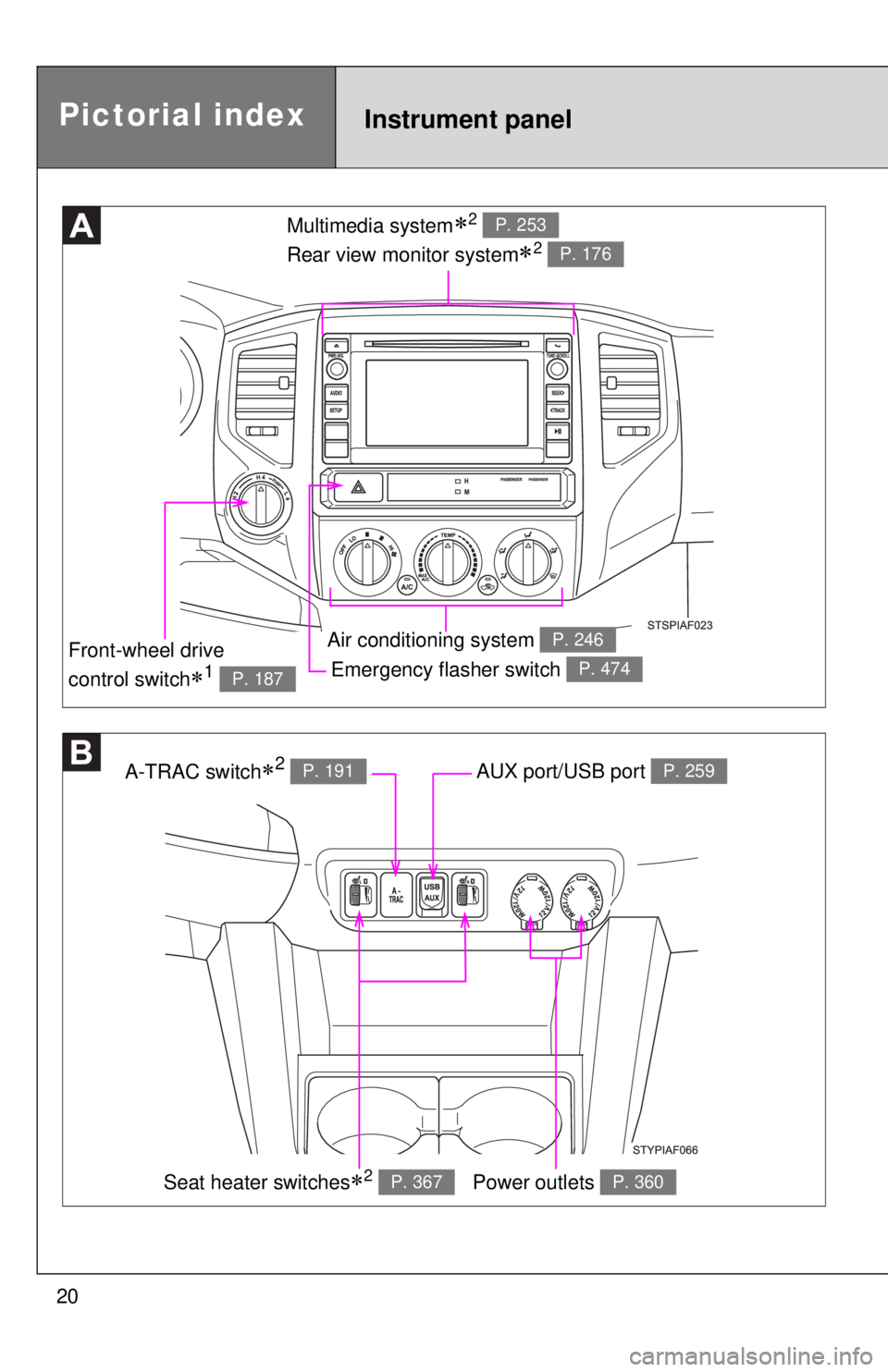
Emergency flasher switch P. 474
Multimedia system2
Rear view monitor system
2
P. 253
P. 176
Air conditioning system P. 246
A-TRAC switch2 P. 191AUX port/USB port P. 259
Power outlets P. 360
Front-wheel drive
control switch
1 P. 187
Pictorial indexInstrument panel
Seat heater switches2 P. 367
Page 245 of 601
Interior and exteriorfeatures3
245
3-1. Using the air conditioning
system and defogger
Air conditioning system .... 246
3-2. Using the multimedia system Multimedia system types .............................. 253
Entune Audio ................... 255
USB port/AUX port ........... 259
Setup menu...................... 260
Basic audio operations..... 265
Using the radio ................. 270
Playing an audio CD and MP3/WMA/AAC discs .... 272
Listening to an iPod ......... 279
Listening to a USB memory device .............. 285
Using the AUX port .......... 290
Connecting Bluetooth
®.... 291
Listening to Bluetooth®
audio .............................. 313
Using a Bluetooth
®
phone ............................. 314
Operating the sub woofer (on some Access Cab
models) .......................... 343
Detachable pole antenna .......................... 344 3-3. Using the interior lights
Interior lights list ............... 347
• Interior light .................... 348
• Personal lights ............... 348
3-4. Using the storage features List of storage features .... 349
• Glove box....................... 350
• Front console box .......... 350
• Cup holders ................... 351
• Bottle holders ................. 353
• Auxiliary boxes ............... 354
• Overhead console .......... 356
3-5. Other interior features Sun visors ........................ 357
Vanity mirrors ................... 358
Clock ................................ 359
Power outlets (12 VDC) ... 360
Power outlet (120 VAC) ... 361
Seat heaters..................... 367
Seatback table ................. 369
Floor mat .......................... 370
Luggage compartment features .......................... 372
Garage door opener......... 381
Compass (vehicles with auto anti-glare inside
rear view mirror) ............. 389
Page 246 of 601
246
3-1. Using the air conditioning system and defogger
Air conditioning system
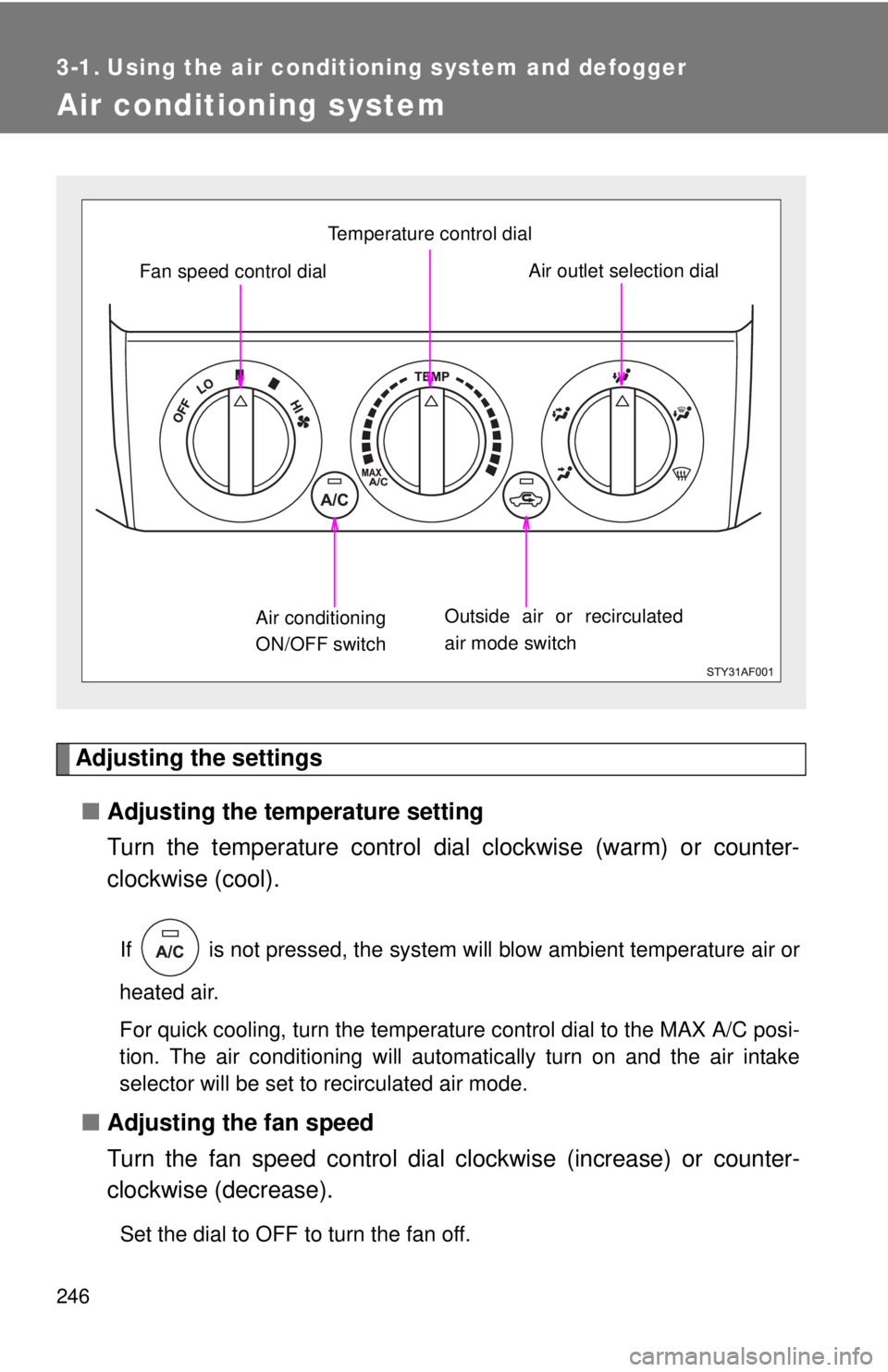
Adjusting the settings■ Adjusting the temperature setting
Turn the temperature control dial clockwise (warm) or counter-
clockwise (cool).
If is not pressed, the system will blow ambient temperature air or
heated air.
For quick cooling, turn the temperature control dial to the MAX A/C posi-
tion. The air conditioning will automatically turn on and the air intake
selector will be set to recirculated air mode.
■ Adjusting the fan speed
Turn the fan speed control dial clockwise (increase) or counter-
clockwise (decrease).
Set the dial to OFF to turn the fan off.
Outside air or recirculated
air mode switch Air outlet selection dialAir conditioning
ON/OFF switch Temperature control dial
Fan speed control dial
Page 247 of 601
247
3-1. Using the air conditioning system
and defogger
3
Interior and exterior features
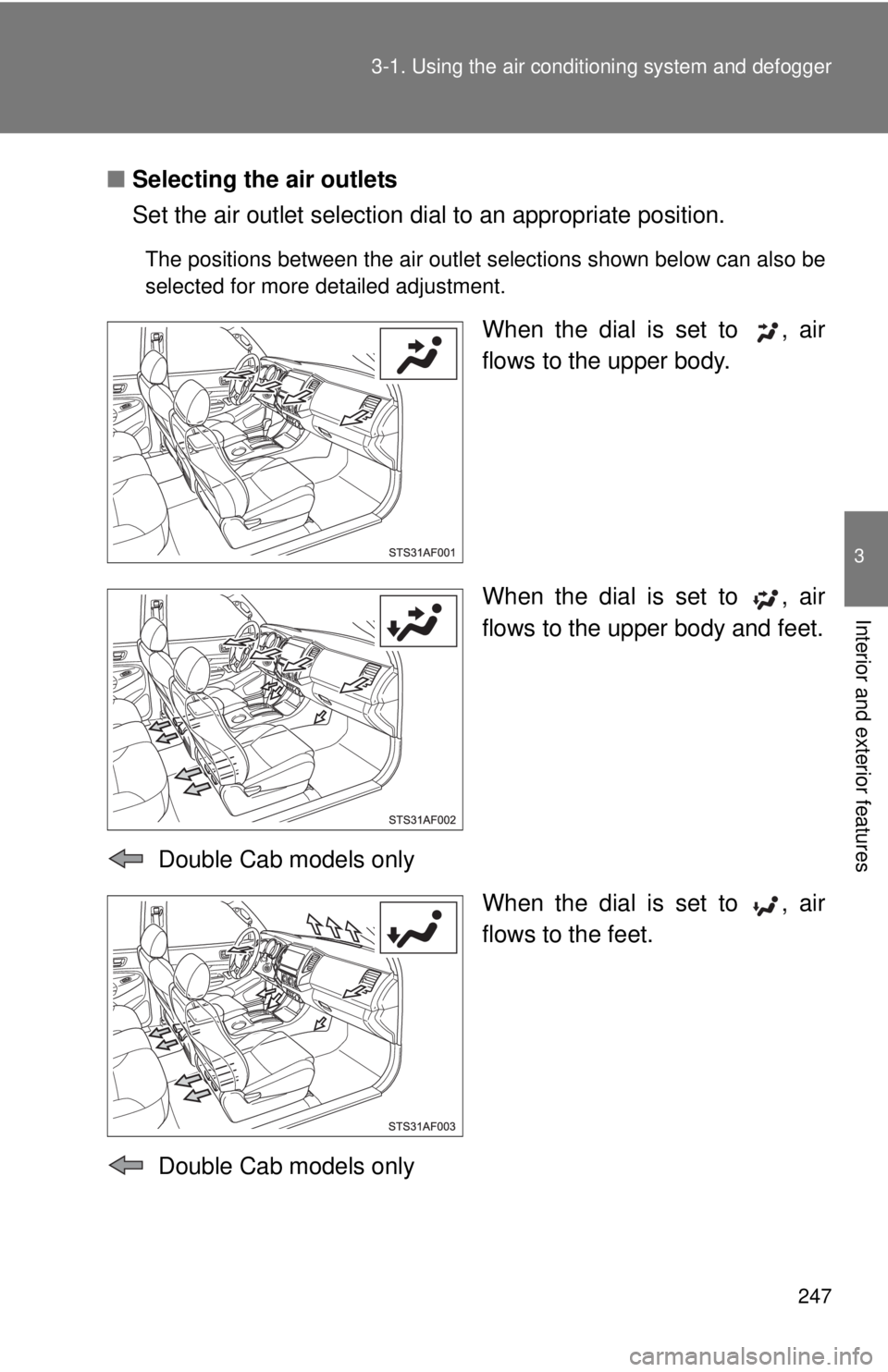
■Selecting the air outlets
Set the air outlet selection di al to an appropriate position.
The positions between the air outlet selections shown below can also be
selected for more detailed adjustment.
When the dial is set to , air
flows to the upper body.
When the dial is set to , air
flows to the upper body and feet.
Double Cab models only When the dial is set to , air
flows to the feet.
Double Cab models only
Page 248 of 601
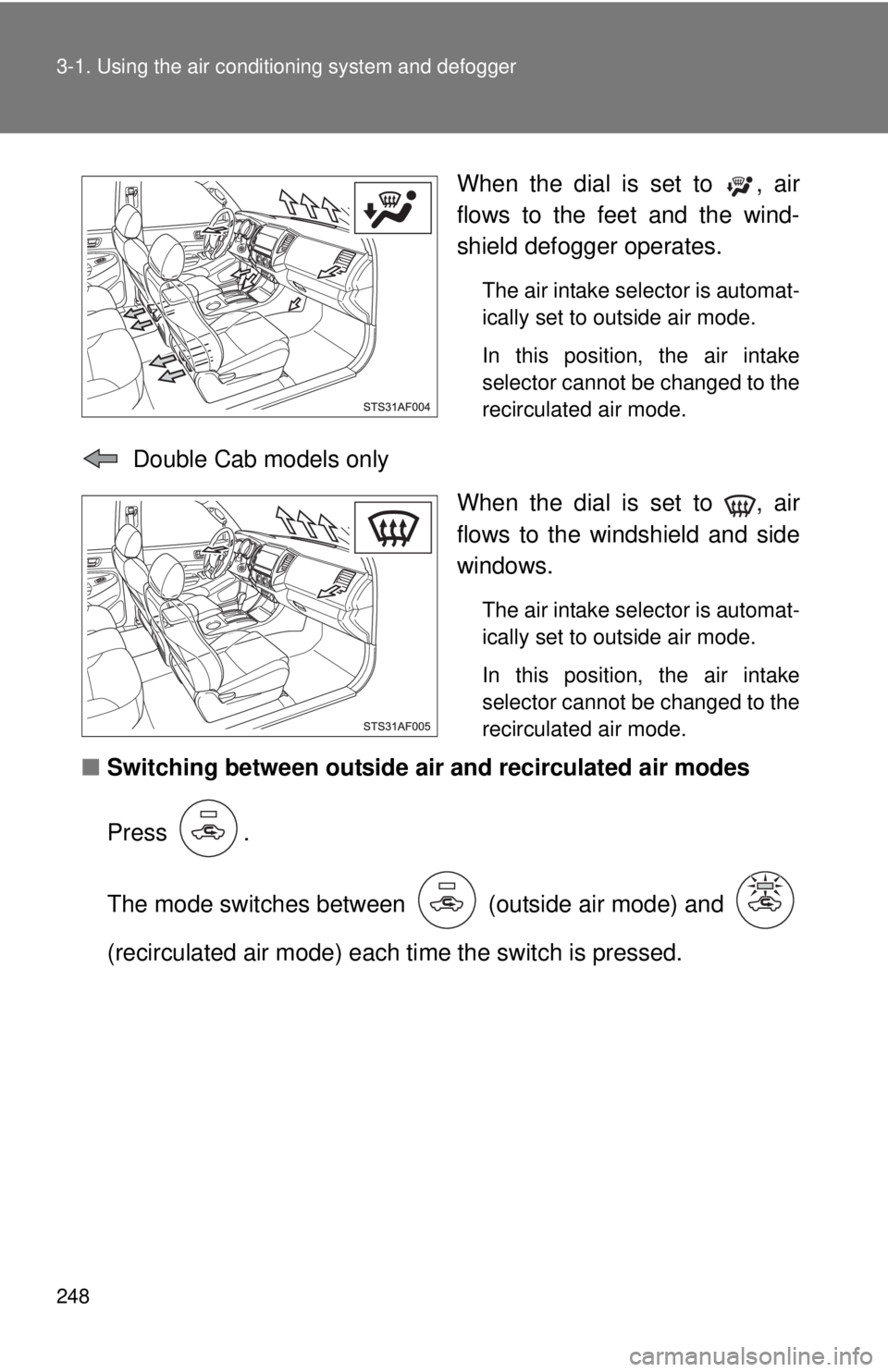
248 3-1. Using the air conditioning system and defogger
When the dial is set to , air
flows to the feet and the wind-
shield defogger operates.
The air intake selector is automat-
ically set to outside air mode.
In this position, the air intake
selector cannot be changed to the
recirculated air mode.
Double Cab models only
When the dial is set to , air
flows to the windshield and side
windows.
The air intake selector is automat-
ically set to outside air mode.
In this position, the air intake
selector cannot be changed to the
recirculated air mode.
■Switching between outside air and recirculated air modes
Press .
The mode switches between (outside air mode) and
(recirculated air mode) each ti me the switch is pressed.
Page 249 of 601
249
3-1. Using the air conditioning system
and defogger
3
Interior and exterior features
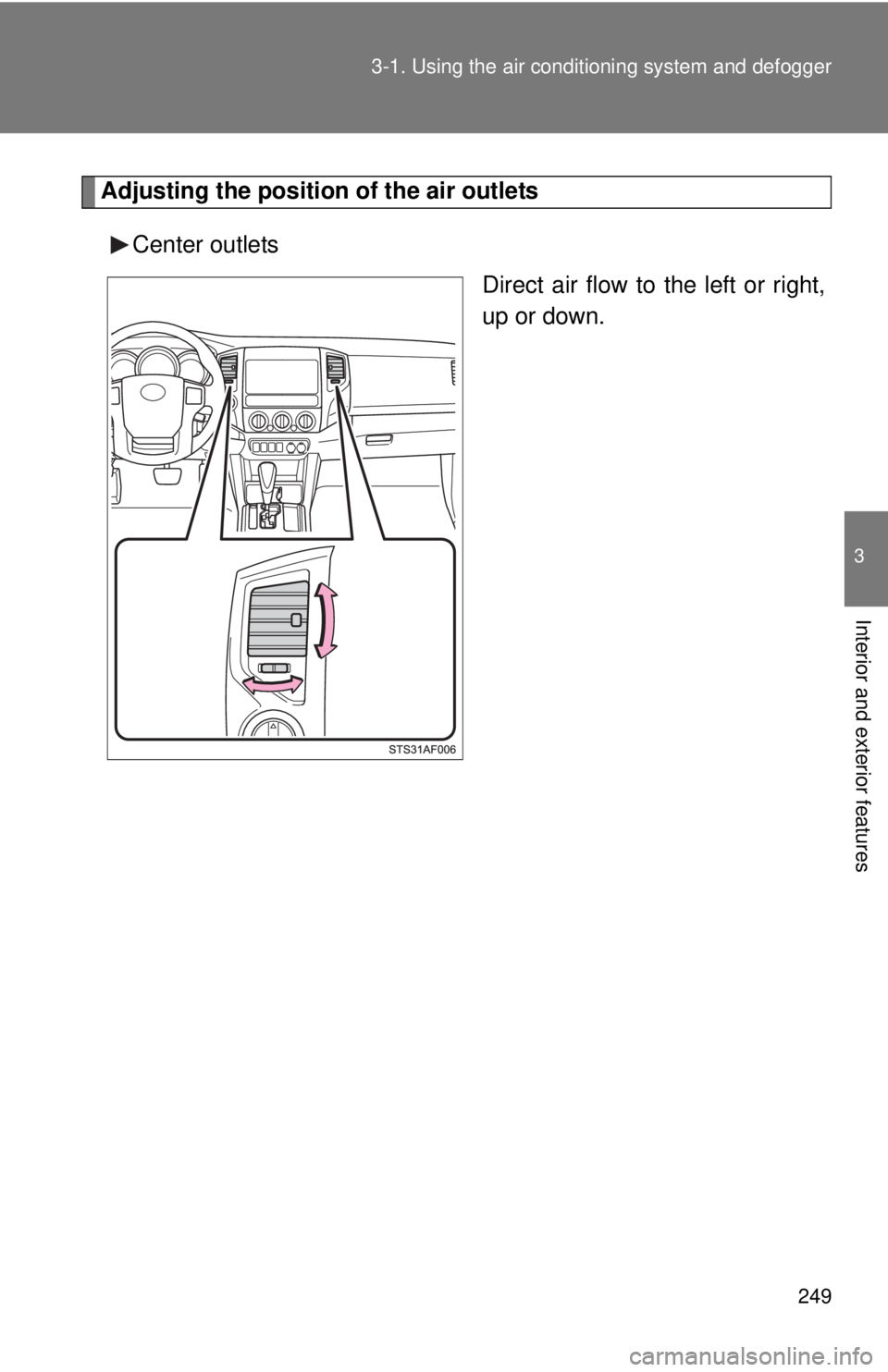
Adjusting the position of the air outlets
Center outlets Direct air flow to the left or right,
up or down.
Page 250 of 601
250 3-1. Using the air conditioning system and defogger
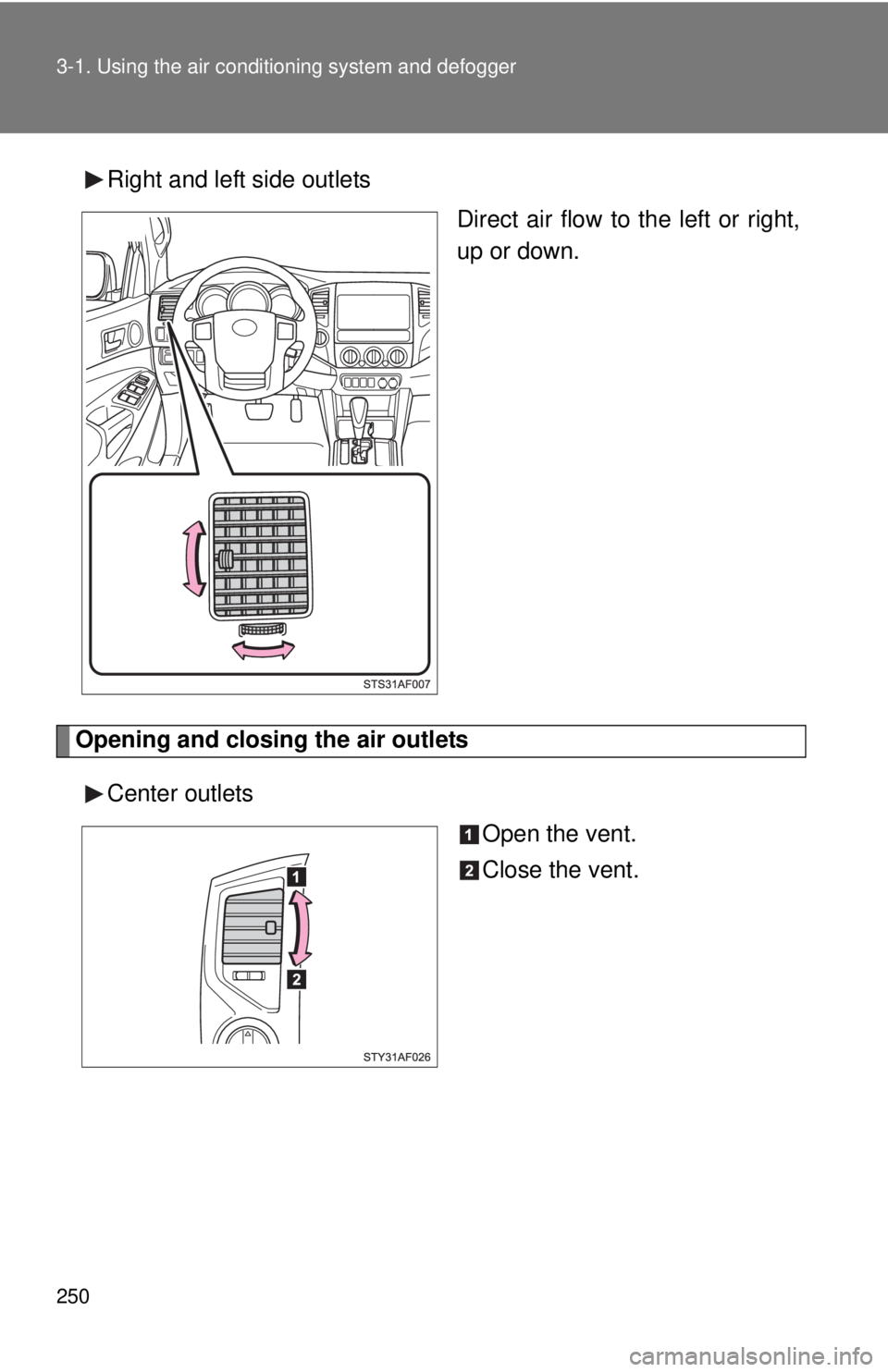
Right and left side outlets
Direct air flow to the left or right,
up or down.
Opening and closing the air outlets
Center outlets Open the vent.
Close the vent.