light TOYOTA TACOMA 2015 Accessories, Audio & Navigation (in English)
[x] Cancel search | Manufacturer: TOYOTA, Model Year: 2015, Model line: TACOMA, Model: TOYOTA TACOMA 2015Pages: 282, PDF Size: 7.61 MB
Page 33 of 282
33
1. BASIC INFORMATION BEFORE OPERATION
BASIC FUNCTION
2
3. TOUCH SCREEN OPERATION
This system is operated mainly by the
buttons on the screen. (Referred to as
screen buttons in this manual.)
When a screen button is touched, a
beep sounds. (To set the beep sound,
see page 57.)
NOTICE
● To prevent damaging the screen, lightly
touch the screen buttons with your fin-
ger.
● Do not use objects other than your finger
to touch the screen.
● Wipe off fingerprints using a glass clean-
ing cloth. Do not use chemical cleaners
to clean the screen, as they may dam-
age the touch screen.
INFORMATION
●If the system does not respond to touch-
ing a screen button, move your finger
away from the screen and then touch it
again.
● Dimmed screen buttons cannot be oper-
ated.
● The displayed image may become
darker and moving images may be
slightly distorted when the screen is
cold.
● In extremely cold conditions, the screen
may not be displayed and the data input
by a user may be deleted. Also, the
screen buttons may be harder than
usual to depress.
● When you look at the screen through
polarized material such as polarized
sunglasses, the screen may be dark and
hard to see. If so, look at the screen
from different angles, adjust the screen
settings on the “Display Settings” screen
or take off your sunglasses.
Page 40 of 282
40
1. BASIC INFORMATION BEFORE OPERATION
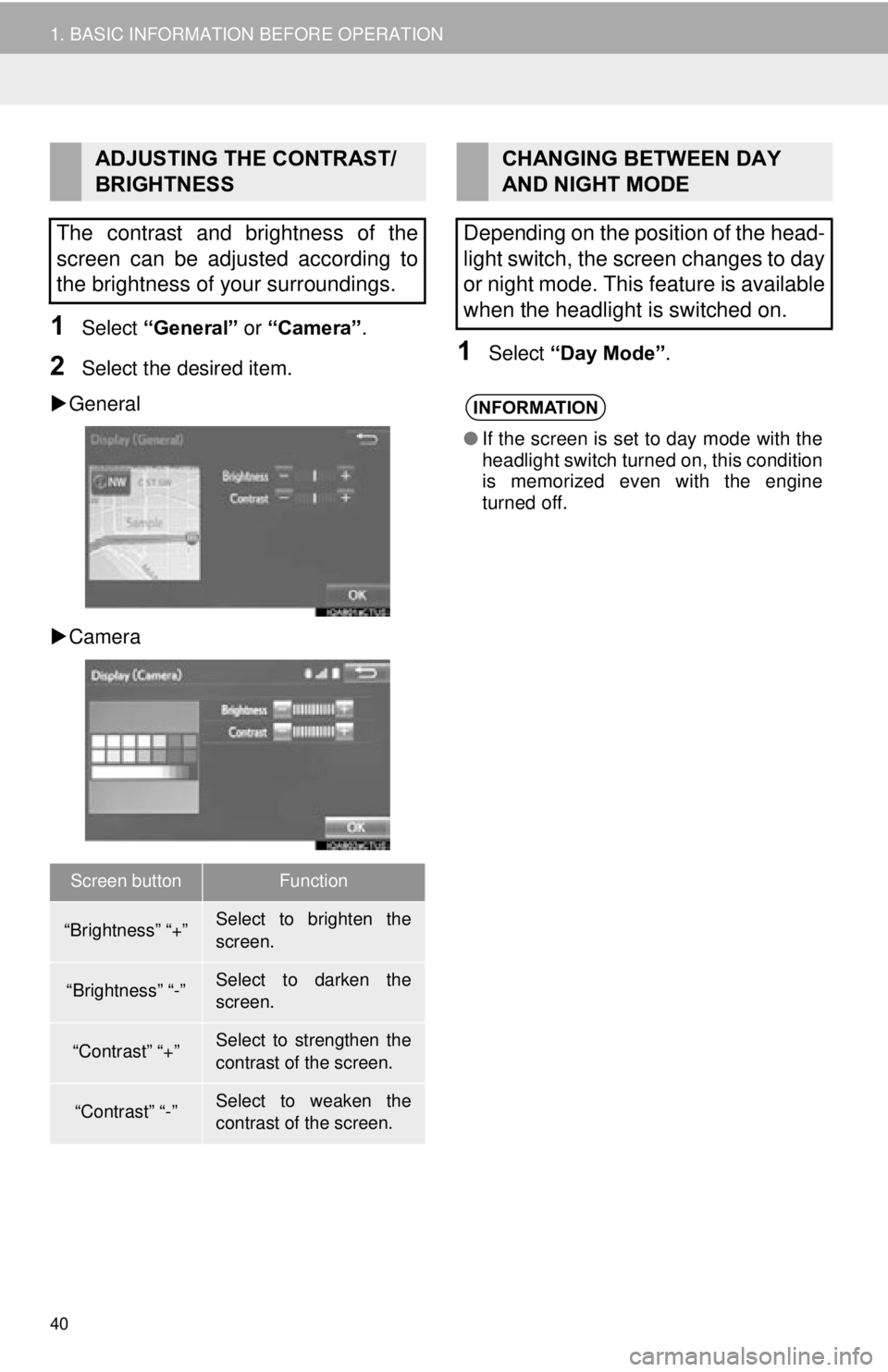
1Select “General” or “Camera” .
2Select the desired item.
General
Camera1Select “Day Mode” .
ADJUSTING THE CONTRAST/
BRIGHTNESS
The contrast and brightness of the
screen can be adjusted according to
the brightness of your surroundings.
Screen buttonFunction
“Brightness” “+”Select to brighten the
screen.
“Brightness” “-”Select to darken the
screen.
“Contrast” “+”Select to strengthen the
contrast of the screen.
“Contrast” “-”Select to weaken the
contrast of the screen.
CHANGING BETWEEN DAY
AND NIGHT MODE
Depending on the position of the head-
light switch, the screen changes to day
or night mode. This feature is available
when the headlight is switched on.
INFORMATION
● If the screen is set to day mode with the
headlight switch turned on, this condition
is memorized even with the engine
turned off.
Page 59 of 282
59
3. OTHER SETTINGS
BASIC FUNCTION
2
1Display the “General Settings” screen.
(P.57)
2Select “Clock”.
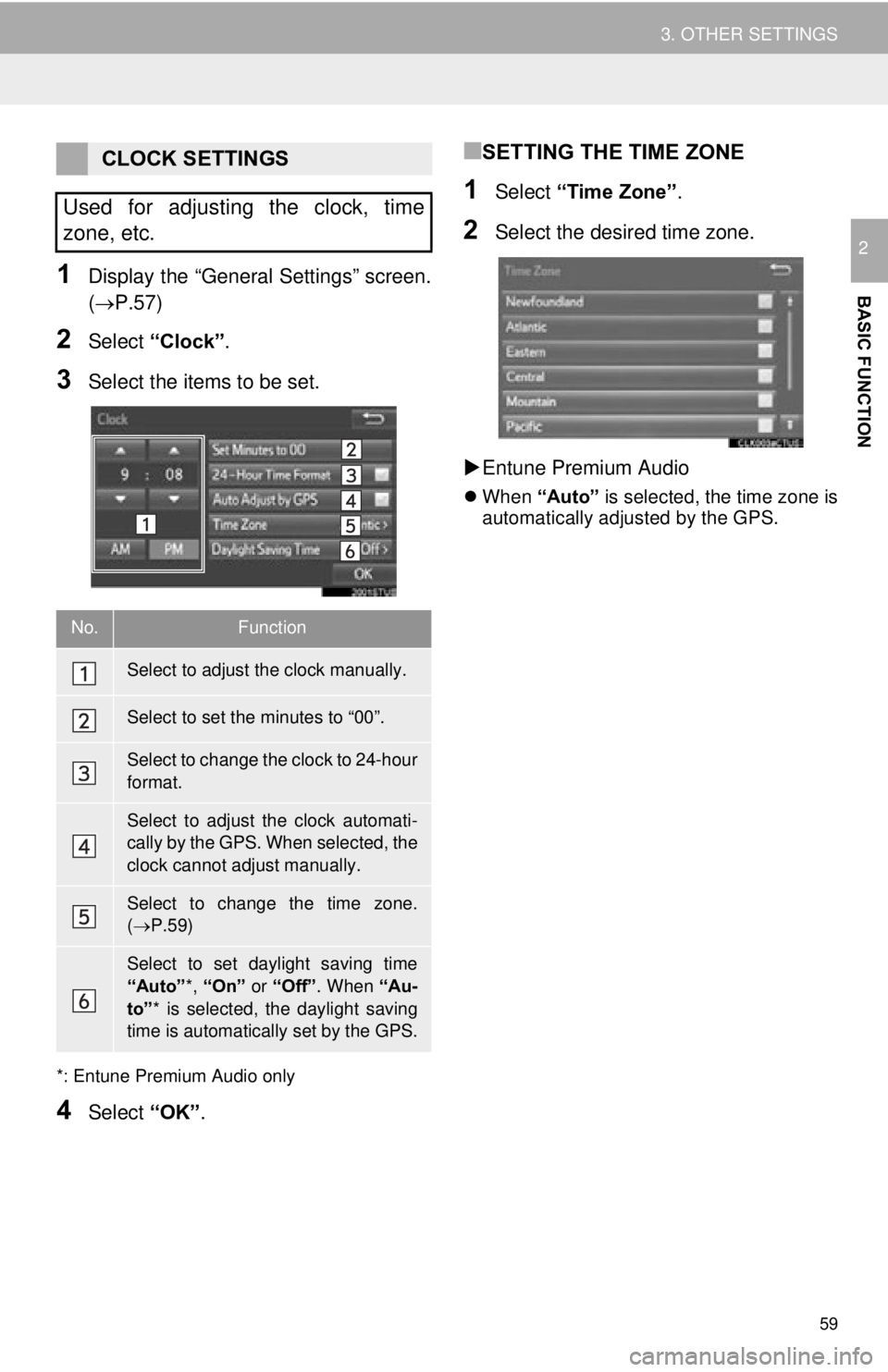
3Select the items to be set.
*: Entune Premium Audio only
4Select “OK”.
■SETTING THE TIME ZONE
1Select “Time Zone” .
2Select the desired time zone.
Entune Premium Audio
When “Auto” is selected, the time zone is
automatically adjusted by the GPS.
CLOCK SETTINGS
Used for adjusting the clock, time
zone, etc.
No.Function
Select to adjust the clock manually.
Select to set the minutes to “00”.
Select to change the clock to 24-hour
format.
Select to adjust the clock automati-
cally by the GPS. When selected, the
clock cannot adjust manually.
Select to change the time zone.
( P.59)
Select to set daylight saving time
“Auto” *, “On” or “Off” . When “Au-
to” * is selected, the daylight saving
time is automatically set by the GPS.
Page 80 of 282
80
2. RADIO OPERATION
■REFRESHING THE STATION LIST
1Select “Refresh” on the “Station List”
screen and the following screen will be
displayed.
“Cancel Refresh” : Select to cancel the
refresh.
“Source” : Select to change to another au-
dio source while refreshing.
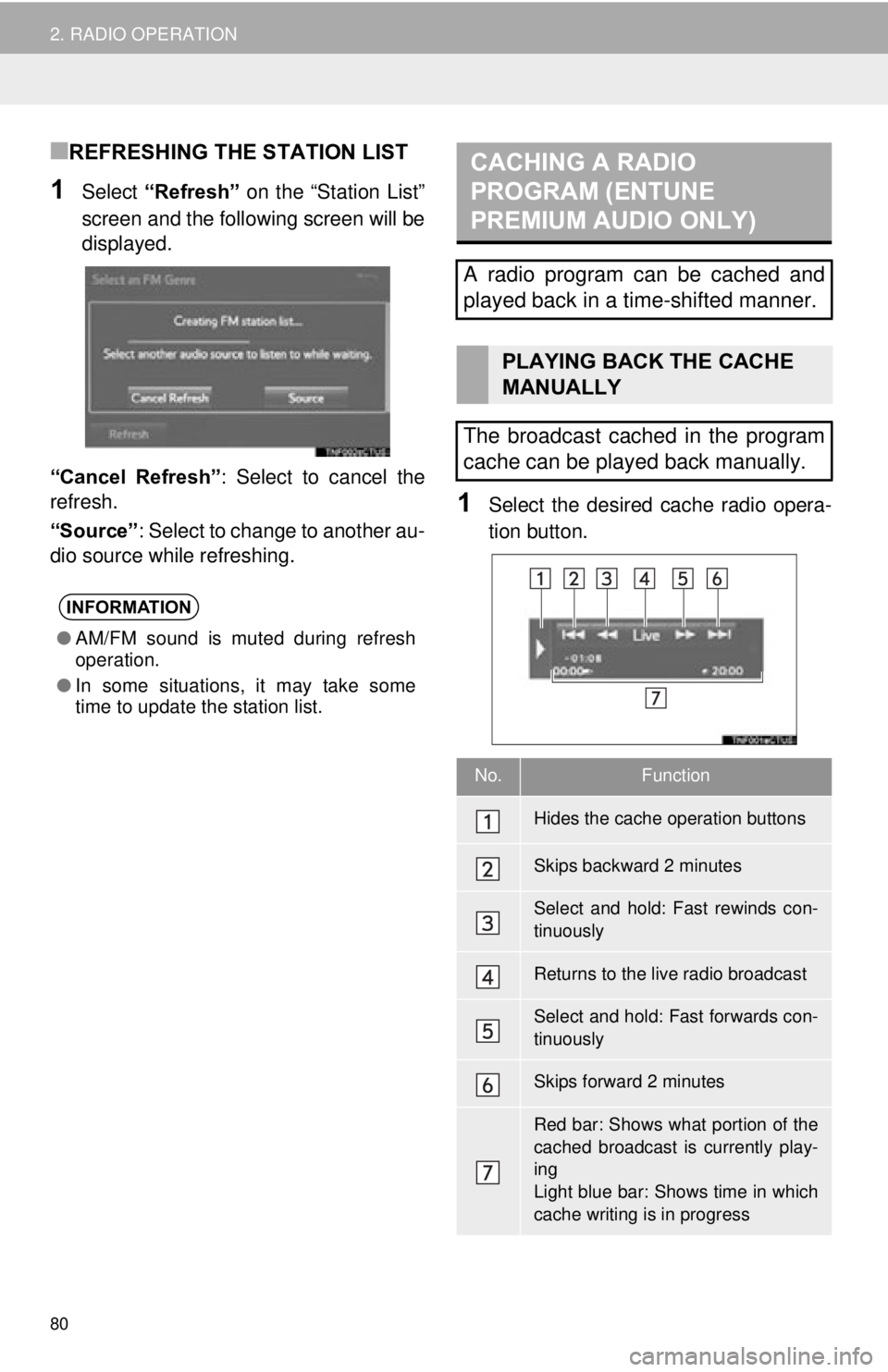
1Select the desired cache radio opera-
tion button.
INFORMATION
● AM/FM sound is muted during refresh
operation.
● In some situations, it may take some
time to update the station list.
CACHING A RADIO
PROGRAM (ENTUNE
PREMIUM AUDIO ONLY)
A radio program can be cached and
played back in a time-shifted manner.
PLAYING BACK THE CACHE
MANUALLY
The broadcast cached in the program
cache can be played back manually.
No.Function
Hides the cache operation buttons
Skips backward 2 minutes
Select and hold: Fast rewinds con-
tinuously
Returns to the live radio broadcast
Select and hold: Fast forwards con-
tinuously
Skips forward 2 minutes
Red bar: Shows what portion of the
cached broadcast is currently play-
ing
Light blue bar: Shows time in which
cache writing is in progress
Page 113 of 282
113
AUDIO SYSTEM
3
6. TIPS FOR OPERATING THE AUDIO SYSTEM
1. OPERATING INFORMATION
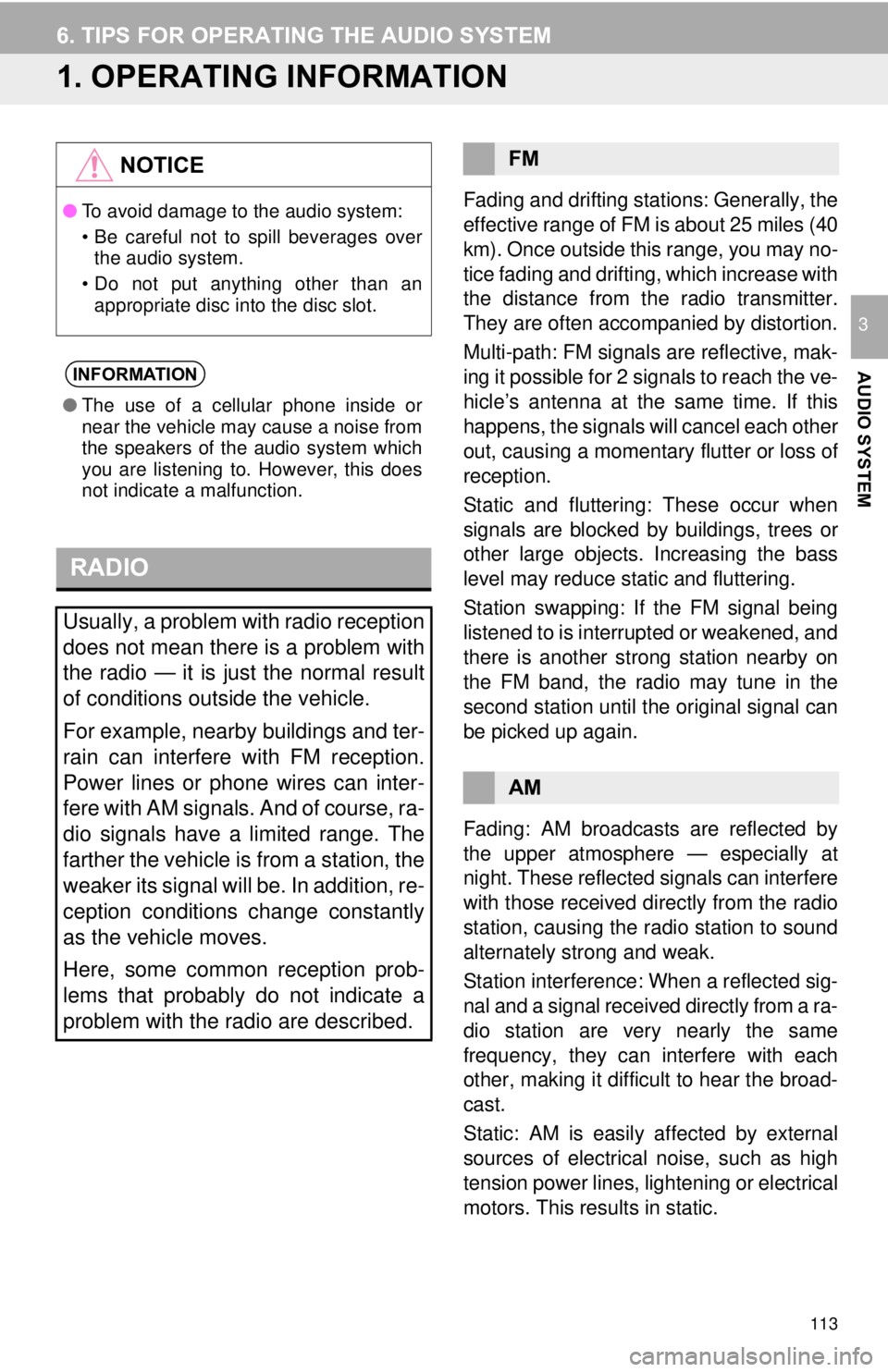
Fading and drifting stations: Generally, the
effective range of FM is about 25 miles (40
km). Once outside this range, you may no-
tice fading and drifting, which increase with
the distance from the radio transmitter.
They are often accompanied by distortion.
Multi-path: FM signals are reflective, mak-
ing it possible for 2 signals to reach the ve-
hicle’s antenna at the same time. If this
happens, the signals will cancel each other
out, causing a momentary flutter or loss of
reception.
Static and fluttering: These occur when
signals are blocked by buildings, trees or
other large objects. Increasing the bass
level may reduce static and fluttering.
Station swapping: If the FM signal being
listened to is interrupted or weakened, and
there is another st rong station nearby on
the FM band, the radio may tune in the
second station until the original signal can
be picked up again.
Fading: AM broadcasts are reflected by
the upper atmosphere — especially at
night. These reflected signals can interfere
with those received directly from the radio
station, causing the radio station to sound
alternately strong and weak.
Station interference: When a reflected sig-
nal and a signal received directly from a ra-
dio station are very nearly the same
frequency, they can interfere with each
other, making it difficult to hear the broad-
cast.
Static: AM is easily affected by external
sources of electrical noise, such as high
tension power lines, lightening or electrical
motors. This results in static.
NOTICE
● To avoid damage to the audio system:
• Be careful not to spill beverages over
the audio system.
• Do not put anything other than an appropriate disc into the disc slot.
INFORMATION
● The use of a cellular phone inside or
near the vehicle may cause a noise from
the speakers of the audio system which
you are listening to. However, this does
not indicate a malfunction.
RADIO
Usually, a problem with radio reception
does not mean there is a problem with
the radio — it is just the normal result
of conditions outside the vehicle.
For example, nearby buildings and ter-
rain can interfere with FM reception.
Power lines or phone wires can inter-
fere with AM signals. And of course, ra-
dio signals have a limited range. The
farther the vehicle is from a station, the
weaker its signal will be. In addition, re-
ception conditions change constantly
as the vehicle moves.
Here, some common reception prob-
lems that probably do not indicate a
problem with the radio are described.
FM
AM
Page 115 of 282
115
6. TIPS FOR OPERATING THE AUDIO SYSTEM
AUDIO SYSTEM
3
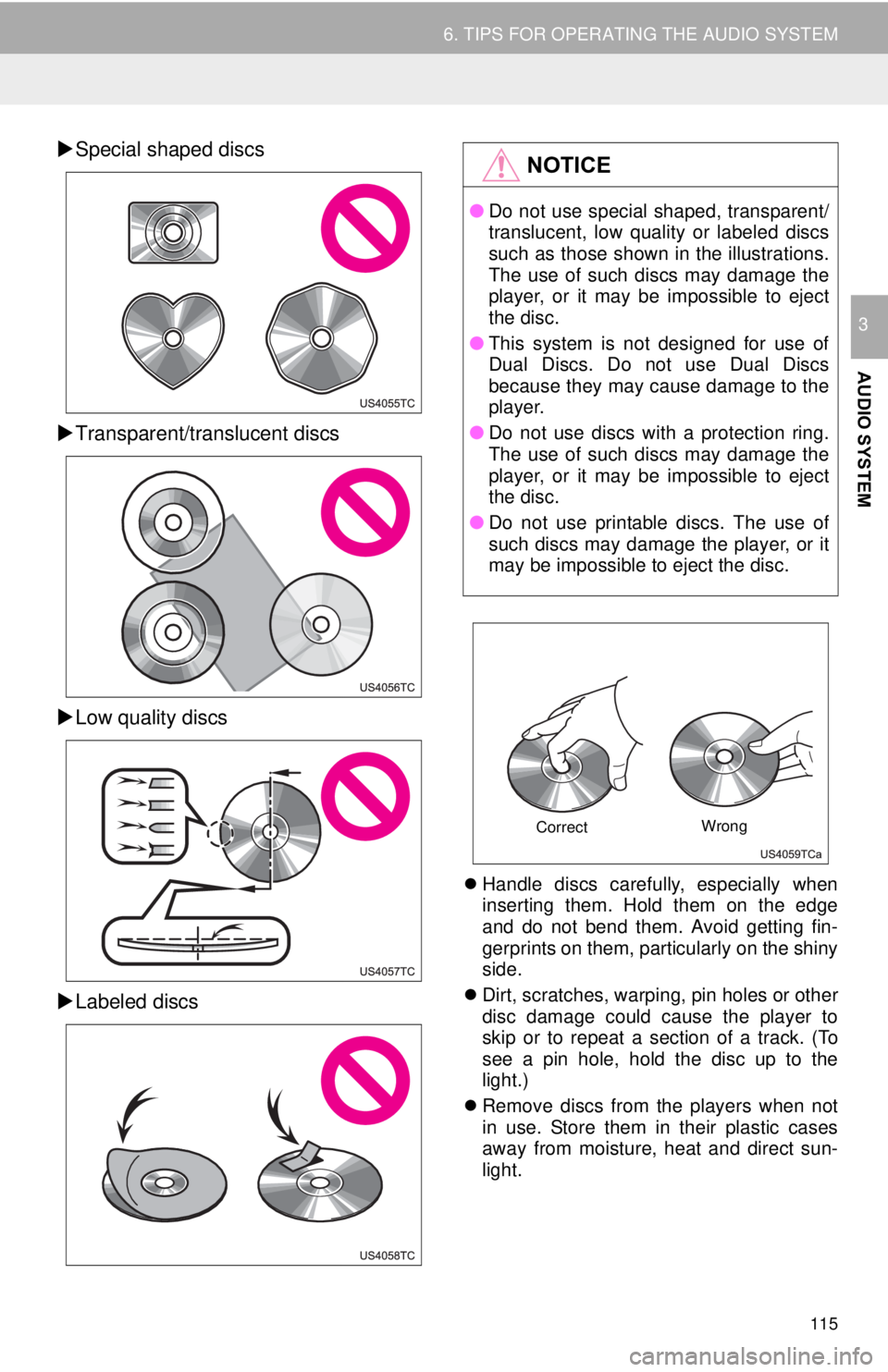
Special shaped discs
Transparent/translucent discs
Low quality discs
Labeled discs
Handle discs carefully, especially when
inserting them. Hold them on the edge
and do not bend them. Avoid getting fin-
gerprints on them, particularly on the shiny
side.
Dirt, scratches, warping, pin holes or other
disc damage could cause the player to
skip or to repeat a section of a track. (To
see a pin hole, hold the disc up to the
light.)
Remove discs from the players when not
in use. Store them in their plastic cases
away from moisture, heat and direct sun-
light.
NOTICE
● Do not use special shaped, transparent/
translucent, low quality or labeled discs
such as those shown in the illustrations.
The use of such discs may damage the
player, or it may be impossible to eject
the disc.
● This system is not designed for use of
Dual Discs. Do not use Dual Discs
because they may cause damage to the
player.
● Do not use discs with a protection ring.
The use of such discs may damage the
player, or it may be impossible to eject
the disc.
● Do not use printable discs. The use of
such discs may damage the player, or it
may be impossible to eject the disc.
Correct Wrong
Page 116 of 282
116
6. TIPS FOR OPERATING THE AUDIO SYSTEM
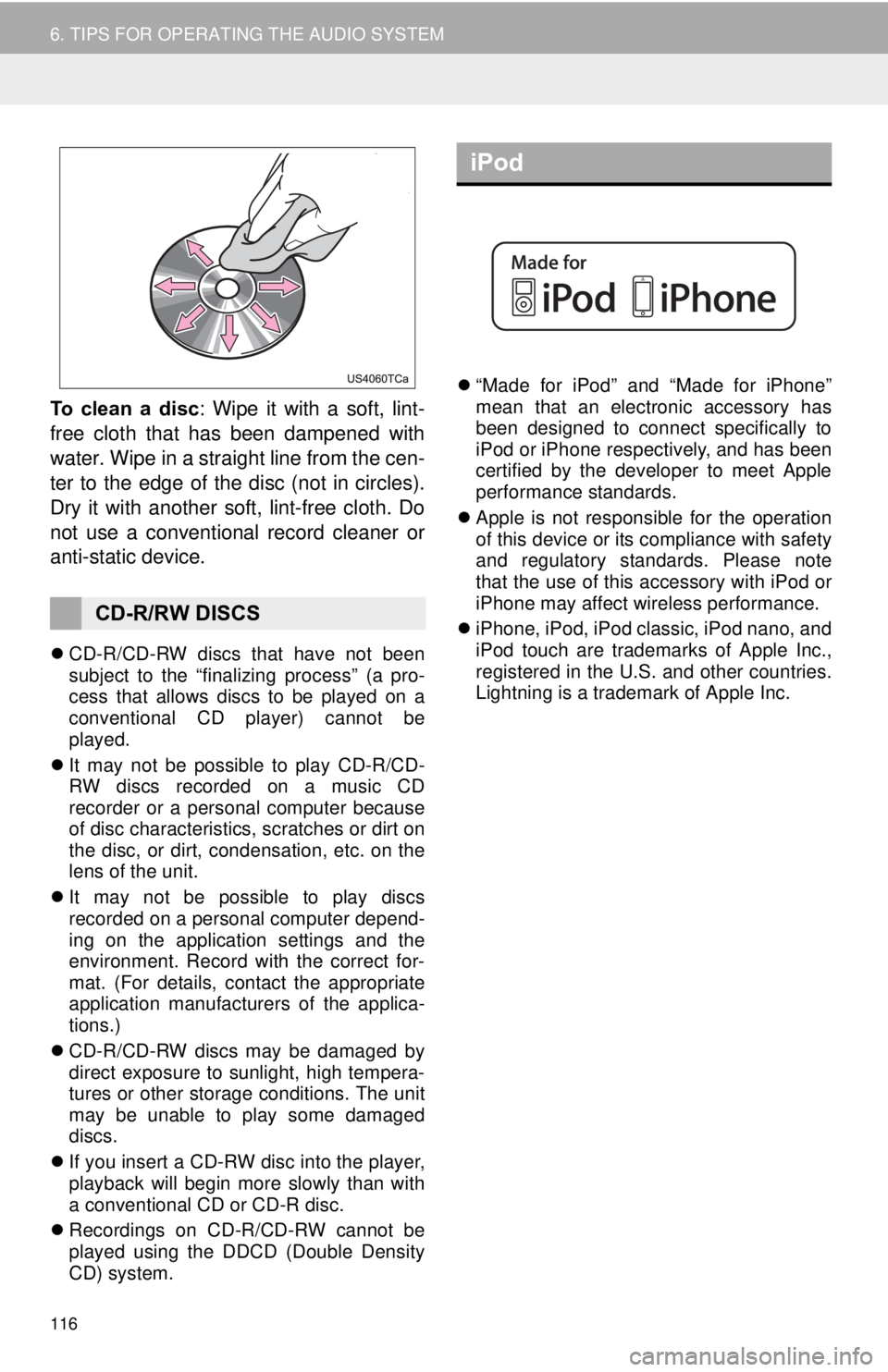
To clean a disc: Wipe it with a soft, lint-
free cloth that has been dampened with
water. Wipe in a straight line from the cen-
ter to the edge of the disc (not in circles).
Dry it with another soft, lint-free cloth. Do
not use a conventional record cleaner or
anti-static device.
CD-R/CD-RW discs that have not been
subject to the “finalizing process” (a pro-
cess that allows discs to be played on a
conventional CD player) cannot be
played.
It may not be possible to play CD-R/CD-
RW discs recorded on a music CD
recorder or a personal computer because
of disc characteristics, scratches or dirt on
the disc, or dirt, condensation, etc. on the
lens of the unit.
It may not be possible to play discs
recorded on a personal computer depend-
ing on the application settings and the
environment. Record with the correct for-
mat. (For details, contact the appropriate
application manufacturers of the applica-
tions.)
CD-R/CD-RW discs may be damaged by
direct exposure to sunlight, high tempera-
tures or other storage conditions. The unit
may be unable to play some damaged
discs.
If you insert a CD-RW disc into the player,
playback will begin more slowly than with
a conventional CD or CD-R disc.
Recordings on CD-R/CD-RW cannot be
played using the DDCD (Double Density
CD) system.
“Made for iPod” and “Made for iPhone”
mean that an electronic accessory has
been designed to connect specifically to
iPod or iPhone respectively, and has been
certified by the developer to meet Apple
performance standards.
Apple is not responsible for the operation
of this device or its compliance with safety
and regulatory standards. Please note
that the use of this accessory with iPod or
iPhone may affect wireless performance.
iPhone, iPod, iPod classic, iPod nano, and
iPod touch are trademarks of Apple Inc.,
registered in the U.S. and other countries.
Lightning is a trademark of Apple Inc.
CD-R/RW DISCS
iPod
Page 145 of 282
145
1. REAR VIEW MONITOR SYSTEM
PERIPHERAL MONITORING SYSTEM
6
3. THINGS YOU SHOULD KNOW
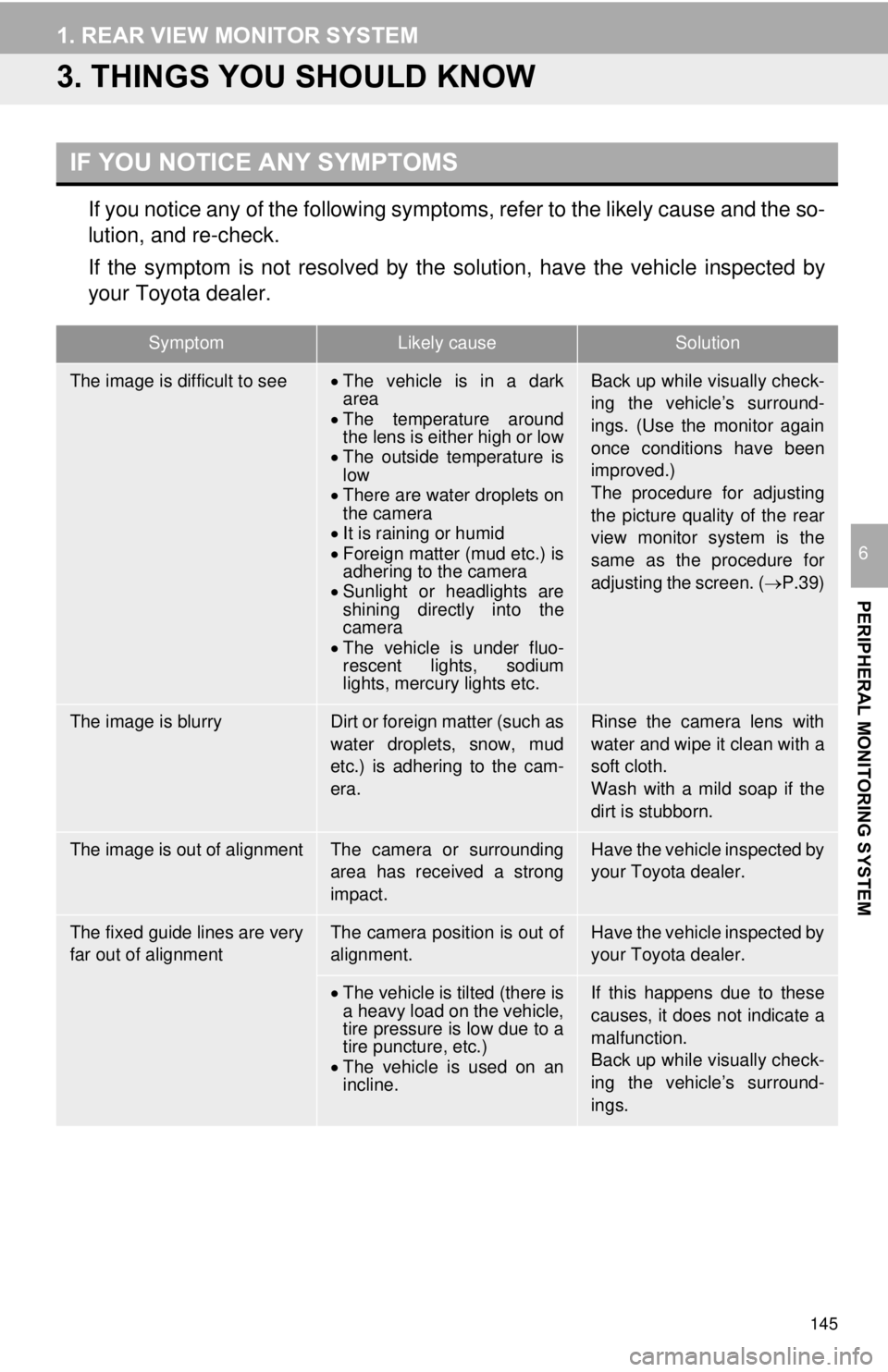
If you notice any of the following symptoms, refer to the likely cause and the so-
lution, and re-check.
If the symptom is not resolved by the solution, have the vehicle inspected by
your Toyota dealer.
IF YOU NOTICE ANY SYMPTOMS
SymptomLikely causeSolution
The image is difficult to seeThe vehicle is in a dark
area
The temperature around
the lens is either high or low
The outside temperature is
low
There are water droplets on
the camera
It is raining or humid
Foreign matter (mud etc.) is
adhering to the camera
Sunlight or headlights are
shining directly into the
camera
The vehicle is under fluo-
rescent lights, sodium
lights, mercury lights etc.Back up while visually check-
ing the vehicle’s surround-
ings. (Use the monitor again
once conditions have been
improved.)
The procedure for adjusting
the picture quality of the rear
view monitor system is the
same as the procedure for
adjusting the screen. ( P.39)
The image is blurryDirt or foreign matter (such as
water droplets, snow, mud
etc.) is adhering to the cam-
era.Rinse the camera lens with
water and wipe it clean with a
soft cloth.
Wash with a mild soap if the
dirt is stubborn.
The image is out of alignmentThe camera or surrounding
area has received a strong
impact.Have the vehicle inspected by
your Toyota dealer.
The fixed guide lines are very
far out of alignmentThe camera position is out of
alignment.Have the vehicle inspected by
your Toyota dealer.
The vehicle is tilted (there is
a heavy load on the vehicle,
tire pressure is low due to a
tire puncture, etc.)
The vehicle is used on an
incline.If this happens due to these
causes, it does not indicate a
malfunction.
Back up while visually check-
ing the vehicle’s surround-
ings.
Page 251 of 282
251
6. TIPS FOR THE NAVIGATION SYSTEM
NAVIGATION SYSTEM
8
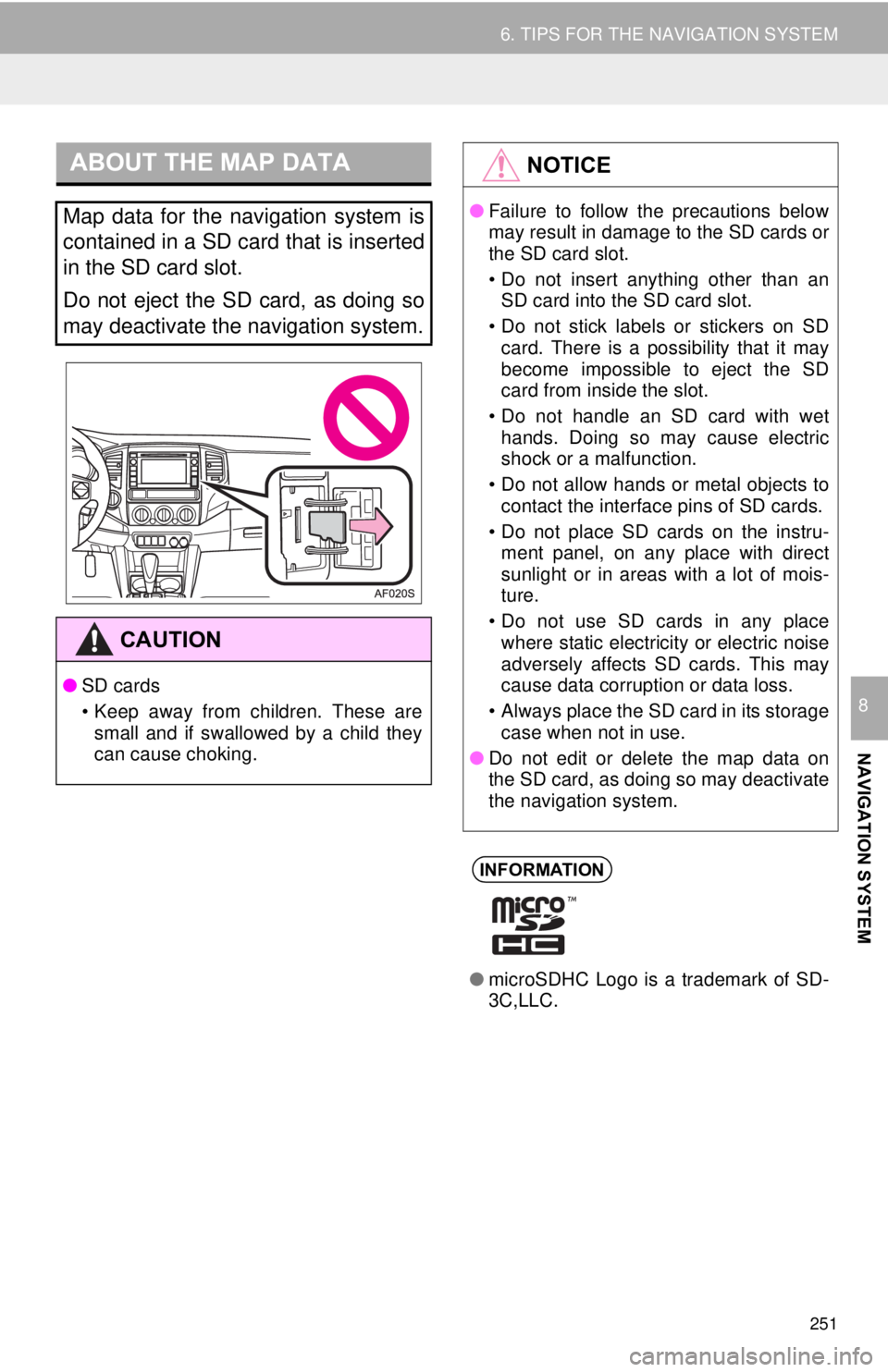
ABOUT THE MAP DATA
Map data for the navigation system is
contained in a SD card that is inserted
in the SD card slot.
Do not eject the SD card, as doing so
may deactivate the navigation system.
CAUTION
●SD cards
• Keep away from children. These are
small and if swallowed by a child they
can cause choking.
NOTICE
● Failure to follow the precautions below
may result in damage to the SD cards or
the SD card slot.
• Do not insert anything other than an
SD card into the SD card slot.
• Do not stick labels or stickers on SD card. There is a possibility that it may
become impossible to eject the SD
card from inside the slot.
• Do not handle an SD card with wet hands. Doing so may cause electric
shock or a malfunction.
• Do not allow hands or metal objects to contact the interface pins of SD cards.
• Do not place SD cards on the instru- ment panel, on any place with direct
sunlight or in areas with a lot of mois-
ture.
• Do not use SD cards in any place where static electricity or electric noise
adversely affects SD cards. This may
cause data corruption or data loss.
• Always place the SD card in its storage case when not in use.
● Do not edit or delete the map data on
the SD card, as doing so may deactivate
the navigation system.
INFORMATION
●microSDHC Logo is a trademark of SD-
3C,LLC.