USB TOYOTA TACOMA 2015 Owners Manual (in English)
[x] Cancel search | Manufacturer: TOYOTA, Model Year: 2015, Model line: TACOMA, Model: TOYOTA TACOMA 2015Pages: 590, PDF Size: 10.76 MB
Page 3 of 590

1
2
3
4
5
6
7
3
2-3. Operating the lights and wipers
Headlight switch .................. 152
Fog light switch ................... 155
Windshield wipers and washer .............................. 156
2-4. Using other driving systems Cruise control ...................... 162
Rear view monitor system... 166
Four-wheel drive system ..... 177
Active traction control system .............................. 181
AUTO LSD system.............. 183
Rear differential lock system .............................. 185
Downhill Assist Control system .............................. 188
Clutch start cancel switch ... 190
Driving assist systems ........ 191
2-5. Driving information Off-road precautions (4WD models and PreRunner).... 197
Cargo and luggage ............. 202
Vehicle load limits ............... 207
Winter driving tips ............... 209
Trailer towing ...................... 213
Dinghy towing ..................... 233 3-1. Using the air conditioning
system and defogger
Air conditioning system ...... 236
3-2. Using the multimedia system Multimedia system types .... 243
Entune Audio ...................... 245
USB port/AUX port ............. 249
Setup menu ........................ 250
Basic audio operations ....... 256
Using the radio ................... 261
Playing an audio CD and MP3/WMA/AAC discs ...... 263
Listening to an iPod ............ 270
Listening to a USB memory device ................. 276
Using the AUX port............. 281
Connecting Bluetooth
®....... 282
Listening to Bluetooth®
audio ................................ 304
Using a Bluetooth
®
phone ............................... 305
Operating the sub woofer (on some Access Cab
models) ............................ 334
Detachable pole antenna ... 335
3Interior and exterior
features
Page 17 of 590
17
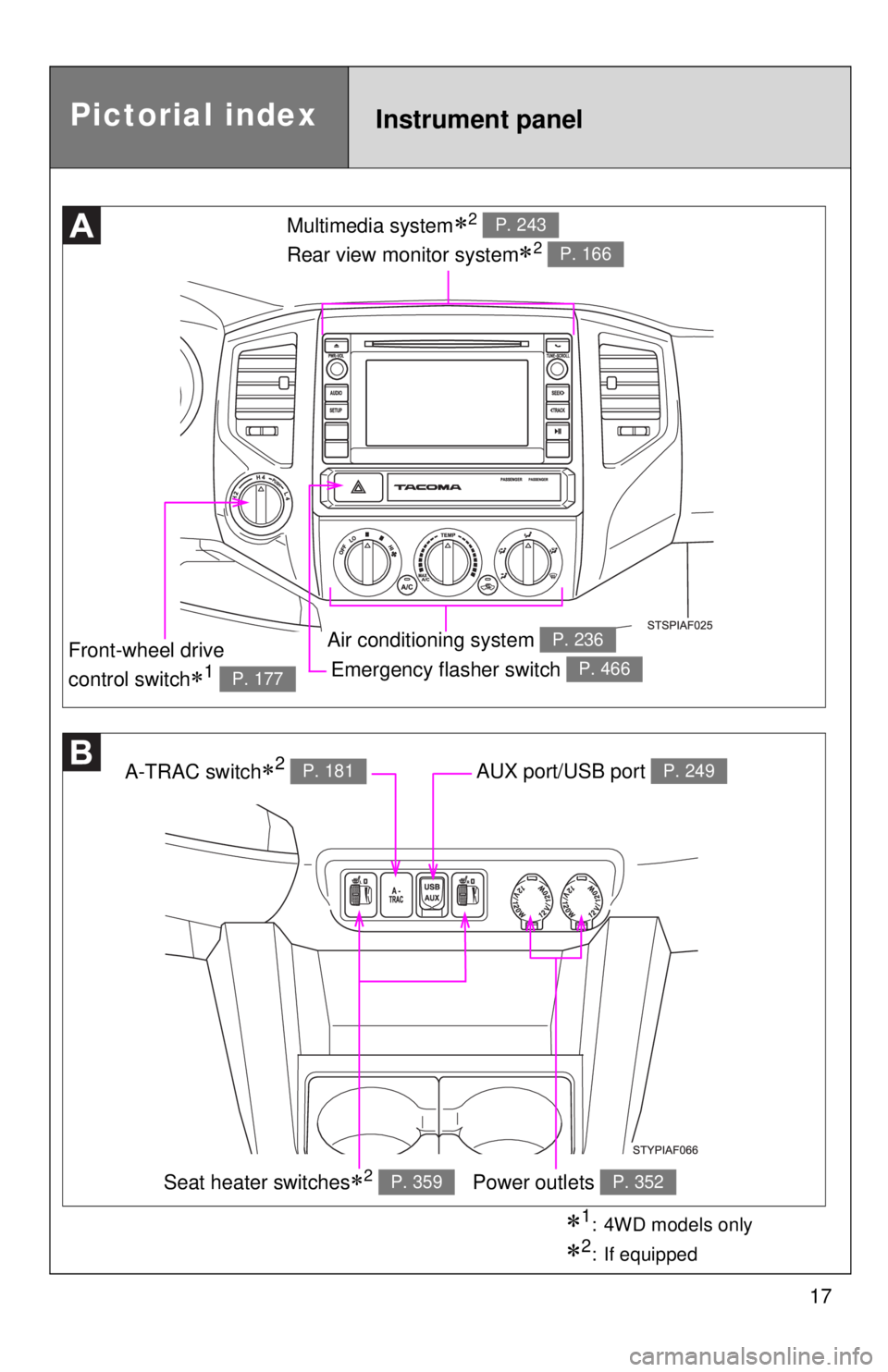
Emergency flasher switch P. 466
Multimedia system2
Rear view monitor system
2
P. 243
P. 166
Air conditioning system P. 236
A-TRAC switch2 P. 181AUX port/USB port P. 249
Power outlets P. 352
Front-wheel drive
control switch
1 P. 177
Pictorial indexInstrument panel
Seat heater switches2 P. 359
1: 4WD models only
2: If equipped
Page 235 of 590
Interior and exteriorfeatures3
235
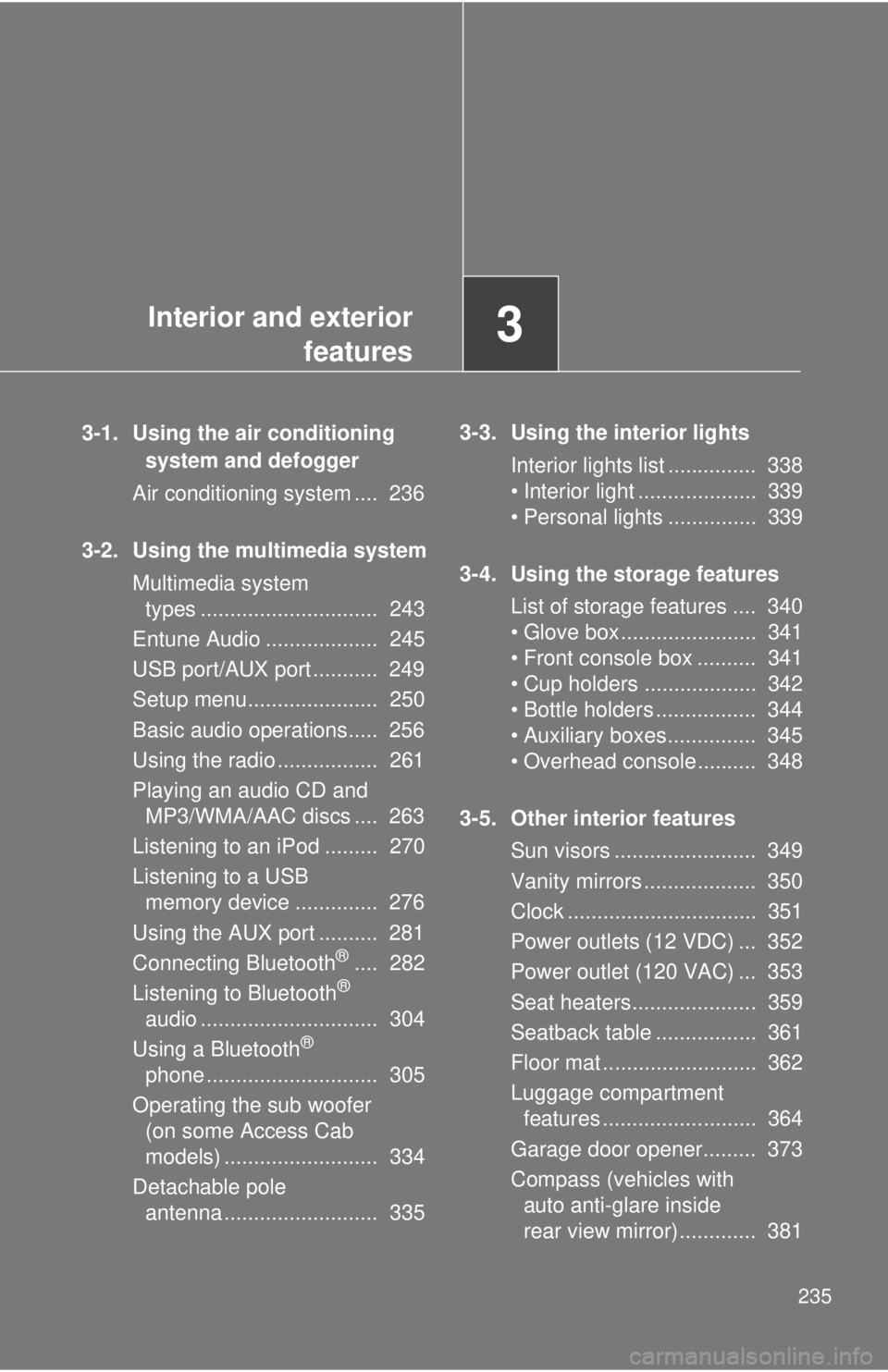
3-1. Using the air conditioning
system and defogger
Air conditioning system .... 236
3-2. Using the multimedia system Multimedia system types .............................. 243
Entune Audio ................... 245
USB port/AUX port ........... 249
Setup menu...................... 250
Basic audio operations..... 256
Using the radio ................. 261
Playing an audio CD and MP3/WMA/AAC discs .... 263
Listening to an iPod ......... 270
Listening to a USB memory device .............. 276
Using the AUX port .......... 281
Connecting Bluetooth
®.... 282
Listening to Bluetooth®
audio .............................. 304
Using a Bluetooth
®
phone ............................. 305
Operating the sub woofer (on some Access Cab
models) .......................... 334
Detachable pole antenna .......................... 335 3-3. Using the interior lights
Interior lights list ............... 338
• Interior light .................... 339
• Personal lights ............... 339
3-4. Using the storage features List of storage features .... 340
• Glove box....................... 341
• Front console box .......... 341
• Cup holders ................... 342
• Bottle holders ................. 344
• Auxiliary boxes ............... 345
• Overhead console .......... 348
3-5. Other interior features Sun visors ........................ 349
Vanity mirrors ................... 350
Clock ................................ 351
Power outlets (12 VDC) ... 352
Power outlet (120 VAC) ... 353
Seat heaters..................... 359
Seatback table ................. 361
Floor mat .......................... 362
Luggage compartment features .......................... 364
Garage door opener......... 373
Compass (vehicles with auto anti-glare inside
rear view mirror) ............. 381
Page 249 of 590
249
3-2. Using the multimedia system
3
Interior and exterior features
USB por t/AUX por t
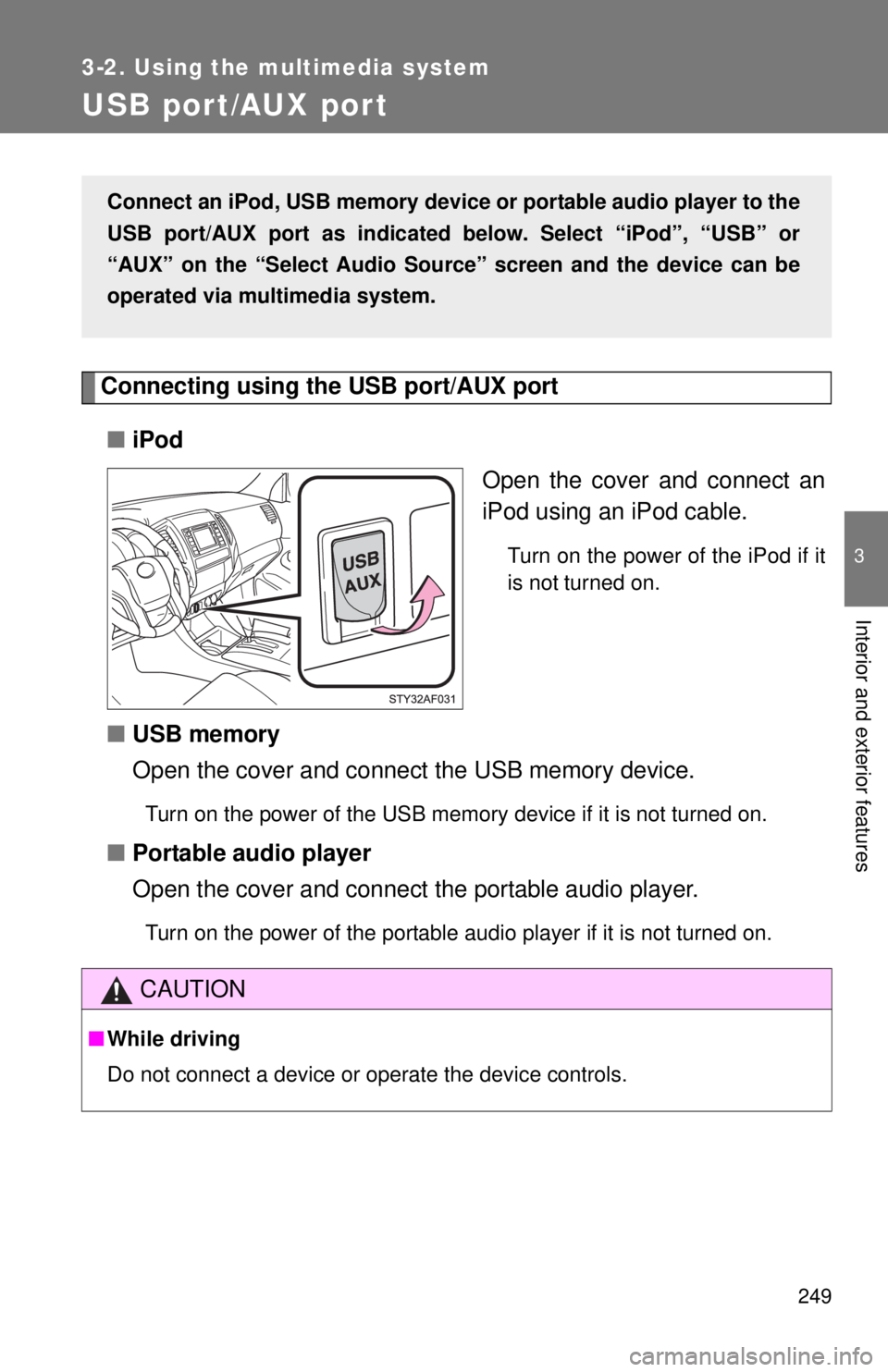
Connecting using the USB port/AUX port■ iPod
Open the cover and connect an
iPod using an iPod cable.
Turn on the power of the iPod if it
is not turned on.
■USB memory
Open the cover and connect the USB memory device.
Turn on the power of the USB memory device if it is not turned on.
■Portable audio player
Open the cover and connect the portable audio player.
Turn on the power of the portable audio player if it is not turned on.
Connect an iPod, USB memory device or portable audio player to the
USB port/AUX port as indicated below. Select “iPod”, “USB” or
“AUX” on the “Select Audio Sour ce” screen and the device can be
operated via multimedia system.
CAUTION
■ While driving
Do not connect a device or operate the device controls.
Page 259 of 590
259
3-2. Using the multimedia system
3
Interior and exterior features
●
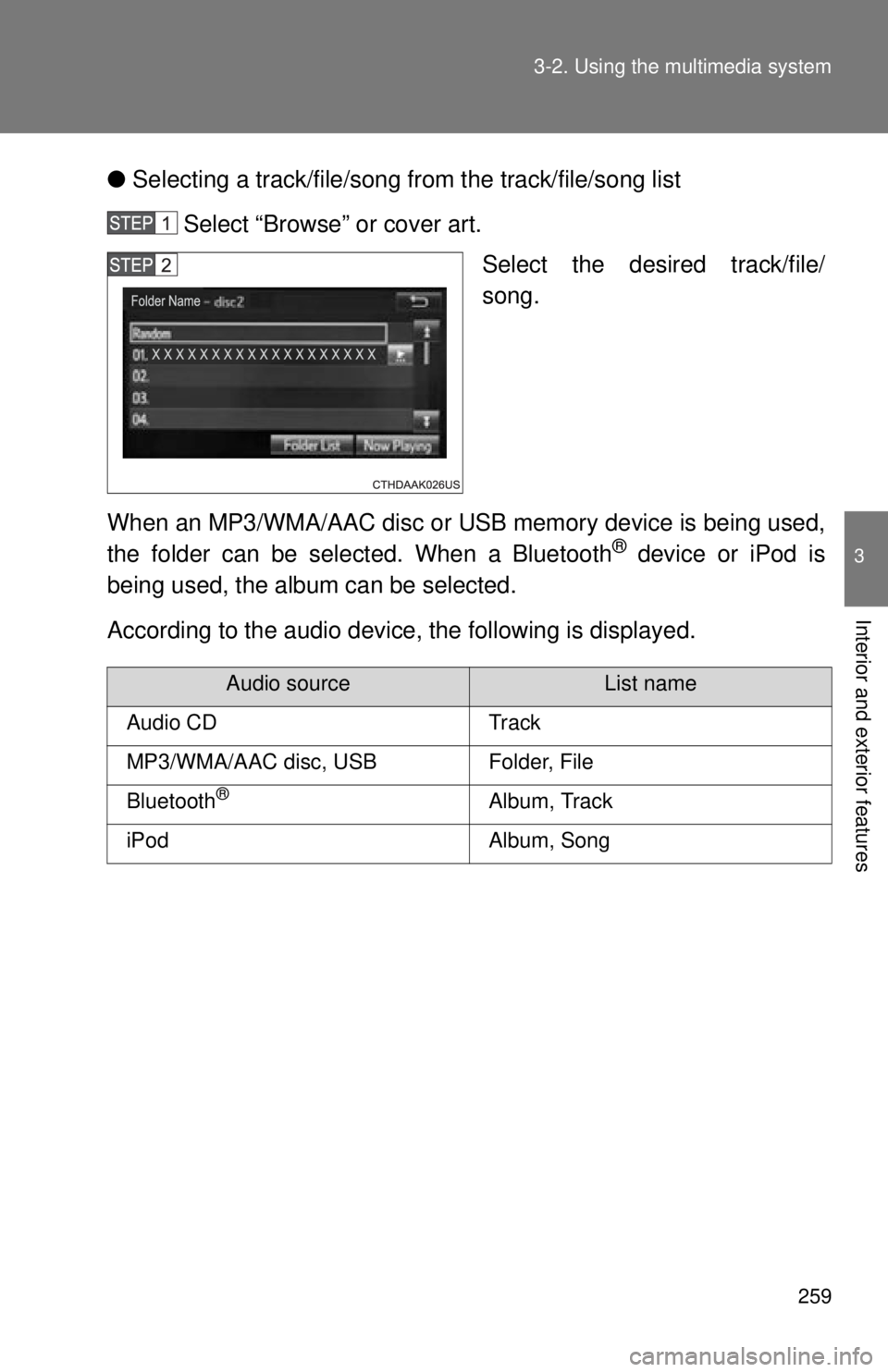
Selecting a track/file/song fr om the track/file/song list
Select “Browse” or cover art. Select the desired track/file/
song.
When an MP3/WMA/AAC disc or USB memory device is being used,
the folder can be selected. When a Bluetooth
® device or iPod is
being used, the album can be selected.
According to the audio device, the following is displayed.
Audio sourceList name
Audio CDTrack
MP3/WMA/AAC disc, USBFolder, File
Bluetooth®Album, Track
iPodAlbum, Song
Page 276 of 590
276
3-2. Using the multimedia system
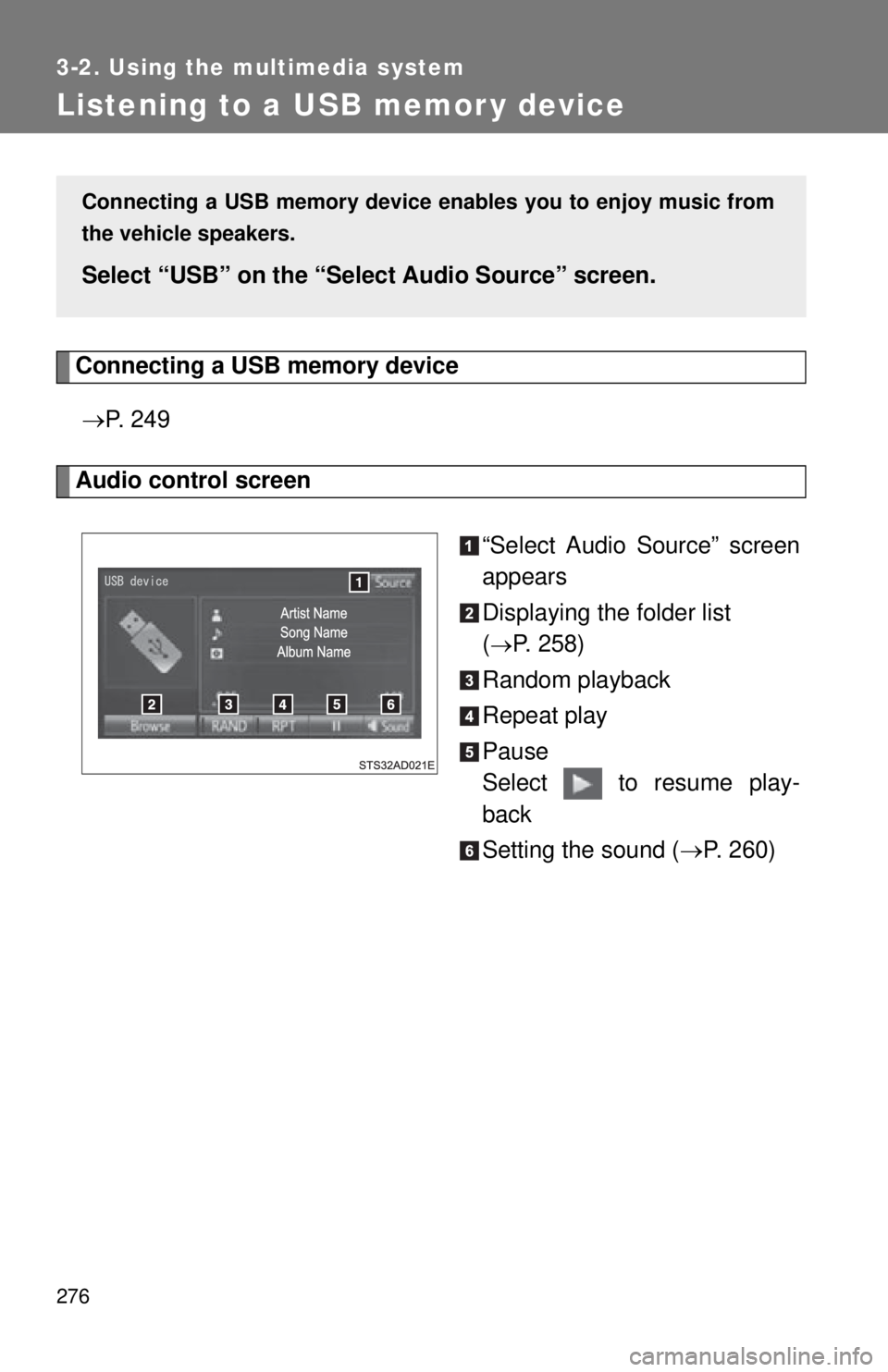
Listening to a USB memor y device
Connecting a USB memory device P. 2 4 9
Audio control screen
“Select Audio Source” screen
appears
Displaying the folder list
(
P. 258)
Random playback
Repeat play
Pause
Select to resume play-
back
Setting the sound ( P. 260)
Connecting a USB memory device en ables you to enjoy music from
the vehicle speakers.
Select “USB” on the “Sel ect Audio Source” screen.
Page 277 of 590
277
3-2. Using the multimedia system
3
Interior and exterior features
■
USB memory functions
●Depending on the USB memory device that is connected to the system,
the device itself may not be operable and certain functions may not be
available. If the device is inoperable or a function is unavailable due to a
malfunction (as opposed to a system specification), disconnecting the
device and reconnecting it may resolve the problem.
● If the USB memory device still does not begin operation after being dis-
connected and reconnected, format the memory.
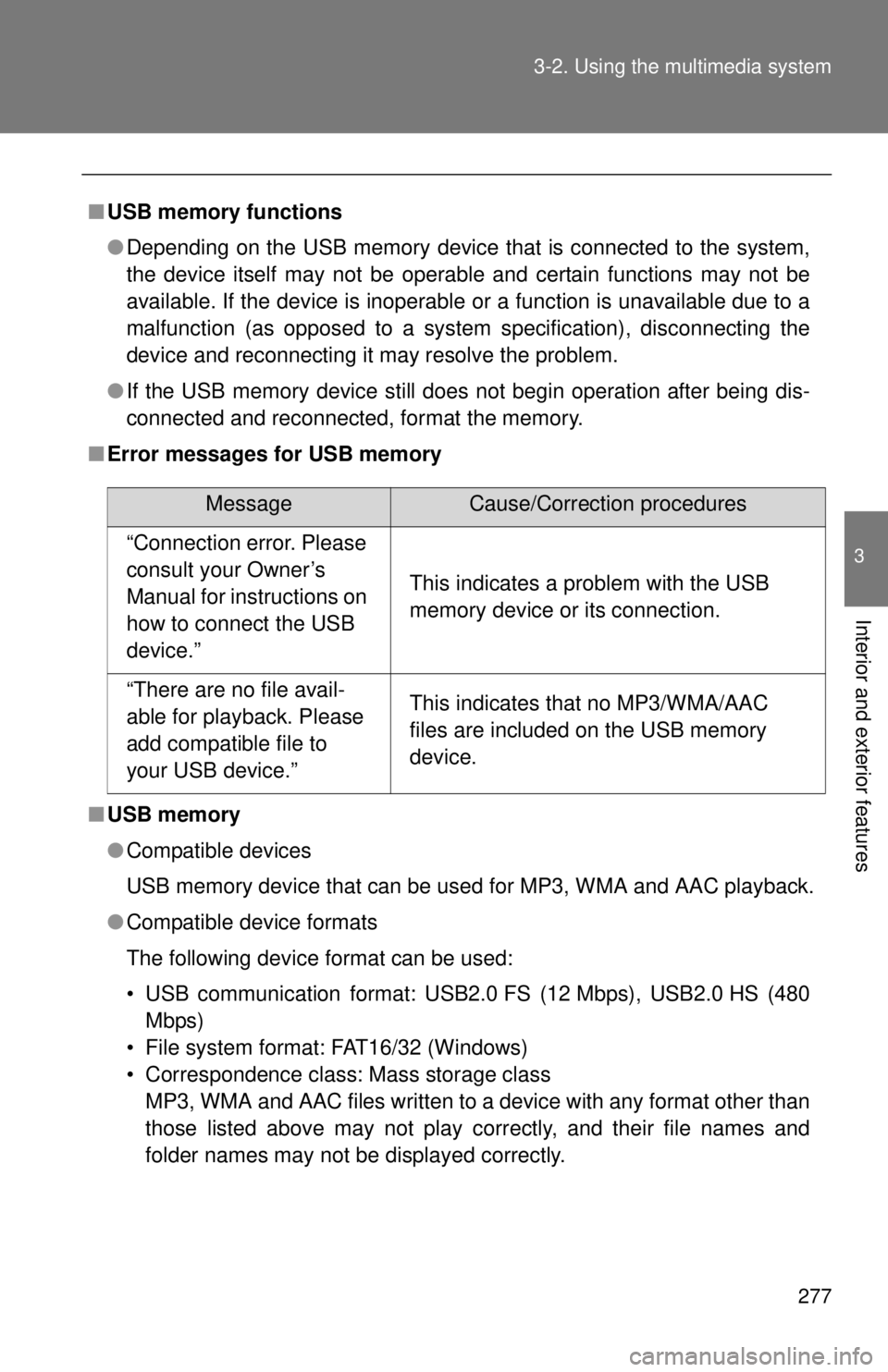
■ Error messages for USB memory
■ USB memory
●Compatible devices
USB memory device that can be used for MP3, WMA and AAC playback.
● Compatible device formats
The following device format can be used:
• USB communication format: USB2.0 FS (12 Mbps), USB2.0 HS (480
Mbps)
• File system format: FAT16/32 (Windows)
• Correspondence class: Mass storage class MP3, WMA and AAC files written to a device with any format other than
those listed above may not play correctly, and their file names and
folder names may not be displayed correctly.
MessageCause/Correction procedures
“Connection error. Please
consult your Owner’s
Manual for instructions on
how to connect the USB
device.”
This indicates a problem with the USB
memory device or its connection.
“There are no file avail-
able for playback. Please
add compatible file to
your USB device.”This indicates that no MP3/WMA/AAC
files are included on the USB memory
device.
Page 279 of 590

279
3-2. Using the multimedia system
3
Interior and exterior features
●
AAC file compatibility
• Compatible standards
MPEG4/AAC-LC
• Compatible sampling frequencies 11.025/12/16/22.05/24/32/44.1/48 (kHz)
• Compatible bit rates 16-320 (kbps)
• Compatible channel modes: 1 ch and 2 ch
● File names
The only files that can be recognized as MP3/WMA/AAC and played are
those with the extension .mp3 or .wma.
● ID3, WMA and AAC tags
ID3 tags can be added to MP3 files, making it possible to record the track
title, artist name, etc.
The system is compatible with ID3 Ver. 1.0, 1.1, and Ver. 2.2, 2.3 ID3 tags.
(The number of characters is based on ID3 Ver. 1.0 and 1.1.)
WMA tags can be added to WMA files, making it possible to record the
track title and artist name in the same way as with ID3 tags.
AAC tags can be added to AAC files, making it possible to record the track
title and artist name in the same way as with ID3 tags.
● MP3, WMA and AAC playback
• When a device containing MP3, WMA and AAC files is connected, all
files in the USB memory device are checked. Once the file check is fin-
ished, the first MP3, WMA and AAC file is played. To make the file
check finish more quickly, we recommend that you do not include any
files other than MP3, WMA and AAC files or create any unnecessary
folders.
• When a USB memory device is connected and the audio source is changed to USB memory mode, the USB memory device will start
playing the first file in the first folder. If the same device is removed and
reconnected (and the contents have not been changed), the USB
memory device will resume play from the same point in which it was
last used.
● Extensions
If the file extensions .mp3, .wma and .m4a are used for files other than
MP3, WMA and AAC files, they will be skipped (not played).
Page 280 of 590
280 3-2. Using the multimedia system
●Playback
• To play MP3 files with steady sound quality, we recommend a fixed bit
rate of at least 128 kbps and a sampling frequency of 44.1 kHz.
• There is a wide variety of freeware and other encoding software for MP3, WMA and AAC files on the market, and depending on the status
of the encoding and the file format, poor sound quality or noise at the
start of playback may result. In some cases, playback may not be pos-
sible at all.
• Microsoft, Windows, and Windows Media are the registered trade- marks of Microsoft Corporation in the U.S.A. and other countries.
CAUTION
■ While driving
Do not connect a USB memory device or operate the device controls.
NOTICE
■To prevent damage to the USB memory device or its terminals
●Do not leave the USB memory device in the vehicle. The temperature
inside the vehicle may become high, resulting in damage to the USB
memory device.
● Do not push down on or apply unnecessary pressure to the USB memory
device while it is connected.
● Do not insert foreign objects into the port.
Page 578 of 590

576
Alphabetical index
Alphabetical index
A/C ............................................. 236
AAC disc ................................... 263
ABS ........................................... 191
Access doors .............................39
Active traction control system .................................... 181
Air conditioning filter............... 439
Air conditioning system
Air conditioning filter .............. 439
Manual air conditioning system ................................ 236
Airbags Airbag operating conditions.....85
Airbag precautions for your
child ......................................89
Airbag warning light............... 477
Curtain shield airbag
operating conditions..............85
Curtain shield airbag
precautions ...........................89
Front passenger occupant classification system .............95
General airbag precautions .....89
Locations of airbags ................82
Modification and disposal of airbags ..............................93
Proper driving posture .......80, 89
Roll sensing of curtain shield airbag off switch .................... 94
Side airbag operating conditions..............................85
Side airbag precautions ..........89
SRS airbags ............................82
Antenna..................... 335, 388, 390
Anti-lock brake system ABS warning light .................. 477
Anti-lock brake system .......... 191
Audio input ............................... 249 Audio system
Antenna................. 335, 388, 390
Audio input ............................ 249
AUX port ............................... 249
CD player .............................. 263
iPod ....................................... 270
MP3/WMA/AAC disc ............. 263
Portable music player .................................. 249
Steering wheel audio switch
*
Sub woofer ............................ 334
Type ...................................... 243
USB memory......................... 276
AUTO LSD system ................... 183
Automatic light off system...... 154
Automatic limited slip differential .............................. 183
Automatic transmission Automatic transmission ......... 134
If the shift lever cannot be
shifted from P ..................... 502
AUX port ................................... 249
Auxiliary box .... 340, 345, 364, 365
Back-up lights
Replacing light bulbs ............. 460
Wattage................................. 536
Back window .............................. 73
Battery Charging system warning
light ..................................... 477
Checking ............................... 418
If the vehicle battery is discharged .......................... 504
Preparing and checking before winter ....................... 209
Bluetooth
® audio ..................... 304
Bluetooth® phone .................... 305
Bottle holders................... 340, 344
Brake assist.............................. 191
A
B