change time TOYOTA TACOMA 2023 User Guide
[x] Cancel search | Manufacturer: TOYOTA, Model Year: 2023, Model line: TACOMA, Model: TOYOTA TACOMA 2023Pages: 616, PDF Size: 12.92 MB
Page 270 of 616

2704-5. Using the driving support systems
Example of constant speed cruising
When there are no vehicles ahead
The vehicle travels at the speed set by the driver. The desired vehicle-to-
vehicle distance can also be set by operating the vehicle-to-ve hicle dis-
tance switch.
Example of deceleration crui sing and follow-up cruising
When a preceding vehicle driving slower than the set speed
appears
When a vehicle is detected running ahead of you, the system automatically
decelerates your vehicle. When a greater reduction in vehicle s peed is
necessary, the system applies the brakes (the stop lights will come on at
this time). The system will respond to changes in the speed of the vehicle
ahead in order to maintain the vehicle-to-vehicle distance set by the driver.
Approach warning warns you when the system cannot decelerate su ffi-
ciently to prevent your vehicle from closing in on the vehicle ahead.
Example of acceleration
When there are no longer any preceding vehicles driving slower
than the set speed
The system accelerates until the set speed is reached. The syst em then
returns to constant speed cruising.
1
2
3
Page 272 of 616
2724-5. Using the driving support systems
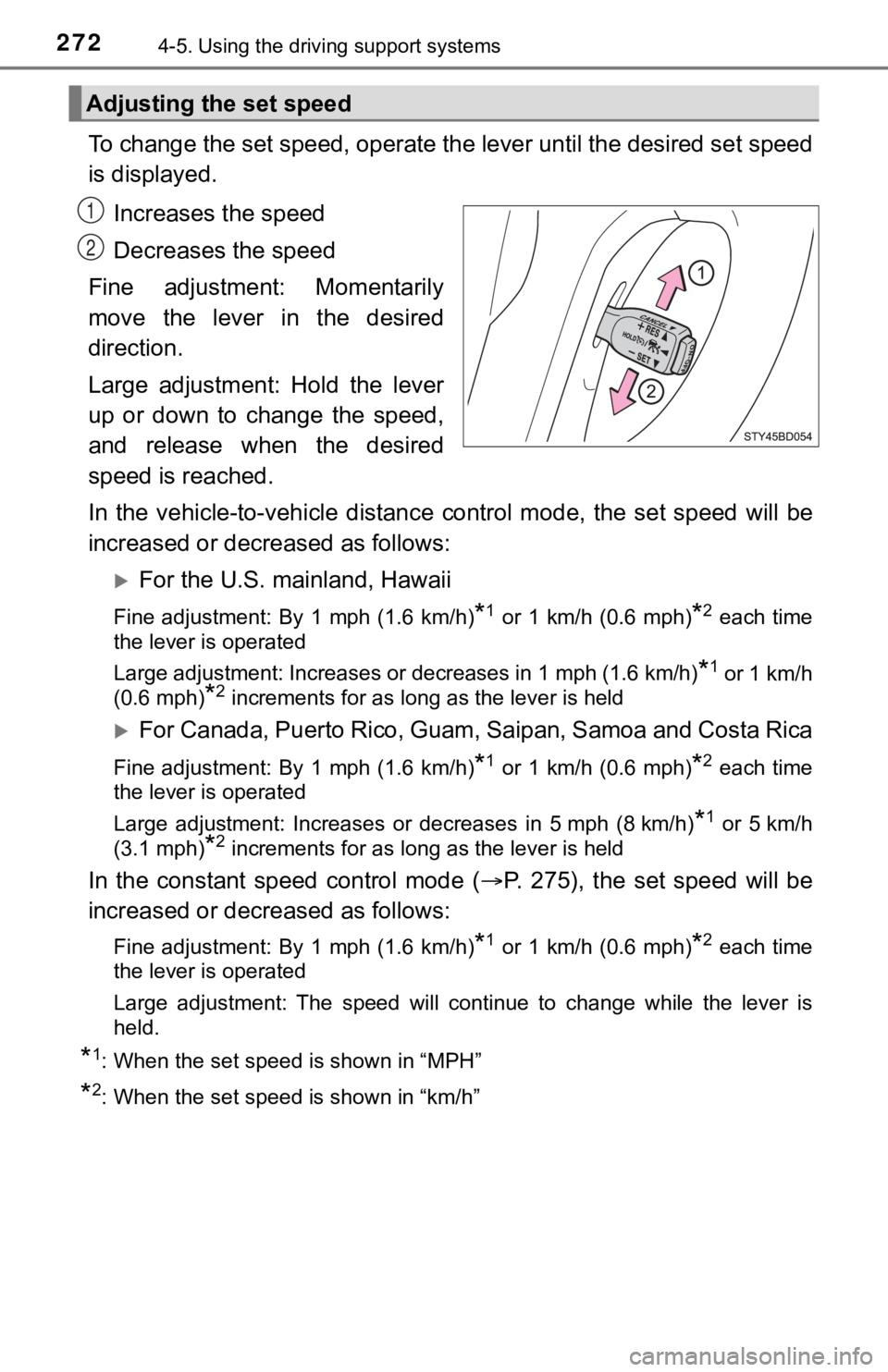
To change the set speed, operate the lever until the desired se t speed
is displayed.
Increases the speed
Decreases the speed
Fine adjustment: Momentarily
move the lever in the desired
direction.
Large adjustment: Hold the lever
up or down to change the speed,
and release when the desired
speed is reached.
In the vehicle-to-vehicle distance control mode, the set speed will be
increased or decreased as follows:
For the U.S. mainland, Hawaii
Fine adjustment: By 1 mph (1.6 km/h)*1 or 1 km/h (0.6 mph)*2 each time
the lever is operated
Large adjustment: Increases or decreases in 1 mph (1.6 km/h)
*1 or 1 km/h
(0.6 mph)
*2 increments for as long as the lever is held
For Canada, Puerto Rico, Guam, Saipan, Samoa and Costa Rica
Fine adjustment: By 1 mph (1.6 km/h)*1 or 1 km/h (0.6 mph)*2 each time
the lever is operated
Large adjustment: Increases or decreases in 5 mph (8 km/h)
*1 or 5 km/h
(3.1 mph)
*2 increments for as long as the lever is held
In the constant speed control mode ( P. 275), the set speed will be
increased or decreased as follows:
Fine adjustment: By 1 mph (1.6 km/h)*1 or 1 km/h (0.6 mph)*2 each time
the lever is operated
Large adjustment: The speed will continue to change while the lever is
held.
*1: When the set speed is shown in “MPH”
*2: When the set speed is shown in “km/h”
Adjusting the set speed
1
2
Page 281 of 616
2814-5. Using the driving support systems
4
Driving
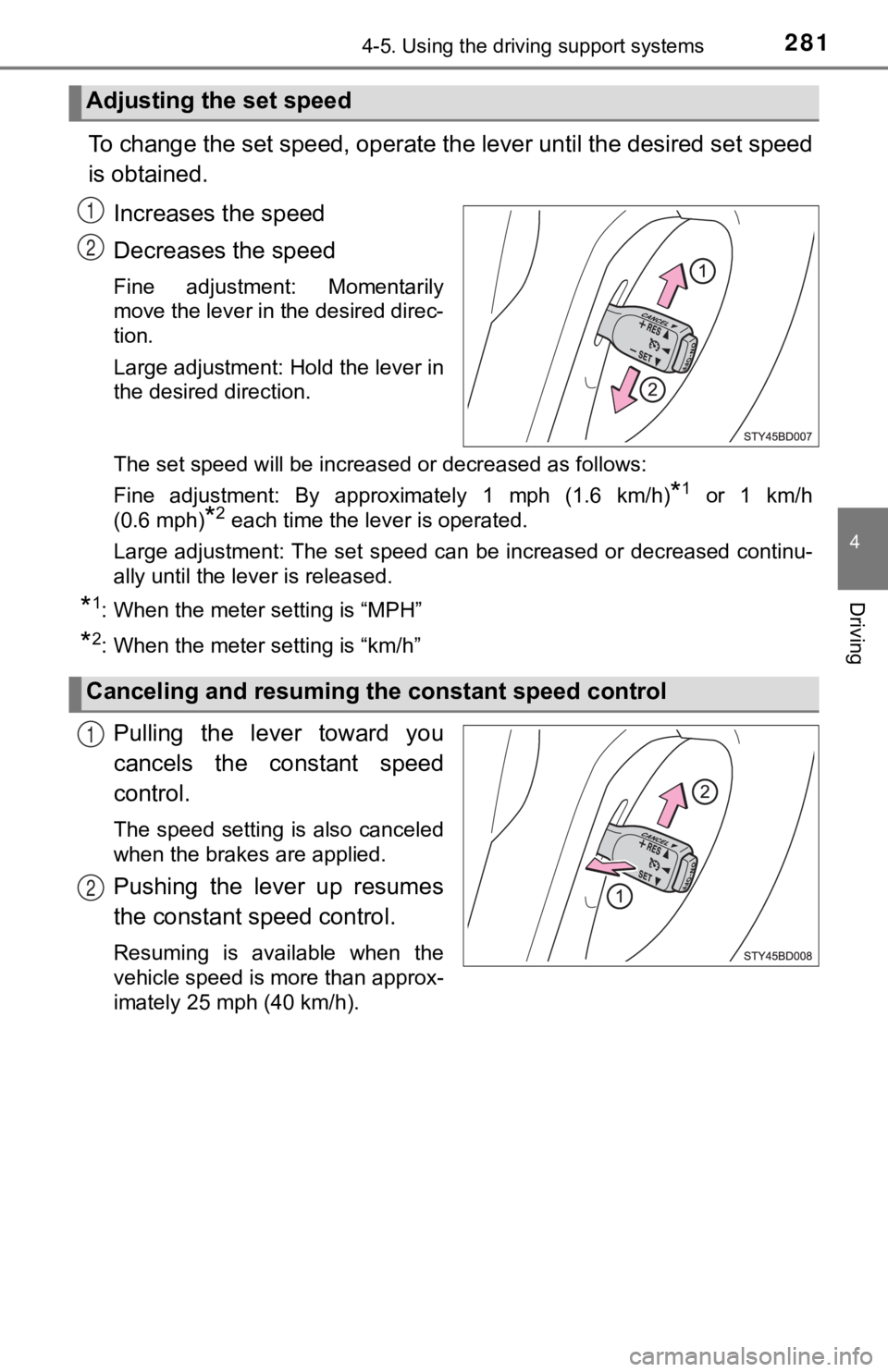
To change the set speed, operate the lever until the desired set speed
is obtained.
Increases the speed
Decreases the speed
Fine adjustment: Momentarily
move the lever in the desired direc-
tion.
Large adjustment: Hold the lever in
the desired direction.
The set speed will be increased or decreased as follows:
Fine adjustment: By approximately 1 mph (1.6 km/h)
*1 or 1 km/h
(0.6 mph)
*2 each time the lever is operated.
Large adjustment: The set speed can be increased or decreased c ontinu-
ally until the lever is released.
*1: When the meter setting is “MPH”
*2: When the meter setting is “km/h”
Pulling the lever toward you
cancels the c onstant speed
control.
The speed setting is also canceled
when the brakes are applied.
Pushing the lever up resumes
the constant speed control.
Resuming is available when the
vehicle speed is more than approx-
imately 25 mph (40 km/h).
Adjusting the set speed
1
2
Canceling and resuming t he constant speed control
1
2
Page 286 of 616
2864-5. Using the driving support systems
■When multiple obstacles are de tected in front and behind the
vehicle at the same time
The buzzer will change in the following manner.
● If an obstacle has been detected within 1.5 ft. (45 cm) of the front
or 2.8 ft. (85 cm) in rear of t he vehicle (a continuous buzzer is
sounding), and a new obstacle is detected at the other end of the
vehicle, the buzzer w ill sound 7 times then 1 continuous buzzer.
● If an obstacle has been detected within 1.5 ft. (45 cm) of the front
or 2.8 ft. (85 cm) in rear of t he vehicle (a continuous buzzer is
sounding), and a new obstacle is detected in the same way at th e
other end of the vehicle, the buzzer will sound 3 times then 1
continuous buzzer.
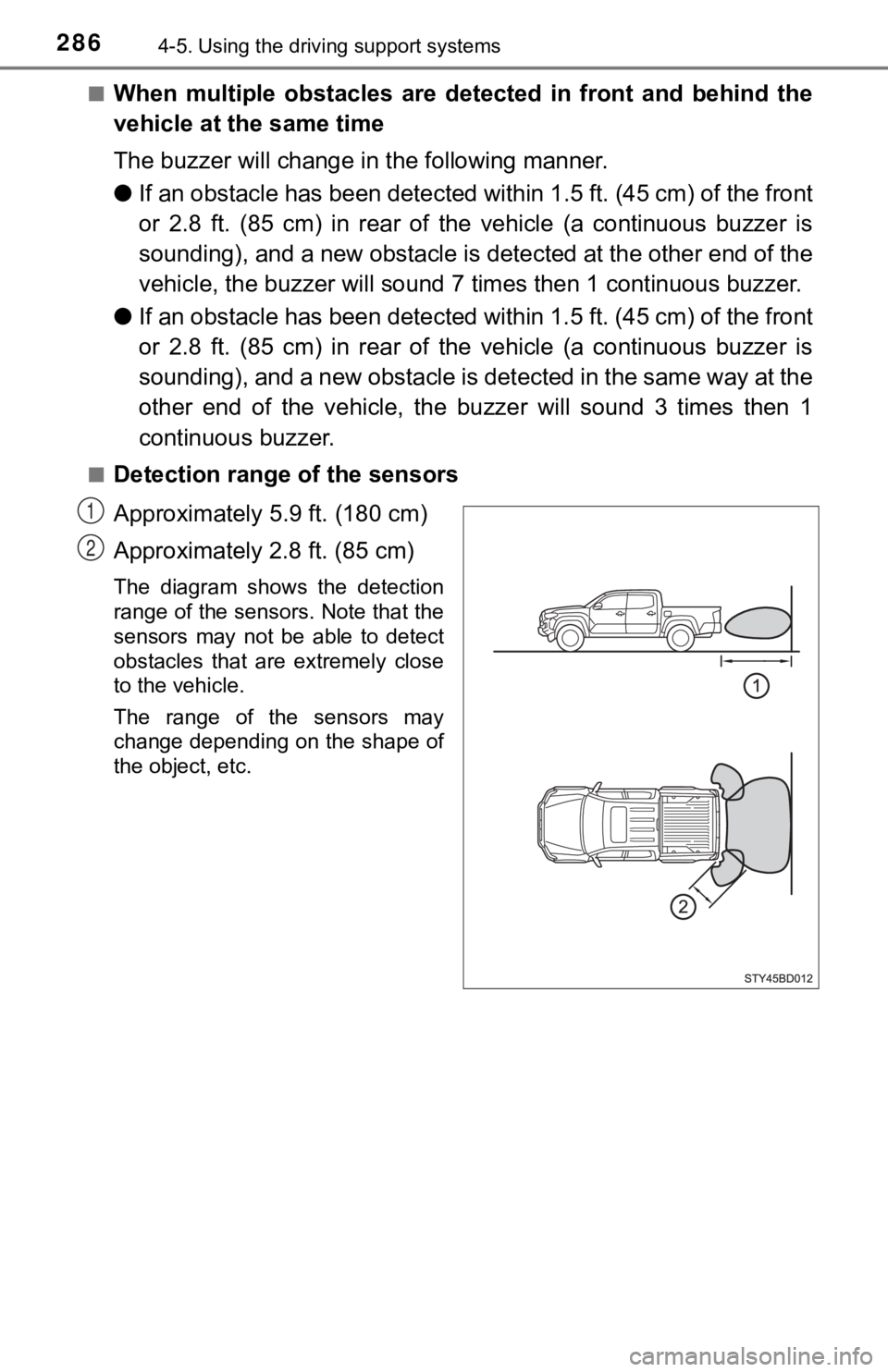
■Detection range of the sensors
Approximately 5.9 ft. (180 cm)
Approximately 2.8 ft. (85 cm)
The diagram shows the detection
range of the sensors. Note that the
sensors may not be able to detect
obstacles that are extremely close
to the vehicle.
The range of the sensors may
change depending on the shape of
the object, etc.
1
2
Page 345 of 616
3455-1. Using the air conditioning system
5
Interior features
■Fan speed setting
To adjust the fan speed, turn
the fan speed control dial clock-
wise (increase) or counterclock-
wise (decrease).
Press to turn the fan off.
■
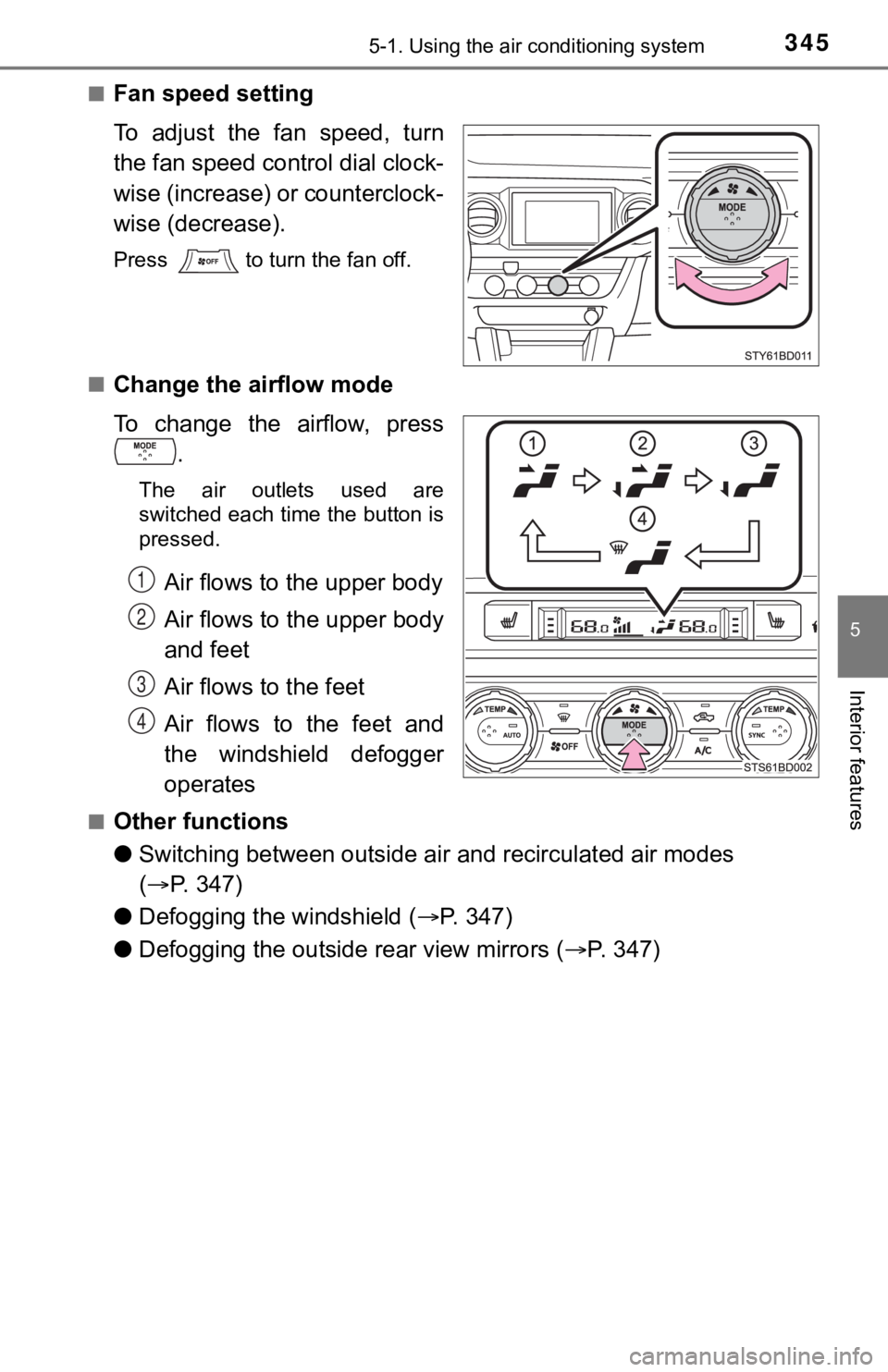
Change the airflow mode
To change the airflow, press .
The air outlets used are
switched each time the button is
pressed.
Air flows to the upper body
Air flows to the upper body
and feet
Air flows to the feet
Air flows to the feet and
the windshield defogger
operates
■Other functions
●Switching between outside air and recirculated air modes
( P. 347)
● Defogging the windshield ( P. 3 4 7 )
● Defogging the outside rear view mirrors ( P. 347)
1
2
3
4
Page 352 of 616
3525-1. Using the air conditioning system
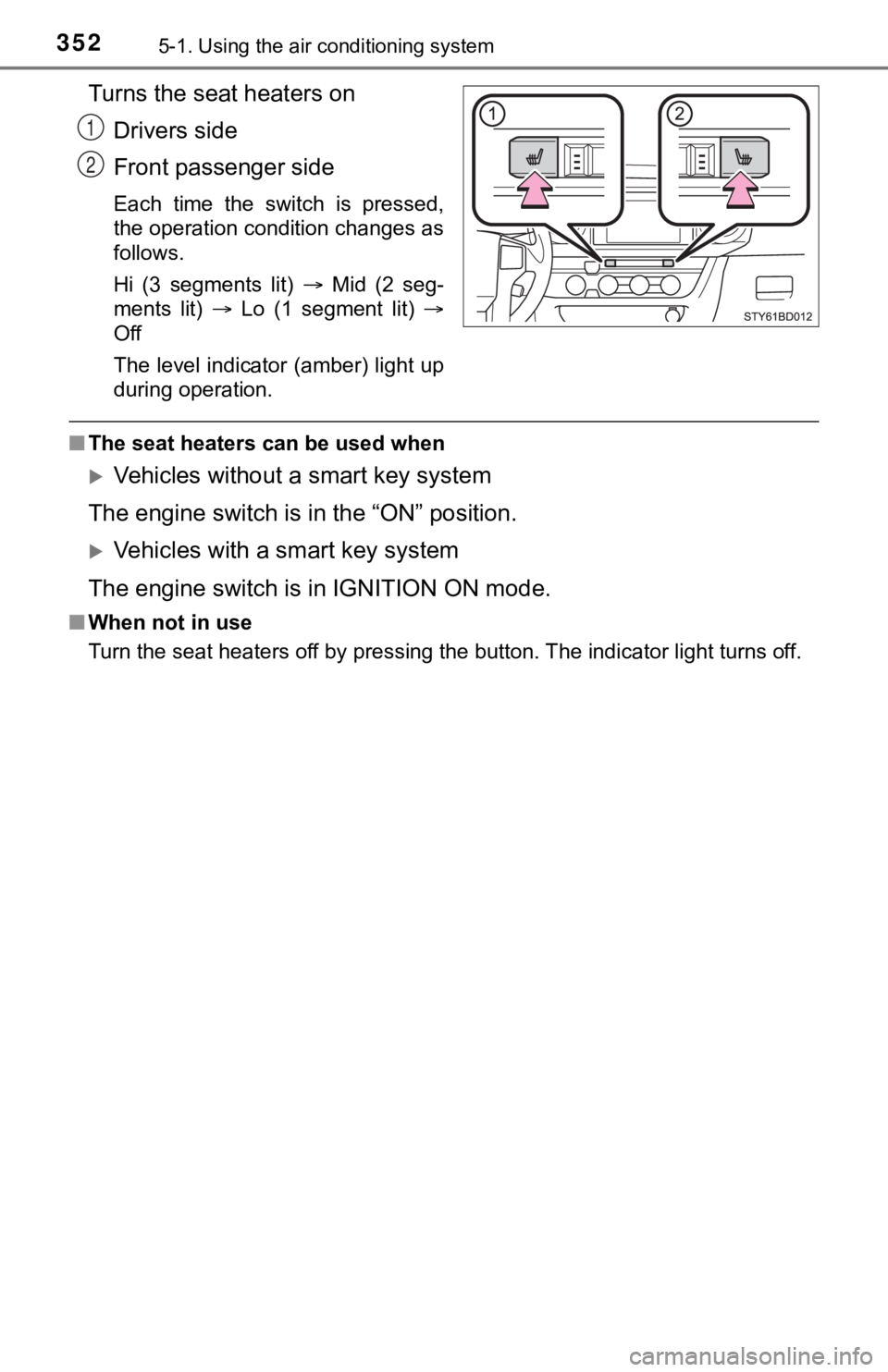
Turns the seat heaters on
Drivers side
Front passenger side
Each time the switch is pressed,
the operation condition changes as
follows.
Hi (3 segments lit) Mid (2 seg-
ments lit) Lo (1 segment lit)
Off
The level indicator (amber) light up
during operation.
■ The seat heaters can be used when
Vehicles without a smart key system
The engine switch is in the “ON” position.
Vehicles with a smart key system
The engine switch is in IGNITION ON mode.
■ When not in use
Turn the seat heaters off by pressing the button. The indicator light turns off.
1
2
Page 355 of 616
3555-2. Using the interior lights
5
Interior features
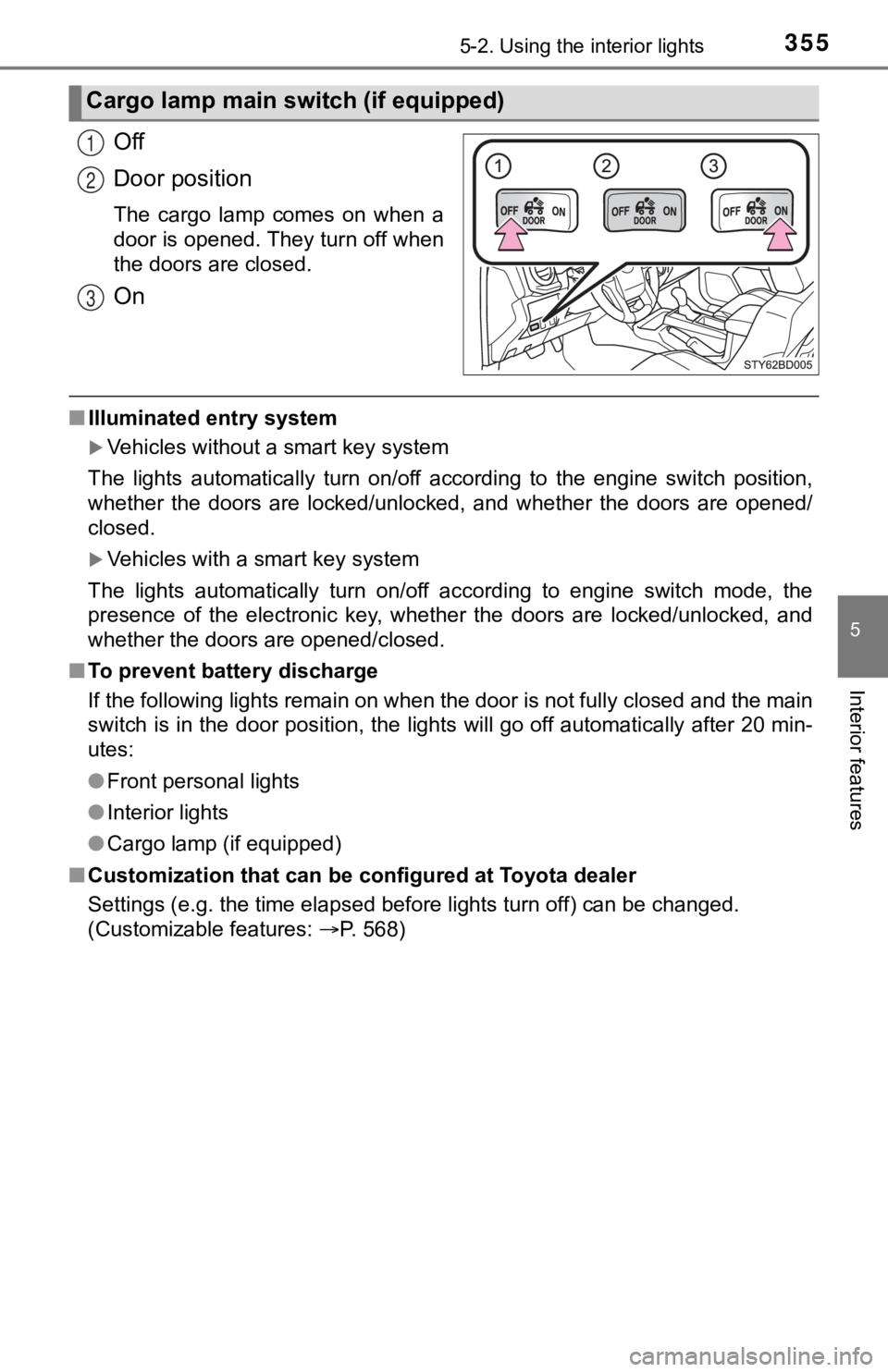
Off
Door position
The cargo lamp comes on when a
door is opened. They turn off when
the doors are closed.
On
■Illuminated entry system
Vehicles without a smart key system
The lights automatically turn on/off according to the engine sw itch position,
whether the doors are locked/unlocked, and whether the doors are opened/
closed.
Vehicles with a smart key system
The lights automatically turn on/off according to engine switch mode, the
presence of the electronic key, whether the doors are locked/un locked, and
whether the doors are opened/closed.
■ To prevent battery discharge
If the following lights remain on when the door is not fully closed and the main
switch is in the door position, the lights will go off automati cally after 20 min-
utes:
● Front personal lights
● Interior lights
● Cargo lamp (if equipped)
■ Customization that can be configured at Toyota dealer
Settings (e.g. the time elapsed before lights turn off) can be changed.
(Customizable features: P. 568)
Cargo lamp main switch (if equipped)
1
2
3
Page 437 of 616

4376-3. Do-it-yourself maintenance
6
Maintenance and care
■The initialization operation (vehicles with the tire pressure warning
system)
●Make sure to carry out initializ ation after adjusting the tire inflation pres-
sure.
Also, make sure the tires are co ld before carrying out initialization or tire
inflation pressure adjustment.
●If you have accidentally turned the engine switch to the “LOCK” position
(vehicles without a smart key system) or off (vehicles with a s mart key
system) during initialization, it is not necessary to press the reset switch
again as initialization will rest art automatically when the engine switch
has been turned to the “ON” posi tion (vehicles without a smart key sys-
tem) or IGNITION ON mode (vehicl es with a smart key system) for the
next time.
●If you accidentally press the reset switch when initialization is not neces-
sary, adjust the tire inflation pressure to the specified level when the
tires are cold, and cond uct initialization again.
■Warning performance of the tire pressure warning system
The warning of the tire pressu re warning system will change in accor-
dance with the conditions under which it was initialized. For t his reason,
the system may give a warning even if the tire pressure does no t reach a
low enough level, or if the pressure is higher than the pressur e that was
adjusted to when the sys tem was initialized.
■When initialization of the tire pressure warning system has fai led (if
equipped)
Initialization may take longer to complete if the vehicle is driven on an
unpaved road. When performing ini tialization, drive on a paved road if
possible. Depending on the driving environment and condition of the tires,
initialization will be completed in approximately 10 minutes. If initialization
is not complete after driving app roximately 10 minutes, continue driving
for a while.
If the inflation pressure of each tire is not displayed after d riving for
approximately 1 hour, perf orm the following procedure.
●Park the vehicle in a safe place for approximately 20 minutes. Then
drive straight (with occasional left and right turns) at approx imately
25mph (40 km/h) or more for ap proximately 10 to 20 minutes.
However, in the following situatio ns, the tire inflation pressure will not be
recorded and the system will not operate properly. Perform initialization
again.
●When operating the tire pressure warning reset switch, the tire pressure
warning light does not blink 3 times.
●After performing initialization, t he tire pressure warning light blinks for
1 minute then stays on while driving.
If the inflation pressure of eac h tire is still not displayed, have the vehicle
inspected by you r Toyota dealer.
Page 529 of 616

5297-2. Steps to take in an emergency
7
When trouble arises
■Stopping the engine
Shift the shift lever to P and press the engine switch as you normally do when
stopping the engine.
■ Replacing the key battery
As the above procedure is a temporary measure, it is recommende d that the
electronic key battery be replaced immediately when the battery is depleted.
( P. 451)
■ Changing engine switch modes
Within 10 seconds of the buzzer sounding, release the brake ped al and press
the engine switch.
The engine does not start and modes will be changed each time t he switch is
pressed. ( P. 206)
Page 568 of 616
5688-2. Customization
Customizable features
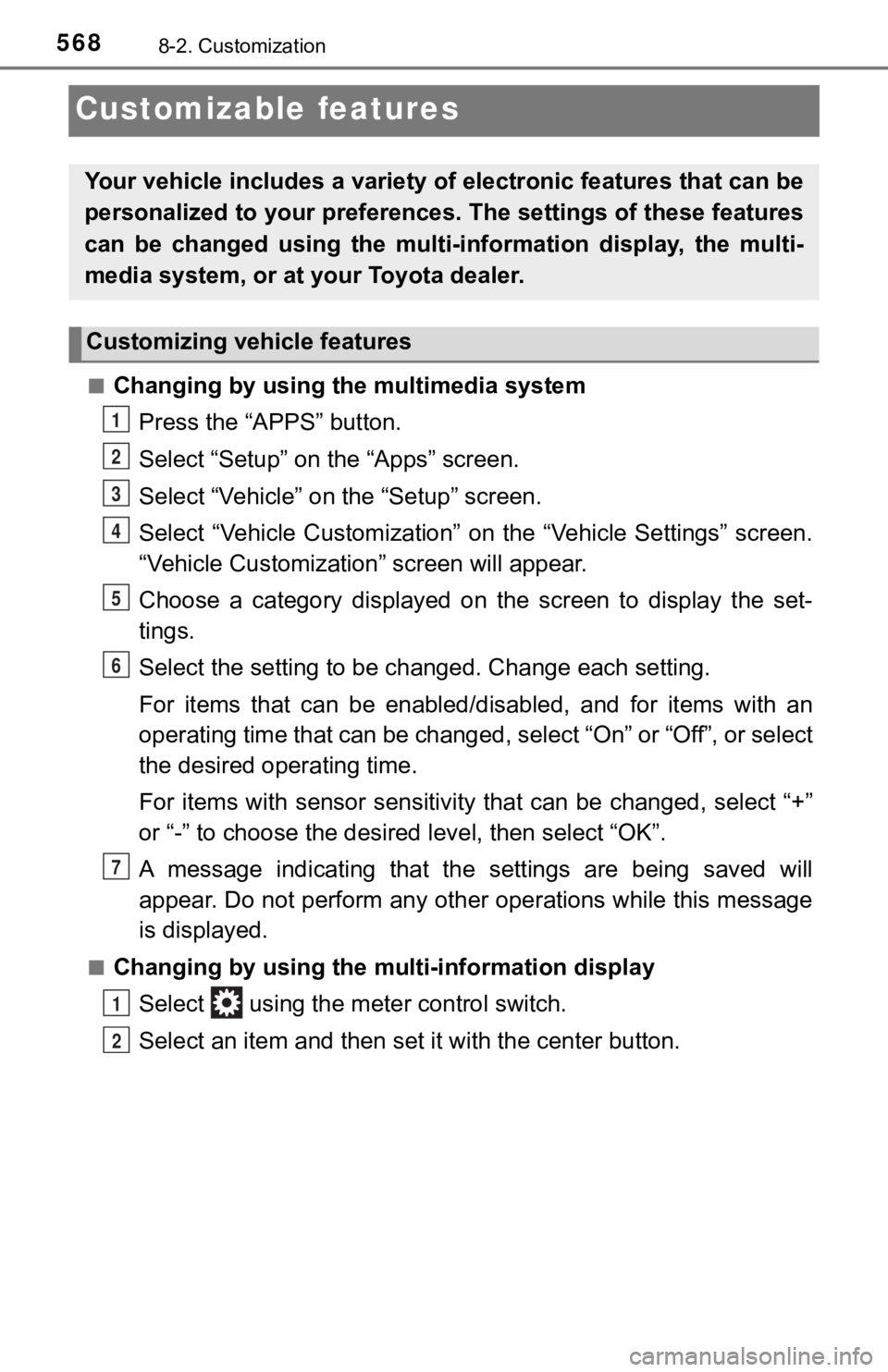
■Changing by using the multimedia systemPress the “APPS” button.
Select “Setup” on the “Apps” screen.
Select “Vehicle” on the “Setup” screen.
Select “Vehicle Customization” on the “Vehicle Settings” screen .
“Vehicle Customization” screen will appear.
Choose a category displayed on t he screen to display the set-
tings.
Select the setting to be changed. Change each setting.
For items that can be enabled/disabled, and for items with an
operating time that can be changed, select “On” or “Off”, or se lect
the desired operating time.
For items with sensor sensitivit y that can be changed, select “+”
or “-” to choose the desired level, then select “OK”.
A message indicating that the s ettings are being saved will
appear. Do not perform any other operations while this message
is displayed.
■Changing by using the multi-information display
Select using the meter control switch.
Select an item and then set it with the center button.
Your vehicle includes a variety of electronic features that can be
personalized to your preferences. The settings of these features
can be changed using the multi-in formation display, the multi-
media system, or at your Toyota dealer.
Customizing vehicle features
1
2
3
4
5
6
7
1
2