reset TOYOTA TACOMA 2023 User Guide
[x] Cancel search | Manufacturer: TOYOTA, Model Year: 2023, Model line: TACOMA, Model: TOYOTA TACOMA 2023Pages: 616, PDF Size: 12.92 MB
Page 410 of 616
4106-2. Maintenance
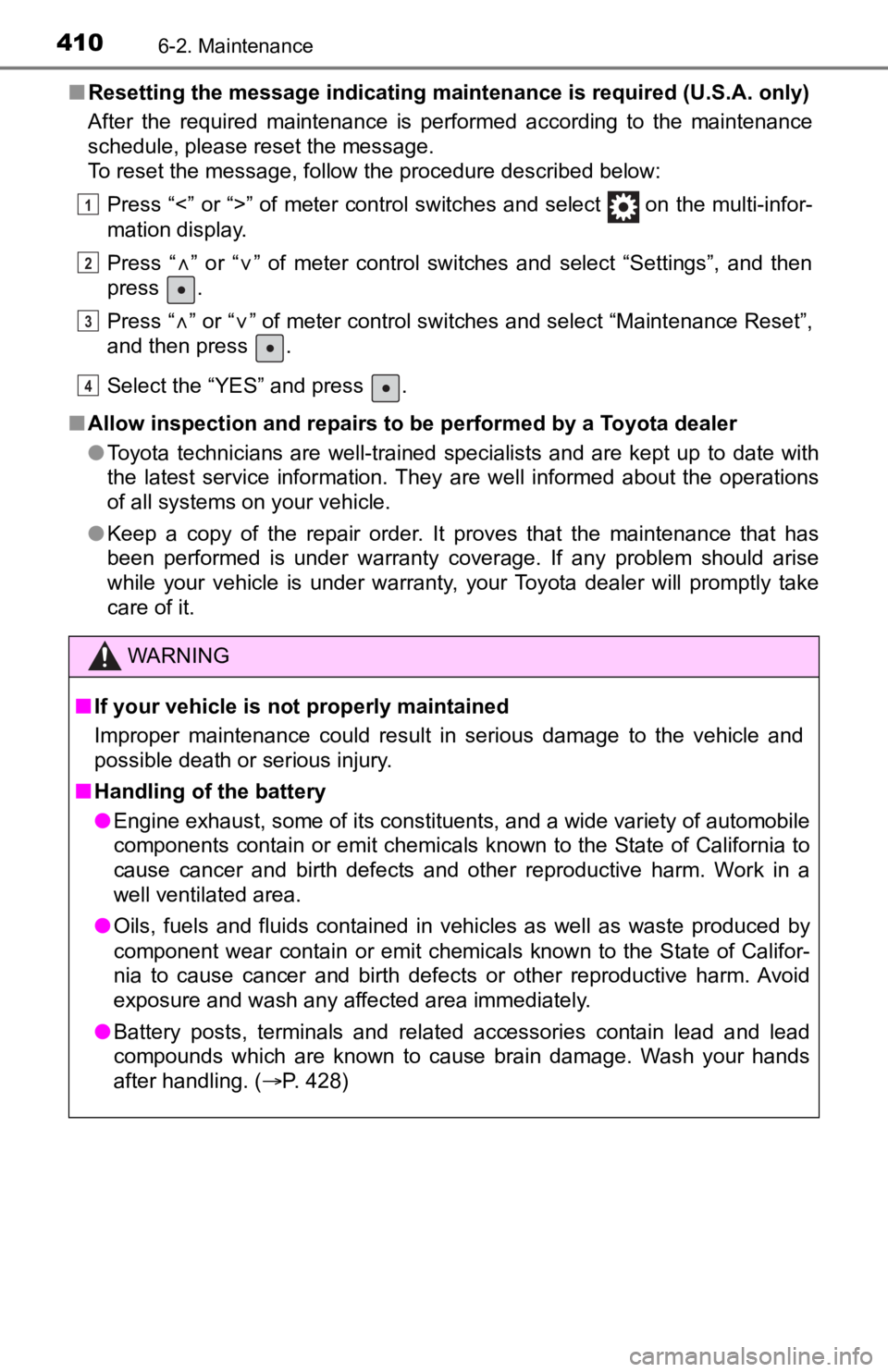
■Resetting the message indicating maintenance is required (U.S.A. only)
After the required maintenance is performed according to the ma intenance
schedule, please reset the message.
To reset the message, follow the procedure described below:
Press “<” or “>” of meter control switches and select on the m ulti-infor-
mation display.
Press “
” or “” of meter control switches and select “Settings”, and then
press .
Press “
” or “” of meter control switches and select “Maintenance Reset”,
and then press .
Select the “YES” and press .
■ Allow inspection and repairs to be performed by a Toyota dealer
●Toyota technicians are well-trained specialists and are kept up to date with
the latest service information. They are well informed about the operations
of all systems on your vehicle.
● Keep a copy of the repair order. It proves that the maintenance that has
been performed is under warranty coverage. If any problem shoul d arise
while your vehicle is under warranty, your Toyota dealer will p romptly take
care of it.
WARNING
■ If your vehicle is no t properly maintained
Improper maintenance could result in serious damage to the vehi cle and
possible death or serious injury.
■ Handling of the battery
● Engine exhaust, some of its constituents, and a wide variety of automobile
components contain or emit chemicals known to the State of Cali fornia to
cause cancer and birth defects and other reproductive harm. Work in a
well ventilated area.
● Oils, fuels and fluids contained in vehicles as well as waste produced by
component wear contain or emit chemicals known to the State of Califor-
nia to cause cancer and birth defects or other reproductive har m. Avoid
exposure and wash any affected area immediately.
● Battery posts, terminals and related accessories contain lead and lead
compounds which are known to cause brain damage. Wash your hands
after handling. ( P. 428)
1
2
3
4
Page 433 of 616
4336-3. Do-it-yourself maintenance
6
Maintenance and care
■How to initialize the tire pressure warning systemVehicles without a smart key system:
Park the vehicle in a safe plac e and turn the engine switch to the
“LOCK” position.
Vehicles with a smart key system:
Park the vehicle in a safe place and turn the engine switch off .
Initialization cannot be performed while the vehicle is moving.
Adjust the tire inflation pressure to the specified cold tire i nflation
pressure level. ( P. 551)
Make sure to adjust the tire pre ssure to the specified cold tire infla-
tion pressure level. The tire pressure warning system will oper ate
based on this pr essure level.
Vehicles without a smart key system:
Turn the engine switch t o the “ON” position.
Vehicles with a smart key system:
Turn the engine switch to IGNITION ON mode.
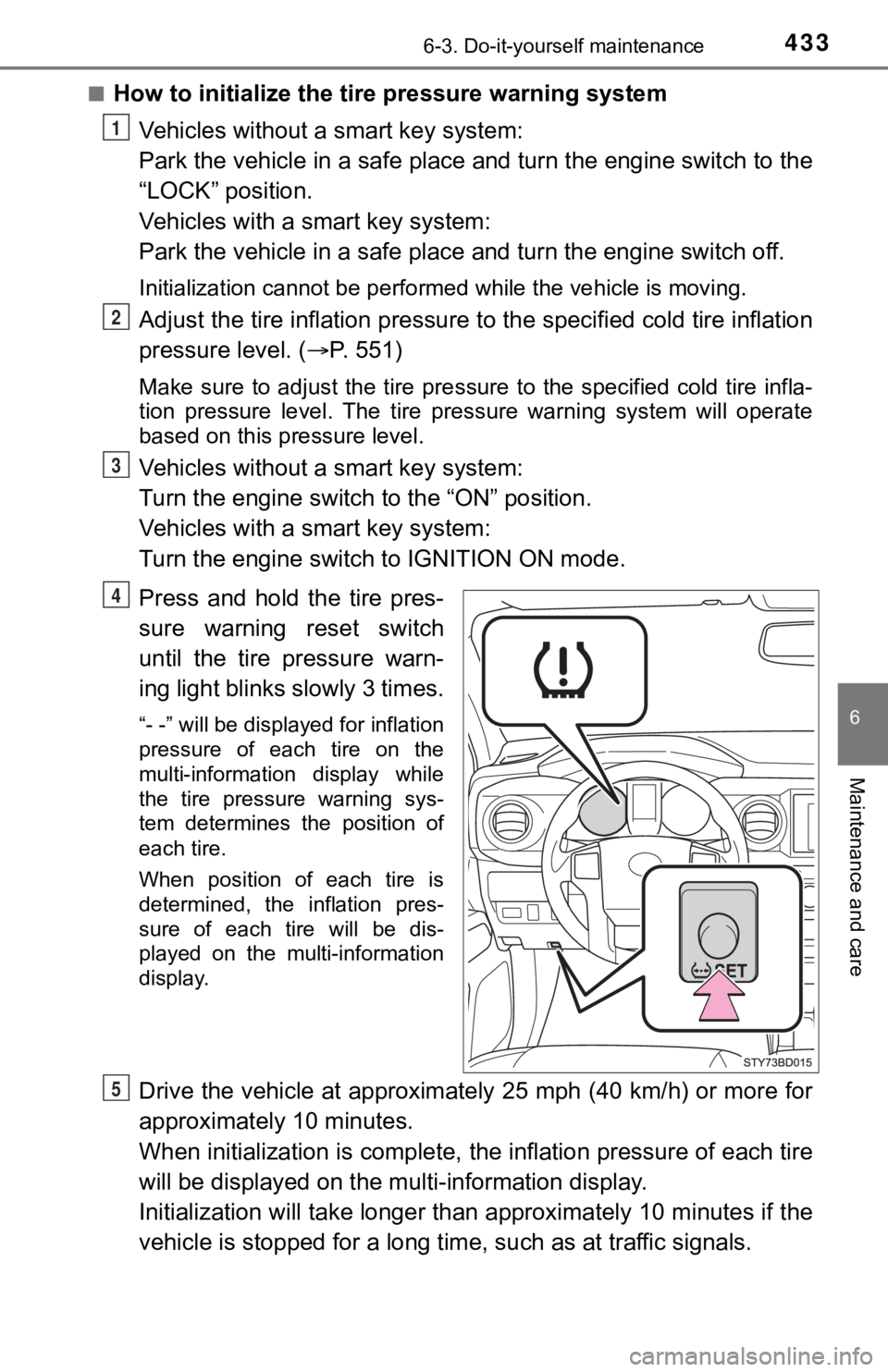
Press and hold the tire pres-
sure warning reset switch
until the tire pressure warn-
ing light blinks slowly 3 times.
“- -” will be displayed for inflation
pressure of each tire on the
multi-information display while
the tire pressure warning sys-
tem determines the position of
each tire.
When position of each tire is
determined, the inflation pres-
sure of each tire will be dis-
played on the multi-information
display.
Drive the vehicle at approximately 25 mph (40 km/h) or more for
approximately 10 minutes.
When initialization is complete, the inflation pressure of each tire
will be displayed on the mu lti-information display.
Initialization will ta ke longer than approxi mately 10 minutes if the
vehicle is stopped for a long time, such as at traffic signals.
1
2
3
4
5
Page 437 of 616

4376-3. Do-it-yourself maintenance
6
Maintenance and care
■The initialization operation (vehicles with the tire pressure warning
system)
●Make sure to carry out initializ ation after adjusting the tire inflation pres-
sure.
Also, make sure the tires are co ld before carrying out initialization or tire
inflation pressure adjustment.
●If you have accidentally turned the engine switch to the “LOCK” position
(vehicles without a smart key system) or off (vehicles with a s mart key
system) during initialization, it is not necessary to press the reset switch
again as initialization will rest art automatically when the engine switch
has been turned to the “ON” posi tion (vehicles without a smart key sys-
tem) or IGNITION ON mode (vehicl es with a smart key system) for the
next time.
●If you accidentally press the reset switch when initialization is not neces-
sary, adjust the tire inflation pressure to the specified level when the
tires are cold, and cond uct initialization again.
■Warning performance of the tire pressure warning system
The warning of the tire pressu re warning system will change in accor-
dance with the conditions under which it was initialized. For t his reason,
the system may give a warning even if the tire pressure does no t reach a
low enough level, or if the pressure is higher than the pressur e that was
adjusted to when the sys tem was initialized.
■When initialization of the tire pressure warning system has fai led (if
equipped)
Initialization may take longer to complete if the vehicle is driven on an
unpaved road. When performing ini tialization, drive on a paved road if
possible. Depending on the driving environment and condition of the tires,
initialization will be completed in approximately 10 minutes. If initialization
is not complete after driving app roximately 10 minutes, continue driving
for a while.
If the inflation pressure of each tire is not displayed after d riving for
approximately 1 hour, perf orm the following procedure.
●Park the vehicle in a safe place for approximately 20 minutes. Then
drive straight (with occasional left and right turns) at approx imately
25mph (40 km/h) or more for ap proximately 10 to 20 minutes.
However, in the following situatio ns, the tire inflation pressure will not be
recorded and the system will not operate properly. Perform initialization
again.
●When operating the tire pressure warning reset switch, the tire pressure
warning light does not blink 3 times.
●After performing initialization, t he tire pressure warning light blinks for
1 minute then stays on while driving.
If the inflation pressure of eac h tire is still not displayed, have the vehicle
inspected by you r Toyota dealer.
Page 440 of 616

4406-3. Do-it-yourself maintenance
WARNING
■When inspecting or replacing tires
Observe the following precautions to prevent accidents.
Failure to do so may cause damage to parts of the drive train as well as
dangerous handling characteristics, which may lead to an accide nt
resulting in death o r serious injury.
●Do not mix tires of different ma kes, models or tread patterns.
Also, do not mix tires of remarkably different treadwear.
●Do not use tire sizes other th an those recommended by Toyota.
●Do not mix differently constructed tires (radial, bias-belted o r bias-ply
tires).
●Do not mix summer, all season and snow tires.
●Do not use tires that have been used on another vehicle.
Do not use tires if you do not kn ow how they were used previously.
■When initializing the tire pressure warning system (if equipped )
Do not operate the tire pressure warning reset switch without first
adjusting the tire inflation pressure to the specified level. O therwise, the
tire pressure warning light may not come on even if the tire in flation
pressure is low, or it may come on when the tire inflation pres sure is
actually normal.
Page 486 of 616

4867-2. Steps to take in an emergency
■If the malfunction indicator lamp comes on while driving
First check the following:
●Is the fuel tank empty?
If it is, fill the fuel tank immediately.
● Is the fuel tank cap loose?
If it is, tighten it securely.
The light will go off after several driving trips.
If the light does not go off even after several trips, contact your Toyota dealer
as soon as possible.
■
When the tire pressure warning light comes on (if equipped)
Check the tire inflation pressure and adjust to the appropriate level. Push-
ing the tire pressur e warning reset switch will not turn off the tire pressure
warning light.
■The tire pressure warning light may come on due to natural caus es
(if equipped)
The tire pressure warning light may come on due to natural caus es such
as natural air leaks and tire inflation pressure changes caused by tem-
perature. In this case, adjusting the tire inflation pressure w ill turn off the
warning light (after several minutes).
■When a tire is replaced with a spare tire (vehicles with the ti re pres-
sure warning system)
The temporary spare tire is not equipped with a tire pressure w arning
valve and transmitter. If a tire goes flat, the tire pressure w arning light will
not turn off even though the flat tire has been replaced with t he temporary
spare tire. Replace the temporary spare tire with the repaired tire and
adjust the tire inflation pressu re. The tire pressure warning l ight will go off
after several minutes.
■Conditions that the tire pressure warning system may not functi on
properly (if equipped)
P. 4 3 6
■If the tire pressure warning light frequently comes on after bl inking
for 1 minute (if equipped)
If the tire pressure warning light frequently comes on after bl inking for 1
minute when the engine switch is turned to “ON” position (vehic les with-
out a smart key system) or IGNITION ON mode (vehicles with a sm art
key system), have it checked by your Toyota dealer.
■Warning buzzer
In some cases, the buzzer may not be heard because of noisy pla ce or an
audio sound.
Page 498 of 616
4987-2. Steps to take in an emergency
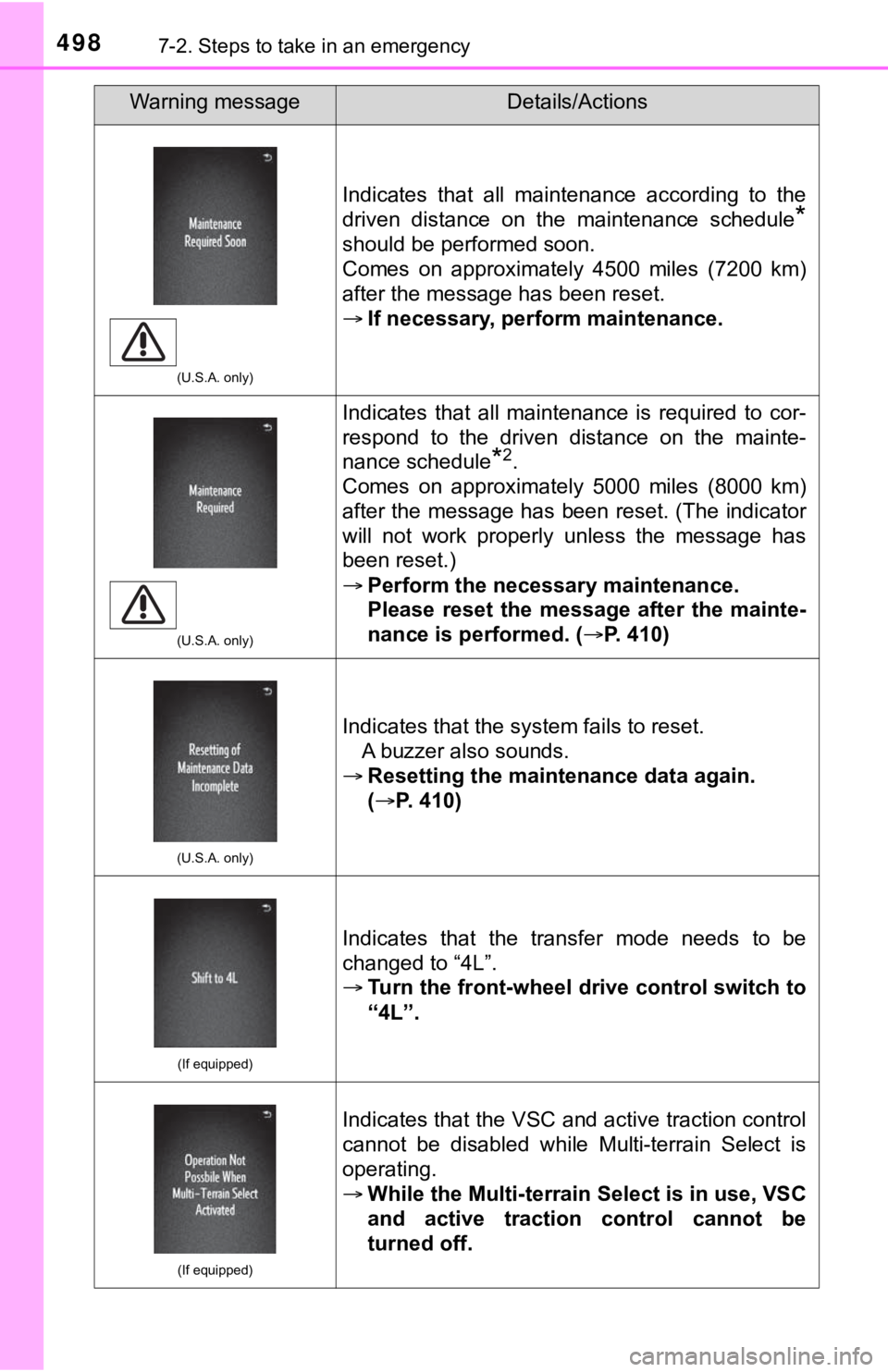
(U.S.A. only)
Indicates that all maintenance according to the
driven distance on the maintenance schedule
*
should be performed soon.
Comes on approximately 4500 miles (7200 km)
after the message has been reset.
If necessary, perfo rm maintenance.
(U.S.A. only)
Indicates that all maintenance is required to cor-
respond to the driven distance on the mainte-
nance schedule
*2.
Comes on approximately 5000 miles (8000 km)
after the message has been reset. (The indicator
will not work properly unless the message has
been reset.)
Perform the necessary maintenance.
Please reset the message after the mainte-
nance is performed. ( P. 410)
(U.S.A. only)
Indicates that the system fails to reset.
A buzzer also sounds.
Resetting the maintenance data again.
(P. 410)
(If equipped)
Indicates that the transfer mode needs to be
changed to “4L”.
Turn the front-wheel drive control switch to
“4L”.
(If equipped)
Indicates that the VSC and active traction control
cannot be disabled while Multi-terrain Select is
operating.
While the Multi-terrain Select is in use, VSC
and active traction control cannot be
turned off.
Warning messageDetails/Actions
Page 523 of 616
5237-2. Steps to take in an emergency
7
When trouble arises
■The temporary spare tire
●Your vehicle is equipped with a temporary spare tire that may be a differ-
ent size, tread type, and/or manufacturer from the ground tires installed
on your vehicle.
●The temporary spare tire is iden tified by the “TEMPORARY USE ON LY ”
marking on the disc wheel and/or the tire sidewall.
Use the temporary spare tire temp orarily, and only in an emergency.
●Make sure to check the tire inflation pressure of the temporary spare
tire. ( P. 5 5 1 )
■After completing the tire change (vehicles with the tire pressu re
warning system)
The tire pressure warni ng system must be reset. ( P. 433)
■When using the temporary spare tire (vehicles with the tire pre ssure
warning system)
As the temporary spare tire is no t equipped with the tire pressure warning
valve and transmitter, low inflation pressure of the spare tire will not be
indicated by the tire pressure warning system. Also, if you rep lace the
temporary spare tire after the tire pressure warning light come s on, the
light remains on.
■If you have a flat rear tire on a road covered with snow or ice
Install the temporary spare tire on one of the front wheels of the vehicle.
Perform the following steps and f it tire chains to the rear tires:
Replace a front tire with the temporary spare tire.
Replace the flat rear tire with the tire removed from the front of the
vehicle.
Fit tire chains to the rear tires.
1
2
3
Page 569 of 616
5698-2. Customization
8
Vehicle specifications
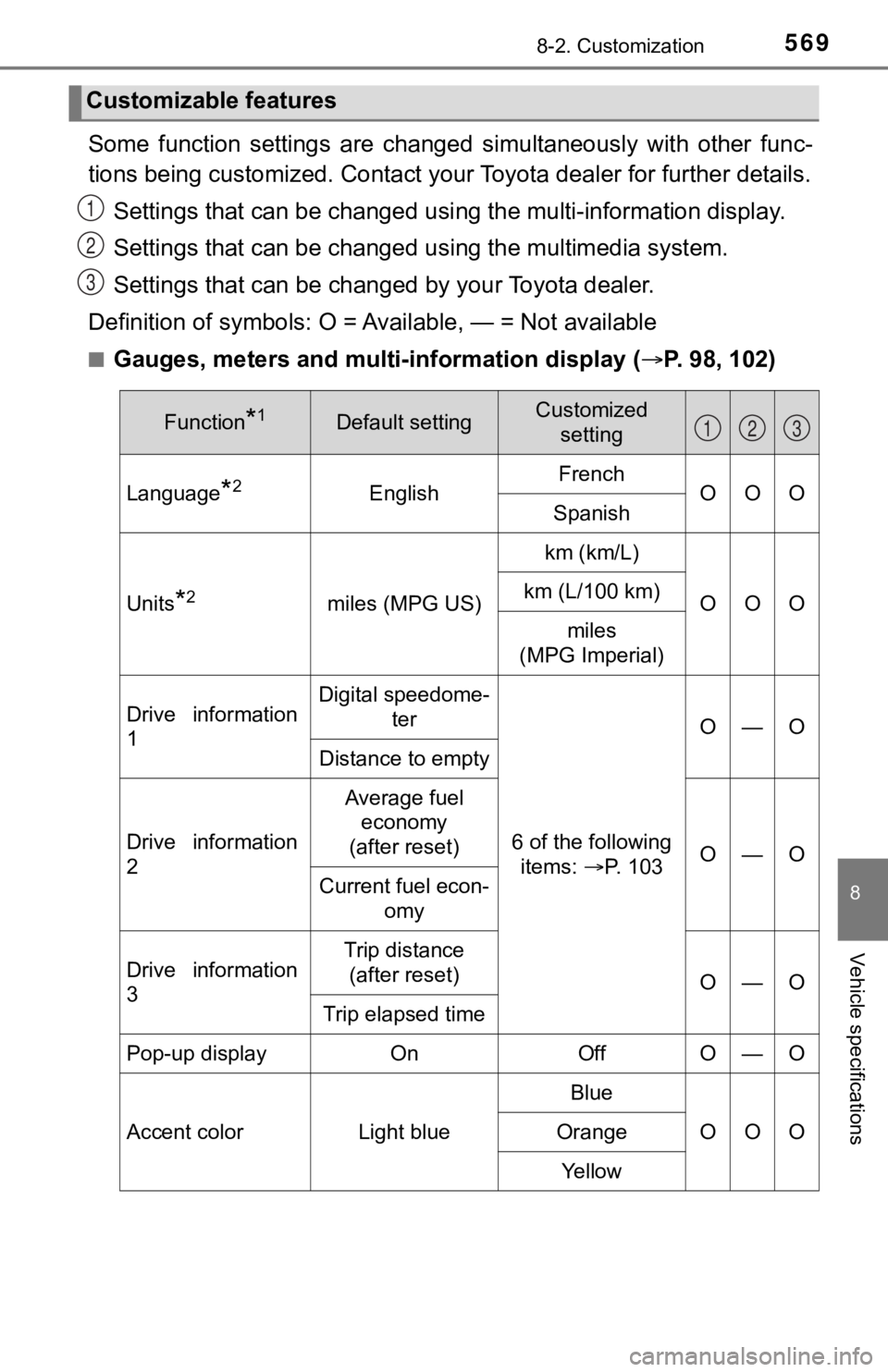
Some function settings are changed simultaneously with other func-
tions being customized. Contact your Toyota dealer for further details.
Settings that can be changed usi ng the multi-information display.
Settings that can be changed u sing the multimedia system.
Settings that can be chan ged by your Toyota dealer.
Definition of symbols: O = A vailable, — = Not available
■Gauges, meters and multi-information display ( P. 98, 102)
Customizable features
1
2
3
Function*1Default settingCustomized
setting
Language*2EnglishFrenchOOOSpanish
Units*2miles (MPG US)
km (km/L)
OOOkm (L/100 km)
miles
(MPG Imperial)
Drive information
1Digital speedome- ter
6 of the following items: P. 103
O—O
Distance to empty
Drive information
2
Average fuel
economy
(after reset)
O—O
Current fuel econ- omy
Drive information
3Trip distance (after reset)
O—O
Trip elapsed time
Pop-up displayOnOffO—O
Accent colorLight blue
Blue
OOOOrange
Ye l l o w
123
Page 607 of 616
607Alphabetical index
License plate lightsLight switch ........................... 220
Replacing light bulbs............. 467
Wattage ................................ 553
Light bulbs Replacing .............................. 458
Wattage ................................ 553
Lights Automatic High Beam ........... 224
Cargo lamp switch ................ 355
Center tray light .................... 353
Engine switch light (ignition switch light) ........... 353
Fog light switch ..................... 229
Headlight switch.................... 220
Illuminated entry system ....... 355
Interior lights ......................... 354
Interior lights list .................... 353
Personal lights ...................... 354
Replacing light bulbs............. 458
Turn signal lever ................... 218
Vanity lights .......................... 374
Wattage ................................ 553
Load capacity........................... 182
Lock steering column ............. 149
Luggage compartment features .................................. 364
Luggage storage box .............. 361
Maintenance
Do-it-yourself maintenance ... 415
General maintenance ........... 411
Maintenance data ................. 540
Maintenance requirements ... 409
Resetting the maintenance required remainder light
or message........................ 410 Malfunction indicator lamp..... 482
Manual air conditioning
system.................................... 338
Manual transmission............... 216
Master warning light ....... 483, 489
Meter Indicators ................................ 95
Instrument panel light
control .................................. 99
Meters..................................... 98
Multi-information display ....... 102
Warning lights ......................... 93
Warning message................. 489
Meter control switches ........... 103
Mirrors Inside rear view mirror .......... 151
Outside rear view
mirror defoggers ......... 340, 347
Outside rear view mirrors ..... 154
Vanity mirrors ....................... 374
Moon roof ................................. 162 Jam protection function ........ 163
Operation .............................. 162
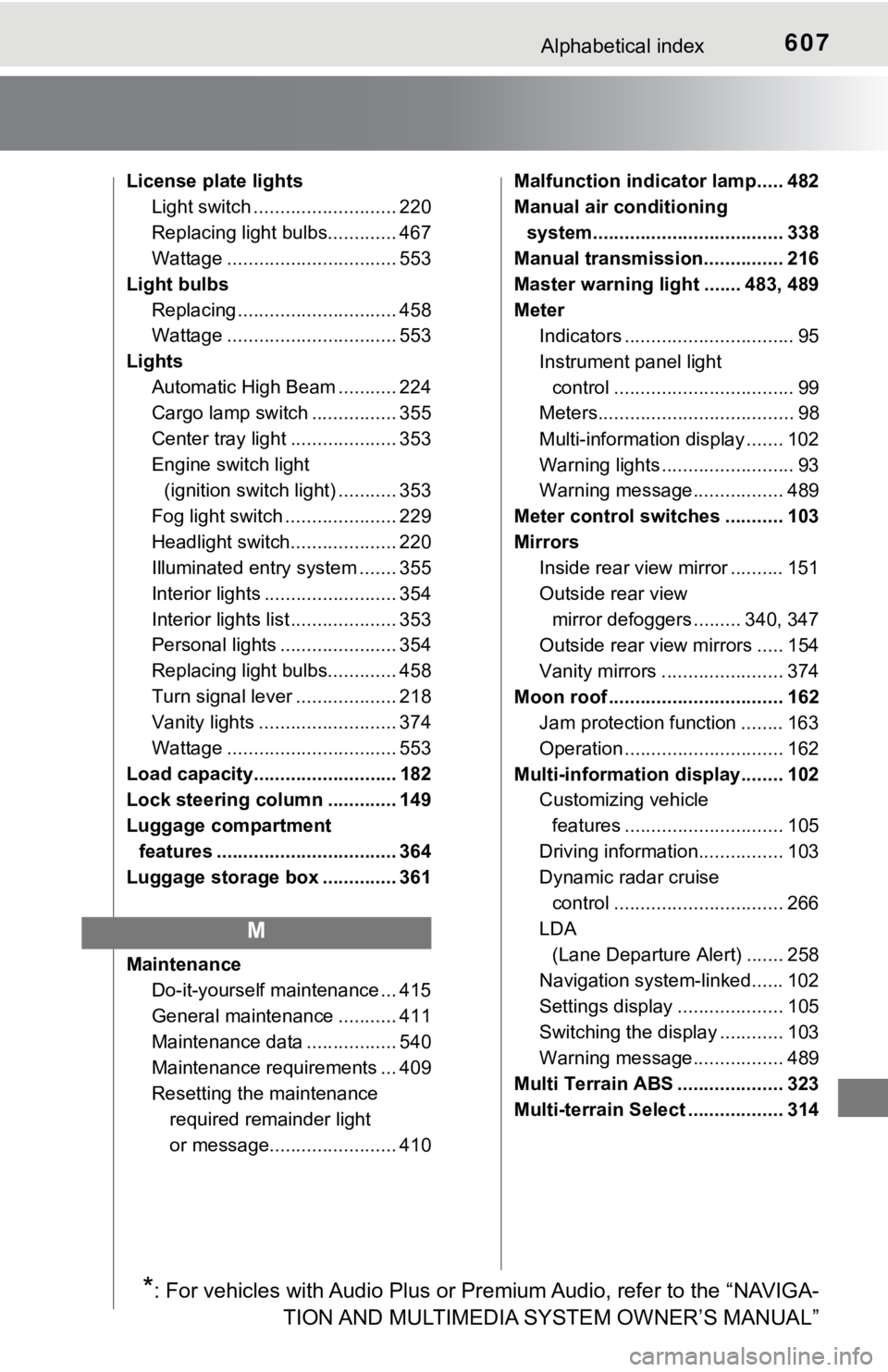
Multi-information display........ 102 Customizing vehicle
features .............................. 105
Driving information................ 103
Dynamic radar cruise control ................................ 266
LDA (Lane Departure Alert) ....... 258
Navigation system-linked...... 102
Settings display .................... 105
Switching the display ............ 103
Warning message................. 489
Multi Terrain ABS .................... 323
Multi-terrain Select .................. 314
M
*: For vehicles with Audio Plus or Premium Audio, refer to the “ NAVIGA-
TION AND MULTIMEDIA SYSTEM OWNER’S MANUAL”
Page 609 of 616
609Alphabetical index
Radar cruise control (dynamic radar cruise control) ............. 266
Radiator .................................... 425
Radio
*
Rear differential lock system............................ 309
Rear seat
Adjustment precautions ........ 144
Child seats/child restraint system installation . ............... 58
Cleaning................................ 406
Folding down ........................ 142
Head restraints ..................... 145
Raising the bottom cushion ............................... 142
Rear side marker lights ........... 220
Light switch ........................... 220
Replacing light bulbs............. 466
Wattage ................................ 553
Rear step bumper .................... 130
Rear turn signal lights............. 218 Replacing light bulbs............. 466
Turn signal lever ................... 218
Wattage ................................ 553
Rear view mirror
Inside rear view mirror .......... 151
Outside rear view mirrors...... 154
Rear view monitor system
*
Refueling .................................. 233
Capacity................................ 544
Fuel types ............................. 544
Opening the fuel tank cap..... 235
Replacing Electronic key battery ........... 451
Fuses .................................... 455
Light bulbs ............................ 458
Tires...................................... 511
Wireless remote control battery ................................ 451
Reporting safety defects for Canadian owners ............ 579
Reporting safety defects for U.S. owners...................... 578
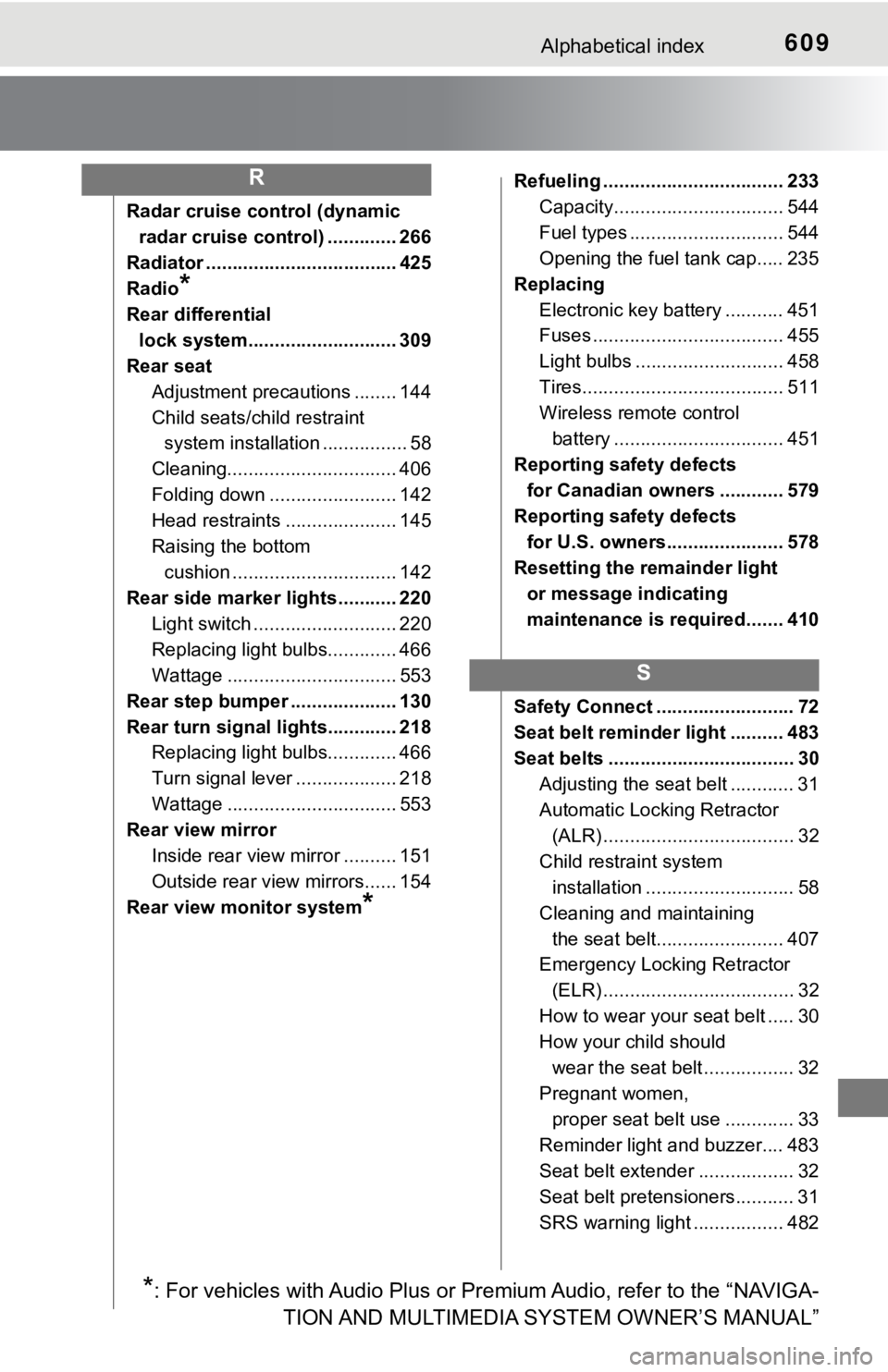
Resetting the remainder light
or message indicating
maintenance is required....... 410
Safety Connect .......................... 72
Seat belt reminder light .......... 483
Seat belts ................................... 30 Adjusting the seat belt ............ 31
Automatic Locking Retractor (ALR) .................................... 32
Child restra int system
installation ............................ 58
Cleaning and maintaining the seat belt........................ 407
Emergency Locking Retractor
(ELR) .................................... 32
How to wear your seat belt ..... 30
How your child should wear the seat belt ................. 32
Pregnant women, proper seat belt use ............. 33
Reminder light and buzzer.... 483
Seat belt extender .................. 32
Seat belt pretensioners........... 31
SRS warning light ................. 482R
S
*: For vehicles with Audio Plus or Premium Audio, refer to the “ NAVIGA-
TION AND MULTIMEDIA SYSTEM OWNER’S MANUAL”