engine TOYOTA tC 2014 (in English) Manual Online
[x] Cancel search | Manufacturer: TOYOTA, Model Year: 2014, Model line: tC, Model: TOYOTA tC 2014Pages: 488, PDF Size: 9.33 MB
Page 245 of 488
245
3-1. Using the air conditioning system and defogger
3
Interior features
tC_OM_OM21046U_(U)
Rear window and outside rear view mirror defogger switch
■The defoggers can be operated when
Vehicles without a smart key system
The engine switch is in the “ON” position.
Vehicles with a smart key system
The “ENGINE START STOP” switch is in IGNITION ON mode.
■ The outside rear view mirr or defoggers (if equipped)
Turning the rear window defogger on will turn the outside rear view mirror
defoggers on.
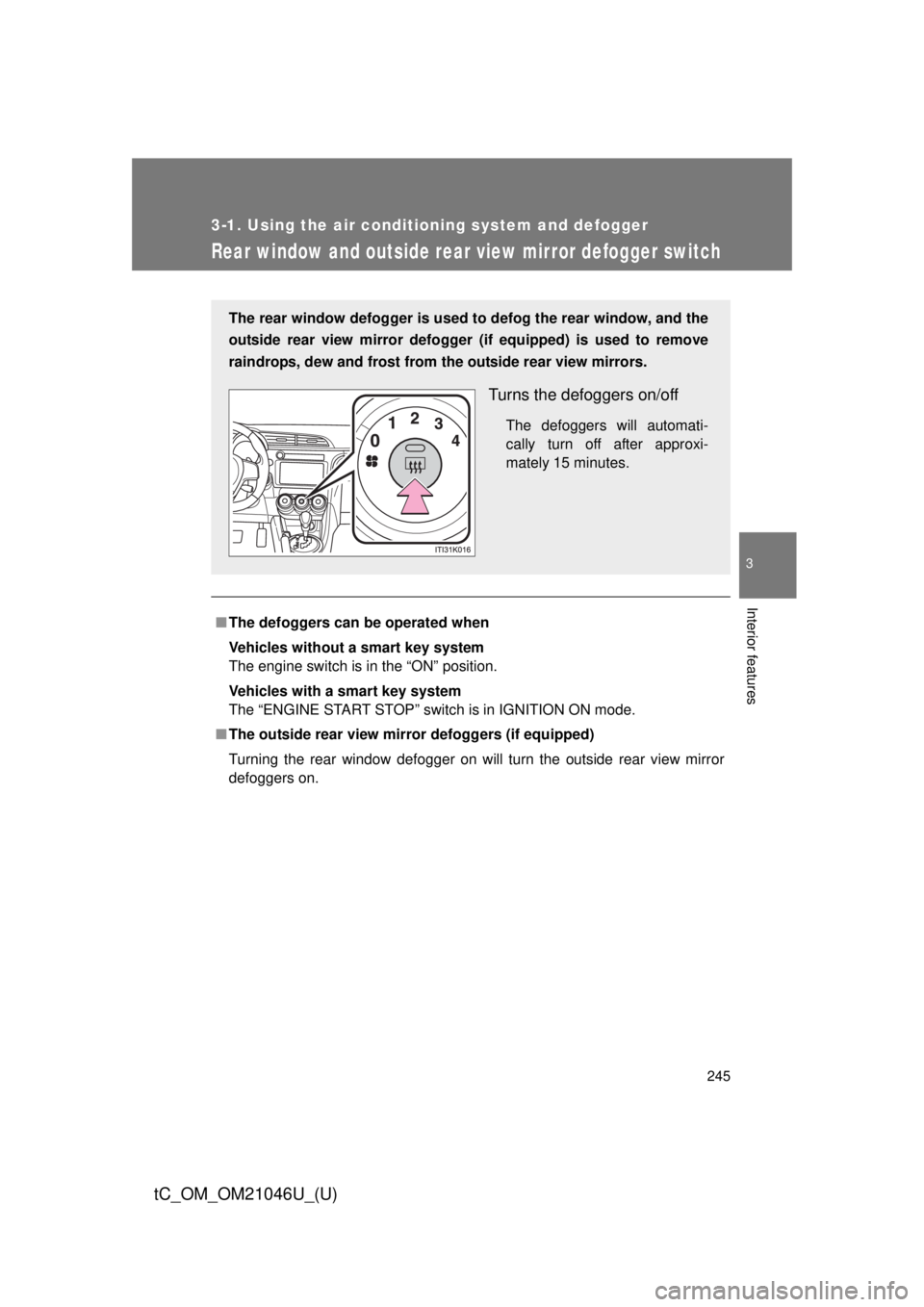
The rear window defogger is used to defog the rear window, and the
outside rear view mirror defogger (if equipped) is used to remove
raindrops, dew and frost from the outside rear view mirrors.
Turns the defoggers on/off
The defoggers will automati-
cally turn off after approxi-
mately 15 minutes.
Page 246 of 488

246 3-1. Using the air conditioning system and defogger
tC_OM_OM21046U_(U)
CAUTION
■When the outside rear view mirr or defoggers are on (if equipped)
Do not touch the outside surface of the rear view mirrors, as they can
become very hot and burn you.
NOTICE
■ To prevent battery discharge
Turn the defoggers off when the engine is off.
Page 250 of 488
250
tC_OM_OM21046U_(U)
3-3. Using the interior lights
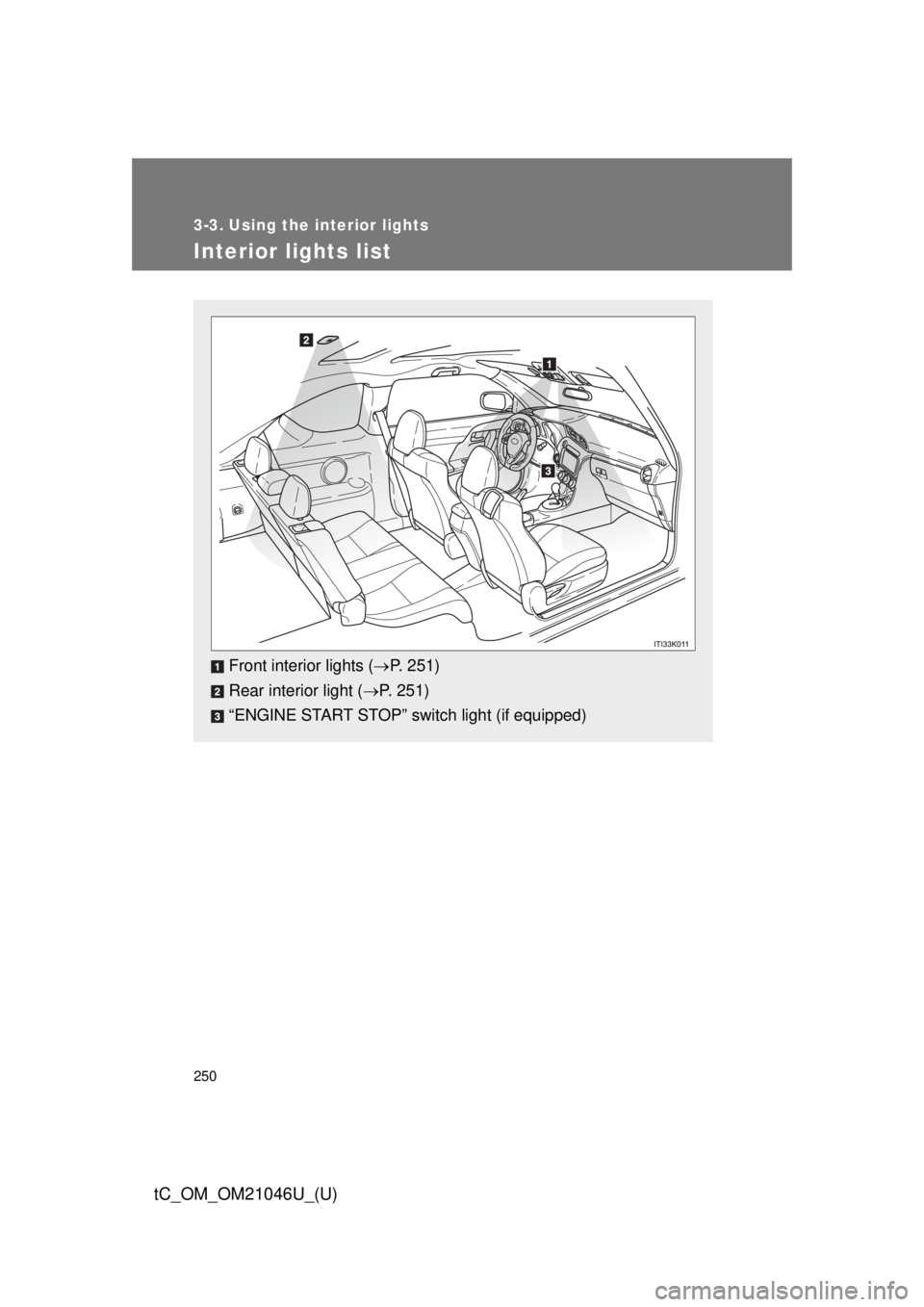
Interior lights list
Front interior lights (P. 251)
Rear interior light ( P. 251)
“ENGINE START STOP” switch light (if equipped)
Page 252 of 488

252 3-3. Using the interior lights
tC_OM_OM21046U_(U)
■Illuminated entry system
Vehicles without a smart key system
The lights automatically turn on/off according to the engine switch position,
whether the doors are locked/unlocked, and whether the doors are open/
closed.
Vehicles with a smart key system
The lights automatically turn on/off according to “ENGINE START STOP”
switch mode, the presence of the electronic key, whether the doors are
locked/unlocked, and whether the doors are open/closed.
■ To prevent battery discharge
Vehicles without a smart key system
If the interior lights remain on when the engine switch is turned off, the lights
will go off automatically after 20 minutes.
Vehicles with a smart key system
If the interior lights remain on when the “ENGINE START STOP” switch is
turned off, the lights will go off automatically after 20 minutes.
■ Customization that can be configured at Scion dealer
Settings (e.g. The time elapsed before lights turn off) can be changed.
(Customizable features: P. 456)
Page 260 of 488
260
3-5. Other interior features
tC_OM_OM21046U_(U)
Clock
■The clock is displayed when
Vehicles without a smart key system
The engine switch is in the “ACC” or “ON” position.
Vehicles with a smart key system
The “ENGINE START STOP” switch is in ACCESSORY or IGNITION ON
mode.
■ When disconnecting and reco nnecting battery terminals
The time display will automatically be set to 1:00.
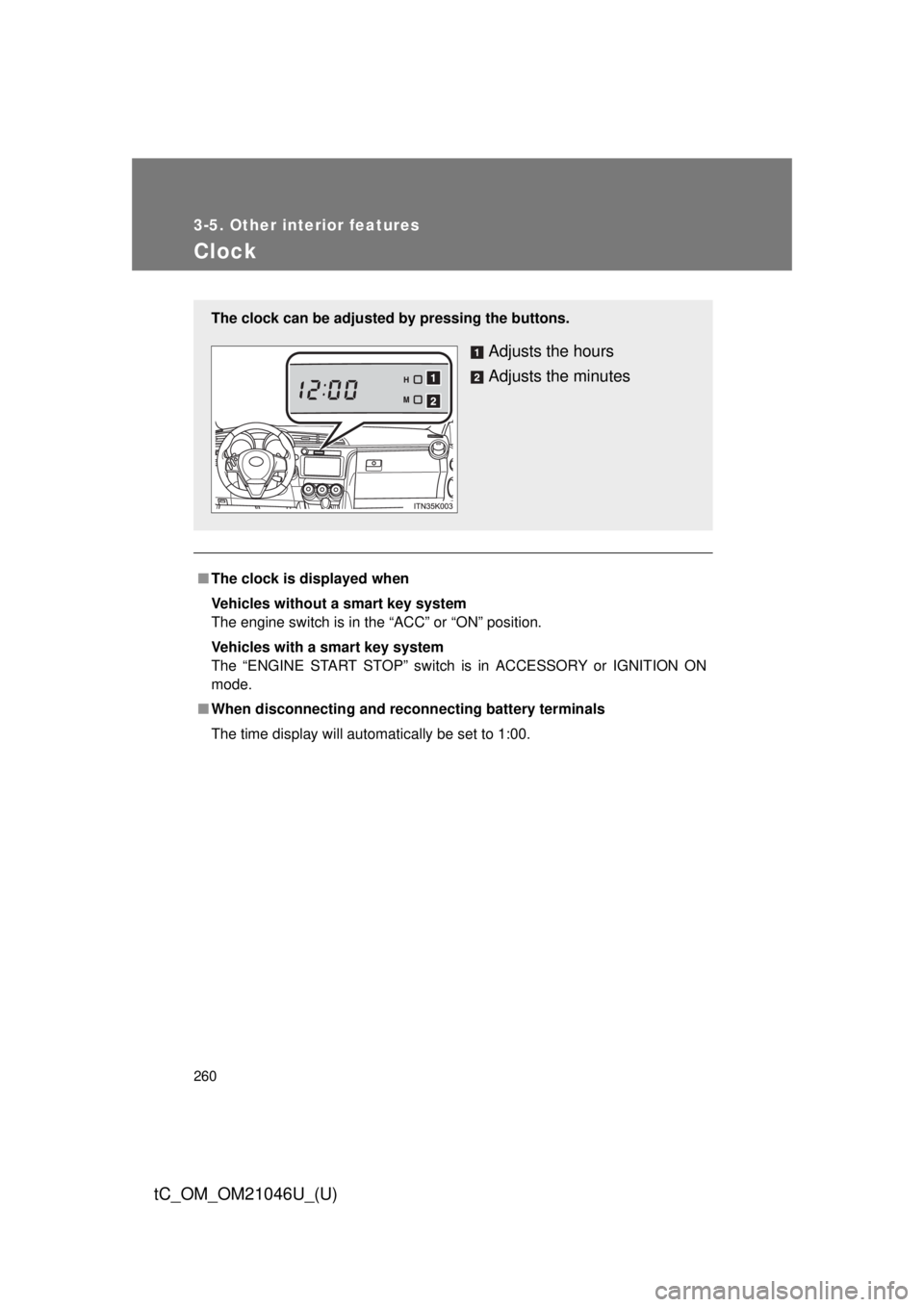
The clock can be adjusted by pressing the buttons.
Adjusts the hours
Adjusts the minutes
Page 261 of 488
261
3-5. Other interior features
3
Interior features
tC_OM_OM21046U_(U)
Power outlet
■The power outlet can be used when
Vehicles without a smart key system
The engine switch is in the “ACC” or “ON” position.
Vehicles with a smart key system
The “ENGINE START STOP” switch is in ACCESSORY or IGNITION ON
mode.
NOTICE
■To avoid damaging the power outlet
Close the power outlet lid when the power outlet is not in use.
Foreign objects or liquids that enter the power outlet may cause a short cir-
cuit.
■ To prevent battery discharge
Do not use the power outlet longer than necessary when the engine is not\
running.
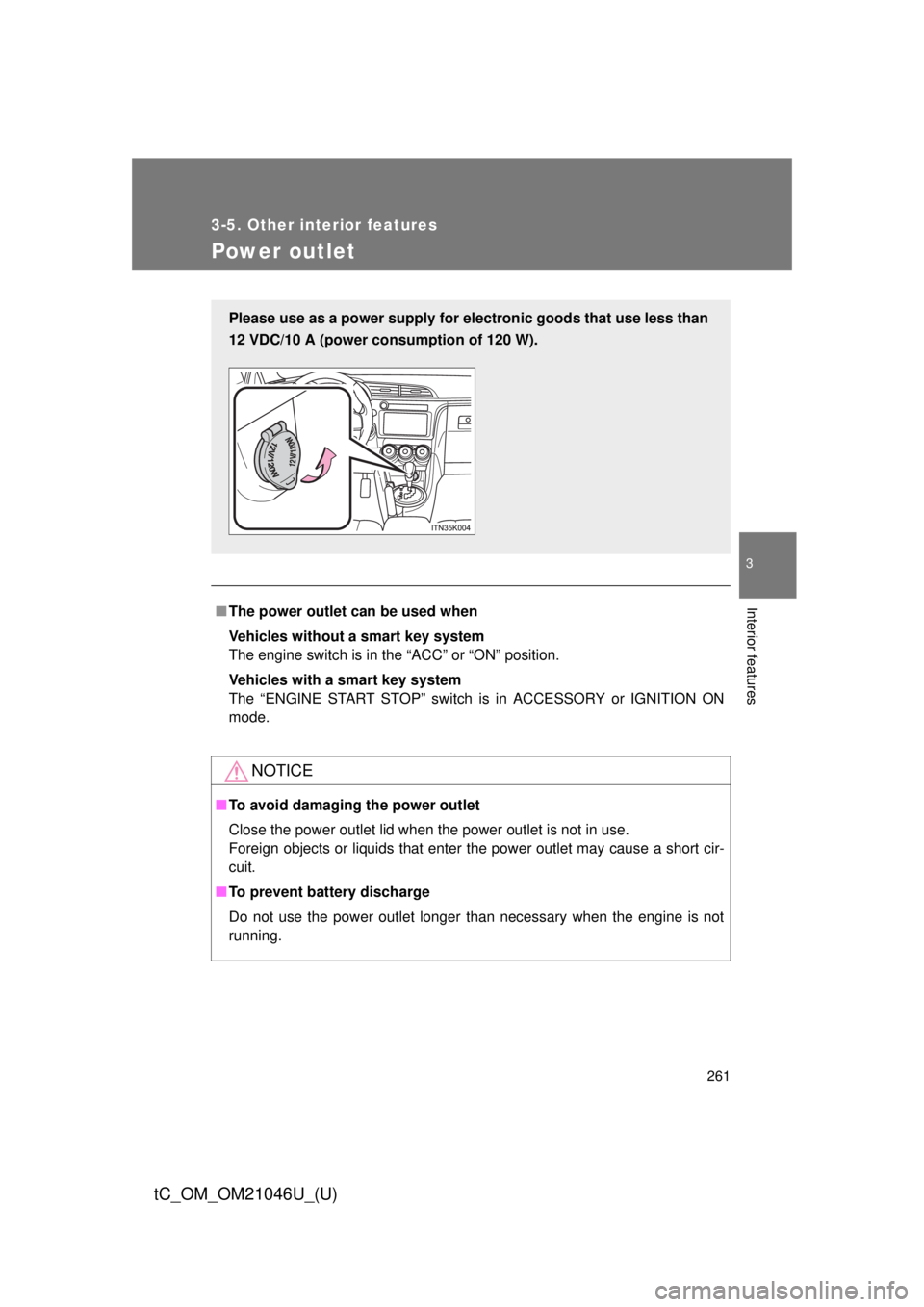
Please use as a power supply for el ectronic goods that use less than
12 VDC/10 A (power consumption of 120 W).
Page 266 of 488
266 3-5. Other interior features
tC_OM_OM21046U_(U)
CAUTION
Observe the following precautions.
Failure to do so may cause the driver’s floor mat to slip, possibly interfering
with the pedals while driving. An unexpectedly high speed may result or it may
become difficult to stop the vehicle, leading to an accident, or leading to death
or a serious injury.
■When installing the driver’s floor mat
●Do not use floor mats designed for other models or different model year
vehicles, even if they are Scion Genuine floor mats.
● Only use floor mats designed for the driver’s seat.
● Always install the floor mat securely using the retaining hooks (clips) pro-
vided.
● Do not use two or more floor mats on top of each other.
● Do not place the floor mat bottom-side up or upside-down.
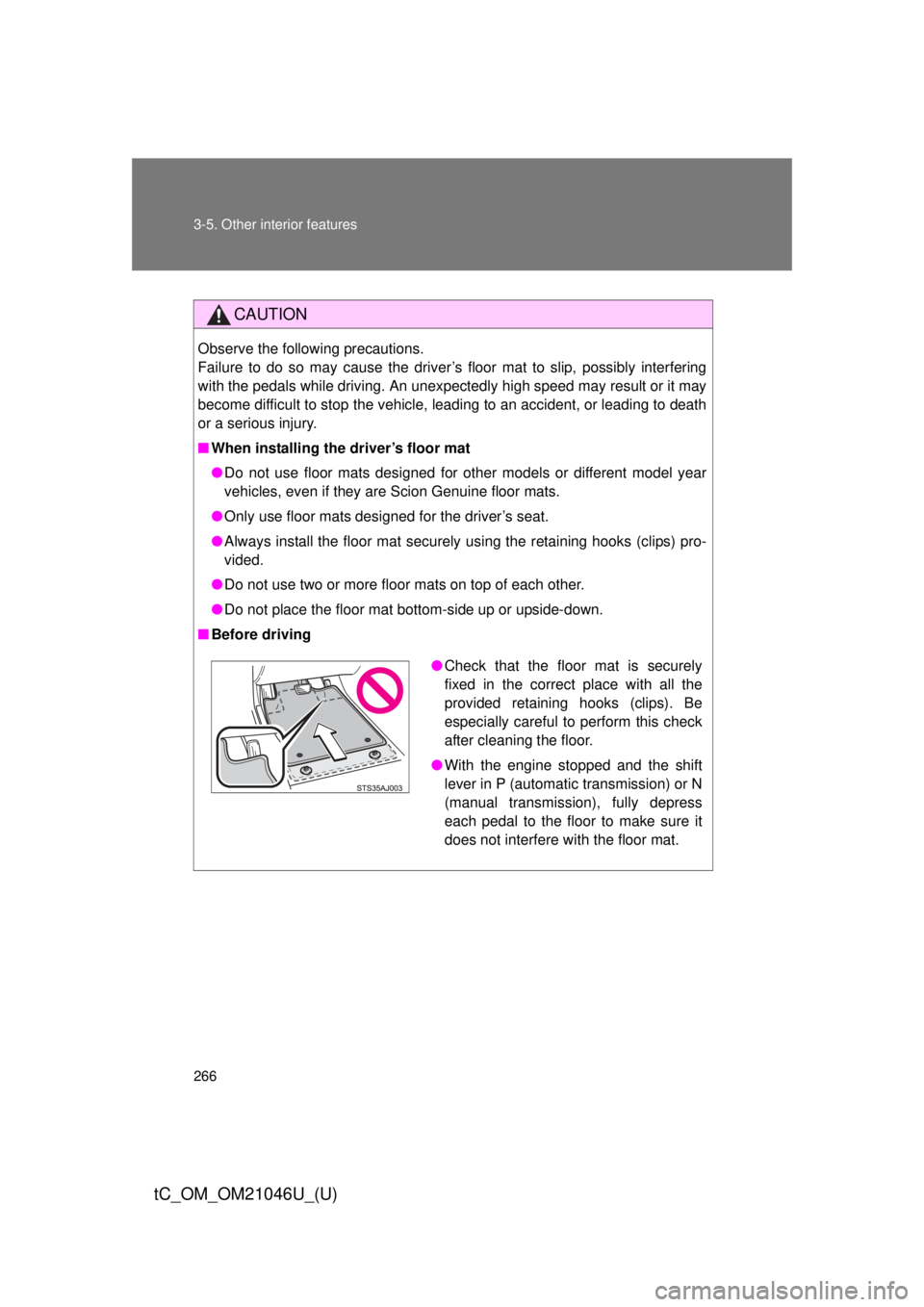
■ Before driving
●Check that the floor mat is securely
fixed in the correct place with all the
provided retaining hooks (clips). Be
especially careful to perform this check
after cleaning the floor.
● With the engine stopped and the shift
lever in P (automatic transmission) or N
(manual transmission), fully depress
each pedal to the floor to make sure it
does not interfere with the floor mat.
Page 271 of 488
Maintenance and care4
271
tC_OM_OM21046U_(U)
4-1. Maintenance and careCleaning and protecting the vehicle exterior......... 272
Cleaning and protecting the vehicle interior.......... 276 4-2. Maintenance
Maintenance requirements .................. 279
General maintenance....... 282
Emission inspection and maintenance (I/M)
programs........................ 286
4-3. Do-it-yourself maintenance Do-it-yourself service precautions .................... 287
Hood ................................ 292
Positioning a floor jack ..... 294
Engine compartment ........ 296
Tires ................................. 312
Tire inflation pressure ...... 323
Wheels ............................. 327
Wireless remote control/electronic
key battery ..................... 330
Checking and replacing fuses .............................. 336
Light bulbs........................ 347
Page 274 of 488

274 4-1. Maintenance and care
tC_OM_OM21046U_(U)
CAUTION
■When washing the vehicle
Do not apply water to the inside of the engine compartment. Doing so may
cause the electrical components etc. to catch fire.
■ Precautions regarding the exhaust pipe
Exhaust gasses cause the exhaust pipe to become quite hot.
When washing the vehicle, be careful not to touch the pipe until it has cooled
sufficiently, as touching a hot exhaust pipe can cause burns.
Page 280 of 488
280 4-2. Maintenance
tC_OM_OM21046U_(U)
■Reset the maintenance data (U.S.A. only)
After the required maintenance is performed according to the maintenance
schedule, please reset the maintenance data.
To reset the data, follow the procedures described below:
Switch the display to the trip meter A when the engine is running.
(P. 190)
Vehicles without a smart key system:
Turn the engine switch off.
Vehicles with a smart key system:
Turn the “ENGINE START STOP” switch off.
Vehicles without a smart key system:
While pressing the odometer/trip meter display change button
( P. 190), turn the engine switch to the “ON” position (do not start
the engine because reset mode will be canceled). Continue to
press and hold the button until the trip meter displays “000000”.
Vehicles with a smart key system:
While pressing the odometer/trip meter display change button
( P. 190), turn the “ENGINE START STOP” switch to the IGNI-
TION ON mode (do not start the engine because otherwise the
reset mode will be canceled). Continue to press and hold the but-
ton until the trip meter displays “000000”.
■ Allow inspection and repairs to be performed by a Scion dealer
●Scion technicians are well-trained specialists and are kept up to date with
the latest service information. They are well informed about the opera-
tions of all systems on your vehicle.
● Keep a copy of the repair order. It proves that the maintenance that has
been performed is under warranty coverage. If any problem should arise
while your vehicle is under warranty, your Scion dealer will promptly take
care of it.
STEP 1
STEP 2
STEP 3