AUX TOYOTA tC 2015 Owners Manual (in English)
[x] Cancel search | Manufacturer: TOYOTA, Model Year: 2015, Model line: tC, Model: TOYOTA tC 2015Pages: 492, PDF Size: 9.63 MB
Page 3 of 492

1
2
3
4
5
6
7
3
tC_OM_OM21057U_(U)
2-3. Operating the lights and windshield wipers
Headlight switch .................. 199
Windshield wipers and washer .............................. 204
Rear window wiper and washer .............................. 208
2-4. Using other driving systems Cruise control ...................... 211
Driving assist systems ........ 215
2-5. Driving information Cargo and luggage ............. 220
Vehicle load limits ............... 225
Winter driving tips ............... 226
Trailer towing ...................... 232
Dinghy towing (automatic transmission) .................... 233
Dinghy towing (manual transmission) .................... 234
3-1. Using the air conditioning system and defogger
Air conditioning system ....... 238
Rear window and outside rear view mirror defogger
switch ................................ 245 3-2. Using the audio system
Using the AUX port/USB port........................... 247
Using the steering wheel audio switches.................. 248
Using the microphone ........ 249
3-3. Using the interior lights Interior lights list ................. 250
• Interior lights..................... 251
3-4. Using the storage features List of storage features ....... 253
• Glove box ......................... 254
• Console box ..................... 255
• Auxiliary box ..................... 256
• Cup holders ...................... 256
• Bottle holders ................... 257
3-5. Other interior features Sun visors........................... 258
Vanity mirrors ..................... 259
Clock .................................. 260
Power outlet ....................... 261
Seat heaters ....................... 262
Sunshades ......................... 264
Assist grips ......................... 266
Floor mat ............................ 267
Luggage compartment features ............................ 269
3Interior features
Page 11 of 492
11
tC_OM_OM21057U_(U)
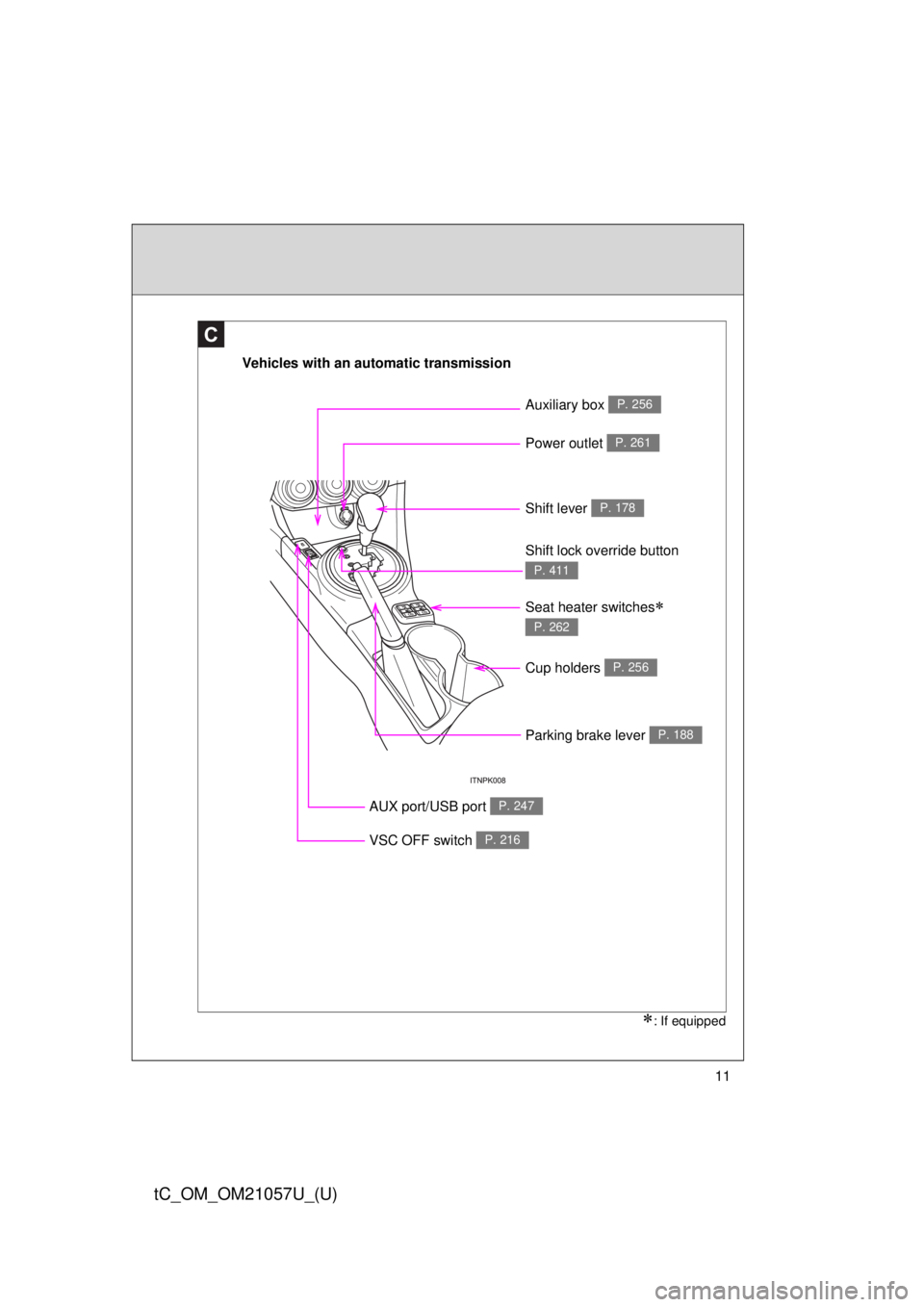
Vehicles with an automatic transmission
Power outlet P. 261
Shift lever P. 178
AUX port/USB port P. 247
Shift lock override button
P. 411
C
Cup holders P. 256
Parking brake lever P. 188
VSC OFF switch P. 216
Auxiliary box P. 256
Seat heater switches
P. 262
: If equipped
Page 12 of 492
12
tC_OM_OM21057U_(U)
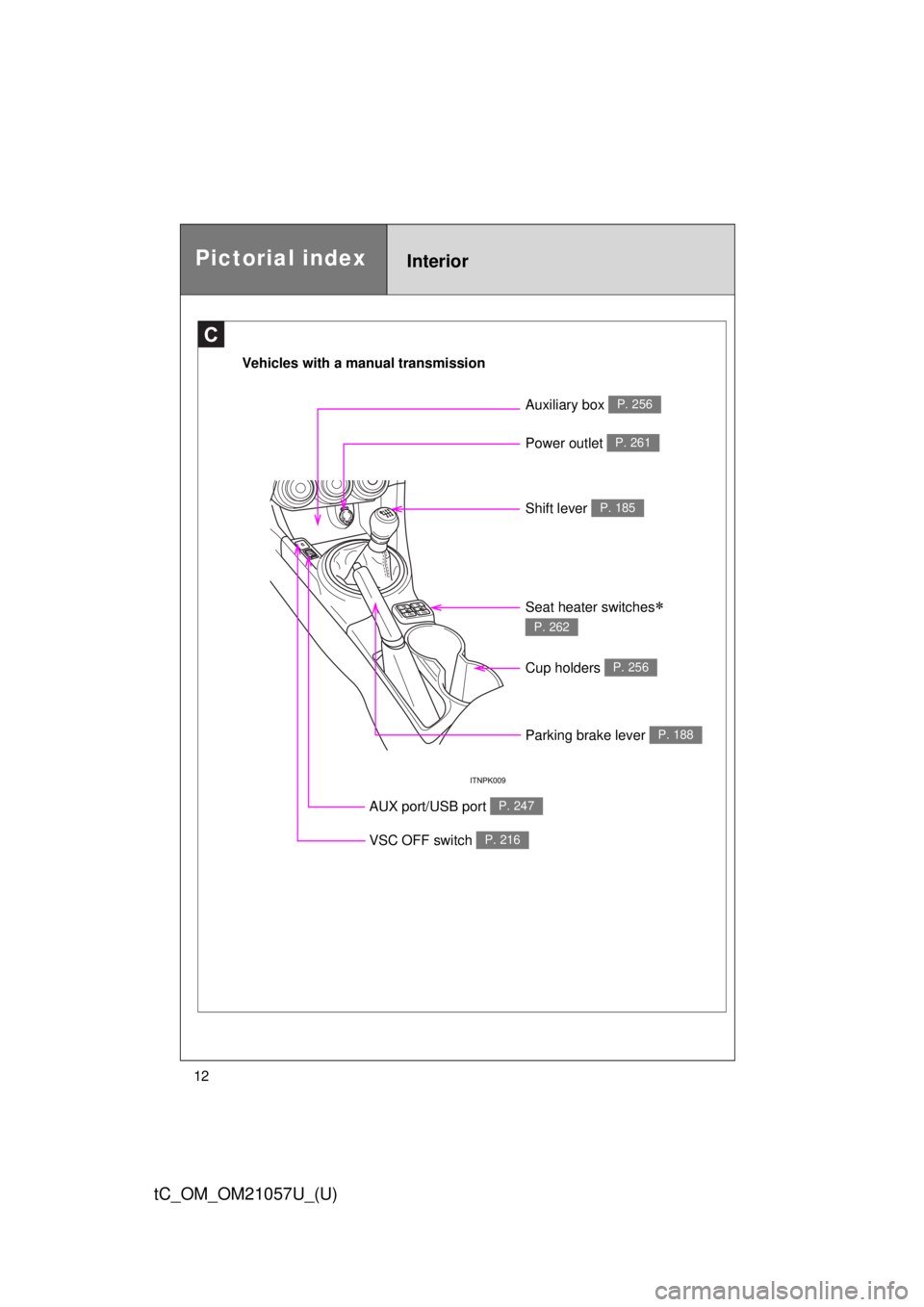
Vehicles with a manual transmission
C
Power outlet P. 261
Shift lever P. 185
AUX port/USB port P. 247
Cup holders P. 256
Parking brake lever P. 188
VSC OFF switch P. 216
Auxiliary box P. 256
Pictorial indexInterior
Seat heater switches
P. 262
Page 17 of 492
17
tC_OM_OM21057U_(U)
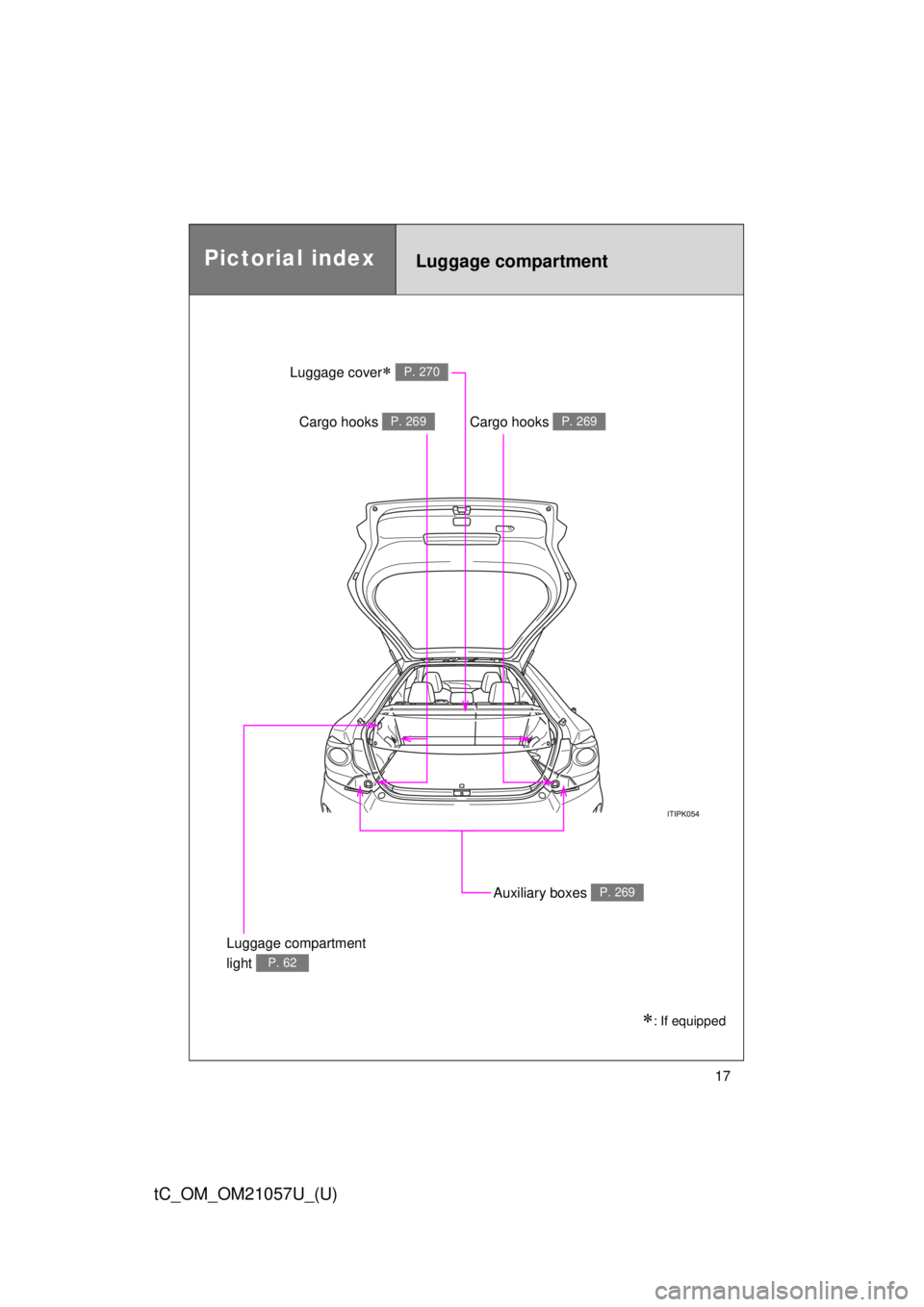
Luggage compartment
Cargo hooks P. 269Cargo hooks P. 269
Auxiliary boxes P. 269
Luggage cover P. 270
Pictorial index
: If equipped
Luggage compartment
light
P. 62
Page 237 of 492
Interior features3
237
tC_OM_OM21057U_(U)
3-1. Using the air conditioning system and defogger
Air conditioning system .... 238
Rear window and outside rear view mirror
defogger switch.............. 245
3-2. Using the audio system Using the AUX port/USB port ........................ 247
Using the steering wheel audio switches ............... 248
Using the microphone ...... 249 3-3. Using the interior lights
Interior lights list ............... 250
• Interior lights .................. 251
3-4. Using the storage features List of storage features .... 253
• Glove box....................... 254
• Console box ................... 255
• Auxiliary box .................. 256
• Cup holders ................... 256
• Bottle holders ................. 257
3-5. Other interior features Sun visors ........................ 258
Vanity mirrors ................... 259
Clock ................................ 260
Power outlet ..................... 261
Seat heaters..................... 262
Sunshades ....................... 264
Assist grips....................... 266
Floor mat .......................... 267
Luggage compartment features .......................... 269
Page 247 of 492
247
3
Interior features
tC_OM_OM21057U_(U)
3-2. Using the audio system
Using the AUX port/USB port
■When using a portable audio devi ce connected to the power outlet
Noise may occur during playback. Use the power source of the portable
audio device.
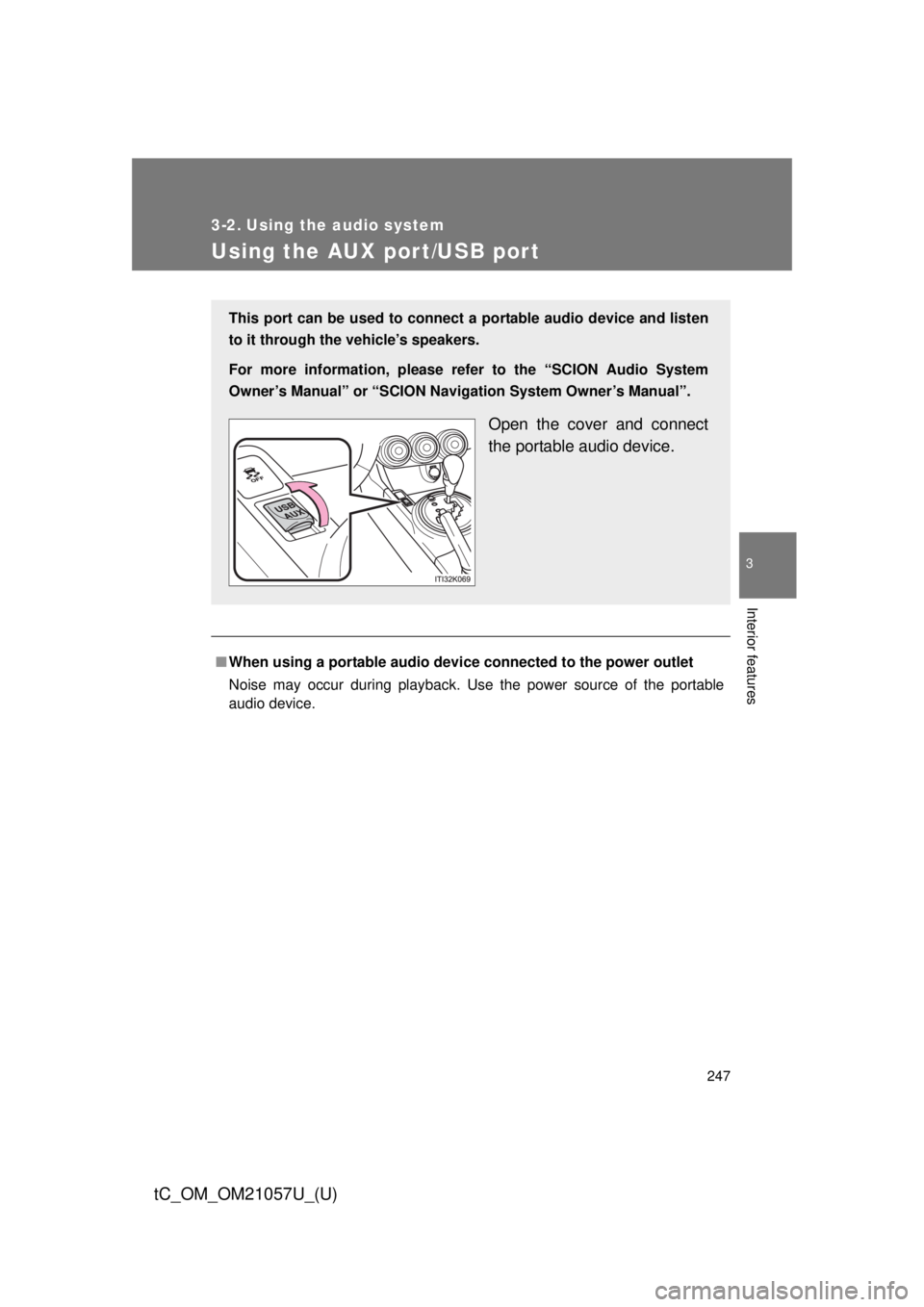
This port can be used to connect a portable audio device and listen
to it through the vehicle’s speakers.
For more information, please re fer to the “SCION Audio System
Owner’s Manual” or “SCION Navigation System Owner’s Manual”.
Open the cover and connect
the portable audio device.
Page 253 of 492
253
3
Interior features
tC_OM_OM21057U_(U)
3-4. Using the storage features
List of storage features
CAUTION
■Items that should not be left in the storage spaces
Do not leave glasses, lighters or spray cans in the storage spaces, as this
may cause the following when cabin temperature becomes high:
● Glasses may be deformed by heat or cracked if they come into contact
with other stored items.
● Lighters or spray cans may explode. If they come into contact with other
stored items, the lighter may catch fire or the spray can may release gas,
causing a fire hazard.
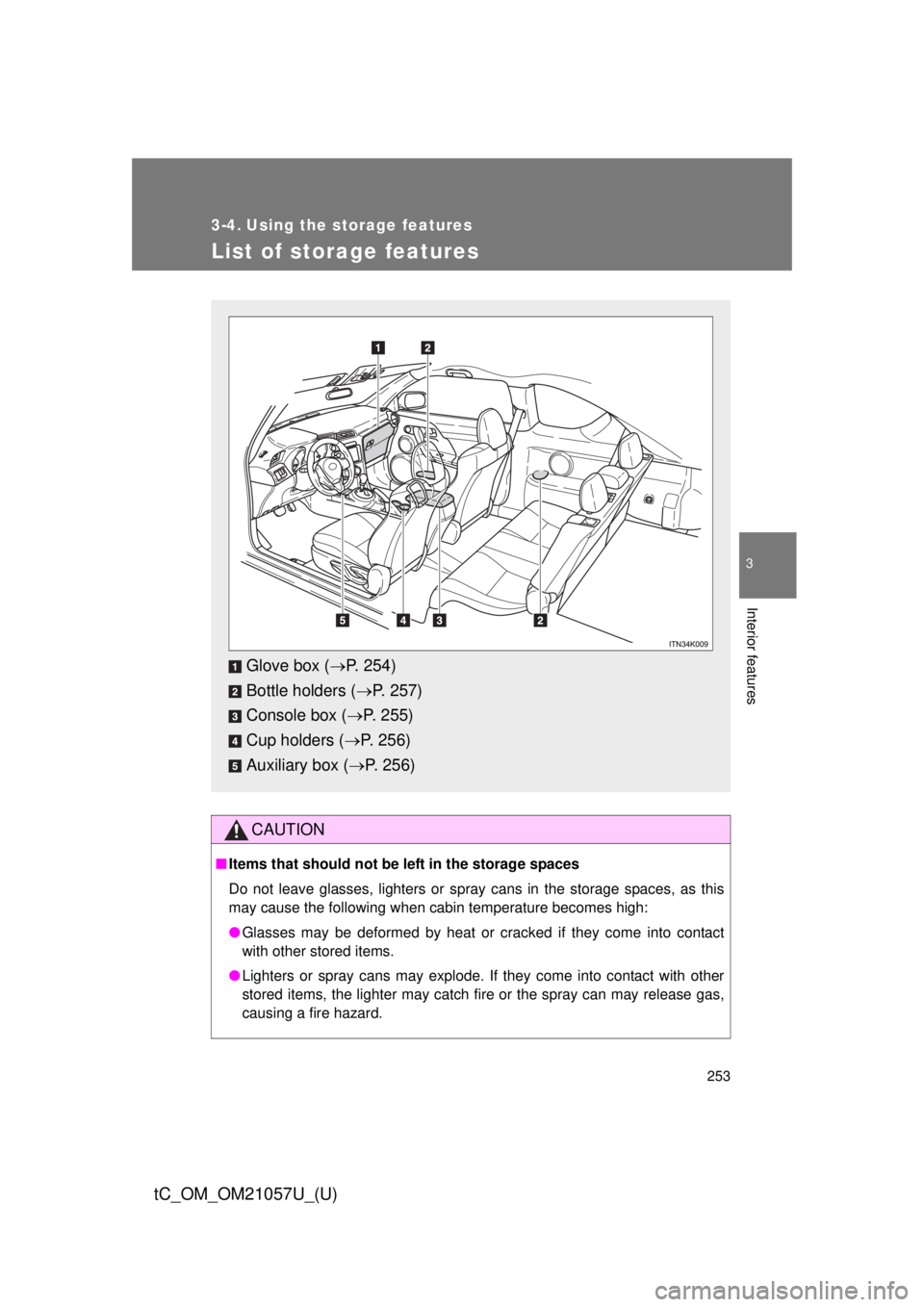
Glove box ( P. 254)
Bottle holders ( P. 257)
Console box ( P. 255)
Cup holders ( P. 256)
Auxiliary box ( P. 256)
Page 256 of 492
256 3-4. Using the storage features
tC_OM_OM21057U_(U)
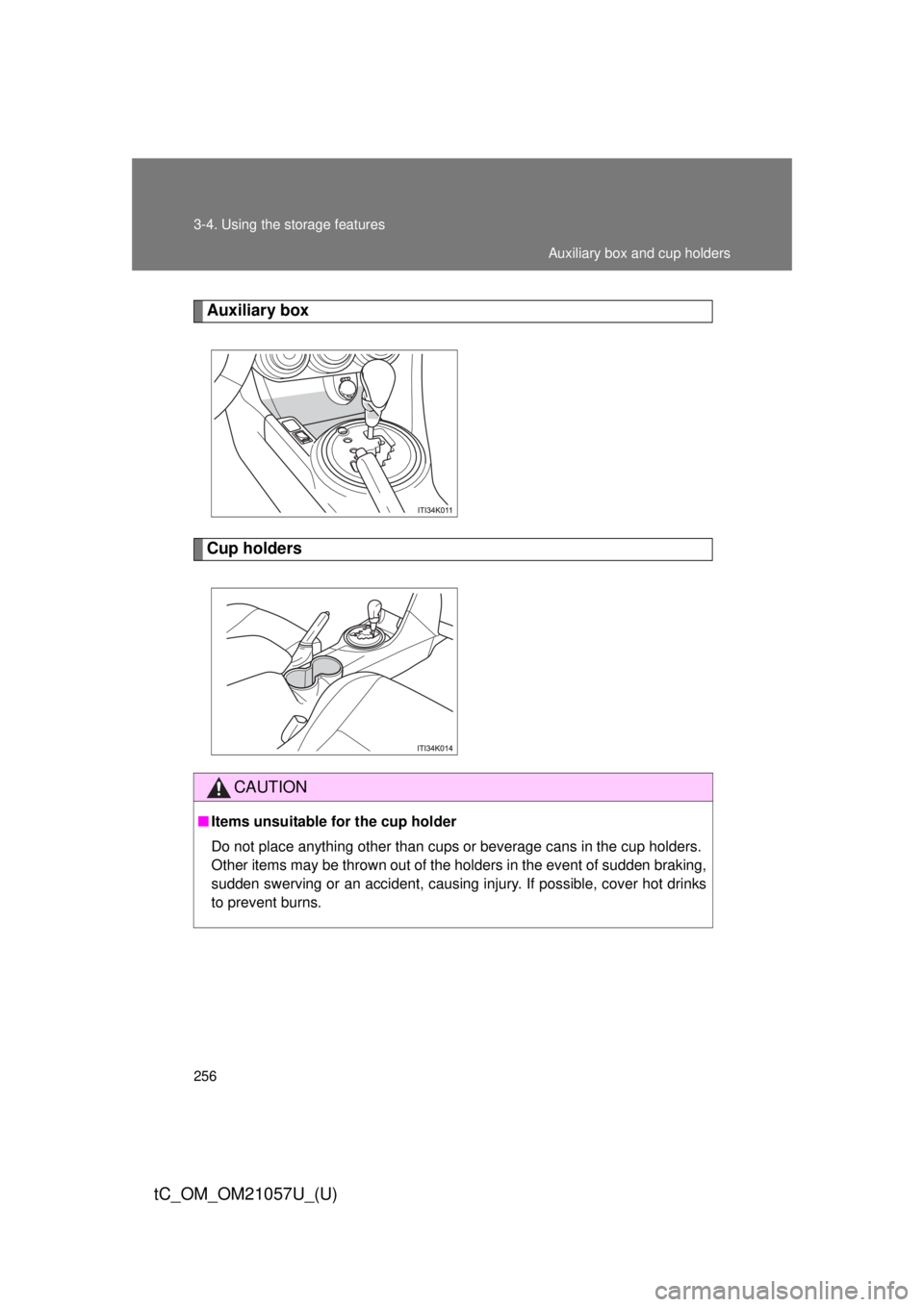
Auxiliary box
Cup holders
CAUTION
■Items unsuitable for the cup holder
Do not place anything other than cups or beverage cans in the cup holders.
Other items may be thrown out of the holders in the event of sudden braking,
sudden swerving or an accident, causing injury. If possible, cover hot drinks
to prevent burns.
Auxiliary box and cup holders
Page 269 of 492
269
3-5. Other interior features
3
Interior features
tC_OM_OM21057U_(U)
Luggage compar tment features
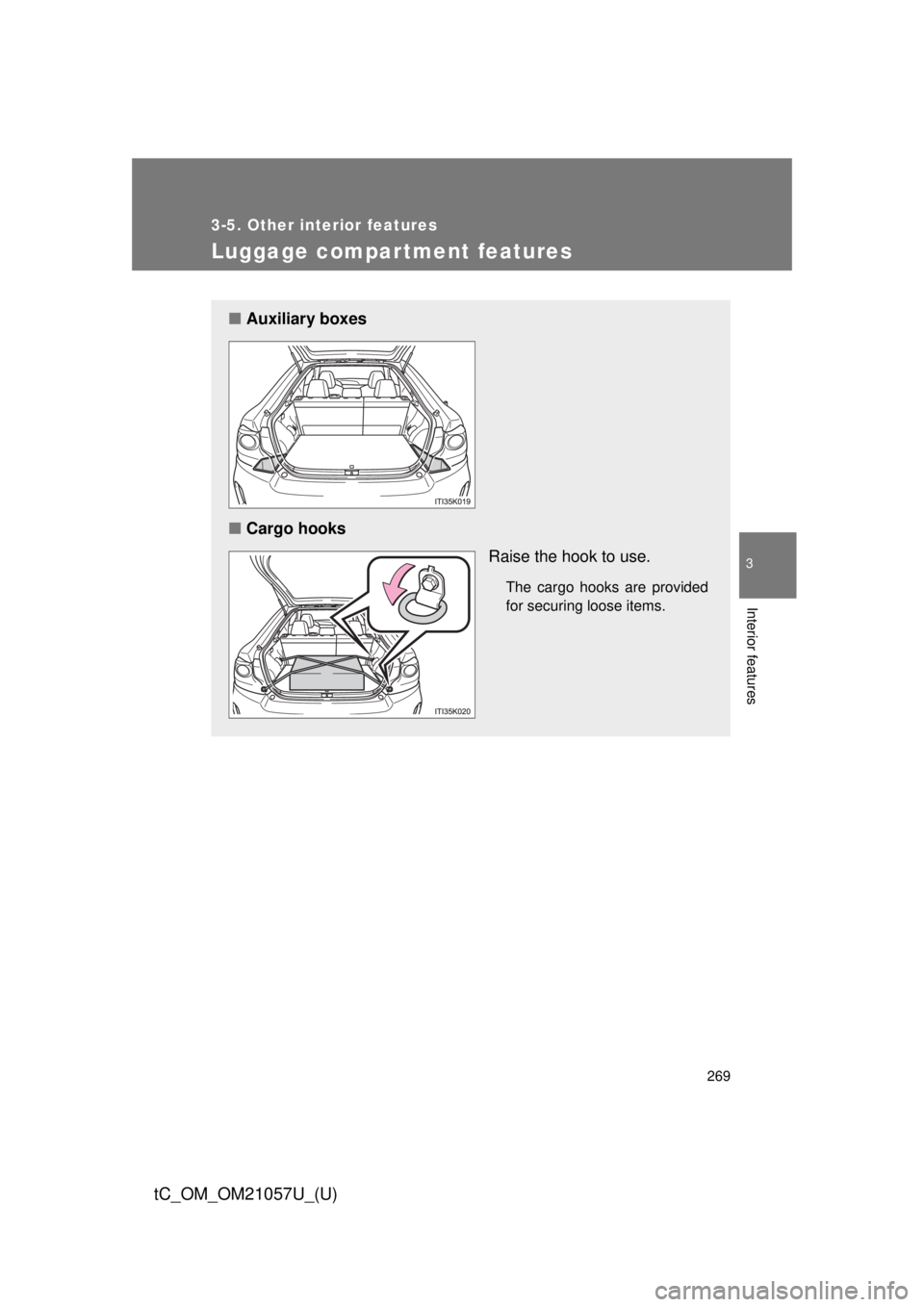
■Auxiliary boxes
■ Cargo hooks
Raise the hook to use.
The cargo hooks are provided
for securing loose items.
Page 294 of 492
294
4-3. Do-it-yourself maintenance
tC_OM_OM21057U_(U)
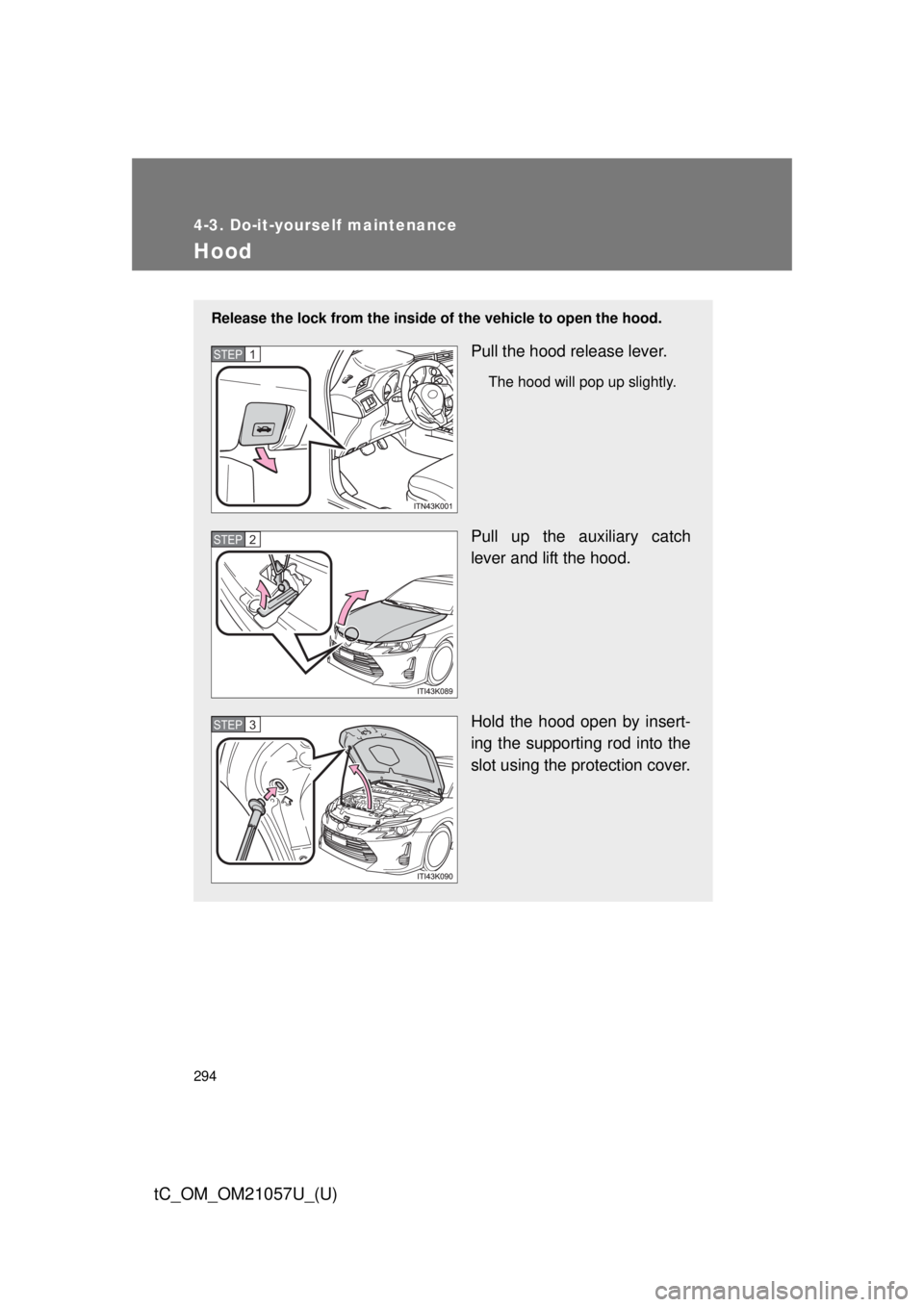
Hood
Release the lock from the inside of the vehicle to open the hood.
Pull the hood release lever.
The hood will pop up slightly.
Pull up the auxiliary catch
lever and lift the hood.
Hold the hood open by insert-
ing the supporting rod into the
slot using the protection cover.
STEP 1
STEP 2
STEP 3