lock TOYOTA TERCEL 1999 Service Manual
[x] Cancel search | Manufacturer: TOYOTA, Model Year: 1999, Model line: TERCEL, Model: TOYOTA TERCEL 1999Pages: 203, PDF Size: 2.59 MB
Page 80 of 203

'99 TERCEL (U)79
Lock release button
To prevent misshiftingParking, engine
starting and key
removal position
Reverse position
Neutral position
Normal driving position
Position for engine
braking
Position for stronger
engine braking than
that in º2º position
With the brake pedal
depressed, shift while holding
the lock release button in.
(The ignition switch must be
in ºONº position.)
Shift while holding the lock
release button in
Shift normally Overdrive switch
For selecting either a
three- speed or four- speed
transmission
ON position
(Shifting into overdrive possible)
OFF position
(Shifting into overdrive not
possible)
ºO/D OFFº indicator light
Shows the overdrive
switch is in OFF position
Automatic transmission
(4- speed type)
Page 81 of 203
'99 TERCEL (U)
80
Your automatic transmission has a shift
lock system to minimize the possibility of
incorrect operation. This means you can
only shift out of ºPº position when the
brake pedal is depressed (with the ignition
switch in ºONº position and the lock re-
lease button depressed).
(a) Normal driving
1. Start the engine as instructed in ºHow to start the engineº in Part 3. The
transmission must be in ºPº or ºNº.
2. With your foot holding down the brake pedal, shift the selector lever to ºDº.
In ºDº position, the automatic transmission
system will select the most suitable gear
for running conditions such as normal
cruising, hill climbing, hard towing, etc.
Always turn the overdrive switch on for
better fuel economy and quieter driving. If
the engine coolant temperature is low, the
transmission will not shift into the over-
drive gear even with the overdrive switch on.
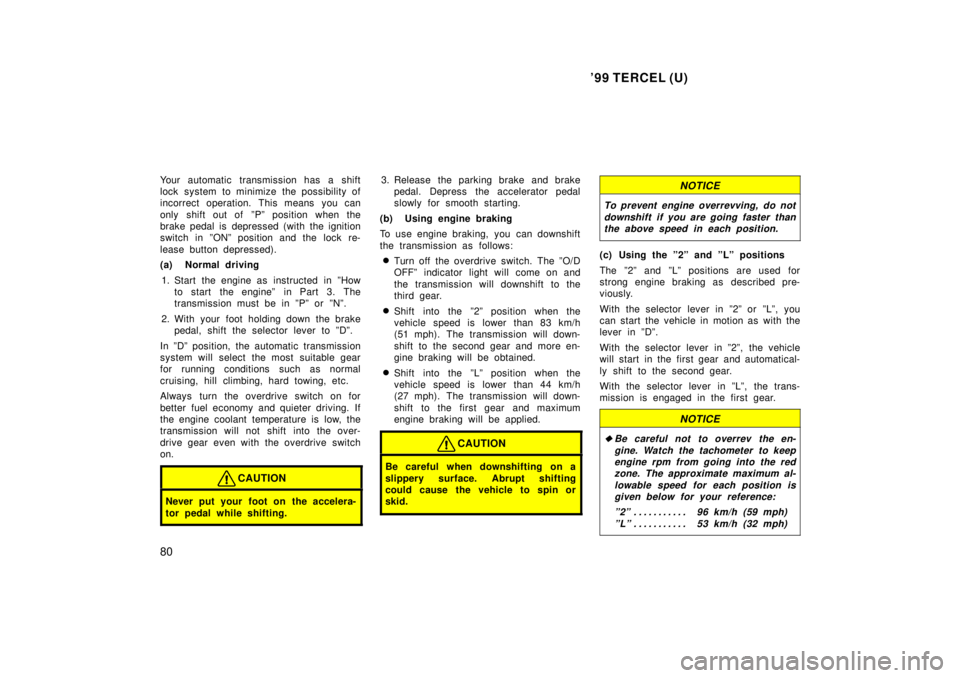
CAUTION
Never put your foot on the accelera-
tor pedal while shifting.
3. Release the parking brake and brake pedal. Depress the accelerator pedal
slowly for smooth starting.
(b) Using engine braking
To use engine braking, you can downshift
the transmission as follows: Turn off the overdrive switch. The ºO/D
OFFº indicator light will come on and
the transmission will downshift to the
third gear.
Shift into the º2º position when the
vehicle speed is lower than 83 km/h
(51 mph). The transmission will down-
shift to the second gear and more en-
gine braking will be obtained.
Shift into the ºLº position when the
vehicle speed is lower than 44 km/h
(27 mph). The transmission will down-
shift to the first gear and maximum
engine braking will be applied.
CAUTION
Be careful when downshifting on a
slippery surface. Abrupt shifting
could cause the vehicle to spin or
skid.
NOTICE
To prevent engine overrevving, do not
downshift if you are going faster thanthe above speed in each position.
(c) Using the º2º and ºLº positions
The º2º and ºLº positions are used for
strong engine braking as described pre-
viously.
With the selector lever in º2º or ºLº, you
can start the vehicle in motion as with the
lever in ºDº.
With the selector lever in º2º, the vehicle
will start in the first gear and automatical-
ly shift to the second gear.
With the selector lever in ºLº, the trans-
mission is engaged in the first gear.
NOTICE
Be careful not to overrev the en-
gine. Watch the tachometer to keepengine rpm from going into the redzone. The approximate maximum al-
lowable speed for each position isgiven below for your reference:
º2º 96 km/h (59 mph) . . . . . . . . . . .
ºLº 53 km/h (32 mph) . . . . . . . . . . .
Page 83 of 203

'99 TERCEL (U)
82
NOTICE
If you rock your vehicle, observe the following precautions to prevent dam-age to the transmission and otherparts.
Do not depress the accelerator ped-al while shifting the selector lever or before the transmission is com-
pletely shifted to forward or reversegear.
Do not race the engine and avoidspinning the wheels.
If your vehicle remains stuck after
rocking the vehicle several times,consider other ways such as tow-
ing.
(h) If you cannot shift the selector le- ver out of ºPº position
If you cannot shift the selector lever from
the ºPº position even though the brake
pedal is depressed, use the shift lock
override button. For instructions, see ºIf
you cannot shift automatic transmission
selector leverº in Part 4. Manual transmission
The shift pattern is as shown above.
Press the clutch pedal down fully while
shifting, and then release it slowly. Do not
rest your foot on the pedal while driving,
because it will cause clutch trouble. And
do not use the clutch to hold the vehicle
when stopped on an uphill grade±use the
parking brake.
Recommended shifting speeds
The transmission is fully synchronized and
upshifting or downshifting is easy.
For the best compromise between fuel
economy and vehicle performance, you
should upshift or downshift at the following
speeds:
gear km/h (mph)
1 to 2 or 2 to 1 24 (15)
2 to 3 or 3 to 2 40 (25)
3 to 4 or 4 to 3 64 (40)
4 to 5 or 5 to 4 72 (45)
Downshift to the appropriate gear if accel-
eration is needed when you are cruising
below the above downshifting speeds.
Upshifting too soon or downshifting too
late will cause lugging and, possibly, ping-
ing. Regularly revving the engine to maxi-
mum speed in each gear will cause ex-
cessive engine wear and high fuel
consumption.
Page 93 of 203

'99 TERCEL (U)
92
1 2 3 4 5 6 (Preset buttons)
These buttons are used to preset and
tune in radio stations.
To preset a station to a button: Tune in
the desired station (see ºTUNEº button).
Push and hold down the button until you
hear a beep
'this will set the station to
the button. The button number will appear
on the display.
To tune in to a preset station: Push the
button for the station you want. The but-
ton number and station frequency will ap-
pear on the display.
These systems can store one AM and two
FM stations for each button (The display
will show ºAMº, ºFM1º or ºFM2º when you
push ºAMº or ºFMº).
(Eject button)
Push this button to eject a cassette.
After you turn the ignition to ºLOCKº, you
will be able to eject a cassette but you
will not be able to reinsert it.
(Reverse/Fast forward buttons)
Cassette Player
Push the fast forward button to fast for-
ward a cassette tape. ºFFº will appear on
the display. Push the reverse button to
rewind a tape. ºREWº will appear on the
display.
To stop the tape while it is fast forward-
ing, push the fast forward button or
ºTAPEº; to stop the tape while it is re-
winding, push the reverse button or
ºTAPEº.
If a tape side rewinds completely, the cas-
sette player will stop and then play that
same side. If a tape fast forwards com-
pletely, the cassette player will play the
other side of the tape, using the auto- re-
verse feature.
Compact Disc Player
If you want to fast forward or reverse
through a compact disc track, push and
hold in the fast forward or reverse button.
When you release the button, the compact
disc player will resume playing. AM
Push ºAMº to switch the AM band. ºAMº
will appear on the display.
If the audio system is off, you can turn
on the radio by pushing ºAMº. Also, push
ºAMº to switch from cassette or compact
disc operation to radio operation.
AUDIO CONTROL / MODE
Manual tone adjustment functionÐ
This knob is used to adjust the tone
manually.
For low- pitch tone adjustment, push
ºAUDIO CONTROL / MODEº repeatedly
until ºBASº appears on the display. Then
turn the knob to suit your preference.
The display will show the range from
ºBAS -5º to ºBAS 5º.
For high- pitch tone adjustment, push
ºAUDIO CONTROL / MODEº repeatedly
until ºTREº appears on the display. Then
turn the knob to suit your preference.
The display will show the range from
ºTRE -5º to ºTRE 5º.
Page 99 of 203

'99 TERCEL (U)
98
1 2 3 4 5 6 (Preset buttons)
These buttons are used to preset and
tune in radio stations.
To preset a station to a button: Tune in
the desired station (see ºTUNEº button).
Push and hold down the button until you
hear a beepÐthis will set the station to
the button. The button number will appear
on the display.
To tune in to a preset station: Push the
button for the station you want. The but-
ton number and station frequency will ap-
pear on the display.
These systems can store one AM and two
FM stations for each button (The display
will show ºAMº, ºFM1º or ºFM2º when you
push ºAM´FMº).
(Eject button)
Push this button to eject a compact disc.
After you turn the ignition to ºLOCKº, you
will be able to eject a disc but you will
not be able to reinsert it.
(Reverse/Fast forward buttons)
If you want to fast forward or reverse
through a compact disc track, push and
hold in the fast forward or reverse button.
When you release the button, the compact
disc player will resume playing.
AM´FM
Push ºAM´FMº to switch between the AM
and FM bands. ºAMº, ºFM1º or ºFM2º will
appear on the display. These systems al-
low you to set twelve FM stations, two for
each button.
If the audio system is off, you can turn
on the radio by pushing ºAM´FMº. Also,
push ºAM´FMº to switch from compact
disc operation to radio operation. AUDIO CONTROL / MODE
Manual tone adjustment functionÐ
This knob is used to adjust the tone
manually.
For low- pitch tone adjustment, push
ºAUDIO CONTROL / MODEº repeatedly
until ºBASº appears on the display. Then
turn the knob to suit your preference.
The display will show the range from
ºBAS -5º to ºBAS 5º.
For high- pitch tone adjustment, push
ºAUDIO CONTROL / MODEº repeatedly
until ºTREº appears on the display. Then
turn the knob to suit your preference.
The display will show the range from
ºTRE -5º to ºTRE 5º.
Page 103 of 203

'99 TERCEL (U)
102
NOTICE
To ensure the correct audio system operation:
Be careful not to spill beveragesover the audio system.
Do not put anything other than acassette tape or Compact Disc into
the slot.
RADIO RECEPTION
Usually, a problem with radio reception
does not mean there is a problem with
your radioÐit is just the normal result of
conditions outside the vehicle.
For example, nearby buildings and terrain
can interfere with FM reception. Power
lines or telephone wires can interfere with
AM signals. And of course, radio signals
have a limited range, and the farther you
are from a station, the weaker its signal
will be. In addition, reception conditions
change constantly as your vehicle moves. Here are some common reception prob-
lems that probably do not indicate a prob-
lem with your radio: FM
Fading and drifting stationsÐGenerally, the
effective range of FM is about 40 km (25
miles). Once outside this range, you may
notice fading and drifting, which increase
with the distance from the radio transmit-
ter. They are often accompanied by distor-
tion.
Multi- pathÐFM signals are reflective,
making it possible for two signals to reach
your antenna at the same time. If this
happens, the signals will cancel each oth-
er out, causing a momentary flutter or
loss of reception.
Static and flutteringÐThese occur when
signals are blocked by buildings, trees, or
other large objects. Increasing the bass
level may reduce static and fluttering.
Station swappingÐIf the FM signal you
are listening to is interrupted or weak-
ened, and there is another strong station
nearby on the FM band, your radio may
tune in the second station until the origi-
nal signal can be picked up again.AM
FadingÐAM broadcasts are reflected by
the upper atmosphereÐespecially at night.
These reflected signals can interfere with
those received directly from the radio sta-
tion, causing the radio station to sound
alternately strong and weak.
Station interferenceÐWhen a reflected sig-
nal and a signal received directly from a
radio station are very nearly the same
frequency, they can interfere with each
other, making it difficult to hear the broad-
cast.
StaticÐAM is easily affected by external
sources of electrical noise, such as high
tension power lines, lightening, or electri-
cal motors. This results in static.
CARING FOR YOUR CASSETTE PLAYER
AND TAPES
For high performance from your cassette
player and tapes:
Clean the tape head and other parts regu-
larly.
A dirty tape head or tape path can
decrease sound quality and tangle your
cassette tapes. The easiest way to
clean them is by using a cleaning tape.
(A wet type is recommended.)
ÐCar audio system operating
hints
Page 109 of 203

'99 TERCEL (U)
108
ÐAir flow selector settings
ÐOperating tips
To cool off your Toyota after it has
been parked in the hot sun, drive with
the windows open for a few minutes.
This vents the hot air, allowing the air
conditioning to cool the interior more
quickly.
Make sure the air intake grilles in front
of the windshield are not blocked (by
leaves or snow, for example).
On humid days, do not blow cold air
on the windshield. The windshield could
fog up because of the difference in air
temperature on the inside and outside
of the windshield.
Keep the area under the front seats
clear to allow air to circulate through-
out the vehicle.
On cold days, move the fan speed to
ºHIº for a minute to help clear the in-
take ducts of snow or moisture. This
can reduce the amount of fogging on
the windows.
Page 112 of 203

'99 TERCEL (U)111
Part 1
OPERATION OF
INSTRUMENTS AND
CONTROLS±
Chapter 1- 8
Other equipment
Clock
Cigarette lighter and ashtray
G lov e box
Cup holder
Floor mat
Clock
The digital clock indicates the time.
The key must be in the ºACCº or ºONº
position.
To reset the hour: Push the ºHº button.
To reset the minutes: Push the ºMº button.
If the electrical power source has been
disconnected from the clock, the time dis-
play will automatically be set to 1:00 (one
o'clock).
When the instrument panel lights are
turned on, the brightness of the time in-
dication will be reduced.
Cigarette lighter and ashtrayCIGARETTE LIGHTER
To use the cigarette lighter, press it in.
When it becomes heated, it automatical-
ly pops out ready for use.
If the engine is not running, the key must
be in the ºACCº position.
Do not hold the cigarette lighter pressed
in.
Use a Toyota genuine cigarette lighter or
equivalent for replacement.
Page 113 of 203
'99 TERCEL (U)
11 2
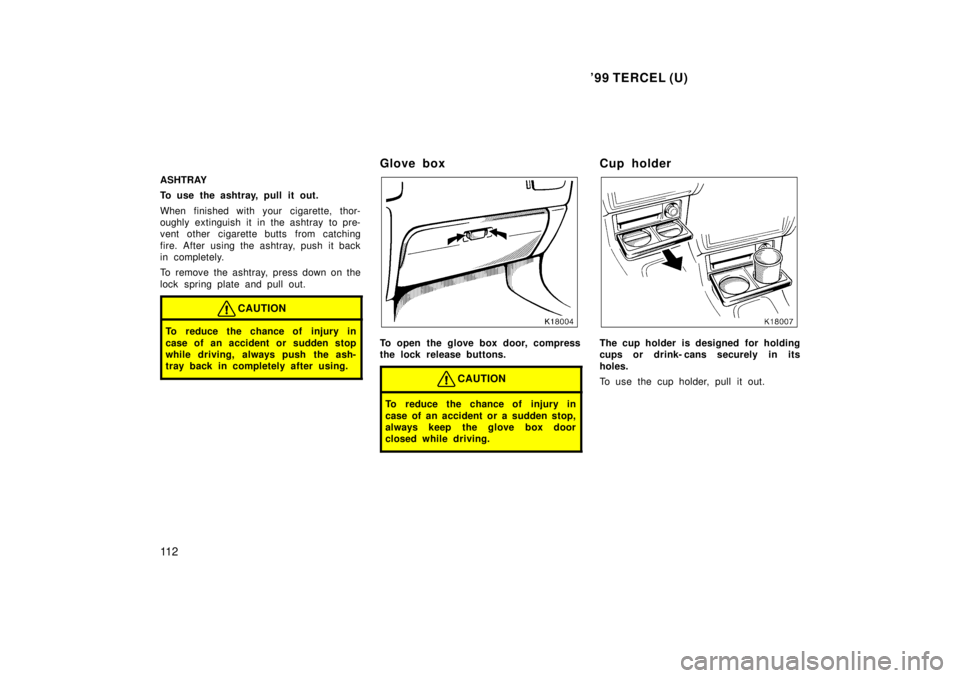
ASHTRAY
To use the ashtray, pull it out.
When finished with your cigarette, thor-
oughly extinguish it in the ashtray to pre-
vent other cigarette butts from catching
fire. After using the ashtray, push it back
in completely.
To remove the ashtray, press down on the
lock spring plate and pull out.
CAUTION
To reduce the chance of injury in
case of an accident or sudden stop
while driving, always push the ash-
tray back in completely after using.
Glove box
To open the glove box door, compress
the lock release buttons.
CAUTION
To reduce the chance of injury in
case of an accident or a sudden stop,
always keep the glove box door
closed while driving.
Cup holder
The cup holder is designed for holding
cups or drink- cans securely in its
holes.
To use the cup holder, pull it out.
Page 114 of 203
'99 TERCEL (U)11 3
CAUTION
Do not place anything else other
than cups or drink- cans on the cup
holder, as such item may be thrown
about in the compartment and poss-
ibly injure people in the vehicle
during sudden braking or an acci-
dent.
To reduce the chance of injury in
case of an accident or sudden stop
while driving, keep the cup holder
closed when it is not in use.
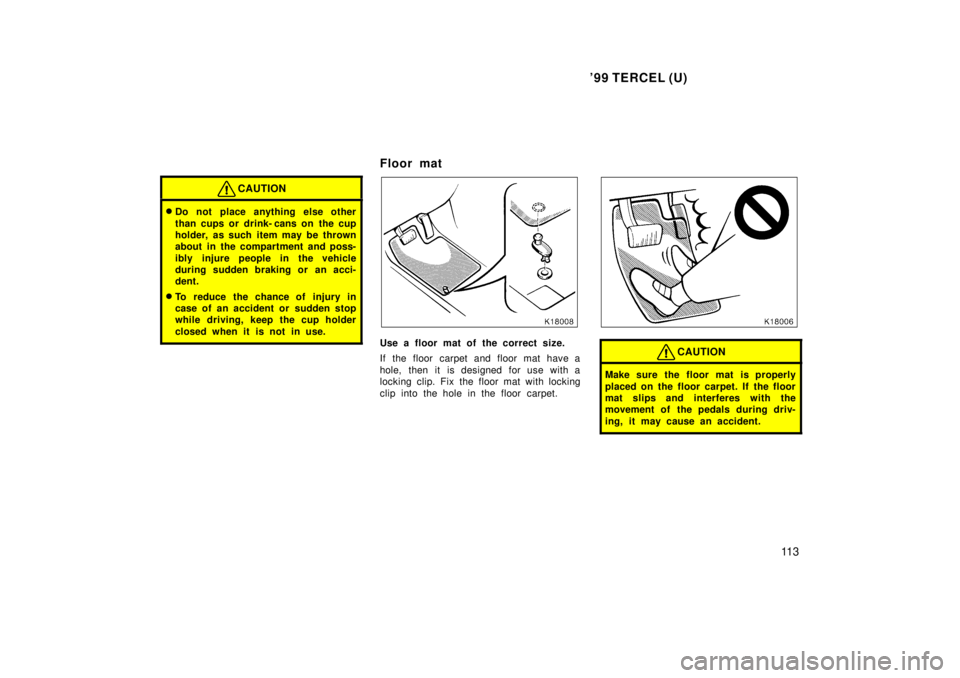
Floor mat
Use a floor mat of the correct size.
If the floor carpet and floor mat have a
hole, then it is designed for use with a
locking clip. Fix the floor mat with locking
clip into the hole in the floor carpet.CAUTION
Make sure the floor mat is properly
placed on the floor carpet. If the floor
mat slips and interferes with the
movement of the pedals during driv-
ing, it may cause an accident.