air conditioning TOYOTA TUNDRA 2009 2.G Owners Manual
[x] Cancel search | Manufacturer: TOYOTA, Model Year: 2009, Model line: TUNDRA, Model: TOYOTA TUNDRA 2009 2.GPages: 672, PDF Size: 14.85 MB
Page 1 of 672
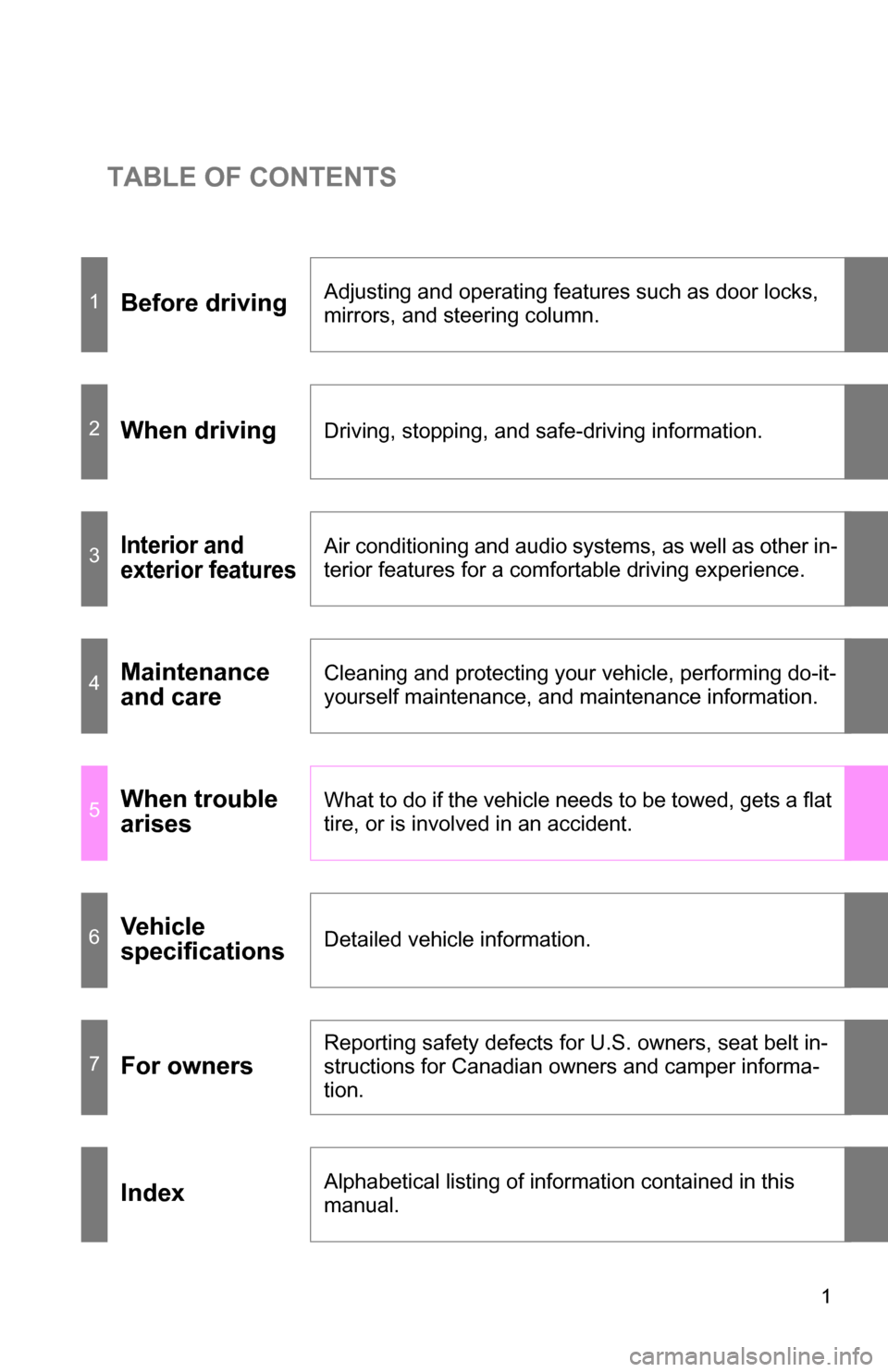
TABLE OF CONTENTS
1
1Before drivingAdjusting and operating features such as door locks,
mirrors, and steering column.
2When drivingDriving, stopping, and safe-driving information.
3Interior and
exterior featuresAir conditioning and audio systems, as well as other in-
terior features for a comfortable driving experience.
4Maintenance
and careCleaning and protecting your vehicle, performing do-it-
yourself maintenance, and maintenance information.
5When trouble
arisesWhat to do if the vehicle needs to be towed, gets a flat
tire, or is involved in an accident.
6Vehicle
specificationsDetailed vehicle information.
7For owners
Reporting safety defects for U.S. owners, seat belt in-
structions for Canadian owners and camper informa-
tion.
IndexAlphabetical listing of information contained in this
manual.
Page 3 of 672
1
2
3
4
5
6
7
3
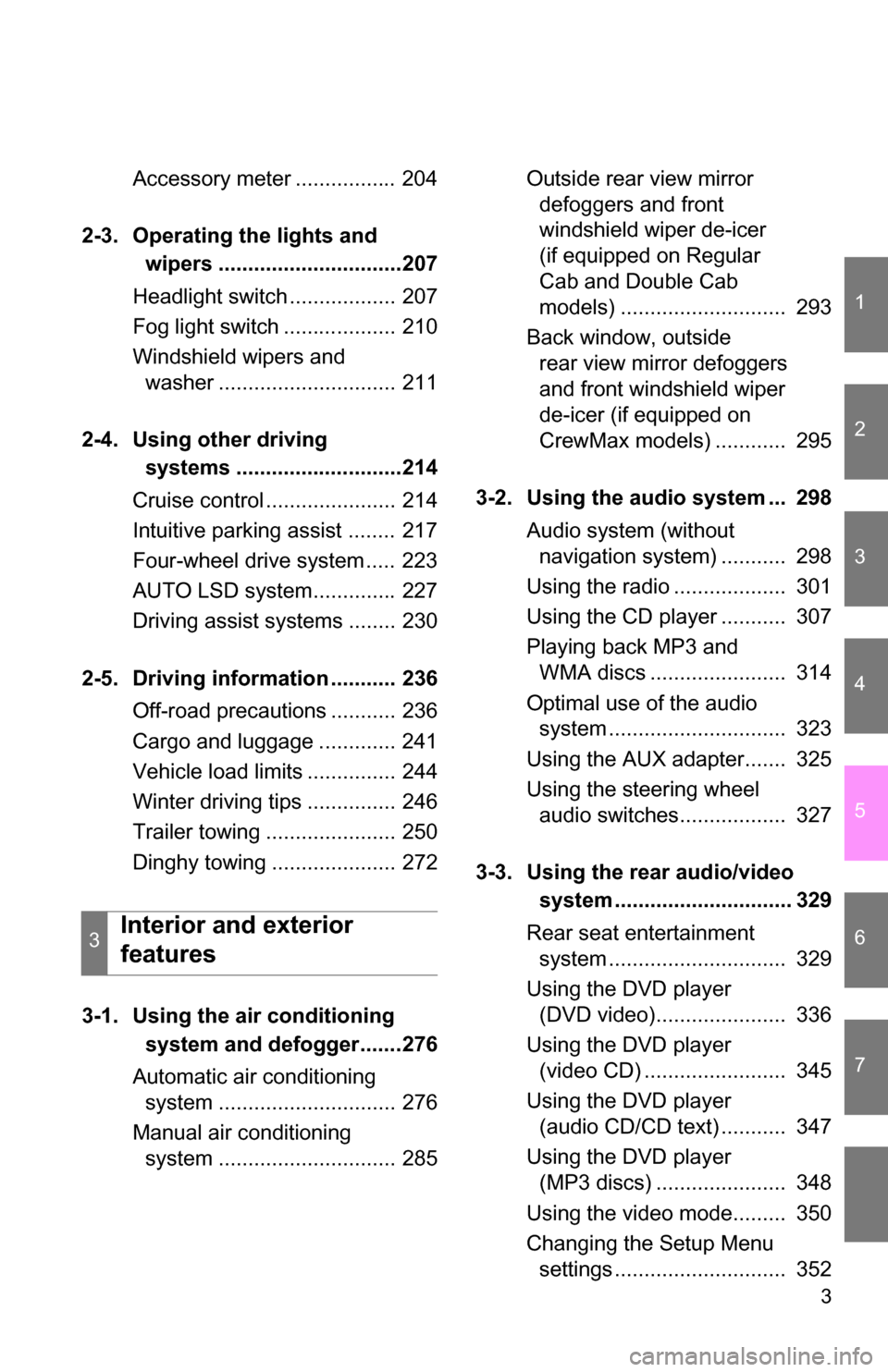
Accessory meter ................. 204
2-3. Operating the lights and wipers ...............................207
Headlight switch .................. 207
Fog light switch ................... 210
Windshield wipers and washer .............................. 211
2-4. Using other driving systems ............................214
Cruise control ...................... 214
Intuitive parking assist ........ 217
Four-wheel drive system ..... 223
AUTO LSD system.............. 227
Driving assist systems ........ 230
2-5. Driving information ........... 236 Off-road precautions ........... 236
Cargo and luggage ............. 241
Vehicle load limits ............... 244
Winter driving tips ............... 246
Trailer towing ...................... 250
Dinghy towing ..................... 272
3-1. Using the air conditioning system and defogger.......276
Automatic air conditioning system .............................. 276
Manual air conditioning system .............................. 285 Outside rear view mirror
defoggers and front
windshield wiper de-icer
(if equipped on Regular
Cab and Double Cab
models) ............................ 293
Back window, outside rear view mirror defoggers
and front windshield wiper
de-icer (if equipped on
CrewMax models) ............ 295
3-2. Using the audio system ... 298 Audio system (without navigation system) ........... 298
Using the radio ................... 301
Using the CD player ........... 307
Playing back MP3 and WMA discs ....................... 314
Optimal use of the audio system .............................. 323
Using the AUX adapter....... 325
Using the steering wheel audio switches.................. 327
3-3. Using the rear audio/video system .............................. 329
Rear seat entertainment system .............................. 329
Using the DVD player (DVD video)...................... 336
Using the DVD player (video CD) ........................ 345
Using the DVD player (audio CD/CD text) ........... 347
Using the DVD player (MP3 discs) ...................... 348
Using the video mode......... 350
Changing the Setup Menu settings ............................. 352
3Interior and exterior
features
Page 5 of 672
1
2
3
4
5
6
7
5
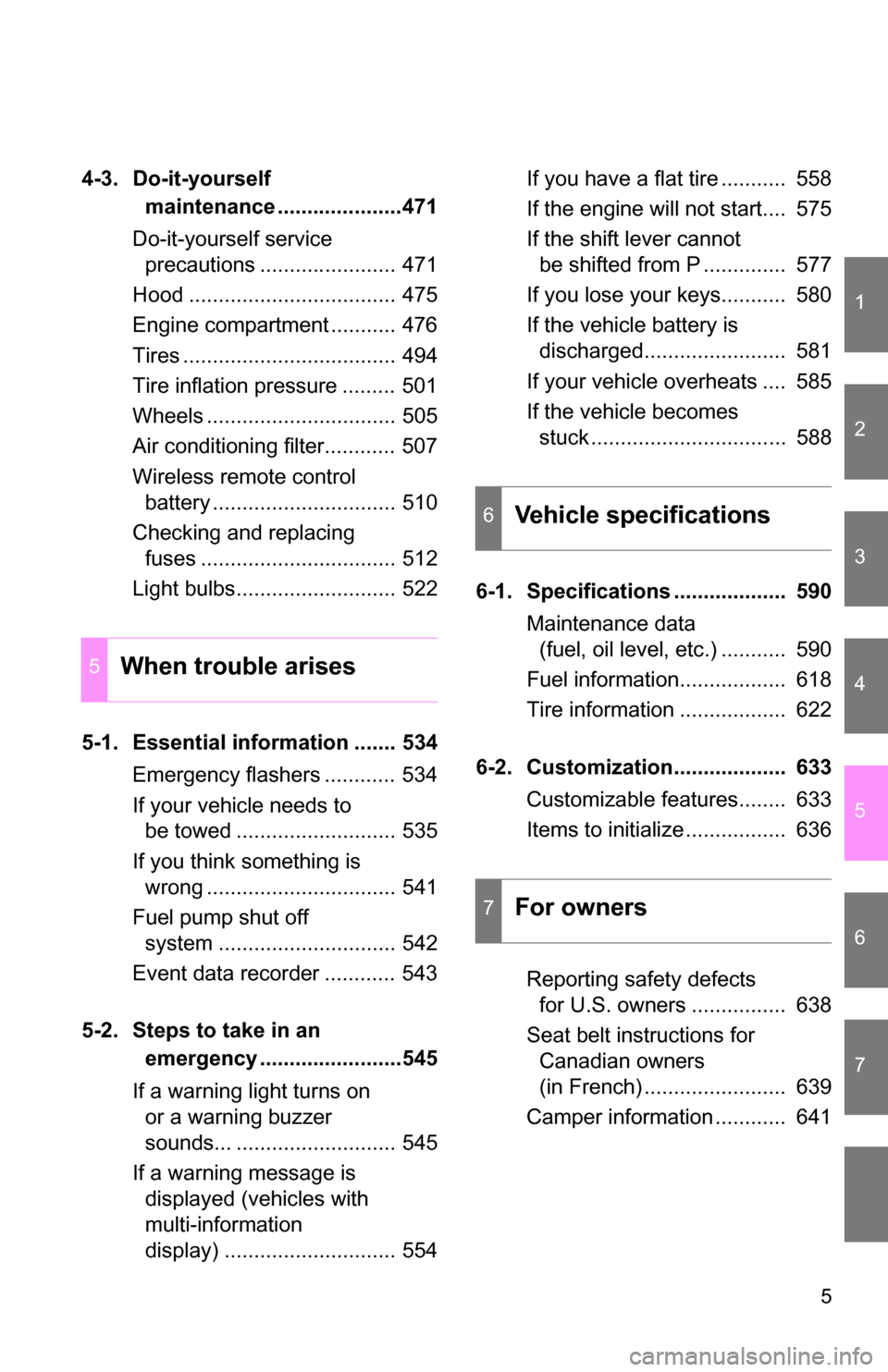
4-3. Do-it-yourself maintenance .....................471
Do-it-yourself service precautions ....................... 471
Hood ................................... 475
Engine compartment ........... 476
Tires .................................... 494
Tire inflation pressure ......... 501
Wheels ................................ 505
Air conditioning filter............ 507
Wireless remote control battery ............................... 510
Checking and replacing fuses ................................. 512
Light bulbs........................... 522
5-1. Essential information ....... 534 Emergency flashers ............ 534
If your vehicle needs to be towed ........................... 535
If you think something is wrong ................................ 541
Fuel pump shut off system .............................. 542
Event data recorder ............ 543
5-2. Steps to take in an emergency ........................545
If a warning light turns on or a warning buzzer
sounds... ........................... 545
If a warning message is displayed (vehicles with
multi-information
display) ............................. 554 If you have a flat tire ........... 558
If the engine will not start.... 575
If the shift lever cannot
be shifted from P .............. 577
If you lose your keys........... 580
If the vehicle battery is discharged........................ 581
If your vehicle overheats .... 585
If the vehicle becomes stuck ................................. 588
6-1. Specifications ................... 590 Maintenance data (fuel, oil level, etc.) ........... 590
Fuel information.................. 618
Tire information .................. 622
6-2. Customization................... 633 Customizable features........ 633
Items to initialize ................. 636
Reporting safety defects for U.S. owners ................ 638
Seat belt instructions for Canadian owners
(in French) ........................ 639
Camper information ............ 641
5When trouble arises
6Vehicle specifications
7For owners
Page 29 of 672
29
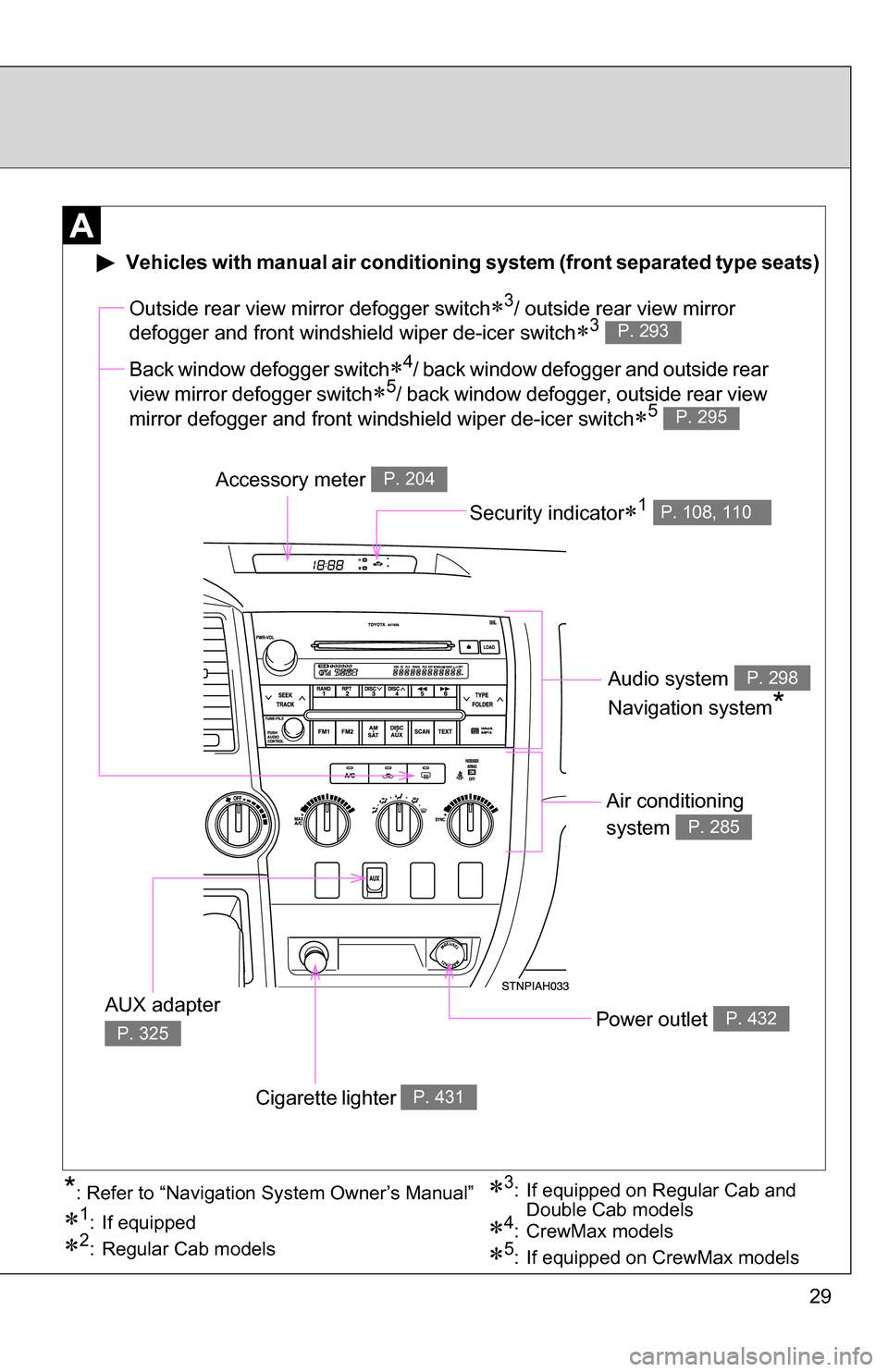
Air conditioning
system
P. 285
Power outlet P. 432
Outside rear view mirror defogger switch3/ outside rear view mirror
defogger and front windshield wiper de-icer switch
3 P. 293
Accessory meter P. 204
Cigarette lighter P. 431
AUX adapter
P. 325
Vehicles with manual air conditioning system (front separated type seats)
Back window defogger switch4/ back window defogger and outside rear
view mirror defogger switch
5/ back window defogger, outside rear view
mirror defogger and front windshield wiper de-icer switch
5 P. 295
Security indicator1 P. 108, 110
Audio system
Navigation system
*
P. 298
3: If equipped on Regular Cab and Double Cab models
1: If equipped
2: Regular Cab models5: If equipped on CrewMax models
4: CrewMax models
*: Refer to “Navigation System Owner’s Manual”
Page 30 of 672
30
Air conditioning
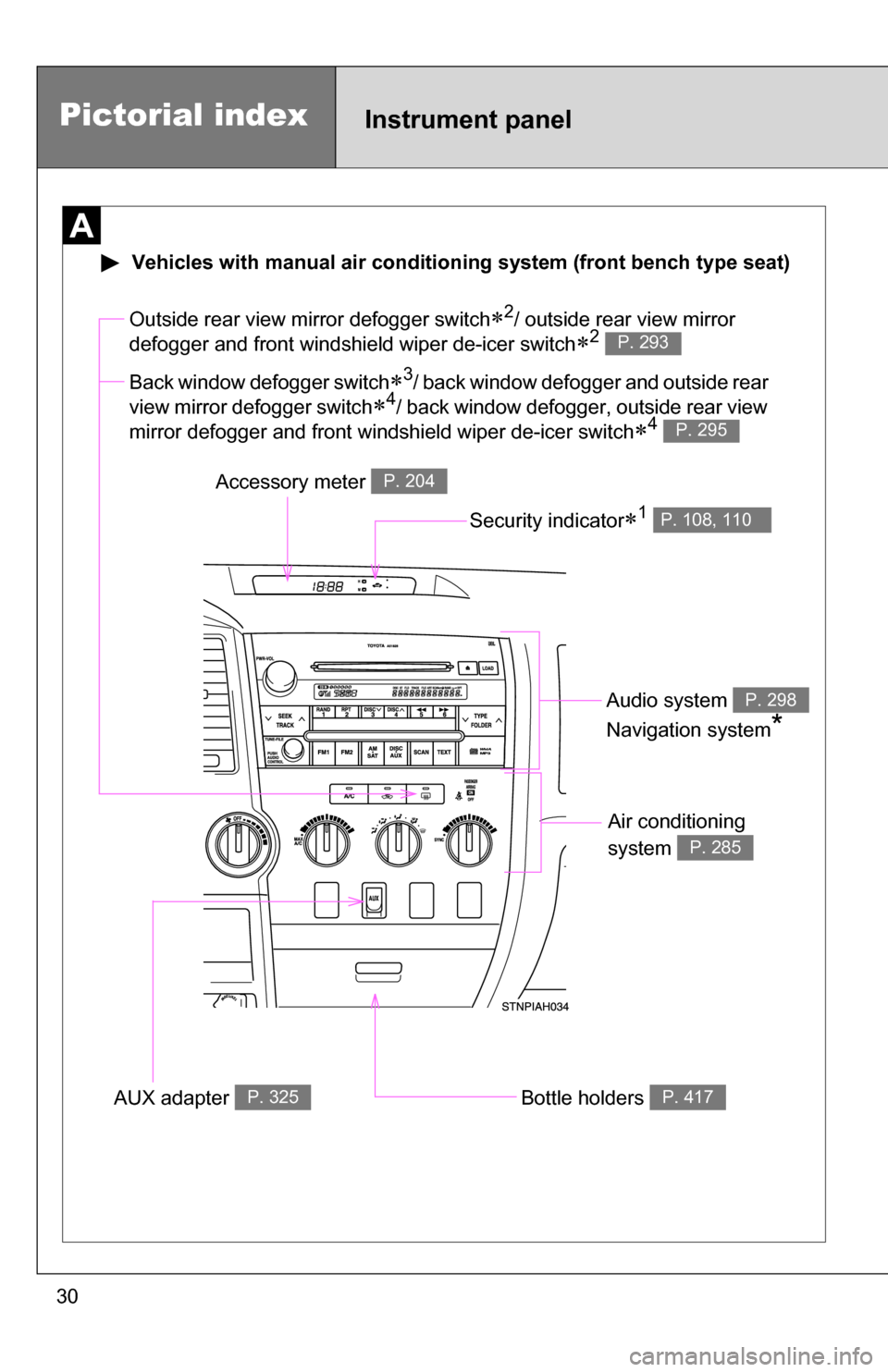
system
P. 285
Bottle holders P. 417
Outside rear view mirror defogger switch2/ outside rear view mirror
defogger and front windshield wiper de-icer switch
2 P. 293
Accessory meter P. 204
AUX adapter P. 325
Vehicles with manual ai r conditioning system (front bench type seat)
Back window defogger switch3/ back window defogger and outside rear
view mirror defogger switch
4/ back window defogger, outside rear view
mirror defogger and front windshield wiper de-icer switch
4 P. 295
Security indicator1 P. 108, 110
Audio system
Navigation system
*
P. 298
Pictorial indexInstrument panel
Page 31 of 672
31
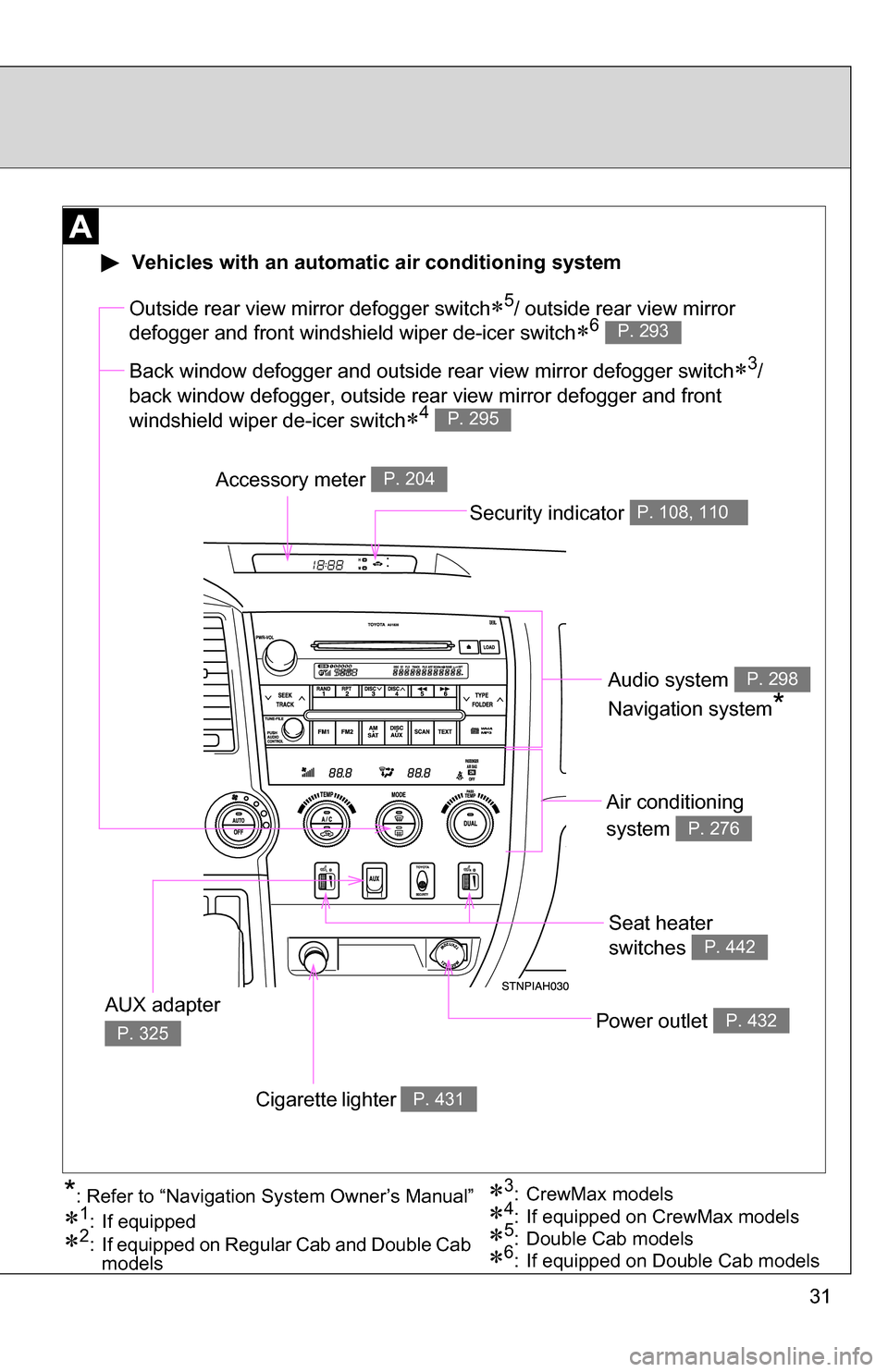
Seat heater
switches
P. 442
Air conditioning
system
P. 276
Power outlet P. 432
Outside rear view mirror defogger switch5/ outside rear view mirror
defogger and front windshield wiper de-icer switch
6 P. 293
Accessory meter P. 204
Cigarette lighter P. 431
AUX adapter
P. 325
3: CrewMax models
1: If equipped
2: If equipped on Regular Cab and Double Cab models5: Double Cab models4: If equipped on CrewMax models*: Refer to “Navigation System Owner’s Manual”
Vehicles with an automatic air conditioning system
Back window defogger and outside rear view mirror defogger switch3/
back window defogger, outside rear view mirror defogger and front
windshield wiper de-icer switch
4 P. 295
6: If equipped on Double Cab models
Security indicator P. 108, 110
Audio system
Navigation system
*
P. 298
Page 274 of 672
274
3-1. Using the air conditioning system and defogger.... 276
Automatic air conditioning system ........................... 276
Manual air conditioning system .......................... 285
Outside rear view mirror defoggers and front
windshield wiper de-icer
(if equipped on Regular
Cab and Double Cab
models) .......................... 293
Back window and outside rear view mirror defoggers
and front windshield
wiper de-icer (if equipped
on CrewMax models) ..... 295
3-2. Using the audio system ........................... 298
Audio system (without navigation system) ......... 298
Using the radio ................. 301
Using the CD player ......... 307
Playing back MP3 and WMA discs ..................... 314
Optimal use of the audio system ........................... 323
Using the AUX adapter .... 325 Using the steering wheel
audio switches ............... 327
3-3. Using the rear audio/video system ........................... 329
Rear seat entertainment system ........................... 329
Using the DVD player (DVD video) ................... 336
Using the DVD player (video CD)...................... 345
Using the DVD player (audio CD/CD text) ........ 347
Using the DVD player (MP3 discs) .................... 348
Using the video mode ...... 350
Changing the Setup Menu settings .......................... 352
3-4. Using the hands-free phone system
(for cellular phone) ....... 360
Hands-free phone system (for cellular phone) ......... 360
Using the hands-free phone system ................ 364
Making a phone call ......... 372
Setting a cellular phone ... 377
Page 276 of 672
276
3-1. Using the air conditioning system and defogger
Automatic air conditioning system (if equipped)
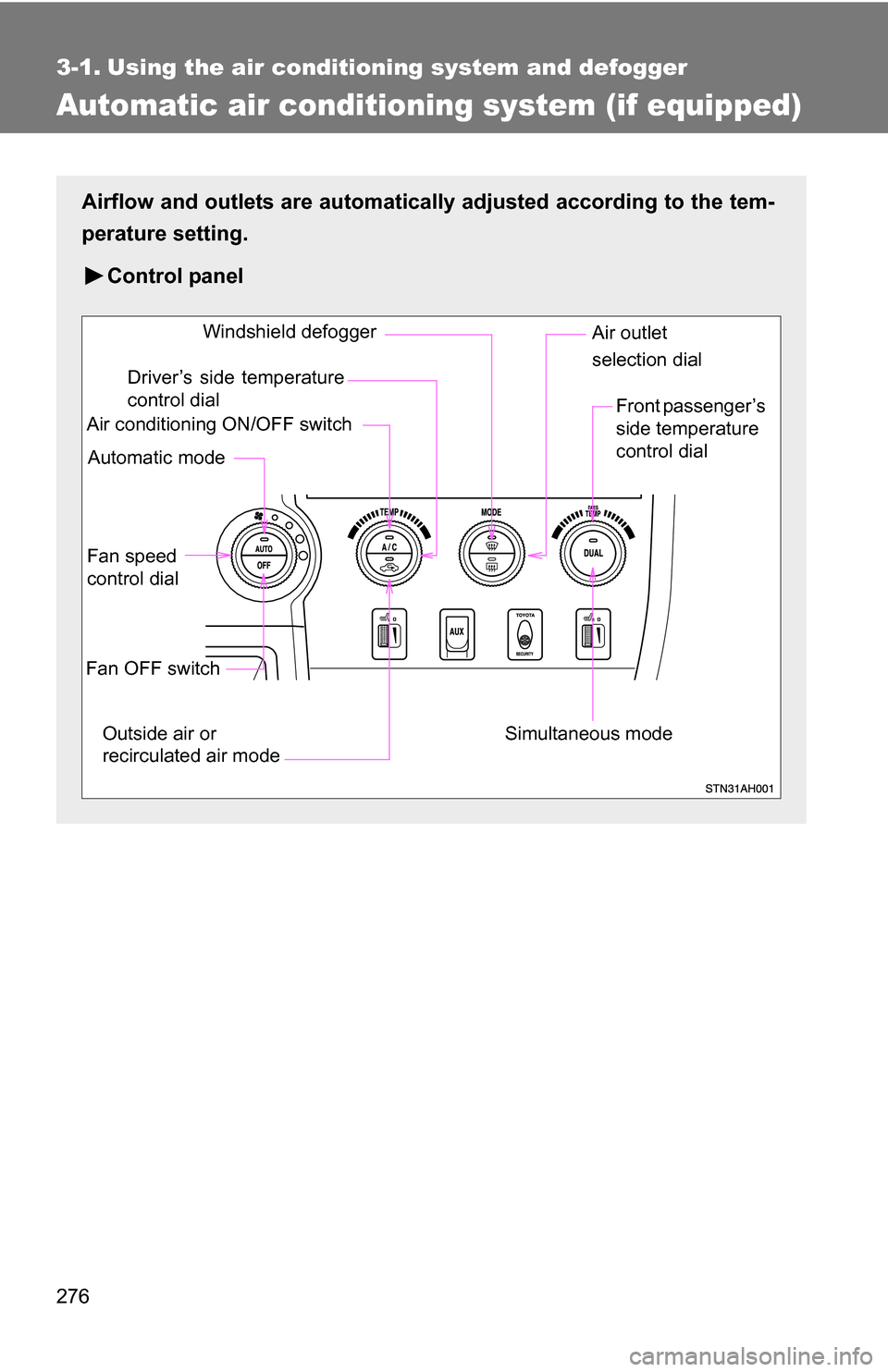
Airflow and outlets are automatically adjusted according to the tem-
perature setting.
Control panel
Fan speed
control dial
Outside air or
recirculated air mode Front passenger’s
side temperature
control dial
Air conditioning ON/OFF switch
Simultaneous modeAir outlet
selection dial
Driver’s side temperature
control dial
Automatic mode Windshield defogger
Fan OFF switch
Page 277 of 672
277
3-1. Using the air conditioning system
and defogger
3
Interior and exterior features
Using the automatic mode
Press .
The air conditioning system will begin to operate. Air outlets and fan
speed are automatically adjusted according to the temperature set-
ting.
Turn the temperature control dial clockwise (warm) or coun-
terclockwise (cool).
The temperature for the driver and front passenger seats can be set
separately.
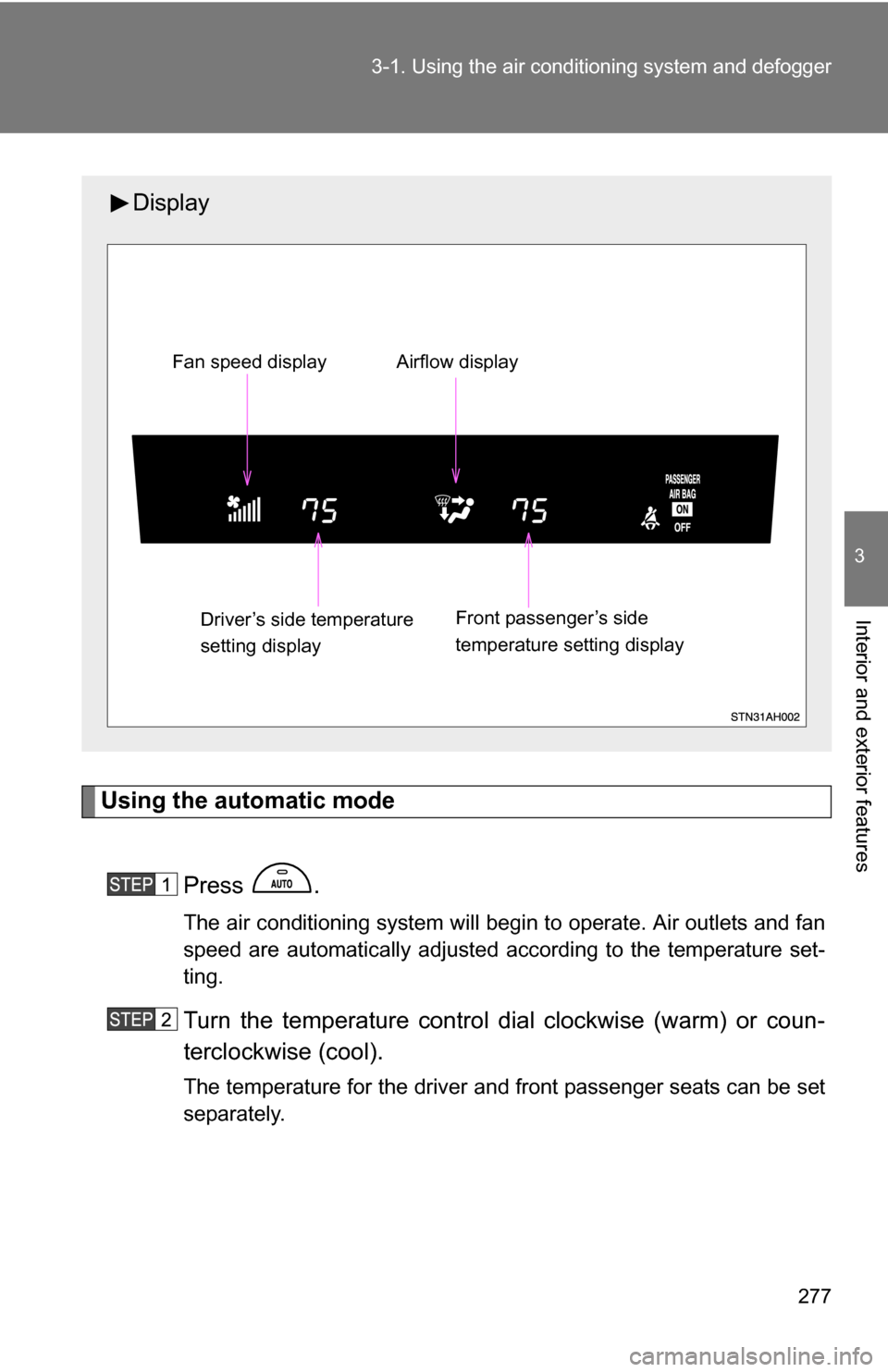
Display
Front passenger’s side
temperature setting display
Fan speed display Airflow display
Driver’s side temperature
setting display
Page 278 of 672
278 3-1. Using the air conditioning system and defogger
Adjusting the settings
■ Adjusting the temperature setting
Turn the temperature control dial clockwise (warm) or counter-
clockwise (cool).
The air conditioning system sw itches between individual and
simultaneous modes each time is pressed.
● Individual mode (the indicator on is on)
The temperature for the driver and front passenger seats can be
adjusted separately.
● Simultaneous mode (the indicator on is off)
The driver’s side temperature control dial can be used to adjust
the temperature for driver and front passenger seats.
■ Adjusting the fan speed
Turn the fan speed control dial clockwise (increase) or counter-
clockwise (decrease).
The fan speed is shown on the display. (7 levels)
Press to turn the fan off.