radio features TOYOTA TUNDRA 2012 2.G Owners Manual
[x] Cancel search | Manufacturer: TOYOTA, Model Year: 2012, Model line: TUNDRA, Model: TOYOTA TUNDRA 2012 2.GPages: 744, PDF Size: 15.3 MB
Page 3 of 744
1
2
3
4
5
6
7
3
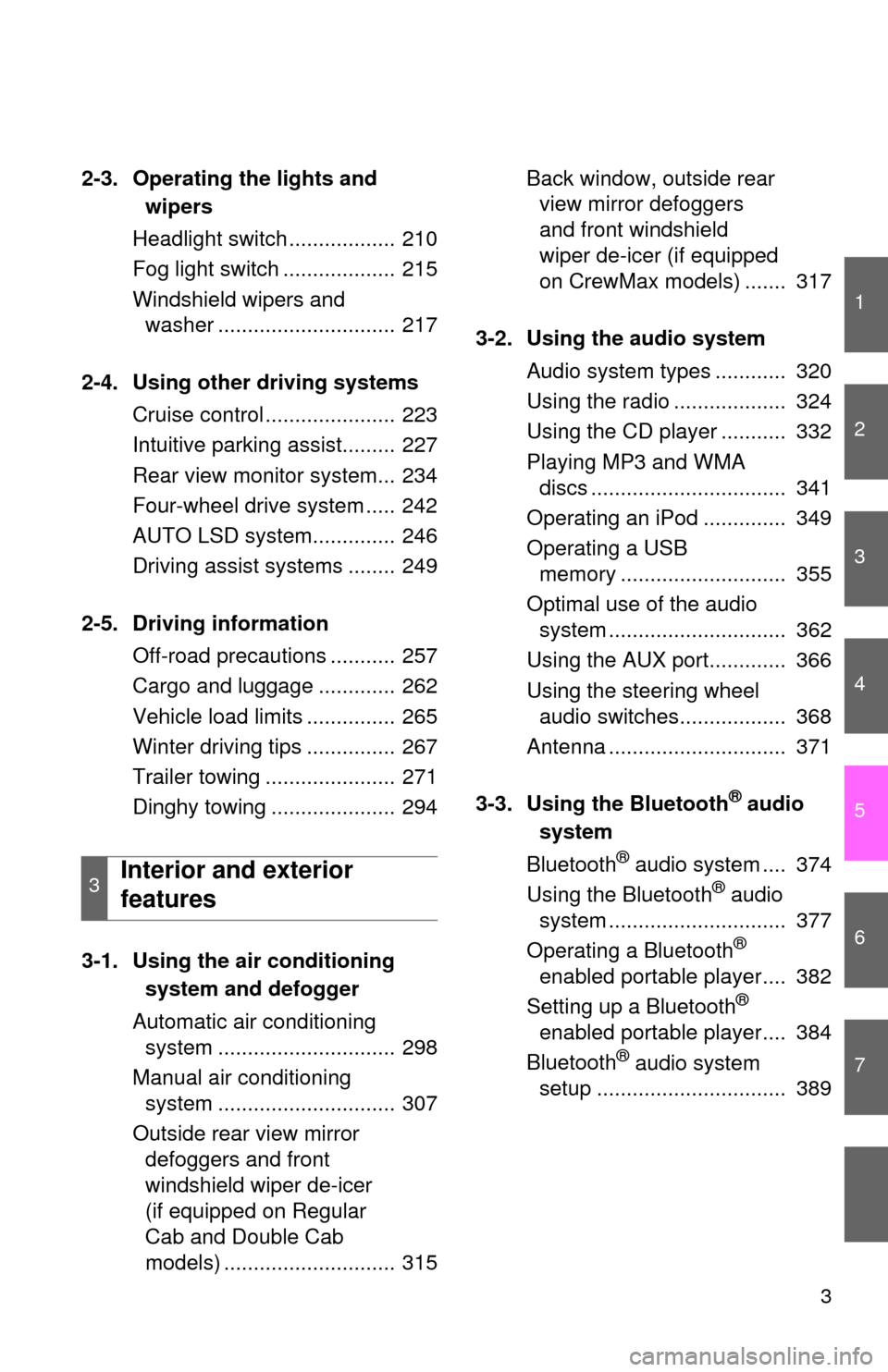
2-3. Operating the lights andwipers
Headlight swi tch .................. 210
Fog light switch ................... 215
Windshield wipers and washer .............................. 217
2-4. Using other driving systems Cruise control ...................... 223
Intuitive parking assist......... 227
Rear view monitor system... 234
Four-wheel drive system ..... 242
AUTO LSD system.............. 246
Driving assist systems ........ 249
2-5. Driving information Off-road precautions ........... 257
Cargo and luggage ............. 262
Vehicle load limits ............... 265
Winter driving tips ............... 267
Trailer towing ...................... 271
Dinghy towing ..................... 294
3-1. Using the air conditioning
system a nd defogger
Automatic air conditioning system .............................. 298
Manual air conditioning system .............................. 307
Outside rear view mirror defoggers and front
windshield wiper de-icer
(if equipped on Regular
Cab and Double Cab
models) ............................. 315 Back window, outside rear
view mirror defoggers
and front windshield
wiper de-icer (if equipped
on CrewMax models) ....... 317
3-2. Using the audio system Audio system types ............ 320
Using the radio ................... 324
Using the CD player ........... 332
Playing MP3 and WMA discs ................................. 341
Operating an iPod .............. 349
Operating a USB memory ............................ 355
Optimal use of the audio system .............................. 362
Using the AUX port............. 366
Using the steering wheel audio switches.................. 368
Antenna .............................. 371
3-3. Using the Bluetooth
® audio
system
Bluetooth
® audio system .... 374
Using the Bluetooth® audio
system .............................. 377
Operating a Bluetooth
®
enabled portable player.... 382
Setting up a Bluetooth
®
enabled portable player.... 384
Bluetooth
® audio system
setup ................................ 389
3Interior and exterior
features
Page 296 of 744
296
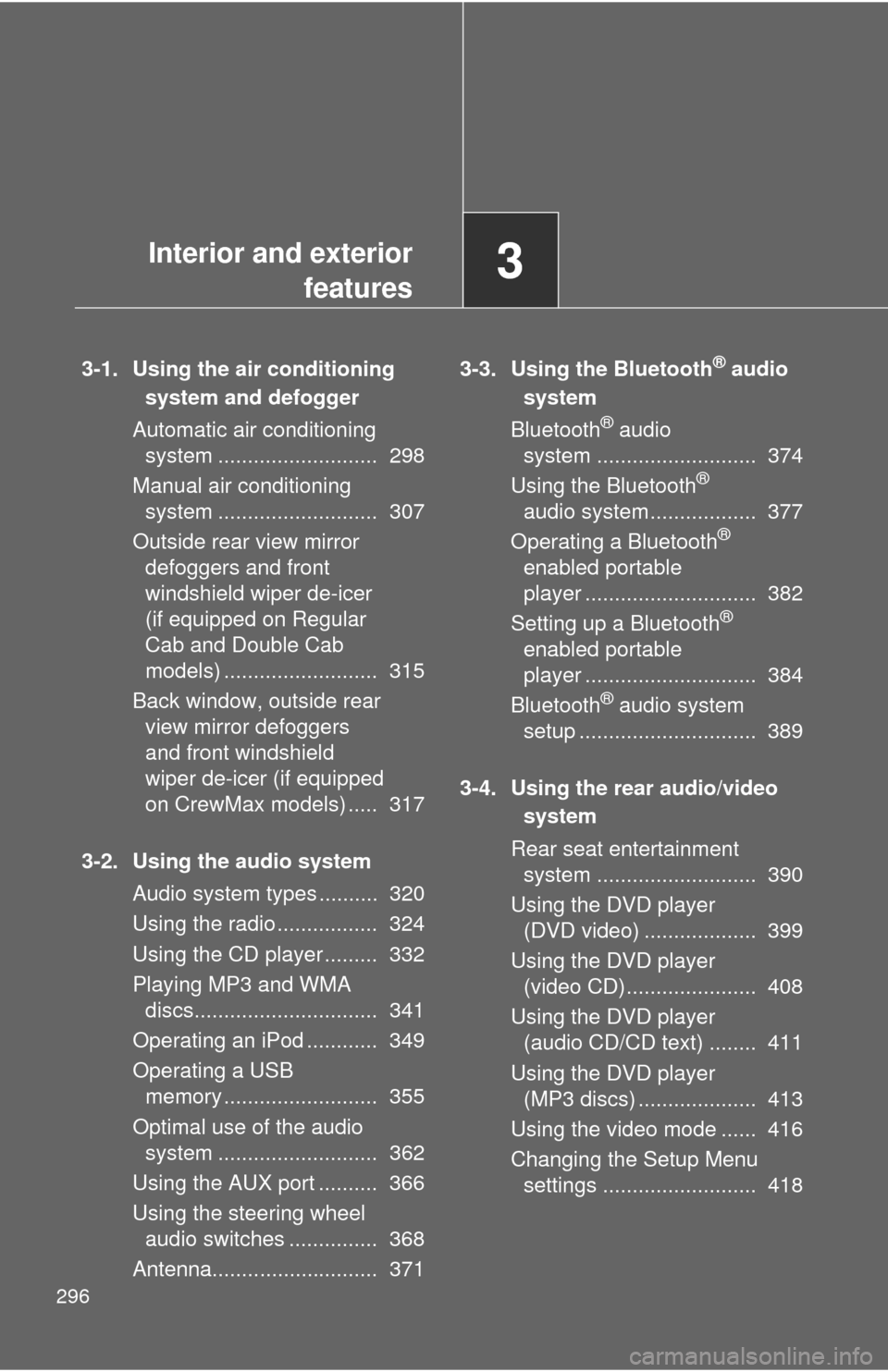
3-1. Using the air conditioningsystem and defogger
Automatic air conditioning system ........................... 298
Manual air conditioning system ........................... 307
Outside rear view mirror defoggers and front
windshield wiper de-icer
(if equipped on Regular
Cab and Double Cab
models) .......................... 315
Back window, outside rear view mirror defoggers
and front windshield
wiper de-icer (if equipped
on CrewMax models) ..... 317
3-2. Using the audio system Audio system types .......... 320
Using the radio ................. 324
Using the CD player ......... 332
Playing MP3 and WMA discs............................... 341
Operating an iPod ............ 349
Operating a USB memory .......................... 355
Optimal use of the audio system ........................... 362
Using the AUX port .......... 366
Using the steering wheel audio switches ............... 368
Antenna............................ 371 3-3. Using the Bluetooth® audio
system
Bluetooth
® audio
system ........................... 374
Using the Bluetooth
®
audio system.................. 377
Operating a Bluetooth
®
enabled portable
player ............................. 382
Setting up a Bluetooth
®
enabled portable
player ............................. 384
Bluetooth
® audio system
setup .............................. 389
3-4. Using the rear audio/video system
Rear seat entertainment system ........................... 390
Using the DVD player (DVD video) ................... 399
Using the DVD player (video CD)...................... 408
Using the DVD player (audio CD/CD text) ........ 411
Using the DVD player (MP3 discs) .................... 413
Using the video mode ...... 416
Changing the Setup Menu settings .......................... 418
Interior and exterior
features3
Page 321 of 744
321
3-2. Using the audio system
3
Interior and exterior features
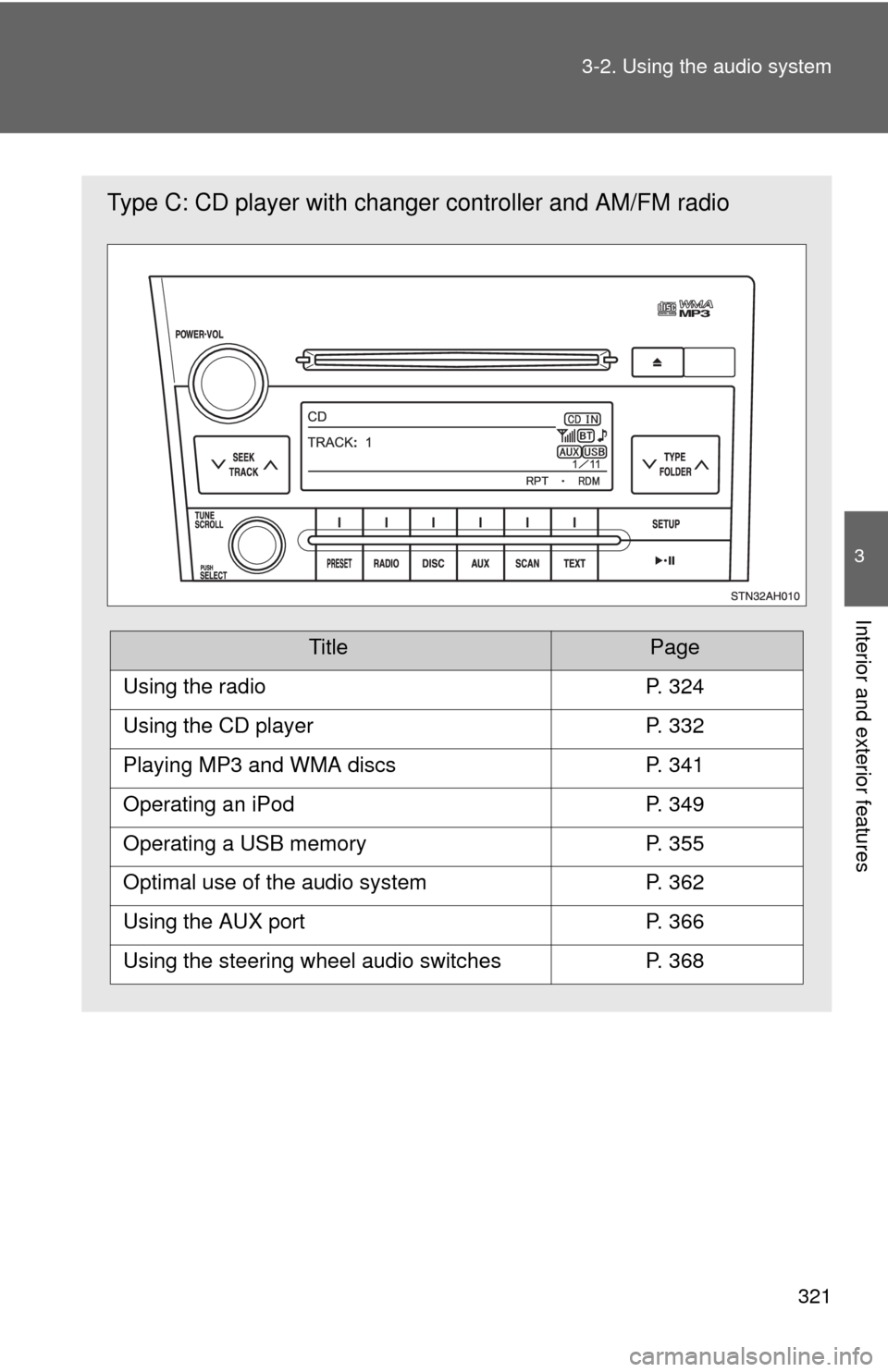
Type C: CD player with changer
controller and AM/FM radio
TitlePage
Using the radioP. 324
Using the CD playerP. 332
Playing MP3 and WMA discsP. 341
Operating an iPodP. 349
Operating a USB memoryP. 355
Optimal use of the audio systemP. 362
Using the AUX portP. 366
Using the steering wheel audio switchesP. 368
Page 325 of 744
325
3-2. Using the audio system
3
Interior and exterior features
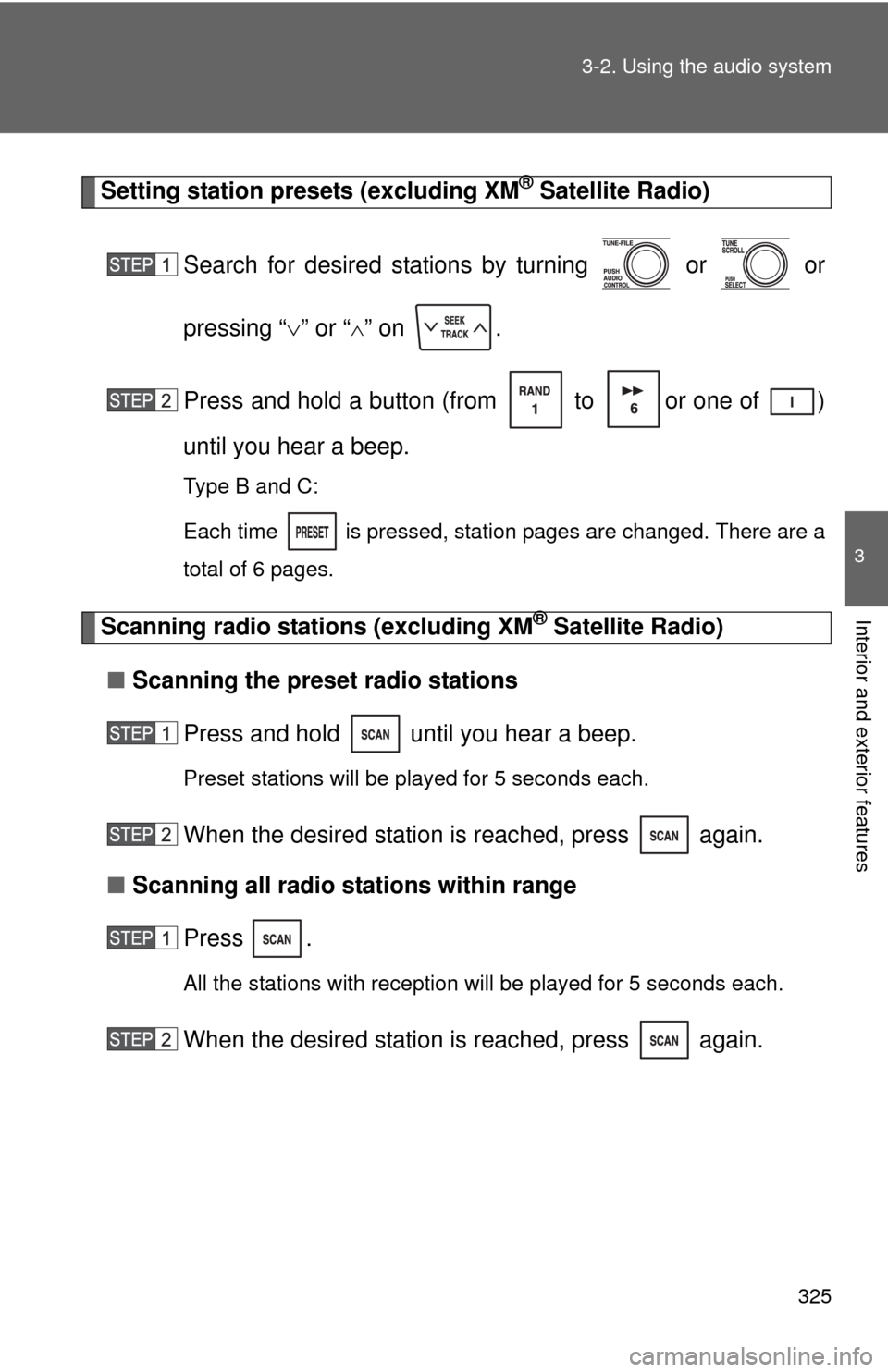
Setting station presets (excluding XM® Satellite Radio)
Search for desired stations by turning or or
pressing “ ” or “
” on .
Press and hold a button (from to or one of )
until you hear a beep.
Type B and C:
Each time
is pressed, station pages are changed. There are a
total of 6 pages.
Scanning radio stations (excluding XM® Satellite Radio)
■ Scanning the preset radio stations
Press and hold until you hear a beep.
Preset stations will be played for 5 seconds each.
When the desired station is reached, press again.
■ Scanning all radio stations within range
Press
.
All the stations with reception will be played for 5 seconds each.
When the desired station is reached, press again.
Page 327 of 744
327
3-2. Using the audio system
3
Interior and exterior features
■
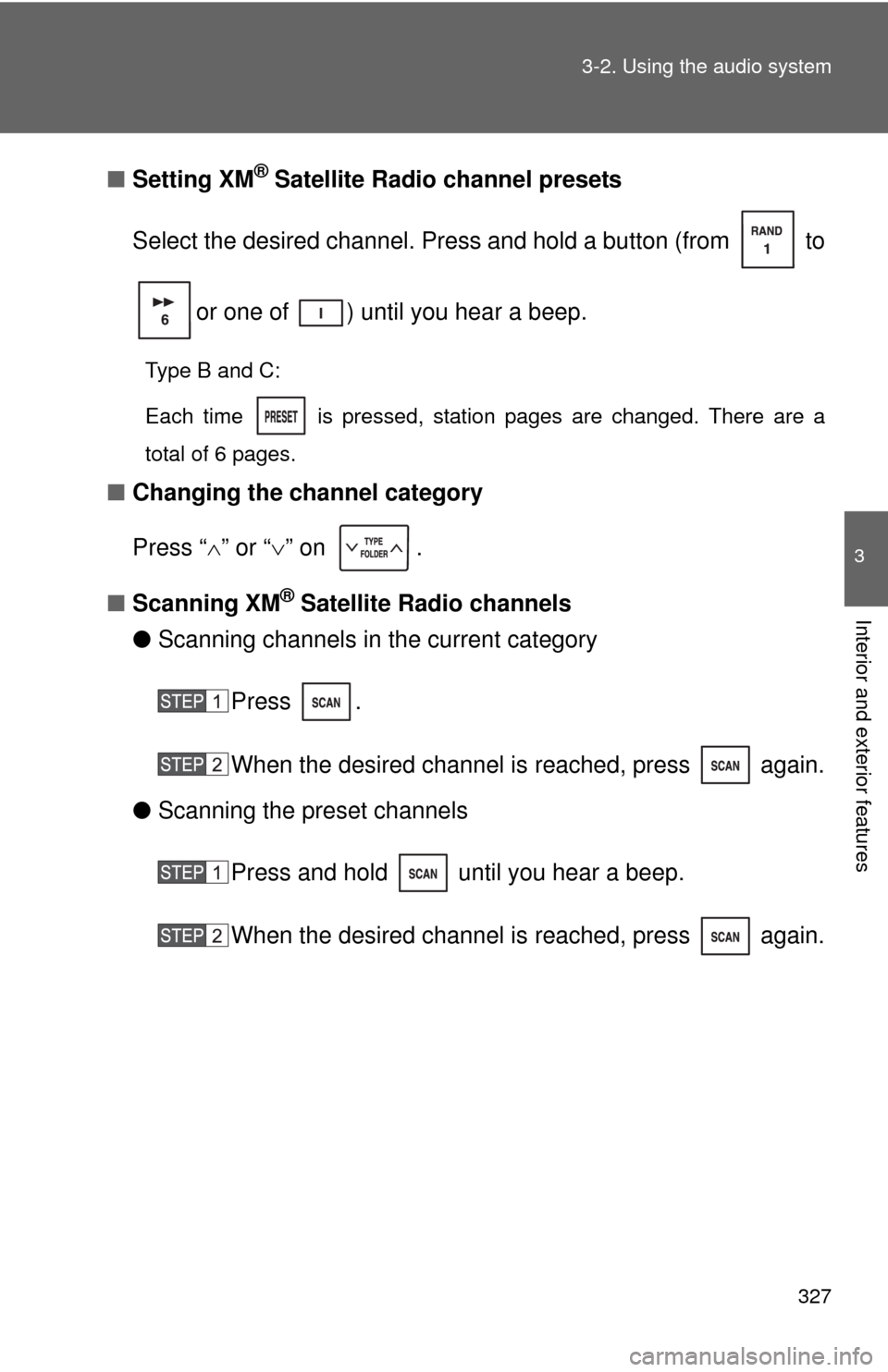
Setting XM® Satellite Radio channel presets
Select the desired channel. Press and hold a button (from to
or one of ) until you hear a beep.
Type B and C:
Each time
is pressed, station pages are changed. There are a
total of 6 pages.
■ Changing the channel category
Press “ ” or “ ” on .
■ Scanning XM
® Satellite Radio channels
● Scanning channels in the current category
Press .
When the desired channel is reached, press again.
● Scanning the preset channels
Press and hold until you hear a beep.
When the desired channel is reached, press again.
Page 329 of 744
329
3-2. Using the audio system
3
Interior and exterior features
■
When the battery is disconnected
All preset stations are erased. (type A only)
■ Reception sensitivity
●Objects, especially metal objects, such as cargo, a camper, or a truck
rack, may adversely affect the reception of XM
® Satellite Radio.
● Maintaining perfect radio reception at all times is difficult due to the con-
tinually changing position of the antenna, differences in signal strength
and surrounding objects, such as trains, transmitters, etc.
■ XM
® Satellite Radio
An XM
® Satellite Radio is a tuner designed exclusively to receive broadcasts
provided under a separate subscription. Availability is limited to the 48 con-
tiguous states and 10 Canadian provinces.
● XM
® subscriptions
For detailed information about XM® Satellite Radio or to subscribe:
U.S.A.
Visit on the web at www.xmradio.com
or call 1-800-967-2346.
Canada
Visit on the web at www.xmradio.ca
or call 1-877-209-0079.
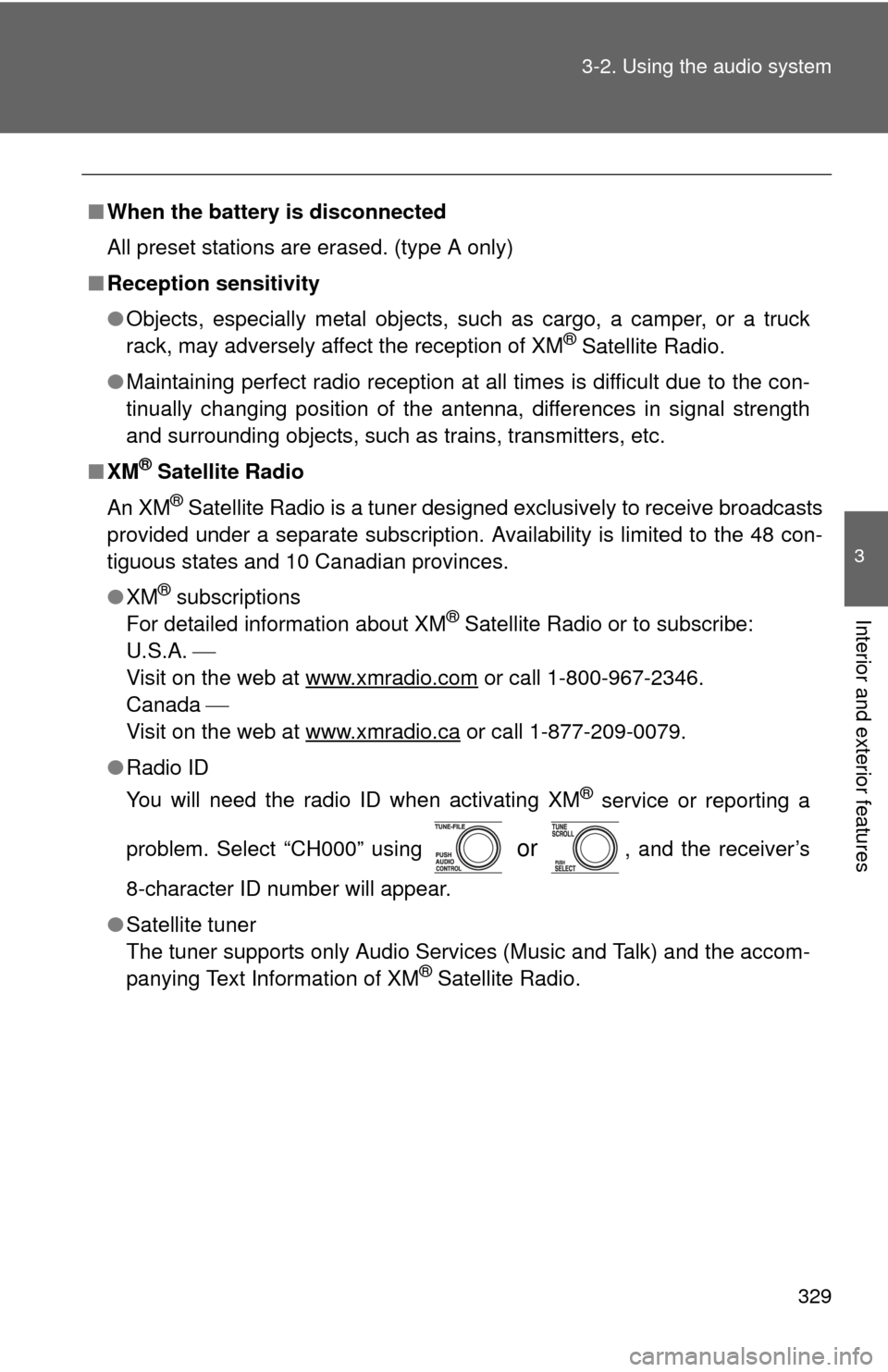
● Radio ID
You will need the radio ID when activating XM
® service or reporting a
problem. Select “CH000” using
or , and the receiver’s
8-character ID number will appear.
● Satellite tuner
The tuner supports only Audio Services (Music and Talk) and the accom-
panying Text Information of XM
® Satellite Radio.
Page 331 of 744
331
3-2. Using the audio system
3
Interior and exterior features
Contact the XM® Listener Care Center at
1-800-967-2346 (U.S.A.) or 1-877-
209-0079 (Canada)
■ Certifications for the radio tuner
This equipment has been tested and found to comply with the limits for a
class B digital device, pursuant to Part 15 of the FCC Rules. These limits are
designed to provide reasonable protection against harmful interference in a
residential installation. This equipment generates, uses and can radiate
radio frequency energy and, if not installed and used in accordance with the
instructions, may cause harmful interference to radio communications. How-
ever, there is no guarantee that interference will not occur in a particular
installation.
If this equipment does cause harmful interference to radio or television
reception, which can be determined by turning the equipment off and on, the
user is encouraged to try to correct the interference by trying one or more of
the following:
●Reorienting or relocating the receiving antenna.
● Increasing the separation between the equipment and receiver.
● Connecting the equipment into an outlet on a circuit different from that to
which the receiver is connected.
● Consulting the dealer or an experienc ed radio/TV technician for help.
NOTICE
■To prevent damage, remove the antenna in the following cases
●The antenna will touch the ceiling of a garage.
● A cover will be put on the vehicle.
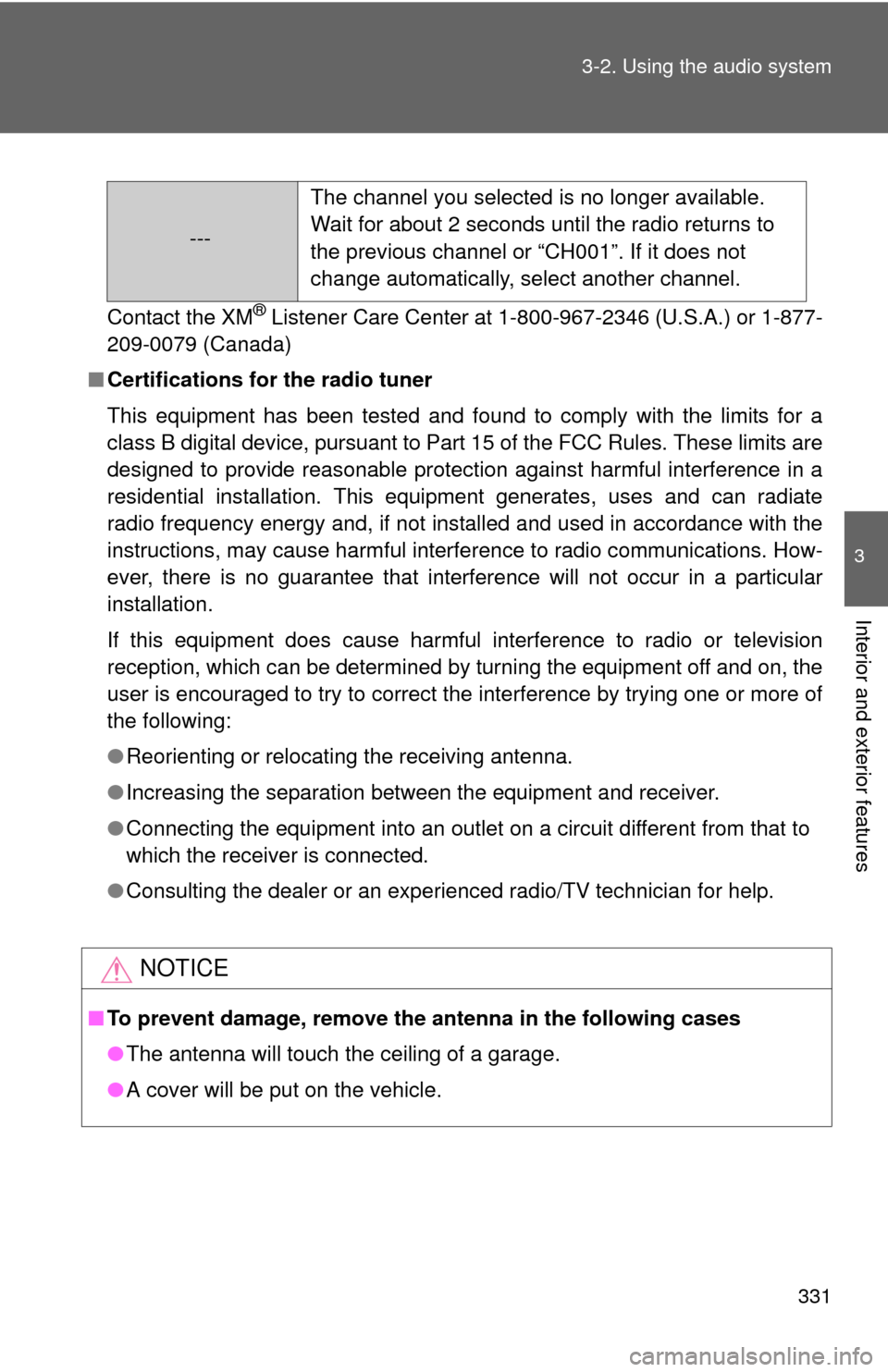
--- The channel you selected is no longer available.
Wait for about 2 seconds until the radio returns to
the previous channel or “CH001”. If it does not
change automatically, select another channel.
Page 339 of 744
339
3-2. Using the audio system
3
Interior and exterior features
NOTICE
■
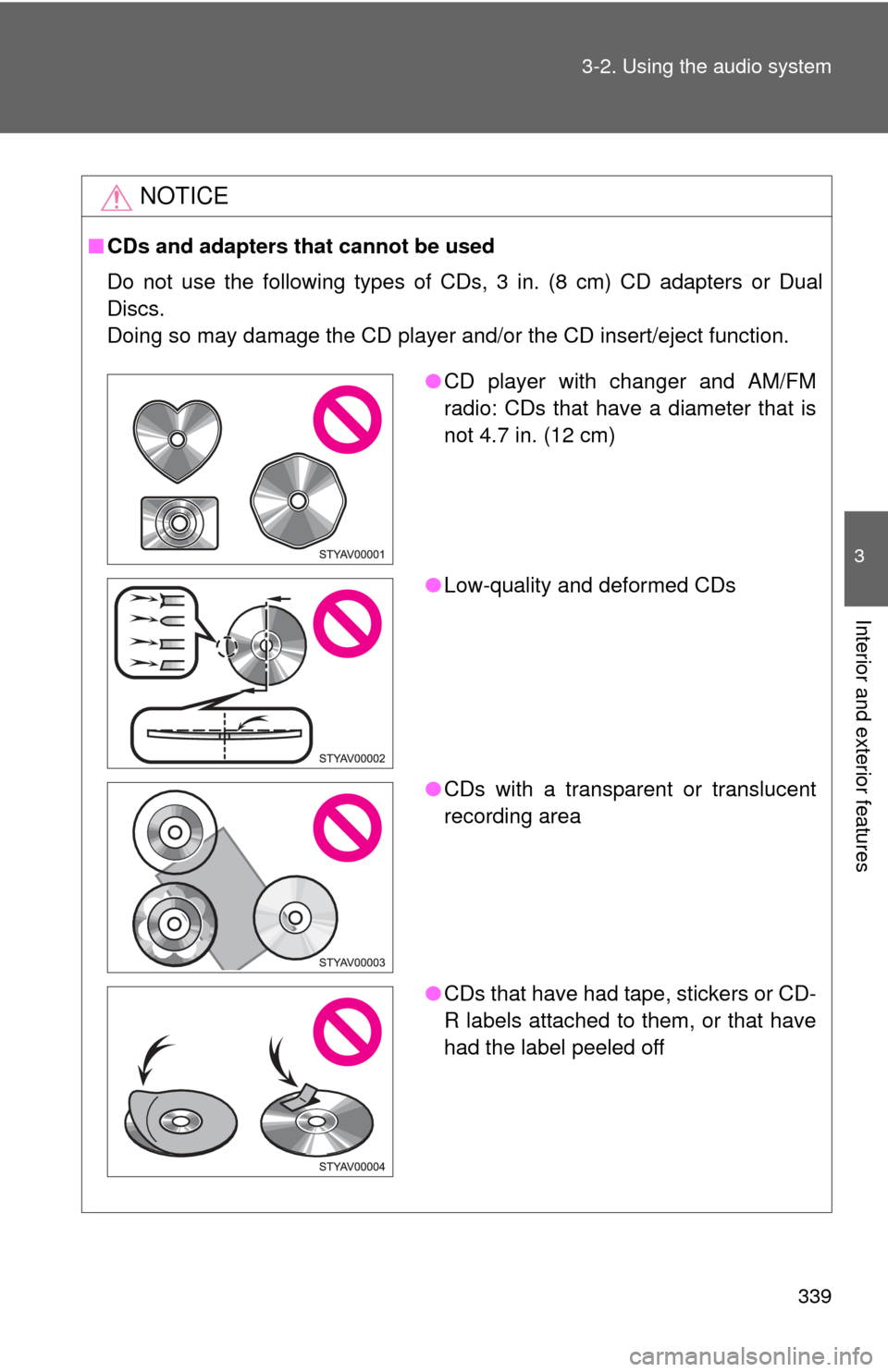
CDs and adapters that cannot be used
Do not use the following types of CDs, 3 in. (8 cm) CD adapters or Dual
Discs.
Doing so may damage the CD player and/or the CD insert/eject function.
●CD player with changer and AM/FM
radio: CDs that have a diameter that is
not 4.7 in. (12 cm)
● Low-quality and deformed CDs
● CDs with a transparent or translucent
recording area
● CDs that have had tape, stickers or CD-
R labels attached to them, or that have
had the label peeled off
Page 363 of 744
363
3-2. Using the audio system
3
Interior and exterior features
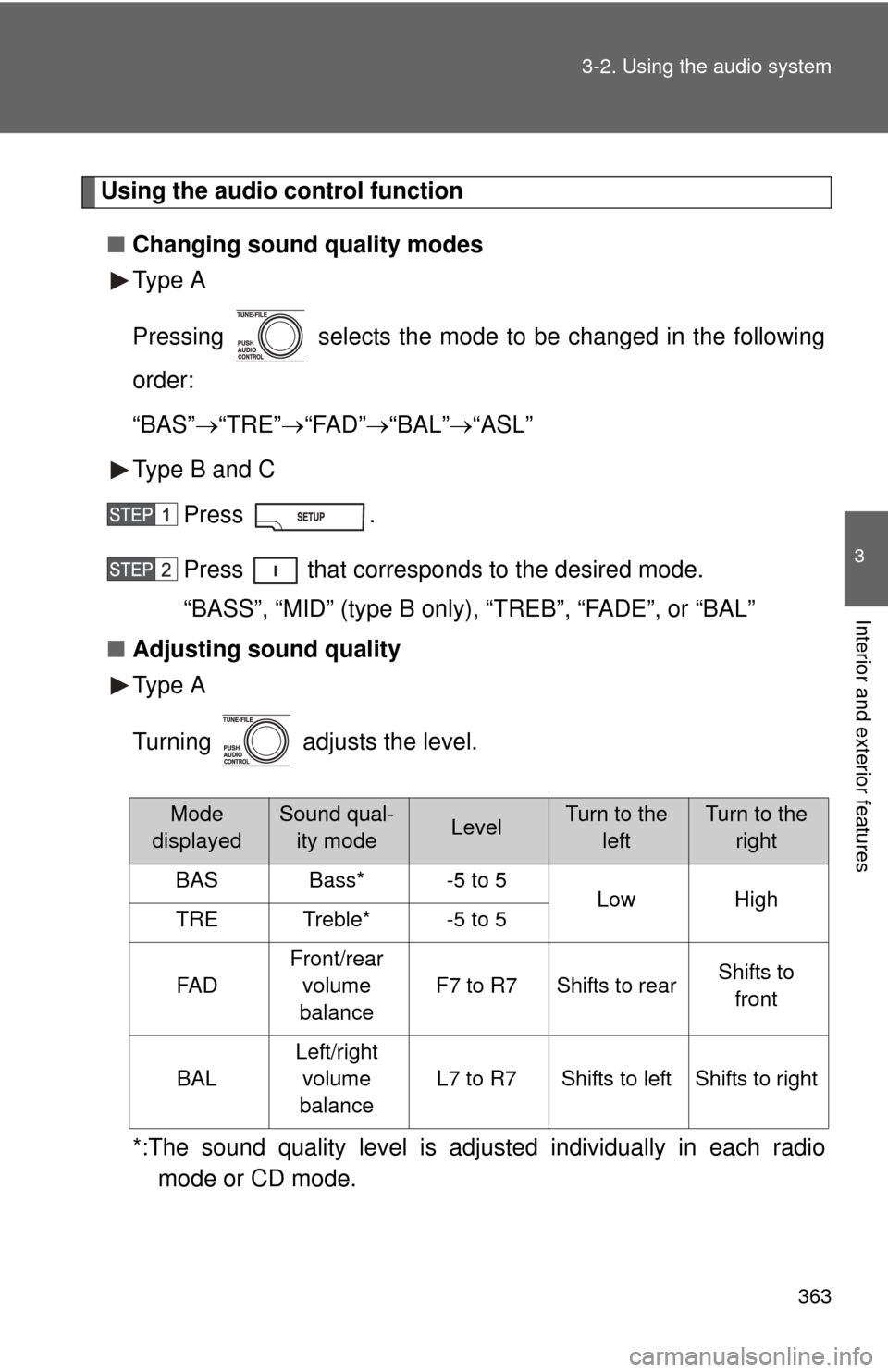
Using the audio control function
■ Changing sound quality modes
Type A
Pressing selects the mode to be changed in the following
order:
“BAS” “TRE” “FAD”“BAL” “ASL”
Type B and C
Press .
Press that corresponds to the desired mode.
“BASS”, “MID” (type B only), “TREB”, “FADE”, or “BAL”
■ Adjusting sound quality
Type A
Turning adjusts the level.
*:The sound quality level is adju sted individually in each radio
mode or CD mode.
Mode
displayedSound qual- ity modeLevelTurn to the leftTurn to the right
BASBass*-5 to 5LowHighTRETreble*-5 to 5
FA D
Front/rear
volume
balance
F7 to R7Shifts to rearShifts to front
BAL
Left/right volume
balance
L7 to R7Shifts to leftShifts to right
Page 368 of 744
368
3-2. Using the audio system
Using the steering wheel audio switches
: If equipped
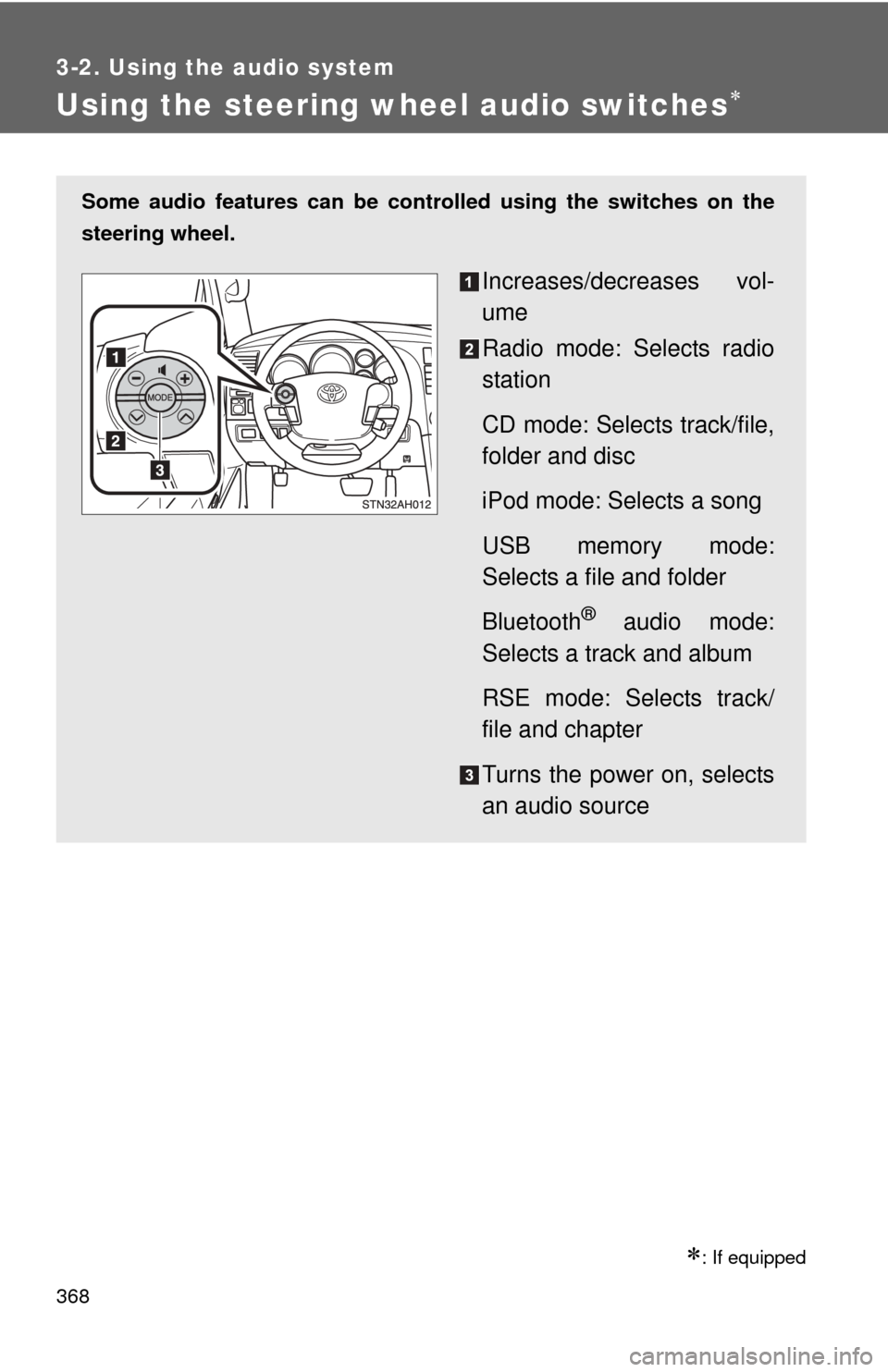
Some audio features can be controlled using the switches on the
steering wheel.
Increases/decreases vol-
ume
Radio mode: Selects radio
station
CD mode: Selects track/file,
folder and disc
iPod mode: Selects a song
USB memory mode:
Selects a file and folder
Bluetooth
® audio mode:
Selects a track and album
RSE mode: Selects track/
file and chapter
Turns the power on, selects
an audio source