TOYOTA TUNDRA 2013 2.G Owners Manual
TUNDRA 2013 2.G
TOYOTA
TOYOTA
https://www.carmanualsonline.info/img/14/6836/w960_6836-0.png
TOYOTA TUNDRA 2013 2.G Owners Manual
Page 385 of 752
385
3-3. Using the Bluetooth
® audio system
3
Interior and exterior features
Selecting a portable player to be used
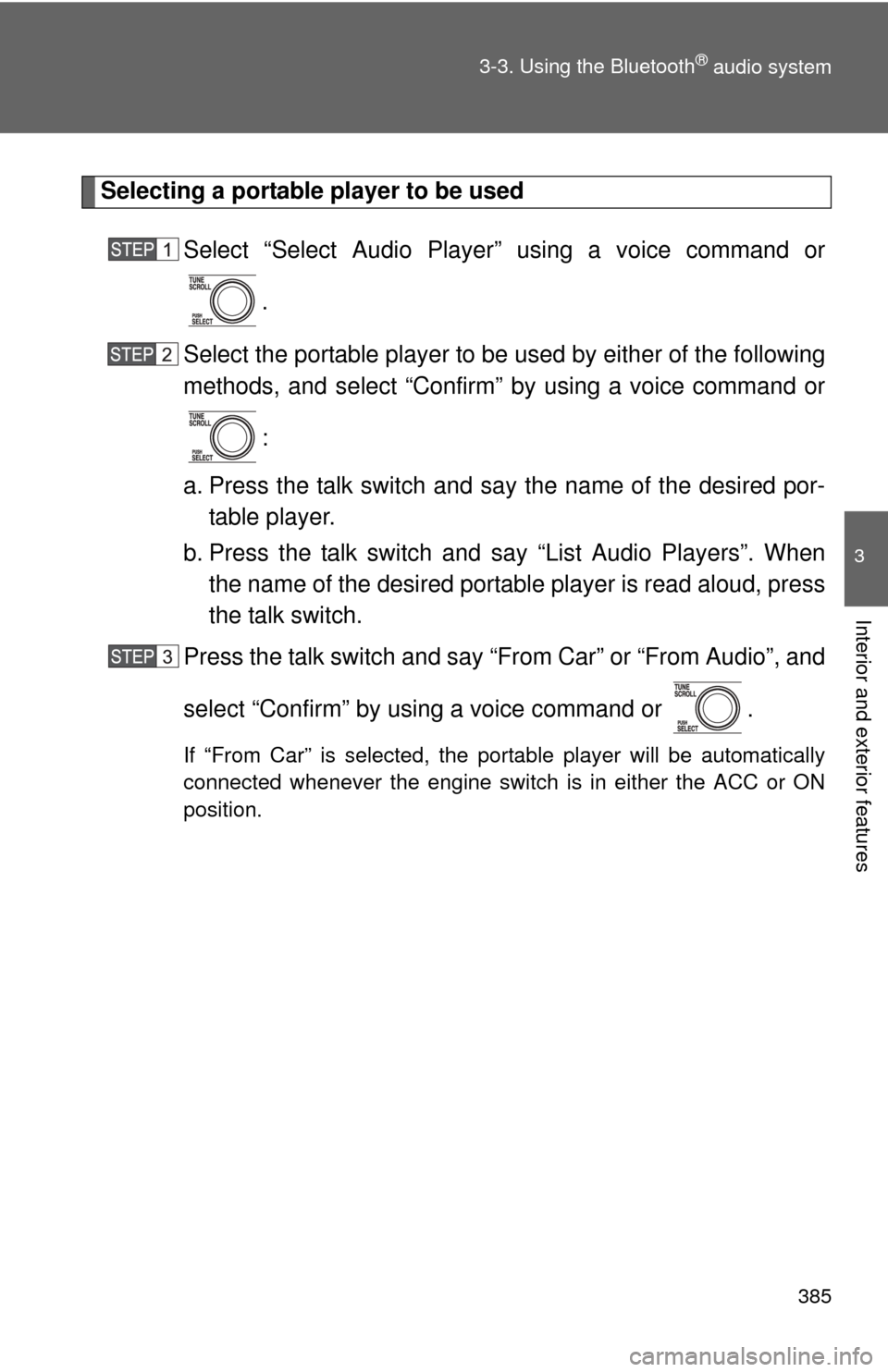
Select “Select Audio Player” using a voice command or.
Select the portable player to be used by either of the following
methods, and select “Confirm” by using a voice command or
:
a. Press the talk switch and say the name of the desired por- table player.
b. Press the talk switch and say “List Audio Players”. When
the name of the desired portable player is read aloud, press
the talk switch.
Press the talk switch and say “From Car” or “From Audio”, and
select “Confirm” by using a voice command or .
If “From Car” is selected, the portable player will be automatically
connected whenever the engine switch is in either the ACC or ON
position.
Page 394 of 752
394 3-4. Using the rear audio/video system
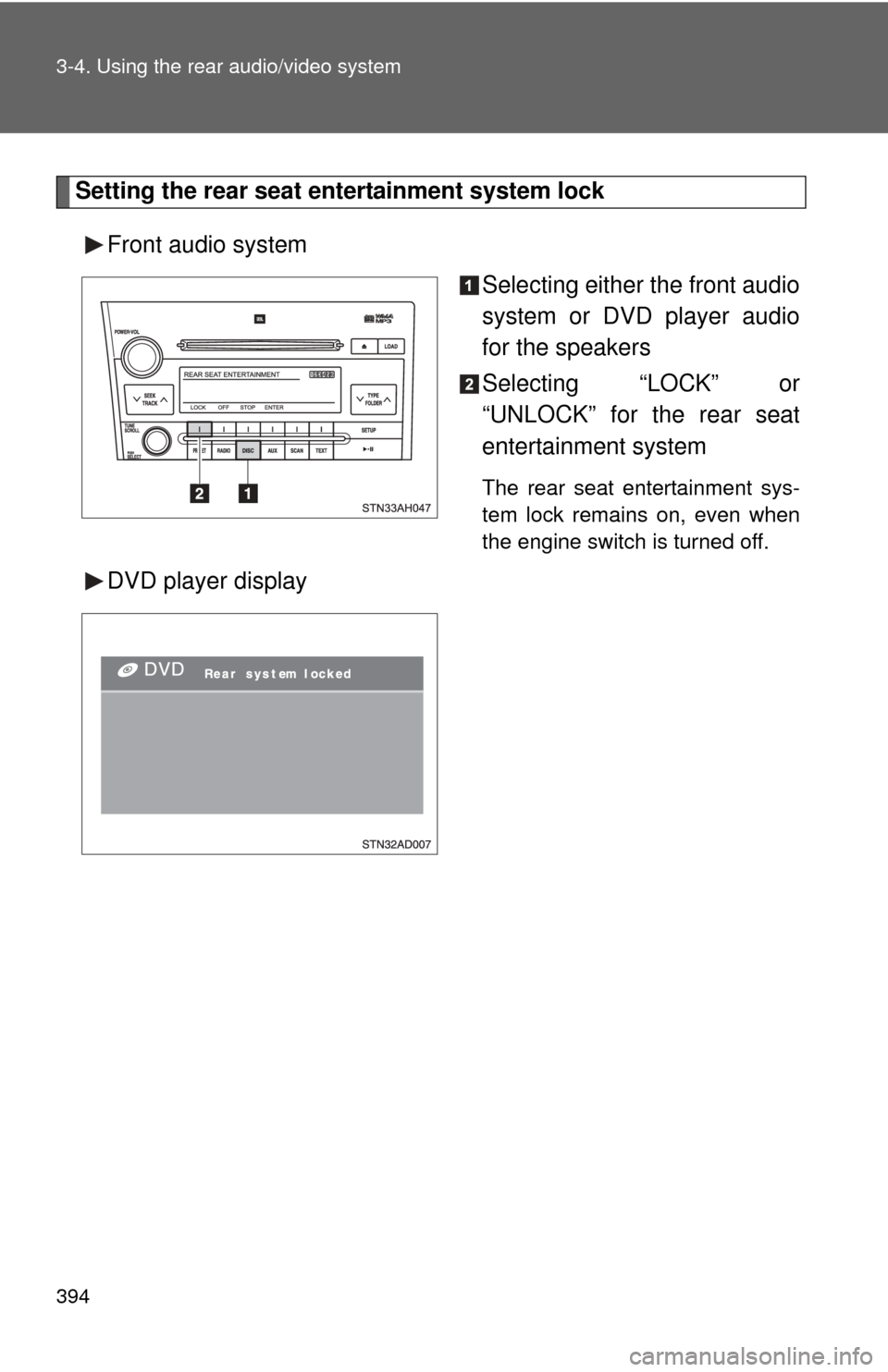
Setting the rear seat entertainment system lockFront audio system Selecting either the front audio
system or DVD player audio
for the speakers
Selecting “LOCK” or
“UNLOCK” for the rear seat
entertainment system
The rear seat entertainment sys-
tem lock remains on, even when
the engine switch is turned off.
DVD player display
Page 395 of 752
395
3-4. Using the rear audio/video system
3
Interior and exterior features
■
The rear seat entertainmen t system can be used when
The engine switch is in the ACC or ON position.
■ Discs that can be used
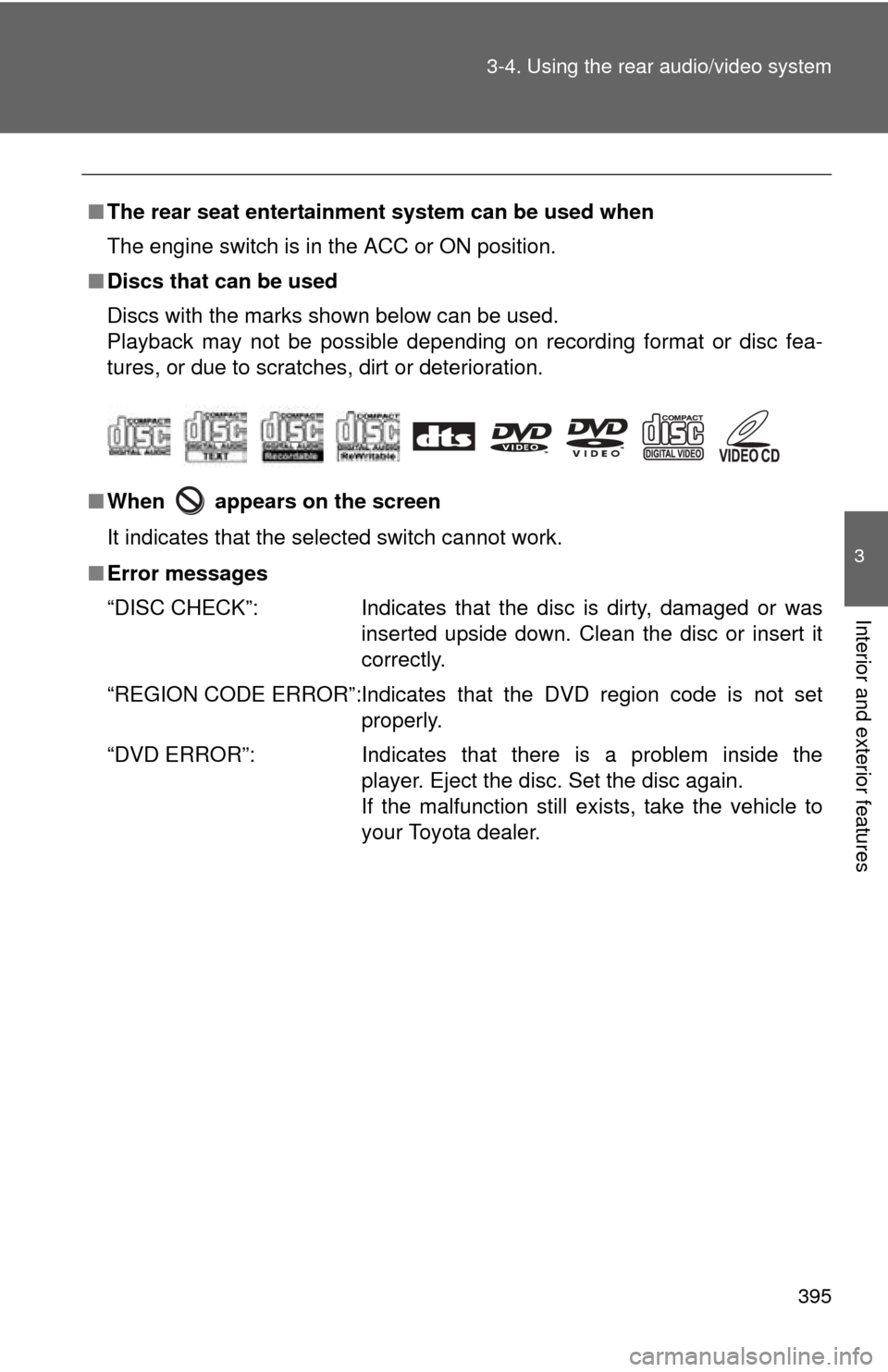
Discs with the marks shown below can be used.
Playback may not be possible depending on recording format or disc fea-
tures, or due to scratches, dirt or deterioration.
■ When appears on the screen
It indicates that the selected switch cannot work.
■ Error messages
“DISC CHECK”: Indicates that the disc is dirty, damaged or was
inserted upside down. Clean the disc or insert it
correctly.
“REGION CODE ERROR”:Indicates that the DVD region code is not set properly.
“DVD ERROR”: Indicates that there is a problem inside the player. Eject the disc. Set the disc again.
If the malfunction still exists, take the vehicle to
your Toyota dealer.
Page 455 of 752
455
3
Interior and exterior features
3-6. Using the interior lights
Interior lights list
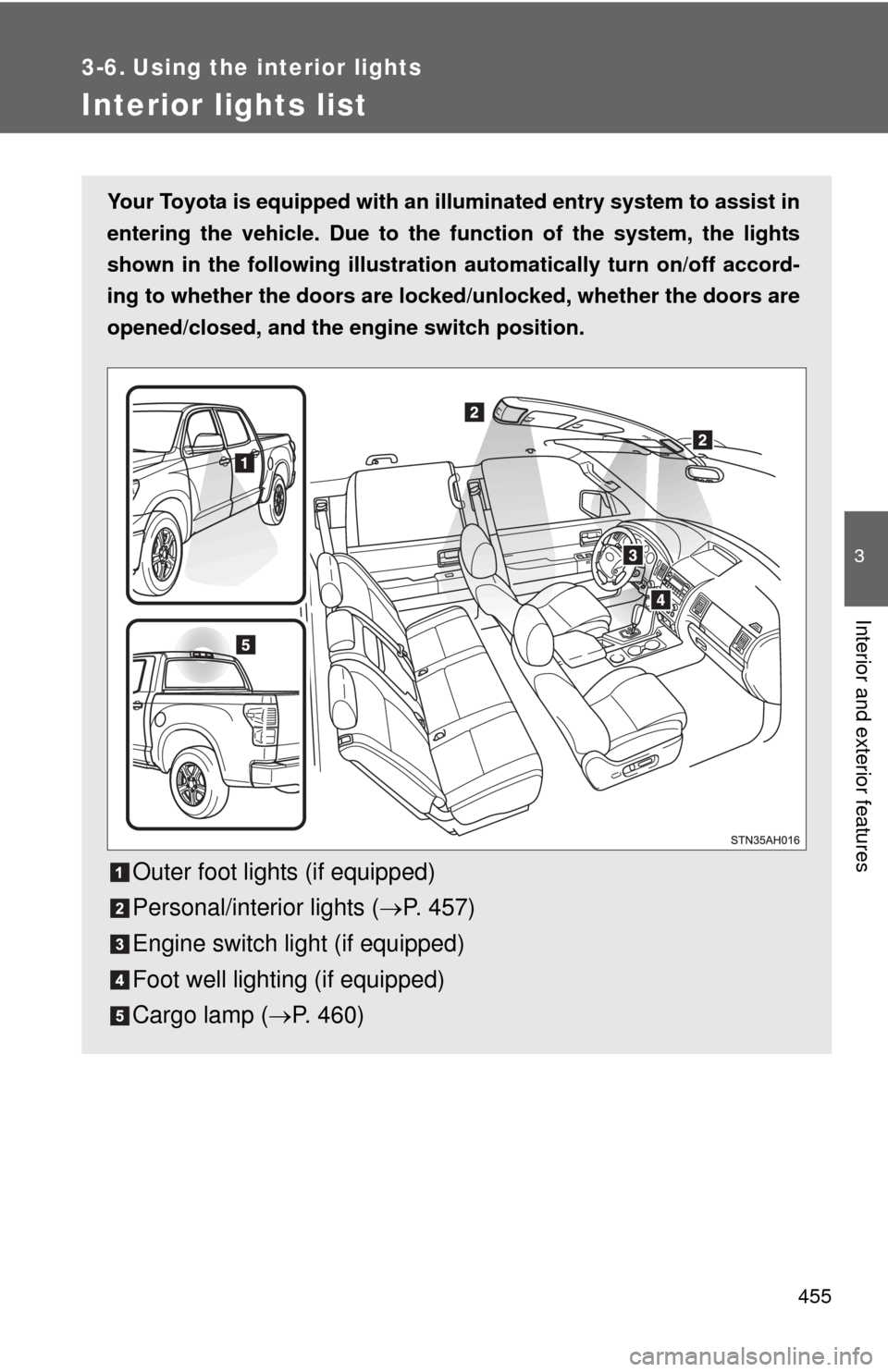
Your Toyota is equipped with an illuminated entry system to assist in
entering the vehicle. Due to the function of the system, the lights
shown in the following illustration automatically turn on/off accord-
ing to whether the doo rs are locked/unlocked, whether the doors are
opened/closed, and the en gine switch position.
Outer foot lights (if equipped)
Personal/interior lights (P. 457)
Engine switch light (if equipped)
Foot well lighting (if equipped)
Cargo lamp ( P. 460)
Page 490 of 752
490
3-8. Other interior features
Clock
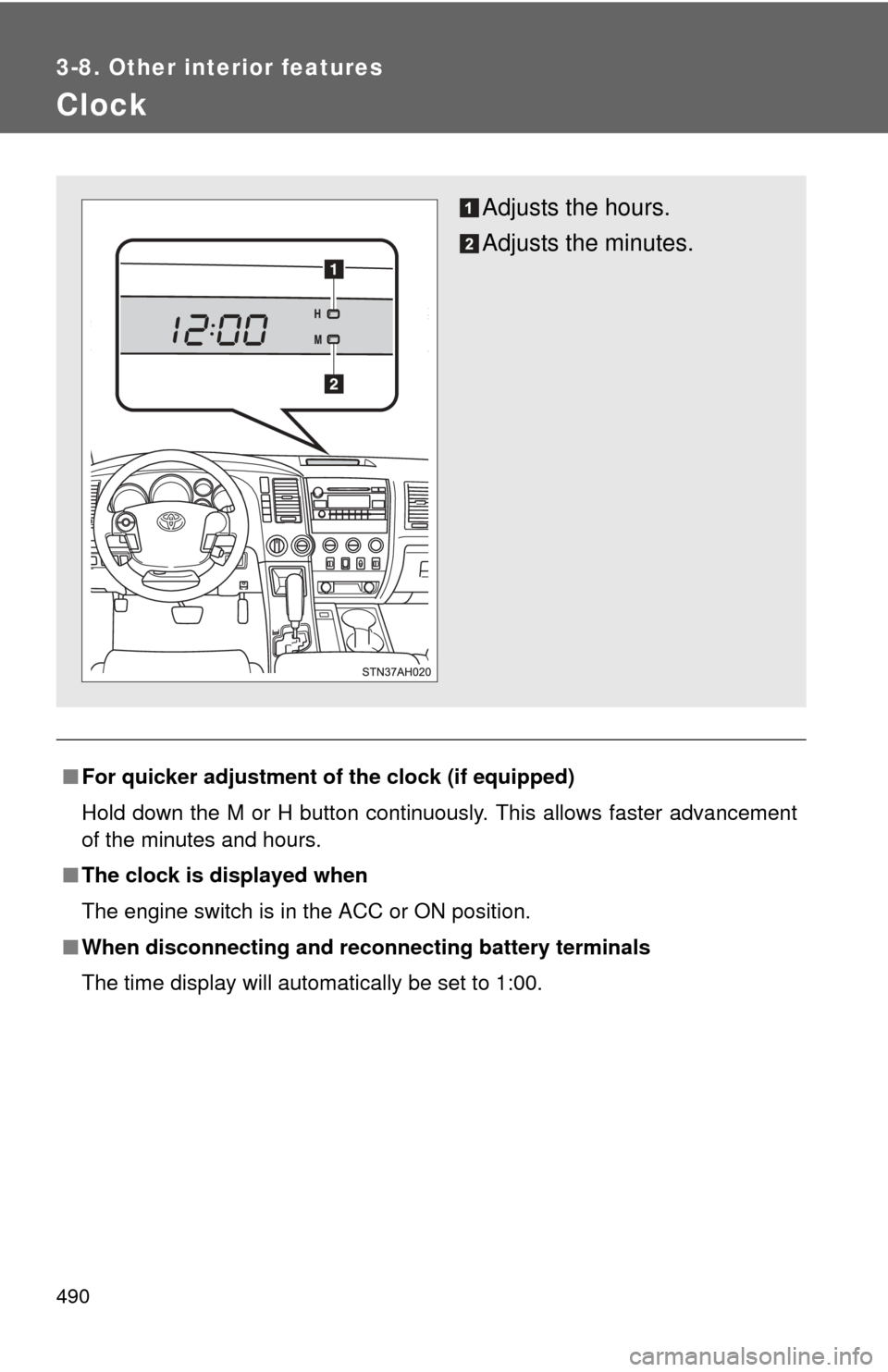
■For quicker adjustment of the clock (if equipped)
Hold down the M or H button continuously. This allows faster advancement
of the minutes and hours.
■ The clock is displayed when
The engine switch is in the ACC or ON position.
■ When disconnecting and reco nnecting battery terminals
The time display will automatically be set to 1:00.
Adjusts the hours.
Adjusts the minutes.
Page 492 of 752
492 3-8. Other interior features
■When – –°C or – –°F is displayed
The system may be malfunctioning. Take your vehicle to your Toyota dealer.
■ The outside air temperature is displayed when
The engine switch is in the ON position.
■ When disconnecting and reco nnecting battery terminals
The display will automatically be set to the initial mode.
■ Display
In the following situations, the correct outside temperature may not be dis-
played, or the display may take longer than normal to change.
●When stopped, or driving at low speeds (less than 12 mph [20 km/h])
● When the outside temperature has changed suddenly (at the entrance/
exit of a garage, tunnel, etc.)
Page 496 of 752
496 3-8. Other interior features
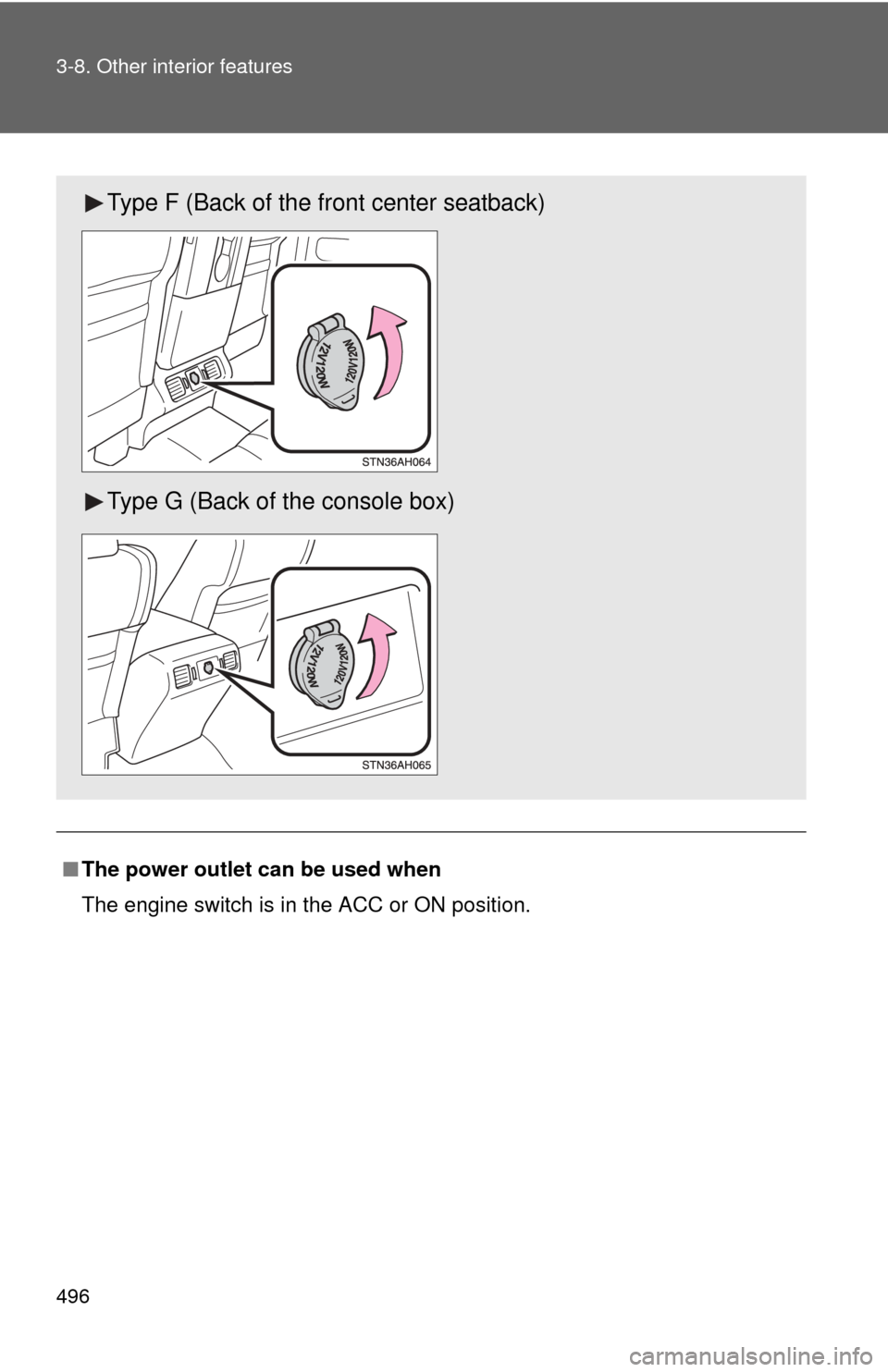
■The power outlet can be used when
The engine switch is in the ACC or ON position.
Type F (Back of the front center seatback)
Type G (Back of the console box)
Page 497 of 752
497
3-8. Other interior features
3
Interior and exterior features
NOTICE
■
To avoid damaging the power outlet
Close the power outlet lid when the power outlet is not in use.
Foreign objects or liquids that enter the power outlet may cause a short cir-
cuit.
■ To prevent the fuse from being blown
Do not use an accessory that uses more than 12 V/10 A.
■ To prevent the battery from being discharged
Do not use the power outlet longer than necessary when the engine is
stopped.
Page 498 of 752
498
3-8. Other interior features
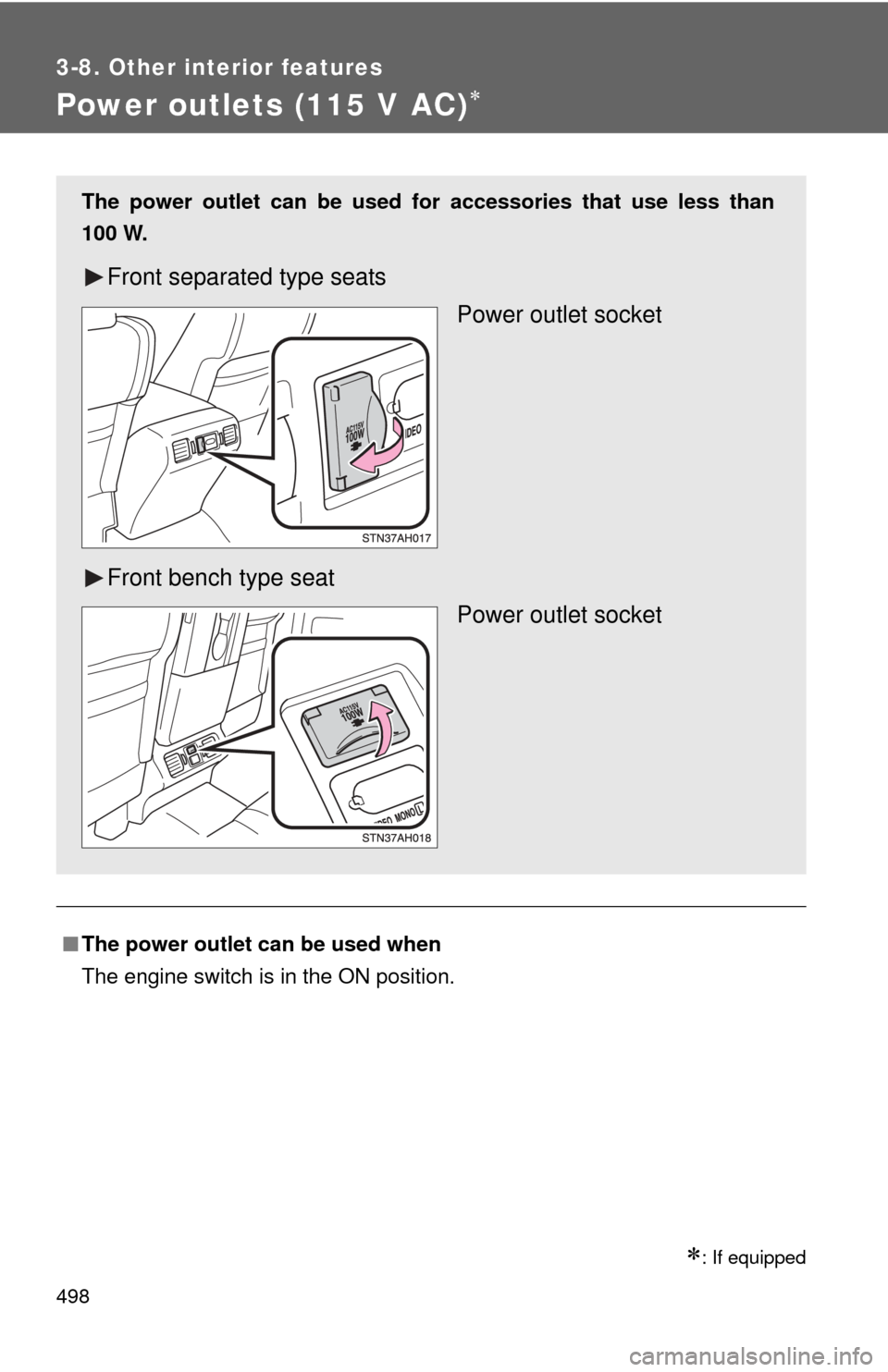
Power outlets (115 V AC)
: If equipped
■The power outlet can be used when
The engine switch is in the ON position.
The power outlet can be used for accessories that use less than
100 W.
Front separated type seats
Power outlet socket
Front bench type seat Power outlet socket
Page 502 of 752
502
3-8. Other interior features
Seat heaters
: If equipped
■The seat heaters can be used when
The engine switch is in the ON position.
■ When not in use
Turn the dial fully downward. The indicator turns off.
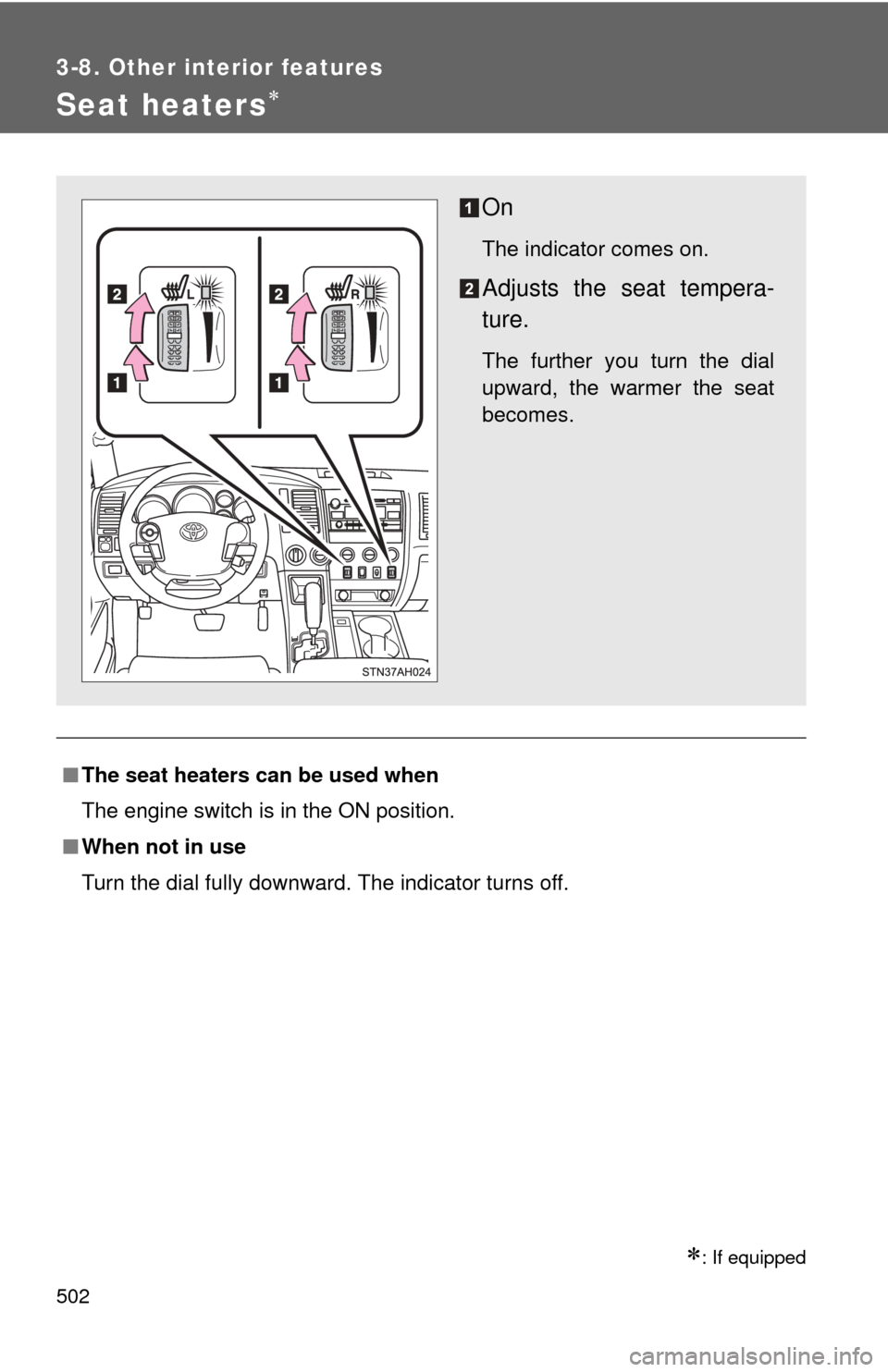
On
The indicator comes on.
Adjusts the seat tempera-
ture.
The further you turn the dial
upward, the warmer the seat
becomes.