service TOYOTA TUNDRA 2015 2.G Navigation Manual
[x] Cancel search | Manufacturer: TOYOTA, Model Year: 2015, Model line: TUNDRA, Model: TOYOTA TUNDRA 2015 2.GPages: 280, PDF Size: 7.57 MB
Page 9 of 280

9
1
2
3
4
5
6
7
8
9
1. BASIC OPERATION ........................ 68
QUICK REFERENCE ............................ 68
SOME BASICS ...................................... 70
2. RADIO OPERATION ....................... 75
AM/FM RADIO............................................... 75
XM Satellite Radio ................................. 84
INTERNET RADIO ................................ 90
3. MEDIA OPERATION ....................... 91
CD ......................................................... 91
USB MEMORY ...................................... 94
iPod ....................................................... 98
Bluetooth
® AUDIO ............................... 102
AUX ......................................................... 106
4. AUDIO REMOTE CONTROLS ...... 108
STEERING SWITCHES ...................... 108
5. SETUP ........................................... 109
AUDIO SETTINGS .............................. 109
6. TIPS FOR OPERATING
THE AUDIO SYSTEM .................. 111
OPERATING INFORMATION ............. 111
1. VOICE COMMAND SYSTEM
OPERATION ................................ 122
VOICE COMMAND SYSTEM .............. 122
CASUAL SPEECH
RECOGNIZATION ............................ 127
COMMAND LIST ................................. 128
1. INFORMATION ............................. 132
RECEIVING WEATHER
INFORMATION ................................. 132
RECEIVING TRAFFIC MAP INFORMATION ................................. 133
DATA SERVICES SETTINGS ............. 134
1. REAR VIEW MONITOR
SYSTEM ....... ............................ ...
136
REAR VIEW MONITOR SYSTEM ....... 136
REAR VIEW MONITOR SYSTEM
PRECAUTIONS ................................ 138
THINGS YOU SHOULD KNOW .......... 143
1. PHONE OPERATION
(HANDS-FREE SYSTEM
FOR CELLULAR PHONES)........ 146
QUICK REFERENCE .......................... 146
SOME BASICS .................................... 147
CALLING ON THE Bluetooth
®
PHONE .............................................. 150
RECEIVING ON THE Bluetooth
®
PHONE .............................................. 155
TALKING ON THE Bluetooth
®
PHONE .............................................. 156
Bluetooth
® PHONE MESSAGE
FUNCTION ........................................ 159
2. SETUP........................................... 164
PHONE/MESSAGE SETTINGS .......... 164
3. WHAT TO DO IF... ........................ 176
TROUBLESHOOTING ......................... 176
3AUDIO SYSTEM
4VOICE COMMAND SYSTEM
5INFORMATION
6PERIPHERAL MONITORING
SYSTEM
7PHONE
Page 10 of 280

TABLE OF CONTENTS
10
1. BASIC OPERATION ...................... 184
QUICK REFERENCE .......................... 184
MAP SCREEN OPERATION ............... 187
MAP SCREEN INFORMATION ........... 193
TRAFFIC INFORMATION.................... 197
2. DESTINATION SEARCH ............... 200
DESTINATION SEARCH SCREEN ..... 200
SEARCH OPERATION ........................ 202
STARTING ROUTE GUIDANCE ......... 213
3. ROUTE GUIDANCE....................... 217
ROUTE GUIDANCE SCREEN ............ 217
TYPICAL VOICE GUIDANCE
PROMPTS......................................... 222
EDITING ROUTE ................................. 223
4. MEMORY POINTS ......................... 227
MEMORY POINTS SETTINGS ........... 227
5. SETUP ........................................... 236
DETAILED NAVIGATION
SETTINGS ........................................ 236
TRAFFIC SETTINGS ........................... 240
6. TIPS FOR THE NAVIGATION
SYSTEM ....................................... 246
GPS (GLOBAL POSITIONING
SYSTEM) .......................................... 246
MAP DATABASE VERSION AND COVERED AREA .............................. 248
1. Entune App Suite OVERVIEW .... 252
Entune App Suite SERVICE................. 252
2. Entune App Suite
OPERATION ................................ 257
Entune App Suite ................................. 257
3. SETUP ........................................... 264
Entune App Suite SETTINGS .............. 264
ALPHABETICAL INDEX ............. 266
8NAVIGATION SYSTEM9Entune App Suite
INDEX
Page 18 of 280
18
1. CONTROLS AND FEATURES
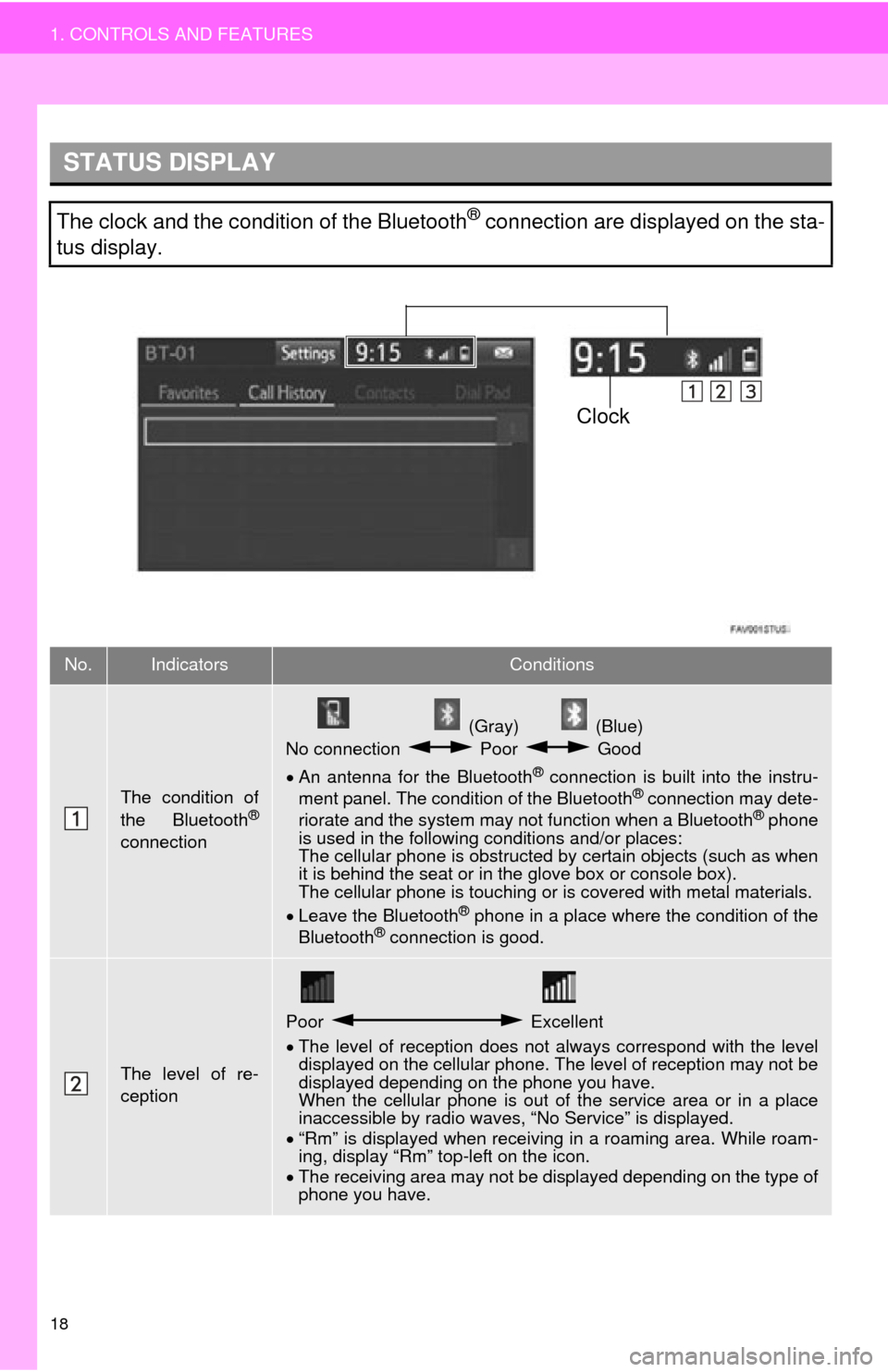
STATUS DISPLAY
The clock and the condition of the Bluetooth® connection are displayed on the sta-
tus display.
No.IndicatorsConditions
The condition of
the Bluetooth®
connection
(Gray) (Blue)
No connection Poor Good
An antenna for the Bluetooth® connection is built into the instru -
ment panel. The condition of the Bluetooth® connection may dete -
riorate and the system may not function when a Bluetooth® phone
is used in the following conditions and/or places:
The cellular phone is obstructed by cert
ain objects (such as when
it is behind the seat or in the glove box or console box).
The cellular phone is touching or is covered with metal materials.
Leave the Blu
etooth® phone in a place where the condition of the
Bluetooth® connection is good.
The level of re-
ception
Poor Excellent
The level of reception does not always correspond with the level
displayed on the cellular phone. The level of reception may not be
displayed depending on the phone you have.
When the cellular phone is out of t
he service area or in a place
inaccessible by radio waves, “No Service” is displayed.
“Rm”
is displayed when receiving in a roaming area. While roam -
ing, display “Rm” top-left on the icon.
The
receiving area may not be di splayed depending on the type of
phone you have.
Clock
Page 21 of 280
21
1. CONTROLS AND FEATURES
QUICK GUIDE
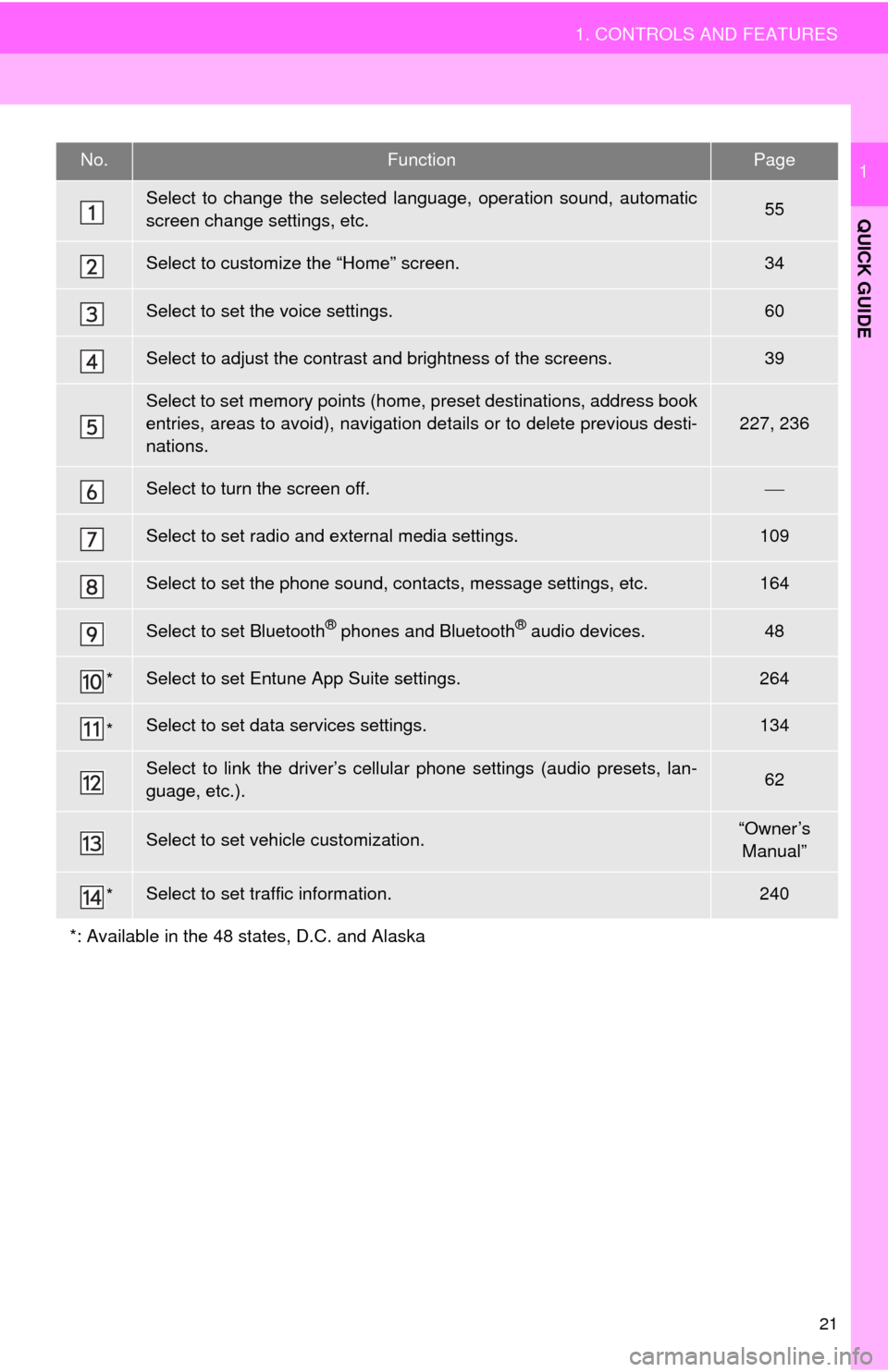
1No.FunctionPage
Select to change the selected language, operation sound, automatic
screen change settings, etc.55
Select to customize the “Home” screen.34
Select to set the voice settings.60
Select to adjust the contrast and brightness of the screens.39
Select to set memory points (home, preset destinations, address book
entries, areas to avoid), navigation details or to delete previous desti-
nations.
227, 236
Select to turn the screen off.
Select to set radio and external media settings.109
Select to set the phone sound, contacts, message settings, etc.164
Select to set Bluetooth® phones and Bluetooth® audio devices.48
*Select to set Entune App Suite settings.264
*Select to set data services settings.134
Select to link the driver’s cellular phone settings (audio presets, lan-
guage, etc.).62
Select to set vehicle customization.“Owner’s
Manual”
*Select to set traffic information.240
*: Available in the 48 states, D.C. and Alaska
Page 43 of 280
43
2. Bluetooth® SETTINGS
BASIC FUNCTION
2
The Bluetooth® word mark and logos are registered trademarks owned Bluetooth SIG,
Inc. and any use of such marks by Panasonic Corporation is under license. Other trade-
marks and trade names are those of their respective owners.
PROFILES
This system supports the following services.
Bluetooth®
DeviceSpecFunctionRequire -
ments
Recommen-
dations
Bluetooth®
Phone/
Bluetooth®
Audio
PlayerBluetooth® Specification
Registering a
Bluetooth® de-
viceVe r. 2 . 0Ver. 3.0
+EDR
Bluetooth®
DeviceProfileFunctionRequire -
ments
Recommen-
dations
Bluetooth®
Phone
HFP (Hands-Free Profile)Hands-free
systemVe r. 1 . 0Ve r. 1 . 6
OPP (Object Push Profile)Transferring the
contactsVe r. 1 . 1Ve r. 1 . 2
PBAP (Phone Book Ac-
cess Pro-file)Ve r. 1 . 0Ve r. 1 . 1
MAP (Message Access
Profile)Bluetooth®
phone messageVe r. 1 . 0
SPP (Serial Port Profile)Entune App SuiteVe r. 1 . 1
Bluetooth®
Audio
Player
A2DP (Advanced Audio
Distribution Profile)
Bluetooth® audio
systemVe r. 1 . 0Ve r. 1 . 2
AVRCP (Audio/Video Re-
mote Control Profile)Ve r. 1 . 0Ve r. 1 . 4
INFORMATION
●If your cellular phone does not support HFP, registering the Bluetooth® phone or using
OPP, PBAP, MAP or SPP profiles individually will not be possible.
● If the connected Bluetooth
® device version is older than recommended or incompatible,
the Bluetooth® device function may not work properly.
● Refer to
http://www.toyota.com/entune/ to find approved Bluetooth® phones for this sys -
tem.
Page 63 of 280
63
3. OTHER SETTINGS
BASIC FUNCTION
2
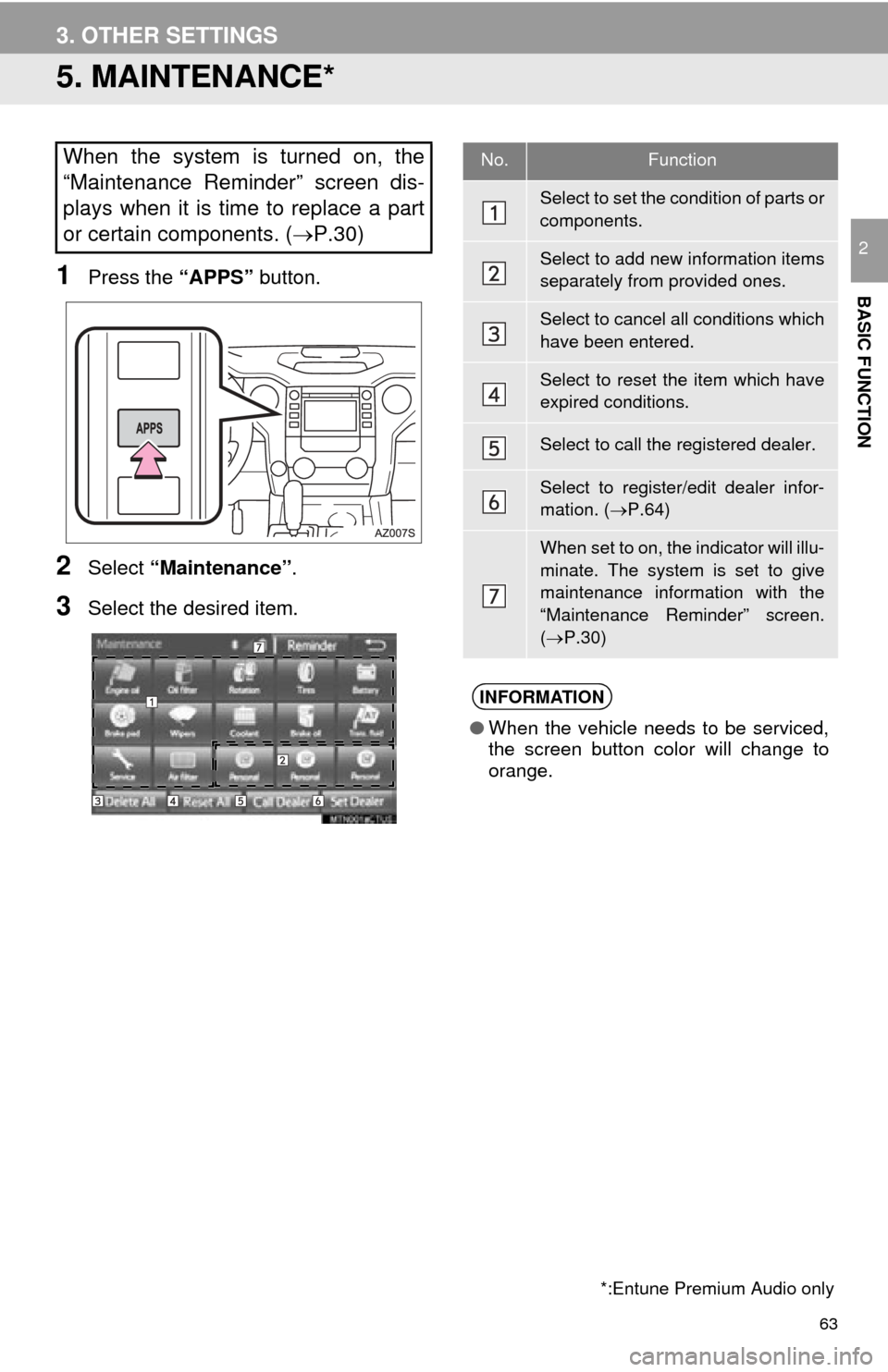
5. MAINTENANCE*
1Press the “APPS” button.
2Select “Maintenance” .
3Select the desired item.
When the system is turned on, the
“Maintenance Reminder” screen dis-
plays when it is time to replace a part
or certain components. ( P.30)
*:Entune Premium Audio only
No.Function
Select to set the condition of parts or
components.
Select to add new information items
separately from provided ones.
Select to cancel all conditions which
have been entered.
Select to reset the item which have
expired conditions.
Select to call the registered dealer.
Select to register/edit dealer infor-
mation. (P.64)
When set to on, the indicator will illu-
minate. The system is set to give
maintenance information with the
“Maintenance Reminder” screen.
( P.30)
INFORMATION
● When the vehicle needs to be serviced,
the screen button color will change to
orange.
Page 64 of 280
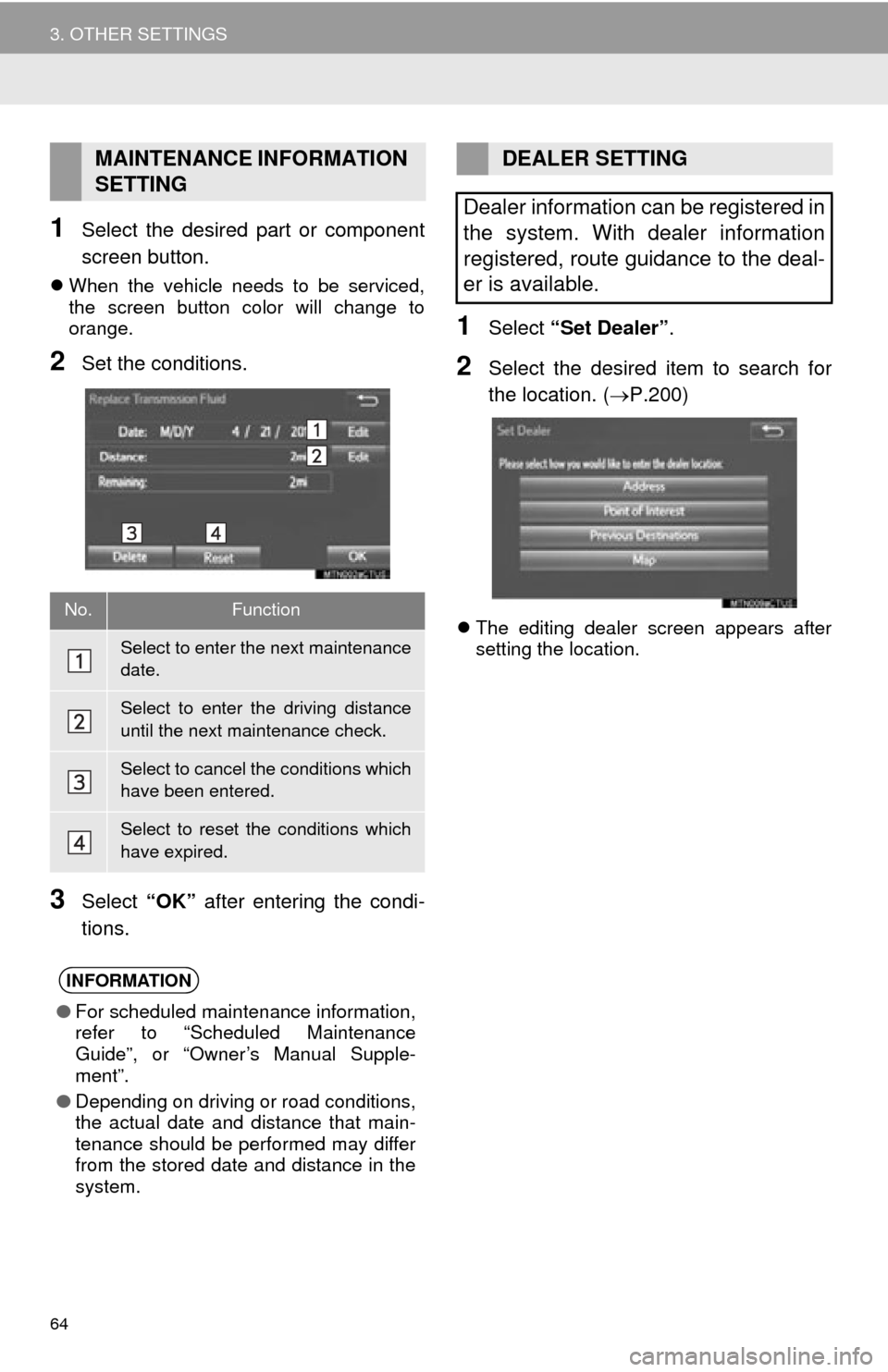
64
3. OTHER SETTINGS
1Select the desired part or component
screen button.
When the vehicle needs to be serviced,
the screen button color will change to
orange.
2Set the conditions.
3Select “OK” after entering the condi -
tions.
1Select “Set Dealer” .
2Select the desired item to search for
the location. ( P.200)
The editing dealer screen appears after
setting the location.
MAINTENANCE INFORMATION
SETTING
No.Function
Select to enter the next maintenance
date.
Select to enter the driving distance
until the next maintenance check.
Select to cancel the conditions which
have been entered.
Select to reset the conditions which
have expired.
INFORMATION
●For scheduled maintenance information,
refer to “Scheduled Maintenance
Guide”, or “Owner’s Manual Supple-
ment”.
● Depending on driving or road conditions,
the actual date and distance that main-
tenance should be performed may differ
from the stored date and distance in the
system.
DEALER SETTING
Dealer information can be registered in
the system. With dealer information
registered, route guidance to the deal-
er is available.
Page 83 of 280
83
2. RADIO OPERATION
AUDIO SYSTEM
3
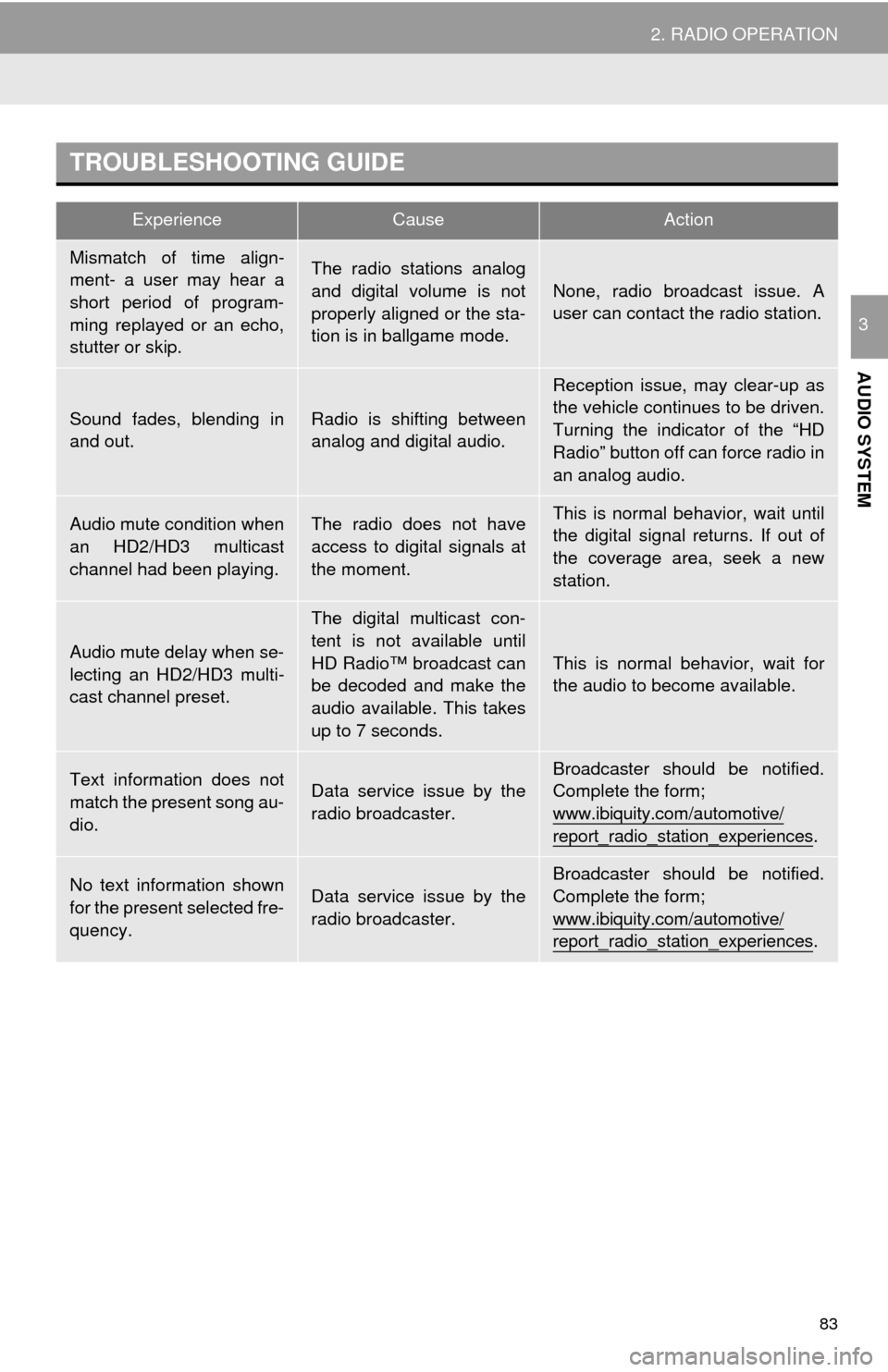
TROUBLESHOOTING GUIDE
ExperienceCauseAction
Mismatch of time align-
ment- a user may hear a
short period of program-
ming replayed or an echo,
stutter or skip.The radio stations analog
and digital volume is not
properly aligned or the sta-
tion is in ballgame mode.
None, radio broadcast issue. A
user can contact the radio station.
Sound fades, blending in
and out.Radio is shifting between
analog and digital audio.
Reception issue, may clear-up as
the vehicle continues to be driven.
Turning the indicator of the “HD
Radio” button off can force radio in
an analog audio.
Audio mute condition when
an HD2/HD3 multicast
channel had been playing.The radio does not have
access to digital signals at
the moment.This is normal behavior, wait until
the digital signal returns. If out of
the coverage area, seek a new
station.
Audio mute delay when se-
lecting an HD2/HD3 multi-
cast channel preset.
The digital multicast con-
tent is not available until
HD Radio™ broadcast can
be decoded and make the
audio available. This takes
up to 7 seconds.
This is normal behavior, wait for
the audio to become available.
Text information does not
match the present song au-
dio.Data service issue by the
radio broadcaster.
Broadcaster should be notified.
Complete the form;
www.ibiquity.com/automotive/
report_radio_station_experiences.
No text information shown
for the present selected fre-
quency.Data service issue by the
radio broadcaster.
Broadcaster should be notified.
Complete the form;
www.ibiquity.com/automotive/
report_radio_station_experiences.
Page 86 of 280
86
2. RADIO OPERATION
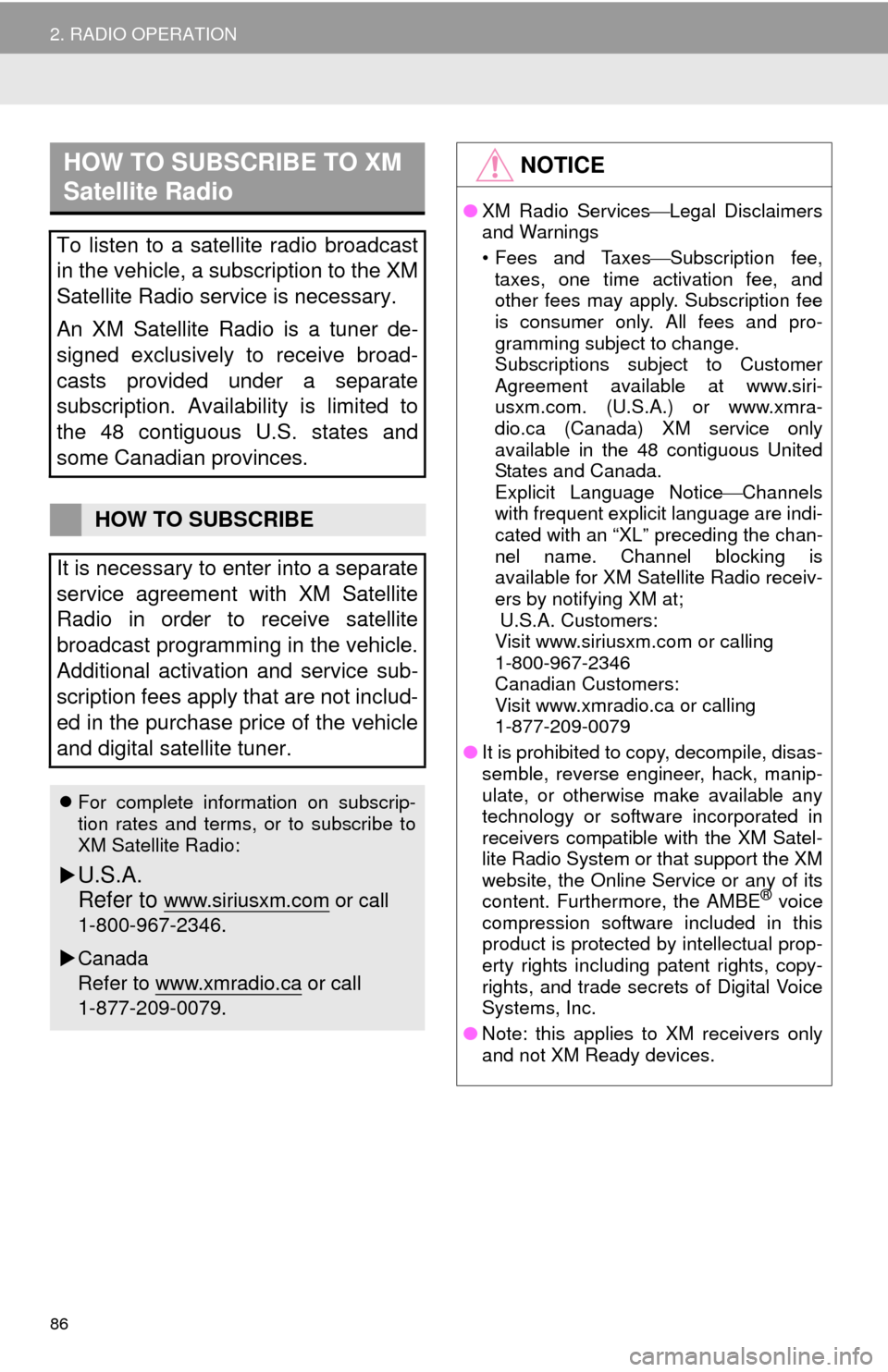
HOW TO SUBSCRIBE TO XM
Satellite Radio
To listen to a satellite radio broadcast
in the vehicle, a subscription to the XM
Satellite Radio service is necessary.
An XM Satellite Radio is a tuner de-
signed exclusively to receive broad-
casts provided under a separate
subscription. Availability is limited to
the 48 contiguous U.S. states and
some Canadian provinces.
HOW TO SUBSCRIBE
It is necessary to enter into a separate
service agreement with XM Satellite
Radio in order to receive satellite
broadcast programming in the vehicle.
Additional activation and service sub-
scription fees apply that are not includ-
ed in the purchase price of the vehicle
and digital satellite tuner.
For complete information on subscrip-
tion rates and terms, or to subscribe to
XM Satellite Radio:
U.S.A.
Refer to
www.siriusxm.com or call
1-800-967-2346.
Canada
Refer to www.xmradio.ca
or call
1-877-209-0079.
NOTICE
● XM Radio Services Legal Disclaimers
and Warnings
• Fees and Taxes Subscription fee,
taxes, one time activation fee, and
other fees may apply. Subscription fee
is consumer only. All fees and pro-
gramming subject to change.
Subscriptions subject to Customer
Agreement available at www.siri-
usxm.com. (U.S.A.) or www.xmra-
dio.ca (Canada) XM service only
available in the 48 contiguous United
States and Canada.
Explicit Language Notice Channels
with frequent explicit language are indi-
cated with an “XL” preceding the chan-
nel name. Channel blocking is
available for XM Satellite Radio receiv-
ers by notifying XM at;
U.S.A. Customers:
Visit www.siriusxm.com or calling
1-800-967-2346
Canadian Customers:
Visit www.xmradio.ca or calling
1-877-209-0079
● It is prohibited to copy, decompile, disas-
semble, reverse engineer, hack, manip-
ulate, or otherwise make available any
technology or software incorporated in
receivers compatible with the XM Satel-
lite Radio System or that support the XM
website, the Online Service or any of its
content. Furthermore, the AMBE
® voice
compression software included in this
product is protected by intellectual prop-
erty rights including patent rights, copy-
rights, and trade secrets of Digital Voice
Systems, Inc.
● Note: this applies to XM receivers only
and not XM Ready devices.
Page 87 of 280
87
2. RADIO OPERATION
AUDIO SYSTEM
3
INFORMATION
●XM Radio Services Descriptions
• Radio and Entertainment
XM offers more than 170 satellite radio
channels of commercial-free music
and premier sports, news, talk, and
entertainment. XM is broadcast via sat-
ellites to millions of listeners across the
continental United States. XM sub-
scribers listen to XM on satellite radio
receivers for the car, home, and porta-
ble use. More information about XM is
available online at www.siriusxm.com
(U.S.A.) or www.xmradio.ca (Canada).
● XM Radio Services Subscription
Instructions
• For XM Services requiring a subscrip- tion (such as XM Radio, and some
Infotainment & data services), the fol-
lowing paragraph shall be included.
Required XM Radio and some Infotain-
ment & data services monthly sub-
scriptions sold separately after trial
period. Subscription fee is consumer
only. All fees and programming subject
to change. Subscriptions are subject to
the Customer Agreement available at
www.siriusxm.com. XM service only
available in the 48 contiguous United
States. 2011 Sirius XM Radio Inc.
Sirius, XM and all related marks and
logos are trademarks of Sirius XM
Radio Inc. All other marks, channel
names and logos are the property of
their respective owners.
For more information, program sched-
ules, and to subscribe or extend sub-
scription after complimentary trial
period; more information is available
at:
USA Customers:
Visit www.siriusxm.com or call
1-866-635-2349
INFORMATION
● XM Satellite Radio is solely responsible
for the quality, availability and content of
the satellite radio services provided,
which are subject to the terms and con-
ditions of the XM Satellite Radio cus-
tomer service agreement.
● Customers should have their radio ID
ready; the radio ID can be found by tun-
ing to “Ch 000” on the radio. For details,
see “DISPLAYING THE RADIO ID”
below.
● All fees and programming are the
responsibility of XM Satellite Radio and
are subject to change.
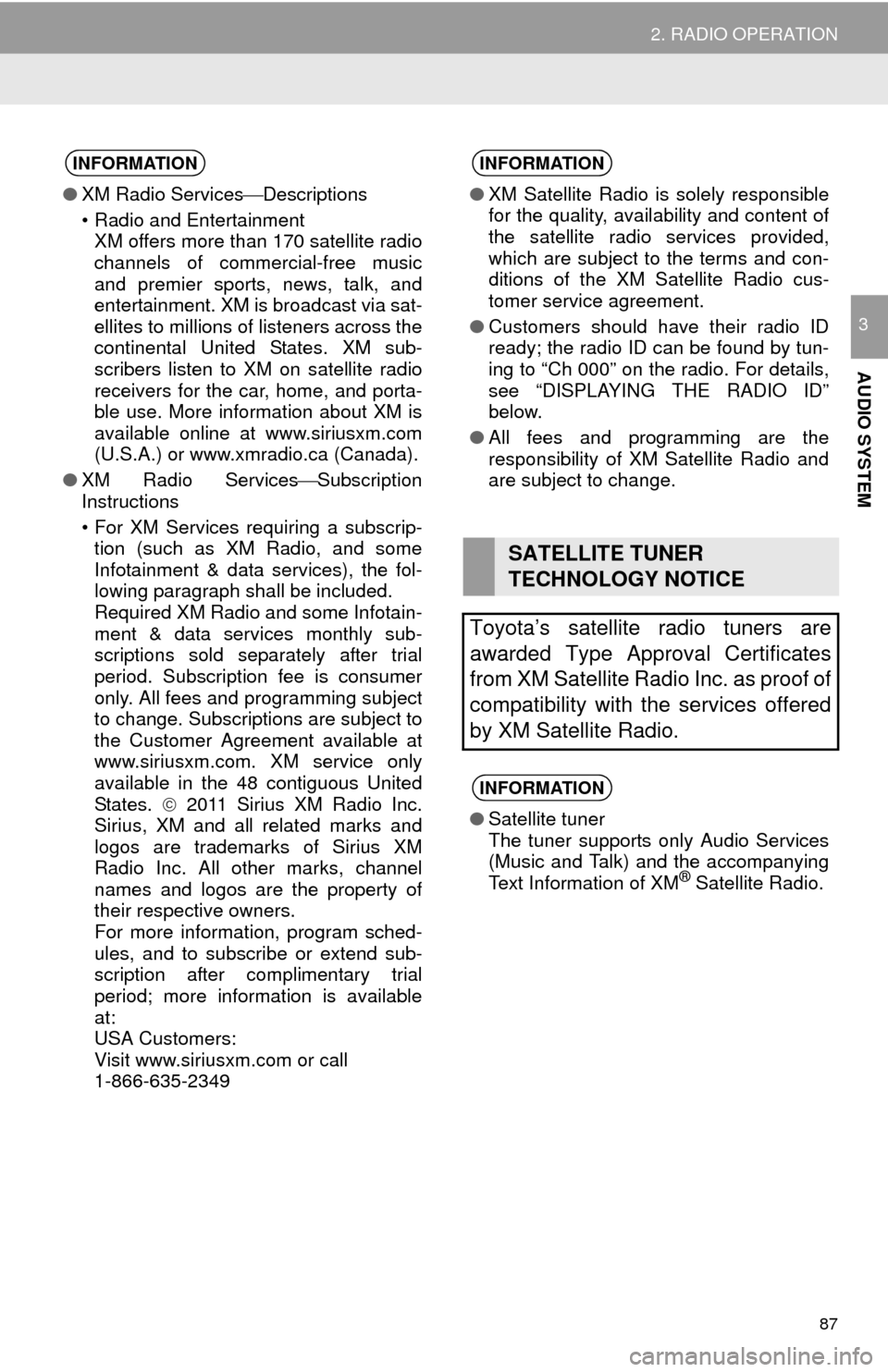
SATELLITE TUNER
TECHNOLOGY NOTICE
Toyota’s satellite radio tuners are
awarded Type Approval Certificates
from XM Satellite Radio Inc. as proof of
compatibility with the services offered
by XM Satellite Radio.
INFORMATION
● Satellite tuner
The tuner supports only Audio Services
(Music and Talk) and the accompanying
Text Information of XM
® Satellite Radio.