alarm TOYOTA TUNDRA 2015 2.G Owners Manual
[x] Cancel search | Manufacturer: TOYOTA, Model Year: 2015, Model line: TUNDRA, Model: TOYOTA TUNDRA 2015 2.GPages: 576, PDF Size: 9.71 MB
Page 2 of 576

TABLE OF CONTENTS2
For your information....................... 8
Reading this manual .................... 12
How to search .............................. 13
Pictorial index .............................. 14
1-1. For safe useBefore driving ...................... 28
For safety drive ................... 30
Seat belts ............................ 32
SRS airbags ........................ 38
Front passenger occupant classification system ......... 50
Safety information for children ........................ 55
Child restraint systems ........ 56
Installing child restraints ...... 60
Exhaust gas precautions ..... 77
1-2. Theft deterrent system Engine immobilizer system............................... 78
Alarm ................................... 80
2. Instrument cluster Warning lights and indicators........................... 84
Gauges and meters............. 88
Multi-information display ..... 90 3-1. Key information
Keys..................................... 98
3-2. Opening, closing and locking the doors
Side doors ......................... 100
Tailgate .............................. 106
3-3. Adjusting the seats Front seats......................... 111
Rear seats (Double Cab and CrewMax
models)............................ 114
Driving position memory (driver’s seat)................... 116
Head restraints .................. 120
3-4. Adjusting the steering wheel and mirrors
Steering wheel ................... 124
Inside rear view mirror ....... 127
Outside rear view mirrors ............................. 130
3-5. Opening, closing the windows and moon roof
Power windows.................. 134
Back window...................... 137
Power back window ........... 138
Moon roof .......................... 141
1For safety and security
2Instrument cluster
3Operation of
each component
Page 27 of 576

27
For safety and security1
1-1. For safe useBefore driving ...................... 28
For safety drive ................... 30
Seat belts ............................ 32
SRS airbags ........................ 38
Front passenger occupant classification system ......... 50
Safety information for children ........................ 55
Child restraint systems........ 56
Installing child restraints...... 60
Exhaust gas precautions..... 77
1-2. Theft deterrent system Engine immobilizer system .............................. 78
Alarm................................... 80
Page 80 of 576
801-2. Theft deterrent system
Alar m
The alarm uses light and sound to give an alert when an intrusion is
detected.
The alarm is triggered in the following situations when the alarm is
set:
●A locked door is unlocked or opene d in any way other than using a
key or wireless remote control. (The doors will lock again automati-
cally.)
● The hood is opened.
● Vehicles with the glass breakage sensor: The side windows are
tapped or broken.
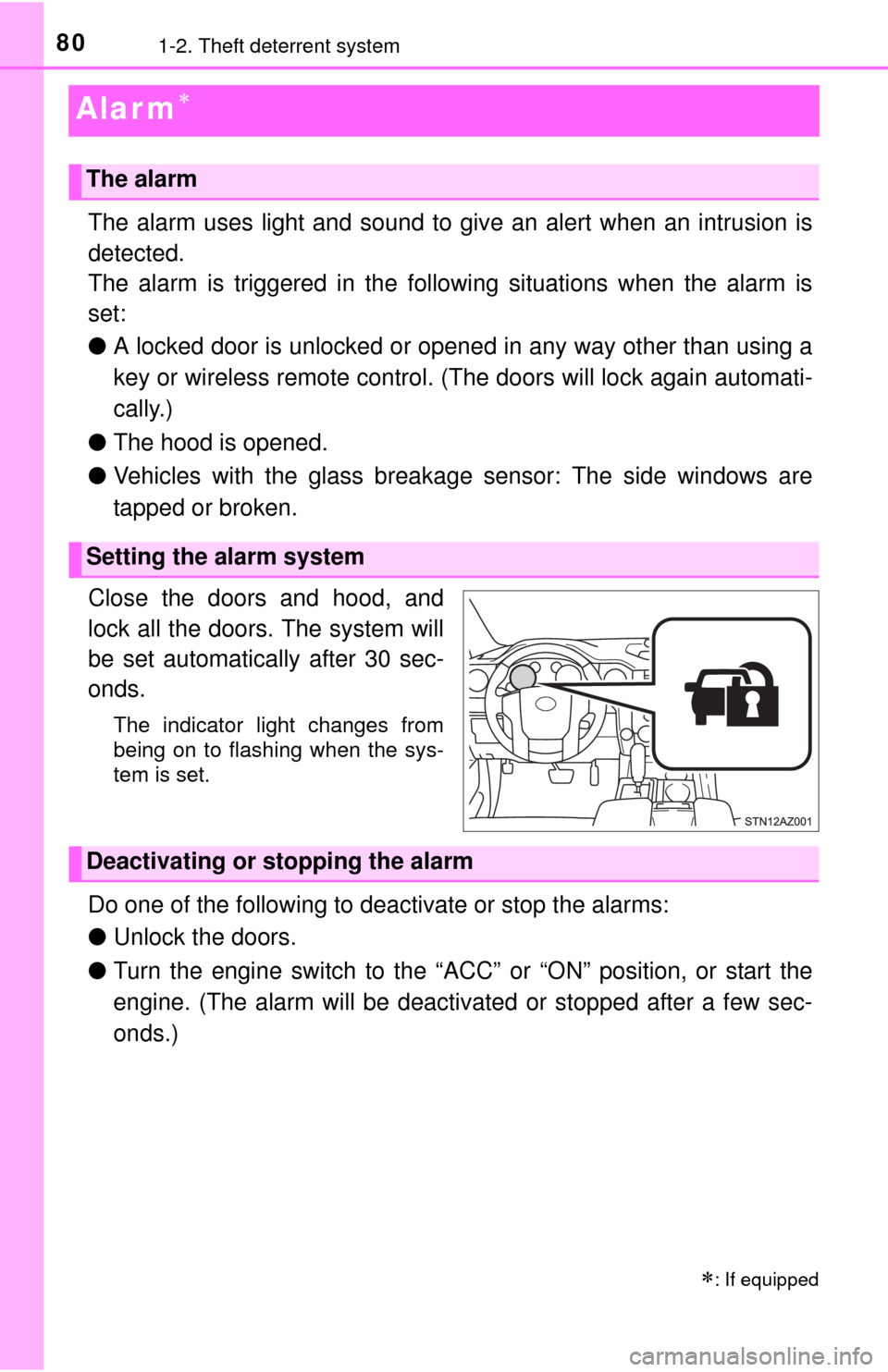
Close the doors and hood, and
lock all the doors. The system will
be set automatically after 30 sec-
onds.
The indicator light changes from
being on to flashing when the sys-
tem is set.
Do one of the following to d eactivate or stop the alarms:
● Unlock the doors.
● Turn the engine switch to the “ACC” or “ON” position, or start the
engine. (The alarm will be deactivated or stopped after a few sec-
onds.)
: If equipped
The alarm
Setting the alarm system
Deactivating or stopping the alarm
Page 81 of 576
811-2. Theft deterrent system
1
For safety and security
■System maintenance
The vehicle has a maintenance-free type alarm system.
■ Items to check before locking the vehicle
To prevent unexpected triggering of the alarm and vehicle theft, make sure of
the following:
●Nobody is in the vehicle.
● The windows and moon roof (if equipped) are closed before the alarm is set.
● No valuables or other personal items are left in the vehicle.
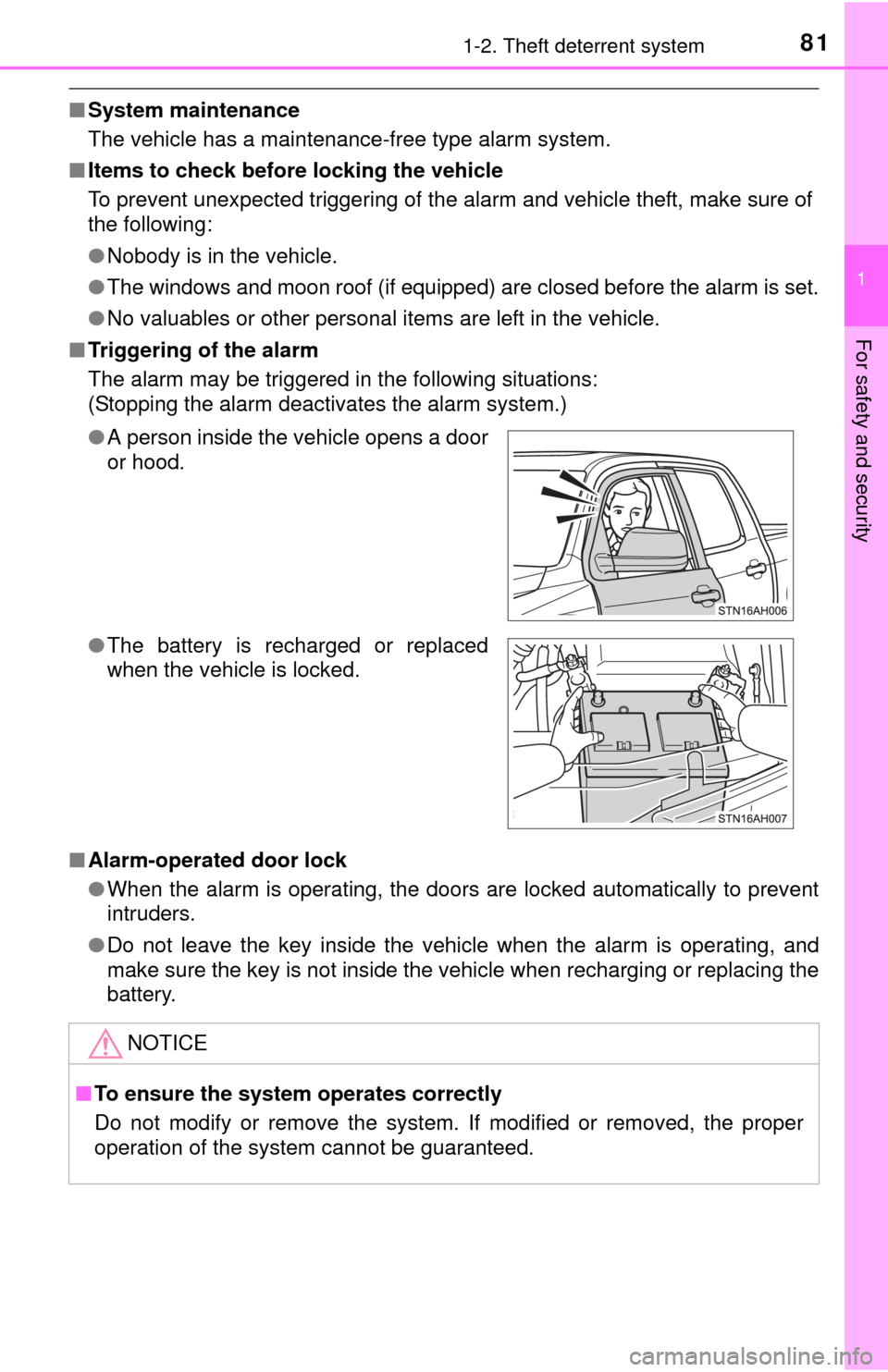
■ Triggering of the alarm
The alarm may be triggered in the following situations:
(Stopping the alarm deactivates the alarm system.)
■ Alarm-operated door lock
●When the alarm is operating, the doors are locked automatically to prevent
intruders.
● Do not leave the key inside the vehicle when the alarm is operating, and
make sure the key is not inside the vehicle when recharging or replacing the
battery.
●
A person inside the vehicle opens a door
or hood.
● The battery is recharged or replaced
when the vehicle is locked.
NOTICE
■To ensure the system operates correctly
Do not modify or remove the system. If modified or removed, the proper
operation of the system cannot be guaranteed.
Page 101 of 576
1013-2. Opening, closing and locking the doors
3
Operation of each component
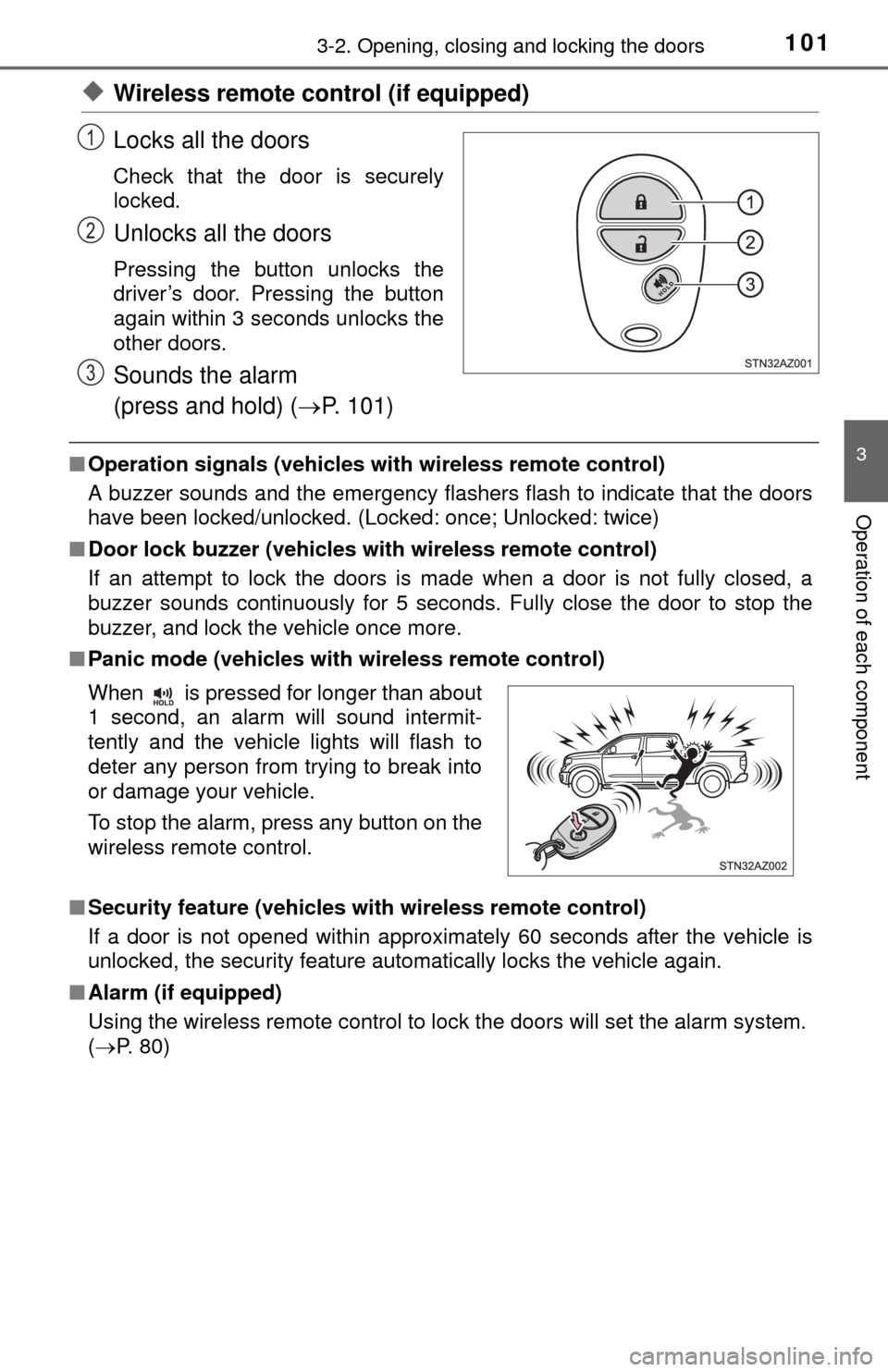
◆Wireless remote control (if equipped)
Locks all the doors
Check that the door is securely
locked.
Unlocks all the doors
Pressing the button unlocks the
driver’s door. Pressing the button
again within 3 seconds unlocks the
other doors.
Sounds the alarm
(press and hold) (P. 101)
■Operation signals (vehicles with wireless remote control)
A buzzer sounds and the emergency flashers flash to indicate that the doors
have been locked/unlocked. (Locked: once; Unlocked: twice)
■ Door lock buzzer (vehicles with wireless remote control)
If an attempt to lock the doors is made when a door is not fully closed, a
buzzer sounds continuously for 5 seconds. Fully close the door to stop the
buzzer, and lock the vehicle once more.
■ Panic mode (vehicles with wireless remote control)
■ Security feature (vehicles with wireless remote control)
If a door is not opened within approximately 60 seconds after the vehicle is
unlocked, the security feature automatically locks the vehicle again.
■ Alarm (if equipped)
Using the wireless remote control to lock the doors will set the alarm system.
(P. 80)
1
2
3
When is pressed for longer than about
1 second, an alarm will sound intermit-
tently and the vehicle lights will flash to
deter any person from trying to break into
or damage your vehicle.
To stop the alarm, press any button on the
wireless remote control.
Page 119 of 576
1193-3. Adjusting the seats
3
Operation of each component
A desired driving position can be recalled linked with the unlocking of
the door.
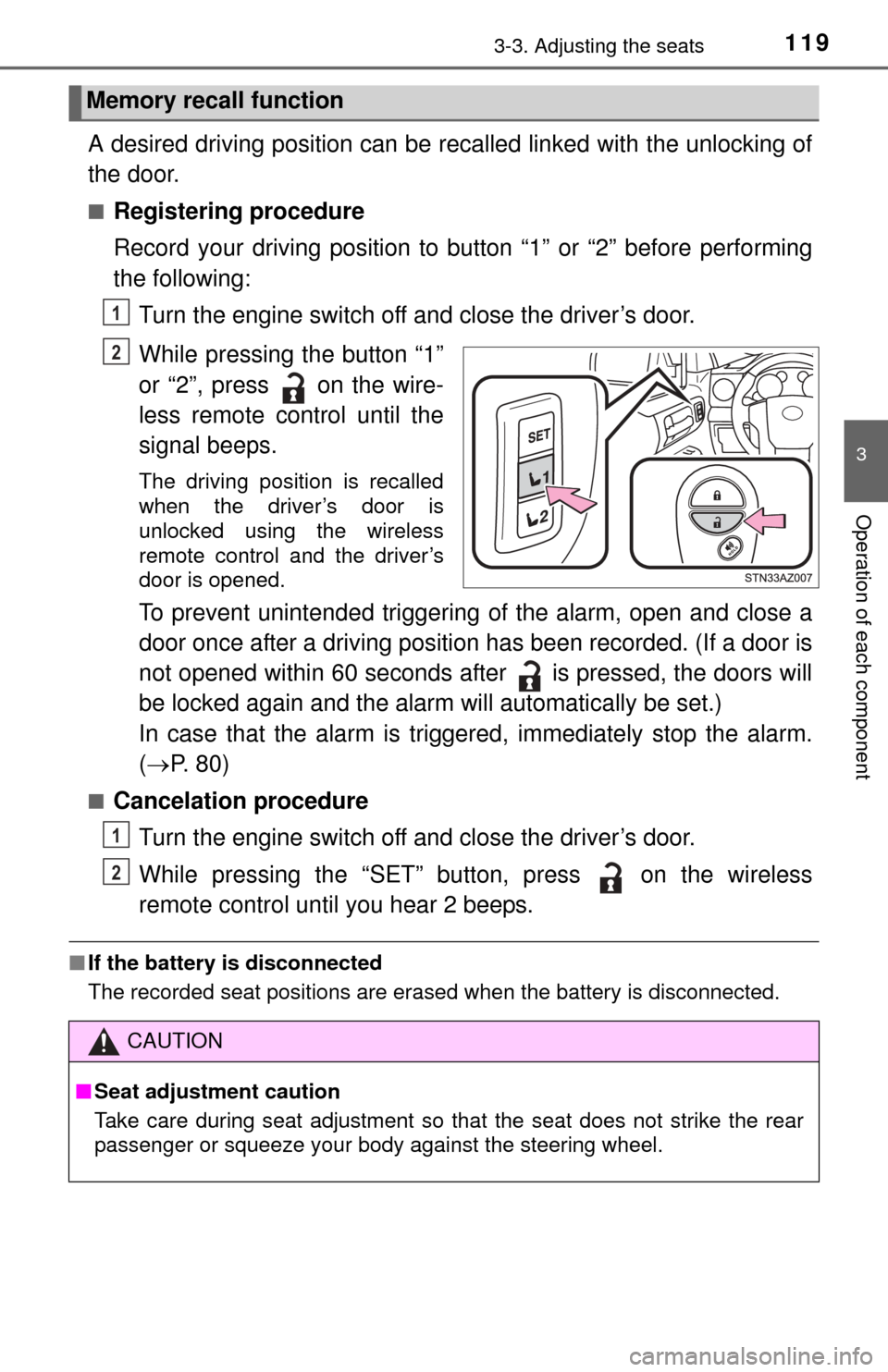
■Registering procedure
Record your driving position to button “1” or “2” before performing
the following: Turn the engine switch off and close the driver’s door.
While pressing the button “1”
or “2”, press on the wire-
less remote control until the
signal beeps.
The driving position is recalled
when the driver’s door is
unlocked using the wireless
remote control and the driver’s
door is opened.
To prevent unintended triggering of the alarm, open and close a
door once after a driving position has been recorded. (If a door is
not opened within 60 seconds after is pressed, the doors will
be locked again and the alarm will automatically be set.)
In case that the alarm is triggered, immediately stop the alarm.
( P. 80)
■Cancelation procedure
Turn the engine switch off and close the driver’s door.
While pressing the “SET” button, press on the wireless
remote control until you hear 2 beeps.
■If the battery is disconnected
The recorded seat positions are erased when the battery is disconnected.\
Memory recall function
1
2
CAUTION
■Seat adjustment caution
Take care during seat adjustment so that the seat does not strike the rear
passenger or squeeze your body against the steering wheel.
1
2
Page 495 of 576

4958-2. Steps to take in an emergency
8
When trouble arises
Start the engine of the second vehicle. Increase the engine speed
slightly and maintain at that level for approximately 5 minutes to
recharge the batter y of your vehicle.
Maintain the engine speed of t he second vehicle and start the
engine of your vehicle.
Once the vehicle’s engine has started, remove the jumper cables in
the exact reverse order from which they were connected.
Once the engine starts, have the vehicle inspected at your Toyota
dealer as soon as possible.
■ Starting the engine when the battery is discharged
The engine cannot be started by push-starting.
■ To prevent battery discharge
●Turn off the headlights and the audio system while the engine is off.
● Turn off any unnecessary electrical components when the vehicle is running
at a low speed for an extended period, such as in heavy traffic.
■ When the battery is removed or discharged
●The moon roof must be initialized. ( P. 143)
● Flex-fuel vehicles: The information recorded in the computer will be cleared,
which may cause the engine to run roughly and reduce driving performance
for a while when the engine is first started. In this case, wait until the engine
runs normally.
If the vehicle is running on E85, the engine may stall.
In this case, restart the engine, repeatedly if necessary.
● Vehicles with alarm: Make sure that the key is not inside the vehicle when
recharging or replacing the battery. The key may be locked in the vehicle if
the alarm is activated. (P. 81)
■ Charging the battery
The electricity stored in the battery will discharge gradually even when the
vehicle is not in use, due to natural discharge and the draining effects of cer-
tain electrical appliances. If the vehicle is left for a long time, the battery may
discharge, and the engine may be unable to start. (The battery recharges
automatically during driving.)
3
4
5
Page 563 of 576
563What to do if... (Troubleshooting)
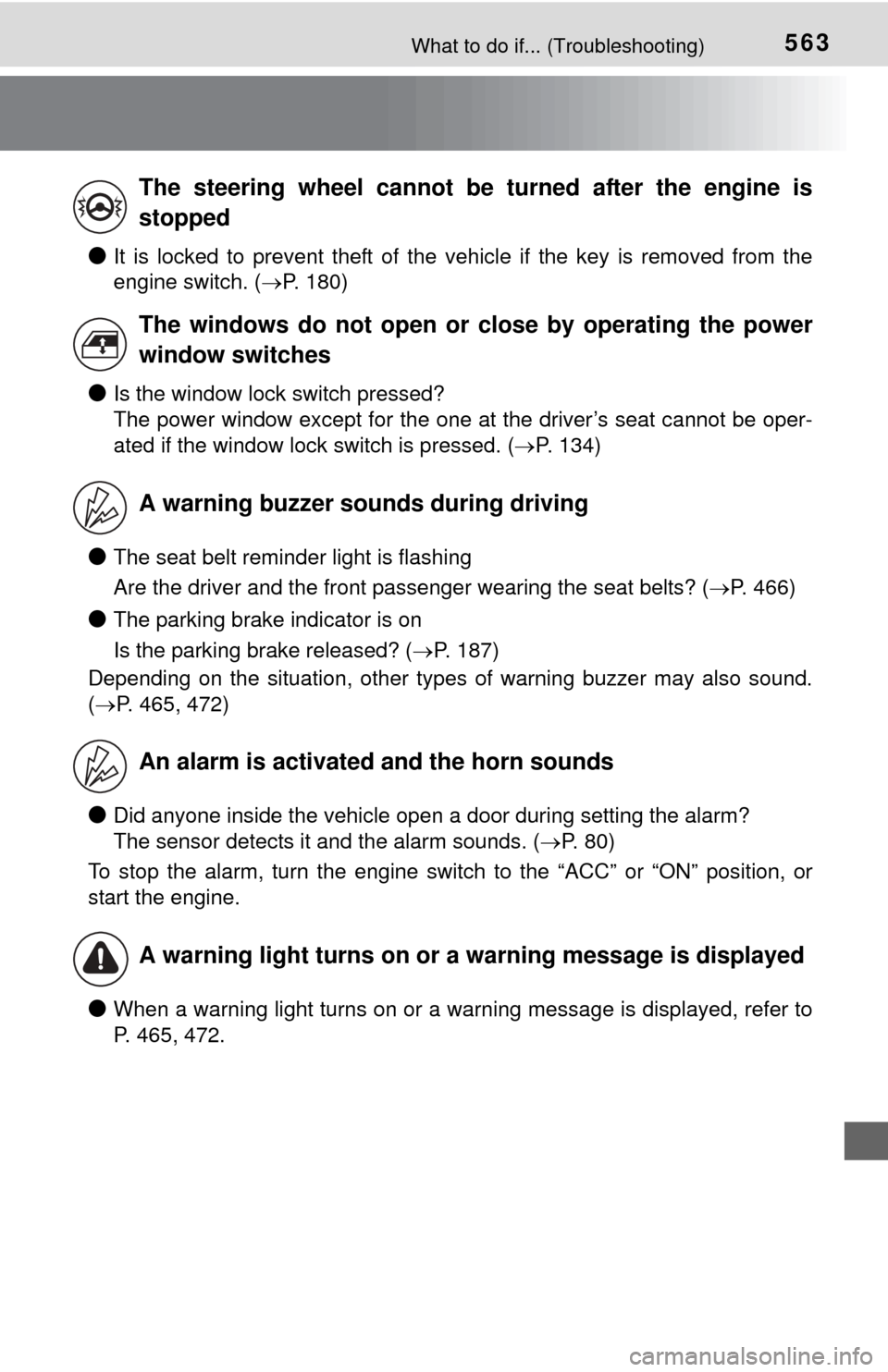
●It is locked to prevent theft of the vehicle if the key is removed from the
engine switch. (P. 180)
●Is the window lock switch pressed?
The power window except for the one at the driver’s seat cannot be oper-
ated if the window lock switch is pressed. ( P. 134)
●The seat belt reminder light is flashing
Are the driver and the front passenger wearing the seat belts? ( P. 466)
●The parking brake indicator is on
Is the parking brake released? (P. 187)
Depending on the situation, other types of warning buzzer may also sound.
( P. 465, 472)
●Did anyone inside the vehicle open a door during setting the alarm?
The sensor detects it and the alarm sounds. ( P. 80)
To stop the alarm, turn the engine switch to the “ACC” or “ON” position, or
start the engine.
●When a warning light turns on or a warning message is displayed, refer to
P. 465, 472.
The steering wheel cannot be turned after the engine is
stopped
The windows do not open or close by operating the power
window switches
A warning buzzer sounds during driving
An alarm is activated and the horn sounds
A warning light turns on or a warning message is displayed
Page 565 of 576
565Alphabetical index
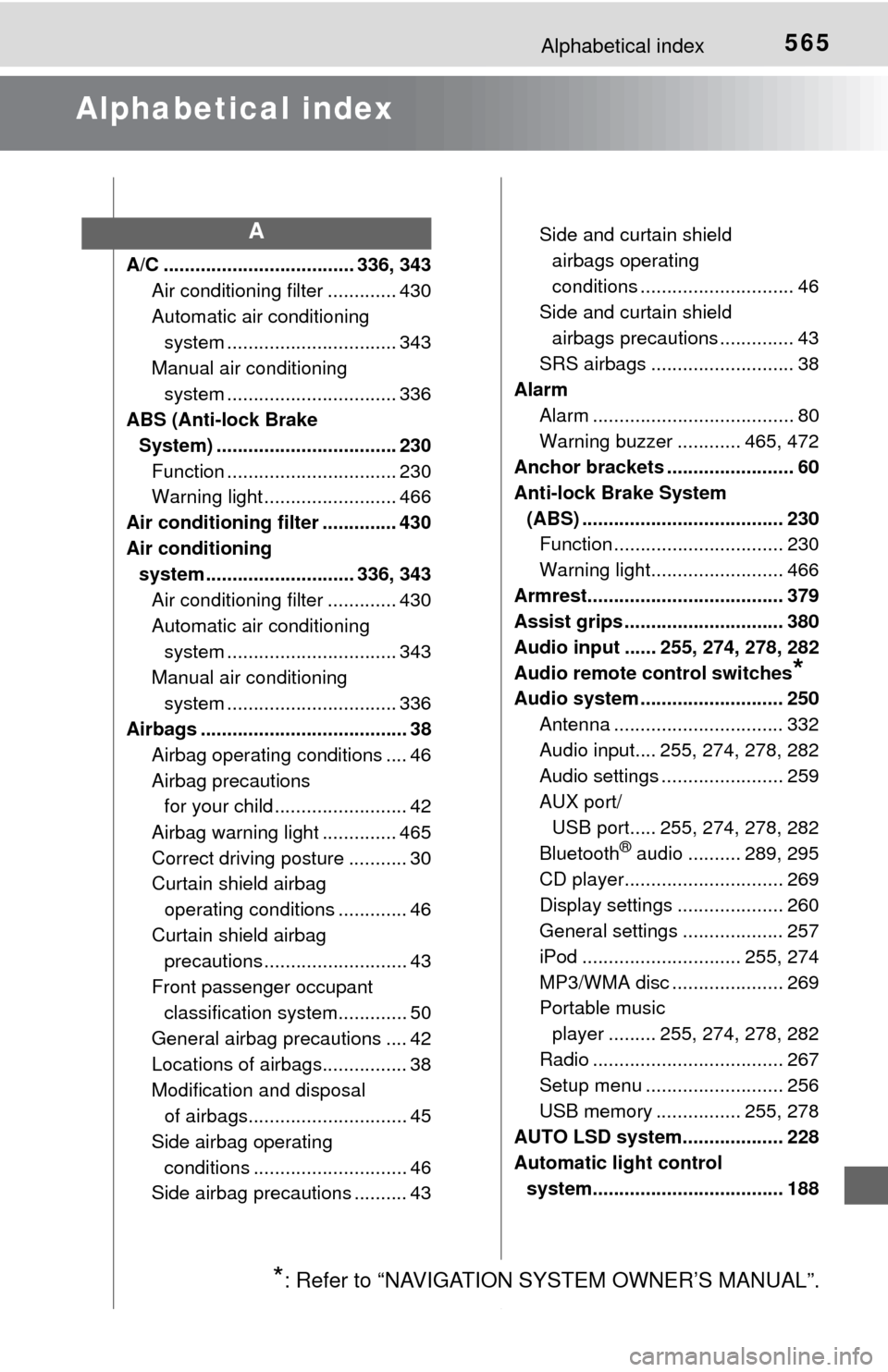
Alphabetical index
A/C .................................... 336, 343Air conditioning filter ............. 430
Automatic air conditioning system ......... ....................... 343
Manual air conditioning system ......... ....................... 336
ABS (Anti-lock Brake
System) .................................. 230 Function ................................ 230
Warning light ......................... 466
Air conditioning filter .............. 430
Air conditioning system ............................ 336, 343
Air conditioning filter ............. 430
Automatic air conditioning system ......... ....................... 343
Manual air conditioning system ......... ....................... 336
Airbags ....................................... 38
Airbag operating conditions .... 46
Airbag precautions for your child ......................... 42
Airbag warning light .............. 465
Correct driving posture ........... 30
Curtain shield airbag operating conditions ............. 46
Curtain shield airbag precautions ........................... 43
Front passenger occupant classification syst em............. 50
General airbag precautions .... 42
Locations of airbags................ 38
Modification and disposal of airbags.............................. 45
Side airbag operating conditions ............................. 46
Side airbag precautions .......... 43 Side and curtain shield
airbags operating
conditions ............................. 46
Side and curtain shield
airbags precautions .............. 43
SRS airbags ........................... 38
Alarm
Alarm ...................................... 80
Warning buzzer ............ 465, 472
Anchor brackets ........................ 60
Anti-lock Brake System
(ABS) ...................................... 230 Function ................................ 230
Warning light......................... 466
Armrest..................................... 379
Assist grips .............................. 380
Audio input ...... 255, 274, 278, 282
Audio remote control switches
*
Audio system ........................... 250 Antenna ................................ 332
Audio input.... 255, 274, 278, 282
Audio settings ....................... 259
AUX port/USB port..... 255, 274, 278, 282
Bluetooth
® audio .......... 289, 295
CD player.............................. 269
Display settings .................... 260
General settings ................... 257
iPod .............................. 255, 274
MP3/WMA disc ..................... 269
Portable music player ......... 255, 274, 278, 282
Radio .................................... 267
Setup menu .......................... 256
USB memory ................ 255, 278
AUTO LSD system................... 228
Automatic light control system.................................... 188
A
*: Refer to “NAVIGATION SYSTEM OWNER’S MANUAL”.
Page 573 of 576
573Alphabetical index
Spark plug ................................ 514
Specifications .......................... 502
Speedometer .............................. 88
SteeringColumn lock release ............. 180
Steering wheel Adjustment .................... 124, 125
Steering wheel
position memory ................. 116
Steering wheel audio switches
*
Stop lights
Replacing light bulbs............. 449
Wattage ................................ 519
Storage box .............................. 371
Storage feature ........................ 356
Stuck If the vehicle becomes stuck ................................... 499
Sun visors ................................ 374
Switches
Back window defogger switch ......................... 338, 345
BSM (Blind spot monitor) main switch......................... 217
Cargo lamp main switch ....... 355
Cruise control switch............. 199
“DISP” button .......................... 91
Door lock switch.................... 103
Driving position memory
switches.............................. 116
Emergency flashers switch ... 456
Engine switch........................ 179
Fog light switch ..................... 191
Front-wheel drive control
switch ................................. 225
Garage door opener switches.............................. 381
Ignition switch ....................... 179
Intuitive parking assist .......... 202
Light switches ....................... 188
Moon roof switches ............... 141 Outside rear view mirror
defoggers switch ........ 338, 345
Outside rear view mirror
switches ............................. 130
Personal/interior lights main switch ........................ 354
Power back window
switch ................................. 138
Power door lock switch ......... 103
Power window switches........ 134
Seat heater switches ............ 350
Seat ventilator switches ........ 350
Tilt and telescopic steering control switch........ 125
Tire pressure warning reset switch ................................. 418
TOW/HAUL switch................ 184
Turn signal lights .................. 186
VSC off switch ......... 228, 231, 233, 234
Window lock switch .............. 134
Windshield wiper de-icer switch ............. 339, 346
Windshield wipers and washer switch.............. 192
Tachometer ................................ 88
Tail lights.................................. 188 Light switch ........................... 188
Replacing light bulbs ............ 449
Wattage ................................ 519
Tailgate Removing the tailgate ........... 107
Tailgate ................................. 106
Talk switch ............................... 325
Telephone switches ................ 309
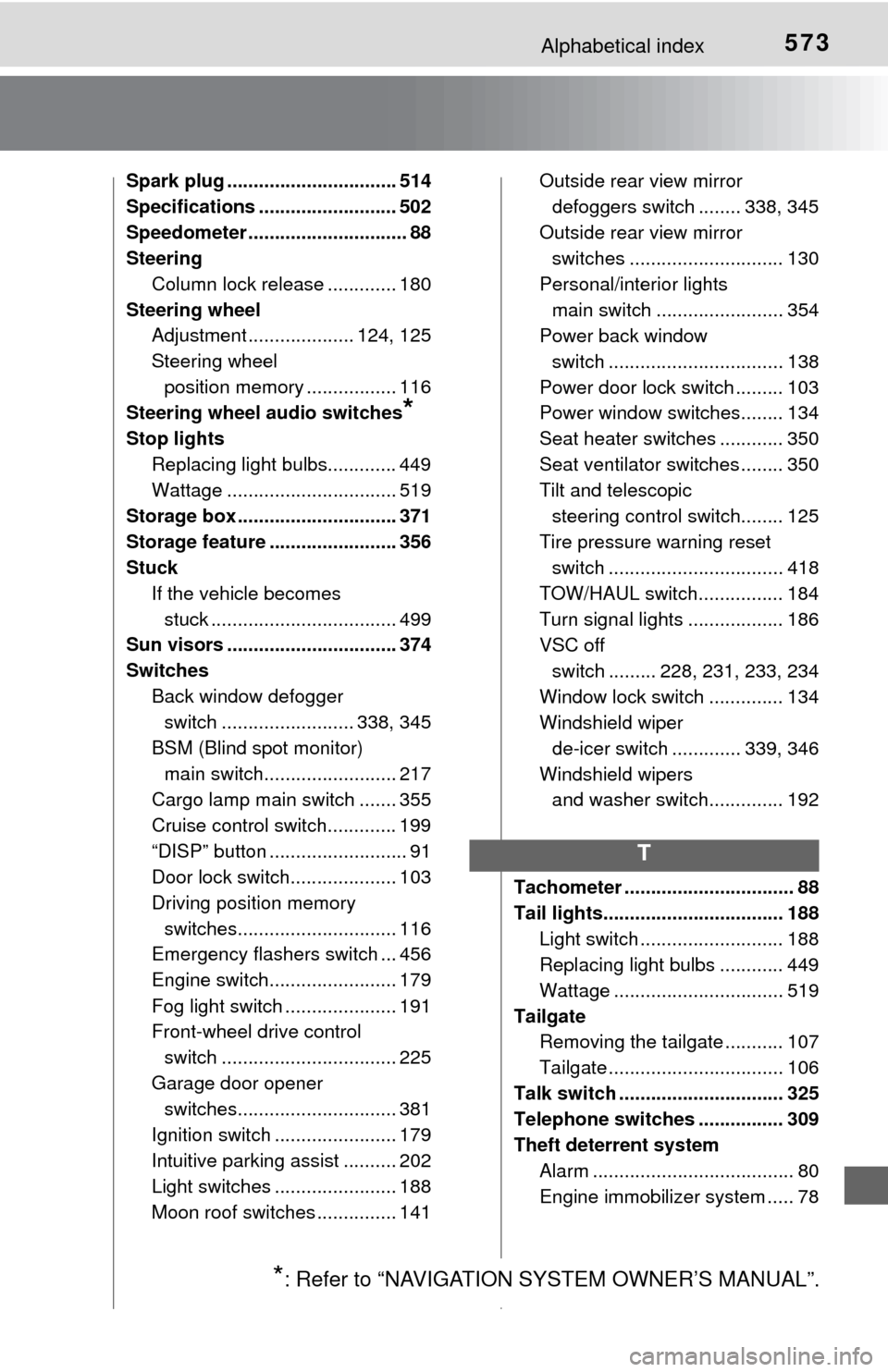
Theft deterrent system Alarm ...................................... 80
Engine immobilizer system ..... 78
T
*: Refer to “NAVIGATION SYSTEM OWNER’S MANUAL”.