navigation system TOYOTA TUNDRA 2016 2.G User Guide
[x] Cancel search | Manufacturer: TOYOTA, Model Year: 2016, Model line: TUNDRA, Model: TOYOTA TUNDRA 2016 2.GPages: 588, PDF Size: 13.44 MB
Page 383 of 588
3836-4. Using the other interior features
6
Interior features
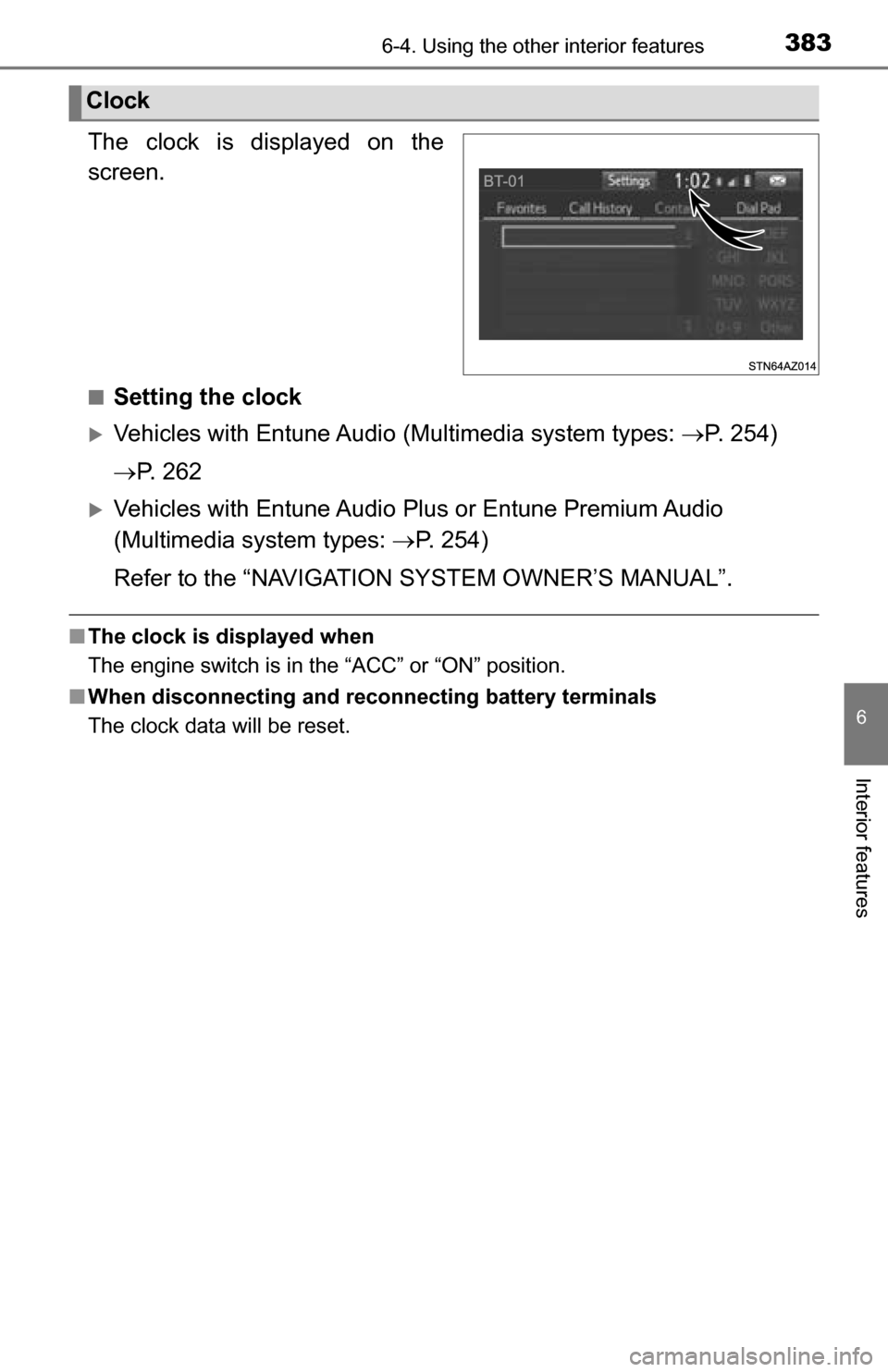
The clock is displayed on the
screen.
■Setting the clock
Vehicles with Entune Audio (Multimedia system types: P. 254)
P. 2 6 2
Vehicles with Entune Audio Plus or Entune Premium Audio
(Multimedia system types: P. 254)
Refer to the “NAVIGATION SYSTEM OWNER’S MANUAL”.
■ The clock is displayed when
The engine switch is in the “ACC” or “ON” position.
■ When disconnecting and reco nnecting battery terminals
The clock data will be reset.
Clock
Page 497 of 588
4978-2. Steps to take in an emergency
8
When trouble arises
CAUTION
■When using the temporary spare tire
●Remember that the temporary spare tire provided is specifically
designed for use with your vehicle. Do not use your temporary spare
tire on another vehicle.
●Do not use more than one temporary spare tires simultaneously.
●Replace the temporary spare tire with a standard tire as soon as possi-
ble.
●Avoid sudden acceleration, abrupt steering, sudden braking and shift-
ing operations that cause sudden engine braking.
■When the spare tire is attached
The vehicle speed may not be correctly detected, and the following sys-
tems may not operate correctly:
●ABS & Brake assist
●VSC
●TRAC
●A-TRAC
●AUTO LSD
●Cruise control (if equipped)
●Navigation system (if equipped)
Also, not only can the following system not be utilized fully, but it may
even negatively affect the drive-train components:
●4WD system
■Speed limit when using the temporary spare tire
Do not drive at speeds in excess of 50 mph (80 km/h) when a temporary
spare tire is installed on the vehicle.
The temporary spare tire is not designed for driving at high speeds. Fail-
ure to observe this precaution may lead to an accident causing death or
serious injury.
Page 546 of 588
5469-2. Customization
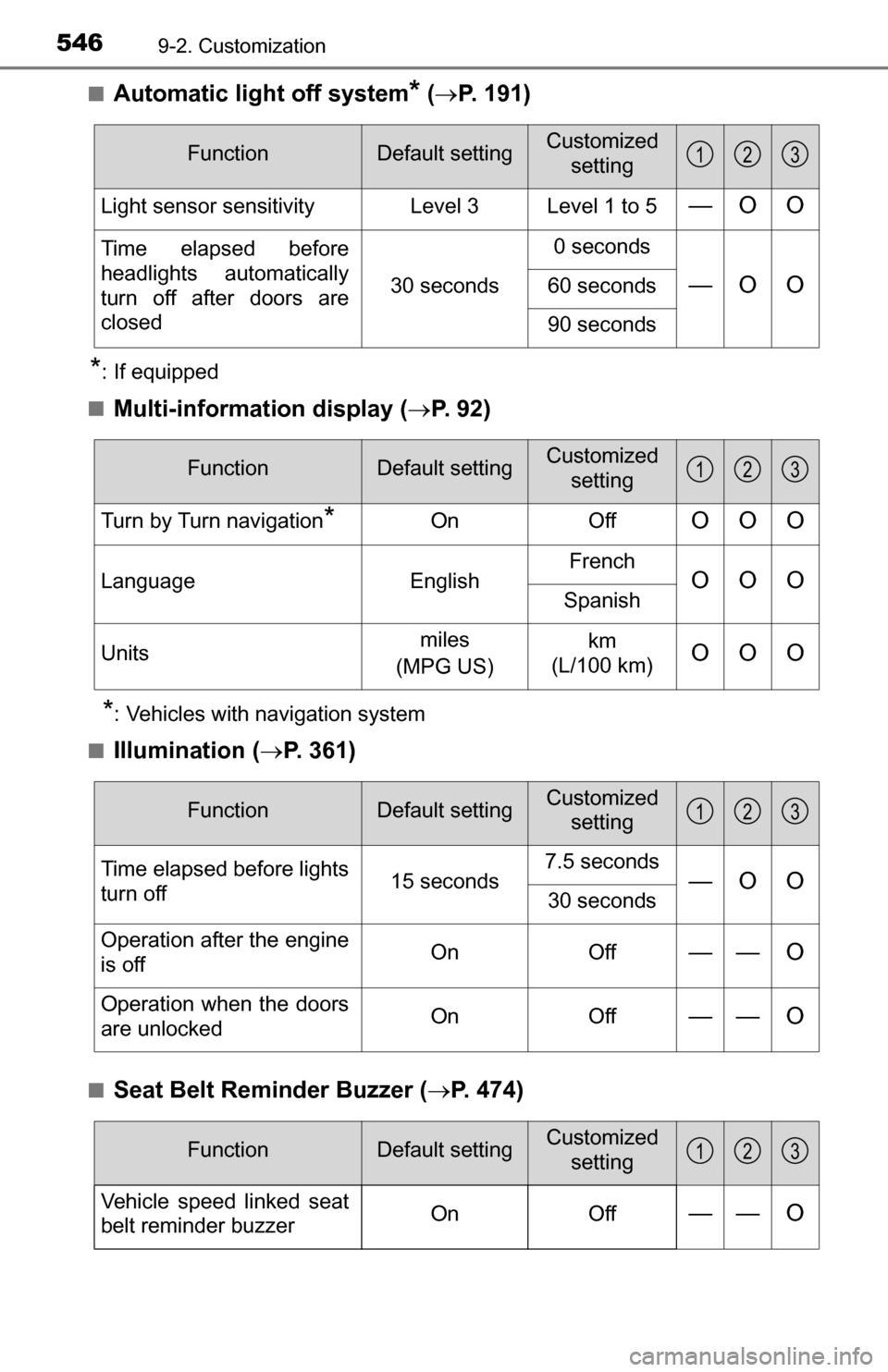
■Automatic light off system* ( P. 191)
*: If equipped
■
Multi-information display ( P. 92)
*: Vehicles with navigation system
■
Illumination ( P. 361)
■Seat Belt Reminder Buzzer ( P. 474)
FunctionDefault settingCustomized
setting
Light sensor sensitivity Level 3 Level 1 to 5—O O
Time elapsed before
headlights automatically
turn off after doors are
closed 30 seconds0 seconds
—O O60 seconds
90 seconds
123
FunctionDefault settingCustomized
setting
Turn by Turn navigation*On OffOOO
Language EnglishFrenchOOOSpanish
Units miles
(MPG US) km
(L/100 km)
OOO
123
FunctionDefault settingCustomized setting
Time elapsed before lights
turn off 15 seconds7.5 seconds—O O30 seconds
Operation after the engine
is off On Off
—— O
Operation when the doors
are unlockedOn Off—— O
123
FunctionDefault settingCustomized
setting
Vehicle speed linked seat
belt reminder buzzerOnOff—— O
123
Page 569 of 588
569
Index
What to do if... (Troubleshooting) .................... 570
Alphabetical index ..................... 573
For vehicles with Entune Audio Plus or Entune Premium Audio,
refer to the “NAVIGATION SYSTEM OWNER’S MANUAL” for
information regarding the multimedia system.
Multimedia system types: P. 254
Page 573 of 588
573Alphabetical index
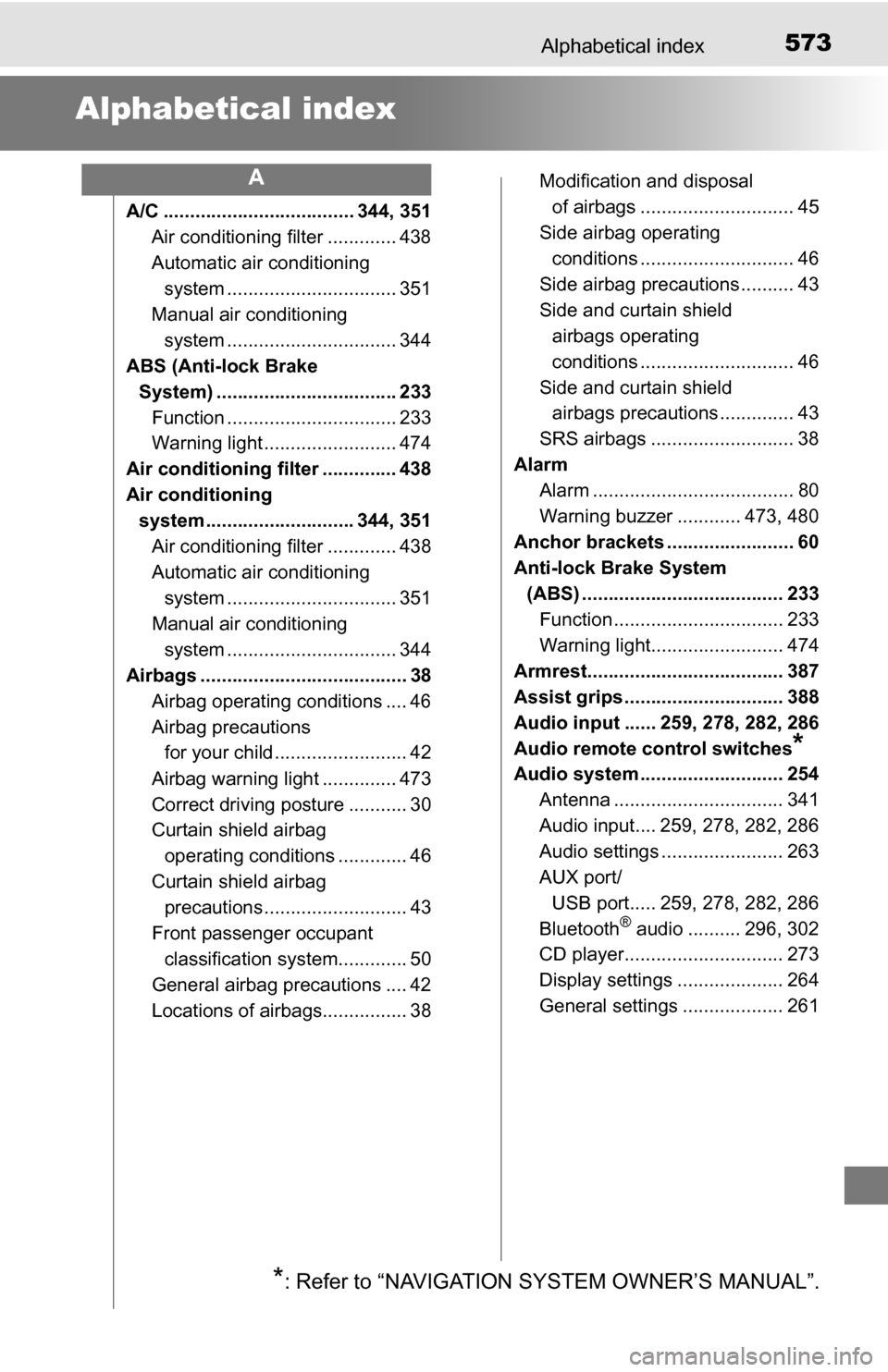
Alphabetical index
A/C .................................... 344, 351Air conditioning filter ............. 438
Automatic air conditioning system ......... ....................... 351
Manual air conditioning system ......... ....................... 344
ABS (Anti-lock Brake
System) .................................. 233 Function ................................ 233
Warning light ......................... 474
Air conditioning filter .............. 438
Air conditioning system ............................ 344, 351
Air conditioning filter ............. 438
Automatic air conditioning system ......... ....................... 351
Manual air conditioning system ......... ....................... 344
Airbags ....................................... 38
Airbag operating conditions .... 46
Airbag precautions for your child ......................... 42
Airbag warning light .............. 473
Correct driving posture ........... 30
Curtain shield airbag operating conditions ............. 46
Curtain shield airbag precautions ........................... 43
Front passenger occupant classification syst em............. 50
General airbag precautions .... 42
Locations of airbags................ 38 Modification and disposal
of airbags ............................. 45
Side airbag operating
conditions ............................. 46
Side airbag precautions .......... 43
Side and curtain shield airbags operating
conditions ............................. 46
Side and curtain shield airbags precautions .............. 43
SRS airbags ........................... 38
Alarm Alarm ...................................... 80
Warning buzzer ............ 473, 480
Anchor brackets ........................ 60
Anti-lock Brake System (ABS) ...................................... 233 Function ................................ 233
Warning light......................... 474
Armrest..................................... 387
Assist grips .............................. 388
Audio input ...... 259, 278, 282, 286
Audio remote control switches
*
Audio system ........................... 254 Antenna ................................ 341
Audio input.... 259, 278, 282, 286
Audio settings ....................... 263
AUX port/
USB port..... 259, 278, 282, 286
Bluetooth
® audio .......... 296, 302
CD player.............................. 273
Display settings .................... 264
General settings ................... 261
A
*: Refer to “NAVIGATION SYSTEM OWNER’S MANUAL”.
Page 583 of 588
583Alphabetical index
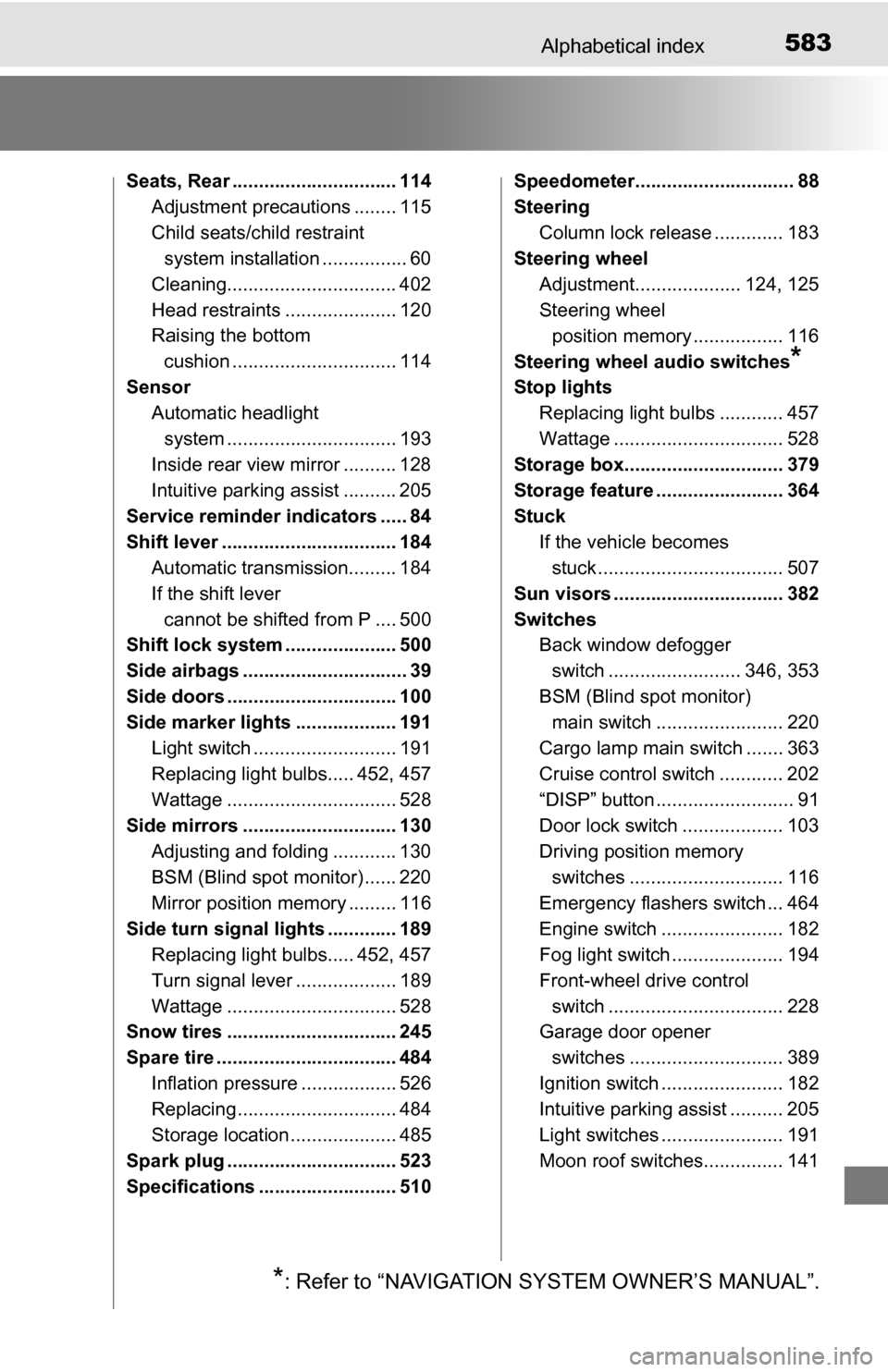
Seats, Rear ............................... 114Adjustment precautions ........ 115
Child seats/child restraint system installation ................ 60
Cleaning................................ 402
Head restraints ..................... 120
Raising the bottom cushion ............................... 114
Sensor Automatic headlight
system ......... ....................... 193
Inside rear view mirror .......... 128
Intuitive parking assist .......... 205
Service reminder indicators ..... 84
Shift lever ................................. 184 Automatic transmission......... 184
If the shift lever
cannot be shifted from P .... 500
Shift lock system ..................... 500
Side airbags ............................... 39
Side doors ................................ 100
Side marker lights ................... 191
Light switch ........................... 191
Replacing light bulbs..... 452, 457
Wattage ................................ 528
Side mirrors ............................. 130 Adjusting and folding ............ 130
BSM (Blind spot monitor) ...... 220
Mirror position memory ......... 116
Side turn signal lights ............. 189 Replacing light bulbs..... 452, 457
Turn signal lever ................... 189
Wattage ................................ 528
Snow tires ................................ 245
Spare tire .................................. 484
Inflation pressure .................. 526
Replacing .............................. 484
Storage location .................... 485
Spark plug ................................ 523
Specifications .......................... 510 Speedometer.............................. 88
Steering
Column lock release ............. 183
Steering wheel Adjustment.................... 124, 125
Steering wheel position memory ................. 116
Steering wheel audio switches
*
Stop lights Replacing light bulbs ............ 457
Wattage ................................ 528
Storage box.............................. 379
Storage feature ........................ 364
Stuck If the vehicle becomes stuck ................................... 507
Sun visors ................................ 382
Switches Back window defogger
switch ......................... 346, 353
BSM (Blind spot monitor) main switch ........................ 220
Cargo lamp main switch ....... 363
Cruise control switch ............ 202
“DISP” button .......................... 91
Door lock switch ................... 103
Driving position memory switches ............................. 116
Emergency flashers switch ... 464
Engine switch ....................... 182
Fog light switch ..................... 194
Front-wheel drive control switch ................................. 228
Garage door opener
switches ............................. 389
Ignition switch ....................... 182
Intuitive parking assist .......... 205
Light switches ....................... 191
Moon roof switches............... 141
*: Refer to “NAVIGATION SYSTEM OWNER’S MANUAL”.