bluetooth TOYOTA TUNDRA 2016 2.G Owner's Manual
[x] Cancel search | Manufacturer: TOYOTA, Model Year: 2016, Model line: TUNDRA, Model: TOYOTA TUNDRA 2016 2.GPages: 588, PDF Size: 13.44 MB
Page 302 of 588
3025-8. Bluetooth® audio
Listening to Bluetooth® audio
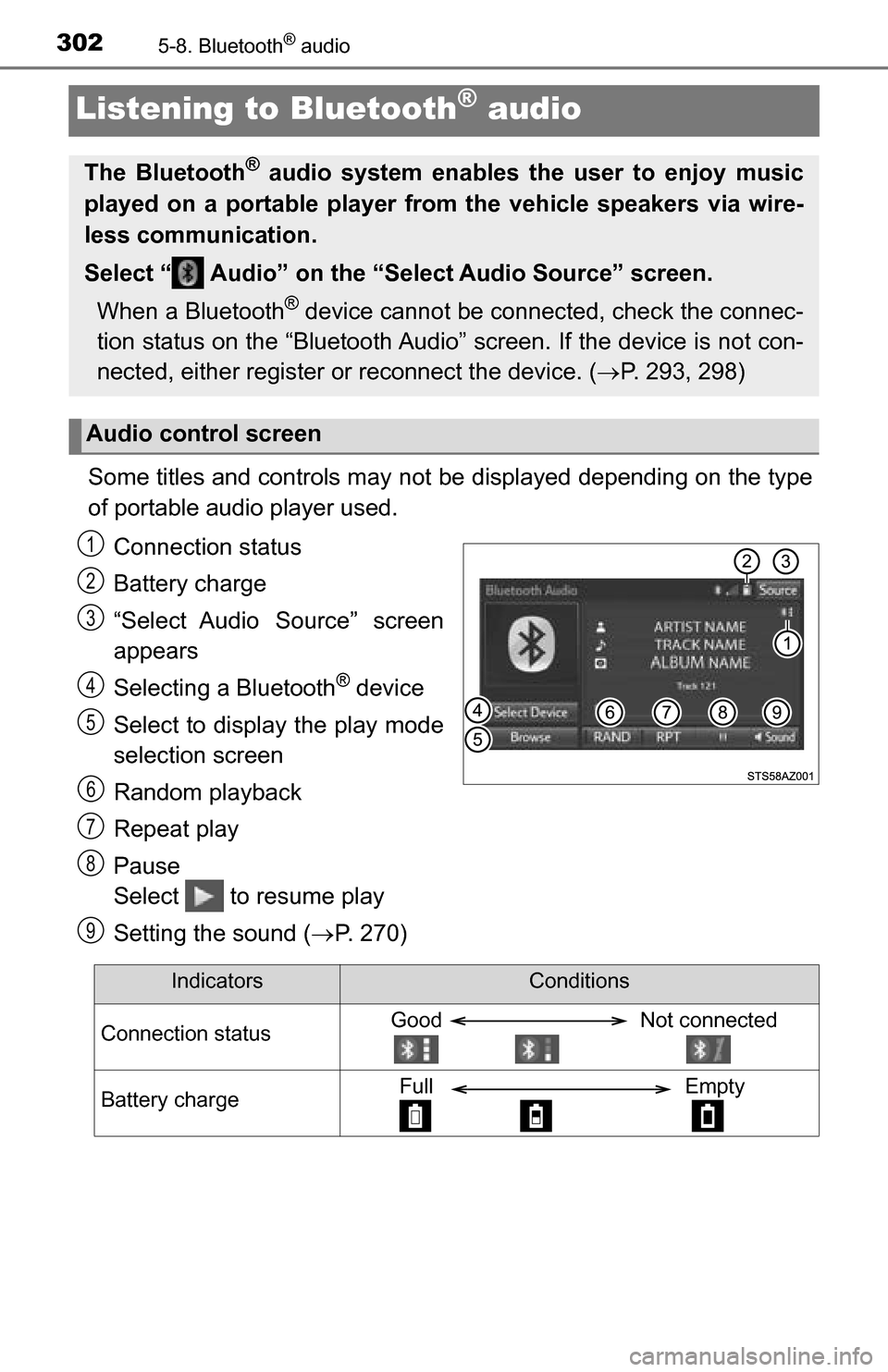
Some titles and controls may not be displayed depending on the type
of portable audio player used.Connection status
Battery charge
“Select Audio Source” screen
appears
Selecting a Bluetooth
® device
Select to display the play mode
selection screen
Random playback
Repeat play
Pause
Select to resume play
Setting the sound ( P. 270)
The Bluetooth® audio system enables the user to enjoy music
played on a portable player from the vehicle speakers via wire-
less communication.
Select “ Audio” on the “Select Audio Source” screen.
When a Bluetooth
® device cannot be connected, check the connec-
tion status on the “Bluetooth Audi o” screen. If the device is not con-
nected, either register or reconnect the device. ( P. 293, 298)
Audio control screen
1
2
3
4
5
26
7
8
9
IndicatorsConditions
Connection statusGood Not connected
Battery chargeFull Empty
Page 303 of 588
3035-9. Bluetooth® phone
5
Multimedia
Using a Bluetooth® phone
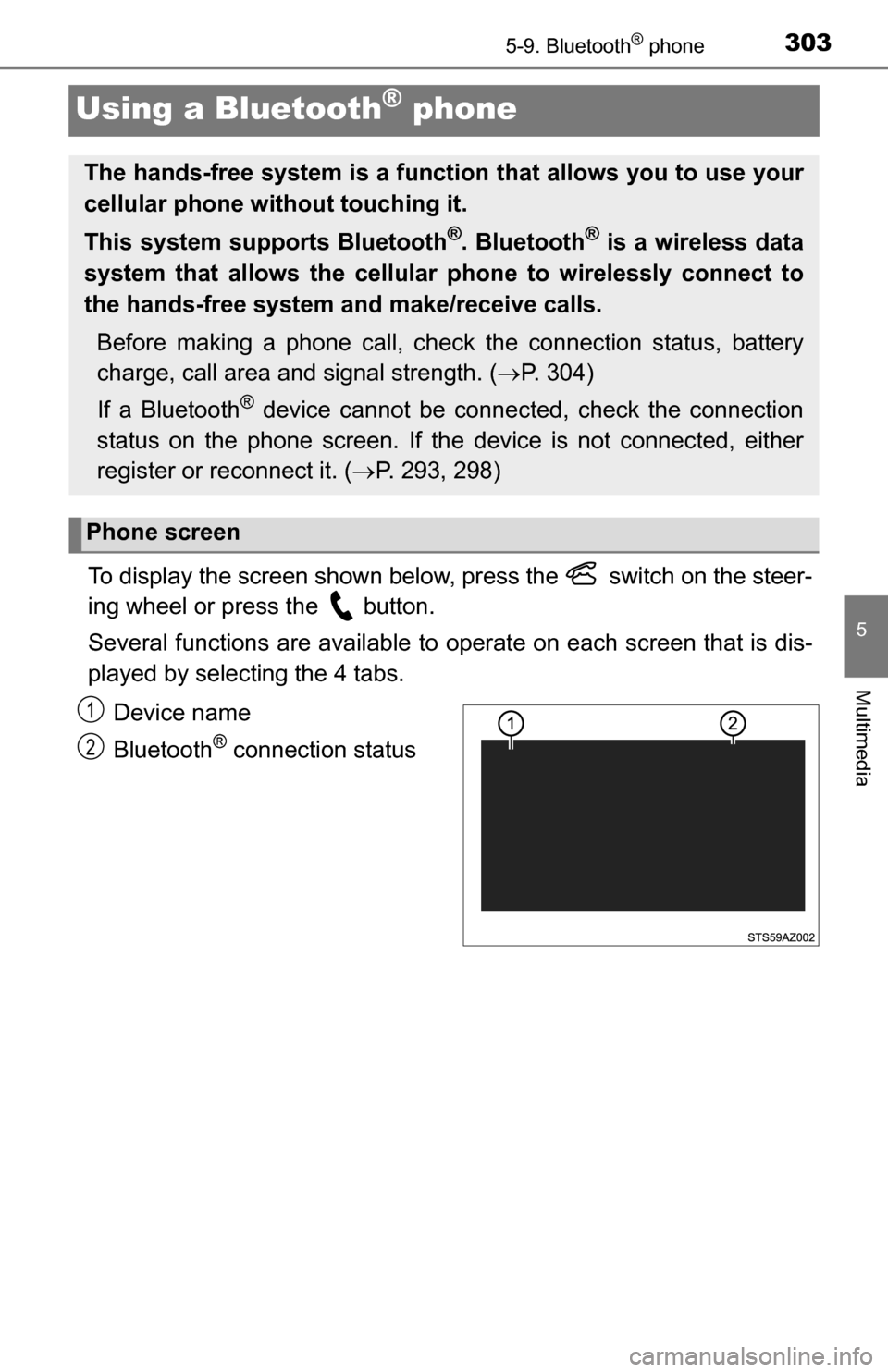
To display the screen shown below, press the switch on the steer-
ing wheel or press the button.
Several functions are available to operate on each screen that is dis-
played by selecting the 4 tabs.
Device name
Bluetooth
® connection status
The hands-free system is a function that allows you to use your
cellular phone without touching it.
This system supports Bluetooth
®. Bluetooth® is a wireless data
system that allows the cellular phone to wirelessly connect to
the hands-free system and make/receive calls.
Before making a phone call, check the connection status, battery
charge, call area and signal strength. ( P. 304)
If a Bluetooth
® device cannot be connected, check the connection
status on the phone screen. If th e device is not connected, either
register or reconnect it. ( P. 293, 298)
Phone screen
1
2
Page 304 of 588
3045-9. Bluetooth® phone
■Microphone
The vehicle’s built in micro-
phone is used when talking on
the phone.
The person you are speaking to
can be heard from the front
speakers.
To use the hands-free system, you must register your Bluetooth
®
phone in the system. (P. 296)
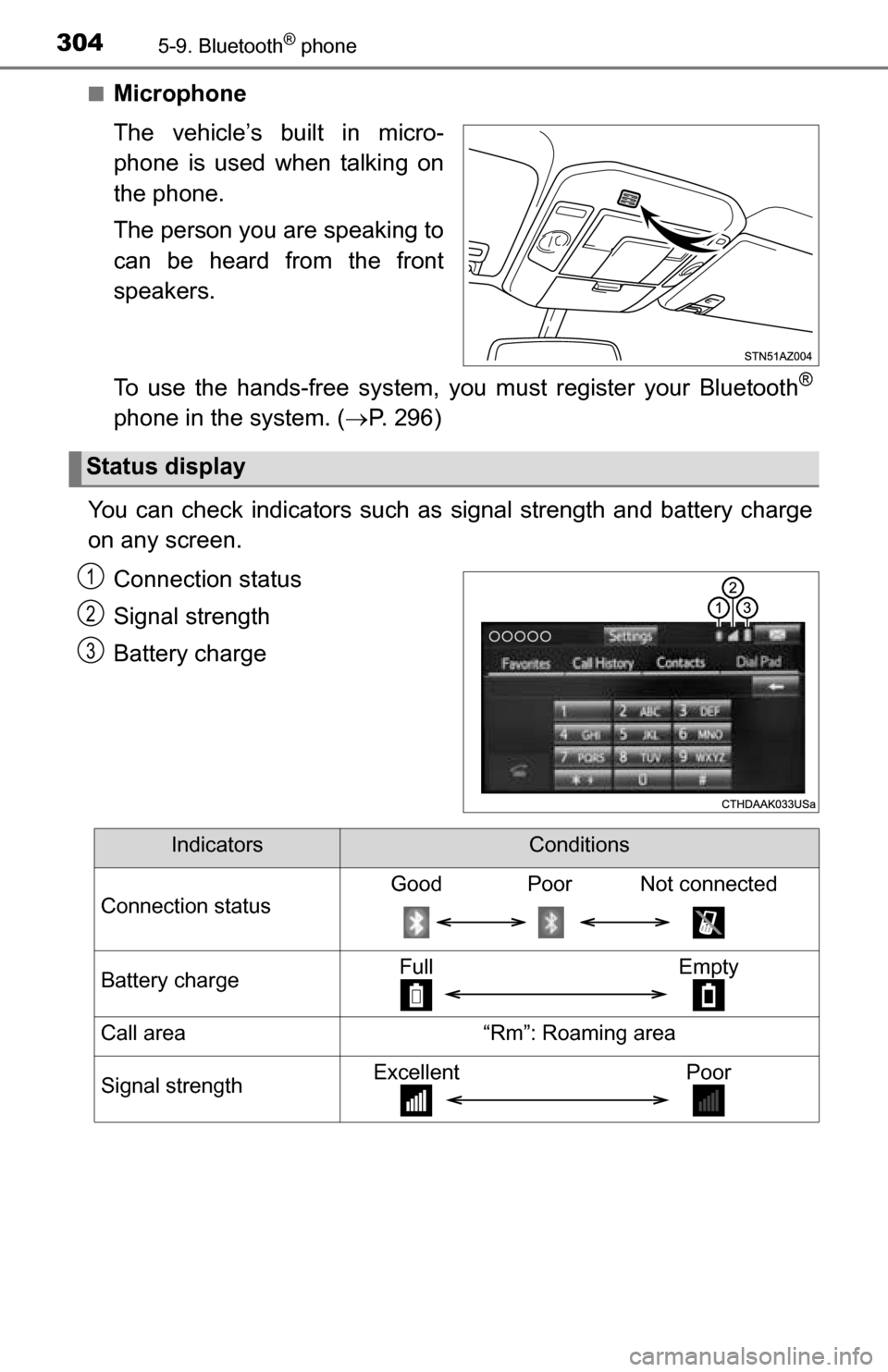
You can check indicators such as signal strength and battery charge
on any screen.
Connection status
Signal strength
Battery charge
Status display
1
2
3
IndicatorsConditions
Connection statusGood Poor Not connected
Battery chargeFull Empty
Call area“Rm”: Roaming area
Signal strengthExcellent Poor
Page 305 of 588
3055-9. Bluetooth® phone
5
Multimedia
Making a call
Display the phone screen. (P. 303)
Select the “Dial Pad” tab and enter a phone number.
To delete the input phone number, select .
For the first digit, you can enter “+” by selecting “ ” for a while.
Press the switch on the steering wheel or select .
You can dial a number from the contact data imported from your cellu-
lar phone. The system has one contact for each registered phone. Up
to 2500 contacts may be stored in each contact. ( P. 305)
Display the phone screen. ( P. 303)
Select “Contacts” tab.
Choose the desired contact to call from the list.
Choose the number and then press the switch on the steering
wheel or select .
You can transfer the phone numbers in a Bluetooth
® phone to the sys-
tem.
Operation methods differ between P BAP (Phone Book Access Profile)
compatible and PBAP incompatible Bluetooth
® phones. If the cellular
phone does not support either PB AP or OPP (Object Push Profile)
service, you cannot transfer contacts.
■For PBAP compatible Bluetooth® phones
When “Automatic Transfer” is set to on ( P. 319)
Check that a confirmation scr een is displayed when the opera-
tion is complete.
Transfer the contact data to the system using a Bluetooth® phone.
Once a Bluetooth® phone is registered, you can make a call
using the following procedure:
Dialing
Dialing from the contacts list
When the contact is empty
1
2
3
1
2
3
4
1
Page 306 of 588
3065-9. Bluetooth® phone
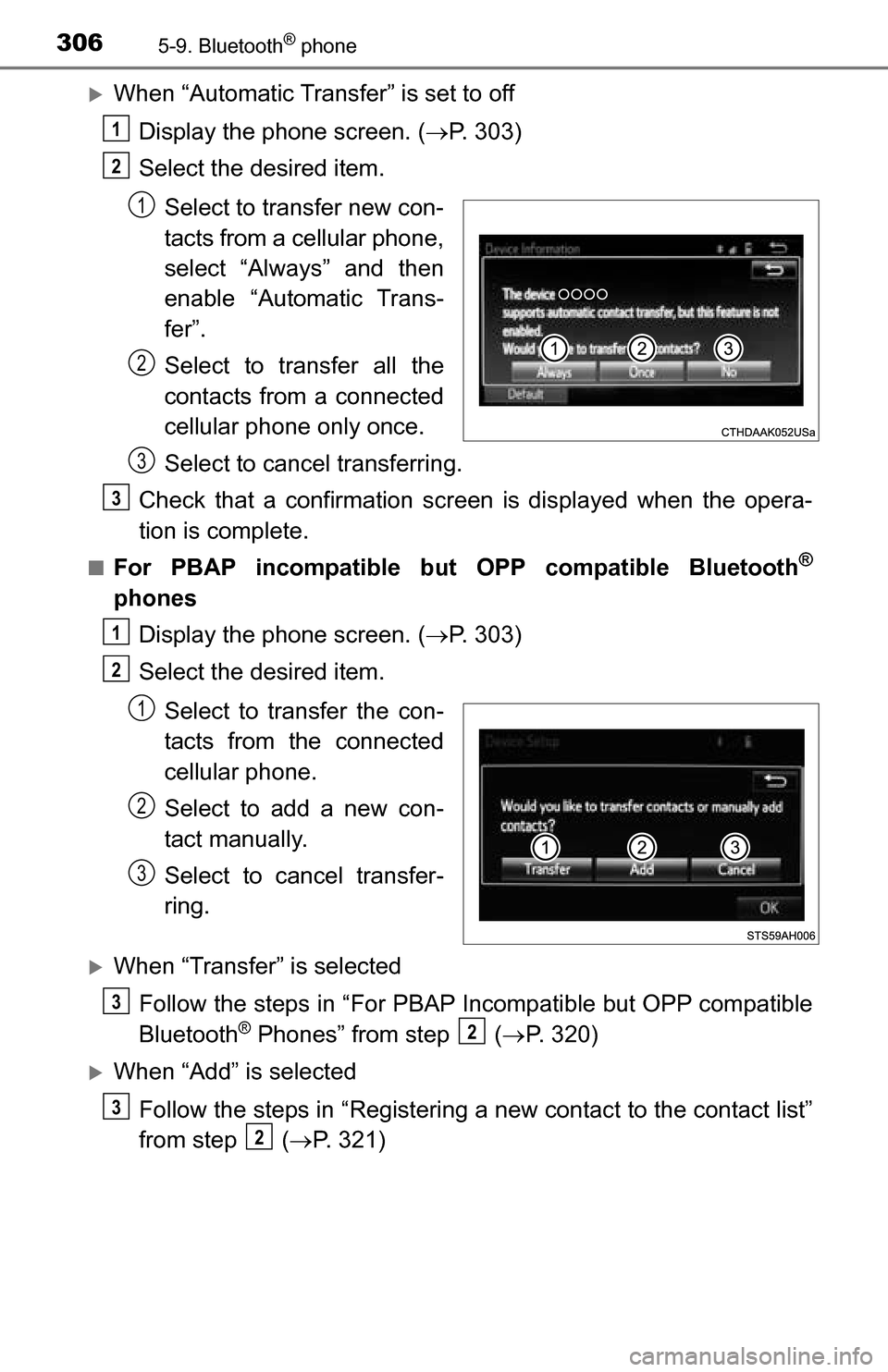
When “Automatic Transfer” is set to offDisplay the phone screen. ( P. 303)
Select the desired item.
Select to transfer new con-
tacts from a cellular phone,
select “Always” and then
enable “Automatic Trans-
fer”.
Select to transfer all the
contacts from a connected
cellular phone only once.
Select to cancel transferring.
Check that a confirmation scr een is displayed when the opera-
tion is complete.
■For PBAP incompatible but OPP compatible Bluetooth®
phones
Display the phone screen. ( P. 303)
Select the desired item.
Select to transfer the con-
tacts from the connected
cellular phone.
Select to add a new con-
tact manually.
Select to cancel transfer-
ring.
When “Transfer” is selectedFollow the steps in “For PBAP Incompatible but OPP compatible
Bluetooth
® Phones” from step ( P. 320)
When “Add” is selected
Follow the steps in “Registering a new contact to the contact list”
from step ( P. 321)
1
2
1
2
3
3
1
2
1
2
3
3
2
3
2
Page 307 of 588
3075-9. Bluetooth® phone
5
Multimedia
You can make a call using numbers registered in the contact.Display the phone screen. ( P. 303)
Select “Favorites” tab.
Select the desired number to make a call.
You can make a call using the call history, which has the 3 functions
below. : calls which you missed
: calls which you received
: calls which you made
Display the phone top screen. ( P. 303)
Select “Call History” tab.
Select or the desired entry from the list.
When is selected
Check that the “Call” screen is displayed.
When the desired cont act is selected
Select the desired number.
Check that the “Call” screen is displayed.
■Call history list
●If you make a call to or receive a call from a number registered in the con-
tact, the name is displayed in the call history.
● If you make multiple calls to the same number, only the last call made is dis-
played in the call history.
■ International calls
You may not be able to make international calls, depending on the mobile
phone in use.
Calling using favorites list
Dialing from call history
1
2
3
1
2
3
4
4
5
Page 308 of 588
3085-9. Bluetooth® phone
Receiving a call
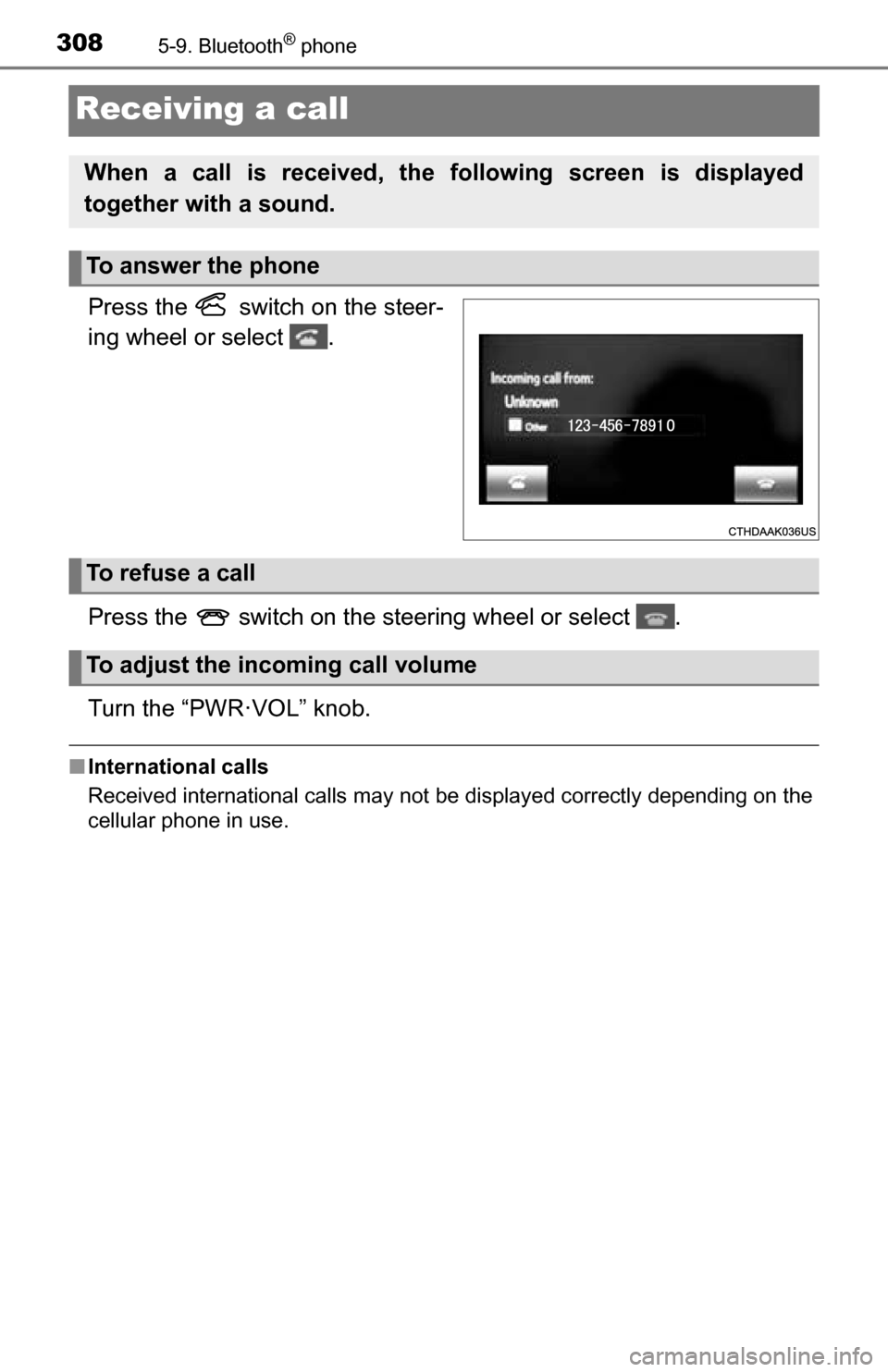
Press the switch on the steer-
ing wheel or select .
Press the switch on the steering wheel or select .
Turn the “PWR·VOL” knob.
■International calls
Received international calls may not be displayed correctly depending on the
cellular phone in use.
When a call is received, the following screen is displayed
together with a sound.
To answer the phone
To refuse a call
To adjust the incoming call volume
Page 309 of 588
3095-9. Bluetooth® phone
5
Multimedia
Speaking on the phone
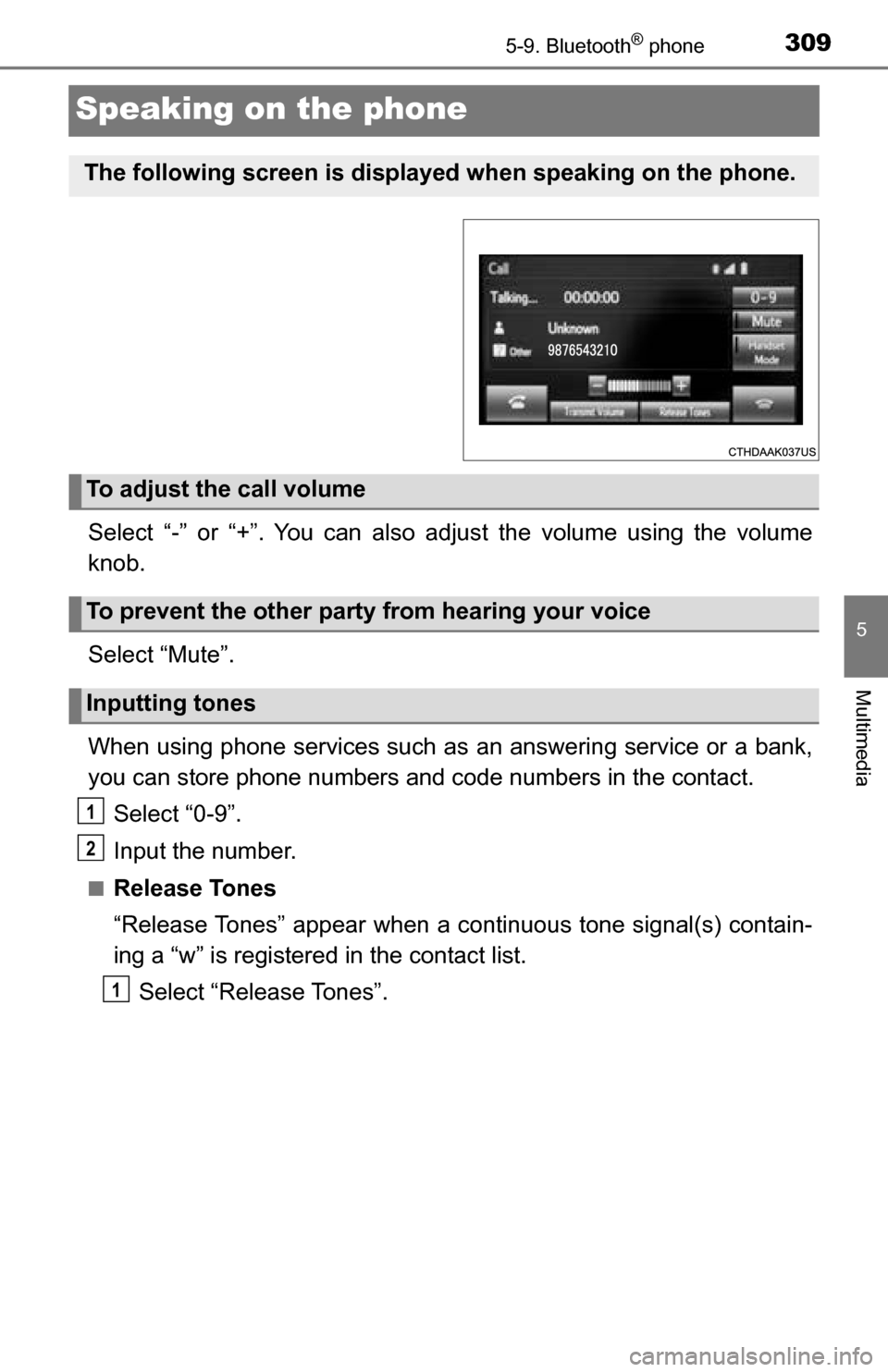
Select “-” or “+”. You can also adjust the volume using the volume
knob.
Select “Mute”.
When using phone services such as an answering service or a bank,
you can store phone numbers and code numbers in the contact.
Select “0-9”.
Input the number.
■Release Tones
“Release Tones” appear when a c ontinuous tone signal(s) contain-
ing a “w” is registered in the contact list.
Select “Release Tones”.
The following screen is displayed when speaking on the phone.
To adjust the call volume
To prevent the other party from hearing your voice
Inputting tones
1
2
1
Page 310 of 588
3105-9. Bluetooth® phone
■Release Tones
●A continuous tone signal is a character string that consists of numbers and
the characters “p” or “w”. (e.g.056133w0123p#1 )
● When the “p” pause tone is used, the tone data up until the next pause tone
will be automatically sent after 2 seconds have elapsed. When the “w”
pause tone is used, the tone data up until the next pause tone will be a\
uto-
matically sent after a user operation is performed.
● Release tones can be used when automated operation of a phone based
service such as an answering machine or bank phone service is desired. A
phone number with continuous tone signals can be registered in the contact
list.
● Tone data after a “w” pause tone can be operated on voice command during
a call.
Select “Handset Mode” to change from a hands-free call to a cellular
phone call.
Select “Handset Mode” to off from a cellular phone call to a hands-free
call.
Select “Transmit Volume”.
Select the desired level for the transmit volume.
Select “OK”.
Press the switch on the steering wheel or select .
To transfer a call
Transmit volume setting
To hang up
1
2
3
Page 311 of 588
3115-9. Bluetooth® phone
5
Multimedia
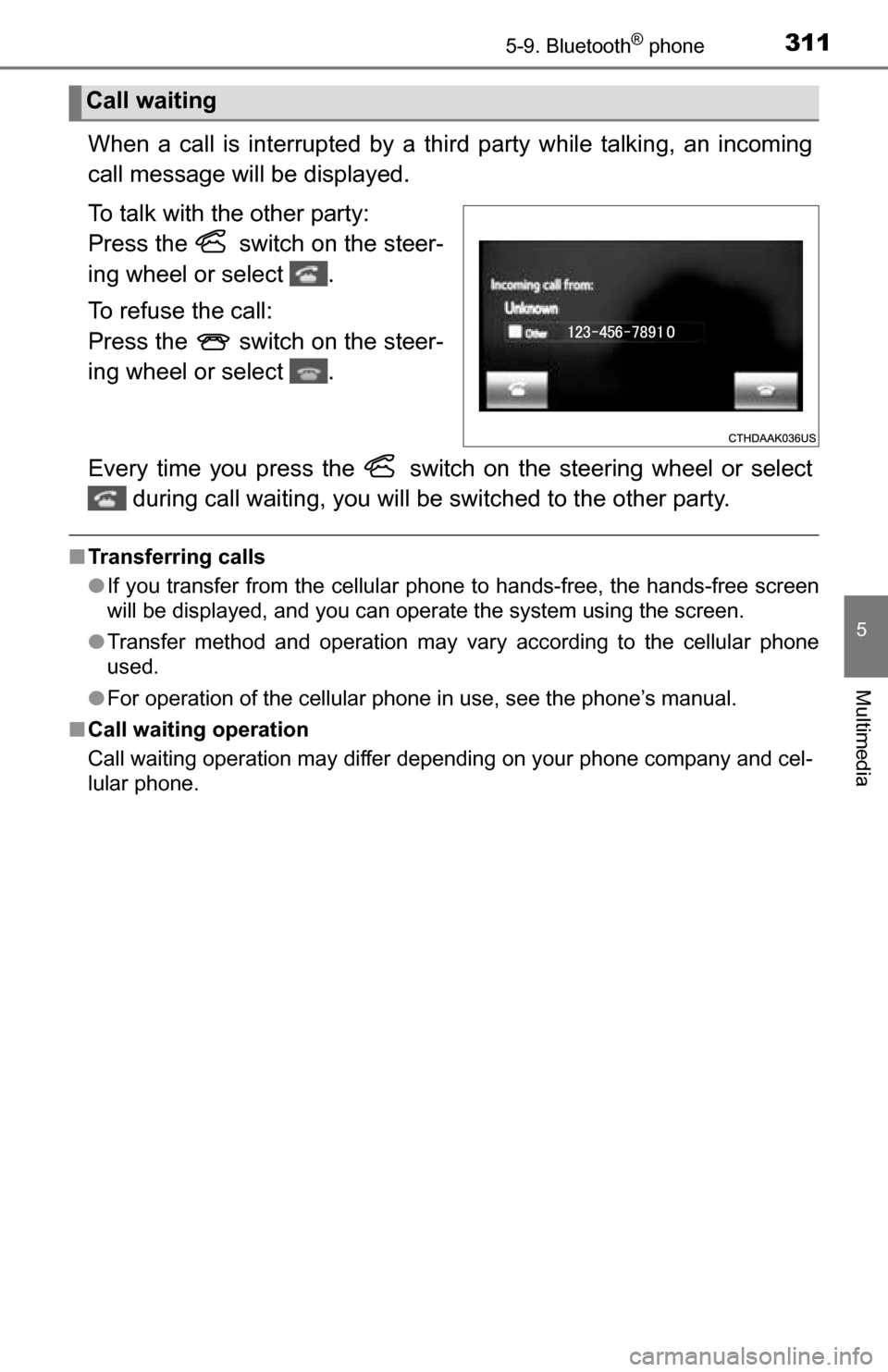
When a call is interrupted by a third party while talking, an incoming
call message will be displayed.
To talk with the other party:
Press the switch on the steer-
ing wheel or select .
To refuse the call:
Press the switch on the steer-
ing wheel or select .
Every time you press the switch on the steering wheel or select during call waiting, you will be switched to the other party.
■Transferring calls
●If you transfer from the cellular phone to hands-free, the hands-free screen
will be displayed, and you can operate the system using the screen.
● Transfer method and operation may vary according to the cellular phone
used.
● For operation of the cellular phone in use, see the phone’s manual.
■ Call waiting operation
Call waiting operation may differ depending on your phone company and cel-
lular phone.
Call waiting